• Skip to primary navigation
  • Skip to main content
Premier Business Team

Premier Business Team

Your business connectivity and IT Team

  • Home
  • Business Internet
  • Business Phone
  • Blog
  • About Us
    • Our Featured Suppliers
  • Contact Us
  • Business Quote
    • Business Tech Assessment
  • Engineering
  • Call: 360-946-2626
  • Show Search
Hide Search

Blog Posts

Business Phone Systems in Mount Vernon

premierbusiness · December 23, 2025 ·

Mount Vernon businesses deserve communication systems that grow with their success. Whether you're a small retailer on First Street, a medical practice serving Skagit Valley, or a growing manufacturer, the right business phone system can transform how you connect with customers and manage operations.

Today's business phone service options go far beyond traditional landlines. Modern solutions like business VoIP, Cloud Phone Service, and Cloud PBX systems offer Mount Vernon companies the flexibility, features, and cost savings needed to compete in today's market.

Why Mount Vernon Businesses Choose Modern Phone Systems

Mount Vernon's diverse business landscape, from agriculture and manufacturing to healthcare and retail, demands communication solutions that adapt to unique operational needs. Local companies are discovering that upgrading from outdated phone systems to modern business VoIP and Cloud Phone Service delivers immediate benefits.

Cost Reduction Without Compromise
Traditional phone systems often burden Mount Vernon businesses with expensive hardware, maintenance contracts, and limited scalability. Cloud Phone Service eliminates these concerns by moving your entire communication infrastructure to the cloud, reducing monthly costs while expanding capabilities.

Reliability You Can Count On
Mount Vernon businesses can't afford communication downtime. Modern Cloud PBX systems offer 99.9% uptime guarantees with automatic failover protection. If your internet connection experiences issues, calls automatically route to backup systems or mobile devices, ensuring you never miss important customer communications.

Scalability for Growth
Whether you're adding seasonal employees or expanding to new locations, UCaaS (Unified Communications as a Service) grows with your Mount Vernon business. Add or remove users instantly without purchasing additional hardware or waiting for technician visits.

image_1

Essential Features for Mount Vernon Businesses

Advanced Call Management

Modern business phone systems provide sophisticated call handling that enhances your professional image. Features include:

  • Auto-attendants that greet callers professionally and route them to appropriate departments
  • Call queuing to manage high-volume periods without losing customers
  • Call forwarding to ensure important calls reach you anywhere
  • Voicemail-to-email for convenient message management

Integration Capabilities

Today's UCaaS solutions integrate seamlessly with popular business applications Mount Vernon companies already use. Connect your phone system with CRM software, scheduling tools, and productivity suites to streamline workflows and improve customer service.

Mobile and Remote Work Support

With many Mount Vernon businesses adopting hybrid work models, your communication system must support employees regardless of location. Business VoIP solutions provide consistent calling experiences whether employees work from the office, home, or customer sites.

The Premier Business Team Advantage: Vendor-Neutral Expertise

Unlike providers that push single-brand solutions, Premier Business Team takes a vendor-neutral approach to business phone systems in Mount Vernon. This means we evaluate your specific needs and recommend the best-fit solution from multiple top-tier providers.

Comprehensive Needs Assessment
We begin every Mount Vernon business phone system project with a thorough analysis of your:

  • Current communication challenges
  • Growth projections and scalability requirements
  • Integration needs with existing business systems
  • Budget parameters and ROI expectations
  • Employee workflow patterns and remote work policies

Ongoing Support and Management
Our relationship with Mount Vernon businesses extends far beyond initial installation. We provide ongoing monitoring, maintenance, and optimization to ensure your Cloud PBX or business VoIP system continues delivering peak performance as your company evolves.

image_2

Industry-Specific Solutions for Mount Vernon

Healthcare Practices

Mount Vernon medical offices require HIPAA-compliant communication solutions with secure messaging, appointment reminders, and after-hours call handling. Our Cloud Phone Service implementations include encrypted communications and detailed call logging for compliance requirements.

Manufacturing and Industrial

Local manufacturers benefit from business phone systems that integrate with production scheduling, quality control systems, and supply chain management tools. Features like overhead paging integration and emergency notification systems enhance workplace safety and operational efficiency.

Retail and Hospitality

Mount Vernon retail businesses need communication systems that support multiple locations, seasonal staffing changes, and integration with POS systems. Business VoIP solutions provide centralized management while allowing individual location customization.

Making the Switch: What Mount Vernon Businesses Can Expect

Seamless Migration Process

Transitioning to a new business phone system doesn't mean communication disruptions. Our proven migration process ensures Mount Vernon businesses maintain full service throughout the transition:

  1. Pre-migration planning to minimize disruption
  2. Parallel system testing before cutover
  3. Phased implementation for complex installations
  4. Staff training on new features and capabilities
  5. Post-implementation optimization and fine-tuning

Investment Protection

Modern Cloud PBX and UCaaS solutions protect your technology investment through regular software updates, security enhancements, and feature additions, all included in your monthly service fee. No expensive hardware refreshes or compatibility concerns.

image_3

Frequently Asked Questions

Q: How reliable is business VoIP compared to traditional phone lines?
A: Modern business VoIP systems exceed traditional phone reliability through redundant internet connections, automatic failover systems, and 99.9% uptime guarantees. Cloud Phone Service providers maintain multiple data centers to ensure continuous operation even during local outages.

Q: Can we keep our existing phone numbers when switching to Cloud PBX?
A: Yes, number portability allows Mount Vernon businesses to retain existing phone numbers during the transition to Cloud Phone Service. The process typically takes 7-14 business days and includes temporary forwarding to prevent missed calls.

Q: What internet connection do we need for business VoIP?
A: Most Mount Vernon businesses have sufficient internet bandwidth for business VoIP. We recommend dedicated internet connections with at least 100 kbps per simultaneous call, plus additional bandwidth for data applications. Our team performs internet assessments before implementation.

Q: How does UCaaS pricing compare to traditional phone systems?
A: UCaaS typically reduces total communication costs by 30-50% compared to traditional systems. Mount Vernon businesses eliminate hardware purchases, maintenance contracts, and per-feature charges while gaining advanced capabilities included in monthly service fees.

Q: Can employees use the system from home or remote locations?
A: Yes, Cloud Phone Service works anywhere with internet connectivity. Employees can use desktop applications, mobile apps, or IP phones to maintain full system access and professional call handling regardless of location.

Q: What happens if our internet goes down?
A: Modern business phone systems include multiple failover options: automatic call forwarding to mobile devices, backup internet connections, and cellular failover systems. Your Mount Vernon business maintains communication capabilities even during internet disruptions.

Ready to transform your Mount Vernon business communications with a modern phone system that grows with your success? Premier Business Team's vendor-neutral approach ensures you get the perfect solution for your specific needs, backed by local expertise and ongoing support.

Contact Premier Business Team today for a complimentary consultation and discover how the right business phone system can enhance your Mount Vernon operations while reducing costs.

POTS Lines Are Dead in 2026: Here's Your 5-Step Elevator Phone Replacement Guide

premierbusiness · December 23, 2025 ·

If your building still relies on old-school copper phone lines for elevator emergency phones, you're running out of time. Major carriers like AT&T and Verizon are aggressively phasing out POTS (Plain Old Telephone Service) lines, with most targeting complete retirement by 2026-2027.

The reality? Your elevator phone could go dark without warning.

We're seeing this panic hit building owners across the Northwest. One day everything's working fine, the next day your tenant calls because someone got stuck in the elevator and couldn't reach help. That's not just inconvenient, it's a safety nightmare and potential liability.

Here's your step-by-step roadmap to replace those dying POTS lines before they leave you stranded.

Why POTS Lines Are Actually Going Away (It's Not Just Hype)

Let's get real for a second. This isn't some distant problem you can ignore until 2030.

AT&T is cutting copper lines by 50% before the end of 2025, with full retirement planned by 2029. Verizon is even more aggressive, they want all POTS customers moved to fiber or wireless by 2026-2027.

The kicker? There are still 15-50 million POTS lines in active use right now. Most of them are supporting critical systems like elevator phones, fire alarms, and building entry systems that can't just plug into regular internet service.

Your elevator phone isn't just "nice to have", it's required by safety codes. When that POTS line gets cut, you're not just dealing with inconvenience. You're facing code violations, insurance issues, and serious liability if someone gets trapped.

image_1

Step 1: Figure Out What You're Actually Dealing With

Before you can fix the problem, you need to know exactly what equipment you have.

Start with your elevator phone system. Most buildings have emergency phones in each elevator car, plus phones in machine rooms and sometimes at building entrances. Check if these connect to traditional phone lines or if they're already using some kind of digital system.

Look for the telltale signs of POTS: If you see copper phone lines coming into your building's telephone room, or if your elevator maintenance company mentions "phone line issues," you're probably on POTS.

Get your current phone bill. Look for line items that mention "POTS," "analog lines," or "copper service." If you're paying per line (instead of a flat rate for internet-based service), that's another red flag.

Talk to your elevator maintenance company. They should know exactly what type of phone system your elevators use. If they start talking about "analog lines" or "traditional phone service," you've got POTS.

Document everything. Write down how many elevator phones you have, where they're located, and what your current monthly cost is. You'll need this info for the next steps.

Step 2: Choose Your Replacement Technology

You've got three main options, and the best choice depends on your building's specific setup.

POTS-in-a-Box Solutions (Recommended for Most Buildings)

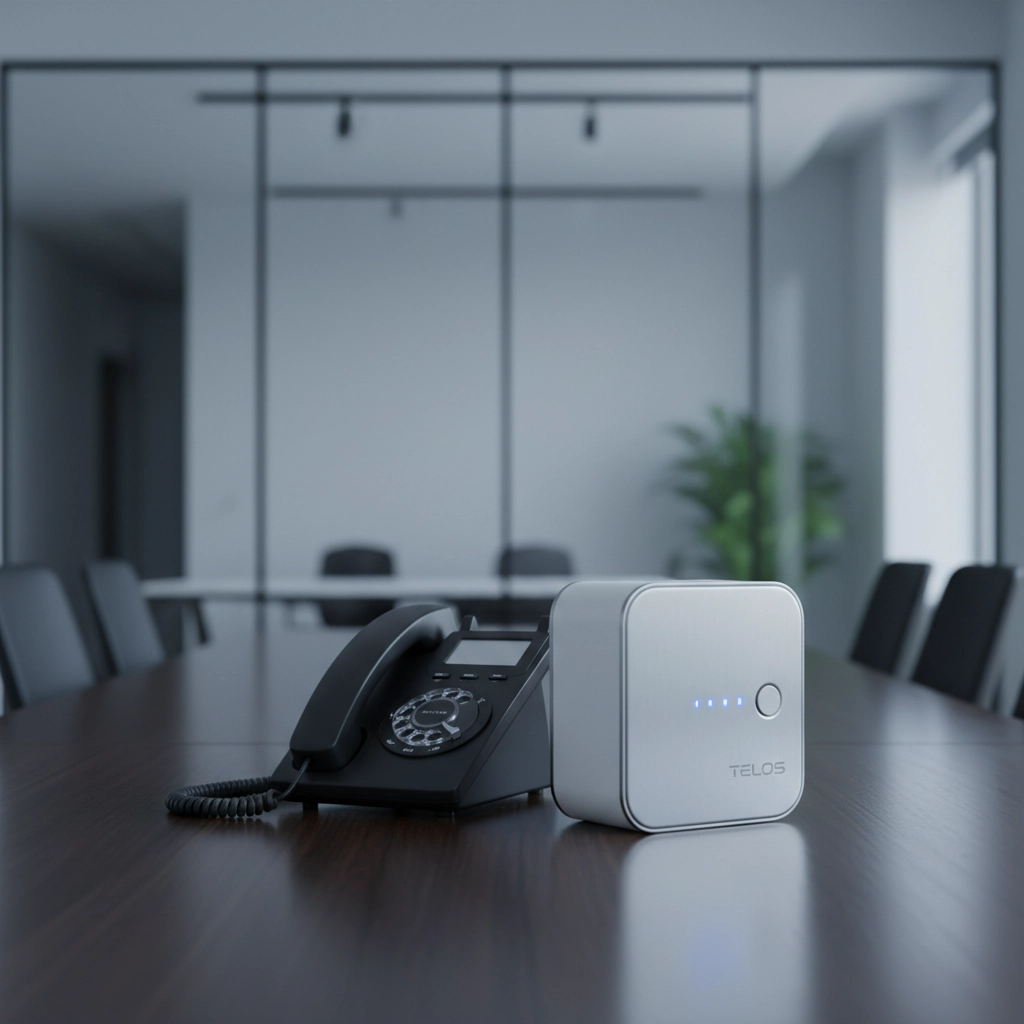
This is usually your best bet. These devices literally replace your old phone lines by creating fake "analog" connections that work over modern networks.

The magic? Your elevator phone thinks it's still connected to a traditional phone line, but it's actually using 4G, 5G, or your building's internet connection.

Benefits: Easy installation, works with existing elevator equipment, includes battery backup for emergencies.

Downsides: Monthly cellular fees, needs good cell coverage in your building.

Direct VoIP Integration

If your elevator system is newer (installed after 2015), it might support direct VoIP connections. This routes calls over your building's internet connection.

Benefits: Lower ongoing costs, uses existing internet infrastructure.

Downsides: Requires VoIP-compatible elevator equipment, needs reliable internet with backup power.

Cellular Bridge Solutions

These create a wireless connection specifically for your elevator phones, independent of your building's internet.

Benefits: Completely separate from your internet, works anywhere with cell coverage.

Downsides: Higher monthly costs, may need external antennas for basement elevators.

image_2

Step 3: Make Sure You Stay Code Compliant

Here's where things get tricky. Elevator phone systems aren't just convenience features, they're required by safety codes, and those codes have specific requirements.

Battery backup is non-negotiable. Your replacement system must work during power outages. Most POTS-in-a-Box solutions include this, but you need to verify the backup time meets local codes (usually 4-24 hours).

Test call functionality must work. Many elevator phones have a "test" button that calls a monitoring center. Make sure your new system supports this feature.

Two-way communication is required. The person in the elevator needs to be able to talk AND hear responses. Some cheap solutions only work one way.

Check local amendments. Building codes vary by city and county. Some areas have specific requirements for elevator communication systems that go beyond national standards.

Document everything for inspectors. Keep records showing your new system meets all the same safety requirements as the old POTS lines. Building inspectors will ask for this during your next safety inspection.

Step 4: Plan Your Implementation (Don't Wing This Part)

The worst thing you can do is wait until your POTS lines get cut and then scramble for a solution.

Timeline planning: Give yourself at least 3-4 months from decision to go-live. Equipment needs to be ordered, installed, tested, and approved. Rush jobs lead to problems.

Coordinate with your elevator company. Some elevator maintenance contracts include phone line maintenance. Make sure they know about the change and update your service agreement.

Plan for testing windows. You'll need to test the new system during business hours, which means coordinating with tenants. Nobody wants to get stuck in an elevator during a "test."

Have a backup plan. Keep your old POTS lines active until the new system is fully tested and approved. Yes, you'll pay for both systems for a few weeks, but it beats having no elevator phone at all.

Update your emergency procedures. Make sure building management and security staff know about the change. If the new system works differently (different phone numbers, different test procedures), everyone needs to know.

image_3

Step 5: Test Everything, Then Test It Again

This is where most implementations fail. People assume the new system works and skip thorough testing.

Test from every elevator. Don't just check one car: test every elevator phone in your building. Signal strength can vary between floors.

Test during different conditions. Make test calls during business hours, after hours, weekends, and during bad weather. Some cellular solutions work great on sunny Tuesday mornings but fail during storms.

Test the test function. If your elevator phones have a test button that calls a monitoring center, make sure that still works with the new system.

Load test the system. If you have multiple elevators, try making calls from several phones at the same time. Some solutions work fine with one call but struggle with multiple simultaneous calls.

Document everything. Keep records of all your tests, including dates, times, and results. Building inspectors and insurance companies may ask for this documentation.

Train your team. Make sure building management, security staff, and maintenance personnel know how the new system works and what to do if there are problems.

What This Actually Costs (And Why Waiting Costs More)

Let's talk numbers, because this is probably your biggest concern.

POTS-in-a-Box solutions typically run $100-300 per line for equipment, plus $25-50 per month for cellular service. For a typical small building with 2-4 elevator phones, you're looking at $500-1,200 upfront and $100-200 monthly.

Direct VoIP integration costs vary widely depending on your elevator equipment, but expect $200-500 per phone for installation, plus minimal ongoing costs if you already have reliable internet.

The "do nothing" option isn't free. When your POTS lines get cut, emergency solutions cost 3-5 times more than planned replacements. Plus you're looking at potential fines, insurance issues, and the cost of elevator downtime.

Pro tip: Some elevator maintenance companies offer phone line replacement as part of their service contracts. This might cost more monthly, but it includes installation, testing, and ongoing support.

Don't Wait Until It's an Emergency

We've helped dozens of building owners navigate this transition, and the ones who start early have way better outcomes than the ones who wait.

The panic replacements always cost more, take longer, and cause more headaches.

If you're dealing with POTS line replacement in the Washington state area, we can walk you through your specific situation and help you choose the right solution. We work with building owners throughout Whatcom County and beyond to solve exactly these kinds of infrastructure challenges.

Visit our website to learn more about our telecommunications consulting services, or reach out directly to discuss your specific building's needs. We'll help you navigate the technical requirements, code compliance, and vendor selection so you can focus on running your building instead of worrying about phone lines.

The POTS phase-out is happening whether you're ready or not. The question is whether you'll be proactive or reactive. Your tenants: and your liability insurance( will thank you for choosing proactive.)

Business Internet vs AI Demands: 7 Signs Your Multi-Location Company Can't Keep Up (2026)

premierbusiness · December 22, 2025 ·

The rapid evolution of artificial intelligence and cloud-based business applications has fundamentally changed what "adequate" internet connectivity means for modern enterprises. While your internet service might have been perfectly sufficient for email and basic web browsing just a few years ago, today's AI-powered workflows, real-time collaboration tools, and intelligent business systems demand exponentially more from your network infrastructure.

For multi-location companies, this challenge becomes even more complex. Each branch, remote office, and satellite location needs robust connectivity to access centralized AI tools, cloud applications, and data repositories. When your internet infrastructure can't keep pace with these demands, the productivity gaps become glaring: and costly.

What Does "AI-Ready" Internet Actually Mean?

Before diving into the warning signs, it's crucial to understand what AI-ready connectivity entails. Modern AI applications don't just need fast download speeds; they require:

  • Low latency for real-time processing and responses
  • Symmetrical bandwidth for uploading large datasets and receiving AI-generated content
  • Consistent performance during peak usage hours
  • Redundancy and failover to prevent AI workflow interruptions
  • Scalable capacity to accommodate growing AI tool adoption across your organization

Traditional business internet packages, often designed around basic web browsing and email, simply weren't built for these demands.

image_1

The 7 Warning Signs Your Infrastructure Is Falling Behind

Sign #1: Slow Cloud Application Performance During Busy Hours

If your team struggles to access Salesforce, Microsoft 365, or other cloud-based tools during peak business hours, your internet bandwidth likely can't handle concurrent AI and cloud demands. This is particularly problematic for multi-location businesses where multiple offices compete for limited bandwidth during the same business hours.

What you'll notice:

  • Lengthy loading times for CRM or ERP systems
  • Delayed file syncing across cloud platforms
  • Employee complaints about "everything being slow" after lunch or during busy periods

Sign #2: Frequent Video and Audio Call Glitches

Video conferencing has become the backbone of multi-location collaboration, but AI-enhanced communication tools require even more bandwidth. Features like real-time transcription, background noise cancellation, and intelligent meeting summaries all add to your connectivity demands.

Red flags include:

  • Pixelated or frozen video during important calls
  • Audio dropouts when multiple team members speak
  • Inability to use AI-powered features like live captions or meeting insights

Sign #3: Security Appliances and Smart Systems Experience Lag or Disconnects

Modern business security relies heavily on cloud-connected devices and AI-powered threat detection. When your internet infrastructure is stretched thin, these critical systems often suffer first.

Warning signs:

  • Security cameras that buffer or lose connection
  • Access control systems that respond slowly
  • Firewall and intrusion detection systems that can't process traffic in real-time
  • Smart building systems (HVAC, lighting) that become unresponsive

image_2

Sign #4: Branch Offices Complain About Slowness or Frequent Outages

Multi-location businesses often discover that their internet service levels vary dramatically between locations. While your headquarters might have robust connectivity, satellite offices may struggle with inadequate or unreliable internet service.

Common complaints from remote locations:

  • "The system is always down at our location"
  • "We can't access the same tools that work fine at headquarters"
  • "File uploads take forever from our office"

Premier Business Team's network infrastructure services can help standardize connectivity across all your locations.

Sign #5: Remote and Hybrid Work Suffers from Connectivity Bottlenecks

The rise of hybrid work models means your office internet must support both in-office employees and remote workers accessing your systems via VPN. AI-powered collaboration tools amplify these bandwidth demands significantly.

Indicators of trouble:

  • VPN connections that drop frequently
  • Remote employees who avoid using certain applications "because they're too slow"
  • Difficulty accessing AI tools or cloud applications from home offices

Sign #6: Limited Scalability for New Devices, Applications, or Locations

As your business grows and adopts more AI-powered tools, your internet infrastructure should scale accordingly. Legacy internet services often can't accommodate rapid expansion or increased device density.

Scalability challenges include:

  • Unable to add new locations without degrading performance at existing ones
  • New AI tools that "break" your existing internet capacity
  • IoT devices or smart equipment that can't connect reliably

Sign #7: Rising Costs with Falling Productivity

Perhaps the most frustrating sign: you're spending more money on internet services while employee productivity continues to decline. This often happens when businesses try to patch connectivity problems with bandwidth upgrades instead of addressing underlying infrastructure issues.

Financial warning signs:

  • Monthly internet bills that keep increasing without corresponding performance improvements
  • Lost productivity due to system downtime or slow performance
  • IT staff spending increasing time troubleshooting connectivity issues

image_3

How to Audit Your Network for AI-Readiness

Before upgrading your internet service, conduct a thorough assessment of your current infrastructure:

Bandwidth Testing Across All Locations

Test internet speeds during peak usage hours, not just during off-peak times. Many businesses discover their "guaranteed" speeds don't hold up when they need them most.

Application Performance Monitoring

Track how long it takes to load critical business applications throughout the day. Document patterns and identify bottlenecks.

Device Inventory and Usage Patterns

Catalog all devices connecting to your network, including smartphones, tablets, IoT sensors, and smart equipment. Understanding your total device load helps predict future capacity needs.

Premier Business Team offers comprehensive business tech assessments to help identify infrastructure gaps and optimization opportunities.

Modern Internet Upgrade Options for Multi-Location Businesses

Fiber Internet Solutions

Dedicated fiber connections offer the symmetrical speeds and low latency that AI applications demand. For multi-location businesses, fiber provides consistent performance and easier scalability.

5G Fixed Wireless

In areas where fiber isn't available, 5G fixed wireless can deliver enterprise-grade connectivity with faster deployment times than traditional wired solutions.

SD-WAN Implementation

Software-Defined Wide Area Networks help optimize traffic across multiple locations, ensuring critical applications get priority bandwidth while reducing costs.

Hybrid Connectivity Solutions

Combining multiple internet sources (fiber, wireless, satellite) provides redundancy and load balancing for mission-critical operations.

Learn more about business internet options designed specifically for growing companies.

image_4

How Premier Business Team Simplifies Internet Upgrades

Upgrading internet infrastructure across multiple locations can feel overwhelming, especially when you're trying to maintain business operations during the transition. Premier Business Team takes a vendor-neutral approach, helping you evaluate options from multiple providers to find the best fit for your specific needs and budget.

Our process includes:

  • Comprehensive network assessment across all your locations
  • Vendor comparison and negotiation to ensure you get the best value
  • Staged implementation to minimize disruption to your business operations
  • Ongoing support and monitoring to ensure optimal performance

Frequently Asked Questions

Q: How much internet speed do I actually need for AI applications?
A: AI applications vary widely in their bandwidth requirements. Basic AI-powered productivity tools might need 25-50 Mbps per user, while advanced applications like video AI or large-scale data processing can require 100+ Mbps per concurrent user. The key is ensuring consistent performance during peak hours.

Q: Can I just upgrade my current internet plan, or do I need a completely new service?
A: This depends on your current infrastructure and provider capabilities. Sometimes a simple bandwidth upgrade suffices, but many businesses discover they need more reliable service, better redundancy, or different technology altogether.

Q: How long does it typically take to upgrade internet infrastructure across multiple locations?
A: Timeline varies based on location accessibility and chosen technology. Fiber installations might take 30-90 days per location, while 5G fixed wireless can often be deployed in 2-4 weeks. We recommend a phased approach, prioritizing your most critical locations first.

Q: What happens to my current internet service during the upgrade process?
A: Professional providers typically install and test new service before disconnecting your existing connection, ensuring zero downtime during the transition.

Q: How do I know if my current internet problems are actually related to AI demands or other issues?
A: A comprehensive network assessment can identify whether performance issues stem from insufficient bandwidth, outdated equipment, network congestion, or other factors. This analysis is crucial for choosing the right solution.

Take Action: Assess Your Internet Infrastructure Today

Don't let outdated internet infrastructure hold back your business growth and AI adoption. The gap between your current connectivity and what your business actually needs will only widen as AI tools become more sophisticated and essential to daily operations.

Contact Premier Business Team today for a free network assessment. Our vendor-neutral approach ensures you get the right internet solution for your multi-location business: without the sales pressure or technical complexity. Let us help you build an internet infrastructure that supports your current needs and scales with your future growth.

Google Workspace, Cloud, Email, and Drive Services in Mount Vernon, WA

premierbusiness · December 22, 2025 ·

Mount Vernon businesses are discovering the power of Google Workspace to streamline operations, enhance collaboration, and reduce IT costs. As a growing business hub in Skagit County, Mount Vernon companies, from agriculture and manufacturing to healthcare and retail, need reliable cloud solutions that scale with their growth.

Premier Business Team provides comprehensive Google Workspace deployment, migration, and ongoing support services specifically tailored for Mount Vernon businesses. Our vendor-neutral approach ensures you get the right Google Cloud solutions without vendor lock-in or unnecessary upselling.

Why Mount Vernon Businesses Choose Google Workspace

Google Workspace transforms how Mount Vernon companies operate by providing enterprise-grade email, cloud storage, and collaboration tools at an affordable price point. Local businesses benefit from:

Reduced IT Infrastructure Costs: Eliminate expensive on-premises email servers and storage systems while gaining enterprise-level security and reliability.

Enhanced Remote Work Capabilities: Perfect for Mount Vernon's diverse business landscape, from agricultural companies managing seasonal workers to professional services supporting remote teams.

Seamless Collaboration: Teams can work together in real-time on documents, spreadsheets, and presentations, whether they're in the office, at home, or traveling between job sites.

Enterprise-Grade Security: Google's advanced security features protect sensitive business data with two-factor authentication, advanced threat protection, and compliance certifications required by healthcare and financial services companies.

image_1

Google Workspace Solutions for Mount Vernon Industries

Retail and Restaurant Operations

Mount Vernon's thriving retail and restaurant scene benefits from Google Workspace's point-of-sale integration capabilities, inventory management through Google Sheets, and customer communication tools. Restaurants can manage reservations, coordinate between front-of-house and kitchen staff, and maintain vendor relationships through shared calendars and documents.

Healthcare and Medical Practices

Medical offices in Mount Vernon require HIPAA-compliant email and secure file sharing. Google Workspace for Healthcare provides the necessary compliance features while enabling secure patient communication and seamless collaboration between medical professionals.

Agricultural and Manufacturing Businesses

Skagit County's agricultural heritage means many Mount Vernon businesses need solutions that work across multiple locations and with seasonal staffing. Google Workspace provides scalable email accounts, shared project management tools, and mobile access for field operations.

Professional Services and Nonprofits

Law firms, accounting practices, and nonprofit organizations in Mount Vernon benefit from Google Workspace's document management capabilities, client communication tools, and cost-effective licensing options, including discounted nonprofit pricing.

Our Google Workspace Services in Mount Vernon

Google Workspace Deployment and Setup

We handle complete Google Workspace implementation, including domain verification, user account creation, security configuration, and mobile device management setup. Our Mount Vernon clients receive white-glove service that minimizes disruption during the transition.

Email Migration Services

Migrating from outdated email systems or other providers can be complex. We manage the entire process, ensuring zero email loss and minimal downtime. Whether you're moving from Exchange, Office 365, or legacy POP3/IMAP accounts, our migration specialists handle technical details while keeping your Mount Vernon business operational.

image_2

Google Drive and Cloud Storage Optimization

Proper Google Drive setup is crucial for productivity and security. We configure shared drives, set appropriate permissions, implement file organization standards, and train your team on best practices for cloud file management.

Ongoing Support and Training

Post-deployment support ensures your Mount Vernon team maximizes Google Workspace investment. We provide user training, troubleshooting, security updates, and performance optimization to keep your systems running smoothly.

Google Cloud Consulting Services

Beyond basic Google Workspace, many Mount Vernon businesses benefit from broader Google Cloud Platform (GCP) services. We provide strategic consulting on:

Data Analytics and Business Intelligence: Leverage Google's powerful analytics tools to gain insights into your Mount Vernon market and operations.

Custom Application Development: Build applications that integrate with Google Workspace for unique business needs.

Advanced Security Implementation: Deploy enterprise-grade security measures including identity management and threat detection.

Backup and Disaster Recovery: Protect your business data with comprehensive backup strategies and disaster recovery planning.

Why Choose Premier Business Team for Google Workspace

Local Mount Vernon Expertise

We understand the unique challenges facing Mount Vernon businesses, from seasonal staffing fluctuations in agriculture to compliance requirements in healthcare. Our local knowledge ensures solutions that work in your specific business environment.

Vendor-Neutral Approach

Unlike Google-exclusive partners, we provide unbiased advice on whether Google Workspace is the right fit for your needs. If hybrid solutions or alternative platforms better serve your Mount Vernon business, we'll recommend those instead.

Comprehensive IT Support

Google Workspace deployment is just one component of your technology infrastructure. We integrate your new cloud services with existing systems, ensuring seamless operation across all platforms. Learn more about our complete IT solutions for Mount Vernon businesses.

Transparent Pricing

No hidden fees or surprise charges. We provide clear, upfront pricing for all Google Workspace services, including deployment, migration, training, and ongoing support.

image_3

Getting Started with Google Workspace in Mount Vernon

The transition to Google Workspace typically follows these steps:

  1. Assessment: We evaluate your current email and collaboration systems, identifying migration challenges and integration requirements.

  2. Planning: Development of a detailed deployment timeline that minimizes disruption to your Mount Vernon operations.

  3. Implementation: Professional setup including domain configuration, user accounts, security settings, and data migration.

  4. Training: Comprehensive user training ensures your team can leverage all Google Workspace features effectively.

  5. Support: Ongoing assistance to address questions, optimize performance, and adapt to your evolving business needs.

Frequently Asked Questions About Google Workspace

How long does Google Workspace deployment take for Mount Vernon businesses?
Most small to medium Mount Vernon businesses complete deployment within 1-2 weeks, including data migration and user training. Larger organizations may require 3-4 weeks for complex migrations.

Can Google Workspace integrate with our existing Mount Vernon business systems?
Yes, Google Workspace offers extensive integration capabilities with CRM systems, accounting software, and industry-specific applications commonly used by Mount Vernon businesses.

What happens to our email during migration?
We use advanced migration tools that maintain email continuity throughout the process. Your Mount Vernon team continues receiving and sending emails while we transfer historical data in the background.

Is Google Workspace secure enough for our Mount Vernon healthcare practice?
Google Workspace for Healthcare meets HIPAA compliance requirements and includes advanced security features like data loss prevention, encryption, and audit logging required for medical practices.

How much does Google Workspace cost for Mount Vernon businesses?
Pricing starts at $6 per user per month for basic plans, with enterprise plans available for larger organizations. Nonprofits receive significant discounts on all plans.

Can we try Google Workspace before committing?
Yes, Google offers 14-day free trials for all plans. We help Mount Vernon businesses set up trial accounts to evaluate features before making decisions.

Ready to transform your Mount Vernon business with Google Workspace? Premier Business Team makes the transition seamless and stress-free. Contact us today for a free consultation and discover how Google Cloud solutions can improve your productivity, reduce costs, and position your business for growth in 2026 and beyond.

Schedule your free Google Workspace consultation or call us to discuss your Mount Vernon business needs with our Google Cloud specialists.

Unified Communications 101: A Beginner's Guide to Choosing Between RingCentral, Dialpad, and 8X8 in 2026

premierbusiness · December 22, 2025 ·

Choosing the right unified communications platform in 2026 can feel overwhelming. With dozens of providers promising the same thing: better calls, seamless video meetings, and integrated messaging: how do you cut through the marketing noise and find the solution that actually fits your business?

If you've narrowed your search to RingCentral, Dialpad, and 8X8, you're looking at three fundamentally different approaches to business communications. One focuses on AI-powered innovation, another on comprehensive enterprise features, and the third balances both with strong international capabilities.

This guide breaks down each platform in plain English, so you can make an informed decision without getting lost in technical jargon or sales pitches.

What Is Unified Communications?

Before diving into specific platforms, let's clarify what unified communications (UC) actually means. Simply put, it's combining all your business communication tools: phone calls, video meetings, instant messaging, file sharing, and sometimes even email: into one integrated system.

Instead of juggling separate apps for calls, meetings, and messages, everyone on your team uses the same platform. This eliminates the confusion of "Should I call, text, or start a video chat?" and ensures nothing gets lost between different systems.

image_1

RingCentral: The Enterprise Powerhouse

RingCentral positions itself as the comprehensive solution for established businesses. Think of it as the Swiss Army knife of business communications: it has every feature you could possibly need, but it comes with complexity.

Core Strengths:

  • Handles massive meetings (up to 200 video participants or 1,000 audio-only)
  • Complete phone system features: extensions, department lines, automated attendants
  • Robust infrastructure designed for enterprise reliability
  • Extensive integration claims (though quality varies)

Best For: Large organizations with traditional phone system needs, companies requiring very large meetings, businesses with dedicated IT teams who can manage complexity.

Consider This: RingCentral's desktop and mobile apps feel outdated compared to newer platforms. The learning curve is steep, and while they claim to integrate with almost everything, many integrations are superficial rather than seamless.

Pricing: Custom quotes only: no transparent pricing published online, which typically means higher costs.

Dialpad: The AI Innovation Leader

Dialpad takes a completely different approach, positioning artificial intelligence as the core differentiator. If RingCentral is the Swiss Army knife, Dialpad is the smart toolkit that learns and improves with every use.

Core Strengths:

  • Real-time call transcription and sentiment analysis
  • AI coaching that automatically creates CRM leads from conversations
  • Modern, intuitive mobile app with SMS-like interface
  • Included video meetings without additional fees

Best For: Sales teams wanting AI-driven insights, small-to-medium businesses prioritizing user experience, companies where mobile communication is critical.

Consider This: Video meetings are limited to 200 participants maximum. Some claimed integrations don't work as seamlessly as advertised. SMS messaging beyond the first 250 per user per month incurs additional charges.

Pricing: Starts at $15 per month per user with AI features included.

8X8: The Balanced Global Solution

8X8 serves as the middle ground, offering enterprise-level capabilities at more accessible pricing than RingCentral, with better international features than Dialpad.

Core Strengths:

  • Exceptional video conferencing (up to 500 participants)
  • Unlimited international calling to 14+ countries on standard plans
  • Advanced contact center features with predictive analytics
  • Certified Microsoft Teams integration

Best For: Businesses with global operations, mid-to-large companies needing advanced contact center features, organizations heavily invested in Microsoft ecosystem.

Consider This: Customer service response times can be slow. Lower-tier plans have user limits. The interface requires significant learning investment.

Pricing: Express plan at $15/month (5 users max), unlimited plans start at $28/month per user.

Feature Comparison at a Glance

Feature RingCentral Dialpad 8X8
Max Video Participants 200 200 500
Max Audio Participants 1,000 200 500
AI Features Basic Advanced Standard
Mobile App Quality Outdated Modern Standard
International Calling Standard Standard Unlimited (14+ countries)
Contact Center Full suite Limited Advanced analytics
Starting Price Custom quote $15/month $15/month (limited users)
Learning Curve Steep Easy Moderate

image_2

Practical Buying Tips for 2026

1. Start with Your Actual Needs
Don't get distracted by flashy features you'll never use. How many people typically join your video calls? Do you make international calls regularly? Do you need advanced call routing or just basic phone service?

2. Test the Mobile Experience
In 2026, your team likely spends more time on mobile devices than desktop computers. Request demo access and actually use the mobile apps for a few days. A clunky mobile experience will frustrate your team daily.

3. Understand Integration Reality
Every platform claims to integrate with your existing tools. Ask for specific demonstrations of the integrations you need, not just marketing promises. Test how data flows between systems: many "integrations" are just glorified copy-paste functions.

4. Factor in Training Time
Complex systems require training investment. RingCentral might offer every feature imaginable, but if your team can't learn it effectively, those features become expensive overhead rather than productivity boosters.

5. Consider Growth Trajectory
If you're a 10-person company planning to hire 50 people in the next two years, ensure your chosen platform scales smoothly without requiring migration to a different system.

For businesses in the Bellingham area looking to upgrade their communication infrastructure, Premier Business Team can provide vendor-neutral guidance to help you evaluate these options against your specific requirements.

Frequently Asked Questions

Q: Which platform offers the best value for money in 2026?
A: It depends on your specific needs. Dialpad at $15/month with included AI features offers excellent value for small-to-medium businesses. 8X8 provides good enterprise features at competitive pricing. RingCentral typically costs more but may justify the expense for large organizations needing comprehensive features.

Q: Can I switch between these platforms easily if I choose wrong?
A: Switching unified communications platforms requires planning and downtime. Most providers offer migration assistance, but expect 2-4 weeks for a complete transition. Choose carefully upfront rather than planning to switch later.

Q: Do these platforms work well for remote teams?
A: All three platforms support remote work, but with different strengths. Dialpad excels at mobile-first experiences. 8X8 handles large video conferences well. RingCentral offers the most traditional business phone features for hybrid work environments.

Q: What about security and compliance?
A: All three platforms offer enterprise-grade security and compliance certifications (SOC 2, HIPAA, etc.). Review specific compliance requirements with each vendor, as coverage varies by plan tier.

Q: How reliable are cloud-based phone systems compared to traditional lines?
A: Modern cloud-based systems typically offer 99.99% uptime, which often exceeds traditional phone line reliability. However, they depend on your internet connection quality, so ensure you have reliable business internet service before switching.

image_3

Making Your Decision

Choose RingCentral if you need comprehensive enterprise features, host very large meetings regularly, and have IT resources to manage complexity.

Choose Dialpad if you want AI-powered insights, prioritize modern user experience, and your team is mobile-first.

Choose 8X8 if you need international calling, want enterprise features at reasonable prices, or use Microsoft Teams extensively.

The best unified communications platform isn't the one with the most features: it's the one your team will actually use effectively every day. Consider starting with a pilot program involving a small group before rolling out company-wide.

Ready to evaluate these options for your specific business needs? Premier Business Team offers free, vendor-neutral consultations to help Bellingham-area businesses choose the right communications platform. We'll analyze your current setup, understand your growth plans, and provide transparent comparisons of real costs and benefits.

Contact Premier Business Team today for your free unified communications provider comparison and take the guesswork out of this critical business decision.

  • « Go to Previous Page
  • Page 1
  • Interim pages omitted …
  • Page 51
  • Page 52
  • Page 53
  • Page 54
  • Page 55
  • Interim pages omitted …
  • Page 78
  • Go to Next Page »

Get a no obligation quote for your business. Learn More

Proud Chamber Member

Bellingham Chamber Badge

Premier Business Team

Copyright © 2026 ยท Premier Business Team 2219 Rimland Dr. Suite 301 Bellingham, WA 98226 - 360-946-2626

  • Home
  • Business Internet
  • Business Phone
  • Blog
  • About Us
  • Contact Us
  • Business Quote
  • Engineering
  • Call: 360-946-2626