


Here's a scary stat for you: 51% of businesses shut down within two years of experiencing significant data loss. And yet, most companies are still making the same preventable backup mistakes that leave them vulnerable to outages, cyberattacks, and total system failures.
If your business relies on internet connectivity (and in 2026, whose doesn't?), then your backup strategy isn't just an IT checkbox, it's your lifeline. Let's break down the most common business internet backup mistakes we see every day, and what you can do to fix them before disaster strikes.
Mistake #1: Assuming Your Backups Actually Work
This is the big one. We've seen it countless times: a business owner tells us they have backups in place, but when we dig in, those backups haven't been tested in months, or ever.
The problem? Backups can fail silently. They can become corrupted, incomplete, or simply stop running due to configuration changes nobody noticed. And you won't find out until you desperately need to restore your data.
What to do instead:
- Test your backups regularly, at minimum, quarterly
- Run actual restoration tests to verify data integrity
- Set up automated alerts for backup failures
- Document your recovery procedures so your team knows exactly what to do
Think of it this way: an untested backup is basically the same as no backup at all.

Mistake #2: Relying on a Single Backup Method
We get it, managing multiple backup solutions sounds complicated. But relying on just one method creates a dangerous single point of failure.
Here's what can go wrong with each approach:
| Backup Method | Vulnerability |
|---|---|
| Cloud-only backups | Depend on internet connectivity; can be slow to restore large datasets |
| Local storage only | Susceptible to physical damage, theft, or on-site disasters |
| Manual processes | Human error, forgotten backups, inconsistent schedules |
If ransomware hits your network and your backups live on that same network? They're encrypted too. Game over.
What to do instead:
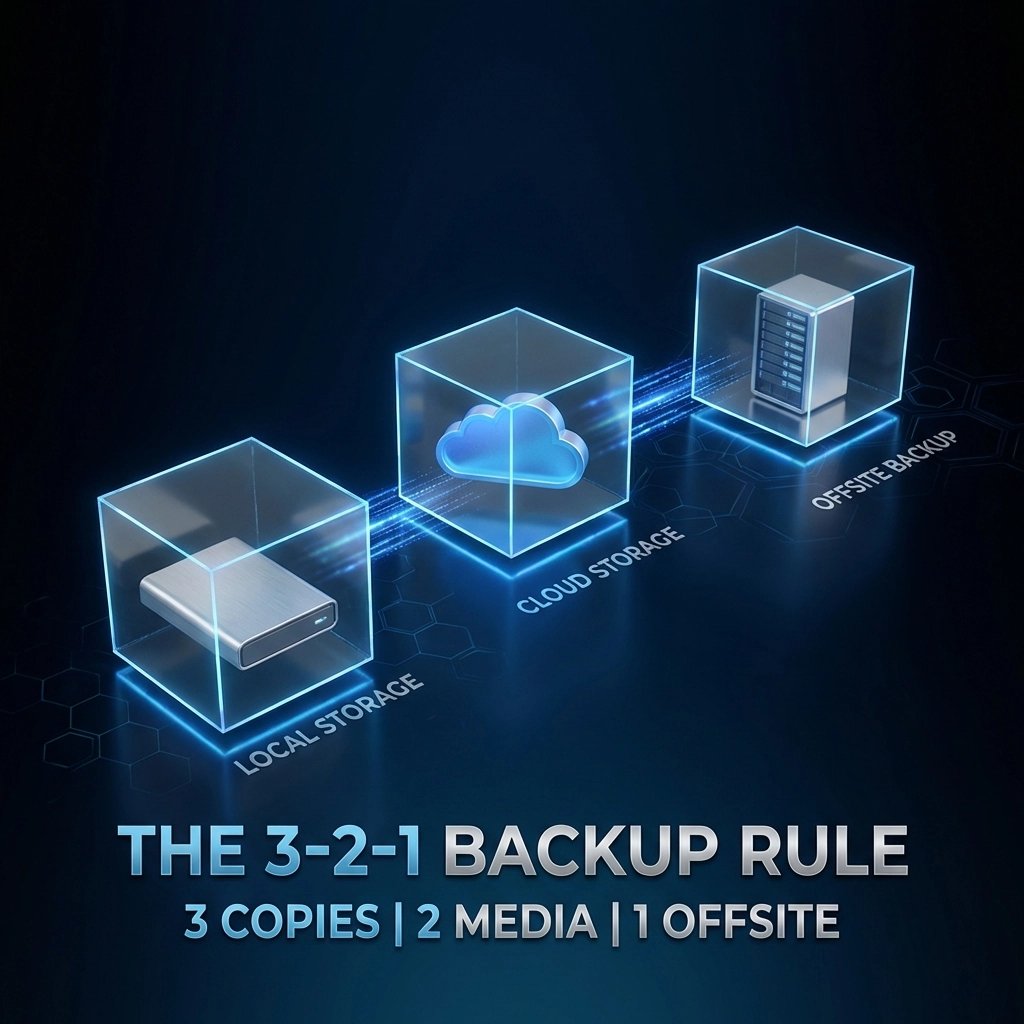
Follow the 3-2-1 backup rule:
- 3 copies of your data
- 2 different storage types (local + cloud)
- 1 copy stored offsite or in a geographically separate location
This hybrid approach gives you fast local recovery for everyday issues while protecting against catastrophic events like fires, floods, or coordinated cyberattacks.
Mistake #3: Confusing Cloud Storage with Real Backups
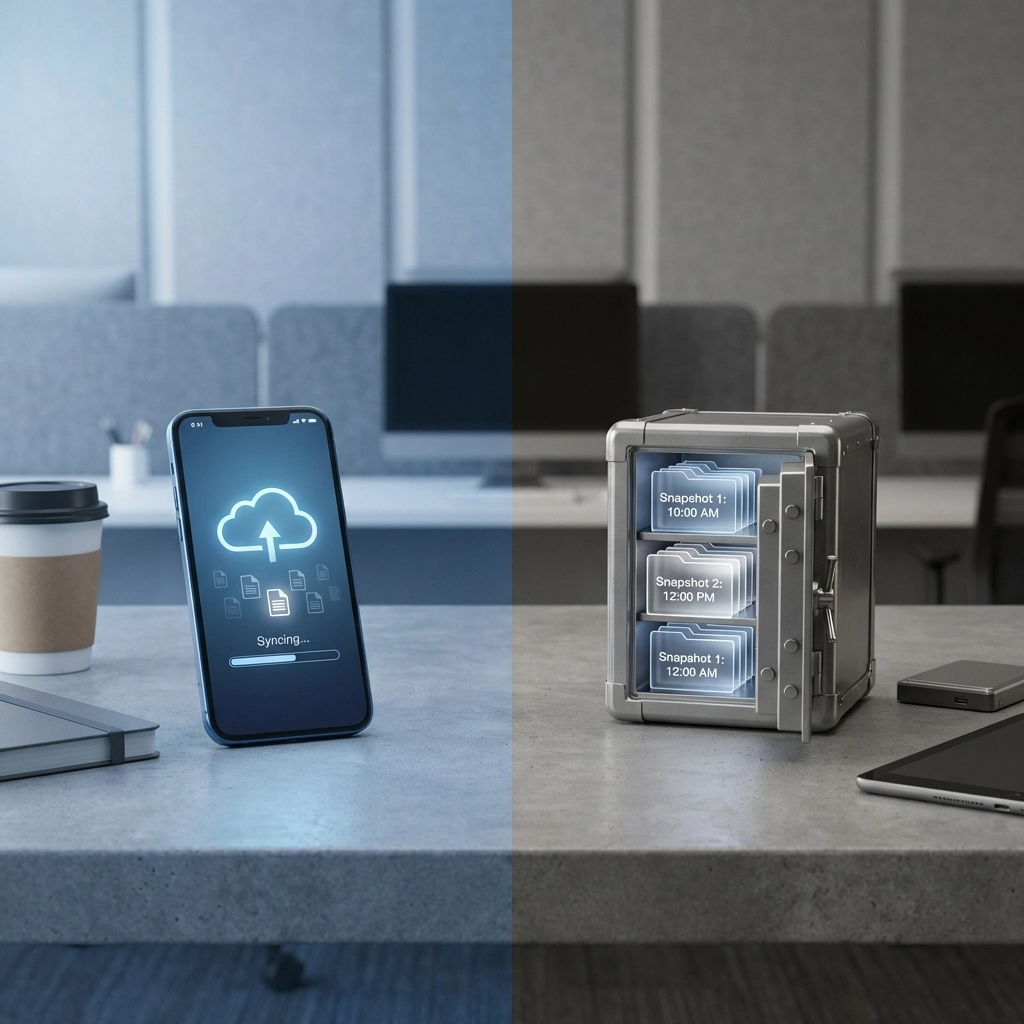
This misconception catches a lot of businesses off guard. Services like Google Drive, Microsoft OneDrive, and Dropbox are sync services, not backup solutions.
Here's the critical difference: if you delete a file (accidentally or due to ransomware), that deletion syncs across all your connected devices. Your "backup" disappears right along with your original.
What to do instead:
- Use dedicated backup software that creates versioned, point-in-time snapshots
- Implement solutions with ransomware detection and rollback capabilities
- Consider enterprise-grade cloud and data services designed for business continuity
Sync is convenient. Backup is essential. Don't confuse the two.
Mistake #4: Keeping All Backups in One Physical Location
Your server room has a backup drive sitting right next to your main servers. Feels secure, right?
Wrong. A single fire, flood, power surge, or break-in could wipe out your primary systems AND your backups simultaneously. We've seen businesses lose years of data because their "backup" was sitting three feet from the server it was supposed to protect.
What to do instead:
- Store at least one backup copy in a geographically separate location
- Use cloud backup services with data centers in different regions
- For critical systems, consider real-time replication to a secondary site
- Work with IT professionals to design infrastructure that builds in redundancy
Geographic separation isn't paranoid, it's practical.
Mistake #5: Ignoring Configuration Drift
Your business evolves. You add new applications, spin up new servers, onboard new employees. But does your backup system keep up?
Configuration drift happens when your production environment changes but your backup policies stay frozen in time. That new CRM you implemented last quarter? The customer database on that new server? They might not be backed up at all.
What to do instead:
- Audit your backup coverage quarterly
- Automatically discover and include new systems in your backup policies
- Maintain documentation of what's being backed up (and what's not)
- Review backup reports to catch gaps before they become disasters
Mistake #6: Weak Access Controls on Backup Systems
Your backups contain everything, customer data, financial records, proprietary information. If the wrong person gains access, they can delete, corrupt, or steal your entire safety net.
Insider threats and stolen credentials are real risks. And yet, many businesses treat backup system access as an afterthought.
What to do instead:
- Implement multi-factor authentication (MFA) on all backup systems
- Use role-based access controls, not everyone needs admin privileges
- Maintain audit trails of who accessed backups and when
- Regularly review and revoke access for former employees
For comprehensive protection, pair your backup strategy with robust cybersecurity solutions that address both prevention and recovery.
Mistake #7: No Documented Recovery Plan
Having backups is only half the battle. Do you know how long it would take to actually restore your systems? Does your team know what to do if you're unavailable?
Without a documented disaster recovery plan, even good backups can lead to chaotic, delayed recoveries that cost you time, money, and customer trust.
What to do instead:
- Create a written disaster recovery plan with step-by-step procedures
- Assign clear roles and responsibilities
- Define your Recovery Time Objective (RTO) and Recovery Point Objective (RPO)
- Run tabletop exercises to practice your response
Need inspiration? See how one retail franchise unified their tech stack and dramatically reduced downtime with the right planning.

FAQ: Business Internet Backup Best Practices
Q: How often should I test my backups?
A: At minimum, test quarterly. For mission-critical systems, monthly testing is recommended. Always test after any major infrastructure changes.
Q: Is cloud backup alone enough for my business?
A: Cloud backup is excellent but shouldn't be your only solution. A hybrid approach combining local and cloud backups provides the best protection and fastest recovery options.
Q: What's the difference between RTO and RPO?
A: RTO (Recovery Time Objective) is how quickly you need systems back online. RPO (Recovery Point Objective) is how much data loss is acceptable (e.g., losing 1 hour of data vs. 24 hours).
Q: Can ransomware affect my backups?
A: Yes: if your backups are connected to your network, ransomware can encrypt them too. Air-gapped or immutable backups provide protection against this threat.
Q: How do I know if my current backup strategy has gaps?
A: A professional IT assessment can identify vulnerabilities, coverage gaps, and opportunities to improve your disaster recovery posture.
Don't Wait for Disaster to Find Out Your Backups Failed
Internet outages happen. Cyberattacks happen. Hardware fails. The question isn't if something will go wrong: it's when.
The businesses that survive and thrive are the ones that prepare proactively, not the ones scrambling to recover after the fact.
Ready to audit your backup strategy and close the gaps? Premier Business Team helps businesses nationwide design, implement, and test backup and disaster recovery solutions that actually work when you need them.
#BusinessContinuity #DisasterRecovery #InternetSecurity #CyberSecurity #ITBackup #DataProtection #BusinessIT #TechTips2026
