• Skip to primary navigation
  • Skip to main content
Premier Business Team

Premier Business Team

Your business connectivity and IT Team

  • Home
  • Business Internet
  • Business Phone
  • Blog
  • About Us
    • Our Featured Suppliers
  • Contact Us
  • Business Quote
    • Business Tech Assessment
  • Engineering
  • Call: 360-946-2626
  • Show Search
Hide Search

Blog Posts

Digital Transformation Simplified: The Premier Roadmap to Future-Proofing Your Business

premierbusiness · February 18, 2026 ·

Digital transformation. Two words that send shivers down the spine of every business owner who's heard one too many buzzword-laden sales pitches.

Here's the truth: Digital transformation isn't about ripping out your entire tech stack and replacing it with the shiniest new toys. It's about strategically evolving your infrastructure, processes, and customer experiences to stay competitive in a world where Amazon, AI, and cloud-native startups are rewriting the rules daily.

At Premier Business Team, we've guided hundreds of organizations through this journey: without the fluff, the fear-mongering, or the vendor lock-in. This is your no-nonsense roadmap to future-proofing your business, Premier-style.

Connected devices showing digital transformation infrastructure with laptop, tablet, and smartphone

What Digital Transformation Actually Means (Hint: It's Not Just "Going Cloud")

Digital transformation is the strategic integration of technology across your entire business to fundamentally improve how you operate and deliver value to customers. It's not a single project: it's an ongoing evolution that touches everything from your network infrastructure to your customer service strategy.

The problem? Most businesses approach transformation backwards. They chase technology trends instead of solving real business problems. They buy software before building the network foundation to support it. They implement security as an afterthought instead of baking it into every layer.

A proper digital transformation roadmap aligns technology investments with your actual business goals, whether that's reducing operational costs, improving customer satisfaction, enabling remote work, or scaling into new markets.

Let's break down the five critical pillars that form the foundation of any successful transformation strategy.

The Five Pillars of Digital Transformation (That Actually Matter)

1. Network Agility: The Foundation for Everything Else

Your network is the circulatory system of your digital infrastructure. If it's clogged, slow, or unreliable, nothing else works properly: not your cloud apps, not your IoT devices, not your AI initiatives, not your remote workforce.

Modern businesses need hybrid network strategies that combine:

  • High-speed fiber for bandwidth-intensive applications
  • SD-WAN to intelligently route traffic and prioritize critical services
  • Redundant connections to eliminate single points of failure
  • Low-latency connectivity for real-time applications

We wrote an entire guide on how SD-WAN revolutionizes network performance, but here's the executive summary: SD-WAN allows you to leverage multiple connection types (fiber, broadband, 5G) while intelligently routing traffic based on application priority and network conditions. It's the difference between your Zoom calls pixelating during critical client meetings and your team collaborating seamlessly from anywhere.

2. Engineered Customer Experiences: Turning Service Into a Competitive Weapon

Customer expectations have been permanently reset. They expect omnichannel engagement (chat, voice, email, text, social), instant responses, and personalized experiences. Anything less, and they're gone.

Cloud Contact Center (CCaaS) solutions transform customer interactions by:

  • Routing customers to the right agent with the right expertise
  • Providing agents with complete customer history across all channels
  • Integrating AI for sentiment analysis and suggested responses
  • Enabling seamless work-from-anywhere support teams
  • Capturing analytics that reveal patterns in customer behavior

Companies that nail customer experience grow revenues 4-8% faster than their competitors. The technology to deliver that experience is no longer optional: it's table stakes.

Cloud contact center team providing omnichannel customer service across multiple devices

3. Optimized Connectivity: Getting Users Closer to Their Applications

Here's a problem most businesses don't realize they have: Every millisecond of latency costs you productivity and revenue. When employees in your Seattle office access cloud applications hosted in Virginia through a traditional hub-and-spoke network architecture, they're taking the scenic route.

Modern connectivity strategies shorten the distance between users and their cloud resources through:

  • Direct cloud on-ramps that bypass unnecessary network hops
  • Strategic SD-WAN implementations that route traffic intelligently
  • Regional Points of Presence (PoPs) for global organizations
  • Content Delivery Networks (CDNs) for customer-facing applications

The result? Faster application performance, reduced frustration, and employees who can actually get their work done without staring at loading screens.

4. SaaS & Cloud Ecosystems: Maximizing ROI While Reducing Complexity

Most businesses are drowning in SaaS sprawl: dozens of disconnected applications that don't talk to each other, redundant tools performing similar functions, and IT teams spending more time managing integrations than driving strategic value.

Optimizing your cloud ecosystem means:

  • Auditing existing SaaS subscriptions to eliminate redundancy
  • Selecting integrated platforms over point solutions when possible
  • Implementing Single Sign-On (SSO) to improve security and user experience
  • Establishing governance policies for SaaS procurement
  • Leveraging APIs to connect critical business systems

We regularly help clients discover they're paying for three different video conferencing platforms, two CRM systems, and four project management tools. Consolidating and integrating your cloud stack doesn't just reduce costs: it creates a unified data environment that enables better decision-making.

5. Real-Time Security: Protecting Your Business Without Slowing It Down

Traditional security models: the "castle and moat" approach where you protect the perimeter: are dead. When your employees work from home, your data lives in the cloud, and your applications run on third-party infrastructure, the perimeter no longer exists.

Modern security is built on two principles:

  1. Zero Trust: Verify every user, device, and application before granting access, regardless of location
  2. SASE (Secure Access Service Edge): Converge networking and security into a unified cloud-delivered service

We've written extensively about cybersecurity strategies that actually work, but here's what matters most: Security must be integrated directly into your transformation strategy, not bolted on afterward.

Cloud-based security controls, endpoint detection and response (EDR), and managed detection and response (MDR) services provide enterprise-grade protection without requiring a massive in-house security team.

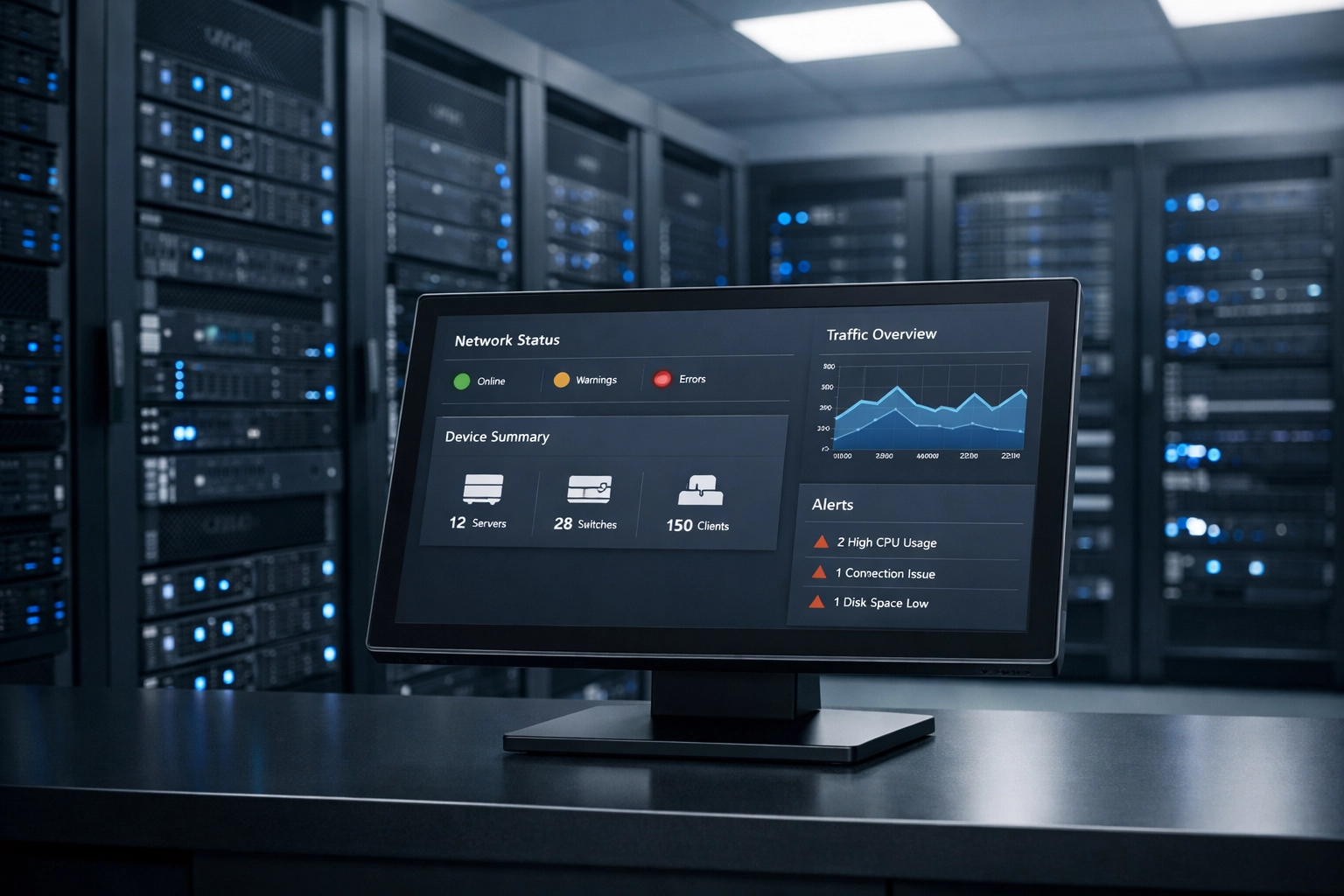
Network operations center monitoring cybersecurity dashboards and network security systems

The Premier Edge: Why Vendor-Neutral Guidance Changes Everything

Here's what makes Premier Business Team different from every other "technology advisor" you've talked to: We don't sell hardware or software. We sell clarity, strategy, and access to the nation's most comprehensive carrier ecosystem.

Our 330+ Pre-Vetted Carriers Mean You Get Options (Not Sales Pitches)

When you work with a single vendor, you get their solution: whether it fits your needs or not. When you work with Premier, you get access to hundreds of providers, technologies, and price points. We evaluate your requirements, negotiate on your behalf, and present you with options that actually make sense for your business.

Our 5-Step Process Eliminates the Guesswork

Digital transformation fails when it's treated as a purely technical exercise. It succeeds when it's approached as a strategic business initiative with clear objectives, measurable outcomes, and proper change management.

Our proven methodology includes:

  1. Design: We assess your current state, identify gaps, and create a comprehensive transformation roadmap aligned with your business goals
  2. Proposal: We leverage our carrier relationships to deliver competitive proposals from multiple vendors
  3. Selection: We guide you through evaluation criteria to select the best-fit solutions
  4. Implementation: We project-manage deployment to ensure on-time, on-budget execution
  5. Support: We provide ongoing monitoring, optimization, and strategic guidance as your needs evolve

Want to see how this process works in practice? Check out our comprehensive guide to The Premier Advantage and our strategic technology consulting approach.

Our 500+ Technical Certifications Mean We Actually Know What We're Talking About

Digital transformation isn't one-size-fits-all. Healthcare organizations face different challenges than financial services firms. Manufacturing companies have different requirements than professional services businesses.

Our team's deep technical expertise across networking, cloud, security, and unified communications means we understand the nuances of your industry and can architect solutions that address your specific pain points.

Business strategy planning session for digital transformation with security and analytics documents

Digital Transformation FAQ: Quick Answers to Common Questions

Q: How long does digital transformation take?
A: It's an ongoing journey, not a destination. Initial transformations typically occur in 6-18 month phases, but continuous optimization should be part of your operational DNA.

Q: What's the biggest mistake businesses make during digital transformation?
A: Starting with technology instead of business outcomes. Technology should solve problems, not create new ones.

Q: Do we need to replace everything at once?
A: Absolutely not. Phased approaches reduce risk and allow you to learn and adapt along the way. Strategic roadmaps prioritize initiatives based on impact and feasibility.

Q: How do we know if our digital transformation is successful?
A: Define success metrics upfront: reduced operational costs, improved customer satisfaction scores, faster time-to-market, increased employee productivity. If you can't measure it, you can't manage it.

Q: What's the ROI of digital transformation?
A: McKinsey research shows that companies executing successful digital transformations can achieve 20-30% improvements in operational efficiency and 20% revenue growth. But ROI varies dramatically based on your industry, maturity level, and execution quality.

Ready to Future-Proof Your Business?

Digital transformation doesn't have to be overwhelming, expensive, or risky. With the right roadmap, vendor-neutral guidance, and strategic execution, you can evolve your infrastructure to support whatever the market throws at you next: whether that's AI workloads, hybrid workforce demands, or the next disruptive technology we haven't even heard of yet.

Premier Business Team has helped hundreds of organizations navigate their digital transformation journeys. We bring carrier relationships, technical expertise, and strategic thinking to every engagement: without the vendor bias that plagues traditional consultants.

Let's build your roadmap together. Contact Premier Business Team today for a complimentary technology assessment and discover how vendor-neutral guidance can transform your approach to digital infrastructure.

๐Ÿ“ž Call us or visit our website to schedule your strategic consultation. Your competitors are already transforming( don't get left behind.)


What is SD-WAN? A Business Guide to Smarter Networking & Cost Savings

premierbusiness · February 18, 2026 ·

What is SD-WAN? Boosting Business Performance & Connectivity

SD-WAN (Software-Defined Wide Area Network) is a virtual architecture that uses software to intelligently manage and route network traffic across multiple connection types, including MPLS, broadband internet, and LTE/5G. Instead of relying on expensive, hardware-heavy traditional WANs, SD-WAN gives businesses the flexibility to connect offices, cloud platforms, and remote users through a centralized software controller that continuously optimizes performance.

Think of it this way: traditional WANs are like routing all your company's mail through a single, expensive post office that forces everything to take the same path. SD-WAN is like having a smart logistics system that picks the fastest, most cost-effective route for each package based on real-time conditions. The result? Better performance, lower costs, and a whole lot less headache for your IT team.

For businesses managing multiple locations or embracing cloud-first strategies, SD-WAN isn't just a nice-to-have, it's becoming essential infrastructure. And if you're wondering how this fits into your broader business internet connectivity solutions, you're asking the right questions.

SD-WAN network connecting multiple office locations with intelligent routing paths

The Direct Answer: Why SD-WAN Matters in 2026

SD-WAN reinvents the traditional wide area network using the power of virtualization. Instead of manually configuring individual edge routers at each location, a centralized controller directs all network operations. This controller continuously monitors network conditions, latency, jitter, packet loss, and dynamically routes traffic over the best-performing link based on current conditions and your business priorities.

The bottom line: SD-WAN increases network agility and dramatically reduces costs for organizations with multiple locations, all while improving performance for the applications your team depends on.

Top 5 Benefits of SD-WAN for Modern Businesses

1. Improves Application Performance

SD-WAN allows you to prioritize critical traffic and real-time services, like VoIP calls, video conferences, and mission-critical SaaS applications, so they get to their destination efficiently. Thanks to these reliable, high-performance connections, packet loss and latency issues are significantly reduced.

The technology uses intelligent path selection to automatically route each application over the connection that will deliver the best performance. Your Zoom meetings stay crystal-clear even when someone's downloading large files on the same network. It's traffic management that actually works.

2. Enables Seamless Cloud Usage

SD-WAN dramatically improves cloud application performance by enabling direct cloud access and eliminating the need to backhaul traffic through a central data center. Your employees can connect directly to Microsoft 365, Salesforce, AWS, Google Cloud, and other SaaS platforms without unnecessary detours that add latency.

Traditional WANs force all traffic, including cloud-bound data, to route through your main office before reaching the internet. SD-WAN creates direct paths to cloud services, reducing latency by up to 80% in some cases. For businesses that have embraced (or are embracing) cloud-first strategies, this is a game-changer.

Business laptop displaying direct cloud connectivity through SD-WAN technology

3. Lowers Network Complexity

SD-WAN eases the IT burden by simplifying infrastructure. Instead of maintaining multiple MPLS circuits and dealing with complex hardware configurations at every location, you get centralized management through a single dashboard.

The technology uses broadband internet to offload business applications that aren't mission-critical to your core strategy. It also continuously monitors network tasks and manages traffic automatically, preventing the poor performance that comes from manual configuration errors or outdated routing tables. Your NetOps team can configure traffic prioritization policies once and apply them uniformly across your entire network, no more logging into individual routers at each branch office.

4. Boosts Security Without Adding Complexity

SD-WAN solutions offer built-in security features including end-to-end encryption, integrated firewalls, and optional integration into SASE (Secure Access Service Edge) architecture. This means you can apply consistent security policies across all locations without requiring complex on-premises hardware at every site.

As cyber threats evolve in 2026, having security baked into your network infrastructure, rather than bolted on as an afterthought, makes a real difference. SD-WAN provides secure, encrypted tunnels between sites by default, giving you enterprise-grade protection without the enterprise-level complexity.

Modern network operations center with centralized SD-WAN management dashboard

5. Reduces Costs Significantly

Here's where SD-WAN really shines: cost reduction. The amount of data traveling over a WAN increases as your company grows and adopts more cloud services and applications. Traditional MPLS circuits are expensive and inflexible, adding capacity or new locations can take months and cost thousands.

SD-WAN can reduce these costs by leveraging low-cost local broadband internet access, providing direct cloud connectivity, and reducing unnecessary traffic. Organizations can transition away from expensive MPLS circuits (or at least reduce their reliance on them) by using commodity internet connections for non-critical traffic while reserving premium circuits only for applications that truly need them.

Most businesses see 30โ€“60% cost savings on WAN expenses after implementing SD-WAN, with some organizations reporting even higher reductions when they're able to retire legacy MPLS contracts entirely.

Why Your Provider Shouldn't Be Your Only Advisor

Here's something most SD-WAN vendors won't tell you: not every SD-WAN solution is created equal, and not every deployment strategy makes sense for every business.

At Premier Business Team, we've seen organizations waste hundreds of thousands of dollars implementing the "wrong" SD-WAN solution, not because the technology was bad, but because it wasn't the right fit for their specific infrastructure, growth plans, or budget constraints. That's why we take a fundamentally different approach.

As a carrier-neutral technology advisor, we're not tied to any single vendor or solution. Our team holds 500+ technical certifications across networking, cloud, and security disciplines, and we maintain relationships with 330+ pre-vetted carriers and solution providers. This means we can actually find the SD-WAN solution that fits your business, not the one that pays us the highest commission.

Traditional WAN vs SD-WAN comparison showing simplified infrastructure and cost savings

Our Strategic Technology Consulting Process follows five clear steps:

  1. Design: We analyze your current network infrastructure, application requirements, and growth projections to design an SD-WAN architecture that actually solves your problems.

  2. Proposal: You receive transparent, competitive quotes from multiple qualified providers, complete with our independent analysis of each option's strengths and trade-offs.

  3. Selection: We help you make an informed decision based on business value, not sales pressure.

  4. Implementation: Our team manages the entire deployment, from circuit provisioning to configuration and testing.

  5. Support: We provide ongoing advocacy and support, ensuring your SD-WAN solution continues to deliver value as your business evolves.

The difference? We work for you, not the vendors. Our success is measured by how much money we save you and how much we improve your network performance, not by how many boxes we sell.

Common Questions About SD-WAN

Q: Will SD-WAN work with my existing internet connections?
A: Yes. SD-WAN is transport-agnostic, meaning it works with MPLS, broadband, fiber, LTE/5G, and even satellite connections. That's one of its biggest advantages.

Q: How long does SD-WAN implementation take?
A: For most mid-sized businesses, full deployment takes 30โ€“90 days depending on the number of locations and complexity of existing infrastructure.

Q: Can SD-WAN replace our MPLS entirely?
A: In many cases, yes: but it depends on your specific application requirements and risk tolerance. Some organizations maintain a hybrid approach, using MPLS for the most critical traffic and SD-WAN for everything else.

Q: Is SD-WAN secure enough for regulated industries?
A: Absolutely. Modern SD-WAN solutions include enterprise-grade encryption and integrate with advanced security frameworks. Many are certified for HIPAA, PCI-DSS, and other compliance requirements.

Take the Next Step: Get Your Free Network Assessment

If you're managing multiple locations, struggling with cloud application performance, or simply tired of overpaying for inflexible MPLS circuits, it's time to explore what SD-WAN can do for your business.

At Premier Business Team, we don't believe in one-size-fits-all solutions or high-pressure sales tactics. We believe in doing the homework, presenting the options, and letting you make informed decisions that drive real business value.

Ready to discover how much you could save with the right SD-WAN solution? Schedule a free technology assessment with our team. We'll analyze your current network spend, identify opportunities for improvement, and provide transparent recommendations: with no obligation and no vendor bias.

Contact Premier Business Team today to start building a smarter, more cost-effective network for 2026 and beyond.

The Premier Advantage: Strategic Technology Consulting & Engineering for Your Digital Transformation

premierbusiness · February 18, 2026 ·

Digital transformation isn’t just a buzzword, it’s the difference between businesses that scale efficiently and those that hemorrhage budget on technology that doesn’t deliver. But here’s the problem: most companies don’t have the in-house expertise to evaluate 400+ carriers, compare multi-vendor proposals, or design custom architectures that actually align with their operational needs.

That’s where Premier Business Team steps in. We’re not a vendor pushing a single solution. We’re a carrier-neutral technology consulting and engineering firm with a team holding over 500 technical certifications across AI, Cloud, Cybersecurity, Contact Center (CX), Networking, and more. Our job is simple: architect the right solution, negotiate on your behalf, and stay with you through deployment and beyond.

What Makes Premier Business Team Different?

Most “consultants” are glorified sales reps tied to one or two vendors. We work with 400+ pre-vetted global carriers and technology providers, from business internet connectivity to UCaaS phone systems to hybrid cloud architectures. Our solution engineers don’t earn commissions from specific vendors. They earn your trust by designing what you actually need.

Solution engineers collaborating on network architecture and cloud infrastructure design

Our Engineering Team: 500+ Certifications Across Six Core Disciplines

When you work with Premier Business Team, you’re not getting a generic account manager. You’re getting access to solution engineers with deep, certified expertise in:

  • Artificial Intelligence & Machine Learning: From predictive analytics to AI-driven network optimization
  • Cloud Architecture: AWS, Azure, Google Cloud, hybrid, and multi-cloud strategies
  • Cybersecurity: Zero Trust frameworks, SIEM/SOAR, identity management, and compliance (HIPAA, PCI-DSS, SOC 2)
  • Customer Experience (CX): Contact center design, omnichannel communication, and cloud phone systems
  • Networking: SD-WAN, MPLS, fiber, wireless, and bulk internet for multi-tenant properties
  • Unified Communications & Collaboration: VoIP, video conferencing, and business continuity planning

This isn’t a team that reads vendor white papers and repeats marketing copy. These are engineers who’ve passed rigorous certification exams from Cisco, Microsoft, AWS, Palo Alto Networks, VMware, and dozens of other industry leaders. They design your infrastructure, not their commission check.

The 5-Step Premier Process: How We Guide Your Digital Transformation

Every business is different. A law firm in Seattle has different needs than a multi-location retail chain in Portland or a property management company in Dallas. That’s why we don’t offer cookie-cutter solutions. Here’s how we work:

1. Design: Custom Architecture by Carrier-Neutral Engineers

We start with discovery. What are your pain points? Where are the bottlenecks? What does scaling look like over the next 24โ€“36 months? Our solution engineers assess your current infrastructure, map out your business objectives, and design a custom technology roadmap.

This includes:

  • Network topology and redundancy planning
  • Cloud migration or hybrid cloud design
  • Voice and collaboration system architecture
  • Security posture assessment and gap analysis
  • Integration planning for existing tools (ERP, CRM, POS, etc.)

You walk away with a vendor-neutral architecture document that outlines exactly what you need, not what a sales rep wants to sell you.

Interconnected network visualization showing 330+ global carriers and technology providers

2. Proposal: Competitive Multi-Quote Analysis from Vetted Providers

Once the design is locked in, we go to market. We leverage our relationships with 400+ global carriers and technology providers to request multiple competitive quotes. Because we’re carrier-agnostic, providers know they’re competing on merit, not relationship history.

We compare:

  • Pricing (setup, monthly recurring, bandwidth costs)
  • Service Level Agreements (SLAs) and uptime guarantees
  • Contract terms, early termination fees, and hidden costs
  • Technical capabilities and support availability
  • Scalability and future-proofing

You get a side-by-side comparison with our engineering team’s recommendation. No guesswork. No vendor bias.

3. Selection: Objective, Requirement-Based Decision Making

We walk you through the proposals and help you make an informed decision. Our recommendation is based on your specific requirements, not vendor incentives. We explain the trade-offs, clarify the fine print, and help you understand long-term cost implications.

Key questions we help you answer:

  • Does this solution scale with your business?
  • Are you locked into a rigid contract, or do you have flexibility?
  • What happens if you need to add locations or users?
  • How does this integrate with your existing systems?

This is where our advocacy really shines. We’ve saved clients hundreds of thousands of dollars by catching contract terms that would’ve boxed them in later.

4. Implementation: Dedicated Deployment Support & Complex Project Management

Selecting the right solution is only half the battle. Implementation is where most technology projects fail. We stay with you through the entire deployment process, providing:

  • Project management (for larger, multi-location rollouts)
  • Real-time status updates and milestone tracking
  • Coordination between vendors, internal IT teams, and stakeholders
  • Pre-deployment testing and cutover planning
  • Training and change management support

For complex projects, like replacing outdated POTS lines across an entire property portfolio or migrating 15 locations to a new UCaaS phone system, we provide dedicated project managers who’ve deployed similar environments dozens of times.

Technology project management team reviewing deployment timeline and implementation progress

5. Support: Real-Time Monitoring & Ticket Escalation

Our relationship doesn’t end at go-live. We provide ongoing support that includes:

  • Real-time circuit monitoring: We track your network performance and catch issues before they impact your business.
  • Trouble ticket escalation: When you have a problem, you call us, not a vendor’s tier-1 help desk. We escalate directly to engineering teams on your behalf.
  • Periodic reviews: Technology evolves. We schedule regular check-ins to ensure your infrastructure still aligns with your business objectives.

Think of us as your outsourced IT advocate. We’re the escalation path when vendors drop the ball, and we’re the strategic advisor when you need to scale or pivot.

Why Use a Technology Consultant? The 5 Core Value Propositions

Still wondering if a consultant is worth it? Here’s what you gain by working with Premier Business Team:

1. Expertise in Choosing the Right Technology Solution

Our engineers have deployed thousands of solutions across dozens of industries. We know what works, and what fails. You get decades of experience without hiring a full-time team.

2. Support for Scaling Needs

Adding a new location? Expanding your contact center? Migrating to the cloud? We’ve done it before. We know the pitfalls, the hidden costs, and the best practices that keep your environment stable during growth.

3. Advocacy for Your Business

We work for you, not the vendor. If a provider under-delivers, we hold them accountable. If a contract has unfavorable terms, we negotiate on your behalf.

4. Budget Optimization

We’ve saved clients 20โ€“40%+ on technology spend by identifying over-provisioned services, renegotiating contracts, and designing more efficient architectures. We’re champions for your budget, not a vendor’s quarterly revenue target.

5. Carrier-Agnostic Objectivity

We offer the solution that best fits your needs, even if it’s not the one with the highest commission. That objectivity is rare in the telecom and IT world, and it’s one of the biggest reasons clients choose to work with us long-term.

Who Benefits from Strategic Technology Consulting?

Our clients range across industries, but they all share a common need: expert guidance without vendor bias. We’ve worked with:

  • Property management companies deploying bulk fiber internet and replacing elevator phone lines
  • Retail chains upgrading POS systems and implementing SD-WAN
  • Healthcare organizations navigating HIPAA compliance and secure cloud migration
  • Financial services firms designing Zero Trust architectures and multi-factor authentication
  • Small-to-medium businesses replacing traditional PBX systems with modern cloud phone solutions

If you’re spending $5,000/month or more on technology and wondering if you’re getting the best value, you probably need a second opinion.

Frequently Asked Questions

Q: How much does it cost to work with Premier Business Team?
A: Our consulting services are typically funded by the carriers we work with, so in many cases, there’s no direct cost to you. For complex project management or custom engineering work, we offer transparent, flat-rate pricing.

Q: How long does a typical project take?
A: It depends on scope. A simple internet circuit upgrade might take 30โ€“60 days. A multi-location voice and data overhaul with cloud migration could take 6โ€“12 months. We provide detailed timelines during the Design phase.

Q: Do you only work with large enterprises?
A: No. We work with businesses of all sizes: from single-location startups to national chains. If technology is critical to your operations, we can help.

Q: What if I already have a preferred vendor?
A: That’s fine. We can still provide objective design consultation, contract review, and project management services to ensure you’re getting the best deal and avoiding common pitfalls.

Start Your Digital Transformation Today

No two businesses are alike. That’s why Premier Business Team doesn’t offer one-size-fits-all solutions. We design custom technology roadmaps backed by 500+ technical certifications, negotiate with 400+ carriers on your behalf, and stay with you through deployment and beyond.

If you’re tired of vendor sales pitches and want an advocate who actually understands technology, let’s talk.

Call now to schedule a free consultation and discover how our carrier-neutral engineering team can optimize your technology spend, improve uptime, and position your business for scalable growth in 2026 and beyond.

๐Ÿ‘‰ Learn more about Premier Business Team or explore our solutions to see how we’ve helped businesses like yours transform their digital infrastructure.

5 Steps to Replace Your Fire Suppression and Elevator Phone Lines Before Copper Sunset (Easy Guide for Multi-Site Operations)

premierbusiness · February 18, 2026 ·

If you manage multiple properties, you've probably heard the term "copper sunset 2026" thrown around. Here's what it means for you: AT&T and other major carriers are shutting down their old copper telephone networks, the same lines your fire alarms, elevator emergency phones, and suppression systems depend on.

Starting in June 2026, AT&T will begin decommissioning copper facilities affecting roughly 10% of their footprint initially. By November 2026, more than 30% of their copper network could go dark. That's not a lot of time to replace critical safety systems across dozens or hundreds of locations.

The good news? You don't need a degree in telecommunications to navigate this transition. This guide breaks down exactly what you need to do, in the order you need to do it, to keep your properties compliant and your tenants safe.

Why Multi-Site Operations Face Unique Challenges

Managing POTS line replacement across one building is straightforward. Managing it across 20, 50, or 200 properties? That's where things get complicated.

You're dealing with different building ages, varying local fire codes, multiple vendors, inconsistent documentation, and tight inspection windows. Miss one elevator phone line at one property, and you're looking at failed inspections, potential fines, and liability exposure.

The stakes are higher for multi-site operators because the logistics are more complex. You need a systematic approach that scales across your entire portfolio without overwhelming your facilities team.

Facilities team conducting POTS line inventory audit in commercial building telecom room

Step 1: Complete a Comprehensive Inventory Audit

Before you can replace anything, you need to know exactly what you have. This sounds obvious, but most property management companies don't have accurate records of every POTS line across their portfolio.

What to document for each location:

  • Total number of POTS lines currently in service
  • Which lines connect to life safety systems (fire alarms, sprinkler monitoring, elevator phones)
  • Which lines serve non-critical functions (fax machines, old security systems, door entry systems)
  • Current monthly costs per line
  • Service provider for each line
  • Last inspection date and any compliance notes

Create a centralized spreadsheet or database. Include the property address, building manager contact, and any special notes about system configurations. If a line feeds a monitored fire alarm panel, note the monitoring company's contact information, you'll need it later.

Pro tip: Don't rely solely on old telecom bills. Walk each property with your facilities team or local building manager. Old bills often list disconnected lines or miss newly added systems.

Step 2: Understand Your Compliance Requirements

Not all POTS line replacements are created equal. The rules for replacing a fax line are very different from replacing a fire alarm communication line.

Life safety systems must meet specific standards:

  • NFPA 72 governs fire alarm communication methods
  • ASME A17.1 covers elevator emergency phone requirements
  • Local fire marshal requirements (which often exceed national codes)
  • AHJ (Authority Having Jurisdiction) approval for any technology changes

For fire suppression and alarm systems, your replacement solution must provide the same or better reliability as copper POTS lines. That means 99.9% uptime, power backup during outages, and the ability to transmit alarm signals without delay.

Elevator emergency phones have similar requirements. They must connect directly to emergency services or a monitoring center, work during power failures, and provide two-way voice communication.

Here's the critical distinction: VoIP solutions that work perfectly for office phones often fail to meet fire code requirements. Standard internet-based phone systems depend on your building's network infrastructure and power, exactly what goes down during a fire.

Before selecting any replacement technology, consult with your fire alarm monitoring company and local fire marshal. Get their approval in writing before installing anything.

Fire alarm control panel with cellular LTE POTS replacement device for NFPA compliance

Step 3: Evaluate Replacement Solutions by System Type

This is where most multi-site operators make costly mistakes. They try to use one solution for everything, when different systems actually need different approaches.

For life safety systems (fire alarms, suppression monitoring, elevator phones):

Cellular LTE solutions are typically your best bet. These devices replace copper POTS lines with cellular connectivity, running on cell towers instead of telephone wires. They include battery backup, don't depend on your building's internet connection, and meet NFPA reliability standards.

Products like cellular POTS replacement devices connect directly to your existing fire panel or elevator phone equipment. No rewiring required in most cases, they literally plug in where the old phone line connected.

Key advantages for safety-critical systems:

  • Independent of building power and network infrastructure
  • Built-in battery backup (typically 24-48 hours)
  • Dedicated cellular connection (not sharing bandwidth)
  • Compatible with existing monitoring equipment
  • Meet NFPA 72 and ASME A17.1 standards

For non-safety systems (fax machines, door entry, old security systems):

Here, standard VoIP or cloud-based phone solutions work fine and cost significantly less. These systems can run over your existing business internet connection.

Just make sure you're not mixing life safety and non-safety systems on the same solution. Keep them separate for both compliance and reliability reasons.

Step 4: Implement with Proper Testing and Documentation

Rolling out POTS replacement across multiple locations requires careful project management. Here's a phased approach that minimizes risk:

Phase 1: Pilot program (2-3 locations)

Start with a few representative properties. Test your selected solutions in real-world conditions before committing to a full rollout. Include at least one location with complex fire alarm configurations.

Install the replacement devices, then conduct thorough testing:

  • Full fire alarm system test with your monitoring company
  • Elevator emergency phone test to verify clear audio and reliable connection
  • 24-hour monitoring period to catch any intermittent issues
  • Test during power failure using battery backup

Document everything. Take photos of installations. Record test results. Note any configuration challenges specific to that property type.

Phase 2: Coordinate with inspections

Schedule your rollout to align with annual fire inspections when possible. This lets you replace lines and get immediate AHJ approval, avoiding return visits.

For properties with inspections scheduled after your replacement deadline, proactively schedule pre-inspections with your local fire marshal. A 30-minute walk-through can prevent failed inspections later.

Phase 3: Staged deployment

Group your remaining properties by region or property type. Deploy in waves of 5-10 locations at a time. This prevents overwhelming your installation team and allows time to address issues before they multiply.

Maintain a deployment tracking spreadsheet with installation dates, test results, and final inspection status for each property.

Property manager tracking multi-site POTS replacement deployment progress across locations

Step 5: Create an Ongoing Monitoring and Maintenance Plan

Replacing your POTS lines isn't a one-and-done project. You need systems in place to ensure continued compliance across your portfolio.

Monthly monitoring checks:

  • Review cellular signal strength reports (most LTE devices provide this)
  • Verify monitoring company receives test signals from all properties
  • Check battery backup status on all life safety devices
  • Review any service interruption alerts

Quarterly compliance audits:

  • Confirm all properties remain in compliance with local codes
  • Update your central database with any new installations or changes
  • Review upcoming inspection schedules
  • Verify contact information for all monitoring companies

Annual inspections:

Work with your fire alarm service company to conduct full system tests at each property annually. This goes beyond the POTS replacement device to verify your entire life safety communication chain works properly.

Keep detailed records for each property including installation dates, test results, inspection reports, and AHJ approval documentation. Store these digitally in a centralized system accessible to your entire facilities team.

FAQ: POTS Line Replacement for Multi-Site Operations

Q: How much does POTS line replacement cost for life safety systems?

A: Cellular POTS replacement devices typically cost $300-800 per line for the equipment, plus $20-50/month for cellular service. This often represents significant savings compared to traditional copper POTS lines, which can cost $50-150+ per month in many markets.

Q: Can I replace fire alarm phone lines with regular VoIP?

A: No. Standard VoIP solutions don't meet NFPA 72 reliability requirements because they depend on your building's power and internet connection. Life safety systems require cellular-based solutions or dedicated alarm communication paths approved by your fire marshal.

Q: What happens if I don't replace my copper lines before the sunset deadline?

A: When carriers discontinue copper service in your area, your lines will simply stop working. For life safety systems, this means failed fire inspections, potential fines, and serious liability exposure if an emergency occurs and your alarm can't transmit signals.

Q: How long does deployment take for a 50-property portfolio?

A: With proper planning, most multi-site operators complete deployment within 3-6 months. This includes time for inventory audits, pilot testing, procurement, installation, testing, and final inspections. Starting now gives you adequate time before the November 2026 deadlines.

Q: Do I need separate solutions for elevators and fire alarms?

A: Each system typically needs its own dedicated line replacement device, but you can use the same type of solution for both. Cellular POTS replacement devices work for elevator emergency phones, fire alarm panels, and suppression system monitoring.

Q: Will my current fire alarm monitoring company work with cellular replacements?

A: Yes. Most monitoring companies have extensive experience with cellular fire alarm communication and actually prefer it over aging copper lines. Contact your monitoring company early in the process: they can often recommend specific devices and help with testing.

Don't Wait Until the Last Minute

The copper sunset isn't some distant problem to deal with later. With carriers beginning decommissions in June 2026 and major shutdowns scheduled for November 2026, you need to start your POTS replacement project now.

Multi-site operations take time. Between inventory audits, vendor selection, pilot testing, staged deployment, and final inspections across dozens or hundreds of properties, even well-organized teams need 3-6 months minimum.

Properties that wait until they receive discontinuation notices will face rushed deployments, limited vendor availability, and potential gaps in life safety coverage during the transition.

Ready to start your POTS line replacement project? Premier Business Team specializes in helping multi-site operators navigate the copper sunset transition with comprehensive inventory audits, compliance-focused solution design, and managed deployment across your entire portfolio. Contact us today to schedule a portfolio assessment and get your properties ready before the deadline hits.

From 20 Vendors to 1 Advisor: The Mid-Market Playbook for Consolidating IT Without Losing Quality

premierbusiness · February 18, 2026 ·

If you're a mid-market IT leader, here's a question that might hit close to home: how many vendor portals did you log into last week?

For most IT directors managing 100โ€“500 employees, the answer is somewhere between "too many" and "I lost count." One portal for cloud services. Another for telecom. A third for unified communications. A fourth for SD-WAN. Add in security tools, managed Wi-Fi, ISP contracts, and SaaS subscriptions, and you're suddenly managing 15โ€“25 vendors, each with their own billing cycle, support queue, contract renewal date, and escalation process.

It's death by a thousand invoices. And in 2026, 68% of technology leaders are planning vendor consolidation, with most targeting a 20% reduction in vendor count. The question isn't whether to consolidate, it's how to do it without accidentally downgrading service quality, losing critical capabilities, or creating a bigger mess than you started with.

This is the playbook.

The Hidden Tax of Vendor Sprawl

Vendor sprawl doesn't just clutter your procurement dashboard, it quietly drains budget, productivity, and strategic capacity in ways that don't show up on a single line item.

Here's what the "invisible tax" actually looks like:

Integration costs spiral. Every new vendor requires API work, middleware, or manual data transfers. Your team isn't building features, they're building bridges between tools that should talk to each other but don't.

Data gets trapped in silos. Customer data lives in your CRM. Network performance data sits in your ISP dashboard. Security logs are in a separate SIEM. When something breaks, your team plays detective across five dashboards instead of solving the problem.

Administrative overhead compounds. Each vendor means another contract to track, another renewal to negotiate, another support relationship to maintain, and another onboarding process when someone new joins the team. Your IT staff spends more time managing vendors than managing infrastructure.

Security and compliance risk multiplies. Every vendor is a potential vulnerability. Every integration point is an attack surface. Every compliance audit requires documentation from 20 different sources. One weak link, one vendor who doesn't patch fast enough or logs data in a non-compliant way, puts the entire organization at risk.

According to recent research, 80% of IT leaders cited reducing "point solutions" as a primary consolidation driver, while 69% cited finance-driven cost-cutting. The pressure is real, and it's coming from both sides: technical debt and budget constraints.

IT manager overwhelmed by multiple vendor portals and dashboards displaying vendor sprawl complexity

The Strategic Framework: A Step-by-Step Playbook

Consolidation done wrong is worse than no consolidation at all. Here's the structured approach that protects quality while reducing complexity.

Step 1: Audit and Map Your Current Stack

You can't consolidate what you can't see. Start with a comprehensive vendor inventory:

  • List every technology vendor and service provider your organization pays (IT, telecom, cloud, SaaS, security, managed services).
  • Document what each vendor provides, contract end dates, annual spend, and performance issues.
  • Identify overlaps, where multiple vendors provide similar or redundant capabilities.
  • Map dependencies, which tools integrate with each other, and where breaking one relationship would create downstream problems.

This audit usually reveals surprises. One mid-market client discovered they were paying three separate vendors for business internet across different locations, each with different SLAs, different pricing models, and zero visibility into total spend.

Step 2: Define Your Consolidation Criteria

Not all vendors are created equal, and not all consolidation opportunities make sense. Establish objective criteria before making decisions:

Performance and reliability. Has this vendor consistently delivered on SLAs? Do they resolve issues quickly? Are they proactive or reactive?

Financial stability and compliance. Can this vendor scale with you over the next 3โ€“5 years? Are they compliant with industry regulations that matter to your business?

Breadth of capability. Can this vendor (or an advisor who works with them) cover multiple categories, connectivity, voice, cloud, security, without forcing you into a single-vendor lock-in?

Integration and interoperability. Does this vendor play well with others, or do they force proprietary formats and closed ecosystems?

Total cost of ownership. Don't just compare monthly fees, factor in setup costs, training time, administrative overhead, and the cost of switching if it doesn't work out.

Premier Business Team's vendor-neutral approach is especially valuable here. Instead of pushing a single technology stack, a strong advisor evaluates your needs objectively and helps you choose the right combination of best-in-class providers, then acts as your single point of contact for all of them.

Step 3: Test and Validate Before You Switch

Here's where most consolidation efforts go sideways: companies commit to a new vendor based on a sales demo and a pricing spreadsheet, then discover six months later that the new solution doesn't actually cover all their edge cases.

Run parallel evaluations. If you're consolidating ISPs or telecom providers, run side-by-side tests with identical workloads across multiple locations. Measure performance, not promises.

Validate coverage across all segments. If you operate in multiple regions or serve different customer personas, make sure the consolidated vendor can handle all of them without gaps. Ask for sample data and proof points, don't rely on "we can do that" assurances.

Involve end users early. IT consolidation decisions that ignore how people actually work tend to fail. Get feedback from teams who will use the tools daily, and make sure the new solution doesn't create friction in critical workflows.

One YMCA client said it best: "Our team actually uses all our tools now, because they're not bouncing between five logins and dashboards."

IT vendor consolidation visualization showing transformation from complex multi-vendor chaos to streamlined infrastructure

Step 4: Manage the Transition with Structured Change Control

Consolidation isn't a one-time cutover, it's a phased transition with clear milestones and rollback plans.

Start with non-critical systems. Test your consolidation approach on lower-risk infrastructure before migrating mission-critical services.

Run overlapping service windows. Keep old vendors active during the transition so you can validate the new vendor's performance under real-world conditions before fully cutting over.

Document everything. Create runbooks for the new vendor environment, update disaster recovery plans, and train your team on new escalation processes.

Track performance post-consolidation. Establish KPIs for quality, coverage, and usability, and measure them monthly for at least six months. If performance degrades, you need to know immediately, not at renewal time.

The Advisor Model: Your Single Throat to Choke

Here's the paradox of vendor consolidation: the best way to reduce vendor complexity isn't always to reduce the number of underlying providers, it's to consolidate your management of those providers under a single advisor who handles procurement, integration, billing, and support coordination on your behalf.

This is the model Premier Business Team specializes in. Instead of forcing you into a one-size-fits-all technology stack, we:

  • Evaluate your needs objectively and recommend best-in-class solutions across connectivity, voice, cloud, and security.
  • Negotiate on your behalf with multiple carriers and vendors, leveraging our relationships and expertise to get better pricing and terms than you could secure individually.
  • Integrate and manage the stack so you have one point of contact for support, billing, and escalations, even if the underlying infrastructure comes from multiple best-of-breed providers.
  • Continuously optimize as your needs change, proactively identifying cost savings, performance improvements, and upgrade opportunities.

The result? You get enterprise-grade infrastructure without enterprise-grade complexity. Your team focuses on strategy, not vendor wrangling.

The Quality Payoff: Why Consolidation Done Right Improves Performance

When executed strategically, vendor consolidation doesn't just cut costs, it strengthens your entire operation:

Unified visibility. A single dashboard for network performance, voice quality, cloud usage, and security posture means faster troubleshooting and better decision-making.

Stronger collaboration. When your tools talk to each other seamlessly, your teams can too. Marketing, sales, and customer success work from the same data instead of conflicting reports.

Reduced training burden. Fewer tools mean faster onboarding, higher adoption rates, and less time spent on "which system do I use for this?" questions.

Better leverage in negotiations. Consolidating spend with fewer vendors gives you more negotiating power, and a good advisor amplifies that leverage across their entire client base.

Improved compliance and security. Fewer vendors mean fewer audit points, fewer integration vulnerabilities, and simpler documentation for regulatory requirements.

The critical distinction is deliberate consolidation versus accidental sprawl. If vendors have different regional or functional strengths, a structured multi-vendor strategy may still be your best option, but it should be intentional, not accidental.

IT team collaborating with unified vendor management dashboard after successful consolidation

Frequently Asked Questions

How long does a typical vendor consolidation project take?

For mid-market organizations, expect 6โ€“12 months for a comprehensive consolidation, depending on contract end dates and the complexity of your infrastructure. Phased approaches can deliver cost savings within 90 days while minimizing risk.

Will I lose flexibility by consolidating vendors?

Not if you choose the right advisor model. The goal isn't to force everything through a single provider, it's to consolidate management while maintaining access to best-of-breed solutions. A vendor-neutral advisor gives you flexibility without the administrative burden.

How much can I realistically save through vendor consolidation?

Most mid-market organizations see 15โ€“30% cost reductions through vendor consolidation, driven by better pricing leverage, reduced administrative overhead, and elimination of redundant services. Savings vary based on your starting point and negotiation approach.

What's the biggest risk in vendor consolidation?

Choosing a consolidation partner who locks you into proprietary systems or can't actually cover all your requirements. The solution is thorough validation before switching, clear performance metrics post-consolidation, and working with an advisor who prioritizes your outcomes over their vendor relationships.

Should I consolidate telecom and IT under the same advisor?

If you can find an advisor with deep expertise in both, like Premier Business Team, yes. Converged infrastructure simplifies troubleshooting, improves performance visibility, and reduces finger-pointing when issues arise.

Your Next Step: The Vendor Consolidation Assessment

You don't need to map your entire consolidation strategy alone. Premier Business Team offers a no-obligation Business Tech Assessment that identifies your biggest vendor sprawl pain points, quantifies potential savings, and outlines a phased consolidation roadmap tailored to your infrastructure and budget.

We're vendor-neutral, which means our recommendations are based on your needs: not our commission structure. Whether you need help consolidating telecom providers, migrating to modern cloud phone systems, or simplifying your entire IT stack, we'll build a plan that reduces complexity without sacrificing quality.

Ready to turn 20 vendors into one conversation? Schedule your assessment today and get a clear picture of what consolidation could look like for your organization.

  • « Go to Previous Page
  • Page 1
  • Page 2
  • Page 3
  • Page 4
  • Interim pages omitted …
  • Page 64
  • Go to Next Page »

Get a no obligation quote for your business. Learn More

Proud Chamber Member

Bellingham Chamber Badge

Premier Business Team

Copyright © 2026 ยท Premier Business Team 2219 Rimland Dr. Suite 301 Bellingham, WA 98226 - 360-946-2626

  • Home
  • Business Internet
  • Business Phone
  • Blog
  • About Us
  • Contact Us
  • Business Quote
  • Engineering
  • Call: 360-946-2626