• Skip to primary navigation
  • Skip to main content
Premier Business Team

Premier Business Team

Your business connectivity and IT Team

  • Home
  • Business Internet
  • Business Phone
  • Blog
  • About Us
    • Our Featured Suppliers
  • Contact Us
  • Business Quote
    • Business Tech Assessment
  • Engineering
  • Call: 360-946-2626
  • Show Search
Hide Search

Blog Posts

Stop Wasting Money on Outdated POS Systems: Try These 7 Cloud-Integrated Solutions

premierbusiness · December 10, 2025 ·

Your point-of-sale system shouldn't be bleeding money from your business. Yet countless companies across the Pacific Northwest are still running legacy POS systems that cost more to maintain than they deliver in value.

The hard truth? Those expensive maintenance contracts, frequent system crashes, and manual workarounds aren't just inconveniences: they're profit killers. While your competitors embrace cloud-integrated solutions that cut costs and boost efficiency, outdated systems keep you trapped in a cycle of escalating expenses.

The Hidden Costs of Legacy POS Systems

Maintenance nightmares top the list of budget drains. When your on-premise POS system crashes, you're paying emergency service fees for technicians to physically visit your location. These service calls typically cost $150-300 per visit, and that's before parts and labor.

Hardware replacement hits hard too. Legacy systems require specific, often discontinued hardware that becomes increasingly expensive to source. We've seen businesses pay $2,000+ to replace a single terminal that would cost $300 in cloud-based alternatives.

Security vulnerabilities create the biggest financial risk. Outdated POS systems lack automatic security updates, making them prime targets for data breaches. The average cost of a retail data breach now exceeds $3.2 million: far more than any cloud migration investment.

image_1

Manual processes waste valuable staff time. Without real-time inventory sync, employees spend hours manually updating stock levels across locations. This labor cost adds up fast when you consider the time staff could spend serving customers instead.

Why Cloud Integration Changes Everything

Predictable monthly costs replace surprise repair bills. Cloud POS providers typically charge $50-150 per month per terminal, covering software, updates, support, and security patches. No more budgeting for unexpected hardware failures or emergency service calls.

Automatic updates keep your system current without downtime. Security patches, new features, and bug fixes happen seamlessly in the background. Your team never has to deal with manual installations or system vulnerabilities.

Real-time data access transforms decision-making. View sales performance, inventory levels, and customer analytics from anywhere. Whether you're at your second location or traveling for business, your data stays accessible and current.

image_2

Scalability without complexity supports business growth. Adding new locations or devices takes minutes, not weeks. Inventory, pricing, and promotions sync across all locations instantly, eliminating manual data entry mistakes.

7 Cloud-Integrated Solutions That Deliver Results

1. Square POS

Best for: Small businesses and startups ready to eliminate upfront hardware costs.

Square revolutionized POS systems by making professional-grade tools accessible to any business size. Their free plan includes essential features like payment processing, basic reporting, and inventory tracking. The flat-rate processing fee (2.6% + 10¢ for in-person transactions) eliminates surprise charges.

Key advantages: Mobile-first design lets staff serve customers anywhere in your store. Offline mode ensures transactions continue during internet outages. Integration with Square's ecosystem includes payroll, marketing tools, and business banking.

2. Shopify POS

Best for: Retailers managing both online and physical locations.

Shopify POS creates seamless omnichannel experiences that today's customers expect. Inventory automatically syncs between your website and physical stores, preventing overselling and stockouts. Customer profiles combine online and in-store purchase history for personalized service.

Key advantages: Built-in e-commerce integration eliminates double data entry. Advanced inventory management tracks products across multiple locations and sales channels. Marketing automation tools help convert one-time buyers into repeat customers.

3. Toast POS

Best for: Restaurants and food service businesses seeking industry-specific features.

Toast understands restaurant operations better than generic POS systems. Menu customization handles complex modifications and dietary restrictions. Kitchen display systems replace paper tickets and reduce order errors. Table management optimizes seating and reduces wait times.

Key advantages: Integrated online ordering and delivery management. Real-time food cost tracking helps maintain profit margins. Labor management tools optimize scheduling and track productivity metrics.

image_3

4. Lightspeed POS

Best for: Growing retailers with complex inventory and multiple locations.

Lightspeed excels at inventory management challenges that overwhelm basic POS systems. Advanced purchase order automation prevents stockouts while minimizing excess inventory. Detailed analytics reveal which products drive profits and which drain resources.

Key advantages: Multi-location inventory tracking with automatic transfers between stores. Customizable reporting provides insights specific to your business model. B2B features support wholesale and retail operations from one system.

5. Clover POS

Best for: Businesses wanting hardware and software integration from a single provider.

Clover eliminates compatibility issues by designing hardware and software together. Their app marketplace lets you customize functionality without switching providers. Built-in payment processing includes competitive rates and next-day funding.

Key advantages: Extensive app ecosystem covers specialized needs like appointment scheduling and loyalty programs. Robust reporting includes customer insights and sales trend analysis. 24/7 phone support provides immediate assistance when needed.

6. TouchBistro POS

Best for: Independent restaurants and cafes prioritizing ease of use.

TouchBistro transforms iPads into powerful restaurant management tools without overwhelming complexity. Staff can learn the system quickly, reducing training time and operational disruption. Strong offline functionality ensures service continues during connectivity issues.

Key advantages: Tableside ordering and payment processing improve customer experience. Menu engineering tools optimize pricing and profitability. Integration with popular restaurant apps like OpenTable and DoorDash.

image_4

7. ConnectPOS

Best for: Established retailers migrating from legacy systems.

ConnectPOS specializes in smooth transitions from outdated systems to modern cloud infrastructure. Their migration team helps preserve historical data while implementing new capabilities. Over 12,000 retailers trust ConnectPOS for reliable, scalable solutions.

Key advantages: White-label options for businesses wanting branded POS interfaces. Advanced API capabilities support custom integrations. Dedicated migration support minimizes disruption during system changeover.

Making the Switch: What to Expect

Timeline varies based on your current system complexity and number of locations. Simple migrations take 2-4 weeks, while complex multi-location transitions may require 6-8 weeks for complete implementation.

Data migration preserves your historical sales data, customer information, and inventory records. Reputable cloud POS providers include migration services in their setup packages, ensuring no data loss during transition.

Staff training typically requires less time than expected. Modern cloud POS systems prioritize intuitive interfaces that staff can learn quickly. Most providers include training sessions and ongoing support to ensure smooth adoption.

Cost savings become apparent within the first quarter. Reduced maintenance costs, eliminated hardware refresh cycles, and improved operational efficiency typically offset migration costs within 6-12 months.

image_5

Ready to Stop Wasting Money?

The question isn't whether to migrate: it's how quickly you can implement a cloud solution before your competition gains an unrecoverable advantage. Every month you delay costs money in maintenance, security risks, and operational inefficiency.

Premier Business Team helps Pacific Northwest businesses evaluate POS options and implement solutions that fit their specific needs. We've guided hundreds of local companies through successful cloud migrations, ensuring minimal disruption and maximum return on investment.

Don't let outdated technology hold your business back. Contact us today to discuss which cloud POS solution aligns with your growth goals and budget requirements. Your bottom line will thank you for making the switch.

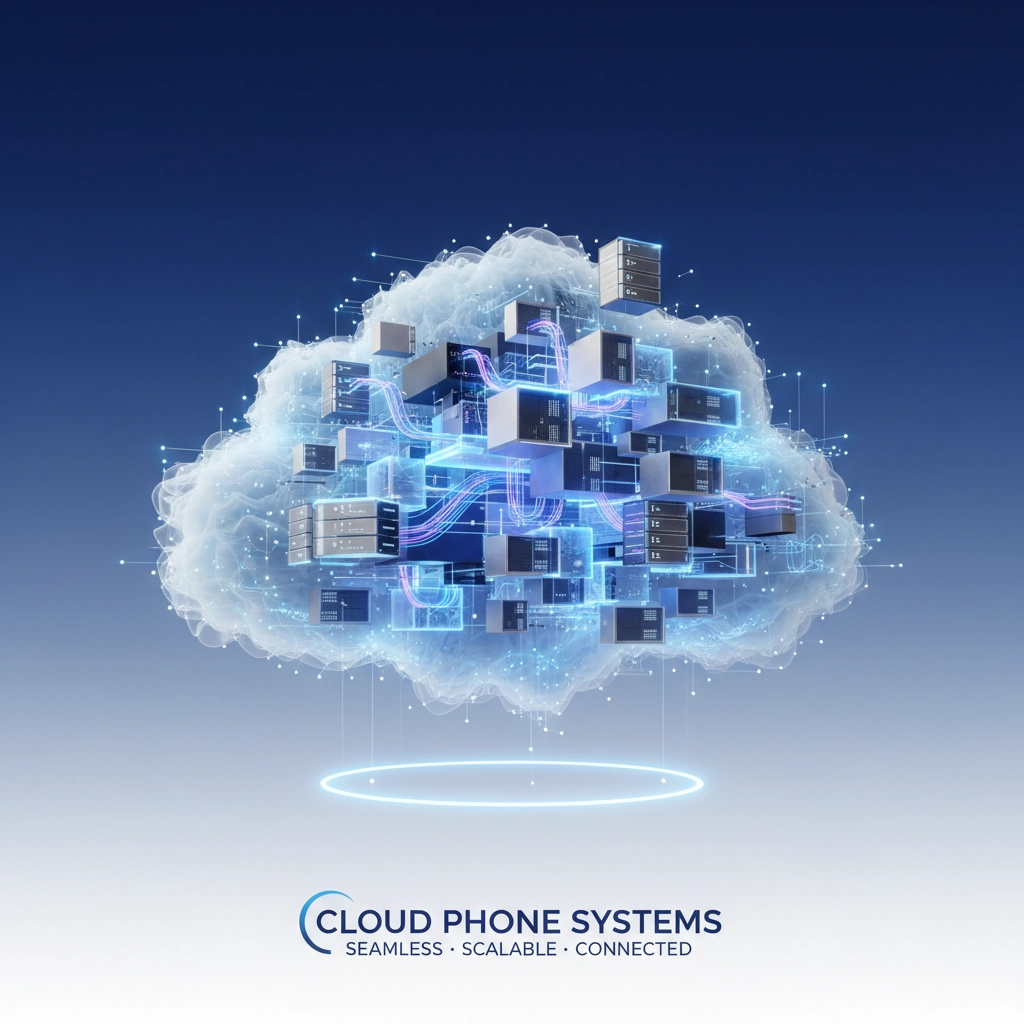
Cloud vs. On-Premises Business Phone Systems: Which Is Better For Your Growing Business in 2026?

premierbusiness · December 9, 2025 ·

Your business is growing, and your current phone system is showing cracks. Maybe you’re adding remote employees, opening new locations, or just tired of dealing with outdated equipment that breaks down at the worst possible moments. The big question facing growing businesses in 2026: should you move to the cloud or invest in an on-premises system?

Here’s the reality: there’s no universal “best” choice. The right decision depends on your specific growth trajectory, work arrangements, budget constraints, and industry requirements. Both options have evolved significantly, and increasingly, smart businesses are exploring hybrid approaches that combine the best of both worlds.

What’s Driving Phone System Decisions in 2026

The business communications landscape has shifted dramatically. Remote and hybrid work arrangements are now permanent fixtures, not temporary solutions. Employees expect to seamlessly take their business calls anywhere, whether they’re in the office, at home, or traveling between client sites.

At the same time, cybersecurity concerns have intensified. Businesses need phone systems that don’t create vulnerabilities while still enabling the flexibility modern teams demand. Add in economic pressures pushing companies to optimize every dollar spent, and you’ve got a decision that requires careful analysis.

image_1

Cloud-Based Phone Systems: Built for Modern Business

Core Strength: Cloud systems excel at enabling distributed teams while keeping costs predictable and scalable.

The Cloud Advantage

Cloud-based systems shine when your business needs flexibility and growth capacity. Your team can work from anywhere with reliable internet, using their business phone number on mobile devices to handle calls professionally. No more missed opportunities because someone’s working from home or meeting with a client off-site.

The financial model makes sense for growing businesses. Instead of massive upfront capital investments, you pay predictable monthly fees that scale with your team size. Average cost savings of 30% compared to traditional systems mean you can reinvest those dollars into growth initiatives that actually drive revenue.

Setup happens fast: often within days rather than weeks. When you need to add new employees, it takes minutes, not a hardware purchase and installation appointment. Software updates, security patches, and system maintenance happen automatically, so your team stays productive instead of dealing with IT headaches.

Cloud System Considerations

The biggest dependency is internet connectivity. If your internet goes down, your phone system goes with it. This makes cloud systems less suitable for locations with unreliable broadband or businesses that can’t tolerate any communication disruptions.

You’re also trusting a third-party provider with your communication infrastructure and potentially sensitive call data. For most businesses, reputable providers offer better security than they could implement in-house, but highly regulated industries may need more control.

image_2

On-Premises Systems: Control and Independence

Core Strength: On-premises systems provide complete control and work independently of internet connectivity.

The On-Premises Advantage

When you need maximum control and reliability, on-premises systems deliver. Your communications infrastructure runs independently of internet connectivity, using local networks and traditional phone lines. This means internal calls and local external calls continue working even during internet outages.

For businesses in highly regulated industries: healthcare, finance, legal: maintaining direct control over call data and system security protocols often outweighs other considerations. You can implement custom security measures, maintain detailed audit trails, and ensure compliance with industry-specific requirements.

The voice quality tends to be consistently high because you’re not competing with other internet traffic for bandwidth. In environments where clear communication is critical: manufacturing floors, emergency services, customer service centers: this reliability matters.

On-Premises Realities

The upfront investment is significant. Hardware, installation, configuration, and training costs add up quickly. You’ll need dedicated IT resources or service contracts to maintain the system, handle repairs, and manage upgrades over time.

Scaling requires planning and additional hardware purchases. Adding a new location means extending your infrastructure or implementing complex networking solutions. Remote work capabilities are limited without additional VPN setups and security configurations that can be complex to manage.

Direct Comparison: Key Decision Factors

Factor Cloud-Based On-Premises
Initial Investment Low (minimal hardware) High (significant capital required)
Monthly Costs Predictable subscription Lower line costs but unpredictable maintenance
Scalability Add/remove users instantly Hardware-limited, requires planning
Remote Work Excellent: works anywhere Limited without complex setup
Setup Timeline Days to weeks Weeks to months
Maintenance Provider managed In-house or contracted
Internet Dependency Critical requirement Works independently
Customization Limited but improving Complete control
Security Control Provider managed Full internal control

image_3

Making the Right Choice for Your Business

Choose Cloud-Based When:

Your team is distributed or growing rapidly. If you have remote employees, multiple locations, or expect significant team expansion, cloud systems provide the flexibility to support growth without infrastructure investments.

You want predictable IT expenses. Subscription models make budgeting easier and free up capital for revenue-generating investments instead of phone system hardware.

You need quick deployment. Cloud systems can be operational in days, not months. Perfect for startups, rapidly growing companies, or businesses replacing failed legacy systems.

IT resources are limited. Cloud providers handle maintenance, updates, and troubleshooting, reducing the burden on your internal team.

Choose On-Premises When:

Regulatory requirements demand data control. Industries with strict compliance requirements often need on-premises systems to maintain audit trails and data sovereignty.

Internet reliability is questionable. Rural locations, areas with frequent outages, or businesses that can’t tolerate communication disruptions benefit from internet-independent systems.

Long-term cost optimization matters. If you’re planning to use the same system for 10+ years and have the capital available, on-premises systems can offer lower total cost of ownership.

Heavy customization is required. Unique industry requirements or complex call routing needs may require the flexibility only on-premises systems provide.

image_4

Consider Hybrid Approaches

Many growing businesses find success with hybrid deployments that combine on-premises reliability with cloud flexibility. You might maintain core voice infrastructure on-site while enabling cloud-based features for remote workers and advanced collaboration tools.

This approach allows gradual migration at your own pace while maintaining business continuity. Recent surveys show 92% of mid-to-large enterprises are considering hybrid models, suggesting this balanced approach meets real business needs.

The Bottom Line

The best phone system for your growing business depends on your specific situation, not industry trends or vendor recommendations. Cloud systems excel for distributed teams that need flexibility and predictable costs. On-premises systems work better when control, independence, and regulatory compliance are priorities.

Don’t make this decision based on what worked for other businesses or what seems trendy. Analyze your actual requirements: Where does your team work? How fast are you growing? What does your budget look like? How critical is communication uptime to your operations?

The right system should support your growth plans, not constrain them. Whether that’s in the cloud, on your premises, or a hybrid combination depends on matching system capabilities to your business realities.

Ready to make the right choice for your business? Premier Business Team helps growing companies evaluate their communication needs and implement solutions that actually work for their specific situation. We work with businesses across industries to design phone systems that support growth rather than limit it.

Contact us today to discuss your requirements and explore options that make sense for your business, your budget, and your growth plans.

Cybersecurity for Business: 10 Reasons Your Current Setup Isn't Working (And How to Fix It)

premierbusiness · December 8, 2025 ·

Your business cybersecurity isn't working as well as you think it is. While you're focused on running operations and growing revenue, cybercriminals are actively probing for weaknesses in systems just like yours. The harsh reality? Most businesses have gaps in their security that make them sitting ducks for the next attack.

Here's the truth: 96% of businesses experience some form of cyber incident each year. Yet most organizations continue operating with the same flawed security approaches that got them into trouble in the first place.

Let's examine the 10 most common reasons your cybersecurity setup is failing: and exactly how to fix each one.

1. Your Password Policies Are Stuck in 2015

The Problem: You're still allowing employees to use "Password123!" and calling it secure. Without multi-factor authentication (MFA), even strong passwords become worthless when hackers use phishing attacks or credential stuffing to gain access.

How to Fix It: Implement mandatory complex password requirements immediately. Require combinations of uppercase, lowercase, numbers, and special characters with minimum 12-character lengths. More importantly, deploy MFA across every single account: especially administrative access and cloud services. This simple step blocks 99.9% of automated attacks.

image_1

2. You're Running Outdated Software (And Everyone Knows It)

The Problem: That "if it ain't broke, don't fix it" mentality is literally breaking your security. Unpatched software contains known vulnerabilities that hackers exploit using readily available tools. Every day you delay updates, you're broadcasting your weaknesses to attackers.

How to Fix It: Create an automated patch management system that deploys critical security updates within 48 hours of release. For non-critical patches, establish monthly maintenance windows. Set up vulnerability scanning tools that identify outdated software before attackers do.

3. Your Employees Are Your Weakest Link

The Problem: Your team means well, but they're clicking on phishing emails, downloading malicious attachments, and sharing passwords. Without proper training, even security-conscious employees make mistakes that compromise your entire network.

How to Fix It: Implement quarterly cybersecurity awareness training that goes beyond boring PowerPoints. Use simulated phishing campaigns to test and train simultaneously. Focus on real-world scenarios your employees actually encounter. Make security training relevant to their daily work: not just IT department requirements.

4. Your Cloud Setup Is a Security Nightmare

The Problem: You migrated to the cloud for flexibility and cost savings, but your security configuration looks like Swiss cheese. Misconfigured access controls, public storage buckets, and weak identity management create massive attack surfaces.

How to Fix It: Conduct a complete cloud security audit using automated configuration scanning tools. Implement least-privilege access principles: employees get only the minimum permissions needed for their roles. Use centralized identity management with single sign-on (SSO) to control who accesses what, when, and from where.

image_2

5. Your Endpoints Are Wide Open

The Problem: You've secured your servers but ignored the laptops, phones, tablets, and IoT devices connecting to your network. Every unprotected endpoint becomes a potential entry point for attackers to move laterally through your systems.

How to Fix It: Deploy enterprise-grade endpoint detection and response (EDR) solutions across all devices. Implement device management policies that prevent unauthorized software installations. Use behavioral analytics to detect unusual activity patterns that indicate compromise.

6. Your Network Security Is Living in the Past

The Problem: You're relying on basic firewalls while attackers use sophisticated techniques to bypass traditional perimeter defenses. Your network probably lacks proper segmentation, making lateral movement easy once attackers get inside.

How to Fix It: Upgrade to next-generation firewalls with deep packet inspection and threat intelligence integration. Implement network segmentation to isolate critical systems. Adopt zero-trust architecture: verify every user and device regardless of location before granting access.

7. Your Systems Don't Talk to Each Other

The Problem: IP conflicts, routing errors, and incompatible software configurations create security blind spots and operational inefficiencies. When systems aren't properly integrated, security tools can't share threat intelligence effectively.

How to Fix It: Conduct a comprehensive network audit to identify misconfigurations and compatibility issues. Standardize configuration templates across all devices. Implement centralized logging and monitoring that aggregates security events from all systems into a single dashboard.

image_3

8. Nobody's Actually Checking Your Security

The Problem: You assume your security is working because nothing bad has happened yet. Without regular audits and penetration testing, vulnerabilities accumulate undetected while compliance violations pile up.

How to Fix It: Schedule quarterly security assessments and annual penetration testing by certified professionals. Implement continuous vulnerability scanning that automatically identifies new threats. Create a formal incident response plan with clear escalation procedures and communication protocols.

9. You're Flying Blind Without an IT Strategy

The Problem: Your technology decisions are reactive rather than strategic. Without a comprehensive IT roadmap, you're constantly fighting fires instead of preventing them. Security becomes an afterthought rather than a foundational business requirement.

How to Fix It: Develop a three-year IT strategy that aligns with business objectives. Include security considerations in every technology decision. Establish regular maintenance schedules and performance optimization reviews. Partner with experienced IT professionals who understand your industry's specific threats and compliance requirements.

10. You're Trusting Third Parties Too Much

The Problem: Your vendors, suppliers, and service providers have access to your systems and data, but you haven't properly vetted their security practices. Supply chain attacks are increasingly common, and one compromised vendor can expose your entire organization.

How to Fix It: Implement comprehensive third-party risk management processes. Require security questionnaires, compliance certifications, and regular audits from all vendors with system access. Use contract language that holds vendors accountable for security breaches. Monitor third-party access continuously and revoke permissions immediately when relationships end.

The Bottom Line: Security Is an Investment, Not an Expense

These ten issues represent the difference between hoping your security works and knowing it works. Addressing them requires both technology solutions and organizational commitment to making security everyone's responsibility.

The cost of fixing these problems now is a fraction of what you'll spend recovering from a successful attack. Average data breach costs exceeded $4.4 million in 2024: money that could have funded comprehensive security improvements for years.

Your business deserves better than hope-based security. If you're recognizing your organization in these ten scenarios, you're not alone. Many Pacific Northwest businesses are dealing with similar challenges while trying to balance growth, efficiency, and protection.

At Premier Business Team, we help organizations like yours identify and fix these exact security gaps. Our comprehensive cybersecurity assessments reveal the real state of your defenses, while our managed security services provide ongoing protection that scales with your business.

Ready to stop hoping your security works and start knowing it does? Contact Premier Business Team today for a no-obligation cybersecurity assessment. Let's identify your specific vulnerabilities and create a roadmap for bulletproof protection.

Learn more about our cybersecurity services or schedule your assessment by calling our team directly. Your future self will thank you.

Why Most AI Implementations Fail (And How Premier Business Team Ensures Measurable ROI)

premierbusiness · December 7, 2025 ·

AI promises are everywhere, but the reality? Most implementations crash and burn before delivering any real value. If you're a business leader considering AI, the statistics should give you pause: and a roadmap for success.

The Brutal Truth About AI Failure Rates

Here's what the data tells us: 42% of companies abandoned most of their AI initiatives in 2025, nearly doubling from just 17% the year before. Even more sobering? 95% of generative AI pilots fail to accelerate revenue, and 88% of AI proof-of-concepts never make it to production.

We're not talking about small hiccups. The RAND Corporation found that over 80% of AI projects fail completely: double the failure rate of traditional IT projects. That means for every ten AI initiatives launched, eight will waste time, money, and organizational confidence.

image_1

Why Most AI Projects Crash

Undefined Success Metrics

The biggest killer? Companies dive into AI without knowing what success looks like. Teams get excited about building cool prototypes but never define measurable outcomes. You end up celebrating "promising signals" instead of actual ROI.

We see this constantly: organizations spend months developing sophisticated systems only to realize they can't measure impact or justify continued investment. Without clear metrics from day one, you're flying blind.

Leadership Misalignment

AI initiatives need executive buy-in, but many lack strategic leadership. When leadership doesn't understand the goals, projects get inadequate resources and conflicting priorities. The result? AI becomes a science experiment instead of a business solution.

Cross-functional coordination falls apart when there's no clear ownership. IT builds models, operations needs to use them, and leadership sets goals: but nobody coordinates between teams.

Poor Data Infrastructure

Organizations launch AI projects unprepared. Their data is messy, systems don't integrate, and governance is weak. AI models are only as good as the data feeding them, and most companies aren't ready for that reality.

Technology-First Thinking

Too many businesses pursue AI because it's trendy, not because it solves real problems. They focus on deploying the latest models instead of improving business outcomes. This backwards approach guarantees failure.

How Premier Business Team Ensures AI Success

We've guided dozens of organizations through successful AI implementations by addressing each failure point systematically.

Clear ROI Definition From Day One

Before any development starts, we help you define exactly what success means for your business. Not vague goals like "improve efficiency": specific, measurable outcomes tied to revenue, cost savings, or customer satisfaction.

For our unified communications clients, this might mean reducing call resolution time by 30% or increasing first-call resolution rates. For cybersecurity for business implementations, it's measurable threat detection improvements or reduced incident response times.

Strategic Leadership and Project Ownership

We assign dedicated project champions who coordinate between your IT, operations, and leadership teams. Someone owns the end-to-end success, ensuring nothing falls through the cracks.

Our vendor-neutral approach means we're not pushing specific technologies: we're focused on your business outcomes. We've worked with organizations using everything from cloud services for business to contact center technologies, always prioritizing what works for your specific situation.

Infrastructure-First Implementation

Before deploying any AI, we assess your data infrastructure, business internet capabilities, and system integrations. We ensure your foundation can support AI workloads and scale as you grow.

This includes evaluating your business phone systems and data center solutions to ensure seamless integration. Many AI failures happen because the underlying infrastructure wasn't designed for AI workloads.

image_2

Real-World Success: AI in Business Communications

Consider a mid-sized company we worked with that was struggling with customer service efficiency. Their contact center technologies were outdated, and response times were hurting customer satisfaction.

Instead of jumping straight to AI chatbots (the technology-first mistake), we started with clear goals: reduce average response time by 40% and improve customer satisfaction scores by 25% within six months.

We implemented AI-powered routing that analyzes customer inquiries and directs them to the most qualified agents. The AI integrates with their existing unified communications system, so agents see complete customer context before answering calls.

Results? 43% reduction in response time and 28% improvement in satisfaction scores within four months. More importantly, the system pays for itself through improved efficiency and reduced staffing needs.

The Vendor-Neutral Advantage

Unlike technology vendors who push specific solutions, we evaluate what actually works for your business. Sometimes that's cutting-edge AI. Sometimes it's improving your existing business phone systems or cloud services for business first.

We've seen companies waste millions trying to force AI into processes that weren't ready. Our approach starts with understanding your current systems: from cybersecurity for business protocols to data center solutions: then identifying where AI adds genuine value.

Proven Implementation Process

Phase 1: Business Assessment
We analyze your current processes, data infrastructure, and business goals. No AI discussions until we understand what you're trying to achieve.

Phase 2: ROI Definition
Together, we define specific, measurable success metrics tied to business outcomes. Every AI initiative gets clear KPIs and timeline expectations.

Phase 3: Infrastructure Preparation
We ensure your business internet, data systems, and integrations can support AI workloads. This includes cybersecurity considerations and scalability planning.

Phase 4: Pilot Implementation
We start with focused pilots that prove ROI before scaling. Each pilot has defined success metrics and clear go/no-go criteria.

Phase 5: Production Scaling
Only proven pilots move to full production. We maintain ongoing monitoring and optimization to ensure continued ROI.

Why This Approach Works

Our vendor-neutral position means we're not incentivized to sell specific technologies. We make money when your AI implementations succeed, not when you buy more software.

We focus on business outcomes first, technology second. Whether that means upgrading your unified communications infrastructure before adding AI or implementing AI-powered cybersecurity for business solutions, we prioritize what delivers measurable results.

Most importantly, we ensure someone owns the end-to-end success. No more projects that start strong but die in "pilot purgatory."

The Bottom Line

AI can transform your business, but only with the right approach. The 20% of companies seeing real AI ROI aren't lucky: they're following proven implementation principles.

Skip the technology-first thinking. Start with clear business outcomes, ensure leadership alignment, prepare your infrastructure, and maintain focus on measurable results.

Ready to join the successful minority? Let's discuss how AI can solve your specific business challenges. We'll help you avoid the common pitfalls and build AI implementations that deliver real, measurable ROI.

Contact Premier Business Team to start your strategic AI conversation: no vendor pitches, just honest guidance on whether AI makes sense for your business right now.

Is Your Business Internet Ready for AI? 5 Things You Should Know Before Upgrading

premierbusiness · December 6, 2025 ·

Artificial intelligence isn't just the future anymore: it's happening right now. By 2026, experts predict that over 80% of businesses will be using some form of AI to stay competitive. But here's the thing: jumping into AI without the right infrastructure is like trying to run a marathon in flip-flops.

Your business internet and underlying tech infrastructure need to be rock-solid before you can effectively deploy AI solutions. We're seeing too many organizations rush into AI adoption only to hit massive roadblocks because their foundational systems weren't ready.

Let's break down the five critical areas you need to evaluate before making that upgrade.

1. Your Internet Speed and Bandwidth Requirements Are About to Skyrocket

image_1

AI applications are bandwidth-hungry beasts. We're not talking about your typical office internet usage anymore: AI workloads can consume 10 to 100 times more data than traditional business applications.

What this means for your business:

  • Video AI analysis tools can use 50+ Mbps per stream
  • Machine learning model training requires consistent, high-speed uploads to cloud platforms
  • Real-time AI customer service tools need ultra-low latency connections
  • Cloud-based AI services demand symmetrical upload/download speeds

Before you upgrade: Audit your current bandwidth usage and multiply it by at least 5-10x to accommodate AI workloads. Most businesses running on basic cable internet or DSL connections will need to move to fiber-based business connectivity solutions or dedicated internet access.

Action step: Contact your internet service provider to discuss enterprise-grade connections that can handle sustained high-bandwidth AI applications. Look for guaranteed upload speeds, not just download speeds.

2. Cloud Infrastructure Becomes Non-Negotiable

Your old on-premise server setup won't cut it for serious AI deployment. Cloud services for business aren't optional anymore: they're essential for AI readiness.

AI models require massive computational resources that most businesses can't afford to house on-site. We're talking about GPU clusters, specialized processors, and storage systems that can cost hundreds of thousands of dollars.

What you need to know:

  • AI training and inference require scalable cloud computing power
  • Data center solutions provide the reliability and redundancy AI applications demand
  • Multi-cloud strategies become important for AI workload distribution
  • Edge computing capabilities may be necessary for real-time AI applications

Reality check: A single AI model training session can cost thousands of dollars in cloud computing resources. Without proper cloud architecture, you'll either face massive bills or severely limited AI capabilities.

Action step: Evaluate cloud service providers like AWS, Azure, or Google Cloud. Look for providers offering AI-specific services and competitive GPU pricing. Consider hybrid cloud solutions that combine on-premise storage with cloud computing power.

3. Your Data Infrastructure Needs a Complete Overhaul

image_2

Here's where most businesses hit their first major wall: data quality and management. AI is only as good as the data you feed it, and most organizations' data is scattered, inconsistent, and poorly organized.

LinkedIn discovered this the hard way when their machine learning algorithms became inefficient because they couldn't quickly find and utilize relevant data. They had to implement advanced metadata management tools with automatic tagging just to make their AI systems functional.

Common data infrastructure problems:

  • Information stored in multiple, incompatible systems
  • Inconsistent data formats and naming conventions
  • No centralized data management strategy
  • Poor data backup and recovery systems
  • Inadequate data security and access controls

What needs to happen: Your data needs to be properly organized, tagged, and accessible across your entire organization. This often means implementing new data management platforms, establishing data governance policies, and potentially migrating years of legacy data.

Action step: Conduct a data audit to identify where your critical business information lives and how it's formatted. Budget for data management tools and potentially hiring data management expertise.

4. Legacy Systems Will Become Your Biggest Bottleneck

If your business is still running on systems from 2015 or earlier, AI integration is going to be painful. Legacy IT systems lack the flexibility and connectivity that modern AI solutions require.

Netflix provides a perfect example of this challenge. They switched from a monolithic system to a microservice-based architecture specifically to achieve the flexibility needed for advanced analytics and AI deployment.

Legacy system warning signs:

  • Software that requires manual updates or patches
  • Systems that don't integrate well with modern cloud services
  • Database structures that can't handle real-time data processing
  • Network infrastructure that wasn't designed for cloud connectivity
  • Security systems that don't support modern authentication methods

The modernization reality: Most businesses need comprehensive IT infrastructure updates before AI becomes truly effective. This isn't just about buying new software: it's about rebuilding your entire technology foundation.

Action step: Schedule an IT infrastructure assessment to identify systems that need upgrading or replacement. Budget for potential complete system overhauls, not just minor updates.

5. Your Team's Digital Skills Gap Is Bigger Than You Think

image_3

Even with perfect infrastructure, AI implementation fails if your team isn't prepared. We're seeing organizations spend hundreds of thousands on AI tools only to have them sit unused because staff don't know how to operate them effectively.

Organizational readiness assessment:

  • AI adoption: How well are current digital tools integrated across departments?
  • AI architecture: Is your digital infrastructure standardized and data-accessible?
  • AI capability: Does your team have the skills to develop, deploy, and maintain AI solutions?

Training requirements you probably haven't considered:

  • Data analysis and interpretation skills
  • Understanding of AI tool limitations and biases
  • Integration of AI outputs with existing workflows
  • AI governance and compliance knowledge
  • Change management for AI-transformed processes

Action step: Evaluate your team's current digital literacy and create a comprehensive training plan. Consider hiring AI-experienced staff or partnering with consultants for initial implementation.

The 2026 AI Infrastructure Reality Check

By 2026, businesses without AI-ready infrastructure won't just be behind: they'll be obsolete. Your competitors are making these upgrades right now. The question isn't whether you need AI-ready infrastructure, but how quickly you can implement it.

Start with your foundation: Ensure your business internet can handle the bandwidth demands of AI applications. Move to cloud services for business that provide the scalability you'll need. Implement data center solutions that offer the reliability AI systems require.

Don't go it alone. AI infrastructure planning is complex, expensive, and full of potential pitfalls. The businesses that succeed work with experienced IT partners who understand both current technology requirements and future AI trends.

Ready to Future-Proof Your Business Infrastructure?

Premier Business Team specializes in helping organizations build AI-ready infrastructure without the costly mistakes. We've helped dozens of businesses upgrade their business connectivity solutions, implement scalable cloud architectures, and prepare their teams for successful AI adoption.

Get started with a free infrastructure assessment. We'll evaluate your current systems, identify gaps, and create a roadmap for AI readiness that fits your budget and timeline.

Don't let inadequate infrastructure hold your business back in 2026. Contact Premier Business Team today to schedule your AI readiness consultation.

Call us at [phone number] or visit premierbusinessteam.com to learn more about our comprehensive IT and telecommunications solutions.

Ready to upgrade your cybersecurity along with your AI infrastructure? Check out our guide on Top 5 IT Cybersecurity Challenges for Whatcom SMBs in 2025 for essential security considerations.

  • « Go to Previous Page
  • Page 1
  • Interim pages omitted …
  • Page 69
  • Page 70
  • Page 71
  • Page 72
  • Page 73
  • Interim pages omitted …
  • Page 78
  • Go to Next Page »

Get a no obligation quote for your business. Learn More

Proud Chamber Member

Bellingham Chamber Badge

Premier Business Team

Copyright © 2026 · Premier Business Team 2219 Rimland Dr. Suite 301 Bellingham, WA 98226 - 360-946-2626

  • Home
  • Business Internet
  • Business Phone
  • Blog
  • About Us
  • Contact Us
  • Business Quote
  • Engineering
  • Call: 360-946-2626