

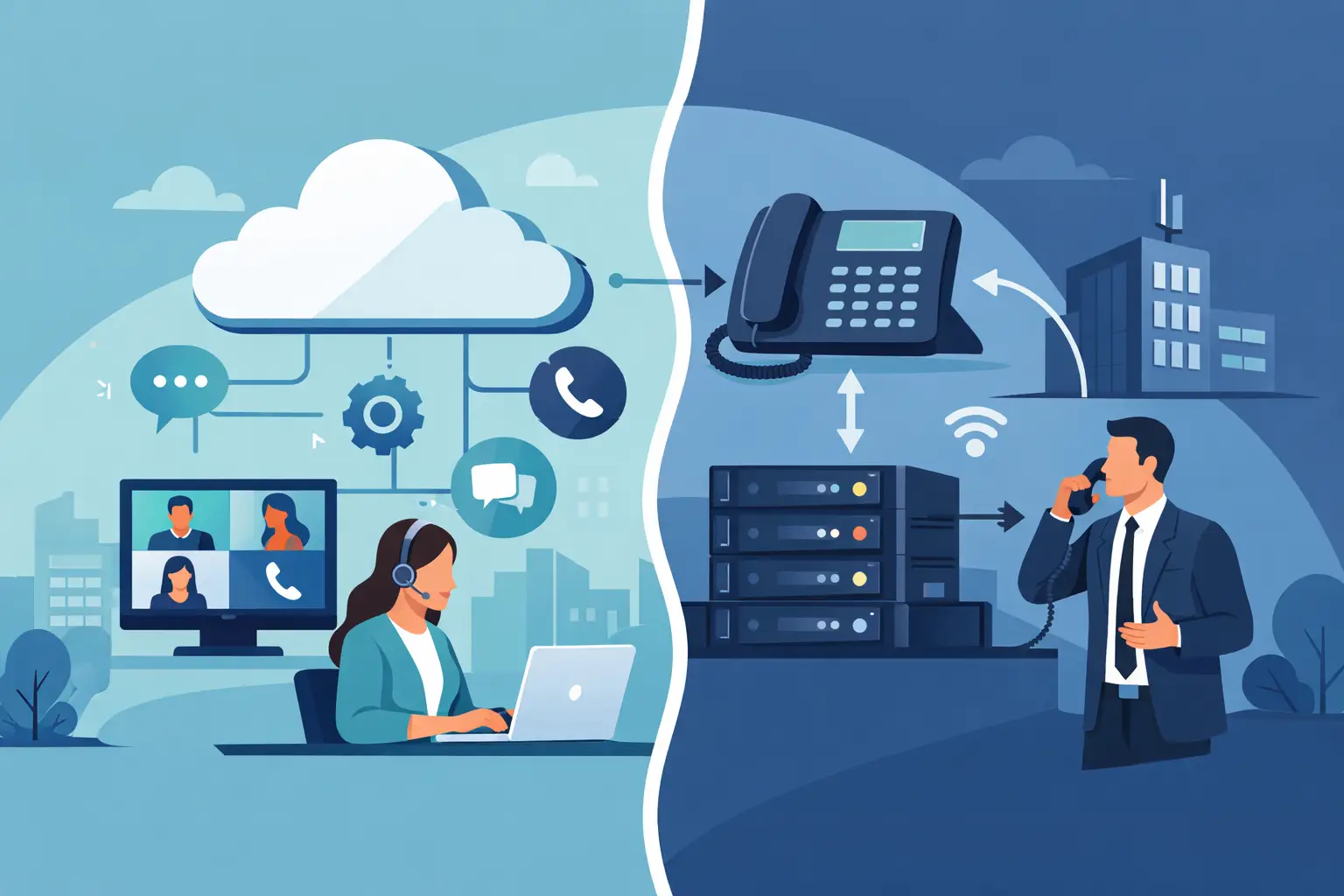
A phone system decision can affect far more than call quality. It shapes how employees serve customers, how quickly new locations come online, how IT manages change, and how predictable monthly costs remain. In the UCaaS vs PBX decision, the right answer depends on your operating model, existing infrastructure, compliance requirements, and plans for growth.
For many organizations, the real challenge is not choosing between two technical labels. It is determining whether communications should be managed as an on-premises asset or consumed as a cloud service. That distinction drives costs, responsibilities, flexibility, and long-term risk.
UCaaS vs PBX: The Core Difference
PBX stands for private branch exchange. It is the system that connects calls inside an organization and routes them to outside phone networks. Traditionally, a PBX is installed at a business location and supported by on-site equipment, phone lines or SIP trunks, and internal IT resources. Companies can own the hardware outright or work with a provider that hosts portions of the system.
UCaaS, or unified communications as a service, is a cloud-based communications platform delivered through a subscription. It typically combines business calling with messaging, video meetings, mobile apps, presence, voicemail, call routing, and collaboration tools. The provider operates the core platform, while users access it through desk phones, computers, or mobile devices.
The distinction is clear in practice: a traditional PBX puts more infrastructure and operational responsibility in the business’s hands. UCaaS shifts much of that responsibility to the service provider and makes communication tools available from nearly any internet-connected location.
Hosted PBX can blur the line. A hosted PBX moves phone-system hardware into a provider’s data center, but it may not offer the full collaboration features, integrations, or administration experience associated with modern UCaaS. Decision-makers should compare actual capabilities, not rely on product labels alone.
When a PBX May Be the Better Fit
A PBX remains a practical choice for organizations with specialized requirements and the resources to manage their own communications environment. A large facility with established telecom staff, complex analog devices, or strict internal control policies may benefit from maintaining a PBX.
For example, manufacturing sites, healthcare environments, campuses, and hospitality operations may rely on overhead paging, door access systems, fax lines, elevators, alarms, or industry-specific endpoints. These systems can be supported in cloud environments, but the design requires careful planning. Retaining a PBX may be less disruptive when existing equipment is deeply integrated into daily operations.
A PBX can also offer a level of local control that some organizations prefer. If internet service fails, certain on-premises configurations may continue to support internal calling, depending on the design. Businesses with local survivability requirements should evaluate this closely rather than assume any cloud system will behave the same way.
The trade-off is management overhead. Hardware refreshes, software updates, capacity planning, carrier coordination, and troubleshooting can fall on internal teams. Capital costs may be significant upfront, and adding users or locations can require new equipment and configuration work.
Where UCaaS Creates Business Value
UCaaS is often the stronger fit for businesses with distributed employees, multiple locations, seasonal staffing changes, or limited IT resources. A new employee can usually receive a phone number, voicemail, mobile app, and call permissions without waiting for equipment to be installed at a specific office.
That flexibility matters when work moves beyond the desk. With UCaaS, a customer calling the main business number can reach an employee at home, in a branch office, or on the road without exposing a personal mobile number. Teams can also transfer calls, review voicemail, join meetings, and communicate through one business identity.
For growth-oriented companies, UCaaS can reduce the friction of expansion. Adding a location does not necessarily require building another phone room or duplicating a local system. The organization can apply consistent call routing, greetings, security policies, and reporting across offices.
UCaaS also supports a more predictable operating model. Instead of a major upfront hardware purchase, businesses generally pay a monthly fee per user or service package. That does not automatically make UCaaS cheaper, but it can simplify budgeting and reduce surprise expenses tied to aging equipment.
Cost: Look Beyond the Monthly Price
A low per-user rate is not a complete UCaaS cost analysis, just as the purchase price of a PBX is not the full cost of ownership. The comparison should account for implementation, handsets, licensing, carrier services, network upgrades, support, redundancy, and the internal time required to administer the system.
With a PBX, costs often arrive in larger intervals. A company may pay for servers, gateways, licenses, maintenance, and professional services, then face another investment when the platform reaches end of life. This model can make financial sense when the system is heavily utilized over many years and the business has capable in-house support.
With UCaaS, recurring costs are more visible but can grow if licensing is not governed carefully. Organizations should review whether every employee needs the same feature tier, whether shared spaces need common-area licenses, and whether unused numbers or accounts are still being billed. Calling plans, contact center features, compliance recording, and international usage can also change the total.
The best financial decision comes from comparing a realistic three- to five-year total cost of ownership. It should include both hard costs and operational effort. A cheaper platform that requires constant IT intervention can become expensive quickly.
Reliability Depends on Network Design
Neither UCaaS nor PBX is automatically more reliable. Reliability comes from the full architecture: internet connections, local network quality, power protection, carrier diversity, failover settings, and support processes.
UCaaS depends on stable connectivity, so businesses should assess bandwidth, latency, jitter, and packet loss before moving production calling to the cloud. A secondary internet connection, SD-WAN policy, 4G or 5G backup, and properly configured quality-of-service settings can protect voice traffic when the primary connection is impaired.
A PBX avoids some cloud dependency, but it still needs power, carrier connectivity, maintenance, and a recovery plan. If the phone server is in one office and that site experiences an outage, the entire organization may be affected unless redundancy has been designed in.
For either model, confirm how emergency calling works. Each location needs accurate emergency address information, and remote employees need a process for keeping that information current. This is both a safety issue and a compliance responsibility.
Security and Administration Matter
Communications systems hold sensitive information: customer names, call records, voicemail messages, meeting content, and sometimes payment or health data. The right platform should support strong identity controls, multifactor authentication, role-based administration, encryption, audit logs, and appropriate retention policies.
UCaaS providers can centralize security updates and platform maintenance, which reduces the burden on internal teams. However, the business still controls user access, device policies, number porting permissions, and administrative roles. Cloud service does not remove the need for governance.
A PBX gives an organization more direct control over its environment, but that control requires discipline. Unpatched systems, weak remote access settings, and poorly secured SIP configurations can create serious exposure. The question is not whether control is valuable. It is whether the organization has the people and processes to exercise it consistently.
A Practical Way to Choose
Start with business requirements rather than providers. Identify who needs calling, where they work, which customer-facing workflows depend on phones, and what systems must integrate with the new platform. Sales teams may need CRM screen pops and mobile calling, while operations may need paging, shared lines, or call queues.
Then document the current environment, including internet circuits, switches, Wi-Fi coverage, analog lines, contracts, phone inventory, and critical devices. This prevents a common mistake: choosing a platform first and discovering late in the project that an elevator phone, alarm panel, or legacy application needs a separate solution.
Next, compare providers against a consistent scorecard. Evaluate implementation support, service-level commitments, device options, integrations, reporting, security controls, support responsiveness, pricing structure, and contract flexibility. A platform that looks comparable in a product demo may differ substantially once deployment, management, and support are included.
Premier Business Team helps organizations bring these variables into one decision process, comparing options across providers rather than forcing a single vendor path. That approach is especially valuable when communications must align with connectivity, cybersecurity, mobility, and multiple operating locations.
The strongest phone-system decision is one that fits the way your business works now while leaving room for the way it needs to work next. Before replacing a single handset, define the customer experience, employee experience, and operational resilience you expect the system to support.