• Skip to primary navigation
  • Skip to main content
Premier Business Team

Premier Business Team

Your business connectivity and IT Team

  • Home
  • Business Internet
  • Business Phone
  • Blog
  • About Us
    • Our Featured Suppliers
  • Contact Us
  • Business Quote
    • Business Tech Assessment
  • Engineering
  • Call: 360-946-2626
  • Show Search
Hide Search

Blog Posts

Google Workspace, Cloud, Email, and Drive Services in Everett, WA

premierbusiness · January 6, 2026 ·

Everett, Washington businesses are rapidly modernizing their technology infrastructure, and Google Workspace has emerged as the leading cloud productivity solution for companies ranging from downtown retail shops to large manufacturing facilities along the waterfront. At Premier Business Team, we provide vendor-neutral Google Workspace consulting, deployment, and ongoing support services specifically designed for Everett's diverse business landscape.

As your local IT consulting partner, we understand the unique challenges facing Everett businesses, from seasonal tourism fluctuations affecting hotels and restaurants to the complex compliance requirements of medical practices and financial institutions. Our Google Workspace implementation services ensure your team can collaborate seamlessly while maintaining the security and reliability your business demands.

Why Everett Businesses Choose Google Workspace in 2026

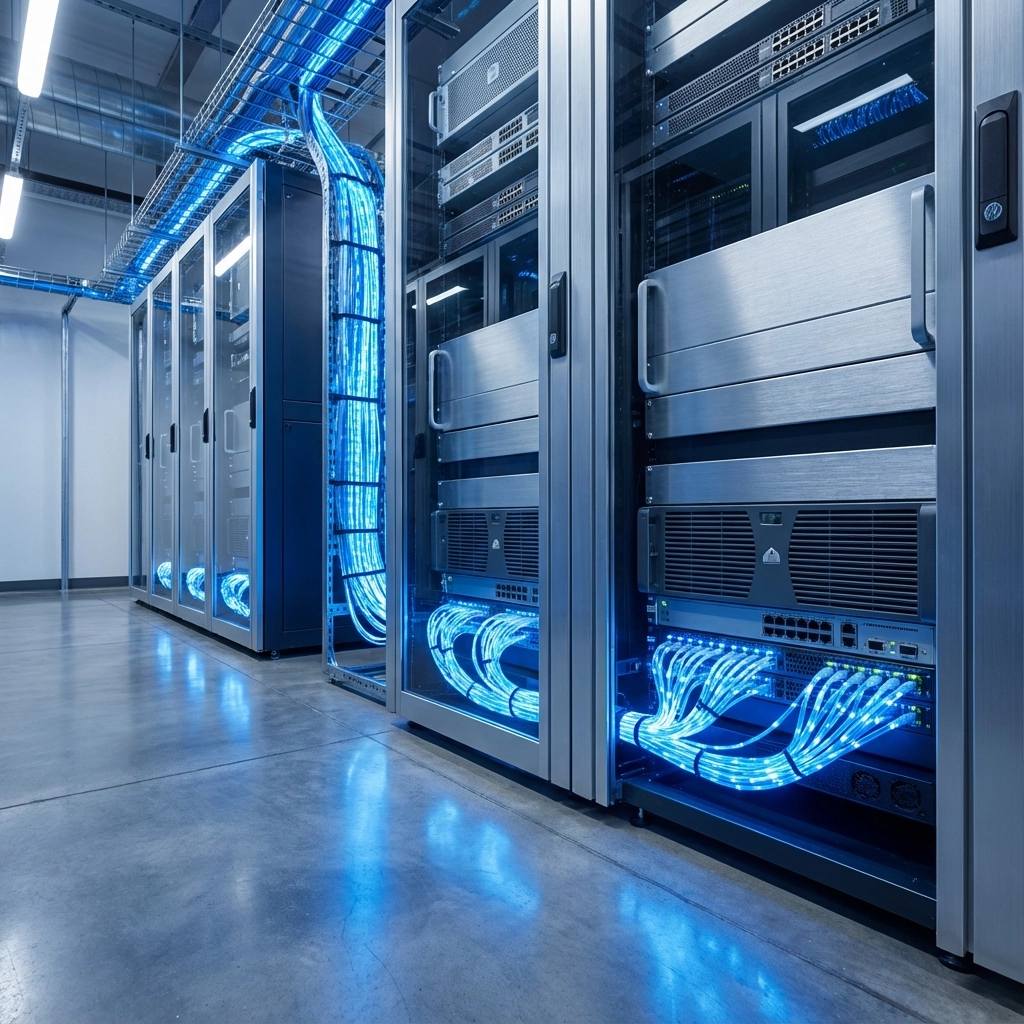
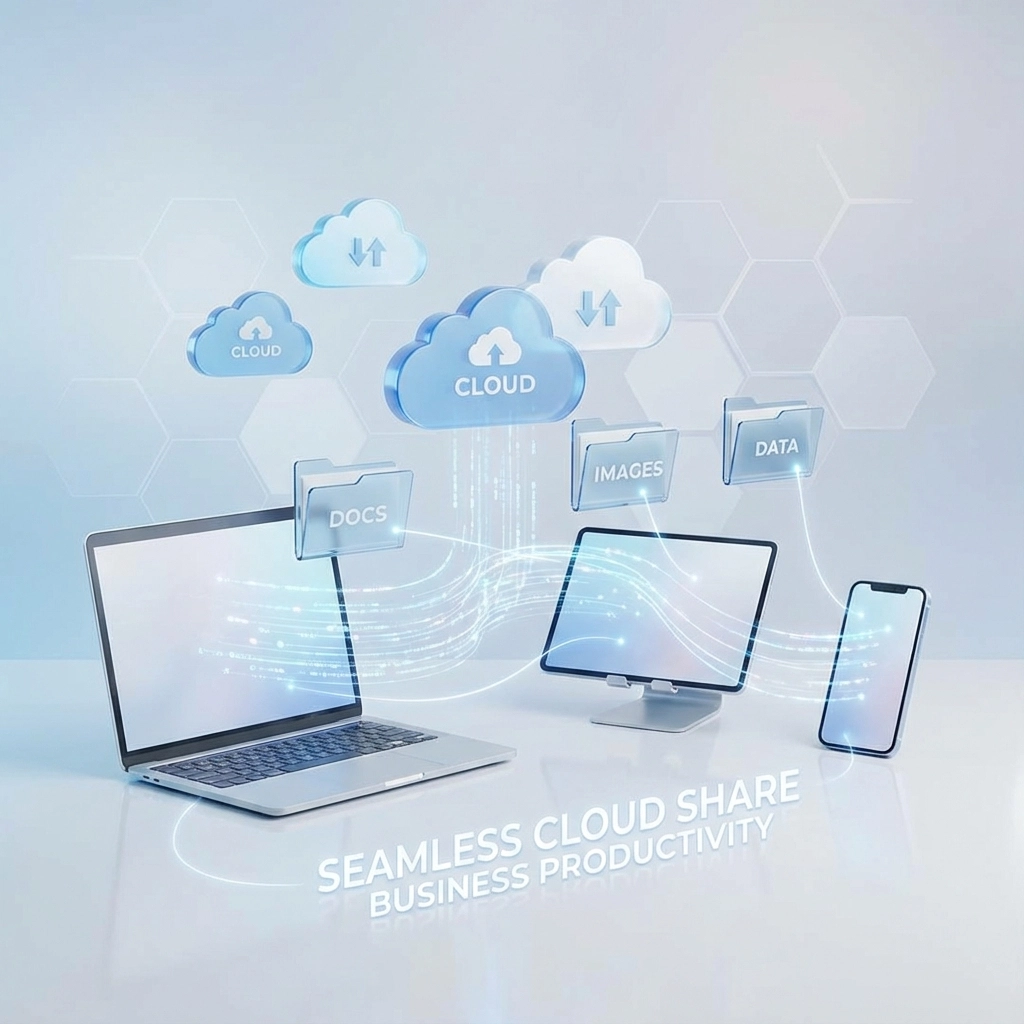
Google Workspace combines email, cloud storage, document collaboration, and video conferencing into a single, integrated platform that scales with your business growth. For Everett companies, this means employees can access critical business files whether they're working from the main office, a remote location, or traveling between multiple sites.

The platform's cloud-based architecture eliminates the need for expensive on-premises servers and reduces IT maintenance overhead, a significant advantage for small to medium-sized businesses that need enterprise-level functionality without the enterprise-level IT staff requirements.

image_1

Key benefits for Everett businesses include:

  • Professional Email Solutions: Custom domain email addresses that build credibility with customers
  • Real-time Collaboration: Multiple team members can work on documents simultaneously from any location
  • Scalable Cloud Storage: From 30GB to unlimited storage options based on your business needs
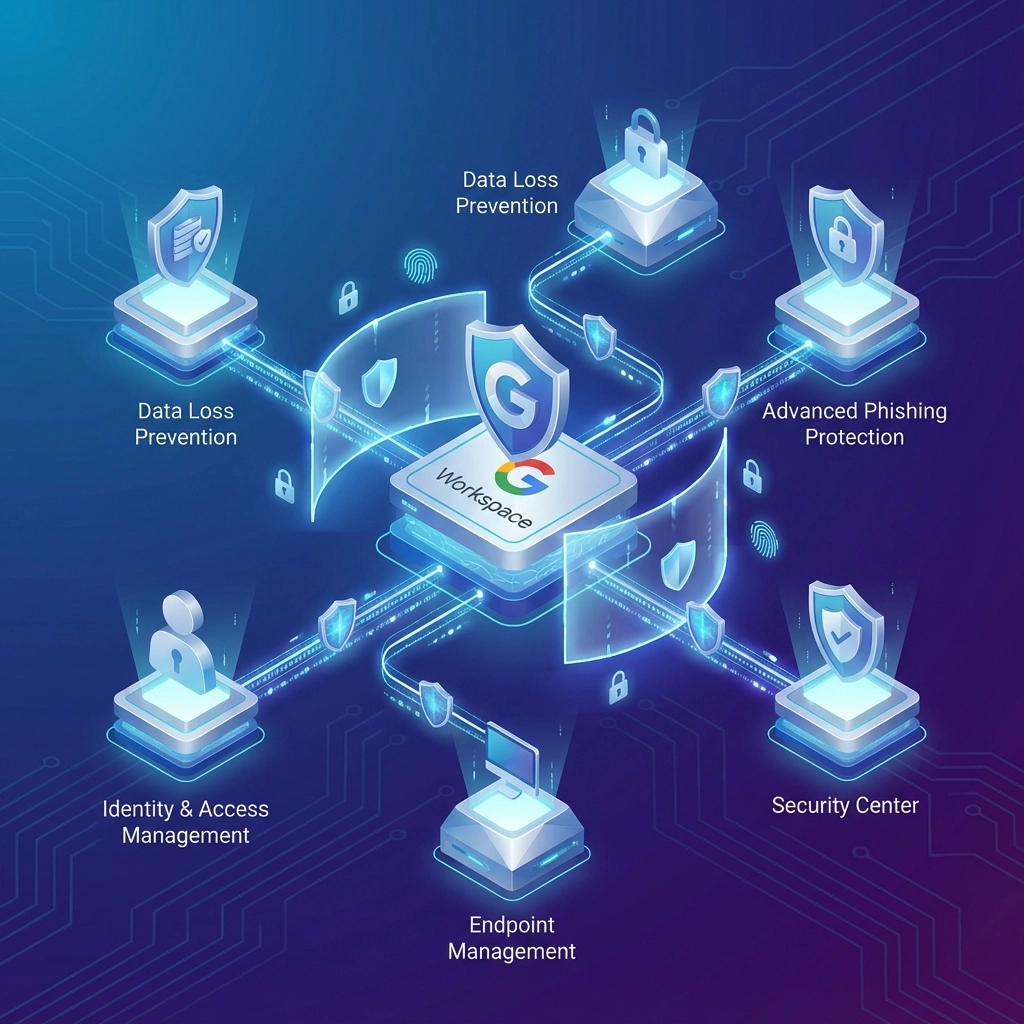
  • Advanced Security: Built-in threat detection, data loss prevention, and compliance tools
  • Mobile Accessibility: Full functionality across smartphones, tablets, and computers

Comprehensive Google Workspace Services from Premier Business Team

Our vendor-neutral approach means we focus on finding the right Google Workspace configuration for your specific business needs, not pushing unnecessary add-ons or services. We work with businesses across Everett to design, implement, and support Google Workspace solutions that actually improve productivity and reduce costs.

Google Workspace Deployment and Migration

Moving from traditional email systems or other productivity platforms requires careful planning and execution. Our deployment process includes:

  • Business Requirements Analysis: We assess your current workflows, security needs, and growth projections
  • Custom Configuration: Setting up Google Workspace to match your business processes and industry requirements
  • Data Migration: Seamlessly transferring emails, contacts, calendars, and documents from your existing systems
  • User Training: Comprehensive training programs to ensure your team maximizes the platform's capabilities
  • Testing and Validation: Thorough testing to ensure all systems work correctly before going live

Ongoing Google Cloud Consulting and Support

Technology implementation is just the beginning. Our ongoing support services ensure your Google Workspace environment remains optimized, secure, and aligned with your evolving business needs:

  • Performance Monitoring: Regular system health checks and optimization recommendations
  • Security Management: Continuous monitoring for threats and compliance maintenance
  • User Administration: Adding/removing users, managing permissions, and handling access controls
  • Integration Support: Connecting Google Workspace with other business applications
  • Backup and Recovery: Implementing additional data protection measures beyond Google's standard offerings
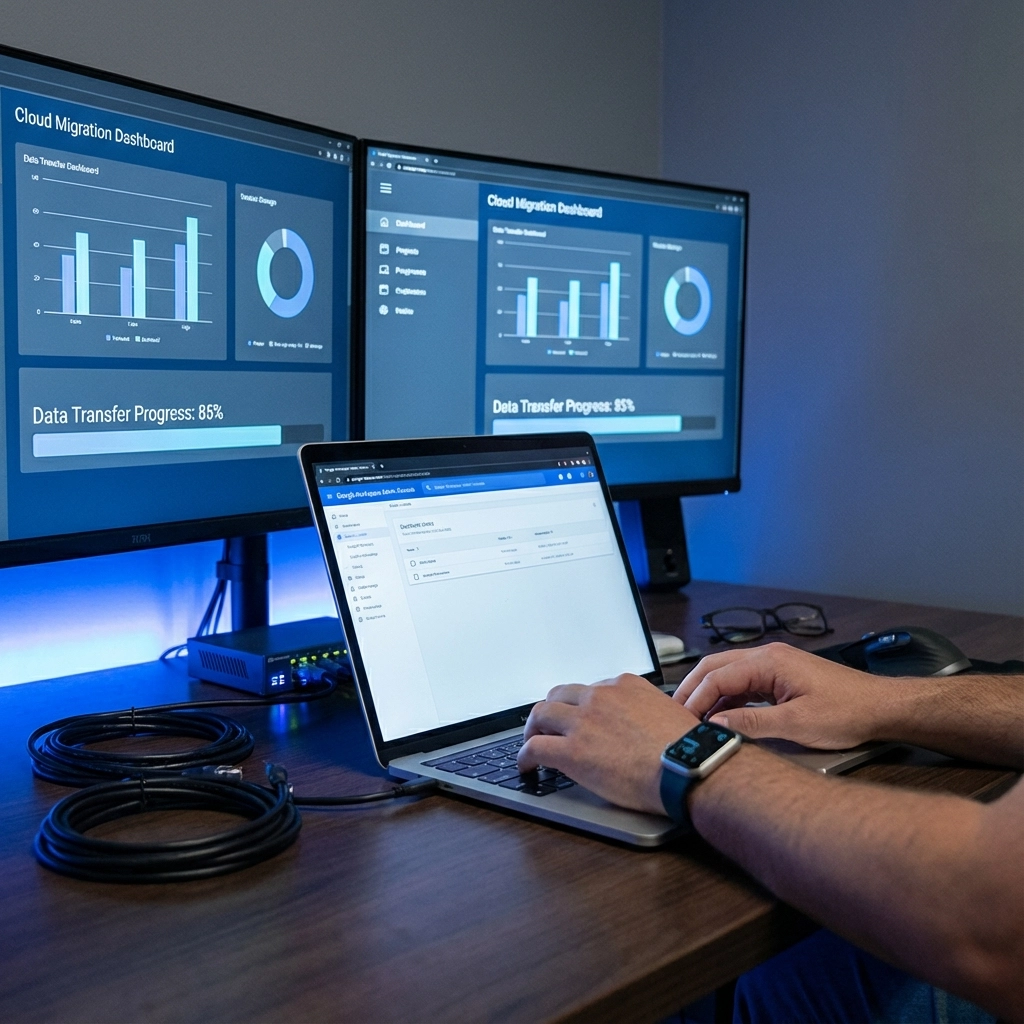
image_2

Industry-Specific Google Workspace Solutions in Everett

Different industries have unique requirements for cloud productivity platforms. Our experience working with diverse Everett businesses allows us to provide targeted solutions:

Small Businesses and Retail

Retail operations need flexible access to inventory data, customer information, and financial records. Google Workspace enables real-time collaboration between front-of-house staff, management, and remote team members while maintaining secure access to sensitive business data.

Restaurants and Hospitality

Restaurant chains and hotels benefit from Google Workspace's ability to standardize operations across multiple locations. Managers can access scheduling, inventory, and financial reports from any location, while staff can collaborate on menus, marketing materials, and training documents.

Medical and Healthcare Practices

Healthcare providers require HIPAA-compliant communication and document storage solutions. Our Google Workspace implementations for medical practices include additional security configurations, audit logging, and compliance monitoring to ensure patient data remains protected.

Banking and Financial Services

Financial institutions need robust security measures and regulatory compliance capabilities. We configure Google Workspace with advanced threat protection, data loss prevention, and retention policies that meet banking industry requirements.

Multi-Site Operations

Companies with multiple locations across the Pacific Northwest benefit from Google Workspace's unified communication platform. Teams can collaborate seamlessly whether they're in Everett, Seattle, or remote locations, with consistent access to all business systems.

Nonprofit Organizations

Nonprofits receive discounted Google Workspace pricing, and we help these organizations maximize their technology budgets through efficient implementations and ongoing optimization services.

Google Workspace Migration Process

Our proven migration methodology minimizes business disruption while ensuring complete data integrity:

Phase 1: Assessment and Planning (1-2 weeks)

  • Current system audit and data inventory
  • Business requirements gathering
  • Migration timeline development
  • Risk assessment and mitigation planning

Phase 2: Environment Setup (1 week)

  • Google Workspace account configuration
  • Security policy implementation
  • User account creation and permission assignment
  • Integration testing with existing business applications

Phase 3: Data Migration (1-3 weeks)

  • Email migration with zero data loss
  • Document and file transfer to Google Drive
  • Calendar and contact synchronization
  • Application data integration where applicable

Phase 4: User Training and Go-Live (1-2 weeks)

  • Comprehensive user training sessions
  • Department-specific workflow training
  • Administrative user certification
  • Post-migration support and optimization
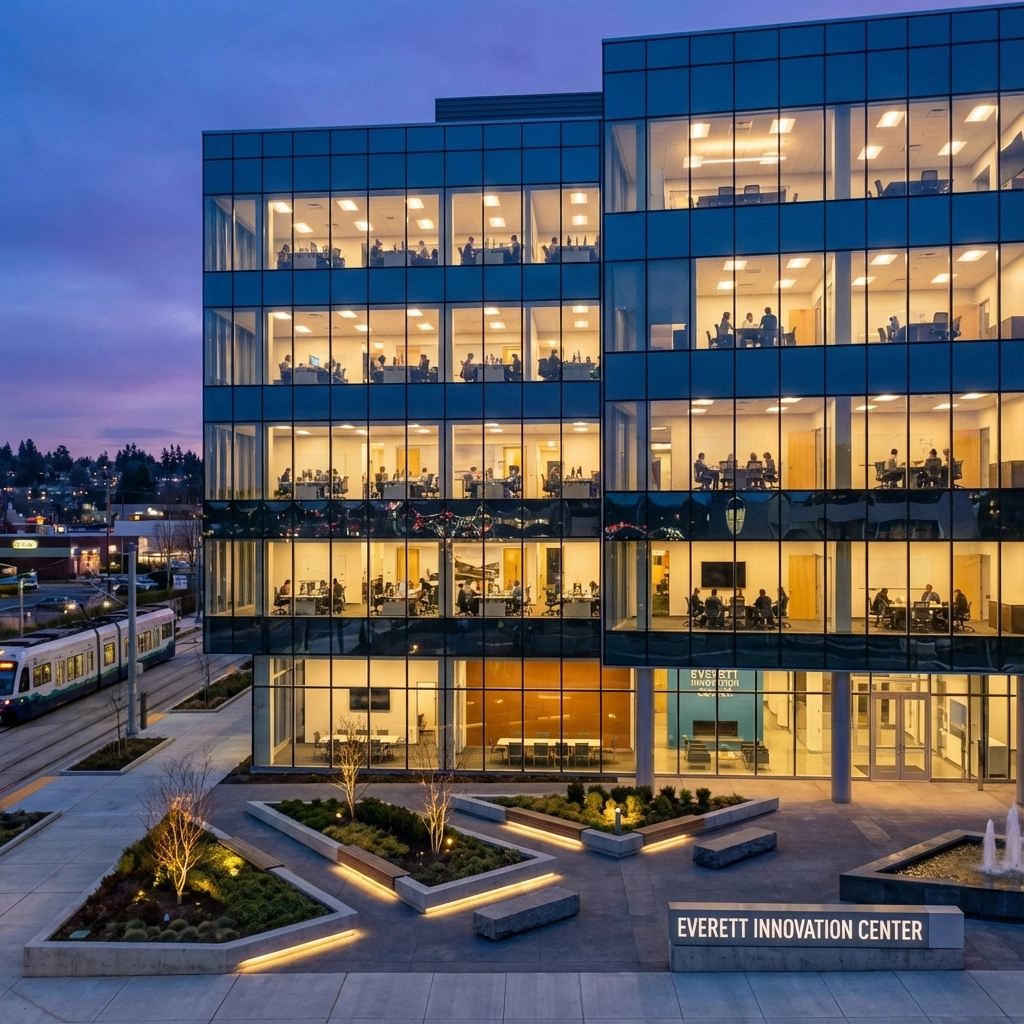
image_3

Advanced Google Cloud Integration Services

Beyond basic Google Workspace deployment, we provide advanced cloud integration services that leverage the full Google Cloud Platform ecosystem:

  • Google Cloud Storage Integration: Enterprise-level file storage and backup solutions
  • Business Intelligence Tools: Connecting Google Workspace data with analytics platforms
  • Custom Application Development: Building business-specific applications that integrate with Google Workspace
  • API Integration: Connecting Google Workspace with existing business software and CRM systems

Frequently Asked Questions About Google Workspace in Everett, WA

Q: How long does it take to migrate from our current email system to Google Workspace?
A: Most Everett business migrations complete within 2-4 weeks, depending on the amount of data and complexity of your current setup. We work during off-hours to minimize business disruption.

Q: Can Google Workspace integrate with our existing business software?
A: Yes, Google Workspace offers extensive integration capabilities with most business applications including CRM systems, accounting software, and industry-specific tools commonly used by Everett businesses.

Q: What happens to our data if we decide to switch away from Google Workspace later?
A: Google provides comprehensive data export tools, and we include data portability planning in all our implementations to ensure you maintain control of your business information.

Q: Is Google Workspace secure enough for our regulated industry?
A: Google Workspace meets numerous compliance standards including HIPAA, SOC 2, and others. We configure additional security measures based on your specific industry requirements.

Q: How much does Google Workspace cost for small businesses?
A: Google Workspace plans start at $6 per user per month for basic functionality, with advanced plans available for businesses requiring additional features. We help you choose the most cost-effective plan for your needs.

Q: Do you provide ongoing support after the initial setup?
A: Yes, we offer comprehensive ongoing support services including user management, security monitoring, performance optimization, and 24/7 technical support for critical issues.

Why Choose Premier Business Team for Google Workspace Services

As Everett's trusted IT consulting partner, we bring vendor-neutral expertise and local market knowledge to every Google Workspace implementation. Our team understands the specific challenges facing businesses in the Pacific Northwest and designs solutions that address real operational needs rather than simply deploying generic configurations.

Our commitment to ongoing support means your Google Workspace environment will continue delivering value as your business grows and evolves. From initial deployment through long-term optimization, we're your local technology partner focused on your success.

Ready to modernize your business communications and collaboration with Google Workspace? Contact Premier Business Team today for a free consultation and discover how Google Workspace can transform your Everett business operations. Our expert team will assess your current technology infrastructure and develop a customized implementation plan that fits your budget and timeline.

Call us at [phone number] or visit premierbusinessteam.com to schedule your Google Workspace consultation and take the first step toward more efficient, secure, and collaborative business operations.


Is Your Business Internet Ready for AI? 5 Bandwidth Secrets Telecom Providers Don't Want You to Know

premierbusiness · January 6, 2026 ·

Your business internet connection is probably failing you right now, and you don't even know it. While telecom providers focus on selling you bigger bandwidth packages, they're not telling you the whole truth about what AI actually demands from your network infrastructure.

The reality? Most businesses are sleepwalking into an AI-driven future with internet connections that can't handle the load. By the time you realize your network is the bottleneck, your competitors will already be leveraging AI for competitive advantage while you're stuck troubleshooting connectivity issues.

Let's expose the five bandwidth secrets that telecom providers would rather keep quiet: and show you exactly what your business needs to thrive in an AI-powered economy.

Secret #1: The Bandwidth You Buy Isn't What You Actually Get

Here's the dirty little secret of business internet: that "100 Mbps" or "1 Gig" connection you're paying for? You're not getting it when you need it most.

Telecom providers sell you theoretical maximum speeds, but real-world performance depends on network congestion, shared infrastructure, and peak usage times. When traffic hits your network during business hours, your internet can only deliver what the network allows: not what you purchased.

image_1

AI applications don't care about your advertised speeds. They need consistent, guaranteed throughput. A machine learning model processing real-time data can't wait for your connection to "speed up" during off-peak hours. It needs reliable performance now, or it fails.

This is why traditional broadband connections are fundamentally incompatible with serious AI workloads. You need dedicated infrastructure that delivers consistent performance under load, not shared connections that degrade when everyone else is online.

Secret #2: AI Will Dominate Your Network Traffic by 2026

The numbers are staggering, and most businesses aren't prepared. According to IDC research, AI workloads will represent more than 50% of enterprise data traffic by 2026: that's up from just 15% in 2021.

Think about what that means for your network. In less than two years, half of everything flowing through your internet connection will be AI-related traffic. Enterprises already scaling AI implementations have seen 30-50% increases in network traffic within just two years.

Cisco's forecasts are even more dramatic: AI will drive data center traffic to 20.6 zettabytes annually by 2026: a threefold increase from 2021. This isn't gradual growth you can ease into. It's exponential demand that will overwhelm conventional business internet connections.

Your current network infrastructure was designed for email, file sharing, and web browsing. It wasn't built to handle the continuous, massive data flows that AI applications generate. Unless you're proactively upgrading now, you'll be left behind when AI becomes mission-critical to your operations.

Secret #3: Latency Matters More Than Raw Speed for AI Applications

Telecom providers love selling bigger bandwidth packages, but they rarely emphasize what actually makes AI applications work: ultra-low latency.

Real-time AI systems: whether they're powering autonomous vehicles, manufacturing robots, financial trading algorithms, or customer service chatbots: demand instantaneous responses. Even minor network delays can cause these applications to fail or perform poorly.

image_2

Traditional broadband connections introduce variable latency that makes them unsuitable for AI workloads. Your connection might deliver great speeds during a download test, but if latency spikes when your AI system needs to make a split-second decision, performance degrades dramatically.

This latency sensitivity is why businesses running AI applications need fiber-optic infrastructure with guaranteed low-latency performance. Fiber networks provide the consistent, predictable response times that AI systems require to function properly.

The telecom industry would rather sell you more bandwidth than invest in the fiber infrastructure that actually solves your AI connectivity problems. But raw speed without low latency is like having a Ferrari stuck in traffic: impressive on paper, useless in practice.

Secret #4: Shared Infrastructure Collapses Under AI Loads

Most business internet connections use shared infrastructure: you're splitting bandwidth with other customers in your area. This works fine for traditional applications, but AI breaks this model completely.

AI applications generate sustained, high-volume data streams that don't follow typical usage patterns. While your email might spike for a few minutes then go quiet, AI systems continuously move large datasets between your location and cloud computing resources.

When multiple businesses in your area start running AI workloads on shared infrastructure, everyone's performance degrades. The network simply can't handle the sustained load that AI applications create.

This is where dedicated internet access becomes critical. Dedicated connections provide guaranteed capacity that doesn't degrade when your neighbors are online. You get reliable, consistent performance regardless of overall network demand.

AI-optimized dedicated connections go further, offering proactive monitoring and intelligent traffic management specifically designed for AI workloads. These solutions ensure your AI applications get the network resources they need, when they need them.

Secret #5: Edge Processing Is Your Bandwidth Lifeline

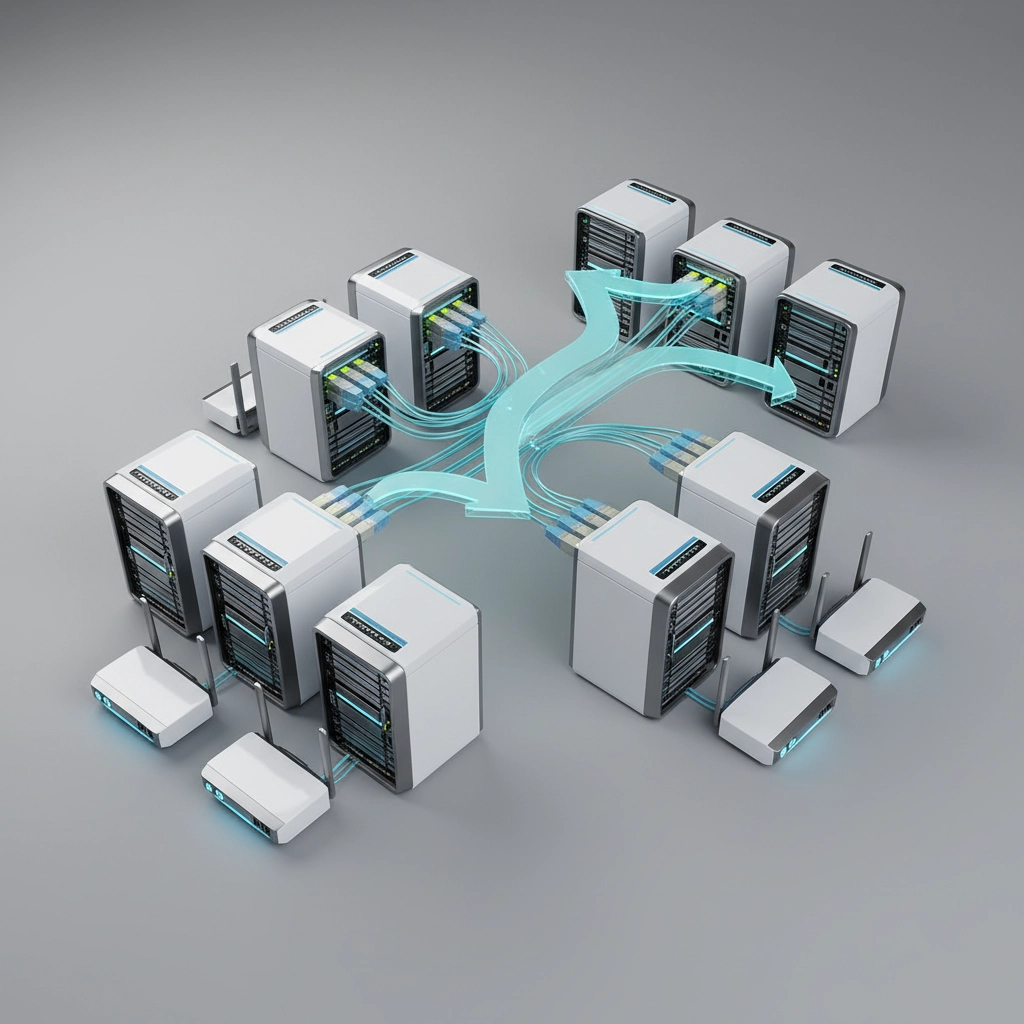
Here's the secret that could save your network: you don't have to send all your AI data to the cloud. Smart edge processing can dramatically reduce bandwidth demands while improving performance.

Instead of transmitting raw data from IoT sensors, security cameras, or manufacturing equipment to centralized cloud systems, process that data locally at edge computing facilities. Send only the essential insights and alerts to your main systems.

image_3

This edge-first approach reduces overall data flow by 60-80% in many implementations while enabling real-time AI insights where they matter most. Manufacturing plants use edge AI to detect equipment failures immediately, rather than waiting for cloud processing. Retail locations analyze customer behavior in real-time without overwhelming their internet connections.

Software-Defined WAN (SD-WAN) technology makes this edge processing even more effective by intelligently routing high-priority AI traffic and dynamically optimizing network performance based on real-time conditions.

The telecommunications industry doesn't promote edge processing because it reduces demand for their highest-tier bandwidth packages. But for businesses implementing AI, edge computing is often the difference between success and failure.

What This Means for Your Business

The AI revolution isn't coming: it's here. Businesses that wait to upgrade their network infrastructure will find themselves at a competitive disadvantage as AI becomes essential for operations.

Your current internet connection was designed for a pre-AI world. The bandwidth demands, latency requirements, and reliability expectations of AI applications require fundamentally different network infrastructure.

Companies making proactive investments in AI-ready networking infrastructure will be positioned to harness AI's full potential. Those relying on standard broadband will face performance degradation, operational constraints, and missed opportunities that undermine their AI investments.

The choice isn't whether to upgrade your network infrastructure: it's how quickly you can implement the connectivity your AI applications actually require.

Take Action on Your AI Network Infrastructure

Don't let inadequate internet connectivity hold back your AI initiatives. Premier Business Team specializes in designing and implementing network infrastructure that's ready for AI workloads.

Our Network as a Service solutions provide the dedicated, low-latency connectivity your AI applications need to perform at their full potential. We'll assess your current infrastructure, identify bottlenecks, and design a network that scales with your AI ambitions.

Ready to future-proof your connectivity? Contact Premier Business Team today for a comprehensive network assessment and discover how the right infrastructure can accelerate your AI transformation.

Google Workspace, Cloud, Email, and Drive Services in Monroe, WA

premierbusiness · January 5, 2026 ·

Monroe, Washington businesses deserve enterprise-grade productivity tools that scale with their growth. Premier Business Team delivers comprehensive Google Workspace solutions to companies across Monroe, providing cloud-based email, file storage, collaboration tools, and ongoing support that keeps your team connected and productive.

Transform Your Monroe Business with Google Workspace

Google Workspace (formerly G Suite) offers Monroe businesses a complete cloud productivity suite that eliminates the complexity of managing on-premises email servers and file systems. Our vendor-neutral approach ensures you get the right Google Workspace configuration for your specific business needs, whether you’re a growing retail shop on Main Street or a multi-location healthcare practice.

image_1

Core Google Workspace Services for Monroe Businesses

Professional Business Email
Replace unreliable consumer email accounts with professional Gmail accounts using your company domain (@yourbusiness.com). Google Workspace email includes 30GB+ storage per user, advanced spam protection, and seamless mobile synchronization across all devices.

Google Drive Cloud Storage
Secure cloud file storage starting at 30GB per user (Business Standard provides 2TB per user). Access your files from anywhere, share documents securely with clients and team members, and eliminate the risk of data loss from hardware failures.

Real-Time Collaboration Tools
Google Docs, Sheets, and Slides enable multiple team members to work simultaneously on the same document. Perfect for Monroe businesses coordinating between office staff, remote workers, and field teams.

Video Conferencing & Communication
Google Meet provides HD video meetings for up to 500 participants, while Google Chat offers instant messaging and team collaboration spaces. Essential tools for Monroe businesses serving clients across Washington state.

Why Monroe Businesses Choose Premier Business Team for Google Workspace

Vendor-Neutral Consulting Approach

Unlike Google Workspace resellers focused on sales quotas, Premier Business Team provides unbiased recommendations based on your actual business requirements. We assess your current technology infrastructure, workflow needs, and budget constraints to design the optimal Google Workspace deployment.

Complete Migration Services

Moving from Microsoft Exchange, Office 365, or legacy email systems requires careful planning to avoid data loss and minimize downtime. Our certified technicians handle:

  • Email migration from existing systems
  • Contact and calendar synchronization
  • Document transfer to Google Drive
  • User training and onboarding
  • DNS configuration and domain verification

image_2

Ongoing Support and Management

Google Workspace deployment is just the beginning. Premier Business Team provides ongoing support including:

  • User account management and provisioning
  • Security policy configuration
  • Mobile device management setup
  • Regular backup verification
  • Software updates and feature rollouts
  • 24/7 technical support for critical issues

Industry-Specific Google Workspace Solutions in Monroe

Small Business and Retail

Monroe’s small businesses need reliable communication tools that don’t require dedicated IT staff. Google Workspace Business Starter provides professional email, 30GB cloud storage, and collaboration tools for just $6 per user monthly. Perfect for retail shops, restaurants, and service businesses with 5-20 employees.

Healthcare and Medical Practices

Medical offices require HIPAA-compliant communication and file sharing. Google Workspace Enterprise includes advanced security features, audit logs, and compliance tools essential for healthcare practices handling patient information.

Banking and Financial Services

Financial institutions need enterprise-grade security with audit trails and data loss prevention. Google Workspace Enterprise Plus provides advanced security controls, legal hold capabilities, and comprehensive compliance reporting.

Multi-Site Operations

Businesses with locations throughout Snohomish County benefit from Google Workspace’s centralized management console. IT administrators can manage users, security policies, and shared drives across all locations from a single dashboard.

Nonprofit Organizations

Eligible nonprofits receive Google Workspace for Nonprofits at no cost, including Gmail, Drive, Docs, Sheets, Slides, and more. Premier Business Team helps Monroe area nonprofits qualify for and implement these free Google services.

image_3

Google Workspace Deployment Process

Initial Assessment and Planning

We begin every Google Workspace project with a comprehensive technology assessment. Our technicians evaluate your current email system, file storage needs, security requirements, and integration points with existing business applications.

Custom Configuration Design

Based on the assessment results, we design a Google Workspace configuration tailored to your Monroe business. This includes selecting the appropriate Google Workspace edition, configuring security policies, and planning the migration timeline.

Professional Installation and Migration

Our certified Google Workspace administrators handle all technical aspects of deployment:

  • Domain verification and DNS configuration
  • Email system migration with zero data loss
  • User account creation and group setup
  • Mobile device configuration
  • Security policy implementation
  • Integration with existing business applications

User Training and Adoption Support

Technology is only effective when your team knows how to use it properly. We provide comprehensive user training covering:

  • Gmail best practices and advanced features
  • Google Drive file organization and sharing
  • Collaboration techniques in Docs, Sheets, and Slides
  • Google Meet video conferencing
  • Mobile app configuration and usage

Advanced Google Workspace Features for Growing Businesses

Business Intelligence and Analytics

Google Workspace Business Plus includes advanced analytics showing email usage patterns, storage utilization, and collaboration metrics. This data helps Monroe businesses optimize their technology investments and identify training opportunities.

Advanced Security Controls

Enterprise editions provide advanced threat protection, data loss prevention, and security investigation tools. Essential for Monroe businesses handling sensitive customer information or operating in regulated industries.

Custom Business Applications

Google AppSheet (included with Business Plus and Enterprise) enables Monroe businesses to create custom mobile and web applications without coding. Perfect for inventory management, customer tracking, or field service coordination.

image_4

Frequently Asked Questions About Google Workspace in Monroe, WA

How long does Google Workspace migration take for Monroe businesses?
Most small to medium Monroe businesses complete Google Workspace migration within 1-2 weeks. Larger organizations with complex email systems may require 3-4 weeks for full deployment.

Can Google Workspace integrate with our existing Monroe business applications?
Yes, Google Workspace integrates with thousands of business applications including QuickBooks, Salesforce, Microsoft Office files, and industry-specific software common among Monroe businesses.

What happens to our email during the Google Workspace migration?
We use advanced migration tools that maintain email accessibility throughout the transition process. Most Monroe businesses experience zero email downtime during migration.

How much does Google Workspace cost for Monroe businesses?
Google Workspace pricing starts at $6 per user monthly for Business Starter edition. Premier Business Team provides detailed cost analysis based on your specific user count and feature requirements.

Do you provide Google Workspace training for our Monroe team?
Yes, we include comprehensive user training with every Google Workspace deployment. Training sessions can be conducted on-site in Monroe or via video conference based on your preference.

Can we keep our existing email address with Google Workspace?
Absolutely. Google Workspace uses your existing business domain (@yourbusiness.com) for email addresses. Your customers and contacts won’t notice any change in your email address.

Getting Started with Google Workspace in Monroe, WA

Premier Business Team has successfully deployed Google Workspace for hundreds of Washington state businesses, from single-person professional practices to multi-location enterprises. Our local presence in the Pacific Northwest ensures responsive support when you need it most.

Ready to modernize your Monroe business with Google Workspace? Contact Premier Business Team today for a free consultation and custom Google Workspace deployment quote. Our certified Google Cloud consultants will assess your current technology infrastructure and design a Google Workspace solution that improves productivity while fitting your budget.

Call Premier Business Team at 360-946-2626 or visit premierbusinessteam.com to schedule your complimentary Google Workspace consultation for your Monroe business.

Why Your Business Internet Will Fail AI in 2026 (And 5 Quick Fixes That Actually Work)

premierbusiness · January 5, 2026 ·

Your shiny new AI tools are about to hit a wall: and it's probably your internet connection.

Most businesses diving headfirst into AI deployment in 2026 are discovering a harsh reality: their current internet infrastructure wasn't built for the demands of modern artificial intelligence. While everyone's focused on choosing the right AI platforms and training their teams, they're overlooking the foundation that makes it all possible.

The result? Frustrated employees, failed implementations, and thousands of dollars wasted on AI subscriptions that barely work.

But here's the thing: this is completely preventable. The businesses thriving with AI aren't necessarily the ones with the biggest budgets. They're the ones who recognized that AI success starts with rock-solid internet infrastructure.

Why Your Current Internet Setup Is Sabotaging Your AI Investment

image_1

Let's cut straight to the problem. Traditional business internet packages were designed for email, web browsing, and maybe some video calls. AI workloads are different beasts entirely.

The Upload Speed Trap

Most business internet plans focus heavily on download speeds because that's what traditional applications needed. But AI? It's constantly sending data back and forth. When your team uploads large datasets for analysis or feeds real-time information to AI models, those upload speeds become the bottleneck.

We're seeing businesses with "high-speed" 100 Mbps download speeds struggling with 10 Mbps upload speeds. Try running multiple AI applications simultaneously, and you'll watch productivity grind to a halt.

Latency Kills Real-Time AI

AI applications doing real-time processing: whether it's customer service chatbots, automated scheduling systems, or live data analysis: need consistent, low-latency connections. Even a few hundred milliseconds of delay can make AI responses feel sluggish and unreliable.

The Bandwidth Sharing Problem

Here's what most businesses don't realize: AI applications are bandwidth-hungry, and they don't play nice with other applications. When your AI tools fire up, they'll compete with everything else on your network: video calls, cloud backups, file transfers. Something's got to give, and usually, it's productivity.

Security Gaps That Expose Everything

Standard business internet often lacks the security framework needed for AI data transmission. Many AI platforms require secure connections, encrypted data transfer, and private network capabilities. Without proper infrastructure, you're either blocked from using enterprise-grade AI tools or exposing sensitive data.

5 Quick Fixes That Actually Work

image_2

Fix #1: Upgrade to Symmetrical Bandwidth

Stop accepting internet plans where download speeds dwarf upload speeds. AI workloads need balanced, symmetrical connections.

What to do right now: Call your internet provider and ask about fiber-based business plans with matching upload and download speeds. Look for plans offering at least 100 Mbps symmetrical, but ideally 500 Mbps or higher if you're running multiple AI applications.

If fiber isn't available in your area, consider bonded connections that combine multiple lines for better upload performance.

Fix #2: Implement Quality of Service (QoS) Rules

Your network needs to know that AI applications get priority when bandwidth gets tight.

What to do right now: Configure your router or firewall to prioritize AI application traffic. Most business-grade routers allow you to set specific applications or IP addresses as high-priority. Tag your AI platforms as critical applications so they get first dibs on available bandwidth.

This simple change can eliminate the frustrating slowdowns when AI competes with other network traffic.

Fix #3: Create Dedicated AI Network Segments

Stop letting AI share network resources with everything else.

What to do right now: Set up a separate network segment or VLAN specifically for AI applications. This isolates AI traffic, improves performance, and adds an extra security layer.

For businesses with multiple AI tools, consider dedicating specific bandwidth allocations to each application. This prevents one hungry AI application from starving others.

image_3

Fix #4: Deploy Edge Computing Solutions

Reduce dependency on internet speed by processing more AI workloads locally.

What to do right now: Identify AI tasks that don't require cloud processing and move them to local servers or edge devices. This is particularly effective for data analysis, image processing, and routine automation tasks.

Edge computing reduces internet bandwidth requirements and improves response times for AI applications.

Fix #5: Establish Private Network Connections

For businesses using enterprise AI platforms, public internet isn't enough.

What to do right now: Investigate private connection options like AWS Direct Connect, Azure ExpressRoute, or Google Cloud Interconnect. These create dedicated, high-speed connections between your business and AI cloud providers.

While more expensive than standard internet, private connections provide consistent performance, better security, and guaranteed bandwidth for AI workloads.

The Real Cost of Getting This Wrong

Businesses that skip these infrastructure upgrades don't just deal with slow AI: they deal with AI that actively hurts productivity. Employees lose confidence in AI tools that respond slowly or inconsistently. Projects get delayed. Eventually, teams abandon AI initiatives altogether.

We've seen companies invest $50,000+ in AI software subscriptions only to cancel them after six months because their internet infrastructure couldn't support reliable performance.

Summary: Your AI Success Checklist

Here's your action plan for AI-ready internet infrastructure:

✅ Audit your current speeds: Test both upload and download speeds during peak usage hours
✅ Upgrade to symmetrical bandwidth: Target at least 100 Mbps symmetrical, preferably 500+ Mbps
✅ Configure QoS rules: Prioritize AI applications in your network traffic management
✅ Segment your network: Create dedicated pathways for AI traffic
✅ Explore edge computing: Move appropriate AI workloads closer to users
✅ Consider private connections: For enterprise AI platforms, investigate dedicated connectivity options

The businesses winning with AI in 2026 aren't necessarily the ones with the most advanced AI strategies: they're the ones with the infrastructure to support them reliably.

image_4

Frequently Asked Questions

Q: How much bandwidth do AI applications really need?
A: It varies significantly by application type. Simple chatbots might use 1-5 Mbps, while data-intensive AI analysis can consume 50+ Mbps per concurrent user. The key is having consistent, available bandwidth when AI applications need it.

Q: Can't I just upgrade my internet plan and call it done?
A: Speed alone won't solve AI performance issues. You need the right type of connection (symmetrical), proper network configuration (QoS), and often additional infrastructure like edge computing or private connections.

Q: Is fiber internet required for AI applications?
A: While not technically required, fiber provides the consistent, low-latency, symmetrical bandwidth that AI applications perform best with. Cable and DSL connections often struggle with AI workloads due to asymmetrical speeds and variable performance.

Q: How do I know if my current internet is the problem?
A: Monitor your AI applications during different times of day. If performance varies significantly, or if other network activities slow down AI responses, your internet infrastructure is likely the bottleneck.

Q: What's the difference between business and residential internet for AI?
A: Business internet typically offers symmetrical speeds, Service Level Agreements (SLAs), priority support, and better security features: all critical for reliable AI performance. Residential internet prioritizes download speeds and offers limited support for business-critical applications.

Ready to Future-Proof Your AI Infrastructure?

Your competitors are already moving on AI initiatives. Don't let outdated internet infrastructure hold you back from the productivity gains and competitive advantages that AI can deliver.

Premier Business Team specializes in designing internet and network infrastructure that actually supports modern AI workloads. We've helped businesses across the Pacific Northwest transform their connectivity to handle everything from simple AI chatbots to complex machine learning operations.

Call us today at 360-946-2626 to schedule your AI infrastructure assessment. We'll evaluate your current setup, identify potential bottlenecks, and design a connectivity solution that grows with your AI ambitions.

Don't let slow internet kill your AI investment. Let's build the foundation your business needs to thrive in 2026 and beyond.

Google Workspace, Cloud, Email, and Drive Services in Burlington, WA

premierbusiness · January 4, 2026 ·

Professional Google Workspace Solutions for Burlington Businesses

Burlington, WA businesses are increasingly turning to cloud-based productivity solutions to enhance collaboration, improve security, and reduce IT costs. As a leading technology consulting firm serving the Skagit Valley region, Premier Business Team provides comprehensive Google Workspace, Cloud, Email, and Drive services tailored specifically for local companies.

Whether you’re a small retail shop on Fairhaven Avenue, a growing restaurant chain, or a multi-location healthcare practice, our vendor-neutral approach ensures you get the right Google Cloud solution without the sales pressure from big tech companies.

Why Burlington Businesses Choose Google Workspace

Google Workspace has become the productivity platform of choice for forward-thinking Burlington businesses. With over 3 billion users worldwide, this cloud-based suite offers unmatched reliability, security, and collaboration features that modern businesses demand.

Key advantages for Burlington companies include:

  • Seamless collaboration – Teams can work together in real-time from anywhere, whether they’re in the Burlington office or working remotely
  • Enterprise-grade security – Advanced threat protection and compliance features meet the strict requirements of medical, banking, and legal practices
  • Scalable storage – Google Drive provides unlimited storage options that grow with your business
  • Cost efficiency – Predictable monthly pricing eliminates expensive hardware and software licensing
  • Mobile optimization – Full functionality across all devices ensures productivity on the go

image_1

Comprehensive Google Workspace Services

Google Workspace Deployment & Setup

Our certified Google Cloud consultants handle every aspect of your Burlington business’s Google Workspace implementation. We start with a thorough assessment of your current IT infrastructure and business processes, then design a customized deployment plan that minimizes disruption to your daily operations.

Our deployment process includes:

  • Domain configuration and email routing setup
  • User account provisioning and permission management
  • Integration with existing business applications
  • Custom organizational unit structures
  • Security policy configuration
  • Mobile device management setup

Business Email Migration Services

Transitioning from legacy email systems like Microsoft Exchange, GoDaddy, or basic POP/IMAP accounts can be complex. Our Burlington-based team specializes in seamless email migrations that preserve all your historical data while ensuring zero downtime.

We’ve successfully migrated hundreds of Burlington area businesses, including:

  • Retail chains transitioning from basic email providers
  • Medical practices moving from on-premises Exchange servers
  • Restaurants consolidating multiple location email systems
  • Nonprofits upgrading from free email services

Cloud File Sharing & Collaboration Setup

Google Drive transforms how Burlington businesses store, share, and collaborate on files. Our team configures advanced sharing permissions, automated backup systems, and collaboration workflows that enhance productivity while maintaining security.

Advanced Drive features we implement:

  • Shared drives for team collaboration
  • Advanced sharing permissions and access controls
  • Version history and recovery systems
  • Integration with third-party business applications
  • Automated backup and sync configurations

image_2

Industry-Specific Solutions for Burlington Businesses

Healthcare & Medical Practices

Burlington’s medical practices require HIPAA-compliant communication and file sharing solutions. Google Workspace for Healthcare provides the security and compliance features necessary for patient data protection while enabling efficient care coordination.

Specialized medical configurations include:

  • HIPAA-compliant email encryption
  • Secure patient file sharing protocols
  • Audit logging and compliance reporting
  • Integration with Electronic Health Record (EHR) systems

Retail & Hospitality

Burlington’s vibrant retail and hospitality sector benefits from Google Workspace’s inventory management integrations, customer communication tools, and multi-location coordination features.

Retail-focused implementations:

  • Point-of-sale system integrations
  • Customer database synchronization
  • Multi-location inventory coordination
  • Staff scheduling and communication tools

Financial Services & Banking

Local banks and financial advisors in Burlington require enhanced security and regulatory compliance. Our Google Workspace implementations include advanced data loss prevention, audit logging, and compliance reporting features.

Financial industry features:

  • Advanced data encryption and security
  • Regulatory compliance reporting
  • Client communication portals
  • Secure document collaboration

Educational Institutions & Nonprofits

Burlington’s educational organizations and nonprofits benefit from special Google Workspace pricing and features designed specifically for their unique needs.

Why Choose Premier Business Team for Google Workspace Services

Vendor-Neutral Consulting Approach

Unlike direct Google sales representatives or single-vendor consultants, Premier Business Team provides unbiased advice based on your actual business needs. We evaluate Google Workspace alongside other solutions to ensure you’re making the best decision for your Burlington business.

Local Burlington Expertise

Our team understands the unique challenges facing Burlington businesses, from seasonal tourism fluctuations to regional compliance requirements. This local knowledge translates into more effective Google Workspace implementations.

Comprehensive Ongoing Support

Google Workspace deployment is just the beginning. Our Burlington support team provides:

  • 24/7 technical support
  • Regular security audits and updates
  • User training and adoption support
  • Performance optimization
  • Backup and disaster recovery planning

image_3

Proven Track Record

We’ve successfully implemented Google Workspace for over 200 Burlington area businesses, with an average of 40% improvement in team collaboration and 25% reduction in IT support costs.

Advanced Google Cloud Integration Services

Beyond basic Google Workspace, Premier Business Team offers advanced Google Cloud Platform integrations that can transform your Burlington business operations:

  • Google Cloud Sales optimization for customer relationship management
  • Advanced analytics and business intelligence dashboards
  • Custom application development using Google Cloud services
  • Hybrid cloud architectures combining Google Cloud with existing systems

Frequently Asked Questions About Google Workspace in Burlington, WA

Q: How long does Google Workspace deployment take for a typical Burlington business?
A: Most Burlington businesses complete their Google Workspace deployment within 2-4 weeks, depending on the complexity of existing systems and the number of users. We work around your business schedule to minimize disruption.

Q: Can Google Workspace integrate with our existing Burlington business applications?
A: Yes, Google Workspace integrates with thousands of business applications commonly used by Burlington companies, including QuickBooks, Salesforce, Microsoft Office files, and industry-specific software.

Q: What happens to our current email during the migration process?
A: Our migration process ensures zero email downtime. We use advanced synchronization tools to migrate historical emails while maintaining full functionality throughout the transition.

Q: Is Google Workspace secure enough for Burlington healthcare and financial businesses?
A: Absolutely. Google Workspace meets HIPAA, SOC 2, and other regulatory requirements. We configure additional security layers specifically for sensitive industries.

Q: What ongoing support do you provide for Burlington Google Workspace users?
A: We offer comprehensive support including user training, technical troubleshooting, security monitoring, and regular optimization reviews to ensure your system continues meeting your business needs.

Q: How does Google Workspace pricing compare to maintaining our current email and file sharing systems?
A: Most Burlington businesses save 30-50% on total IT costs by switching to Google Workspace when factoring in eliminated hardware costs, reduced support needs, and improved productivity.

Getting Started with Google Workspace in Burlington, WA

Ready to transform your Burlington business with professional Google Workspace, Cloud, Email, and Drive services? Premier Business Team makes the transition seamless with our proven deployment methodology and ongoing support services.

Our vendor-neutral approach ensures you get the right solution for your specific business needs, whether you’re a small Burlington startup or an established multi-location enterprise. Contact Premier Business Team today for a free Google Workspace consultation and discover how cloud-based productivity can drive your Burlington business forward.

Call us at (360) 946-2626 or visit premierbusinessteam.com to schedule your complimentary Google Workspace assessment. Let’s build a more productive, secure, and collaborative future for your Burlington business.

  • « Go to Previous Page
  • Page 1
  • Interim pages omitted …
  • Page 42
  • Page 43
  • Page 44
  • Page 45
  • Page 46
  • Interim pages omitted …
  • Page 78
  • Go to Next Page »

Get a no obligation quote for your business. Learn More

Proud Chamber Member

Bellingham Chamber Badge

Premier Business Team

Copyright © 2026 · Premier Business Team 2219 Rimland Dr. Suite 301 Bellingham, WA 98226 - 360-946-2626

  • Home
  • Business Internet
  • Business Phone
  • Blog
  • About Us
  • Contact Us
  • Business Quote
  • Engineering
  • Call: 360-946-2626