• Skip to primary navigation
  • Skip to main content
Premier Business Team

Premier Business Team

Your business connectivity and IT Team

  • Home
  • Business Internet
  • Business Phone
  • Blog
  • About Us
    • Our Featured Suppliers
  • Contact Us
  • Business Quote
    • Business Tech Assessment
  • Engineering
  • Call: 360-946-2626
  • Show Search
Hide Search

Blog Posts

Unified Communications vs Separate Phone Systems: Which Saves More Money in 2026?

premierbusiness · January 2, 2026 ·

Your phone system choice will either save your business thousands of dollars or drain your budget with hidden costs and maintenance headaches. In 2026, the financial gap between unified communications and traditional separate phone systems has widened dramatically, making this decision more critical than ever.

The bottom line? Unified communications platforms deliver 60% more savings compared to traditional landlines, with typical businesses saving $87,000 over five years when switching from legacy systems.

What Unified Communications Really Costs

Unified communications operates on a fundamentally different cost structure that eliminates the budget-crushing expenses of traditional phone systems. Instead of massive upfront investments, you're looking at $10-40 per user monthly for cloud-based VoIP systems.

Here's what those numbers actually mean for your business:

Entry-level plans start around $10-25 per month per user and include unlimited domestic calling, voicemail, call forwarding, and basic conference features. Mid-tier options ranging from $25-40 monthly add call recording, video conferencing, advanced analytics, and integration with your existing business applications.

image_1

The real advantage lies in what you don't pay for. Zero upfront hardware costs. No installation fees that can run hundreds or thousands of dollars. No surprise maintenance bills when your system needs updates or repairs.

For a 100-user organization, the total five-year cost for cloud unified communications runs approximately $153,000. That includes everything: the service, support, updates, and scalability to grow with your business.

The Hidden Costs of Traditional Phone Systems

Traditional separate phone systems operate on an outdated expense model that hits your budget from multiple angles. The pain starts with hardware costs ranging from $300-800 per phone, plus installation averaging $407 per line with typical setup costs between $154-666 per line.

Planning an on-premises PBX system? You're looking at $6,000-$7,000 minimum for initial hardware, software licenses, and installation. And that's just the beginning.

Monthly service costs compound the problem. Traditional landlines typically cost $300+ per line once you add essential features like voicemail, call waiting, or basic conferencing capabilities. These aren't luxury features: they're business necessities that come standard with modern unified communications.

The maintenance costs hit hardest. Unlike cloud systems where updates and support are included, traditional systems require ongoing IT support contracts, hardware replacement schedules, and expensive upgrades when you need to scale. A five-year total cost for traditional systems often exceeds $240,000 for 100 users.

Side-by-Side Cost Analysis

Cost Factor Unified Communications Traditional Systems Your Savings
Upfront Investment $0-500 total $6,000-$7,000+ $5,500-$6,500+
Monthly Per User $10-40 $300+ $260-290+ per user
Installation/Setup Often included $154-666 per line $154-666 per line
5-Year Total (100 users) ~$153,000 $240,000+ $87,000+
Scaling Costs $0 (add users instantly) Major hardware investment Thousands per expansion
Maintenance Included in subscription Separate IT contracts $5,000-15,000 annually

image_2

Why These Savings Matter More in 2026

The financial advantages of unified communications have accelerated because of three key factors affecting businesses right now:

Remote work requirements have made traditional desk phones obsolete. Your team needs systems that work seamlessly across mobile devices, home offices, and client locations. Traditional systems can't deliver this without expensive additional infrastructure.

Integration demands with modern business applications mean your communication system needs to work with your CRM, project management tools, and collaboration platforms. Unified communications include these integrations. Traditional systems require costly third-party solutions that often don't work reliably.

Scalability pressures from changing business conditions mean you need systems that can adapt quickly. Adding 10 users to a unified communications system takes minutes and costs only the additional monthly subscriptions. Adding 10 lines to a traditional system can require hardware upgrades, installation visits, and weeks of implementation time.

Real-World Scenario Comparisons

Growing Small Business (25 employees):

  • Unified Communications: $375-1,000 monthly ($4,500-12,000 annually)
  • Traditional Systems: $7,500+ monthly ($90,000+ annually)
  • Annual Savings: $78,000-85,500

Mid-Size Company (100 employees):

  • Unified Communications: $1,000-4,000 monthly ($12,000-48,000 annually)
  • Traditional Systems: $30,000+ monthly ($360,000+ annually)
  • Annual Savings: $312,000-348,000

These aren't theoretical numbers. They reflect what we're seeing with organizations making the switch in 2026.

image_3

Frequently Asked Questions

Q: Are there any scenarios where traditional systems make financial sense?

A: Very few. Traditional systems might make sense for large enterprises with dedicated IT staff and specific compliance requirements that mandate on-premises hardware. For 95% of businesses, unified communications deliver better value.

Q: What about call quality and reliability?

A: Modern cloud-based unified communications often provide better call quality than traditional systems, especially for long-distance and international calls. Redundant data centers and automatic failover mean better uptime than most traditional systems.

Q: Can I keep some existing phone equipment when switching?

A: Many unified communications providers support integration with existing hardware during transition periods. This allows gradual migration without losing your previous investments entirely.

Q: How quickly do the cost savings start?

A: Immediately. You eliminate monthly traditional service fees and start paying the lower unified communications subscription rates as soon as the system goes live.

Q: What happens to my phone numbers?

A: Your existing phone numbers can be ported to unified communications systems, usually within 2-3 business days. This process is standard and typically included in setup.

Q: Are there hidden costs with unified communications?

A: Reputable providers offer transparent pricing with no hidden fees. Unlike traditional systems with surprise maintenance bills and upgrade costs, unified communications costs remain predictable.

Making the Switch: Your Next Steps

The financial case for unified communications is clear, but implementation matters. The businesses seeing the biggest savings work with experienced providers who understand both the technology and the transition process.

Premier Business Team helps organizations across the Pacific Northwest implement unified communications solutions that deliver immediate cost savings and long-term scalability. We've guided hundreds of businesses through this transition, eliminating the common pitfalls that can delay savings or create unexpected costs.

Our approach focuses on understanding your current costs, designing systems that integrate with your existing workflows, and ensuring smooth transitions that don't disrupt your business operations.

Ready to see exactly how much your organization can save with unified communications? Call us at 360-946-2626 for a no-obligation cost analysis. We'll review your current phone system expenses and show you the specific savings available for your business size and requirements.

The math is straightforward: unified communications save money from day one and deliver increasing value as your business grows. The question isn't whether to make the switch: it's how quickly you can start capturing those savings.

Business Phone Systems & Cloud VoIP Solutions in Mount Vernon, WA

premierbusiness · January 2, 2026 ·

Mount Vernon businesses are rapidly discovering that outdated phone systems are holding back their growth potential. Across Skagit County, companies are making the strategic shift from traditional landlines to advanced cloud phone systems that deliver superior functionality, cost savings, and the flexibility needed to compete in today's market. If you're exploring options, see our Hosted Voice overview for a plain-English walkthrough of features and benefits.

Whether you're running a growing medical practice, manufacturing operation, or professional services firm in Mount Vernon, your communication infrastructure directly impacts customer experience, employee productivity, and your bottom line. The right business phone system isn't just about making and receiving calls: it's about creating seamless customer experiences that drive loyalty and revenue.

Understanding Your Business Phone System Options in Mount Vernon

Traditional PBX vs. Cloud-Based Solutions

Mount Vernon businesses have historically relied on traditional PBX (Private Branch Exchange) systems housed on-premise. While these legacy systems served their purpose, they require significant upfront capital investment, ongoing maintenance costs, and lack the scalability that modern businesses demand.

Cloud PBX systems, also known as hosted PBX or virtual PBX, operate entirely in the cloud. This means your phone system runs on secure servers maintained by your provider, eliminating the need for expensive hardware installations and reducing your IT overhead dramatically.

image_1

VoIP: The Foundation of Modern Business Communications

Voice over Internet Protocol (VoIP) technology forms the backbone of today's advanced business phone systems. Instead of traditional copper phone lines, VoIP transmits voice calls over your existing internet connection. This fundamental shift enables features that would be impossible or prohibitively expensive with conventional phone systems.

For Mount Vernon businesses, VoIP offers immediate benefits including crystal-clear HD voice quality, significant cost reductions on long-distance calls, and the ability to make and receive business calls from anywhere with an internet connection.

Why Cloud Phone Systems Are Transforming Mount Vernon Businesses

Scalability That Grows With Your Business

Cloud phone systems provide unmatched scalability for Mount Vernon companies. Adding new users is as simple as a few clicks in your admin portal: no need for expensive hardware installations or technician visits. Whether you're a startup planning to double your workforce or an established business opening satellite locations, cloud systems adapt instantly to your changing needs.

Cost-Effectiveness Beyond Monthly Savings

While cloud phone systems typically reduce monthly telecommunications expenses by 30-50%, the real savings come from eliminated capital expenditures, reduced IT maintenance, and improved operational efficiency. Mount Vernon businesses report significant savings on hardware replacement, system upgrades, and technical support costs.

Advanced Features That Enhance Customer Experience

Modern cloud phone systems include features that transform how Mount Vernon businesses interact with customers:

  • Auto-attendants that route calls professionally without human intervention
  • Call queuing that manages high-volume periods effectively
  • Advanced call routing based on time of day, caller location, or specific criteria
  • Voicemail-to-email that ensures important messages are never missed
  • Call recording for quality assurance and compliance
  • Real-time analytics that provide insights into call patterns and customer behavior

image_2

UCaaS: Unified Communications for Enhanced Collaboration

Unified Communications as a Service (UCaaS) represents the evolution beyond traditional phone systems. UCaaS platforms integrate voice, video conferencing, instant messaging, file sharing, and collaboration tools into a single, cohesive platform.

For Mount Vernon businesses, UCaaS eliminates the complexity of managing multiple communication tools. Employees can seamlessly transition from phone calls to video meetings to chat conversations while maintaining context and continuity. This integration is particularly valuable for businesses with remote workers, multiple locations, or teams that require constant collaboration.

Microsoft Teams Integration

Many Mount Vernon businesses already utilize Microsoft 365 for productivity applications. Modern UCaaS solutions integrate seamlessly with Microsoft Teams, allowing employees to make and receive business calls directly through the familiar Teams interface. This integration eliminates the need for separate phone applications and creates a unified workspace that enhances productivity.

CCaaS: Elevating Customer Experience Management

Contact Center as a Service (CCaaS) takes business communications to the enterprise level, providing advanced customer experience (CX) management capabilities that were previously only available to large corporations.

Mount Vernon businesses implementing CCaaS solutions gain access to:

  • Omnichannel support that manages customer interactions across phone, email, chat, and social media
  • Intelligent call routing that connects customers with the most qualified representatives
  • Workforce management tools that optimize staffing and improve service levels
  • Advanced analytics that identify trends and opportunities for service improvement
  • CRM integrations that provide complete customer context during interactions

Even smaller Mount Vernon companies benefit from CCaaS features like skills-based routing, which ensures customer calls reach employees with the specific expertise needed to resolve issues efficiently.

image_3

Local Considerations for Mount Vernon Business Phone Systems

Internet Infrastructure Requirements

Mount Vernon's improving internet infrastructure supports robust cloud phone system deployments. However, successful implementation requires adequate bandwidth and reliable internet service. Most business phone systems require approximately 100 kbps per concurrent call, plus additional bandwidth for data applications.

Premier Business Team conducts thorough network assessments to ensure your Mount Vernon location has sufficient internet capacity to support your chosen phone system solution.

Integration with Existing Business Applications

Many Mount Vernon businesses have invested in industry-specific software applications. Modern cloud phone systems integrate with popular CRM platforms, help desk software, and vertical market applications, creating seamless workflows that eliminate data silos and improve efficiency.

Compliance and Security Considerations

Mount Vernon businesses in healthcare, finance, and other regulated industries require phone systems that meet specific compliance requirements. Cloud phone systems can provide HIPAA-compliant features, call recording with secure storage, and encryption that exceeds traditional phone system security capabilities.

Essential Features for Mount Vernon Business Phone Systems

Mobile Integration and Remote Work Support

The shift toward flexible work arrangements makes mobile integration essential. Modern business phone systems enable employees to use their smartphones as extensions of the office phone system, maintaining professional presence whether working from the Mount Vernon office, home, or traveling.

Disaster Recovery and Business Continuity

Mount Vernon businesses face various potential disruptions, from severe weather to internet outages. Cloud phone systems provide automatic failover capabilities that redirect calls to mobile phones, alternate locations, or voicemail systems, ensuring business continuity during unexpected events.

Analytics and Reporting

Data-driven decision making requires comprehensive insights into communication patterns. Advanced phone systems provide detailed analytics including call volume trends, average handling times, missed call analysis, and customer satisfaction metrics that help Mount Vernon businesses optimize their operations.

image_4

The Premier Business Team Advantage for Mount Vernon Businesses

Vendor-Neutral Consulting Approach

Unlike providers tied to specific manufacturers, Premier Business Team serves as your independent advocate in the complex telecommunications marketplace. We evaluate solutions from leading providers including RingCentral, 8×8, Mitel, Cisco, Microsoft, and others to identify the optimal fit for your Mount Vernon business requirements. New to cloud phones? Review our office phone systems guide for small businesses.

Our vendor-neutral approach ensures recommendations based solely on your business needs, budget constraints, and technical requirements: not commission structures or sales quotas.

Local Understanding, National Resources

As telecommunications consultants serving the Pacific Northwest, we understand the unique challenges facing Mount Vernon businesses. From seasonal staffing fluctuations in agriculture-related industries to the specific compliance requirements of healthcare practices, our recommendations reflect real-world local considerations.

Comprehensive Implementation Support

Transitioning to a new phone system involves much more than choosing technology. Premier Business Team provides end-to-end project management including:

  • Current system assessment and gap analysis
  • Number porting coordination to maintain existing business numbers
  • Employee training to maximize system utilization
  • Integration planning with existing business applications
  • Ongoing optimization to ensure continued value realization

image_5

Making the Right Choice for Your Mount Vernon Business

Assessing Your Current Communication Challenges

Before evaluating new systems, identify specific pain points with your current phone setup. Common challenges include difficulty adding new users, high monthly costs, limited features, poor call quality, or inability to support remote workers effectively.

Future-Proofing Your Investment in Mount Vernon

Your technology decisions should support your business for the next 5-7 years. Consider factors like planned growth, potential new locations in Skagit County, changing work arrangements, and evolving customer expectations when evaluating phone system options. Want a quick readiness check? Request a free Business Tech Assessment.

Total Cost of Ownership Analysis

Comparing phone systems requires analysis beyond monthly service fees. Consider implementation costs, training requirements, ongoing maintenance, hardware replacements, and potential productivity improvements when calculating return on investment.

Transform Your Mount Vernon, WA Business Communications

The telecommunications landscape continues evolving rapidly, and Mount Vernon businesses that delay modernization risk falling behind competitors who leverage advanced communication capabilities to deliver superior customer experiences.

Whether you need a basic cloud phone system for a small office or a comprehensive UCaaS platform supporting distributed teams, the right solution is available. The key is working with experienced consultants who understand both the technology options and your specific business requirements.

Don't let outdated phone systems limit your Mount Vernon business potential. Premier Business Team provides the expertise and vendor-neutral guidance needed to navigate today's complex telecommunications marketplace and implement solutions that drive real business results. For an overview of features, start with our Hosted Voice overview or browse more insights on our blog.

FAQs: Business Phone Systems in Mount Vernon, WA

  • What internet speed do I need for VoIP?
    Aim for at least 100 kbps per concurrent call, plus headroom for data. We can validate bandwidth, QoS, and redundancy with a quick Business Tech Assessment.

  • Can I keep my existing business numbers?
    Yes. We handle number porting end-to-end so your Mount Vernon customers keep dialing the same numbers.

  • Do I need new desk phones?
    Not always. Many SIP phones can be reused; softphones and mobile apps are popular too. We’ll advise on the most cost-effective mix.

  • How is call quality around Skagit County?
    With the right provider, network setup, and QoS policies, call quality is excellent. We assess your network and recommend providers with strong regional performance.

  • What’s the difference between UCaaS and CCaaS?
    UCaaS unifies calling, video, messaging, and collaboration for your team. CCaaS adds contact center capabilities like omnichannel routing, analytics, and workforce management for customer-facing operations.

  • How much does a cloud phone system cost?
    Pricing varies by features, users, and contract terms. We source competitive quotes from multiple vendors so you only pay for what you need. Get a fast, no-obligation business quote.

Ready to move forward?

  • Get personalized recommendations with a free Business Tech Assessment.
  • Compare options and pricing with a quick business quote.
  • Learn the basics with our office phone systems guide.

Prefer to talk it through? Contact Premier Business Team for a complimentary consultation. We’ll assess your current setup, align on your business goals, and present right-fit options that deliver measurable value for your organization. Your customers—and your bottom line—will thank you.

Cybersecurity Fatigue Is Real: 7 Managed Security Solutions That Actually Reduce Alert Overload

premierbusiness · January 1, 2026 ·

Your security team is drowning in alerts. We get it.

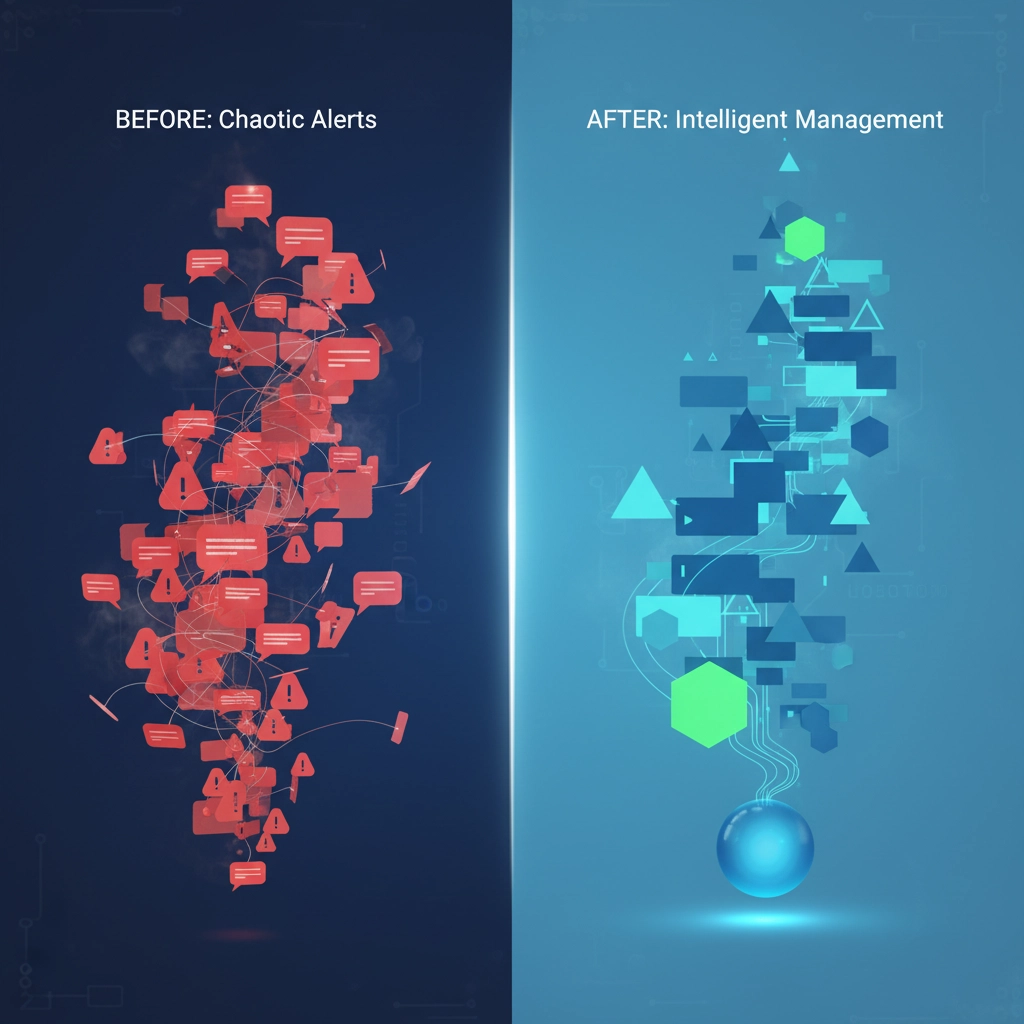
Between endpoint detection systems, firewalls, email security, and cloud monitoring tools, the average business receives hundreds: sometimes thousands: of security alerts every single day. The result? Alert fatigue that's making your team less effective, not more secure.

When 89% of managed service providers struggle with tool integration and 56% experience alert fatigue weekly, you're not alone in feeling overwhelmed. The good news? There are proven managed security solutions that actually reduce the noise while strengthening your defenses.

The Real Cost of Security Alert Overload

Here's what's happening in security operations centers across the country: teams spend 70% of their time investigating false positives. Critical threats get buried under routine notifications. Skilled security professionals burn out and leave for less stressful roles.

The numbers don't lie. Organizations managing 5-10 security tools report significantly higher stress levels and more missed threats than those with consolidated systems. When your team can't see the forest for the trees, real attacks slip through.

image_1

7 Managed Security Solutions That Actually Work

1. Managed Security Service Partners (MSSPs)

Think of MSSPs as your external security department that never sleeps. These partnerships consolidate multiple security functions under one roof, giving you 24/7 monitoring without the overhead of hiring and training specialized staff.

What makes this work: Instead of managing relationships with 5-10 different security vendors, you have one team coordinating everything. They filter alerts, investigate threats, and only escalate what actually needs your attention.

Best for: Small to medium businesses that lack dedicated security staff or organizations tired of vendor management complexity.

2. Advanced Alert Filtering and False Positive Elimination

Modern managed security services use machine learning to distinguish between real threats and system noise. This isn't just basic filtering: it's intelligent prioritization based on your specific environment and business patterns.

What this eliminates: Those 3 AM alerts about routine system updates. Notifications about "suspicious" activity that's actually your night shift accessing normal files. Duplicate alerts from multiple systems detecting the same non-issue.

The result: Your team sees 60-80% fewer alerts, but catches 95% more actual threats.

3. Managed Detection and Response (MDR)

MDR combines advanced threat detection with human expertise to investigate and respond to security incidents. Unlike basic monitoring, MDR teams actively hunt for threats and take immediate action when they find them.

How it reduces fatigue: Instead of your team analyzing every endpoint alert, MDR specialists investigate first and provide context. You get executive summaries like "WordPress plugin vulnerability exploited on web server, threat contained, patch applied" instead of 47 individual system alerts.

Perfect for: Organizations that need enterprise-level security without building an internal SOC.

image_2

4. Platform Consolidation and Tool Integration

The average enterprise uses 35 security vendors with 70+ individual products. Consolidation brings these tools under unified dashboards and coordinated workflows.

Why this matters: When security tools can't talk to each other, they each send their own alerts about the same incident. Consolidation means one alert, one investigation, one response: not five separate fire drills.

Implementation tip: Start by consolidating tools from the same vendor family, then gradually integrate third-party solutions that offer robust APIs.

5. SIEM/SOAR Integration

Security Information and Event Management (SIEM) collects data from all your security tools. Security Orchestration, Automation, and Response (SOAR) automates responses to common threats.

The magic happens when: SOAR automatically handles routine incidents (like blocking known bad IP addresses) while SIEM escalates only complex threats requiring human analysis.

Real-world impact: One client reduced their daily alert volume from 2,000+ to fewer than 50 actionable items using properly configured SIEM/SOAR integration.

6. Centralized Identity and Access Management

When employees struggle with multiple passwords and authentication systems, they create security workarounds. Centralized identity management reduces both security gaps and alert volume.

Alert reduction: Fewer failed login attempts, reduced account lockouts, and streamlined access reviews mean fewer security notifications flooding your inbox.

User experience bonus: Your team spends less time managing access requests and more time focusing on real security issues.

image_3

7. Policy-Driven Security Fabric

Automated policy enforcement reduces configuration errors and ensures consistent security across your entire infrastructure. When security policies are embedded in your architecture, compliance becomes automatic.

How it cuts alerts: Automated compliance monitoring eliminates most manual auditing alerts. Policy violations are prevented before they happen, not detected after the fact.

Scalability factor: As your business grows, policy-driven security scales without proportionally increasing your alert volume.

Frequently Asked Questions

Q: Will managed security solutions work for smaller businesses?

Absolutely. Smaller businesses often benefit most because they typically lack dedicated security staff. Managed solutions provide enterprise-level protection without enterprise-level complexity or costs.

Q: How quickly can we see alert reduction?

Most organizations see 40-60% alert reduction within the first 30 days of implementation. Full optimization usually takes 60-90 days as systems learn your environment and fine-tune filtering rules.

Q: What about compliance requirements?

Managed security solutions often improve compliance by providing better documentation, automated reporting, and consistent policy enforcement. Many solutions include compliance management as part of their service.

Q: Can we maintain some internal security control?

Yes. Most managed security models offer hybrid approaches where you retain control over critical decisions while outsourcing routine monitoring and response activities.

Q: How do we measure success beyond alert reduction?

Look at incident response times, false positive rates, staff satisfaction, and time-to-detection for actual threats. The best solutions improve all these metrics simultaneously.

image_4

Implementation Strategy

Start with one consolidated solution rather than trying to fix everything at once. Many organizations begin with MDR services to immediately reduce alert fatigue, then gradually add other managed services as they see results.

Key success factors:

  • Clearly define what constitutes a "high-priority" alert for your business
  • Ensure managed service providers understand your industry and compliance requirements
  • Establish regular review cycles to optimize filtering rules and response procedures
  • Train your remaining internal team on how to work effectively with managed services

The goal isn't to eliminate all security alerts: it's to ensure that every alert your team sees actually needs human attention.

Stop Fighting Alert Overload

Cybersecurity fatigue is a business risk, not just an IT inconvenience. When security teams are overwhelmed, real threats get missed. When tools don't work together, gaps appear in your defenses.

Premier Business Team helps Pacific Northwest businesses implement managed security solutions that reduce alert noise while strengthening protection. We've seen organizations cut their daily alert volume by 75% while improving their actual security posture.

Ready to give your security team some breathing room? Call us at 360-946-2626 to discuss which managed security solutions make sense for your specific environment. Let's turn your security tools from a source of stress into a competitive advantage.

Business Phone Systems & Cloud VoIP Solutions in Burlington, WA

premierbusiness · January 1, 2026 ·

Burlington, WA businesses are rapidly modernizing their communication infrastructure to stay competitive. Whether you're running a small retail shop on Cascade Avenue, managing a growing service company, or operating a professional practice, choosing the right business phone system can dramatically improve customer experience and day-to-day efficiency.

Located in the heart of Skagit County, Burlington's diverse business community, from agriculture and manufacturing to retail and professional services, requires flexible, scalable communication solutions that can adapt to changing needs. Modern cloud-based VoIP systems and unified communications platforms are replacing traditional landlines, offering advanced features at a fraction of the cost. Pairing your phone system with reliable Business Internet & Connectivity ensures call quality and uptime across Burlington and the greater Skagit County area.

Understanding Burlington's Business Phone System Landscape

Burlington businesses have access to both local and national providers offering comprehensive business phone solutions. Day Wireless Systems, located at 1259 Goldenrod Road, serves the local market with professional communication solutions, though their primary focus centers on two-way radio systems and distributed antenna systems (DAS) for cellular coverage enhancement.

For traditional business phone services, WOW! Business provides Burlington companies with flexible options including Basic, Complete, and Toll Free plans. Their Complete plans offer unlimited long-distance calling to the U.S., Canada, and territories, managed through their web-based CommPortal platform with 24/7 customer support.

TDS Business serves the broader Washington state market, delivering managed VoIP services, SIP trunking, and comprehensive business phone systems designed for various business sizes. They offer customizable high-speed internet bundles alongside phone services, backed by priority technical support.

image_1

Cloud PBX vs. Traditional Phone Systems in Burlington, WA

The shift toward cloud-based Private Branch Exchange (PBX) systems represents the most significant advancement in business communications for Burlington companies. Unlike traditional on-premises PBX systems that require expensive hardware, maintenance contracts, and dedicated IT support, cloud PBX solutions operate entirely over your internet connection.

Cloud PBX Benefits for Burlington Businesses:

  • Scalability: Add or remove users instantly without hardware changes
  • Cost Efficiency: Eliminate upfront equipment costs and ongoing maintenance fees
  • Remote Work Support: Enable employees to work from anywhere with full phone system access
  • Advanced Features: Auto-attendants, call routing, voicemail-to-email, and analytics
  • Reliability: Built-in redundancy and disaster recovery capabilities

Traditional systems still serve specific scenarios, particularly for businesses with limited internet bandwidth or those requiring integration with legacy equipment. However, most Burlington companies find cloud solutions more flexible and cost-effective.

UCaaS Solutions (Unified Communications) for Burlington, WA Businesses

UCaaS platforms integrate voice, video, messaging, and collaboration tools into a single solution, perfect for Burlington businesses looking to streamline communication workflows. These systems combine business phone functionality with:

  • Video Conferencing: High-definition meetings with screen sharing and recording
  • Team Messaging: Instant messaging, file sharing, and project collaboration
  • Mobile Integration: Use business numbers on personal devices
  • CRM Integration: Automatic call logging and customer data synchronization
  • Analytics and Reporting: Detailed insights into call patterns and team performance

Leading UCaaS providers like RingCentral, Microsoft Teams Phone, and Zoom Phone offer comprehensive platforms starting around $30 per user monthly, making enterprise-grade features accessible to small and medium Burlington businesses.

image_2

CCaaS for Customer Experience in Burlington, WA

Burlington businesses focused on customer service can leverage CCaaS platforms to enhance their customer experience (CX) strategies. These cloud-based contact center solutions provide:

Advanced Call Management:

  • Intelligent call routing based on skills, availability, and customer priority
  • Interactive Voice Response (IVR) systems with natural language processing
  • Call recording and quality monitoring for training and compliance
  • Real-time dashboards for supervisors and agents

Omnichannel Support:

  • Seamless integration across voice, email, chat, and social media channels
  • Customer journey tracking across all touchpoints
  • Unified agent desktop for efficient case management
  • AI-powered chatbots for initial customer inquiries

Burlington retailers, service providers, and professional practices benefit from CCaaS features that ensure consistent customer experiences while optimizing agent productivity.

VoIP Technology Advantages for Burlington, WA Businesses

Voice over Internet Protocol (VoIP) technology forms the foundation of modern business phone systems, offering Burlington companies significant advantages over traditional copper-line systems:

Cost Savings:

  • Eliminate separate voice and data networks
  • Reduce long-distance and international calling costs
  • Lower equipment and maintenance expenses
  • Flexible pricing models with pay-as-you-grow options

Enhanced Features:

  • High-definition voice quality with advanced codecs
  • Visual voicemail with transcription services
  • Find-me/follow-me call routing
  • Conference calling for up to hundreds of participants
  • Call analytics and detailed reporting

Business Continuity:

  • Automatic failover to mobile devices or alternate locations
  • Cloud-based voicemail and call forwarding
  • Geographic redundancy for maximum uptime
  • Disaster recovery capabilities built into the platform

image_3

Key Features Every Burlington, WA Business Should Consider

When evaluating business phone systems, Burlington companies should prioritize features that support their specific operational needs:

Essential Features:

  • Auto-Attendant: Professional greeting and call routing without dedicated receptionist
  • Call Forwarding: Route calls to mobile devices, home offices, or alternate numbers
  • Voicemail-to-Email: Receive voicemail messages as email attachments with transcription
  • Conference Calling: Host multi-party calls without expensive bridge services
  • Call Recording: Document important conversations for training and compliance

Advanced Capabilities:

  • CRM Integration: Automatic call logging with Salesforce, HubSpot, or other platforms
  • Mobile Apps: Full phone system functionality on smartphones and tablets
  • Video Conferencing: Integrated HD video meetings with screen sharing
  • Analytics Dashboard: Real-time and historical reporting on call metrics
  • API Access: Custom integrations with business applications

Security and Compliance:

  • Encryption: End-to-end encryption for voice and data transmission
  • SOC 2 Compliance: Verified security controls and data protection
  • HIPAA Compliance: Necessary for healthcare and professional services
  • Geo-Redundancy: Multiple data centers ensure service continuity

Choosing the Right Provider for Your Burlington Business

Burlington businesses benefit from working with vendor-neutral consultants who can evaluate options across multiple providers. Rather than being locked into a single vendor's ecosystem, this approach ensures you receive the best solution for your specific requirements and budget.

Provider Evaluation Criteria:

  • Local Support: Availability of technical support during Pacific Time business hours
  • Network Quality: Redundant connections and low-latency routing to the Pacific Northwest
  • Scalability: Ability to grow from small startup to enterprise-level deployment
  • Integration Capabilities: Compatibility with existing business applications
  • Contract Flexibility: Month-to-month options versus long-term commitments

National Providers Serving Burlington:
Leading providers like Nextiva, 8×8, Dialpad, and GoTo Connect offer robust solutions with local number portability, ensuring Burlington businesses can maintain their existing phone numbers while upgrading to modern platforms.

image_4

Implementation Best Practices for Burlington, WA Companies

Successful business phone system implementations in Burlington require careful planning and professional guidance. Key considerations include:

Network Assessment:

  • Bandwidth analysis to ensure adequate internet capacity
  • Quality of Service (QoS) configuration for voice traffic prioritization
  • Network security review to protect against threats
  • Backup internet connection evaluation for redundancy

User Training:

  • Comprehensive training on new features and functionality
  • Quick reference guides for common tasks
  • Ongoing support during the transition period
  • Change management strategies to ensure user adoption

Data Migration:

  • Contact list transfer from existing systems
  • Voicemail greeting and message migration
  • Call routing configuration based on current workflows
  • Integration setup with existing business applications

Why Partner with Premier Business Team in Burlington, WA

As a vendor-neutral IT and telecommunications consulting firm, Premier Business Team helps Burlington businesses navigate the complex landscape of business phone systems and unified communications platforms. Our approach focuses on understanding your unique requirements rather than promoting specific vendors.

Our Burlington Business Services:

  • Comprehensive Needs Assessment: Detailed analysis of current communication workflows and pain points
  • Multi-Vendor Evaluation: Objective comparison of solutions across leading providers
  • Implementation Management: End-to-end project coordination from planning through deployment
  • Ongoing Support: Continued optimization and vendor relationship management

We understand that Burlington businesses need solutions that work reliably in the Pacific Northwest climate, integrate with existing systems, and scale with business growth. Our team has extensive experience with cloud phone systems and can guide you through the selection and implementation process.

image_5

Whether you're a small Burlington retail business looking to upgrade from basic phone service or a growing company needing comprehensive UCaaS capabilities, the right business phone system can transform your customer communications and operational efficiency. Modern cloud-based solutions offer features that were once available only to large enterprises, now accessible to businesses of all sizes at affordable monthly rates.

The key to success lies in choosing a solution that aligns with your current needs while providing room for future growth. With proper planning, implementation, and ongoing support, your new business phone system will serve as a competitive advantage in the Burlington market.

FAQs: Burlington, WA Business Phone Systems

What is the best phone system for a small business in Burlington, WA?

The best fit depends on your team size, budget, and internet quality. Most small businesses in Burlington choose a cloud VoIP/UCaaS platform with auto-attendant, mobile apps, and voicemail-to-email. We’ll compare options like Microsoft Teams Phone, RingCentral, Zoom Phone, and Nextiva based on your needs.

How much does VoIP cost per user?

Typical UCaaS pricing ranges from about $20–$35 per user per month for core features, with contact center seats costing more. Volume discounts and annual terms can lower rates.

Do I need fiber internet for VoIP in Burlington?

No. A stable connection with sufficient bandwidth and QoS works well. Fiber or cable with QoS and a backup circuit delivers the most reliable results. If you need help evaluating circuits, see our Business Internet & Connectivity.

Can I keep my existing Burlington phone numbers?

Yes. Local number portability lets you keep your existing Burlington, WA numbers when moving to cloud phone systems.

Who handles installation and training?

Premier Business Team coordinates provider installation, configures call flows, and delivers end-user training. We stay on as your ongoing, single point of contact.

Is VoIP reliable during power or internet outages?

With proper design—battery backup, mobile failover, and call forwarding—cloud phone systems maintain continuity. Many platforms automatically fail over to mobile apps or alternate locations.

Ready to modernize your Burlington, WA business phone system? Contact Premier Business Team for a free consultation and customized quote. Our vendor-neutral approach ensures you get the right solution, expert implementation, and ongoing support. Prefer email? You can contact us here to schedule your assessment and start improving call quality, reliability, and customer experience.

Is Your Business Ready for the POTS Phase-Out? Here's Your 3-Step Emergency Migration Plan for 2026

premierbusiness · December 31, 2025 ·

Time's up. If your business is still running on Plain Old Telephone Service (POTS) lines, you're officially in crisis mode. AT&T stopped accepting new orders for copper POTS lines on October 15, 2025, and they'll start decommissioning copper facilities in around 500 wire centers nationwide starting in June 2026. That's less than six months away.

This isn't a gradual transition anymore, it's an emergency. And if you're scrambling to figure out what to do next, you're not alone. Thousands of businesses are facing the same deadline, which means vendor capacity is getting tight and implementation timelines are stretching.

The good news? You can still pull this off if you act fast and follow a solid plan. Here's your 3-step emergency migration strategy to get off POTS before it's too late.

What the POTS Phase-Out Really Means for Your Business

Let's cut through the technical jargon. POTS lines are those old copper telephone lines that have been powering business phones for decades. They're reliable, simple, and frankly, outdated. Major carriers like AT&T and Verizon are shutting them down to focus on fiber and wireless networks that actually make money.

Here's the timeline you need to know:

  • Right now (December 2025): No new POTS orders, moves, or changes
  • June 2026: AT&T starts decommissioning copper in 500+ wire centers
  • March 2027: Service discontinuation notices already going out in some regions
  • End of 2029: Complete nationwide copper retirement

The FCC shortened the required notice period to just 90 days in many cases, so you might get official notice with barely enough time to react.

But here's what really matters: POTS isn't just powering your desk phones. It's probably running your fire alarms, elevator phones, security systems, fax machines, and other critical infrastructure. When those copper lines go dark, everything connected to them stops working.

image_1

Your 3-Step Emergency Migration Plan

Step 1: Find Everything That Uses POTS (Do This NOW – December 2025)

Start with a complete audit of every system that touches your POTS lines. This sounds boring, but it's critical, you can't migrate what you don't know exists.

What to look for:

  • Desk phones and conference room systems
  • Fax machines (yes, people still use these)
  • Fire alarm systems and emergency phones
  • Elevator emergency phones
  • Security system dialers
  • Point-of-sale credit card terminals
  • Medical alert systems
  • Any "mystery" phone lines you pay for but can't identify

Walk through your building with a notebook and actually trace where phone lines go. Check utility closets, basements, and equipment rooms. You'll be surprised what you find.

Pro tip: Pull up your phone bill and cross-reference every line number with a physical location and purpose. If you can't identify a line, assume it's important until proven otherwise.

Create a spreadsheet with each system, its criticality level, and estimated downtime impact. This becomes your migration priority list.

Step 2: Choose Your Replacement Technology (January – February 2026)

You have several options, and the right choice depends on your specific needs and budget. Here's the breakdown:

VoIP (Voice over Internet Protocol)
This is the most popular POTS replacement. Your phones work over your internet connection instead of copper lines. Modern VoIP systems offer features that make your old POTS setup look ancient: call forwarding, voicemail-to-email, video conferencing, and mobile apps.

Key requirements for VoIP:

  • Reliable internet with enough bandwidth
  • Backup internet connection (cellular or secondary fiber)
  • Uninterruptible power supply (UPS) for phones
  • E911 service with accurate location tracking

Wireless Solutions
Verizon and other carriers offer wireless alternatives that can replace POTS lines. These work well for simple phone systems and critical infrastructure like fire alarms. The upside is no internet dependency; the downside is higher per-line costs.

Fiber-Based Services
If you're upgrading everything, consider fiber for both internet and voice. It's more reliable than copper and handles high-bandwidth applications better than wireless.

For Critical Systems
Fire alarms, elevators, and security systems need special attention. Many require certified installers and specific types of service to meet building codes. Don't try to DIY these: hire professionals who understand compliance requirements.

Start getting quotes now. With the June deadline looming, vendors are getting busy, and lead times are stretching. Ask specifically about implementation timelines and what happens if they miss your deadline.

image_2

Step 3: Execute the Migration (March – May 2026)

This is where planning pays off. You want to complete your migration by early May 2026, well before any June decommissioning activity hits your area.

Migration Strategy:

  • Parallel testing: Run both old and new systems simultaneously for 1-2 weeks
  • Off-hours cutover: Schedule the final switch during nights or weekends
  • Priority systems first: Migrate critical infrastructure before general phones
  • Staff training: Make sure everyone knows how to use the new system before go-live

Critical considerations:

  • Update emergency contact information with new phone numbers
  • Reprogram any systems that auto-dial POTS numbers
  • Test failover procedures with your new backup systems
  • Create troubleshooting guides for common issues

Don't forget about compliance. If you have systems covered by building codes, safety regulations, or industry standards, make sure your new setup meets all requirements. This might mean involving certified technicians or getting official inspections.

Why This Timeline Matters (And What Happens if You Miss It)

Let's be honest: if AT&T announces your wire center is in the June 2026 shutdown and you haven't started migrating, you're in trouble. The 90-day notice period sounds reasonable until you realize that includes ordering equipment, scheduling installation, testing, and training.

Miss the deadline, and you're looking at:

  • Complete service interruption for POTS-dependent systems
  • Emergency installation fees (think 2-3x normal costs)
  • Potential compliance violations for safety systems
  • Lost business from non-functional phones and fax lines

Plus, POTS line costs have already skyrocketed as carriers depreciate the technology. Every month you wait costs more money for worse service.

How Premier Business Team Makes This Easy

Look, migrating off POTS doesn't have to be a nightmare. We've helped hundreds of businesses through this exact transition, and we know how to do it right.

Our approach:

  • Free assessment: We'll audit your current setup and identify everything that needs to migrate
  • Vendor-neutral recommendations: We find the best solution for your needs, not our commission structure
  • Project management: We coordinate vendors, schedule installations, and handle the technical details
  • Ongoing support: We're here after the migration to keep everything running smoothly

We understand the urgency. We know the compliance requirements. And we have relationships with vendors who can meet aggressive timelines.

Learn more about our telecommunications consulting services and how we're helping businesses navigate the POTS phase-out.

image_3

Don't Wait Any Longer

The POTS phase-out isn't some distant future problem: it's happening now. Every week you delay makes the migration more expensive and more stressful.

Start your audit this week. Get quotes from vendors next week. Make decisions in January. There's no time for analysis paralysis.

Your business depends on reliable communications. Don't let the POTS phase-out catch you off guard and leave you scrambling with dead phone lines and non-functional critical systems.

Ready to create your emergency migration plan? Contact Premier Business Team today for a free POTS migration assessment. We'll help you identify what needs to migrate, recommend the best replacement technology, and create a timeline that gets you safely off copper before the June 2026 deadline.

Don't wait until it's too late. Your business communications are too important to leave to chance.

  • « Go to Previous Page
  • Page 1
  • Interim pages omitted …
  • Page 44
  • Page 45
  • Page 46
  • Page 47
  • Page 48
  • Interim pages omitted …
  • Page 78
  • Go to Next Page »

Get a no obligation quote for your business. Learn More

Proud Chamber Member

Bellingham Chamber Badge

Premier Business Team

Copyright © 2026 · Premier Business Team 2219 Rimland Dr. Suite 301 Bellingham, WA 98226 - 360-946-2626

  • Home
  • Business Internet
  • Business Phone
  • Blog
  • About Us
  • Contact Us
  • Business Quote
  • Engineering
  • Call: 360-946-2626