• Skip to primary navigation
  • Skip to main content
Premier Business Team

Premier Business Team

Your business connectivity and IT Team

  • Home
  • Business Internet
  • Business Phone
  • Blog
  • About Us
    • Our Featured Suppliers
  • Contact Us
  • Business Quote
    • Business Tech Assessment
  • Engineering
  • Call: 360-946-2626
  • Show Search
Hide Search

Blog Posts

Winter IT Readiness: Critical Upgrades, Season-Proofing & Disaster Recovery for 2026

premierbusiness · December 3, 2025 ·

Winter 2026 is shaping up to be a make-or-break season for business technology infrastructure. With NERC’s latest reliability assessment warning that much of North America faces elevated risk of insufficient energy supplies during extreme winter conditions, your IT systems need to be bulletproof.

The reality? Electricity demand is growing 25% faster than new resources being added. When harsh winter weather hits, businesses unprepared for power fluctuations, connectivity issues, and system failures will face costly downtime.

But here’s the thing: most of these problems are completely preventable with the right preparation.

Why Winter IT Readiness Isn’t Optional Anymore

Your business technology faces unique challenges during winter months that don’t exist the rest of the year. Power grid instability, severe weather disruptions, and increased cyber threats create a perfect storm of IT vulnerabilities.

We’re seeing organizations across the Pacific Northwest and beyond scrambling to address these issues after problems occur. The smart move? Get ahead of winter before it gets ahead of you.

image_1

The numbers tell the story:

  • Business downtime costs average $5,600 per minute
  • 60% of companies that lose data shut down within 6 months
  • Winter weather increases cyber attack success rates by 40%

Your competitors who prepare now will maintain operations while others struggle with outages, slow systems, and security breaches.

Critical Upgrades That Can’t Wait Until Spring

1. Uninterruptible Power Supply (UPS) Systems

The Problem: Standard UPS systems from 3+ years ago aren’t designed for today’s power demands or extended outages.

What to do: Upgrade to enterprise-grade UPS systems with at least 30 minutes of full-load capacity. Look for models with network management capabilities so you can monitor power conditions remotely.

Modern UPS systems should include:

  • Automatic voltage regulation
  • Surge protection beyond basic power strips
  • Battery monitoring with replacement alerts
  • Remote shutdown capabilities for connected systems

2. Network Infrastructure Hardening

The Problem: Aging network equipment fails more frequently during temperature fluctuations and power events.

What to do: Replace network switches, routers, and wireless access points older than 5 years. Prioritize equipment with redundant power supplies and temperature monitoring.

Your network backbone should include:

  • Managed switches with SNMP monitoring
  • Redundant internet connections from different providers
  • Professional-grade wireless systems with backup power
  • Network monitoring tools that alert you before failures occur
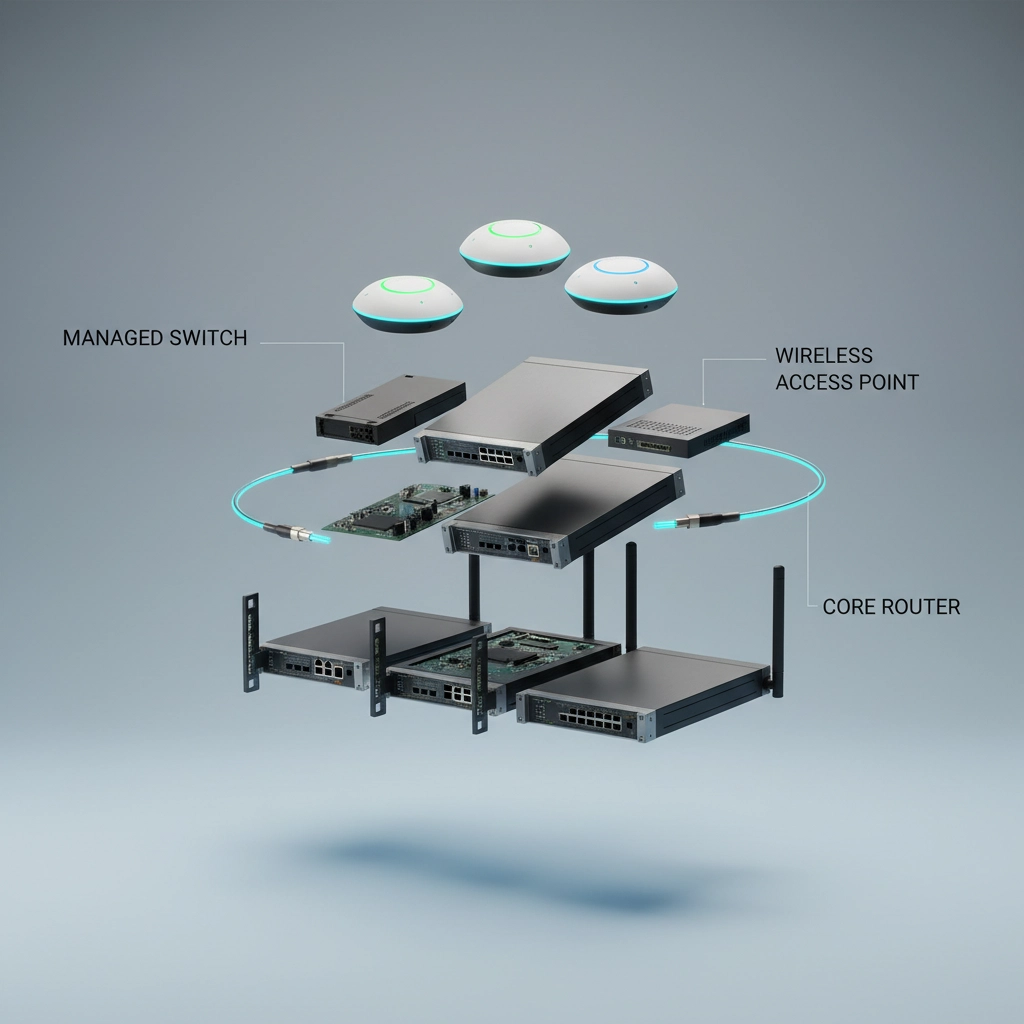
image_2

3. Cloud Backup and Recovery Solutions

The Problem: Local backup systems fail when you need them most: during power outages and disasters.

What to do: Implement automated cloud backup with 15-minute recovery point objectives. Don’t rely on tape backups or single local storage solutions.

Essential cloud backup features:

  • Continuous data protection for critical files
  • Bare metal recovery capabilities
  • Mobile access to restore operations from anywhere
  • Regular recovery testing (not just backup verification)

Season-Proofing Your IT Infrastructure

Environmental Controls That Actually Work

Temperature monitoring isn’t just for server rooms anymore. Modern businesses need environmental sensors in every location where critical equipment operates.

Install wireless temperature and humidity sensors that:

  • Send alerts before equipment reaches dangerous levels
  • Monitor power quality and voltage fluctuations
  • Track humidity changes that cause condensation damage
  • Provide historical data to predict maintenance needs

Power Protection Beyond Basic Surge Strips

Standard surge protectors won’t cut it against the power quality issues common during winter storms.

Upgrade to:

  • Whole-facility surge protection at the electrical panel
  • Line-interactive UPS systems for all networking equipment
  • Power conditioners for sensitive equipment like POS systems
  • Automatic transfer switches for critical systems

image_3

Connectivity Redundancy Planning

Single internet connections are a single point of failure. Winter weather, construction accidents, and equipment failures can knock you offline for hours or days.

Build redundancy with:

  • Primary fiber connection with cable/DSL backup
  • 4G/5G cellular failover for critical systems
  • SD-WAN technology to automatically route around failures
  • Voice over IP systems that work from any internet connection

Disaster Recovery Best Practices for 2026

Documentation That Actually Helps

Most disaster recovery plans fail because they’re outdated or incomplete when emergencies strike.

Your DR documentation should include:

  • Contact lists with multiple methods (cell, email, alternate numbers)
  • Step-by-step procedures written for non-technical staff
  • Vendor contact information including after-hours support
  • System passwords stored in secure, accessible locations
  • Network diagrams showing how everything connects

Recovery Time Objectives You Can Actually Meet

Setting unrealistic recovery goals sets everyone up for failure. Be honest about how quickly you can actually restore operations.

Realistic RTOs for small-medium businesses:

  • Email and communication: 15 minutes
  • Core business applications: 2 hours
  • Full operations: 8 hours
  • Complete restoration: 24 hours

Plan your technology investments around these realistic timeframes, not wishful thinking.
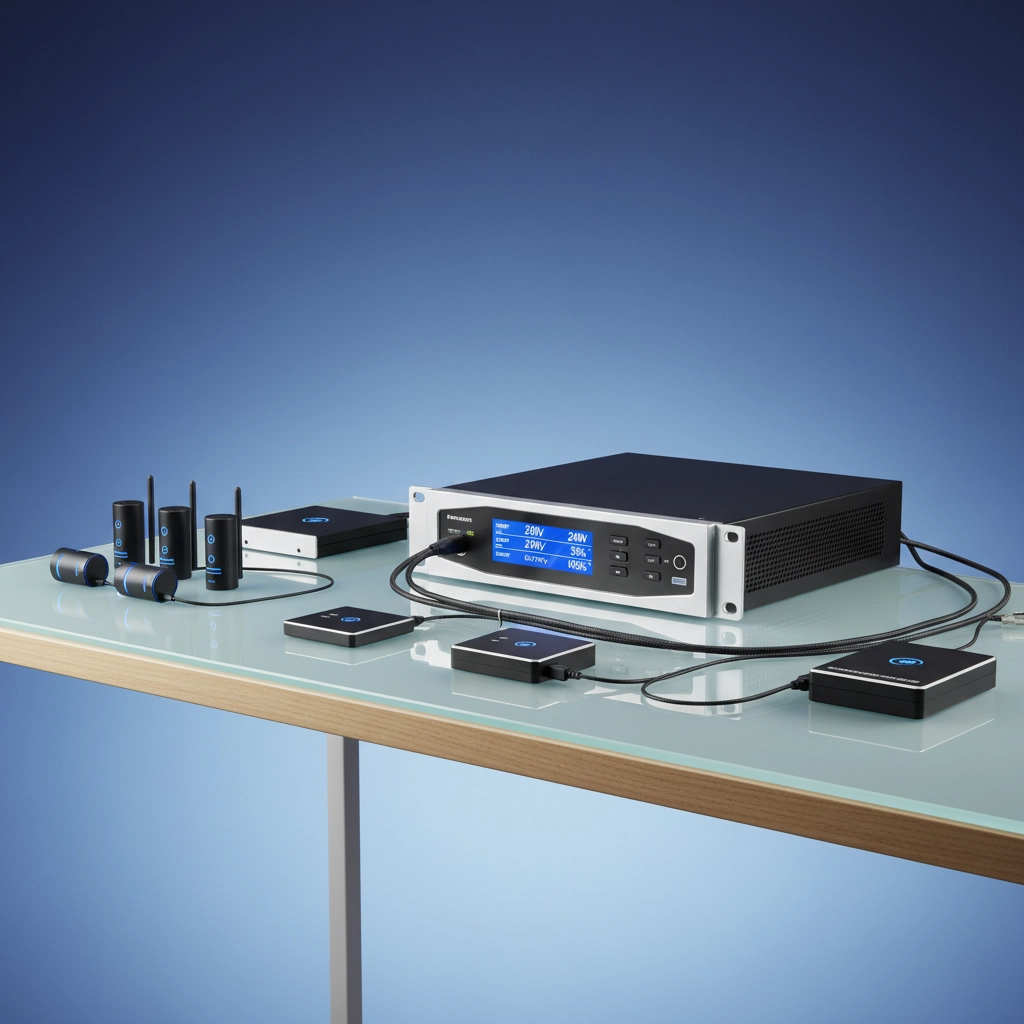
image_4

Testing That Builds Confidence

Disaster recovery plans that haven’t been tested are just expensive paperwork.

Schedule quarterly tests that:

  • Simulate realistic failure scenarios
  • Include non-IT staff in recovery procedures
  • Test backup systems under actual load conditions
  • Document gaps and improvement opportunities
  • Practice communication protocols with customers and vendors

Mobile Device Management for Winter Operations

Winter weather means more remote work and mobile access needs. Unmanaged devices become security vulnerabilities and productivity bottlenecks.

Implement MDM solutions that:

  • Secure company data on personal devices
  • Enable remote work from any location
  • Provide VPN access that actually works
  • Allow remote device wipes if equipment is lost
  • Monitor device health and security compliance

For organizations needing comprehensive mobile strategies, our mobile device management guide covers enterprise-level implementations.

Cybersecurity Considerations for Winter 2026

Winter brings increased cyber risks as attackers exploit weather-related disruptions and remote work arrangements.

Priority security measures:

  • Multi-factor authentication on all systems
  • Advanced endpoint protection that works offline
  • Email security that blocks weather-themed phishing attempts
  • Regular security awareness training for staff
  • Incident response procedures for cyber attacks

Organizations in Whatcom County and surrounding areas face specific regional threats: our local cybersecurity analysis identifies the most common attack vectors we’re seeing.

Your Winter Readiness Action Plan

Don’t tackle everything at once. Prioritize based on your biggest vulnerabilities:

Week 1: Assess current UPS and power protection
Week 2: Test backup and recovery systems
Week 3: Document and update emergency procedures
Week 4: Implement environmental monitoring
Week 5: Schedule comprehensive system health checks

The organizations that weather winter 2026 successfully will be those that prepare systematically, not frantically.

Get Professional Assessment Before Winter Hits

You don’t have to figure this out alone. Premier Business Team is offering complimentary IT readiness assessments through the end of December 2026 for Pacific Northwest businesses.

Our assessment includes:

  • Infrastructure vulnerability analysis
  • Disaster recovery plan review
  • Power protection recommendations
  • Cybersecurity gap identification
  • Priority action plan with realistic timelines

Ready to bulletproof your business technology? Contact our team at premierbusinessteam.com or call us directly. We’re helping organizations like yours prepare for whatever winter 2026 brings: and we can help you too.

Don’t wait until the first major storm to discover what your technology can’t handle. The time to prepare is now, while you can plan strategically instead of reacting desperately.

RingCentral vs Nextiva vs Dialpad: Which Business Phone System Actually Saves You Money in 2026?

premierbusiness · December 3, 2025 ·

Let's be honest, business phone system pricing is a mess in 2026. Every vendor promises to save you money, but their pricing pages read like a choose-your-own-adventure novel written by lawyers.

You're probably here because your current phone system is either breaking the bank or literally breaking down. Maybe both. The good news? After digging deep into RingCentral, Nextiva, and Dialpad's actual costs (not just their marketing speak), there's a clear winner for most businesses.

Here's what you really need to know about which system will actually save you money this year.

RingCentral: The Enterprise Tax is Real

Starting Price: $20/user/month (annual billing), but expect $30+ in practice

RingCentral positions itself as the "enterprise choice," and they price accordingly. If you're running a Fortune 500 company, this makes sense. If you're a 25-person business trying to cut costs, it doesn't.

Where RingCentral Wins:

  • Deep integrations everywhere – Connects with practically every business software you're already using
  • Rock-solid reliability – They've been doing this longer than most competitors
  • Enterprise-grade features – Advanced call routing, detailed analytics, robust security

The Hidden Cost Problem:
Here's what RingCentral doesn't advertise: your monthly bill grows fast. Their base price covers basic calling, but most businesses need additional phone numbers, advanced features, and integration add-ons.

A real-world example? A 15-person marketing agency we work with started at $300/month for RingCentral's base plan. Within six months, they were paying $485/month after adding toll-free numbers, call recording, and video conferencing upgrades.

Bottom Line: RingCentral works if you have enterprise needs and enterprise budget. For cost-conscious smaller businesses, it's the most expensive option that keeps getting more expensive.

image_1

Nextiva: Great Price, Confusing Plans

Starting Price: $15/user/month for basic unified communications

Nextiva takes a different approach, they want to be your all-in-one communication platform. Phone calls, video meetings, team chat, and even customer service tools under one roof.

Where Nextiva Wins:

  • Best base pricing – Genuinely the lowest starting point for basic business phone features
  • Unified platform – No juggling multiple vendors for different communication needs
  • Excellent customer service – They actually answer their phones when you need help

The Pricing Confusion:
Nextiva's biggest problem isn't their technology, it's explaining what you're actually paying for. Their $15/user/month plan covers basic phone service. But if you need their customer experience features (help desk, advanced analytics), you're suddenly looking at $99/user/month.

The confusion gets worse because Nextiva markets both tiers as "business phone systems," but they serve completely different needs. Most businesses need something in between, which doesn't really exist.

Real-World Scenario: A 20-person consulting firm chose Nextiva for the $15 pricing, but needed better call analytics and customer management. Upgrading meant jumping to $99/user/month, turning a $300 monthly bill into $1,980. That's not a small business solution anymore.

Bottom Line: Nextiva offers genuine savings if you stick to basic unified communications. But their pricing structure makes growth planning difficult.

Dialpad: Paying for AI That Actually Works

Starting Price: $15-27/user/month depending on plan level

Dialpad's pitch is simple: every phone call becomes data you can use. Real-time transcription, sentiment analysis, and coaching insights are built into every plan, not sold as expensive add-ons.

Where Dialpad Wins:

  • AI features included – Transcription and analytics that other platforms charge extra for
  • Modern interface – Actually feels like 2026, not 2016
  • Scalable pricing – Costs grow more predictably as you add users

The AI Value Question:
Here's the key question: do you actually need AI-powered phone insights? If you're in sales, customer service, or managing remote teams, the answer is probably yes. Real-time transcription alone replaces note-taking apps most businesses pay for separately.

But if you're a local restaurant chain or traditional manufacturing business, paying extra for AI sentiment analysis might be overkill.

Additional Fees Reality:
Like Nextiva, Dialpad's pricing isn't always transparent. International calling, premium integrations, and advanced security features cost extra. Budget an additional 15-25% above their quoted price for real-world usage.

Bottom Line: Dialpad offers the best value if AI features save you money elsewhere. If not, you're paying for capabilities you won't use.

image_2

Head-to-Head Cost Comparison

Here's how the three platforms actually compare for different business sizes:

Business Size RingCentral Nextiva Dialpad
5 users (basic) $150-200/month $75/month $75-135/month
15 users (standard) $450-675/month $225/month $225-405/month
50 users (advanced) $1,500-2,250/month $750-4,950/month* $750-1,350/month
Annual cost difference Highest Varies dramatically Middle ground

*Nextiva's range depends on whether you need basic phone service ($15/user) or full customer experience platform ($99/user)

The Real Cost Factors Nobody Talks About

Beyond monthly subscription fees, three hidden costs determine your actual phone system expense:

1. Setup and Migration Time
RingCentral requires the most technical setup but offers the best migration support. Nextiva is middle-ground. Dialpad is easiest to deploy but you might need outside help for complex integrations.

2. Training Requirements
Dialpad's modern interface means less training time. RingCentral has more features, so more learning curve. Nextiva sits in between.

3. Integration Costs
RingCentral connects to everything but charges for premium integrations. Nextiva includes basic integrations in their plans. Dialpad offers 20+ integrations but limits some to higher tiers.

image_3

Which System Actually Saves You Money?

Choose Nextiva if: You're a growing business (5-50 employees) that needs reliable phone service without bells and whistles. Stay on their $15/user plan and you'll have the lowest monthly costs in 2026.

Choose Dialpad if: Your team benefits from AI insights and you'd otherwise pay for transcription, analytics, or coaching tools separately. The AI features justify the higher per-seat cost for sales teams, customer service, or remote organizations.

Choose RingCentral if: You're an established enterprise that needs deep integrations and can absorb higher costs for maximum reliability and features. Don't choose RingCentral to save money: choose it because money isn't your primary concern.

The Bottom Line for 2026

For pure cost savings, Nextiva wins at $15/user/month for basic business phone service. But that only works if you can live with basic features long-term.

For best overall value, Dialpad offers the right balance of cost and capability for most growing businesses. You pay slightly more than Nextiva's base price but get AI features that replace other tools.

Avoid RingCentral unless you specifically need enterprise-grade features and integrations. It's the most expensive option that keeps getting more expensive as your business grows.

Making the Switch in 2026

Ready to cut your phone system costs? Here's what we recommend:

  1. Start with Nextiva if your needs are basic and your budget is tight
  2. Choose Dialpad if you want room to grow with AI-powered features
  3. Consider RingCentral only if integration requirements demand it

Want help evaluating which system fits your specific business needs and budget? Premier Business Team helps local businesses compare phone systems and negotiate better rates. We work with all three providers and can show you real-world costs, not marketing promises.

The right phone system should save you money and make your team more productive. In 2026, that's Nextiva for pure cost savings or Dialpad for overall value. Everything else is just expensive marketing.

Unified Communications Vs Traditional Phone Systems: Which Is Better For Your Growing Business?

premierbusiness · December 3, 2025 ·

Your business is growing, and suddenly your old phone system feels like it's holding you back. Sound familiar? You're not alone: thousands of businesses face this exact dilemma every year. The question isn't whether you need better business phone systems, but which direction makes the most sense for your specific situation.

Let's cut through the marketing noise and look at what really matters when choosing between unified communications and traditional phone systems for your growing business.

Traditional Phone Systems: The Old Reliable

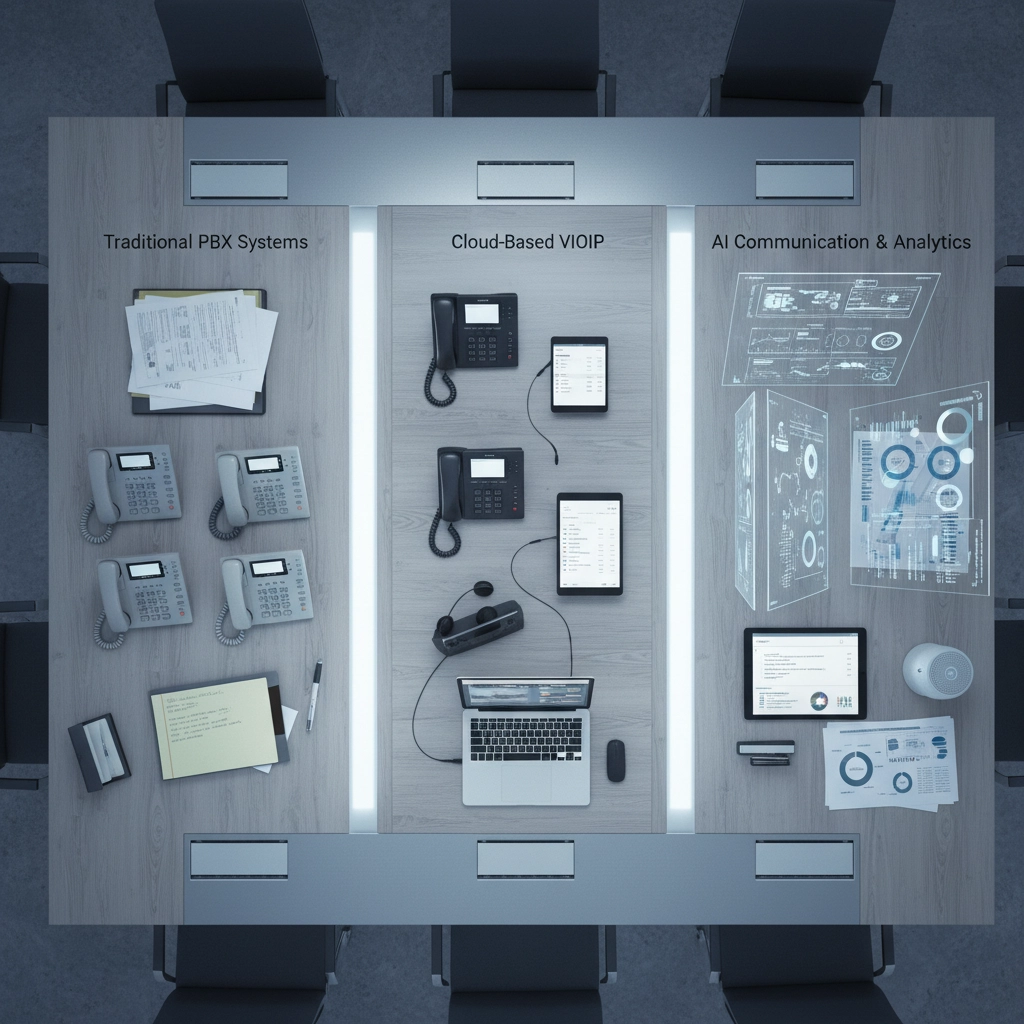
Traditional Private Branch Exchange (PBX) systems have been the backbone of business communications for decades. These office phone systems for small business rely on physical hardware, copper wires, and the good old Public Switched Telephone Network (PSTN).

What Traditional Systems Do Well:

Rock-solid reliability. When the internet goes down, your traditional phone system keeps humming along. No buffering, no dropped calls, no "can you hear me now?" moments during important client conversations.

Simple operation. Pick up the handset, dial, talk. Your 70-year-old receptionist and your 25-year-old intern both know exactly how to use it. Zero learning curve, zero confusion.

Proven security. Traditional phone lines run on closed circuits, making them incredibly difficult to hack or intercept. For businesses handling sensitive information, this peace of mind matters.

image_1

Where Traditional Systems Fall Short:

Limited functionality. Voice calls and basic voicemail: that's about it. Need to share your screen during a call? Switch to another app. Want to message your team while on a client call? Good luck with that.

Expensive scaling. Each new employee means new phone lines, new handsets, new wiring. Adding ten people to your team? Prepare for a substantial hardware investment and potentially weeks of installation work.

Location dependency. Working from home? Taking calls while traveling? Traditional systems keep you tethered to your physical office location.

Unified Communications: The Swiss Army Knife

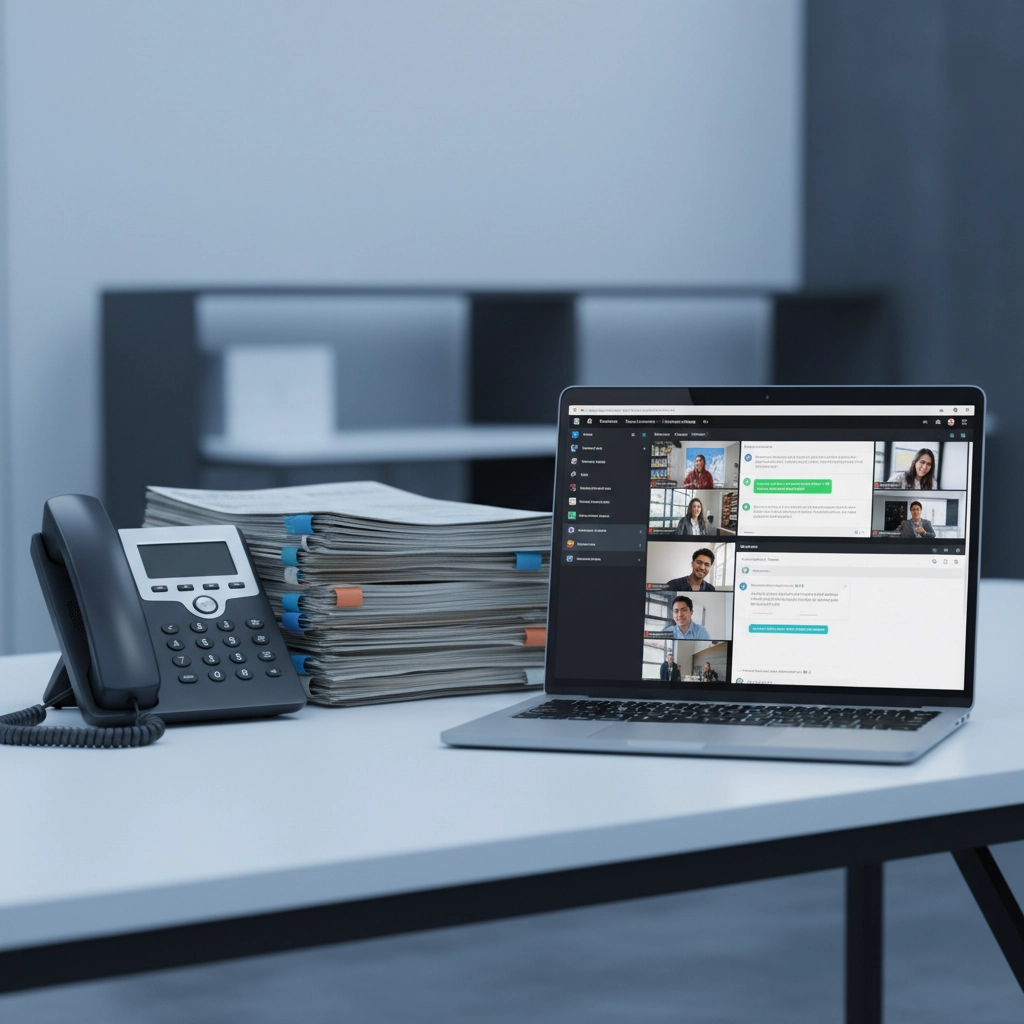
Unified communications platforms combine voice, video, messaging, file sharing, and collaboration tools into one integrated solution. Think of it as your complete business connectivity solutions package rolled into a single platform.

What UC Systems Deliver:

Complete flexibility. Take your office phone anywhere: your laptop, smartphone, tablet, even your smartwatch. Your phone number follows you whether you're at the office, home, or sipping coffee in Bali.

All-in-one collaboration. Start a voice call, seamlessly switch to video, share your screen, send files, and chat with your team: all without leaving the platform or juggling multiple apps.

Cost-effective scaling. Adding new users often means just adjusting software settings. No hardware purchases, no installation crews, no downtime. Scale from 5 to 50 employees without breaking the budget.

Advanced features out of the box. Auto-attendants, call recording, analytics, CRM integration, mobile apps: features that would cost thousands extra on traditional systems come standard with most UC platforms.

image_2

UC System Considerations:

Internet dependency. Your communication system is only as reliable as your internet connection. However, most modern UC providers offer backup solutions and redundancy options to minimize this risk.

Learning curve. More features mean more options. Some team members might need time to fully utilize all the collaboration tools available.

The Real-World Comparison: What Matters for Growing Businesses

Let's get practical. Here's how these systems stack up on the factors that actually impact your daily operations:

Cost Analysis:

  • Traditional: High upfront hardware costs ($300-800 per phone), ongoing maintenance, expensive upgrades
  • UC: Lower initial investment, predictable monthly fees, software-based upgrades

Scalability Reality Check:

  • Traditional: Each new hire = new equipment, possible rewiring, potential system capacity upgrades
  • UC: Add users instantly through software, no hardware limitations

Remote Work Support:

  • Traditional: Essentially impossible without expensive workarounds
  • UC: Built for distributed teams from day one

Integration Capabilities:

  • Traditional: Limited to basic CRM screen-pops if you're lucky
  • UC: Deep integration with productivity tools, customer service platforms, and business applications you're already using

What's Coming in 2026: Industry Trends You Can't Ignore

The telecommunications landscape is shifting rapidly. Traditional phone lines are being phased out across major carriers, forcing businesses to make the transition whether they're ready or not. Premier Business Team has covered this critical transition extensively because it affects nearly every business in the coming years.

AI integration is becoming standard in UC platforms, offering features like:

  • Automatic call transcription and summarization
  • Intelligent call routing based on customer history
  • Real-time language translation during international calls
  • Predictive analytics for call volume planning

Meanwhile, traditional systems remain largely static, unable to take advantage of these technological advances without complete replacement.

image_3

Making the Right Choice for Your Business

Choose Unified Communications if:

You have reliable internet connectivity and want maximum flexibility. UC makes perfect sense for businesses with remote workers, multiple locations, or plans for rapid growth. If your team collaborates regularly, travels frequently, or works with clients across different time zones, UC's comprehensive feature set will boost productivity significantly.

Consider Traditional Systems if:

You operate in an area with unreliable internet, handle extremely sensitive communications that require air-gapped security, or have a workforce that strongly resists technology changes. However, even in these scenarios, modern UC systems with proper backup solutions often provide comparable reliability.

Hybrid Approach:

Some businesses benefit from keeping a few traditional lines for critical operations while moving most communication to UC platforms. This provides redundancy without sacrificing modern collaboration features.

The Bottom Line for Growing Businesses

For most expanding businesses, unified communications offers superior value, flexibility, and future-proofing compared to traditional phone systems. The ability to scale quickly, support remote work, and integrate with modern business tools gives growing companies a significant competitive advantage.

Key factors to evaluate:

  1. Current team size and growth projections
  2. Internet reliability and backup options
  3. Remote work requirements
  4. Budget for both initial setup and ongoing costs
  5. Integration needs with existing business software
  6. Technical comfort level of your team

The transition to UC doesn't have to be overwhelming. Many businesses successfully migrate gradually, maintaining some traditional lines during the transition period while employees adapt to new collaboration tools.

Ready to Modernize Your Business Communications?

Choosing between unified communications and traditional phone systems impacts every aspect of how your team collaborates and serves customers. The right business connectivity solutions can accelerate your growth, while the wrong choice can create bottlenecks that hold you back.

At Premier Business Team, we help growing businesses navigate this critical decision by assessing your specific needs, internet infrastructure, and growth plans. We've guided hundreds of businesses through communication system transitions, ensuring minimal disruption and maximum benefit from day one.

Don't let outdated communication systems limit your business potential. Contact Premier Business Team today for a free consultation on modernizing your business communications. We'll analyze your current setup, understand your growth plans, and recommend the perfect solution for your unique situation.

Your growing business deserves communication tools that grow with you( not systems that hold you back.)

The Ultimate Guide to Modern POS Systems: Everything Multi-Location Businesses Need to Succeed in 2026

premierbusiness · December 2, 2025 ·

Managing multiple business locations without the right technology is like trying to conduct an orchestra while blindfolded. You know something's happening, but you can't see what's working, what's failing, or how to make it all sound harmonious.

If you're running multiple locations in 2026, your POS systems for business aren't just cash registers anymore: they're the central nervous system that determines whether your expansion succeeds or becomes a logistical nightmare.

The Multi-Location Challenge Most Businesses Face

Here's what we see happening with growing businesses: Location A is crushing sales goals while Location B is hemorrhaging inventory. Location C's staff can't access customer data from Location A. Your accountant is drowning in separate reports from each store, and nobody has real-time visibility into what's actually happening across your enterprise.

The core problem? Most businesses try to scale using the same simple POS solution they started with, then wonder why managing multiple locations feels impossible.

What Modern Multi-Location Businesses Actually Need

Unified Data Architecture

Your business connectivity solutions need to treat all locations as one business, not separate islands. Modern POS systems create a single source of truth where inventory, sales, customer data, and staff management sync in real-time across every location.

This means when a customer makes a purchase at Location A, that inventory immediately updates at headquarters and all other locations. When they return an item at Location B, the staff there can see their full purchase history and handle the return seamlessly.

image_1

True Scalability Without System Overhauls

The best systems grow with you. Whether you're expanding from two locations to twenty or testing a new market with a pop-up store, your POS infrastructure shouldn't require a complete rebuild.

Look for solutions that handle rapid deployment: new locations should come online in hours, not weeks, with all your existing products, pricing, and customer data instantly available.

Essential Features That Separate Winners from Strugglers

Omnichannel Integration That Actually Works

Your customers don't care whether they're shopping online, in-store, or on mobile: they expect consistency everywhere. Cloud services for business enable true omnichannel experiences where customers can buy online and pick up in any location, return online purchases to any store, or start a transaction on mobile and complete it in person.

This integration also means your staff can access the same customer profiles, loyalty points, and purchase history whether someone visits your downtown location or suburban store.

Device Flexibility for Different Environments

Not every location needs the same setup. Your flagship store might run full desktop terminals while your kiosk location works perfectly with tablets. Pop-up events might need mobile-friendly solutions that work offline.

Modern systems support Windows-based registers, tablets, mobile devices, and everything in between: all accessing the same real-time data.

image_2

Advanced Inventory Intelligence

Real-time inventory tracking prevents the "sorry, we're out of stock" conversations that kill sales. But advanced systems go further: they predict demand, suggest reorders, and even automatically transfer stock between locations based on sales patterns.

When Location A is low on a popular item but Location B has excess inventory, smart systems can suggest transfers or alert customers about availability at nearby stores.

Enterprise-Grade Staff Management

Managing employees across multiple locations requires role-based access controls, centralized scheduling, time tracking, and performance analytics. Your evening shift supervisor shouldn't have the same system access as your district manager.

Modern POS systems include employee management features that let you track performance, schedule staff, and maintain security across all locations from a single dashboard.

Cloud vs. On-Premise: The 2026 Reality

Why Cloud-Based Solutions Dominate Multi-Location Success

For businesses with multiple locations, cloud-based POS systems offer crucial advantages:

  • Real-time synchronization across all locations
  • Lower upfront costs and predictable monthly expenses
  • Automatic updates that roll out to all locations simultaneously
  • Remote monitoring capabilities for district managers
  • 99% uptime reliability with automatic data backup

When On-Premise Might Make Sense

Some businesses still choose on-premise solutions for specific reasons: extremely sensitive data requirements, unreliable internet connectivity, or legacy system integrations that can't be moved to the cloud.

However, hybrid solutions are becoming popular: core processing in the cloud with local backup systems for connectivity issues.

image_3

Security and Compliance: Non-Negotiables for 2026

Data Protection Standards

Multi-location businesses handle massive amounts of customer data, payment information, and business intelligence. Your POS system needs enterprise-grade encryption, secure payment processing, and audit trails that meet industry compliance standards.

This is especially critical if you operate in regulated industries or process international transactions where data protection laws vary by region.

Access Control and Fraud Prevention

Role-based access ensures employees can only access functions relevant to their position. Advanced systems include fraud detection, transaction monitoring, and suspicious activity alerts that protect your business across all locations.

At Premier Business Team, we've seen how proper security implementation protects businesses from both external threats and internal fraud. Our cybersecurity expertise helps businesses implement secure POS systems that scale safely.

Leading POS Solutions for Multi-Location Success

Enterprise-Focused Platforms

  • Lightspeed POS: Excellent for retail chains with complex inventory needs
  • Shopify POS: Perfect for businesses expanding from online to physical locations
  • Toast POS: Restaurant chains benefit from kitchen integration and tableside ordering
  • Square for Restaurants: Solid choice for hospitality businesses with multiple venues

Key Evaluation Criteria

When comparing options, prioritize:

  1. Integration capabilities with your existing business systems
  2. Deployment speed for new locations
  3. Reporting and analytics across all locations
  4. Support quality and availability
  5. Total cost of ownership including hardware, software, and training

image_4

Implementation Strategy for Maximum Success

Phase 1: Assessment and Planning

Start with a comprehensive business tech assessment to understand your current systems, pain points, and growth plans. This prevents costly mistakes and ensures your new POS system integrates properly with existing business processes.

Phase 2: Pilot Testing

Test your chosen solution at one location before rolling out enterprise-wide. This identifies potential issues and allows staff training without disrupting all operations simultaneously.

Phase 3: Staged Rollout

Deploy to additional locations in phases, not all at once. This allows you to refine processes, address unexpected challenges, and ensure each location receives proper training and support.

Phase 4: Optimization

Use the data and insights from your new system to optimize operations, improve customer experiences, and identify expansion opportunities.

image_5

The Infrastructure Foundation You Can't Ignore

Network Requirements

Modern POS systems require reliable, high-speed internet connectivity at every location. Your business connectivity solutions need redundancy: if the primary connection fails, backup connectivity should seamlessly take over.

Consider businesses that process hundreds of transactions daily. A network outage doesn't just stop sales; it disrupts inventory tracking, customer data, and multi-location synchronization.

Integration with Business Systems

Your POS system shouldn't operate in isolation. The best implementations integrate with:

  • Accounting software for automated financial reporting
  • Customer relationship management (CRM) systems
  • Email marketing platforms for automated customer communications
  • Business intelligence tools for advanced analytics

Premier Business Team specializes in creating these integrated solutions. Our comprehensive business solutions ensure your POS system works seamlessly with your entire technology ecosystem.

Making the Right Choice for Your Business

Total Cost Considerations

Look beyond monthly subscription fees. Factor in:

  • Hardware costs for all locations
  • Implementation and training expenses
  • Integration costs with existing systems
  • Ongoing support and maintenance
  • Potential downtime during transitions

Vendor Selection Criteria

Choose providers with:

  • Proven multi-location experience
  • 24/7 support availability
  • Regular software updates and feature additions
  • Strong security track record
  • Financial stability for long-term partnership

Your Next Steps Toward Multi-Location Success

The difference between businesses that scale successfully and those that struggle isn't luck: it's having the right technology foundation that grows with them.

If you're ready to transform how you manage multiple locations, start with an honest assessment of your current systems and future needs. The right POS solution will eliminate the chaos, provide real-time visibility, and give you the tools to expand confidently.

Ready to explore modern POS solutions that actually work for multi-location businesses? Premier Business Team helps growing companies implement technology that scales. We'll assess your current setup, recommend solutions that fit your specific needs, and ensure seamless integration with your existing business systems.

Contact us today for a comprehensive technology consultation that puts your multi-location growth plans on solid ground. Because managing multiple locations should feel like conducting a symphony, not herding cats.

Top IT & Telecom Questions, Answered: The Premier Business Team Q&A (2026 Edition)

premierbusiness · December 1, 2025 ·

As we head into 2026, business owners are facing more technology decisions than ever. From legacy phone system phase-outs to AI-driven infrastructure demands, the questions keep coming. We sat down with our Premier Business Team experts to answer the most pressing IT and telecom questions we're hearing from Bellingham businesses and beyond.

image_1

The Big Picture: What's Changing in 2026?

Business Owner: I keep hearing 2026 is a critical year for business technology. What should I be paying attention to?

Premier Business Team: You're absolutely right to focus on 2026. We're seeing three major shifts happening simultaneously. First, major telecom carriers are aggressively phasing out legacy phone lines: many businesses will lose their current systems whether they're ready or not. Second, AI and cloud demands are pushing internet requirements beyond what traditional connectivity can handle. Third, cybersecurity threats are evolving faster than most security systems can adapt.

Business Owner: That sounds overwhelming. Where do I even start?

Premier Business Team: Start with a comprehensive technology assessment. We're helping businesses prioritize these changes based on urgency and impact. The phone system transition is non-negotiable if you're still on legacy lines, so that's often first. But we work with you to create a phased approach that spreads costs and minimizes disruption.

Phone Systems & Unified Communications

Business Owner: My phone company says I need to upgrade by 2026. What are my options?

Premier Business Team: The shift from traditional phone lines to cloud-based systems is happening industry-wide. Unified Communications as a Service (UCaaS) is the modern solution: it integrates voice, video, messaging, and file sharing into one platform. Your team can work from anywhere with the same professional features you had before, plus advanced capabilities like CRM integration and intelligent call routing.

Business Owner: Will my team need training on new phone systems?

Premier Business Team: Modern UCaaS platforms are designed to be intuitive. Most users adapt within days, not weeks. We provide training during implementation, and many features actually simplify communication compared to old systems. The bigger advantage is flexibility: your team can seamlessly switch between desk phones, mobile apps, and video calls.

image_2

Business Internet & Connectivity

Business Owner: Our internet seems fine now. How do I know if it'll handle 2026 demands?

Premier Business Team: Seven key indicators tell us your connectivity needs upgrading: frequent video call drops, slow file uploads to cloud services, complaints about remote work performance, outdated speed tests, shared connections causing bottlenecks, poor VoIP call quality, and difficulty accessing cloud applications during peak hours.

We help Bellingham businesses evaluate their connectivity needs and find providers that deliver enterprise-grade reliability with local support.

Business Owner: What internet speeds do businesses actually need in 2026?

Premier Business Team: It depends on your specific use case, but we're recommending minimum 100 Mbps download and 50 Mbps upload for small offices. Businesses using cloud applications, video conferencing, or supporting remote workers typically need 500 Mbps or higher. The key is symmetrical speeds: equal upload and download capacity: which many traditional internet packages don't provide.

Cloud Services & Data Management

Business Owner: Everyone talks about "the cloud." What does that actually mean for my business?

Premier Business Team: Think of cloud services as renting computing power instead of buying it. Rather than maintaining servers in your office, you access applications, storage, and computing resources over the internet. This means lower upfront costs, automatic updates, better disaster recovery, and the ability to scale resources up or down as needed.

Business Owner: Is my data secure in the cloud?

Premier Business Team: When implemented correctly, cloud storage is typically more secure than local servers. Major cloud providers invest millions in security infrastructure that most businesses couldn't afford individually. The key is choosing reputable providers and implementing proper access controls. We help businesses evaluate cloud providers based on security certifications, compliance requirements, and data location preferences.

image_3

Cybersecurity in 2026

Business Owner: Cybersecurity feels like an arms race. How do I keep up?

Premier Business Team: You're right: it is an arms race. The cybersecurity landscape changes rapidly, which is why we recommend layered security approaches. This includes next-generation firewalls, secure web gateways, endpoint protection, employee training, and regular security assessments.

Business Owner: What's the biggest cybersecurity mistake you see businesses making?

Premier Business Team: Treating cybersecurity as a one-time purchase instead of an ongoing process. Attackers constantly evolve their methods. The businesses that stay protected are those that regularly update their security tools, train their teams, and partner with experts who monitor emerging threats. We see too many companies install security software and assume they're protected forever.

Data Centers & Infrastructure

Business Owner: Do I need my own data center, or should I go fully cloud?

Premier Business Team: Most businesses benefit from a hybrid approach. Critical applications might run in secure data centers while less sensitive workloads move to public cloud. The decision depends on compliance requirements, performance needs, and budget considerations. We help evaluate these factors to design infrastructure that balances cost, performance, and security.

Business Owner: What happens if my internet goes down?

Premier Business Team: Business continuity planning is crucial. We recommend redundant internet connections from different providers, local backup systems for critical data, and clear procedures for maintaining operations during outages. Many of our clients have primary fiber connections with 4G/5G backup that automatically activates if the primary connection fails.

Contact Center Technologies

Business Owner: Our customer service is struggling with remote work. Any suggestions?

Premier Business Team: Modern contact center technologies solve this perfectly. Cloud-based platforms let your customer service team work from anywhere while maintaining consistent service quality. Features include intelligent call routing, real-time analytics, CRM integration, and omnichannel support: customers can start conversations via chat, continue on phone, and follow up through email seamlessly.

Business Owner: How do I measure customer service performance with remote teams?

Premier Business Team: Cloud contact center platforms provide detailed analytics that weren't possible with traditional phone systems. You can track response times, resolution rates, customer satisfaction scores, and individual agent performance regardless of location. Many platforms include AI-powered insights that help identify training opportunities and process improvements.

image_4

Point of Sale (POS) Integration

Business Owner: Our POS system seems disconnected from everything else. Can that be fixed?

Premier Business Team: Absolutely. Modern POS systems integrate with inventory management, accounting software, customer relationship management, and even marketing platforms. This creates a unified view of your business operations and eliminates duplicate data entry. Cloud-based POS systems also enable real-time reporting and remote management capabilities.

Planning & Investment

Business Owner: How much should I budget for IT improvements in 2026?

Premier Business Team: Industry data shows 77% of CFOs are increasing tech budgets this year, but the amount varies significantly by business size and industry. We typically recommend businesses allocate 3-6% of revenue to IT, with higher percentages for technology-dependent industries. The key is prioritizing investments that deliver measurable business value rather than just keeping up with trends.

Business Owner: Can I phase these improvements over time?

Premier Business Team: Phased implementation is often the smartest approach. We help businesses create 12-18 month roadmaps that spread costs while addressing urgent needs first. For example, you might upgrade phone systems in Q1, enhance cybersecurity in Q2, and improve internet connectivity in Q3. This approach manages cash flow while ensuring critical systems stay operational.

Getting Started

Business Owner: This all sounds great, but where do I actually begin?

Premier Business Team: Start with a comprehensive business technology assessment. We evaluate your current infrastructure, identify immediate risks, and prioritize improvements based on your business goals and budget. From there, we create a customized roadmap that addresses urgent needs while planning for future growth.

The technology landscape changes rapidly, but organizations like yours thrive when you plan strategically and partner with a vendor-neutral advisor who understands both current needs and future trends.

Ready to get started? Book your free Business Technology Assessment, or contact us to talk with an advisor. If you're replacing POTS lines in 2026, read our 2026 phone line phase-out guide. Need better connectivity? Start with our Bellingham business internet resource.

  • « Go to Previous Page
  • Page 1
  • Interim pages omitted …
  • Page 73
  • Page 74
  • Page 75
  • Page 76
  • Page 77
  • Page 78
  • Go to Next Page »

Get a no obligation quote for your business. Learn More

Proud Chamber Member

Bellingham Chamber Badge

Premier Business Team

Copyright © 2026 ยท Premier Business Team 2219 Rimland Dr. Suite 301 Bellingham, WA 98226 - 360-946-2626

  • Home
  • Business Internet
  • Business Phone
  • Blog
  • About Us
  • Contact Us
  • Business Quote
  • Engineering
  • Call: 360-946-2626