Mobile Device Management: A Business Imperative in the Digital Age

Mobile Device Management

In today’s fast-paced, mobile-first environment, the average organization faces countless mobile threats—from phishing attacks and productivity drains to compliance violations and data theft.

As mobile devices become essential business tools, companies must ask themselves a simple question:
“How are we securing and managing these devices?”

At Premier Business, we work with organizations every day to answer that question—and implement powerful, practical Mobile Device Management (MDM) solutions tailored to their needs.


Why MDM Is Now Mission-Critical

Here’s a hard truth: Nearly 50% of organizations either don’t use MDM or use it ineffectively. That’s a problem when more than 70% of fraudulent transactions originate from mobile devices.

If your organization hasn’t fully embraced MDM, you’re not just behind—you’re exposed. Whether you’re managing remote employees, navigating compliance demands, or simply trying to prevent distractions, MDM is the strategic foundation you need.


3 Business Drivers for MDM Adoption

1. Regulatory Compliance

Industries that handle sensitive customer data—like healthcare, banking, finance, law, and manufacturing—face strict compliance mandates. With over half of cyber threats tied to mobile devices, MDM is essential to securing data and meeting HIPAA, PCI, or GDPR standards.

2. BYOD Security Risks

About 82% of businesses now allow Bring Your Own Device (BYOD) programs. This flexibility is great for productivity, but it creates massive security risks:

  • 85% of companies experienced a mobile cyberattack in the last year.

  • 90% of corporate breaches start with mobile phishing.

  • Mobile malware attacks are up 50% year-over-year.

MDM enables secure app access, data containerization, and policy enforcement across personal devices—without invading personal privacy.

3. Productivity Management

Unrestricted device use leads to time loss and distraction. MDM tools let you:

  • Block social media or gaming apps during work hours.

  • Set geofences to control where and when specific apps are available.

  • Remotely manage and lock devices to ensure focus and efficiency.


The Top Mobile Threats MDM Can Prevent

🔐 Malware & Data Theft

Disguised as harmless apps, malware can steal sensitive business data. MDM restricts app installations and enforces patch updates to keep users safe.

💸 Financial Fraud & Extortion

Apps like “SpyLoan” masquerade as legit tools but harvest employee data—risking customer records and brand reputation.

📡 Insecure Data Transmission

Without encryption, mobile apps can expose data to “man-in-the-middle” attacks. MDM forces encrypted connections and flags risky apps before they do damage.


How Premier Business Delivers MDM Solutions

We partner with top-tier providers to deliver both licensed and managed MDM services, including:

  • Microsoft Intune setup and optimization

  • IBM MaaS360 licensing and full management

  • BYOD strategies for secure personal device use

  • Custom implementation support for your IT team

Whether you want a fully managed experience or just need help fine-tuning your current system, we’ll guide you every step of the way.


MDM Is Just the Start of a Smarter Mobility Strategy

Think of MDM not as a standalone solution, but as part of a broader enterprise mobility management (EMM) approach. As you build out this strategy, consider combining MDM with:

  • Wireless Expense Management (WEM) — Control costs and usage.

  • End-of-Life Device Policies — Ensure proper data wiping before disposal.

  • Remote Work Infrastructure — Keep mobile and hybrid teams secure and efficient.


Common Misconceptions We Clear Up All the Time

  • “MDM feels like surveillance.”
    Not true. You can containerize MDM to affect only work-related apps—preserving employee privacy.

  • “People will find a way around it.”
    Not if it’s configured right. We help lock down loopholes like browser access to blocked platforms.

  • “We don’t have the IT resources.”
    That’s why our team offers co-managed and fully managed solutions. We handle the complexity so you can focus on outcomes.


Is Your Business Ready for MDM? Start the Conversation With These Questions

Here’s what we ask when helping clients design their MDM strategy:

🔍 Business & Security

  • How do you manage mobile access to sensitive data?

  • Do you have cybersecurity insurance? Does it require MDM?

  • What would happen if a lost device fell into the wrong hands?

📱 Device Management

  • Can you remotely wipe or lock a lost or stolen device?

  • How do you control what apps employees can install?

🚀 Productivity & Experience

  • Are unmanaged devices causing downtime or distractions?

  • Would a centralized platform improve IT efficiency?

💼 Costs & Resources

  • Is mobile mismanagement leading to overages or lost time?

  • Could managed services reduce your internal IT burden?


Let’s Build Your MDM Roadmap

At Premier Business, we’re here to help you deploy smarter, safer, and more efficient mobile strategies. Whether you’re new to MDM or ready to optimize your existing system, we’ll walk you through every step.

📞 Contact us today to schedule a discovery session with our MDM specialists.
📧 Or call us at: 360-946-2626

to learn more.

Protect your data. Empower your teams. Future-proof your business.

Office Phone Systems for Small Business: Boost Productivity and Efficiency

Office phone systems for business

According to Tech.co, 31% of businesses use VoIP for their office communication. It’s a growing trend that highlights the need for robust communication tools, especially for small businesses.

Today we’re taking a closer look into the best office phone systems for small businesses, focusing on options that enhance productivity and fit within your budget. We’ll explore affordable solutions and top features to ensure your communication setup supports your business needs.

Understanding the Needs of Small Businesses

Small businesses have different communication needs compared to larger companies. They often need systems that are scalable, easy to use, and cost-effective. There are three primary needs that should guide the selection of an office phone system:

  • Scalability
  • Cost-effectiveness
  • Ease of Use

Scalability

As a small business grows, its communication needs will expand. A scalable phone system allows the addition of new lines or features without significant upgrades. The flexibility ensures the system continues to meet the business’s needs over time.

Cost-effectiveness

Small businesses typically work within tighter budgets. An office phone system should be affordable while still offering the essential features that support daily operations. Finding a balance between cost and functionality is key to choosing the right system.

Ease of Use

A user-friendly phone system is vital for small businesses. Employees should be able to easily understand and operate the system without extensive training. It reduces downtime and allows staff to focus on their work rather than on learning how to use the phone system.

Office Communication Tools: Systems for Small Businesses

When choosing an office phone system, small businesses have several options. These choices can be grouped into three main types:

  • Traditional Landline Systems
  • VoIP (Voice over Internet Protocol) Systems
  • Virtual Phone Systems

Traditional Landline Systems

Traditional landline systems are the oldest and most established option. They use physical phone lines to connect calls and are known for their reliability. However these systems can be costly to install and maintain, especially if your business plans to expand.

The setup usually requires dedicated hardware, and any changes often involve additional expenses. While they offer stability, they may lack some of the advanced features that modern businesses need.

VoIP (Voice over Internet Protocol) Systems

VoIP systems have become increasingly popular among small businesses. They operate over the internet, making them more flexible and often more affordable than traditional landlines.

VoIP systems typically offer a range of features such as call forwarding, voicemail to email, and mobile integration. These systems are also easier to scale as your business grows, allowing for quick adjustments without significant costs. However, the quality of the service can depend on the strength and reliability of your internet connection.

Virtual Phone Systems

Virtual phone systems are another modern option that works well for small businesses, especially those with remote workers. These systems route calls to employees’ mobile or home phones, giving the appearance of a unified business presence without the need for physical office phones.

Virtual systems often include features like voicemail, call forwarding, and automated attendants. They’re highly flexible and can be managed entirely through software, making them easy to set up and maintain. However, they may not be the best choice for businesses that need a more traditional phone setup.

Small Business Phone Solutions: Features to Look For

When selecting an office phone system for a small business, it’s important to focus on features that will enhance productivity and efficiency. Here are three essential features to consider:

  • Call Forwarding
  • Voicemail to Email
  • Mobile Integration

Call Forwarding

Call forwarding is a vital feature that ensures no call goes unanswered. The function allows incoming calls to be redirected to another phone, such as a mobile device or another office line.

For small businesses, this feature is especially useful because it helps maintain customer service quality, even when staff members are out of the office or on the go.

Voicemail to Email

Voicemail to email is another feature that can streamline communication within your business. When a voicemail is left on the office phone system, the message is automatically sent to an email address as an audio file.

It allows team members to receive and listen to voicemails even when they are away from their desks. It also helps keep track of important messages without the need to manually check voicemail boxes.

Mobile Integration

Mobile integration is becoming increasingly important for small businesses. The feature allows employees to use their mobile phones as part of the office phone system, enabling them to make and receive calls using the business number.

The integration is particularly useful for businesses with remote workers or employees who travel frequently.

Integrating Phone Systems With Other Business Tools

Integrating your office phone system with other business tools can significantly enhance communication and workflow. There are three key integrations to consider:

  • CRM Integration
  • Email Integration
  • Instant Messaging Integration

CRM Integration

Integrating your phone system with a Customer Relationship Management (CRM) tool can streamline customer interactions. It allows employees to access customer information instantly when receiving or making calls.

It helps track conversations and ensures that all team members have the most current information about each customer. This leads to better service and improved client relationships.

Email Integration

Connecting your phone system with email helps in managing voicemail messages more efficiently. With this setup, voicemails can be sent directly to email inboxes as audio files.

It allows employees to respond quickly to missed calls, even when they are not in the office. It also keeps all communication channels organized in one place, reducing the chances of missed messages.

Instant Messaging Integration

Linking your phone system with instant messaging tools can boost team collaboration. It enables quick sharing of information during calls, allowing team members to send messages or share files without interrupting the conversation.

Office Phone Systems for Small Business

Choosing the right office phone systems for small businesses can significantly boost productivity and efficiency. By focusing on features, affordability, and integration, small businesses can find the perfect phone systems for businesses to enhance communication and support growth.

At Premier Business, we offer customized business internet, business phone systems, and POS Systems. We also specialize in Cybersecurity, Private Cloud, and Physical security plans that align with your specific needs and budget.

Get in touch today to find out how we can help your business communication needs!

Phone Lines Are Being Phased Out: Here’s What Your Business Needs to Know

The End of an Era: Traditional Phone Lines Are Giving Way to VoIP

Business Phone Lines

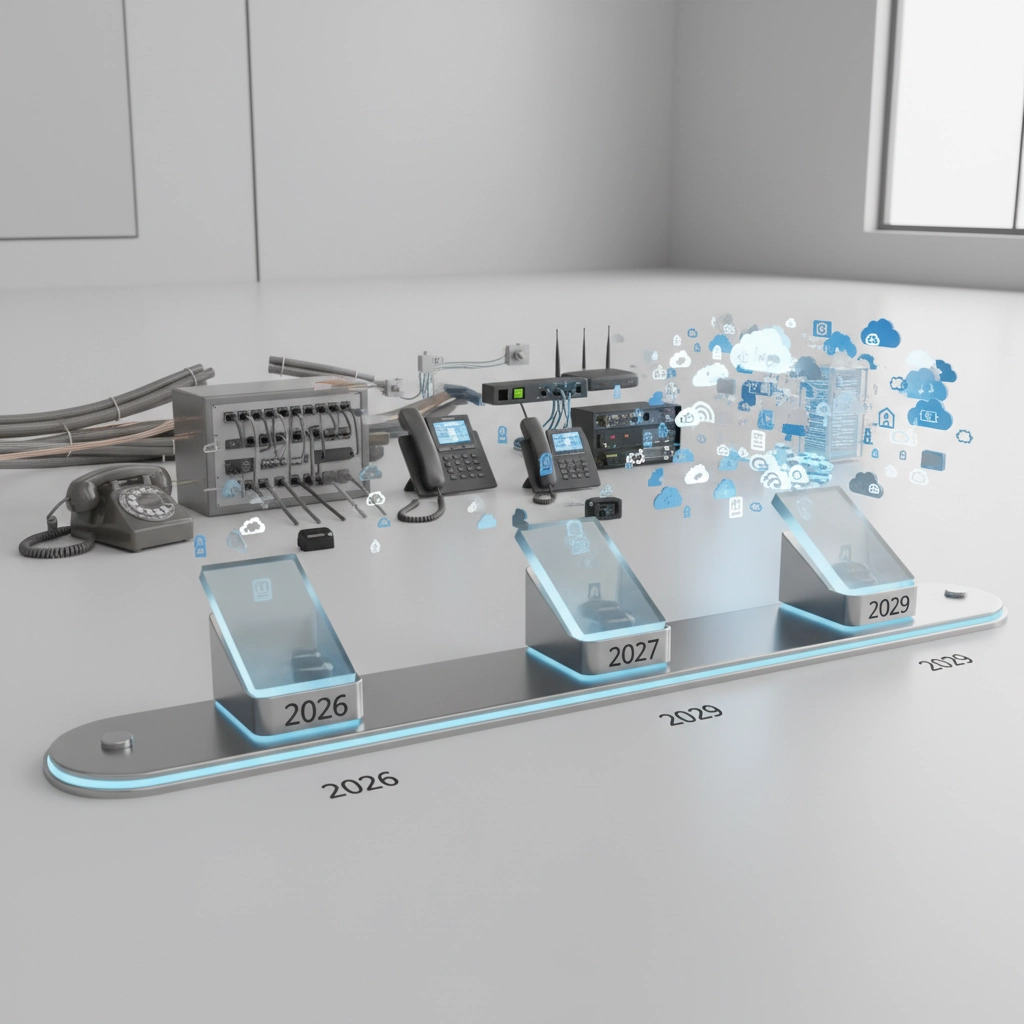
Traditional business phone lines, also known as Plain Old Telephone Service (POTS) or copper lines, are being phased out by telephone companies in favor of newer technologies such as Voice over Internet Protocol (VoIP). This is due to several factors, including the high cost of maintaining copper infrastructure and the increasing popularity of VoIP.

What Are the Options to Replace Business POTS?

There are several options available to businesses that are looking to replace their traditional phone lines. Here are a few of the most popular options:

Voice over Internet Protocol (VoIP):

VoIP is a technology that allows you to make and receive phone calls over the Internet. This can save you money on your phone bill, as you will not be charged for long-distance calls. VoIP also offers many other features, such as call forwarding, call recording, and video conferencing.

Cloud-based phone systems:

Cloud-based phone systems are hosted by a third-party provider, so you do not need to install or maintain any hardware. This can save you money and time, as you will not have to worry about purchasing, installing, or configuring equipment. Cloud-based phone systems also offer several features, such as call forwarding, call recording, and video conferencing.

Mobile phone apps:

Mobile phone apps can be used to make and receive business calls using your smartphone. This can be a convenient option for businesses that have employees who work remotely or who are frequently on the go.

Here are some of the benefits of replacing traditional phone lines with VoIP or other newer technologies:

Cost savings:

VoIP can save you money on your phone bill, as you will not be charged for long-distance calls. You may also be able to save money on maintenance costs, as you will not have to worry about maintaining copper infrastructure.
Increased flexibility: VoIP and other newer technologies offer many features that can make your business more flexible. For example, you can easily add or remove users, and you can forward calls to any device.

Improved productivity:

VoIP and other newer technologies can help to improve productivity by making it easier to communicate with customers and employees. For example, you can use video conferencing to hold meetings with employees who are located in different parts of the world.
How to Choose the Right Option for Your Business

The best option for your business will depend on your specific needs and budget. Here are a few factors to consider when making your decision:

Number of employees: If you have a small number of employees, you may be able to get by with a simple VoIP solution. However, if you have a large number of employees, you may need a more robust solution that can handle multiple calls simultaneously.

Features:

Consider the features that are important to your business. For example, if you need to be able to forward calls or record calls, you will need to make sure that the solution you choose supports these features.

Budget:

Consider how much you are willing to spend on a new phone system. VoIP solutions can be very cost-effective, but cloud-based solutions and mobile phone apps can be more expensive.
If you are not sure which option is right for your business, you can contact a telecommunications consultant for help. They can assess your needs and recommend a solution that is right for you.

Here are some additional resources that you may find helpful:

Federal Communications Commission (FCC): https://www.fcc.gov/
Consumer Reports: https://www.consumerreports.org/electronics-computers/telecom-services/buying-guide/

Request Quote To Replace Your Business Phone Lines Today!