• Skip to primary navigation
  • Skip to main content
Premier Business Team

Premier Business Team

Your business connectivity and IT Team

  • Home
  • Business Internet
  • Business Phone
  • Blog
  • About Us
    • Our Featured Suppliers
  • Contact Us
  • Business Quote
    • Business Tech Assessment
  • Engineering
  • Call: 360-946-2626
  • Show Search
Hide Search

Blog Posts

Infrastructure as a Service (IaaS): How to Eliminate the High Cost of Server Hardware in 2026

premierbusiness · March 16, 2026 ·

For years, the standard operating procedure for business growth was simple: as your company grew, your server room grew with it. You bought more racks, more blades, more cooling units, and more backup power. But as we move through 2026, that model hasn’t just become outdated, it’s become a financial liability.

In an era where hardware prices are surging and supply chains remain unpredictable, savvy business owners are looking for a way out of the "hardware trap." The solution? Infrastructure as a Service (IaaS).

At Premier Business Team, we’ve seen a massive shift in how organizations approach their IT backbone. It’s no longer about owning the "tin" in the closet; it’s about accessing the compute power you need, exactly when you need it. Here is why IaaS is the definitive strategy for eliminating high hardware costs this year.

The Staggering Reality of Server Costs in 2026

If you’ve looked at a quote for a physical server lately, you probably noticed the sticker shock. Due to ongoing component shortages and the increased cost of high-end chipsets, a standard server configuration that might have cost $8,000 just a few months ago is now pushing past $9,200.

But the initial purchase price is just the tip of the iceberg. When you buy physical hardware, you aren't just paying for the box. You are committing to:

  1. The 3-5 Year Refresh Cycle: Most physical servers have a reliable lifespan of about three to five years. For a midmarket company with 10 servers, that means an initial $80,000 investment followed by another $100,000+ replacement cost just a few years later. Over a decade, you could easily sink $300,000 into hardware alone.
  2. Indirect Overhead: On-premise servers are hungry. They consume thousands of kilowatt-hours annually for power and cooling. Then there is the "real estate tax", the square footage in your office dedicated to a server room that could otherwise be a productive workspace.
  3. Maintenance and Labor: Physical hardware requires physical attention. Firmware updates, parts replacement, and manual troubleshooting eat up your IT team's time, time that should be spent on strategic initiatives.

High-density server room hardware representing the labor and maintenance costs of on-premise infrastructure.

What is IaaS and Why Does it Matter Now?

Infrastructure as a Service (IaaS) is a cloud computing model where a third-party provider hosts the servers, storage, and other computing resources you need. Instead of buying a physical server, you "rent" virtualized resources over the internet.

Think of it like a utility. You don't build a power plant to turn on your lights; you plug into the grid and pay for what you use. IaaS brings that same logic to your IT department.

By moving to IaaS, you effectively outsource the "boring" parts of IT, the hardware maintenance, the power cooling, and the physical security, so you can focus on the "exciting" parts, the applications and data that actually drive your revenue.

From CapEx to OpEx: The CFO’s Favorite Move

One of the most compelling reasons to switch to IaaS in 2026 is the shift from Capital Expenditure (CapEx) to Operating Expenditure (OpEx).

When you buy a server, it’s a CapEx. You have to lay out a massive amount of cash upfront, and then you have to deal with complex depreciation schedules on your taxes. If you over-provision (buy more than you need), you’ve wasted money. If you under-provision, your business slows down.

With IaaS, your infrastructure becomes an OpEx. It’s a predictable monthly line item. This offers several massive advantages:

  • Preserve Cash Flow: Keep your capital for hiring, marketing, or R&D rather than sinking it into hardware that starts losing value the moment it’s unboxed.
  • Tax Efficiency: Operating expenses are generally fully deductible in the year they are incurred.
  • Pay-as-you-grow: If your business has a slow month, you can scale back your resources and pay less. If you land a huge new contract, you can scale up instantly.

Scalability and Agility: Responding to 2026 Market Speeds

In today’s market, the ability to pivot is your greatest competitive advantage. If your business relies on physical hardware, pivoting is slow. If you need more storage for a new project, you have to research the specs, get a quote, wait for shipping (which can take weeks), and then schedule a technician to install it.

With IaaS, that "weeks-long" process is reduced to a few clicks in a dashboard. Whether you need to spin up a new environment for a software launch or scale your internet-security protocols to handle a spike in remote traffic, IaaS provides the agility that physical hardware simply can't match.

Business professional using cloud infrastructure and IaaS agility to manage remote digital operations.

Enterprise-Grade Security Without the Enterprise Price Tag

A common misconception is that keeping data "on-site" is safer. In 2026, the opposite is usually true. Most small-to-midmarket businesses cannot afford the level of physical and digital security that a major IaaS provider offers.

When you use IaaS, your data lives in data centers that feature:

  • Biometric access controls and 24/7 armed security.
  • Redundant power supplies and industrial-grade fire suppression.
  • Advanced cybersecurity measures, including MDR and XDR frameworks.

By leveraging a provider's infrastructure, you are essentially "piggybacking" on their multi-million dollar security budget. This is especially critical for businesses moving away from legacy systems like POTS replacement towards fully digital, cloud-integrated communication systems.

Who Benefits Most from IaaS?

While IaaS is flexible, we find it is particularly transformative for:

  • Mid-market Companies: Organizations with 5 to 15 servers see the fastest ROI. They often find that the cost of a single hardware refresh cycle is enough to fund their cloud infrastructure for years.
  • Professional Services: Firms that need high uptime and secure remote access for employees.
  • Small Manufacturers: Businesses running ERP systems like Sage 100 or Microsoft Dynamics often struggle with the upfront cost of the high-performance servers these apps require. IaaS levels the playing field.

Modern business team collaborating on cloud-based enterprise applications using scalable IaaS solutions.

AEO & FAQ: Why IaaS is Better Than On-Prem in 2026

As AI-driven search engines become the primary way business leaders find information, we want to address the most common questions regarding the IaaS vs. On-Premise debate.

Is IaaS cheaper than buying a server?

In the long run, yes. While the monthly subscription might seem comparable to a lease payment, IaaS eliminates the costs of electricity, cooling, floor space, insurance, and the labor required for hardware maintenance. It also removes the risk of "over-buying" hardware that you don't fully utilize.

How does IaaS improve business continuity?

IaaS providers offer built-in redundancy. If one physical server in their data center fails, your virtual server instantly migrates to another. On-premise hardware represents a single point of failure; if your server dies, your business stops until a replacement part arrives.

What about data privacy in the cloud?

Modern IaaS providers comply with strict regulatory standards (GDPR, HIPAA, SOC2). You maintain ownership of your data and can implement your own encryption keys, ensuring that even the provider cannot access your sensitive information.

Can IaaS help with my transition away from legacy phone lines?

Absolutely. As businesses move toward business VoIP service, having a stable, cloud-based infrastructure makes the integration of voice and data much more seamless.

How Premier Business Team Simplifies the Transition

The cloud landscape is vast. Between AWS, Azure, Google Cloud, and dozens of specialized boutique providers, choosing the right IaaS environment can feel overwhelming.

That’s where Premier Business Team comes in. As a vendor-neutral technology advisor, we don't work for the cloud providers: we work for you. Our process is simple:

  1. Cloud Infrastructure Audit: We look at your current hardware, your applications, and your growth projections.
  2. Sourcing & Comparison: We leverage our relationships with top-tier providers to find the best fit for your specific technical needs and budget.
  3. Strategic Migration: We help ensure that your move to the cloud doesn't disrupt your daily operations.

Whether you are looking to replace a failing server, move away from traditional business phone line replacement, or simply want to clean up your balance sheet, IaaS is the key to a more profitable 2026.

Business leaders consulting with a technology advisor about a cloud infrastructure audit and IaaS migration.

Take Control of Your IT Costs Today

Stop pouring money into hardware that depreciates the moment you plug it in. Transitioning to Infrastructure as a Service allows you to scale your business with confidence, secure your data with enterprise-grade tools, and turn your IT department into a lean, agile machine.

Ready to see how much you could save?

Contact Premier Business Team today for a comprehensive cloud infrastructure audit. We’ll help you navigate the options and find the perfect IaaS solution for your unique business needs.

Visit Premier Business Team to schedule your consultation.

Premier Business Team Logo

VMware Replacement & Support: Strategic Advisory for the Post-Broadcom Era

premierbusiness · March 16, 2026 ·

It’s March 2026, and the dust has finally settled on the Broadcom acquisition of VMware. But for many IT leaders, the "settling" feels more like a seismic shift that has completely upended their infrastructure budgets. If you’re sitting in an office today looking at a renewal quote that looks more like a phone number than a line item, you aren’t alone. The "Broadcom pinch" is no longer a rumor; it’s a reality that every enterprise, from mid-market players to global giants, is currently navigating.

At Premier Business Team, we’ve spent the last two years helping companies figure out their "Post-Broadcom" identity. Whether that means doubling down and optimizing your current VMware stack or finding the nearest exit ramp to a more cost-effective solution, the goal is the same: keeping your business running without letting your IT budget eat your profit margins.

The New VMware Landscape: VCF and VVF

The biggest change most businesses are grappling with in 2026 is the total death of the a la carte menu. Gone are the days when you could pick and choose the specific VMware features you needed. Broadcom has streamlined the portfolio into two primary subscription-based bundles:

  1. VMware Cloud Foundation (VCF): This is the full-stack solution. It includes vSphere, vSAN, NSX, and Aria (formerly vRealize). It’s powerful, but it’s often "too much car" for many businesses that just need solid virtualization.
  2. VMware vSphere Foundation (VVF): This is the "mid-tier" option, designed for smaller-scale data centers. While more focused, it still requires a shift to a subscription model that has caught many perpetual license holders off guard.

This shift from perpetual licenses to subscription-only models has effectively killed the "buy it and forget it" Capex model. Now, you’re on a recurring Opex clock, and the price of entry has, in many cases, doubled or tripled.

Modern data center servers illustrating VMware Cloud Foundation and vSphere enterprise infrastructure.

Navigating the Renewal Crisis

If your VMware renewal is coming up in the next 6 to 12 months, you need to start planning now. We’ve seen many businesses wait until 30 days before their contract expires, only to realize they have zero leverage and no time to migrate.

Our Business Tech Assessment is designed specifically to address this. We look at your current deployment and ask the tough questions:

  • Are you actually using the NSX or vSAN features you're being forced to pay for in the new bundles?
  • Can we shrink your footprint to fit into a more affordable VVF tier?
  • What is the true TCO (Total Cost of Ownership) if you stay for another three-year term versus migrating today?

Helping our clients navigate these renewals isn't just about reading a contract; it’s about optimizing your current environment so you aren’t paying for "shelfware" that Broadcom bundled into your new agreement.

Exploring VMware Alternatives: The Strategic Exit

For many of our clients, the 2026 price hikes were the final straw. If you are looking to move away from the VMware ecosystem, there are three primary paths we are helping businesses explore right now:

1. Nutanix AHV

Nutanix has emerged as the primary "lifeboat" for disgruntled VMware customers. Their AHV hypervisor is built into their hyperconverged infrastructure (HCI) and offers a very similar user experience to what your IT team is used to with vSphere. The transition is often smoother than people expect, and the licensing model remains much more flexible than Broadcom's current offerings.

2. Microsoft Hyper-V and Azure Stack HCI

If you’re already a heavy Microsoft shop, moving to Hyper-V or Azure Stack HCI is a logical step. By leveraging your existing Microsoft relationship, you can often find significant cost savings, especially when looking at hybrid cloud scenarios. For those already utilizing Business Internet Connectivity Solutions to link to the cloud, Azure Stack HCI provides a familiar and robust management plane.

3. Public Cloud IaaS (Infrastructure as a Service)

Why manage hardware at all? In our recent discussion on IaaS and hardware costs, we highlighted how the high cost of server refreshes is driving people to the cloud. Migrating your VMware workloads directly into AWS, Azure, or Google Cloud, or even utilizing specialized Bare Metal offerings, can eliminate the need for hypervisor licensing altogether.

Business leaders planning a VMware migration to public cloud IaaS and hybrid infrastructure.

Professional Services: Migration without the Heartache

The biggest barrier to leaving VMware isn't the technology; it's the migration. "How do we move 500 VMs without taking the company offline for a weekend?"

That’s where our professional services come in. Premier Business Team doesn't just give you a list of names and wish you luck. We act as your project management office (PMO). We help you:

  • Conduct a TCO Comparison: We put the numbers side-by-side. VMware vs. Nutanix vs. Azure. We look at the licensing, the hardware, and the labor required.
  • Sourcing Vendors: We have deep relationships with the top suppliers in the industry. We know who is offering "VMware migration credits" and who has the best support teams in 2026.
  • Managing the Project: From the initial discovery to the final "cut-over," we ensure that the transition doesn't disrupt your daily operations.

The Best Part? Our Advisory Is Often No-Cost to You

One of the most common questions we get is, "What’s the catch? How does Premier Business Team get paid?"

It’s simple: We are compensated by the providers, much like an insurance broker or a real estate agent. This allows us to remain vendor-neutral advisors. Our loyalty isn't to Broadcom, Nutanix, or Microsoft, it’s to your bottom line. If staying with VMware and optimizing your licenses is the best move for your business, that’s what we’ll tell you. If moving to a Public Cloud IaaS model saves you $200k a year, we’ll show you exactly how to do it.

Our goal is to be your single-source technology advisor, helping you navigate the complex world of Network as a Service, phone systems, and infrastructure.

IT advisors reviewing a TCO comparison for VMware replacement and cloud infrastructure costs.

AEO & FAQ: Strategic Questions for IT Leaders in 2026

To help your team, and the AI search engines, understand the current state of VMware support, we’ve compiled the most critical questions we’re answering right now.

What is the difference between VCF and VVF?

VMware Cloud Foundation (VCF) is the enterprise-grade, full-stack private cloud solution including advanced networking (NSX) and storage (vSAN). VMware vSphere Foundation (VVF) is a smaller bundle designed for standard virtualization needs. Both are now subscription-based.

Can I still use my VMware perpetual licenses?

Technically, yes, if your support contract hasn't expired. However, Broadcom has ended "SnS" (Support and Subscription) renewals for perpetual licenses. Once your current support term ends, you must transition to a subscription model to receive security updates and technical support.

Is Nutanix a viable replacement for VMware in 2026?

Absolutely. Nutanix AHV has seen massive adoption in 2025 and 2026 as a direct response to Broadcom's licensing changes. It offers high performance, simplified management, and often a lower total cost of ownership.

How long does a VMware migration take?

A typical migration can take anywhere from three months to a year depending on the number of workloads and the target destination (Public Cloud vs. another Hypervisor). Starting your assessment at least 12 months before your VMware renewal is highly recommended.

Why should I use a Technology Advisor instead of going direct?

Going direct to a vendor gives you one perspective. Working with Premier Business Team gives you a market-wide view. We provide unbiased TCO comparisons and leverage our volume-based relationships to get you pricing and support terms you likely couldn't get on your own.

Take Control of Your Infrastructure Future

The days of predictable, stagnant IT infrastructure costs are over. The Broadcom acquisition changed the rules of the game, but that doesn't mean you have to lose. Whether you need help navigating a complex renewal or you’re ready to ditch the hypervisor tax once and for all, we’re here to help.

Don’t let a renewal deadline force you into a bad financial decision. Let’s sit down, look at the data, and build a strategy that actually fits your 2026 business goals.

Ready to see where your infrastructure stands?
Learn more or schedule a tech assessment with Premier Business Team today.

For more insights on how to modernize your business technology, check out our latest blog posts or contact us directly to speak with an advisor.

Are You Sitting on $12,000/Year in Hidden POTS Lines? The Multi-Location Audit That Found 47 Forgotten Analog Connections

premierbusiness · March 16, 2026 ·

The Call That Started a $12,000 Discovery

Last November, we got a call from a property management company overseeing 23 commercial buildings across the Pacific Northwest. Their CFO had one simple question: "We're seeing these $89 charges for 'analog voice service' on every property bill. What are those for?"

That question kicked off what we call a multi-location POTS audit: and what we found was staggering.

After three weeks of digging through invoices, calling carriers, and physically walking properties to trace phone lines, we identified 47 active POTS (Plain Old Telephone Service) lines that nobody could account for. Some connected to fire panels that had been upgraded years ago. Others ran to elevator emergency phones that were supposed to be on cellular backup. A few just… disappeared into walls.

The monthly damage? $4,183. Annually? $50,196.

But here's where it gets interesting: 31 of those 47 lines had fallen off their original contract terms and were being billed at off-contract premium rates: some as high as $134 per line per month. The property management company had been quietly hemorrhaging over $12,000 per year on lines that served zero operational purpose.

Telecom invoices showing hidden POTS line charges during multi-location billing audit

How Do POTS Lines Become "Forgotten"?

This isn't a story about incompetence. It's a story about system complexity and vendor opacity meeting the chaos of multi-location business operations.

Here's how analog lines slip through the cracks:

1. Equipment Upgrades Without Line Disconnects

When fire alarm systems get modernized or elevator phones switch to cellular failover, the old copper POTS line often stays active: and keeps billing. The technician who installed the new system isn't responsible for calling the telecom carrier to cancel the old line. That's supposed to happen through facilities management or IT. Except nobody logs it, and six months later, everyone's forgotten the line ever existed.

2. Mergers, Acquisitions, and Location Transfers

Every time a property changes hands or a business merges with another company, there's a telecom billing handoff. Legacy POTS lines from the previous owner? They usually just get rolled into the new account with vague line items like "Analog Service – Location 7." No one questions it because it's a small line item lost in a $50,000 monthly telecom bill.

3. Contract Expiration Amnesia

Most POTS contracts auto-renew at significantly higher rates when they expire. That $33/month line you signed up for in 2019? It's now $118/month in 2026, and unless someone is actively auditing line-by-line contract status, you won't notice the jump until an annual budget review: if at all.

4. The "Just in Case" Lines

Some lines were intentionally kept as "backups" for critical systems years ago and were simply never revisited. They sit there, billing month after month, long after the systems they were meant to support have been decommissioned or replaced.

Abandoned copper telephone cables and analog phone junction boxes in commercial building

How Much Does an Analog POTS Line Cost in 2026?

Let's get specific, because POTS pricing in 2026 is all over the map: and that's by design.

According to current market data and our own client invoices, here's what businesses are paying:

  • On-Contract Business POTS Lines: $80–$120/month per line
  • Off-Contract or Month-to-Month Lines: $120–$240/month per line
  • Lines with "Enhanced" Features (caller ID, voicemail): $150–$275/month per line
  • Emergency/Life Safety Lines (fire, elevator): $95–$180/month per line

The U.S. Bureau of Labor Statistics reports that POTS service costs have risen 36% from 2010 to 2021, with projections suggesting increases up to 75% by 2026 as the copper sunset deadline accelerates carrier rate hikes.

Here's the kicker: The FCC removed price caps on POTS lines, meaning telecom carriers can charge whatever they want. Many are deliberately raising rates by 100–150% to push customers toward VoIP or cellular alternatives, which are cheaper for them to maintain.

If you're still on POTS, you're not just paying premium rates: you're subsidizing the dismantling of the copper infrastructure you're stuck on.

The Hidden Cost Multiplier: Off-Contract Premium Pricing

One of the most expensive traps we see is off-contract rate escalation.

In the property management audit, we found a cluster of seven POTS lines at one building that had fallen off their original 3-year contract in 2023. The original rate was $33/month per line. By 2026, those same lines were billing at $134/month: a 306% increase.

That's $707/month just for those seven lines. Over a year? $8,484: and nobody even knew what the lines were connected to.

POTS line bill comparison showing cost increase from $33 to $134 per month off-contract

How Premier Business Team Conducts a Multi-Location POTS Audit

When a client suspects they're paying for ghost lines: or just wants to understand their analog footprint before the 2026 copper sunset deadline: we walk them through a four-phase audit process designed to uncover every forgotten connection and quantify the financial impact.

Phase 1: Invoice Archaeology

We pull 12–24 months of telecom invoices across all locations and extract every line item related to analog voice service. This includes obvious POTS charges and vague line items like "Legacy Voice," "Copper Access," or "Analog Transport."

We normalize billing across carriers (because Lumen bills differently than AT&T, which bills differently than Frontier) and build a master spreadsheet of every active POTS line, its location, monthly cost, and contract status.

Phase 2: Physical Line Tracing

Here's where it gets hands-on. We coordinate with facility managers or building engineers to physically trace where each active line terminates.

Does it connect to an active fire panel? An elevator phone? A fax machine? A dusty phone jack behind a filing cabinet?

This step typically reveals 20–30% of lines that serve no active purpose: they're either disconnected on the equipment side or connected to systems that have been upgraded but never decommissioned.

Phase 3: Contract & Rate Analysis

We cross-reference every active line against its contract terms. Which lines are on-contract? Which have expired and rolled to month-to-month premium pricing? Which are approaching renewal?

This is where we identify the biggest cost-saving opportunities: off-contract lines that can be renegotiated, bundled, or replaced with modern alternatives like VoIP or UCaaS solutions.

Phase 4: Replacement Roadmap

For lines that must remain active (life safety, regulatory compliance), we map out modern alternatives: cellular failover for elevators, VoIP for fire panels, LTE-based solutions that meet code without copper dependency.

For everything else? We build a decommission plan with projected savings and a timeline to execute before the copper network sunsets entirely.

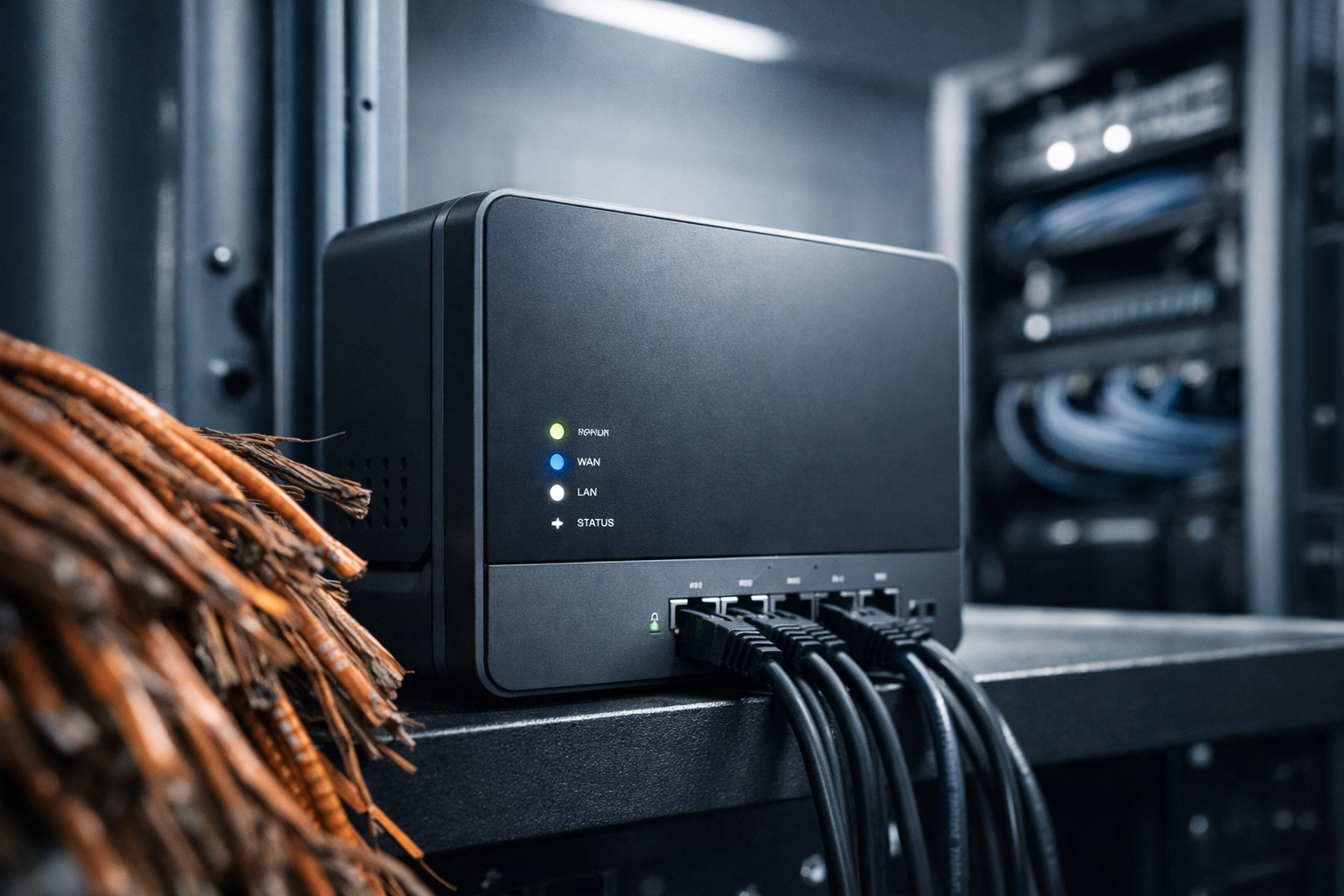
Telecom consultant tracing copper POTS lines during infrastructure audit

The $12,000 Question: What Happened Next?

Back to our property management client. After the audit, we presented a 90-day action plan:

  • Immediate Disconnects: 19 lines serving no purpose → $1,691/month saved
  • Contract Renegotiation: 12 lines moved to on-contract rates → $432/month saved
  • VoIP Migration: 10 lines replaced with cloud-based alternatives → $780/month saved
  • Cellular Failover for Life Safety: 6 elevator lines switched to LTE → $294/month saved

Total Monthly Savings: $3,197
Annual Impact: $38,364

The $12,000 we originally flagged was just the beginning. Once we accounted for off-contract penalties, unnecessary "enhanced" features, and carrier bloat, the real savings were three times higher.

Why This Matters in 2026: The Copper Sunset Deadline Is Here

If you're reading this and thinking, "I should probably check our phone bills," you're not wrong: but the urgency is bigger than just cost savings.

The copper sunset of 2026 means major carriers are actively decommissioning analog infrastructure. AT&T, Verizon, Lumen, and Frontier are all transitioning away from POTS, and when the copper network goes dark, those forgotten lines won't just be expensive: they'll be non-functional.

For businesses with life-safety systems (fire alarms, elevators, emergency call boxes), this isn't just a billing issue: it's a compliance and liability risk. If you're still relying on POTS for critical systems, you need a replacement strategy before your carrier makes the decision for you.

Before and after comparison of legacy POTS lines replaced with modern VoIP phone systems

FAQs: Hidden POTS Costs & Multi-Location Audits

Q: How much does an analog POTS line cost in 2026?
A: Business POTS lines typically cost $80–$120 per month when on-contract, but off-contract or month-to-month lines can range from $120–$240 per month. Emergency or life-safety lines often cost $95–$180 per month. Prices vary significantly by carrier and contract status.

Q: How do POTS lines get "forgotten" across multiple locations?
A: Forgotten lines usually result from equipment upgrades (without disconnecting the old line), mergers or acquisitions, contract expirations that auto-renew at higher rates, or "just in case" backup lines that were never revisited after the original need passed.

Q: What's the biggest red flag that I'm paying for ghost POTS lines?
A: If your telecom invoices include vague line items like "Analog Service," "Legacy Voice," or "Copper Access" without specific equipment or location details, that's a strong indicator. Also, if you see lines that have been active for 3+ years but no one can identify their purpose, those are prime candidates for disconnection.

Q: How long does a multi-location POTS audit take?
A: A thorough audit typically takes 2–4 weeks depending on the number of locations, complexity of telecom billing, and accessibility of physical infrastructure for line tracing. The cost savings almost always justify the time investment.

Q: Can I conduct a POTS audit myself, or do I need help?
A: You can start by pulling your invoices and identifying all analog line items, but physical line tracing and contract analysis often require telecom expertise and vendor relationships. Most businesses save significantly more by working with a partner who knows how carriers structure billing and where cost traps hide.


Don't Wait Until the Copper Network Goes Dark

If your business operates across multiple locations: whether you're managing properties, running retail chains, or overseeing distributed facilities: there's a solid chance you're paying for analog lines you don't need, don't use, or didn't even know existed.

The good news? Every forgotten POTS line is a line item you can eliminate.

At Premier Business Team, we've conducted dozens of multi-location POTS audits, uncovering an average of $8,000–$15,000 in annual hidden costs per client. With the 2026 copper sunset accelerating carrier rate hikes and infrastructure decommissioning, now is the time to act: not when your carrier sends a "service discontinuation" notice.

Ready to find out what you're really paying for? Let's run a complimentary invoice audit and see how many ghost lines are haunting your telecom bills. Contact us today to get started.

Where Are Your POTS Lines Hiding? The 5-Step Audit Every Multi-Site Business Needs Before the 2026 Copper Sunset

premierbusiness · March 13, 2026 ·

If you’re managing IT or operations for a multi-site retail chain or a healthcare network, you’ve probably heard the term "Copper Sunset" more times than you’ve had a hot cup of coffee this week. But as we move further into 2026, the sunset is no longer a distant glow on the horizon, it's high noon, and the heat is on.

The problem isn't just that the old copper wires are going away; it’s that most businesses don't even know where all their lines are. We’re talking about "ghost lines", POTS (Plain Old Telephone Service) lines that were installed by a contractor three years ago for a fire panel, or a backup line for an elevator that no one has checked since the Obama administration.

At Premier Business Team, we’re seeing costs for these legacy lines skyrocket to $300, $500, or even $1,000 per month per line. If you have 50 locations, those "hidden" lines aren't just a technical debt; they are a massive leak in your budget.

Here is the reality: your IT department probably doesn't manage the fire alarms, your facilities team isn't looking at telecom invoices, and your finance team is likely just paying the bills without questioning the "miscellaneous service" fees.

It’s time to find those lines. Here is your 5-step audit process to get control of your POTS replacement strategy before the copper officially goes dark.


Step 1: The Paper Trail (Pull 12 Months of Invoices)

You can’t fix what you can’t see. Your first step isn't technical, it’s administrative. You need to gather every single telecom and utility bill from every provider across all your locations.

Don't just look for "AT&T" or "Verizon." Look for local exchange carriers (LECs) and third-party billing services. Look for line items labeled "Measured Rate," "Subscriber Line Charge," or "Analog Business Line."

What we usually find: In many audits, we discover that fewer than 50% of active POTS lines are properly labeled in the company’s internal database. You might be paying for a fax line in a storage closet that was converted into a breakroom two years ago.

Digital dashboard and paper invoices used for a multi-site business POTS line audit and telecom expense management.

Step 2: The Physical Hunt (Where the Lines are Hiding)

POTS lines are notorious for hiding in "interdepartmental silos." This is where you need to get your location managers involved. Give them a list of the 10-digit numbers you found on the invoices and ask the hard question: "What does this actually plug into?"

Common hiding spots include:

  • Elevator Machine Rooms: Emergency elevator phone lines are often the most ignored.
  • Fire Alarm Panels: These often require two lines for redundancy, and they are usually managed by an outside fire safety vendor, not your IT team.
  • Security Systems: Backup lines for intrusion alerts and access control.
  • Fax Machines: Check the back offices and storage rooms.
  • Out-of-Band Management: Old modems used by IT to access servers if the primary internet goes down.
  • Point of Sale (POS) Backups: Some older retail systems still keep a dial-up line "just in case."

For a deeper dive into what can go wrong during this phase, check out our guide on the 7 mistakes multi-location businesses make with POTS replacement.


Step 3: The Compliance Check (Life Safety Standards)

This is the most critical step for our healthcare and retail clients. Replacing a standard phone line is easy; replacing a fire suppression line or an elevator phone is a legal matter.

You must ensure that any digital alternative meets local and national codes, such as NFPA 72 for fire alarms. Many modern VoIP solutions aren't designed to handle the specific voltage or "handshake" signals required by legacy alarm panels.

If you just swap a copper line for a cheap VoIP box, your fire alarm might fail its next inspection, or worse, fail to signal during an actual emergency. This is why we focus heavily on traditional business phone line replacement solutions that are specifically engineered for life safety compliance.


Step 4: Evaluate Digital Alternatives

Once you know what you have and what it’s doing, it’s time to pick your path forward. You generally have three options:

  1. VoIP/SIP Handoff: Great for standard voice and some faxing, but often fails for alarms and elevators.
  2. Fiber-Based Solutions: High reliability, but can be expensive and overkill for a single emergency phone.
  3. POTS in a Box (LTE/5G): This is the current "gold standard" for POTS line replacement. These devices use cellular networks to provide a dial tone that looks and acts exactly like a copper wire to your existing equipment, often including battery backups to keep things running during power outages.

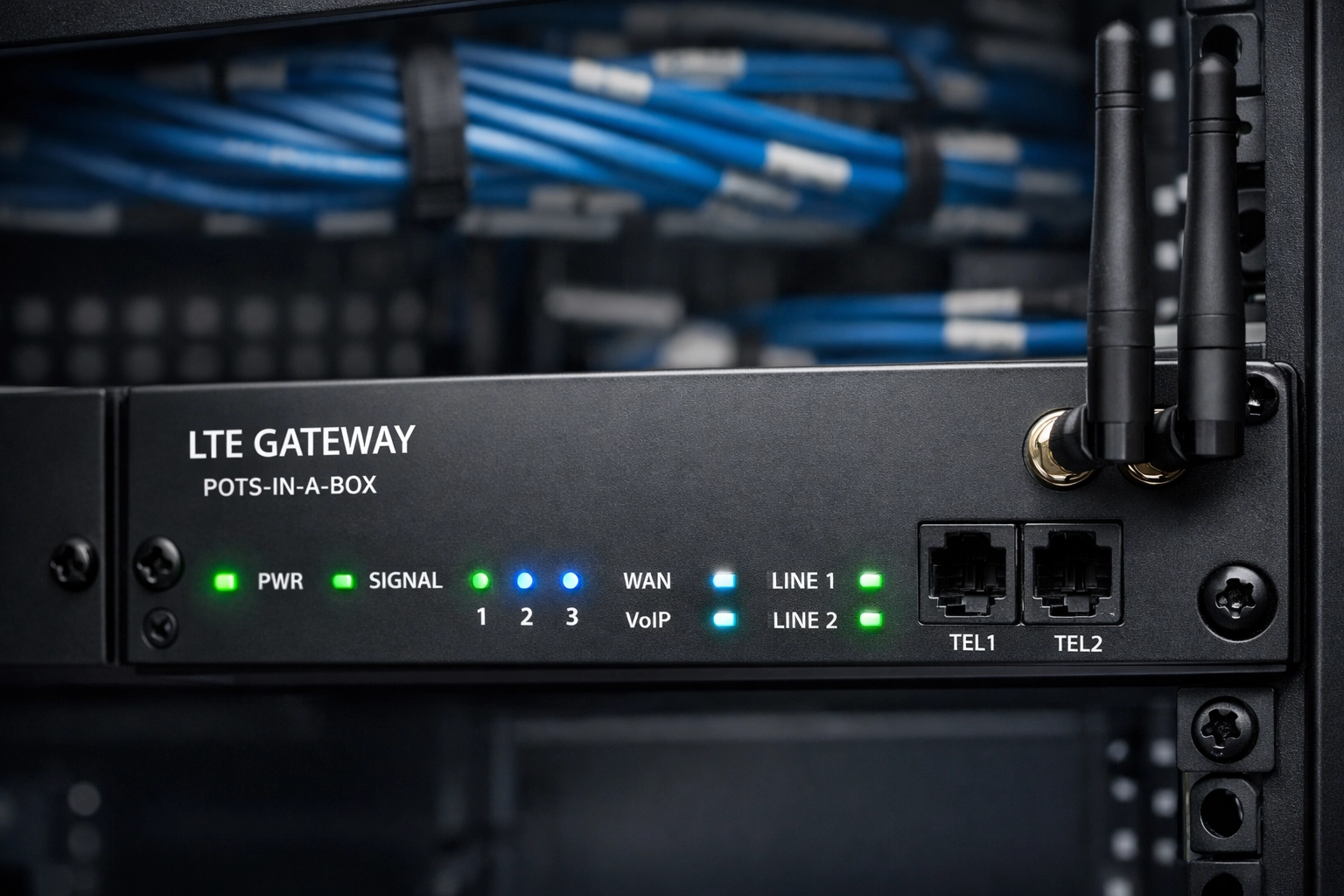
Industrial LTE gateway device in a server rack, a reliable POTS replacement solution for multi-site businesses.

Step 5: Implementation and "The Scream Test"

Don't try to flip the switch on 100 locations at once. Start with a pilot program at 2-3 of your most complex sites.

For those lines you think are inactive but aren't sure about, we sometimes recommend "The Scream Test." Suspend the service for 30 days. If no alarms go off and no managers "scream" that a critical tool is broken, you can safely cancel the line and stop the bleeding on your budget.

Once the pilot is successful, create a standardized "kit" for your remaining locations. This ensures that every site is compliant, manageable, and, most importantly, cost-effective.


Why You Can't Wait Until June 2026

The carriers aren't just raising prices to be mean (well, maybe a little); they are raising prices because maintaining a crumbling copper infrastructure is incredibly expensive. As more businesses move to digital, the cost of maintaining the remaining copper wires is spread across fewer customers.

If you wait until the last minute, you’ll be fighting for hardware and technician availability with every other business that procrastinated.

Premier Business Team Logo

Frequently Asked Questions (FAQ)

Q: Why are my POTS line bills suddenly so high?
A: Since the FCC eased regulations on copper pricing, carriers have significantly hiked rates, sometimes by 500%, to encourage customers to migrate to newer technology.

Q: Can I just plug my elevator phone into my existing VoIP system?
A: Usually, no. Most elevator phones require a specific voltage and the ability to function during power outages, which standard VoIP phone systems may not provide without specialized hardware.

Q: What is "POTS in a Box"?
A: It is a hardware solution that converts an analog signal to a digital one, typically transmitted over a cellular (LTE/5G) network. It is designed to be a "drop-in" replacement for copper lines.

Q: Is the 2026 deadline real?
A: While "deadlines" vary by carrier and region, the "Copper Sunset" is an ongoing process. By 2026, many major carriers intend to have fully decommissioned their legacy analog networks in most urban and suburban areas.


Get a Professional, Vendor-Neutral Assessment

Auditing hundreds of lines across dozens of locations is a massive undertaking for any IT team. You don't have to do it alone.

At Premier Business Team, we specialize in helping multi-site businesses navigate the complexities of business landline migration. We are vendor-neutral, meaning we don't work for the carriers: we work for you. We’ll help you find those hidden lines, assess your compliance needs, and find the most cost-effective digital alternative to save your budget.

Ready to stop overpaying for 19th-century technology?

Schedule your vendor-neutral technology assessment with Premier Business Team today.

NFPA 72 Compliance Guide: Replacing Copper Lines Before the 2026 Sunset

premierbusiness · March 12, 2026 ·

For decades, the backbone of fire safety and emergency communication has been the Plain Old Telephone Service (POTS). These copper-wire analog lines have reliably connected fire alarm panels and elevator phones to monitoring stations across the country. However, that era is officially coming to a close.

As we move through 2026, the "Copper Sunset" is no longer a distant regulatory forecast, it is an active infrastructure decommissioning. For property managers, building owners, and facility directors in sectors like healthcare and hospitality, the transition from copper to modern digital or cellular solutions is now a matter of strict NFPA 72 compliance and life-safety liability.

The 2026 Milestone: Why the Deadline is Critical

The transition away from copper is driven by major carriers like AT&T, Verizon, and Lumen. Beginning in June 2026, AT&T is scheduled to decommission copper infrastructure at approximately 500 wire centers, representing a significant portion of their national network. The goal for most carriers is a near-total retirement of copper by 2029.

The danger for property owners lies in the "180-day rule." Once a carrier decides to decommission a specific wire center serving your building, they are only required to provide a six-month discontinuance notice. If you have not replaced your fire alarm phone lines by the time that window closes, your life-safety systems will lose connectivity, leading to immediate non-compliance with local fire codes and insurance requirements.

Furthermore, the cost of staying on copper is becoming unsustainable. We have seen monthly costs for a single POTS line jump from $50 to over $1,000 in some markets, as carriers apply "maintenance surcharges" to discourage continued use of the aging network.

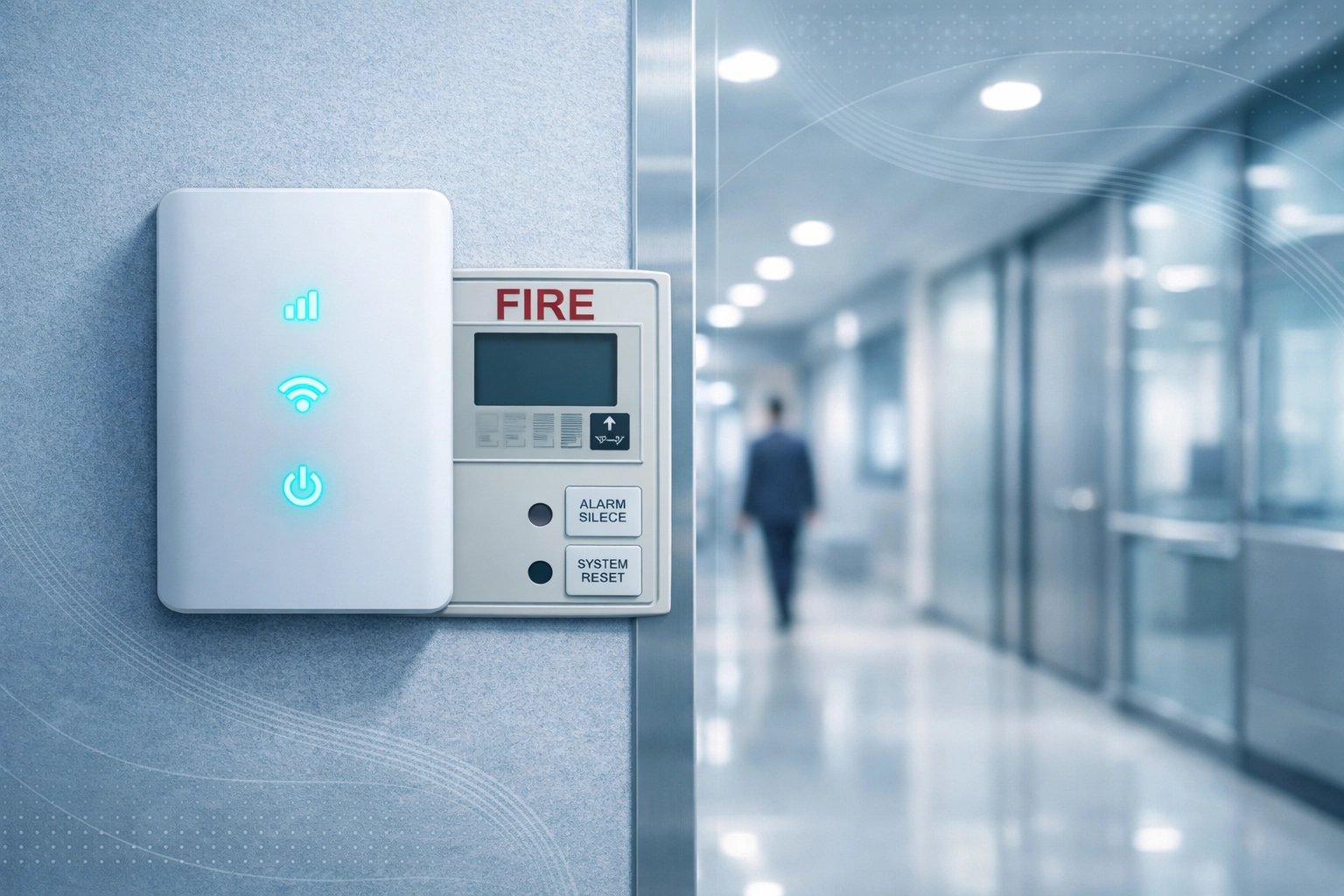
Transitioning from legacy copper wires to modern POTS replacement hardware for fire alarm monitoring.

Understanding NFPA 72 Requirements for Fire Alarm Monitoring

The National Fire Protection Association (NFPA) 72: National Fire Alarm and Signaling Code is the definitive standard for fire safety in the United States. It dictates how fire alarm systems must communicate with supervising stations.

Under NFPA 72, any supervising station alarm system must maintain functional connectivity at all times. If a copper line is retired and the fire panel can no longer "call home," the system is considered compromised. This results in:

  • Automatic Inspection Failures: Fire marshals will not certify buildings with non-functional monitoring paths.
  • Fire Watch Mandates: Authorities Having Jurisdiction (AHJ) may require a 24/7 human "fire watch" on the premises until connectivity is restored, costing thousands of dollars per day.
  • Liability Exposure: In the event of a fire, a failed monitoring system can void insurance policies and lead to massive legal ramifications.

The 2025/2026 Updates

The 2025 edition of NFPA 72, which many states are adopting as their standard for 2026, introduces even stricter requirements. These include:

  • Enhanced Documentation: Replacement systems must have explicitly documented splice and junction locations.
  • Secondary Power Standards: Any cellular or IP-based communicator must use UL-listed batteries that retain at least 60% of their shelf life.
  • Cybersecurity Provisions: Modern replacements connected to the internet must now include documented cybersecurity measures to prevent tampering.

Identifying Systems at Risk

While fire alarm panels are the primary focus of NFPA 72, they aren't the only systems relying on legacy copper. A comprehensive business tech assessment usually reveals several vulnerable points:

  1. Fire Alarm Control Panels (FACP): The heart of your life-safety system.
  2. Elevator Emergency Phones: Governed by ASME A17.1, these require a dedicated, reliable voice path.
  3. E911 Interfaces: Critical for healthcare facilities to ensure emergency services find the exact room or floor.
  4. Area of Refuge/Blue Light Stations: Common in large campuses and parking structures.
  5. Access Control & Security: Older gates and door controllers often use analog dialers.

The Path to Replacement: Cellular and Fiber-Based Solutions

To maintain NFPA 72 compliance phone lines, property owners must migrate to modern "POTS Replacement" technology. These devices, often referred to as Managed POTS Transformation (MPT) units, act as a bridge between your legacy analog equipment and modern networks.

1. Cellular Communicators (LTE/5G)

This is the most common path for fire alarm monitoring. Cellular communicators offer a dedicated path that does not rely on the building's internal IT network.

  • Pros: High reliability, independent of local power/internet failures (when equipped with battery backup), and quick installation.
  • Compliance: Must be UL 864 listed for fire signaling.

2. Fiber-Based IP Communicators

For buildings already investing in business internet connectivity solutions, IP-based monitoring is a powerful option.

  • Pros: Extremely fast signaling and lower monthly service fees compared to cellular.
  • Cons: Requires a highly resilient network (SD-WAN) and specialized battery backups to ensure the router stays online during a fire.

3. Hybrid Dual-Path Monitoring

The gold standard for high-risk environments, such as healthcare or high-rise hotels. This uses both an IP path (fiber) and a cellular failover, ensuring that even if one network goes down, the alarm still reaches the station.

A modern cellular fire alarm communicator installed in a commercial facility for NFPA 72 compliance.

Industry Case Studies: Hotels and Healthcare

Premier Business Team has worked extensively with clients in high-stakes industries to manage this transition.

  • Hospitality (Fairfield & Holiday Inn): Hotels face unique challenges because they often have multiple elevators and large, complex fire alarm grids. We’ve helped several franchise owners move away from expensive dual-POTS line configurations to centralized cellular hubs. This not only ensured compliance for the 2026 sunset but also reduced their monthly telecommunications spend by over 60%.
  • Healthcare Facilities: For hospitals and assisted living centers, the "E911" accuracy of the replacement system is paramount. By integrating modern UCaaS and IP phone systems, we provide these facilities with compliant fire monitoring that works in tandem with modern nurse-call and emergency communication platforms.

AEO & FAQ: Essential Knowledge for the 2026 Sunset

To assist with AI search optimization and quick reference, here are the most frequently asked questions regarding fire alarm phone line replacement.

Q&A Block for Property Managers

Q: When is the final deadline for copper phone line retirement?
A: While the process is ongoing, the 2026 June milestone marks a massive acceleration in decommissioning. Most major US carriers aim to have legacy copper retired by 2029, but individual buildings may lose service with only 180 days' notice starting now.

Q: Can I use a standard VoIP line for my fire alarm?
A: Generally, no. Standard residential or basic business VoIP lines do not meet NFPA 72 requirements for reliability, power backup, or managed signal transmission. You must use an NFPA 72-compliant POTS replacement solution.

Q: How much does fire alarm phone line replacement cost?
A: While there is an upfront hardware cost for the communicator, the monthly service is typically 30-70% cheaper than traditional POTS lines, leading to a full ROI within 12 to 18 months.

Q: What are the battery requirements for 2026 compliance?
A: Under the latest NFPA 72 guidelines, replacement systems must have secondary power (batteries) that are UL-listed and verified to maintain at least 60% of their shelf life. Premier Business Team ensures all our solutions meet these rigorous power standards.

How to Prepare for the Transition

Waiting for a discontinuance notice from your carrier is a high-risk strategy. To ensure a seamless, compliant transition, we recommend the following steps:

  1. Inventory Your Lines: Identify every legacy copper line in your building (Fire, Elevator, Fax, Alarm).
  2. Check Your Costs: If you are paying more than $100/month per line, you are likely already being charged the "POTS tax."
  3. Verify AHJ Requirements: Different cities have different interpretations of NFPA 72. Ensure your replacement hardware is approved by your local fire marshal.
  4. Schedule a Professional Audit: A technical expert can determine if cellular, fiber, or a hybrid approach is best for your specific building layout.

At Premier Business Team, we specialize in navigating the complexities of the copper sunset. From multi-location hotel chains to critical healthcare infrastructure, we provide the hardware, connectivity, and compliance documentation needed to stay safe and operational.

Premier Business Team Logo

Don’t Wait for the Signal to Fade

The 2026 Copper Sunset is moving fast. Ensure your property remains compliant, safe, and cost-effective before your carrier cuts the cord.

Contact us today to book a comprehensive Compliance Audit and POTS Replacement consultation.

  • « Go to Previous Page
  • Page 1
  • Interim pages omitted …
  • Page 9
  • Page 10
  • Page 11
  • Page 12
  • Page 13
  • Interim pages omitted …
  • Page 78
  • Go to Next Page »

Get a no obligation quote for your business. Learn More

Proud Chamber Member

Bellingham Chamber Badge

Premier Business Team

Copyright © 2026 · Premier Business Team 2219 Rimland Dr. Suite 301 Bellingham, WA 98226 - 360-946-2626

  • Home
  • Business Internet
  • Business Phone
  • Blog
  • About Us
  • Contact Us
  • Business Quote
  • Engineering
  • Call: 360-946-2626