• Skip to primary navigation
  • Skip to main content
Premier Business Team

Premier Business Team

Your business connectivity and IT Team

  • Home
  • Business Internet
  • Business Phone
  • Blog
  • About Us
    • Our Featured Suppliers
  • Contact Us
  • Business Quote
    • Business Tech Assessment
  • Engineering
  • Call: 360-946-2626
  • Show Search
Hide Search

Blog Posts

The Mid-Market Tech Audit: 5 Places You’re Overpaying for Telecom and Cloud (And How to Reclaim That Budget)

premierbusiness · March 4, 2026 ·

If you're managing IT for a mid-market company in 2026, here's an uncomfortable truth: you're probably leaving $50,000–$200,000 on the table every year through telecom and cloud overspending alone.

It's not because you're bad at your job. It's because the system is designed to be opaque. Vendors layer on services you don't need. Billing errors hide in hundred-page invoices. Contracts auto-renew at rates that stopped being competitive three years ago. And cloud environments grow like weeds: spinning up resources that never get spun down.

Mid-market enterprises typically waste 15-30% of their annual telecom spend without realizing it. That's real budget you could redirect toward innovation, headcount, or security: instead of funding carrier billing departments.

Here are the five places most mid-market IT leaders are bleeding budget, and exactly how to reclaim it.


1. Billing Errors and Overcharges: The Silent Budget Killer

The problem: 85% of telecom invoices contain billing errors. Let that sink in. Duplicate charges, services you canceled six months ago, mystery line items, unauthorized upgrades: they're all there, buried in dense PDFs that nobody has time to audit line-by-line.

Most mid-market companies don't have dedicated telecom analysts. So these errors compound across months (or years), quietly siphoning 12-18% of your annual spend.

How to reclaim it: Start with a comprehensive billing audit. Automated invoice auditing platforms can process invoices in seconds and achieve 99% error detection: versus the 18+ minutes it takes a human to manually review each bill. One manufacturing client recovered $1.2 million through systematic billing dispute resolution alone.

If you're still reviewing invoices manually, you're already behind. Implement automated auditing that flags anomalies, tracks disputes, and forces vendors to justify every charge. The ROI is immediate.

Telecom invoice audit showing billing errors and overcharges on office desk


2. "Zombie" Services: The Resources That Refuse to Die

The problem: Your telecom and cloud environments are haunted by zombie services: disconnected phone lines still generating monthly charges, redundant circuits nobody remembers ordering, idle cloud instances running 24/7, and legacy SaaS licenses for employees who left two years ago.

Inventory validation audits consistently reveal these orphaned assets are costing mid-market companies 15-20% of total telecom spend. In cloud environments, the waste is even worse: underutilized VMs, forgotten test environments, and overprovisioned storage that nobody ever right-sized.

How to reclaim it: Conduct a comprehensive asset inventory audit. Map every circuit, every phone line, every cloud resource to an actual business function or user. If you can't justify it, kill it.

For cloud specifically, implement regular audits to detect idle resources and right-size overprovisioned instances. Set up automated alerts when resources sit unused for more than 30 days. Make decommissioning part of your standard offboarding process: not an afterthought.

One mid-market retailer eliminated $78,000 in annual charges just by cleaning up zombie circuits and unused SaaS licenses. That's budget you're already spending. You just need to stop it.


3. Suboptimal Contract Terms: Negotiating Without Leverage

The problem: Most mid-market companies negotiate vendor contracts individually, location by location, without enterprise leverage or rate benchmarking data. You're flying blind: accepting whatever rate the sales rep offers because you have no idea what their other customers are paying.

Contract renewals represent a massive opportunity, yet most companies let them auto-renew at outdated rates. Strategic contract management achieves 18-25% savings at renewal through data-driven rate benchmarking and competitive bidding. But you can't negotiate what you can't measure.

How to reclaim it: Stop negotiating in silos. Consolidate your vendor relationships to increase leverage. If you're managing connectivity across 15 locations with three different carriers, you're paying retail rates at every site.

Benchmark your rates against industry standards before renewal season. Renegotiate contracts with evidence of market rates and your aggregated volume across all locations. Centralized vendor management can achieve 30-40% rate reduction through enterprise leverage: even for mid-market companies.

Consider working with a vendor-neutral advisor who has access to carrier rate cards and can negotiate on your behalf. You wouldn't buy a house without an inspector. Don't renew telecom contracts without benchmarking data.

If you're evaluating business internet connectivity solutions, make sure you're comparing apples to apples: bandwidth, SLAs, and contract terms all matter.

Server room with active and inactive equipment representing zombie telecom services


4. Manual Processes: The Productivity Tax You're Paying Every Day

The problem: Mid-market IT teams typically dedicate 2-3 full-time employees to manual telecom management: reviewing invoices, processing Move-Add-Change-Disconnect (MACD) requests, coordinating with vendors, and putting out fires.

This creates processing delays, errors, and massive opportunity costs. Manual MACD coordination has a 23% error rate. Manual invoice review misses 85% of billing errors. And your team is spending time on vendor paperwork instead of strategic initiatives.

Centralized MACD governance reduces processing time by 75% and eliminates those error rates entirely. But most mid-market companies are still running on spreadsheets and email chains.

How to reclaim it: Deploy a Telecom Expense Management (TEM) platform that automates invoice processing, MACD governance, and vendor coordination. Managed TEM services require only 0.5 FTE versus the 2-3 FTEs needed for internal management.

That's not just cost savings: it's capacity. You're freeing 2.5 headcount equivalents to work on projects that actually move the business forward. Cloud migrations. Security initiatives. Network modernization.

If you're still managing telecom manually in 2026, you're paying a productivity tax you can't afford.


5. Unoptimized Cloud Resource Allocation: Paying for Power You Don't Use

The problem: Cloud overspending stems from overprovisioned resources, unused reserved capacity, and a lack of continuous monitoring. Mid-market teams often commit to cloud services without implementing basic cost optimization strategies like autoscaling or reserved instance planning.

You're running production workloads on instances sized for peak traffic: even though peak is 2% of the time. You're paying for storage you provisioned "just in case." And you're missing out on reserved instance discounts because nobody wants to commit to a three-year plan.

How to reclaim it: Implement cloud cost optimization as a continuous discipline, not a one-time project:

  • Right-sizing: Analyze workloads and adjust computing resources to match actual performance requirements. Most workloads are overprovisioned by 40-60%.
  • Reserved instances and savings plans: Commit to long-term usage plans for predictable workloads. You'll save 30-50% versus on-demand pricing.
  • Autoscaling: Dynamically adjust capacity based on real-time demand. Pay for what you use, not what you might need.
  • Continuous monitoring: Deploy cloud cost management tools to identify cost drivers and surface optimization opportunities before they balloon.

If you recently migrated to the cloud and haven't optimized yet, you're probably overspending by 40-50%. That's not a cloud problem: it's an optimization problem.

For guidance on choosing the right cloud approach, check out our cloud services buyer's guide.

Business professionals negotiating telecom contract terms and vendor agreements


Your Implementation Path: Where to Start

Start with an audit. A comprehensive telecom and cloud audit establishes your baseline, quantifies waste, and prioritizes where you'll get the biggest return.

Following the audit, deploy automation: whether through a TEM platform, managed services, or a hybrid approach. Professional TEM combined with automated platforms delivers 33% cost reduction for multi-location enterprises versus the 15-20% you'll achieve manually.

Timeline varies by approach:

  • Software-only implementations: 9-12 months to full optimization
  • Managed services: Results in 3-6 months
  • Hybrid approaches: 6-9 months

Budget recovery typically ranges from $50K–$200K annually through billing audits alone: making the investment in proper telecom and cloud management immediately cost-positive.

The question isn't whether you can afford to audit and optimize. It's whether you can afford not to.


Frequently Asked Questions

How much can mid-market companies typically save through a telecom audit?
Most mid-market companies recover 15-30% of annual telecom spend through comprehensive audits, with billing error corrections alone yielding 12-18% savings. Budget recovery typically ranges from $50K-$200K annually.

What is a zombie service in telecom or cloud?
Zombie services are disconnected, redundant, or unused resources that continue generating charges: such as phone lines for former employees, redundant circuits, idle cloud instances, or forgotten SaaS licenses. These typically cost 15-20% of total IT spend.

Should we negotiate telecom contracts individually or consolidate vendors?
Consolidating vendors increases negotiating leverage significantly. Centralized vendor management achieves 30-40% rate reduction through enterprise leverage versus negotiating site-by-site at retail rates.

How much staff time does manual telecom management require?
Mid-market IT teams typically dedicate 2-3 full-time employees to manual telecom management, including invoice review, MACD processing, and vendor coordination. Managed TEM services reduce this to 0.5 FTE while improving accuracy.

What's the difference between right-sizing and autoscaling in cloud optimization?
Right-sizing analyzes workloads to match resource allocation to actual performance needs, typically done quarterly or when workload patterns change. Autoscaling dynamically adjusts capacity in real-time based on demand, ensuring you only pay for resources actively in use.


Stop Leaving Budget on the Table

If you're managing IT for a mid-market company, you're being squeezed from every direction: do more with less, innovate faster, secure everything, and somehow stay under budget.

The good news? You don't need a bigger budget. You just need to reclaim the budget you're already wasting on billing errors, zombie services, suboptimal contracts, manual processes, and unoptimized cloud resources.

Premier Business Team helps mid-market IT leaders audit, optimize, and consolidate their telecom and cloud infrastructure: with no vendor bias, no hidden commissions, and no agenda beyond helping you make smarter strategic decisions.

Ready to find out where your budget is leaking? Schedule a tech assessment and we'll show you exactly where you're overpaying: and how to fix it.

7 Hidden POTS Lines Costing You Hundreds Per Month (And How to Find Them Before Copper Sunset)

premierbusiness · March 3, 2026 ·

You're paying for phone lines you forgot existed.

It sounds dramatic, but most multi-location businesses have at least 3–5 "zombie" POTS lines buried in their telecom bills. Lines that were installed years ago for fax machines, alarm systems, or elevator phones, and nobody's touched them since.

The problem? You're still paying $50–$150/month per line. And with copper sunset 2026 forcing the complete phase-out of traditional copper phone service, carriers are quietly jacking up POTS line rates to push you toward replacement.

If you don't find these hidden lines now, you'll be stuck paying premium rates for outdated infrastructure until the day AT&T or Verizon finally pulls the plug.

Here's how to hunt them down, and what to do once you find them.

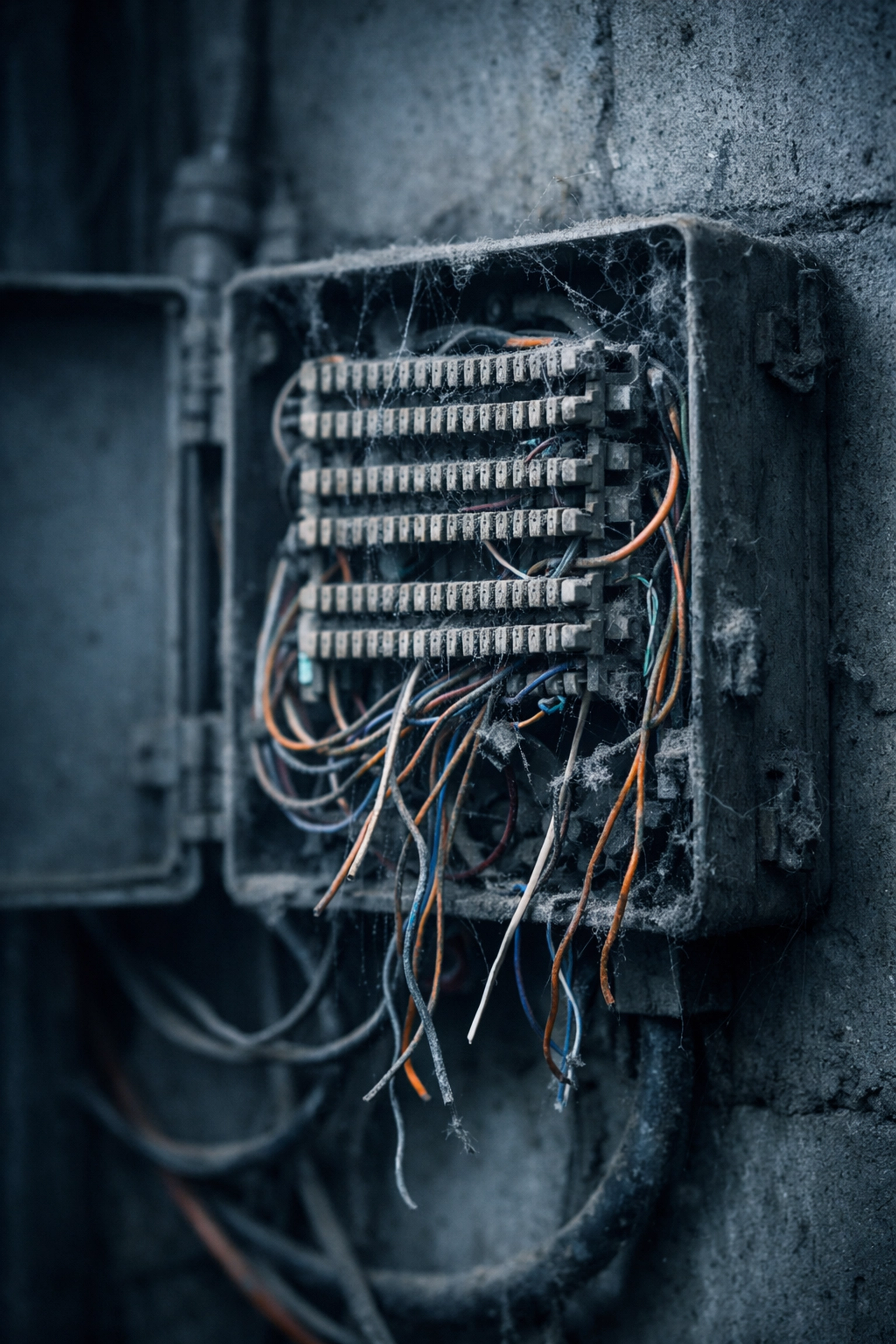
Abandoned telephone junction box with tangled wires showing forgotten POTS lines before copper sunset

Why This Matters Right Now

Copper sunset 2026 isn't a suggestion. It's a hard deadline.

Legacy copper phone lines (POTS lines) are being decommissioned across the U.S. as telecom carriers shift to fiber and IP-based systems. The FCC has approved the transition, and carriers are moving fast.

What does that mean for you?

  • POTS line rates are climbing 15–30% annually
  • Carriers are no longer maintaining aging copper infrastructure
  • When a line fails, replacement parts are scarce (or nonexistent)
  • You'll be forced to switch eventually, but on the carrier's timeline, not yours

The businesses that audit their POTS lines now can replace them strategically, avoid emergency upgrades, and stop bleeding money on unused services.

The ones who wait? They'll scramble in Q4 2026 when their elevator inspector shows up and the phone line is dead.

The 7 Hidden POTS Lines Draining Your Budget

Let's break down where these zombie lines are hiding, and how much they're costing you.

1. Elevator Emergency Phones

Every elevator in your building is required by code to have a working emergency phone line. Most were installed during construction and haven't been touched since.

Average cost: $75–$120/month per line
Where it's hiding: In the elevator machine room, usually terminating at a small control panel

If you have 3 buildings with 2 elevators each, that's 6 lines at $90/month = $540/month or $6,480/year.

2. Fire Alarm Panel Lines

Your fire alarm system needs a monitored phone line to communicate with the central station. These lines are often separate from your main phone system and billed independently.

Average cost: $60–$100/month per line
Where it's hiding: Near the fire alarm control panel, often in a utility closet or back hallway

3. Fax Lines (That Nobody Uses Anymore)

Remember when every office had a dedicated fax machine? Most companies switched to digital faxing years ago, but forgot to cancel the physical line.

Average cost: $50–$80/month per line
Where it's hiding: In the corner of the break room, under a stack of old menus

4. Security System/Door Access Lines

Older security systems used POTS lines for alarm monitoring and door access control. Many buildings upgraded to IP-based systems but left the old copper lines active "just in case."

Average cost: $65–$110/month per line
Where it's hiding: In the security closet or IT room, terminating at a dusty alarm panel

Building diagram showing seven hidden POTS line locations in elevators, alarms, and utility rooms

5. ATM or Point-of-Sale Backup Lines

If you have an ATM, payment kiosk, or older POS system, there's a good chance it has a POTS line for backup connectivity. Modern systems use internet connections, but the backup line often stays active.

Average cost: $70–$100/month per line
Where it's hiding: Behind the ATM or at the register base station

6. Gate/Intercom Systems

Multi-tenant properties, gated communities, and warehouse facilities often use POTS lines for entry intercom systems. Residents or visitors dial in, and the line connects to a specific unit or office.

Average cost: $55–$90/month per line
Where it's hiding: At the gate controller box or in the property management office

7. Redundant "Backup" Lines That Never Get Used

Businesses used to install backup POTS lines for critical systems "just in case the main line goes down." Spoiler: the backup line has probably been sitting idle for years, collecting dust and billing charges.

Average cost: $60–$95/month per line
Where it's hiding: Anywhere, often mislabeled or undocumented in telecom records


Quick math: If you have just one of each type of hidden line, you're paying roughly $435–$695/month, or $5,220–$8,340/year for services you might not even need.

How to Find Your Hidden POTS Lines (The Audit Process)

You can't fix what you can't see. Here's how to systematically locate every POTS line on your bill, and in your building.

Step 1: Pull Your Telecom Bills

Grab the last 3 months of invoices from every carrier (AT&T, Verizon, Lumen, Frontier, etc.). Look for line items labeled:

  • "Business Line"
  • "Analog Line"
  • "POTS"
  • "Copper Line"
  • "Plain Old Telephone Service"

Note the phone numbers and monthly charges.

Step 2: Walk the Building

Grab a butt set (telecom test handset) or a basic corded phone. Visit every potential POTS line location:

  • Elevator machine rooms
  • Fire alarm panels
  • Security closets
  • Old fax machine corners
  • Break rooms
  • Gate controllers

Plug the test handset into each jack. If you hear a dial tone, the line is active. No dial tone? It might be dead (or already disconnected).

Technician using butt set test handset to audit and identify active POTS lines at wall jack

Step 3: Cross-Reference with Your Bill

Match the active lines you found to the phone numbers on your telecom bill. Any line you can't physically locate? Flag it for investigation.

Some lines may be active on the bill but not physically connected, meaning you're paying for nothing.

Step 4: Test Each Line's Purpose

Once you've identified a POTS line, test its function:

  • Elevator phones: Dial the number. Does it ring in the elevator?
  • Fire alarm panels: Check with your alarm monitoring company. Is this line still in use?
  • Fax lines: When was the last fax sent or received?
  • Security systems: Is the alarm panel still using this line, or has it been upgraded to IP?

If a line isn't actively serving a critical function, it's a candidate for elimination.

Step 5: Document Everything

Create a simple spreadsheet:

  • Phone number
  • Monthly cost
  • Physical location
  • Purpose (elevator, alarm, fax, etc.)
  • Status (active, inactive, unknown)

This becomes your POTS line replacement roadmap.

What to Do Once You've Found Them

You've identified the zombie lines. Now what?

Option 1: Disconnect Unused Lines Immediately

If a line isn't serving any purpose (old fax machine, redundant backup, etc.), call your carrier and cancel it. Easy savings.

Option 2: Replace Critical Lines with Modern Alternatives

For lines that must stay active (elevator phones, fire alarms), you need a compliant POTS line replacement solution:

  • Cellular-based POTS replacements (like RAD or Ooma AirDial) use 4G/5G to emulate a traditional phone line
  • VoIP adapters can work for some applications, but check code compliance first
  • Fiber-based analog terminal adapters (ATAs) deliver dial tone over fiber networks

Each option has pros and cons depending on your building, location, and use case. We covered the full elevator phone replacement guide here.

Option 3: Negotiate a Bulk Migration with Your Telecom Partner

If you're managing 10+ locations with dozens of POTS lines, don't go it alone. A telecom advisor (like Premier Business Team) can help you:

  • Audit all lines across every location
  • Design a compliant replacement strategy
  • Negotiate carrier pricing for bulk migrations
  • Coordinate installations to meet code deadlines

The savings from eliminating even 5 zombie lines will likely cover the cost of a full migration plan.

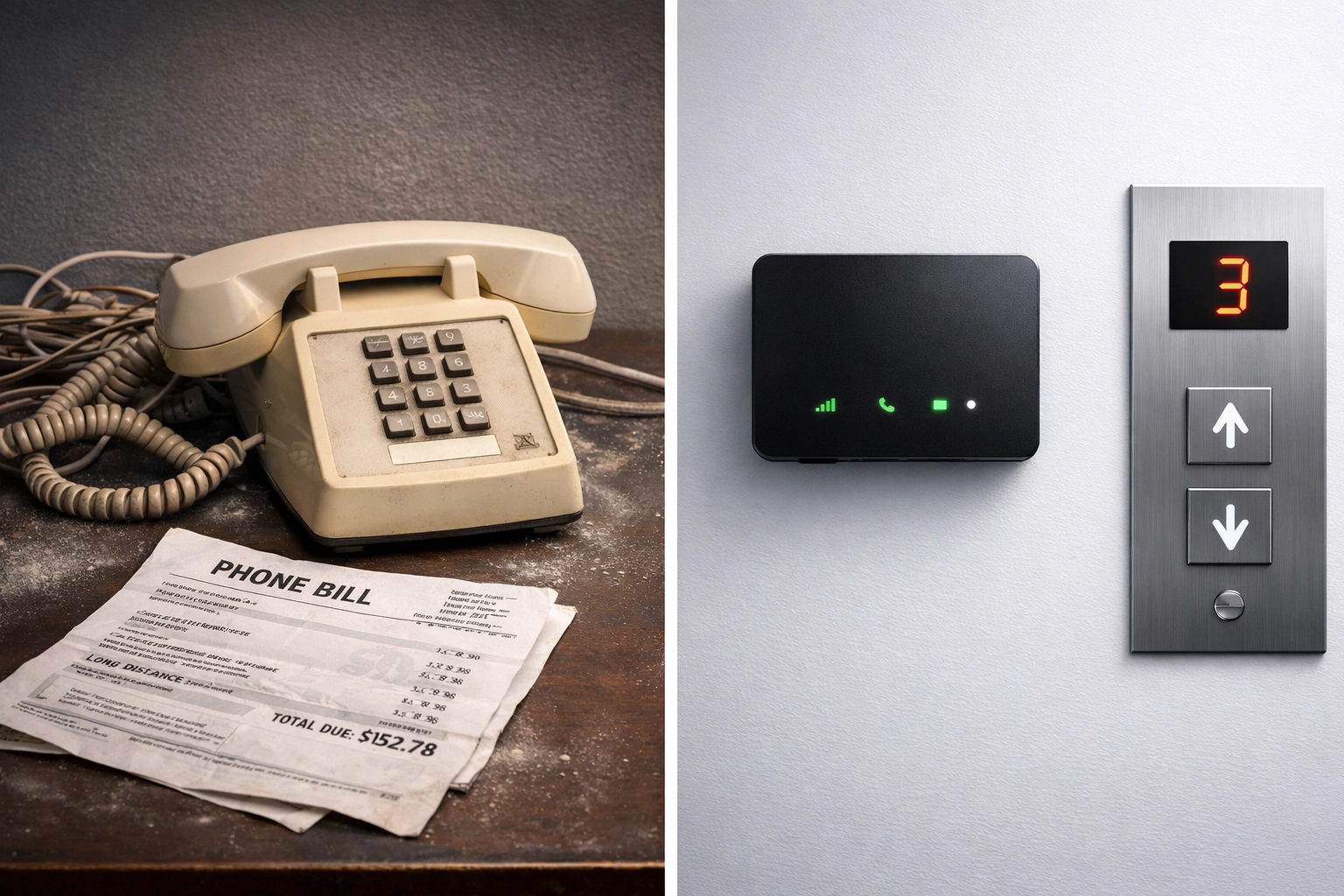
Old POTS telephone compared to modern cellular replacement device for elevator phone line upgrade

FAQ: Hidden POTS Lines and Copper Sunset 2026

Q: How do I know if a POTS line is actually dead or just disconnected at the jack?

A: Use a butt set or corded phone to test at multiple points. Start at the network interface device (NID) outside your building, if there's a dial tone there but not at the jack, the issue is internal wiring. If there's no dial tone at the NID, the line may be disconnected by the carrier (but you might still be billed for it).

Q: Can I just wait until 2026 and let the carrier handle it?

A: Technically yes, but you'll pay a premium for the privilege. POTS line rates are climbing fast as carriers push customers toward migration. Waiting also means you're at the mercy of the carrier's timeline, if your elevator line goes down in December 2026, you'll be scrambling for an emergency replacement.

Q: Are there legal requirements for elevator phone line replacement?

A: Yes. ASME A17.1 elevator safety code requires a working two-way communication system in every elevator. POTS line replacement solutions must meet these standards, which means not every VoIP adapter or cellular device will work. Always verify compliance before switching.

Q: How much can I realistically save by eliminating hidden POTS lines?

A: It depends on how many you have. A typical 5-location business with 2–3 zombie lines per site could save $3,000–$6,000 annually just by disconnecting unused lines. Add in strategic replacement of critical lines with modern alternatives, and you're looking at 30–50% cost reduction on your analog line spend.

Q: What if I'm not sure whether a line is still needed?

A: When in doubt, test it. Call the number, check the physical connection, and confirm with your alarm company, elevator service provider, or security team. If nobody can confirm it's in use, it's probably safe to disconnect.


Stop Paying for Zombie Lines

Hidden POTS lines are a silent budget drain: and with copper sunset 2026 accelerating the phase-out, now's the time to act.

A simple audit can save you thousands per year. And replacing critical lines before the deadline gives you control over the timeline, the technology, and the cost.

Need help tracking down your hidden POTS lines?

Premier Business Team specializes in telecom audits, POTS line replacement, and carrier negotiations for multi-location businesses. We'll help you identify every zombie line, build a compliant replacement strategy, and stop the bleeding before copper sunset 2026 forces your hand.

Schedule a free telecom audit today and find out how much you're really paying for lines you didn't know existed.

7 DMARC Mistakes That Send Your Business Emails Straight to Spam (And How to Fix Them Fast)

premierbusiness · March 3, 2026 ·

You've crafted the perfect email. Your subject line is on point, the content is valuable, and you're ready to hit send. But here's the kicker, your customers never see it. Instead, your carefully written message ends up in spam folders, or worse, gets rejected entirely.

The culprit? A misconfigured DMARC record.

DMARC enforcement has become essential for email security for businesses in 2026. Major email providers like Google, Yahoo, and Microsoft are cracking down hard on unauthenticated emails. If your DMARC setup isn't dialed in, your legitimate business communications are getting flagged right alongside the actual spam and phishing attempts.

Let's break down the seven most common DMARC mistakes we see businesses make, and more importantly, how to fix them fast.

What Is DMARC and Why Should You Care?

Before we dive into the mistakes, let's get on the same page. DMARC (Domain-based Message Authentication, Reporting & Conformance) is an email authentication protocol that tells receiving mail servers what to do when an email claims to be from your domain but fails authentication checks.

Think of it as a bouncer for your email reputation. When configured correctly, DMARC protects your brand from spoofing attacks and ensures your legitimate emails actually reach inboxes. When configured incorrectly? Well, that's where things get messy.

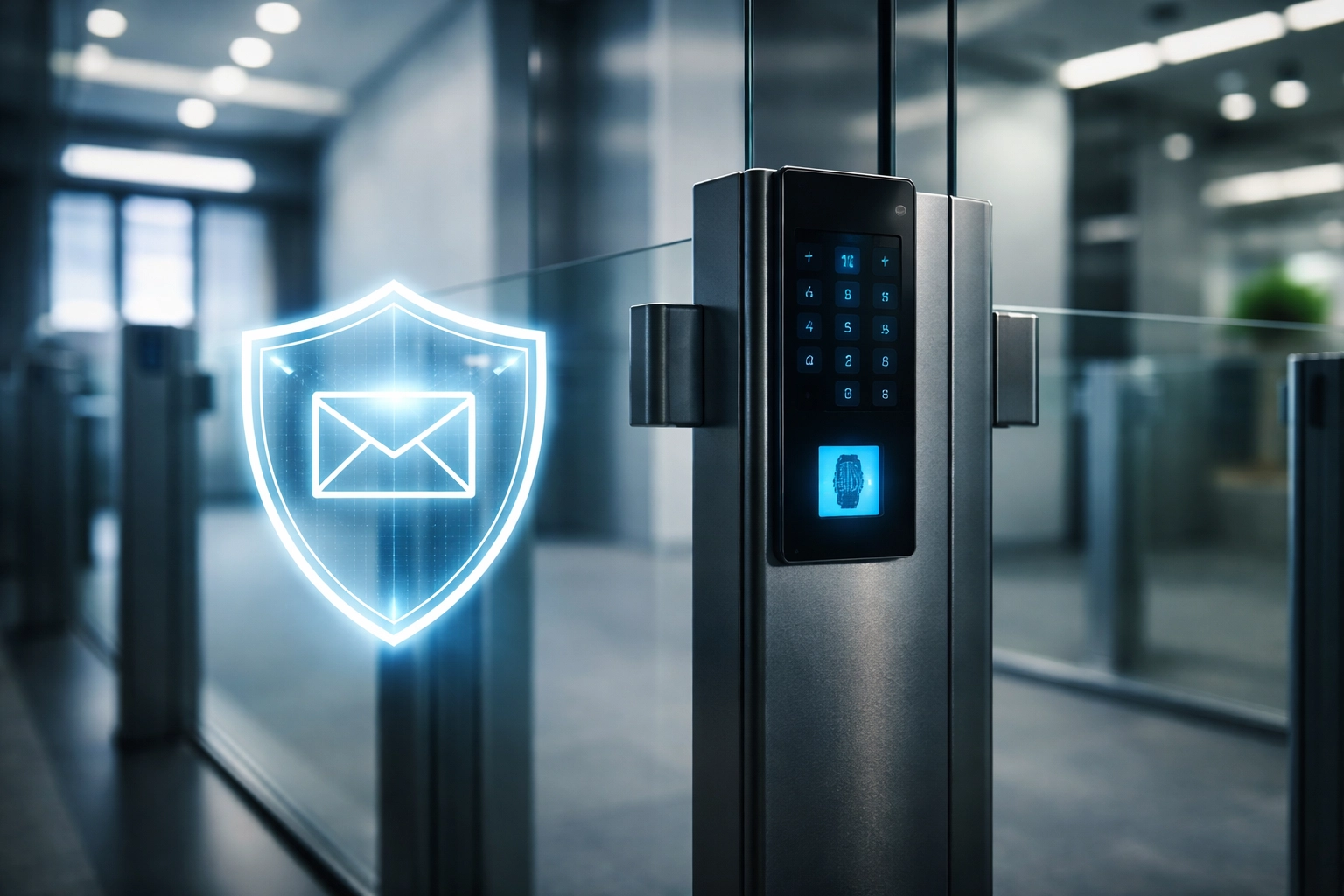
Modern office security checkpoint symbolizing DMARC email protection for business against spoofing in 2026

Mistake #1: Not Aligning SPF and DKIM Policies

This is the foundation of DMARC, and it's where most businesses stumble right out of the gate.

The Problem: DMARC relies on two other authentication protocols, SPF (Sender Policy Framework) and DKIM (DomainKeys Identified Mail). If these aren't properly aligned with your DMARC policy, you'll get false positives left and right. Your legitimate emails get flagged as suspicious, and your customers never see them.

The Fix: Before you even think about implementing DMARC, audit your SPF and DKIM configurations. Make sure the domains in your email headers match your authenticated sending domains. This alignment is non-negotiable for proper DMARC enforcement.

Mistake #2: Forgetting About Subdomains

Here's a sneaky one that catches a lot of businesses off guard.

The Problem: You've got your primary domain locked down with SPF and DKIM. Great! But what about marketing.yourdomain.com or support.yourdomain.com? Emails from unconfigured subdomains will fail authentication and either bounce or land in spam.

The Fix: Create a complete inventory of every subdomain that sends email on your behalf. Then configure SPF and DKIM for each one individually. Yes, it's tedious. Yes, it's absolutely necessary for comprehensive email security for businesses.

Ultrawide monitor in IT workspace displaying subdomain network diagram for comprehensive email security

Mistake #3: Jumping Straight to "Reject" Policy

We get it: you want maximum protection. But going from zero to "reject" is like trying to run a marathon without training first.

The Problem: When you implement a DMARC "reject" policy immediately, you skip crucial verification steps. Any legitimate email source that isn't perfectly aligned will have their messages rejected outright. That could mean your invoices, newsletters, or critical customer communications never arrive.

The Fix: Follow the methodical approach:

  1. Start with p=none – Monitor your email traffic without affecting delivery
  2. Move to p=quarantine – Send failing emails to spam so you can identify legitimate sources getting blocked
  3. Graduate to p=reject – Only after you've verified all legitimate sources are compliant

This progression typically takes 4-8 weeks, but it saves you from a world of headaches.

Mistake #4: Using Partial Enforcement with the pct Tag

This one's a bit technical, but it's critical to understand.

The Problem: The "pct" tag in your DMARC record specifies what percentage of failing emails should have the policy applied. Some businesses set this to 25% or 50% thinking they're being cautious. In reality, they're leaving the door wide open for spoofed messages to reach their customers.

The Fix: There's no such thing as "partial" DMARC compliance when it comes to protection. Once you've completed your monitoring phase and moved to enforcement, set your pct tag to 100%. Anything less means spoofed emails are still getting through to some recipients.

Mistake #5: Skipping the Reporting Address

Flying blind is never a good strategy: especially with email authentication.

The Problem: If you don't include a reporting address (the rua= tag) in your DMARC record, you won't receive aggregate reports about your email authentication status. You'll have no visibility into authentication failures, potential spoofing attempts, or legitimate sources that need configuration fixes.

The Fix: Always include a reporting address in your DMARC record. These reports are gold: they show you exactly what's happening with emails claiming to be from your domain. Many businesses use dedicated DMARC reporting tools to parse and visualize this data, making it actionable.

Overhead view of business meeting analyzing DMARC reports and email authentication data for better deliverability

Mistake #6: Exceeding the SPF 10-Lookup Limit

This technical limitation trips up businesses more often than you'd think.

The Problem: SPF records have a hard limit of 10 DNS lookups. Every time your SPF record includes another service (like your CRM, marketing platform, or help desk), it adds lookups. Exceed 10, and your entire SPF authentication fails: meaning emails from your domain fail DMARC as well.

The Fix: Audit your SPF record and count the lookups. If you're over 10, you'll need to consolidate services, remove unused entries, or work with an expert to optimize your configuration. Some businesses use SPF flattening, but this creates maintenance headaches when service providers change their IP addresses.

Mistake #7: Botching the DKIM Configuration

DKIM uses cryptographic keys, and there's zero room for error.

The Problem: DKIM records contain long strings of cryptographic data that are incredibly easy to mess up. A single copy-paste error, an extra space, or a missing character will cause your DKIM authentication to fail completely. And since DMARC relies on DKIM, your emails start hitting spam folders.

The Fix: Double-check (then triple-check) every DKIM key before entering it into DNS. Use automated validation tools to verify syntax. Test authentication thoroughly before full deployment. If this sounds tedious, it is: but it's far less painful than discovering your emails have been landing in spam for weeks.

The Bottom Line: DMARC Enforcement Requires Expertise

Here's the reality: DMARC isn't a set-it-and-forget-it solution. It requires ongoing monitoring, regular audits, and adjustments as your email ecosystem evolves. Add a new marketing tool? You need to update your authentication. Spin up a new subdomain? That needs configuration too.

For most businesses, managing email security for businesses at this level isn't a core competency: and it shouldn't have to be. That's where working with an experienced advisor makes all the difference.

At Premier Business Team, we help businesses nationwide implement bulletproof email authentication strategies. From initial DMARC deployment to ongoing monitoring and BIMI implementation that puts your verified logo in customer inboxes, we handle the technical complexity so you can focus on running your business.


Frequently Asked Questions

What is DMARC enforcement and why is it important in 2026?
DMARC enforcement is when your DMARC policy is set to either "quarantine" or "reject," actively blocking or flagging emails that fail authentication. In 2026, major email providers require proper authentication for reliable delivery, making DMARC enforcement essential for business email communication.

How long does it take to properly implement DMARC?
A proper DMARC implementation typically takes 4-8 weeks, allowing time for monitoring, identifying all legitimate email sources, and gradually moving from "none" to "quarantine" to "reject" policies.

Can DMARC mistakes really send my emails to spam?
Absolutely. Misconfigurations in DMARC, SPF, or DKIM can cause receiving servers to flag your legitimate emails as suspicious, routing them to spam folders or rejecting them entirely.

What's the difference between SPF, DKIM, and DMARC?
SPF verifies that emails come from authorized servers. DKIM adds a cryptographic signature to verify the email hasn't been altered. DMARC ties them together and tells receiving servers what to do when emails fail these checks.

How do I know if my DMARC is configured correctly?
Check if you're receiving DMARC aggregate reports, verify your SPF record has fewer than 10 lookups, and test email authentication using online validation tools. Or work with an expert who can audit your entire setup.


Ready to Fix Your Email Deliverability?

Stop losing business to misconfigured email authentication. The team at Premier Business Team specializes in email security for businesses of all sizes, ensuring your messages reach inboxes: not spam folders.

Call us today at 360-946-2626 to schedule a free DMARC audit and get your email deliverability back on track.

AT&T Just Dropped a Deadline: The 2026 Copper Sunset is Officially Here

premierbusiness · February 25, 2026 ·

If you’ve been treating the "Copper Sunset" like that gym membership you keep meaning to use, something for "future you" to worry about, it’s time for a reality check. The future just moved into your backyard, and it brought a very specific deadline with it.

In a recent filing with the FCC, AT&T officially requested authority to discontinue legacy voice services on or after November 15, 2026. This isn't just a pilot program or a small test run in a single city. We are talking about over 1,000 wire centers across 18 states. If you are still running your business on Plain Old Telephone Service (POTS), the clock didn't just start ticking; it’s practically screaming.

At Premier Business Team, we’ve been tracking the death of copper for years, but this latest move is the most aggressive "line in the sand" we’ve seen yet. By 2029, the goal is a complete shutdown of the entire copper infrastructure.

Here is everything you need to know about the 2026 copper sunset and why your fire alarm, elevator, and security systems are officially in the danger zone.

The FCC Filing: What Exactly is Happening?

AT&T is in the process of a massive technological pivot. Maintaining a century-old network of copper wires is, frankly, a nightmare. It costs the company roughly $6 billion annually to maintain, yet only about 5% of their customers still use it. From a business perspective, the math doesn't add up.

The January 2026 FCC approval (granted after a 31-day streamlined review) gives AT&T the green light to pull the plug starting November 15, 2026. The 18 states currently in the crosshairs include:

  • Alabama, Arkansas, Florida, Georgia, Indiana, Kansas, Kentucky, Louisiana, Michigan, Missouri, Mississippi, North Carolina, Ohio, Oklahoma, South Carolina, Tennessee, Texas, and Wisconsin.

(Side note: If you're in California, you have a temporary reprieve due to specific state "carrier-of-last-resort" laws, but don't get too comfortable, the tide is turning everywhere.)

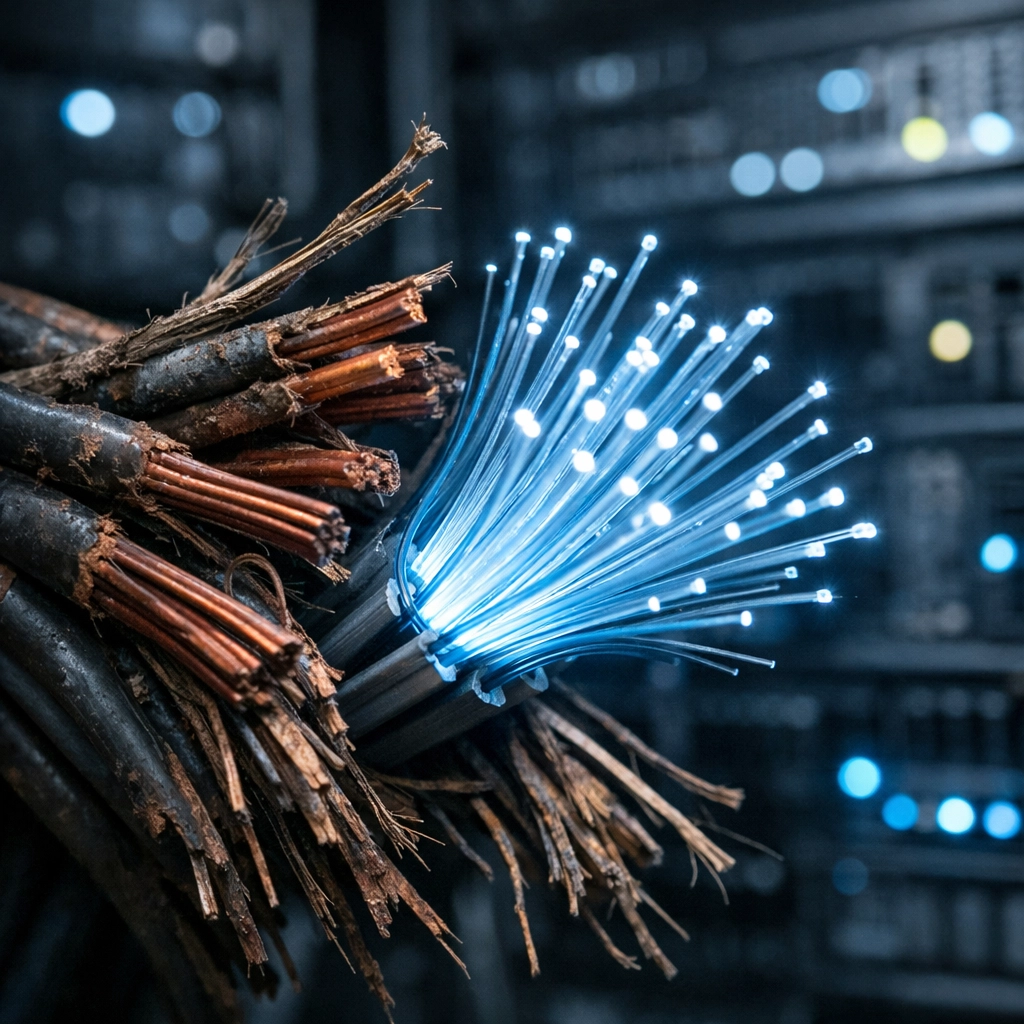
Legacy copper phone lines being replaced by modern fiber optic cables during the 2026 copper sunset.

Why the Urgency? It’s More Than Just "Phones"

When people hear "phone line replacement," they often think of the dusty handset sitting on a desk. But most modern offices have already moved to VoIP or UCaaS solutions (if you haven't, you might want to see how UCaaS migration can save you $50k).

The real problem lies in the "invisible" infrastructure, the stuff that keeps your building legal and your people safe. We are talking about:

1. Fire Alarm Phone Line Replacement

Fire panels are traditionally hardwired into POTS lines because, for decades, copper was the only thing that worked when the power went out. However, as these lines degrade, they become less reliable. To maintain NFPA 72 compliance phone lines, you need a solution that offers dual-path communication (usually a mix of IP and cellular). Waiting until November 2026 to figure this out is a recipe for a failed inspection.

2. Elevator Phone Line Replacement

If someone gets stuck in an elevator, they need to reach help. Code requirements (ASME A17.1) are incredibly strict about how these lines function. As AT&T retires wire centers, those elevator lines will simply stop working. This isn't just a technical glitch; it’s a massive liability. Check out our 5-step elevator phone replacement guide to get ahead of the curve.

3. Alarm Panels and Security Systems

Most legacy security systems dial out over analog lines. When the line goes dead, your monitoring station doesn't know if you’ve been broken into or if the copper just finally gave up the ghost.

The "Toggle Tax": Why Your Bill Is Skyrocketing

Have you looked at your POTS bill lately? If you’re paying $600, $800, or even $1,000 a month for a single analog line, you aren't being "targeted", you’re being nudged.

Carriers are intentionally hiking the prices of legacy services to "encourage" customers to move to fiber or wireless. It’s what we call the "Toggle Tax." They don't want to support the old stuff, so they make it financially painful for you to keep it. Transitioning to a POTS replacement solution (like POTS-in-a-Box) usually pays for itself in under six months just based on the monthly savings alone.

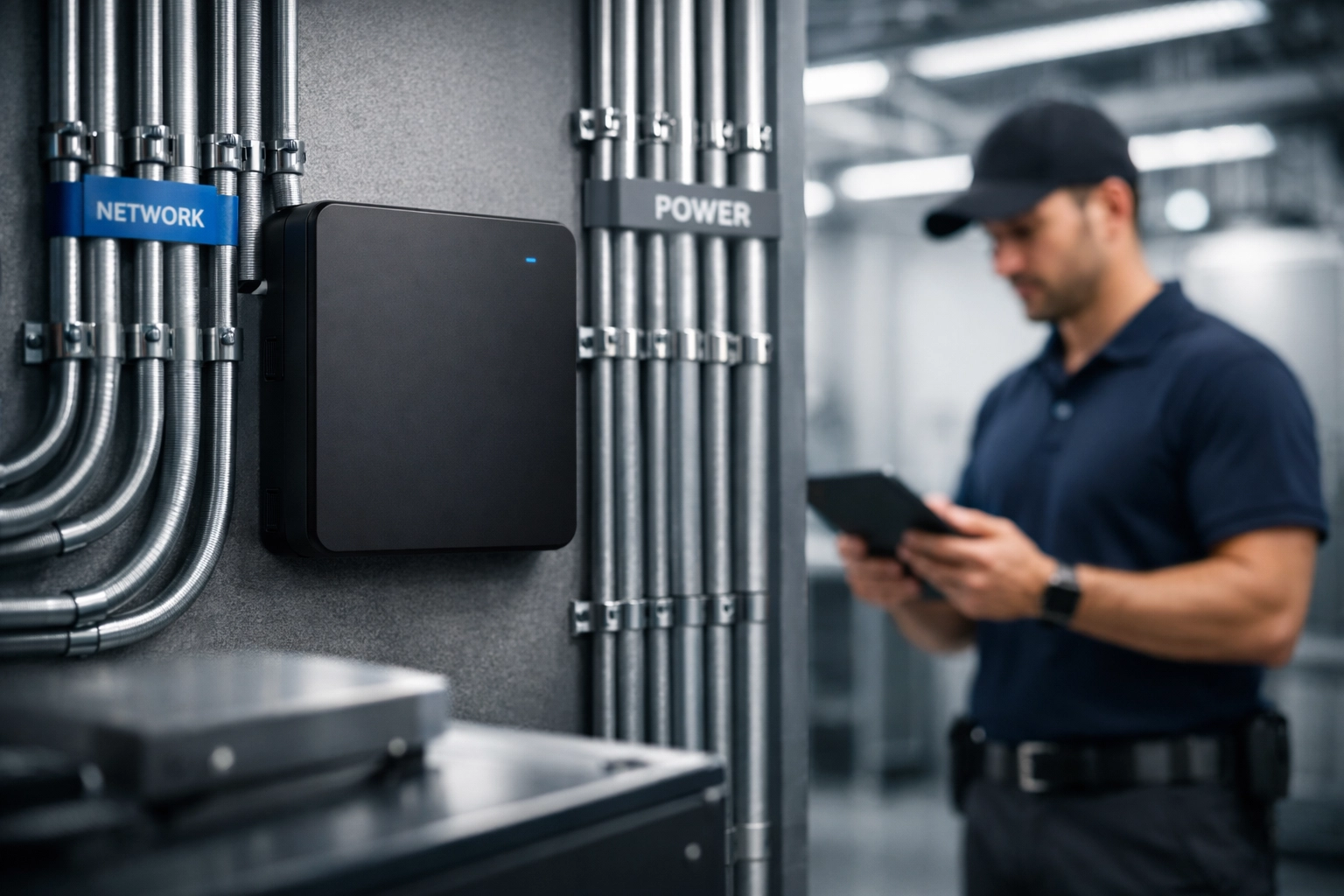
A modern POTS replacement digital gateway installed in a utility room to modernize business telecommunications.

The Strategic Opportunity: A New Tool for Partners

This transition isn't just a headache; it’s a massive opportunity to modernize your operations. At Premier Business Team, we are committed to making this transition as painless as possible.

We are currently developing a proprietary tool specifically designed to help our partners target and identify these decommissioning lines before they go dark. This tool will allow businesses with multiple locations to audit their infrastructure and pinpoint exactly which wire centers are on the "hit list" for the 2026 sunset. Stay tuned, we’ll be sharing more details on this tool very soon.

POTS Replacement FAQ

To help you navigate the jargon, we’ve put together a quick Q&A for the most common questions we're getting right now.

Q: When is the AT&T copper sunset deadline?
A: AT&T has requested to begin discontinuing services in over 1,000 wire centers starting November 15, 2026, with a total shutdown planned by 2029.

Q: What is a POTS replacement solution?
A: POTS replacement involves using a specialized hardware device (often called a "POTS-in-a-Box") that converts analog signals from fire panels, elevators, and alarms into digital signals that can travel over cellular (LTE/5G) or IP networks.

Q: Does my new fire panel need a phone line for NFPA 72 compliance?
A: No, but it does need a reliable communication path. Modern NFPA 72 compliance phone lines are often replaced by "Sole Path" or "Dual Path" cellular communicators that are more reliable and cheaper than copper.

Q: Can I just plug my elevator phone into my existing VoIP system?
A: Usually, no. Elevator phones have specific requirements for power backup and signal reliability that standard VoIP doesn't always meet. You need a dedicated cellular bridge designed for life-safety applications.

Don't Wait for the Beeping to Start

The most common way business owners realize their copper line is gone is when their fire panel starts beeping at 3:00 AM because it lost its connection to the monitoring station. By then, you’re in a "hair on fire" situation, scrambling to find a technician and paying emergency install fees.

With 1,000+ wire centers closing in late 2026, there will be a massive surge in demand for technicians and hardware. If you wait until October 2026 to start your POTS line replacement project, you’re going to be at the back of a very long line.

Premier Business Team Logo

How to Get Started

The first step is a comprehensive audit. You need to know exactly how many analog lines you have and what they are connected to.

At Premier Business Team, we specialize in identifying these "hidden" dependencies. Whether you’re looking to compare RingCentral vs. Nextiva for your office staff or you need a robust solution for a 50-building elevator fleet, we have the expertise to guide you.

The 2026 Copper Sunset is no longer a "someday" problem. It’s a "this year" project. Let’s get your infrastructure modernized before AT&T makes the decision for you.

Contact Premier Business Team today to schedule an audit of your analog dependencies. Let’s beat the 2026 deadline together.

Contact Us at Premier Business Team

POTS Line Replacement 101: A Property Manager’s Guide to Avoiding Failed Fire Inspections in 2026

premierbusiness · February 25, 2026 ·

If you're managing commercial properties in 2026, there's a good chance you're sitting on a ticking compliance bomb, and you might not even know it. Those old copper phone lines (POTS lines) that power your fire alarms, elevator emergency phones, and building security systems? They're being systematically retired by carriers nationwide, and if you haven't started planning replacements, you're running out of time.

Here's the reality: after October 15, 2025, AT&T customers could no longer move, add, or make changes to existing POTS lines. Other carriers are following similar timelines. Even worse, the FCC slashed the notice period providers must give before retiring lines from 180 days to just 90 days. That means once you get a shutdown notice, you have three months, not six, to replace critical life-safety systems.

For property managers, this isn't just an IT headache. It's a compliance crisis that could lead to failed fire inspections, insurance nightmares, and serious liability if emergency systems go dark.

Why Property Managers Can't Ignore This

Between 15 and 50 million POTS lines are still in active use across the United States, supporting critical building systems that can't simply be plugged into your standard internet connection. When these lines get disconnected, and they will, you're not facing minor inconvenience. You're facing:

  • Failed fire safety inspections under NFPA 72 and local codes
  • Insurance policy violations that could void coverage
  • Legal liability if life-safety systems fail during an emergency
  • Tenant complaints when elevator phones or building entry systems stop working

The financial and legal risks are real. Property managers have been caught off-guard by sudden service disruptions, scrambling to find compliant replacements while facing escalating costs and limited vendor availability.

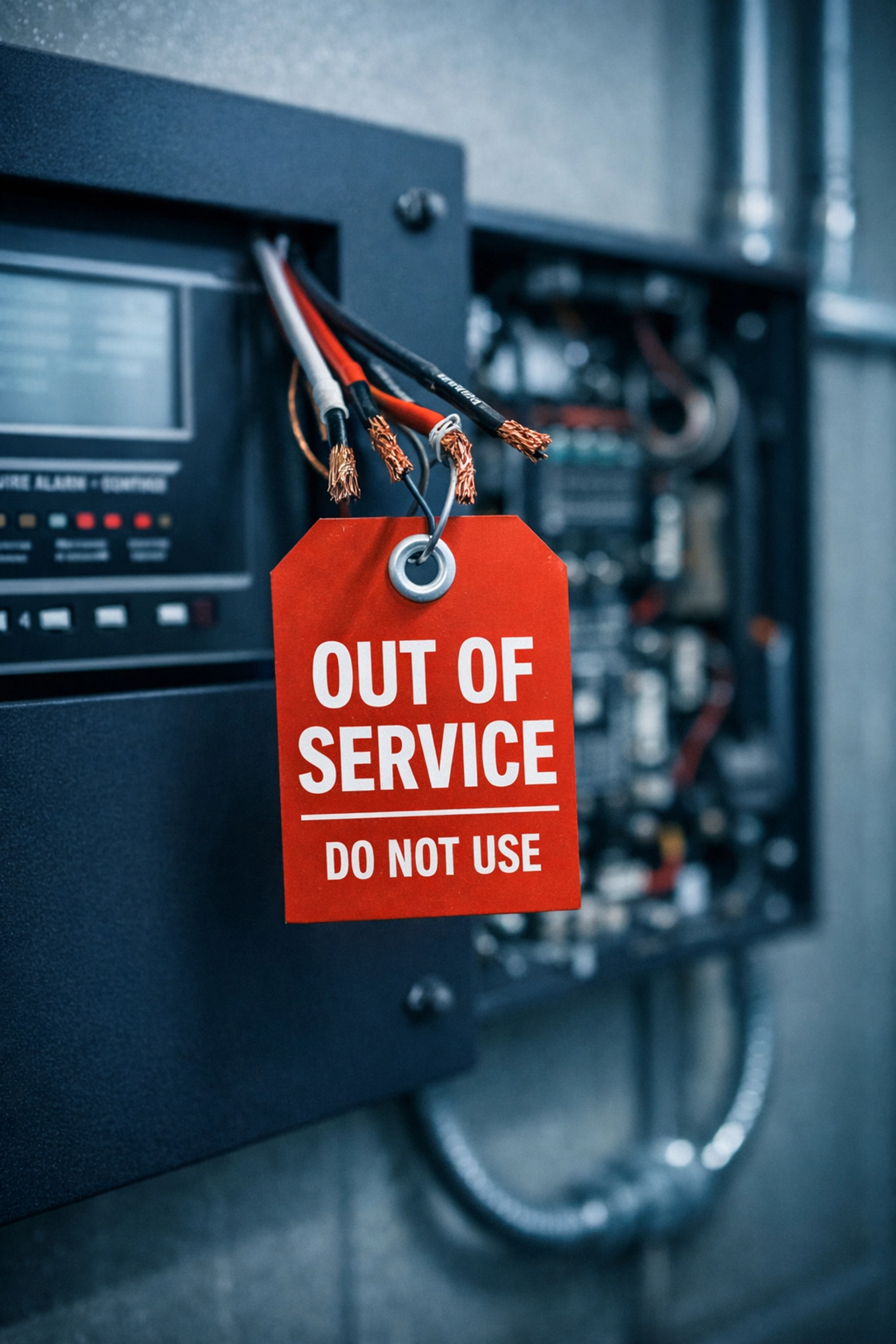
Fire alarm control panel with disconnected POTS line wiring and out of service tag

Understanding Your Compliance Requirements

Before you can replace POTS lines, you need to understand what you're actually replacing and why. NFPA 72 (the National Fire Alarm and Signaling Code) sets strict requirements for fire alarm communication systems, and not all replacement solutions meet these standards.

Your replacement solution must include:

  • Multi-day battery backup (minimum 48 hours for NFPA 72 compliance)
  • 24/7 remote monitoring to detect system failures
  • Redundant connectivity using dual wireless options (5G/LTE)
  • Automatic failover to backup connectivity providers
  • Supervised communication paths that alert monitoring stations to line failures

Standard VoIP or basic internet service won't cut it for fire safety systems. You need purpose-built solutions designed specifically for life-safety compliance.

Step 1: Take Complete Inventory of Your Systems

Start by identifying every system in your buildings that relies on POTS lines. This typically includes:

  • Fire alarm panels and monitoring systems
  • Elevator emergency phones (required by code)
  • Building entry and intercom systems
  • Security alarm panels
  • Emergency call boxes
  • Pool phones and other safety communication points
  • Legacy fax machines or credit card readers

Document the number of lines, their physical locations, and their specific purpose. This inventory becomes your roadmap for replacement and helps you understand total project scope and budget.

Don't assume you know where all your POTS lines are. Many properties have "hidden" lines that were installed years ago and forgotten. Check with your telecom carrier for a complete list of active lines on your account.

Step 2: Match Solutions to Compliance Needs

Not all replacement technologies are created equal, especially for compliance-critical systems. Here's what you need to know:

For Fire Alarm Systems: Cellular/LTE-based POTS replacement solutions are typically the best choice. These use dedicated cellular gateways with built-in battery backup, redundant connectivity, and monitoring capabilities that meet NFPA 72 requirements. They're specifically designed for fire safety compliance.

For Elevator Emergency Phones: Similar to fire alarms, these require reliable connectivity and battery backup. Cellular solutions work well here, but verify your solution meets ASME A17.1 elevator code requirements.

For Building Entry and Intercom Systems: You may have more flexibility here. Cloud-based or VoIP solutions can work, but ensure they have adequate backup power and reliability for your needs.

The key is matching the right technology to each system's compliance and reliability requirements, not forcing a one-size-fits-all approach.

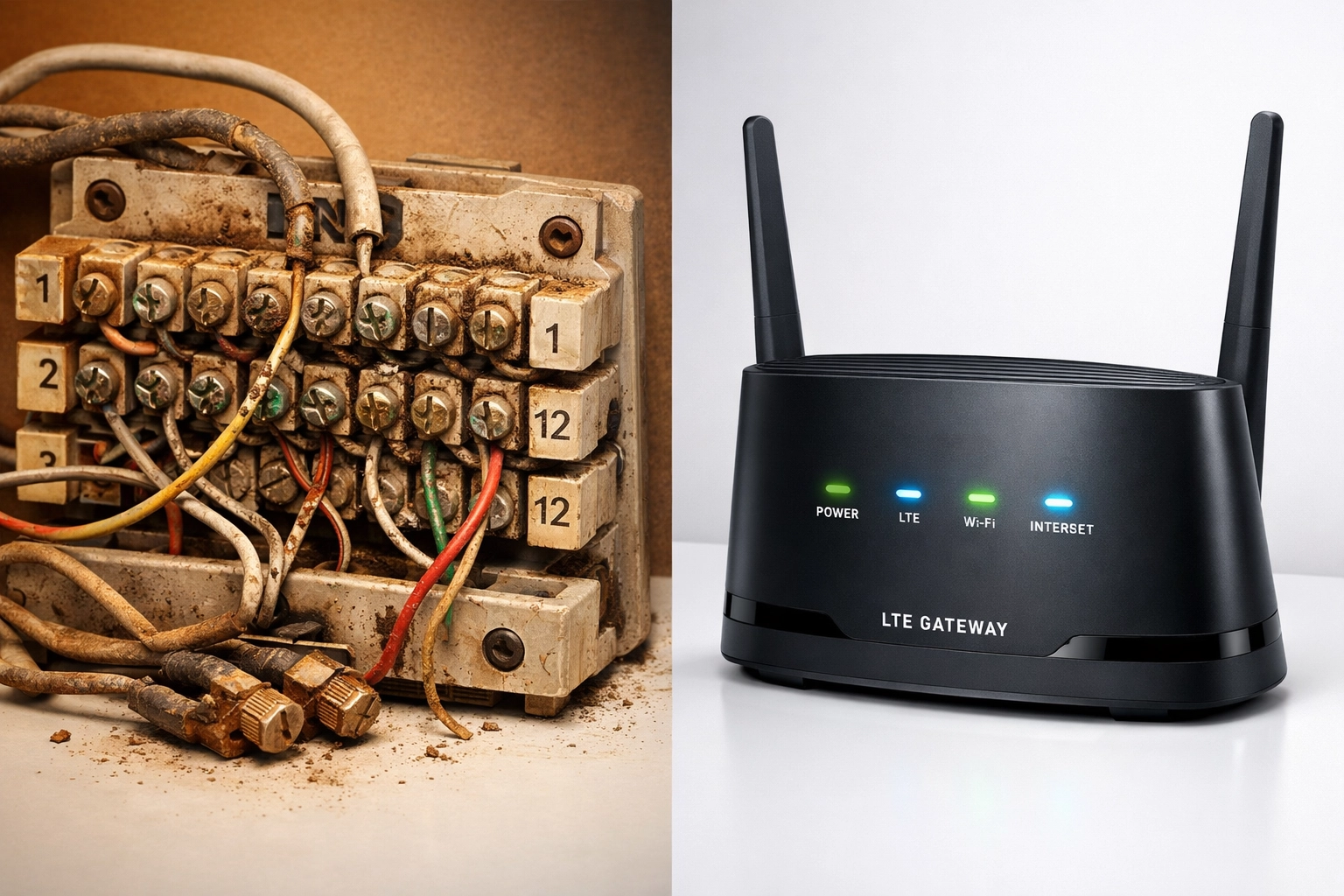
Old copper POTS telephone line terminal next to modern cellular LTE gateway replacement device

Step 3: Avoid These Common Mistakes

As property managers rush to replace POTS lines, we're seeing the same mistakes repeated:

Mistake #1: Choosing Based on Price Alone
The cheapest solution often lacks the monitoring, backup power, or redundancy required for compliance. You'll save money upfront but face failed inspections and emergency replacements later.

Mistake #2: Assuming VoIP Works for Everything
Standard business VoIP is great for office phones but typically doesn't meet fire alarm compliance requirements. Fire marshals don't care if your VoIP "works fine", they care about NFPA 72 certification.

Mistake #3: Waiting Until the Last Minute
Vendors are already experiencing backlogs as the POTS sunset accelerates. Wait too long, and you won't have installation slots available before your lines get disconnected.

Mistake #4: Not Testing Emergency Functionality
Installing a replacement isn't enough. You must test that fire alarms successfully communicate with monitoring stations, elevator phones actually connect to emergency services, and backup power systems work as designed.

Mistake #5: Forgetting About Ongoing Monitoring
NFPA 72 requires continuous supervision of fire alarm communication paths. Your replacement solution needs 24/7 monitoring to detect and alert you to failures, just like your old POTS line did.

Step 4: Create Your Migration Timeline

Don't try to replace everything overnight. Develop a phased approach:

Months 1-2: Complete inventory and compliance assessment
Months 2-3: Vendor selection and solution design
Months 3-6: Scheduled installations (prioritize fire safety systems first)
Ongoing: Testing, documentation, and monitoring setup

Schedule upgrades during low-impact periods when possible, and always have backup plans for critical systems. Test every replacement thoroughly before decommissioning old POTS lines.

Step 5: Budget for the Full Project

POTS replacement costs vary widely based on your specific systems and building configurations, but you need to budget for:

  • Equipment costs (cellular gateways, adapters, power supplies)
  • Professional installation and programming
  • Monthly service fees for cellular connectivity
  • Ongoing monitoring and maintenance
  • Potential fire alarm panel updates or programming changes

Here's something many property managers miss: legacy POTS line costs are skyrocketing in some markets, with surcharges exceeding $200 per line per month. In many cases, replacement solutions actually cost less than keeping old copper lines, if you act before forced migration drives up demand and prices.

Working with Experienced Providers

The technical and compliance complexities of POTS replacement make this a poor candidate for DIY projects. Partner with providers who understand fire safety codes, building systems, and telecommunications infrastructure.

Experienced providers offer:

  • Site surveys to identify all POTS-dependent systems
  • Compliance expertise for NFPA 72 and local codes
  • Project management from design through installation
  • Coordination with fire marshals and inspectors
  • Post-installation monitoring and support

The right partner makes the difference between smooth compliance and failed inspections.

Property manager reviewing fire safety and building systems on tablet in commercial building lobby

FAQ: POTS Line Replacement for Property Managers

Q: What are POTS lines and why are they being discontinued?
A: POTS (Plain Old Telephone Service) lines are traditional copper-based analog phone lines. Carriers are retiring them because the copper infrastructure is aging, expensive to maintain, and being replaced by fiber and wireless networks.

Q: Can I just use regular internet or VoIP for fire alarm systems?
A: No. Standard VoIP and internet service don't meet NFPA 72 requirements for fire alarm communication. You need certified solutions with battery backup, redundant connectivity, and 24/7 monitoring.

Q: How much time do I have to replace POTS lines?
A: It varies by carrier and location, but many major carriers have already implemented deadlines. The FCC now only requires 90 days notice before line retirement. Start planning immediately.

Q: What happens if my fire alarm phone line fails inspection?
A: Failed fire inspections can result in compliance violations, fines, insurance issues, and potential building occupancy restrictions until violations are corrected.

Q: Are cellular replacement solutions reliable enough for life-safety systems?
A: Yes, when properly designed. Modern cellular POTS replacement solutions use redundant connectivity, battery backup, and active monitoring to exceed the reliability of aging copper networks.

Q: Do I need to upgrade my fire alarm panel to replace POTS lines?
A: Not always. Many cellular POTS replacement solutions connect directly to existing fire alarm panels without panel modifications. Your provider should assess your specific equipment.

Don't Wait for the Fire Inspector to Tell You

The POTS sunset isn't a distant future problem: it's happening right now. Property managers who act proactively can schedule replacements strategically, maintain continuous compliance, and avoid emergency situations. Those who delay face escalating costs, limited vendor availability, service disruptions, and potential liability.

Your next fire inspection is coming whether your phone lines work or not. The question is whether you'll pass.

Ready to ensure your fire safety systems stay compliant through the POTS transition? Premier Business Team specializes in helping property managers navigate POTS replacement with solutions designed specifically for NFPA 72 compliance and life-safety systems. We handle everything from initial assessment through installation and ongoing monitoring: so you can focus on managing properties, not emergency telecom projects.

Contact us today for a complimentary POTS replacement assessment and find out exactly what your properties need to stay compliant in 2026 and beyond.

  • « Go to Previous Page
  • Page 1
  • Interim pages omitted …
  • Page 11
  • Page 12
  • Page 13
  • Page 14
  • Page 15
  • Interim pages omitted …
  • Page 78
  • Go to Next Page »

Get a no obligation quote for your business. Learn More

Proud Chamber Member

Bellingham Chamber Badge

Premier Business Team

Copyright © 2026 · Premier Business Team 2219 Rimland Dr. Suite 301 Bellingham, WA 98226 - 360-946-2626

  • Home
  • Business Internet
  • Business Phone
  • Blog
  • About Us
  • Contact Us
  • Business Quote
  • Engineering
  • Call: 360-946-2626