• Skip to primary navigation
  • Skip to main content
Premier Business Team

Premier Business Team

Your business connectivity and IT Team

  • Home
  • Business Internet
  • Business Phone
  • Blog
  • About Us
    • Our Featured Suppliers
  • Contact Us
  • Business Quote
    • Business Tech Assessment
  • Engineering
  • Call: 360-946-2626
  • Show Search
Hide Search

Blog Posts

Stop Paying the “Point Solution” Premium: Why Consolidation is the Most Profitable Move for IT Leaders This Year

premierbusiness · February 25, 2026 ·

[HERO] Stop Paying the

Your IT budget is bleeding from a thousand tiny cuts.

Each "best-of-breed" point solution seemed like the smart choice at the time. A specialized tool for network monitoring. Another for security alerts. A third for cloud management. By the fourth quarter of 2025, mid-market IT leaders found themselves managing an average of 15-20 separate vendor relationships: each with its own contract, portal, invoice, and support process.

The math stops making sense when you calculate the total cost of ownership. You're not just paying for software licenses. You're paying for the privilege of managing complexity itself.

The Hidden Tax of Point Solution Sprawl

When you deploy individual tools to solve individual problems, you inherit costs that never appear on the original quote:

Redundant licensing fees pile up when three different platforms offer overlapping capabilities. Your security stack might include threat detection from one vendor, log analysis from another, and incident response from a third: even though modern consolidated platforms can handle all three. Research shows organizations routinely pay for the same functionality twice across disconnected tools.

Integration overhead becomes a recurring expense. Every connection between systems requires custom development, ongoing maintenance, and troubleshooting when APIs change or vendors sunset features. Your team spends hours building bridges between platforms that were never designed to talk to each other.

IT manager overwhelmed by multiple vendor invoices and point solution dashboards

Administrative complexity multiplies faster than you expect. Each vendor relationship demands procurement time, contract reviews, compliance audits, quarterly business reviews, and renewal negotiations. Your IT leadership team spends more time in vendor meetings than solving actual business problems.

Training fragmentation dilutes your team's effectiveness. When staff must learn 15 different interfaces, workflows, and support processes, proficiency suffers across the board. The productivity loss is measurable: 69% of IT leaders report that switching between core work tools causes significant workflow interruption.

The point solution model promises "best-of-breed" performance but delivers a hidden premium that grows every quarter.

The Consolidation ROI That CFOs Actually Care About

Consolidating your IT infrastructure isn't about simplicity for its own sake. It's about recovering margins that have been leaking into vendor sprawl for years.

Immediate cost reduction starts with decommissioning redundant tools. Organizations that audit their tech stack typically find 20-30% of their SaaS spending goes to duplicate or underutilized solutions. By consolidating to unified platforms, IT operations costs can drop by up to 80% in specific categories: not through service cuts, but by eliminating overlap and waste.

Volume negotiation leverage kicks in when you consolidate spend with fewer strategic vendors. Instead of scattering $500K across 20 point solutions with minimal purchasing power, you're bringing $400K (after eliminating redundancies) to 3-5 vendors where that spend commands attention, custom terms, and value-adds that weren't available before.

Maintenance cost elimination follows automatically. Fewer integrations mean fewer things to break. Fewer vendor relationships mean fewer contracts to track and renew. Your internal IT team shifts from maintenance mode to strategic work that actually moves business metrics.
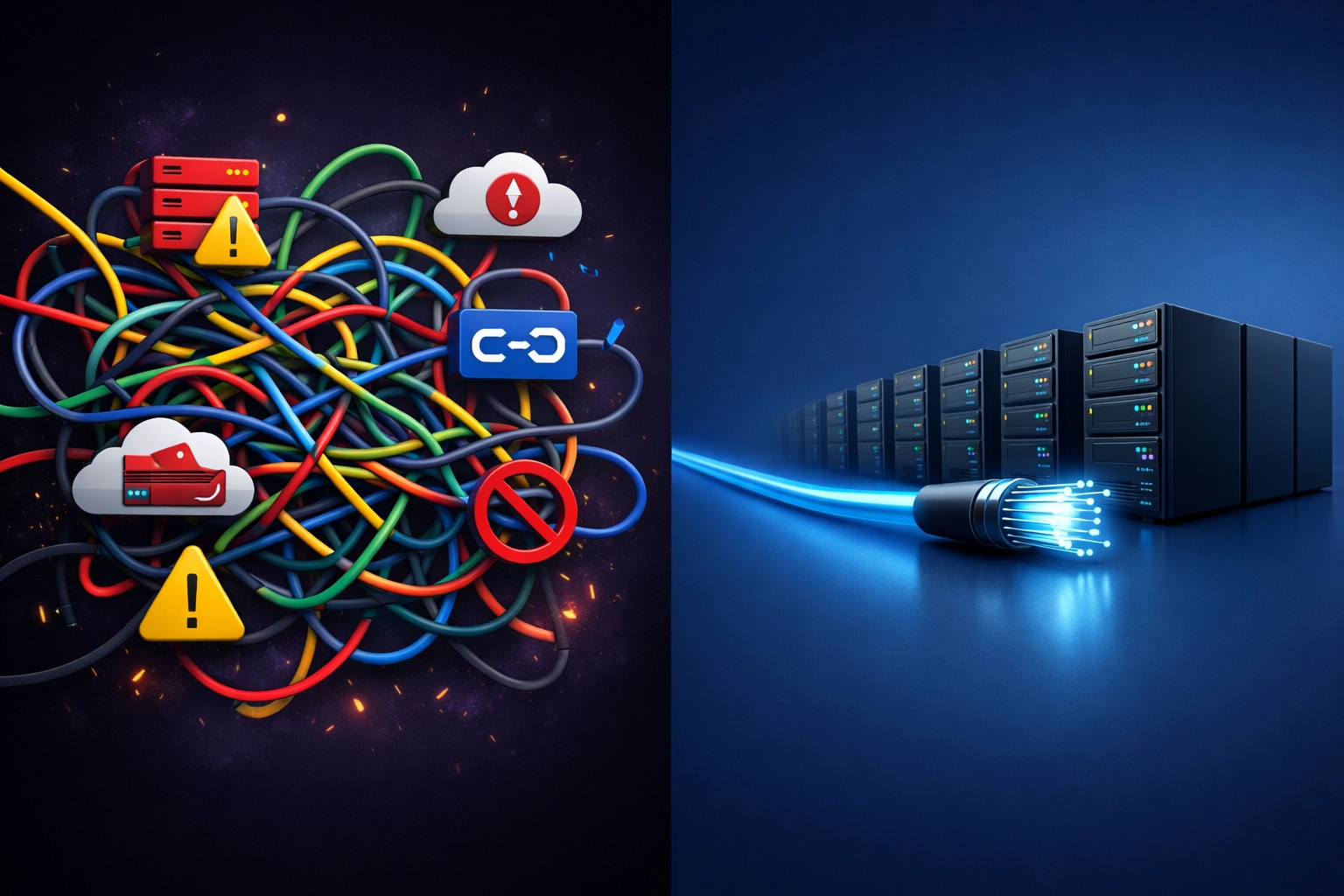
Comparison of tangled point solutions versus streamlined consolidated IT infrastructure

The financial case compounds over time. First-year savings from consolidation typically fund the migration itself, while years two and three deliver pure margin recovery that flows directly to your bottom line.

Why 2026 is the Inflection Point for Mid-Market IT

Three forces are converging this year that make consolidation more urgent: and more valuable: than ever before.

AI requires consolidated data. The enterprises seeing measurable ROI from AI investments share one characteristic: they consolidated their infrastructure first. AI tools need unified, correlated telemetry across your entire stack to deliver accurate root cause analysis, predictive alerts, and intelligent automation. Fragmented point solutions generate data silos that AI can't penetrate. They produce noise instead of intelligence.

If you're planning AI initiatives for 2026-2027, consolidation isn't optional: it's the foundation those projects require to succeed.

Regulatory complexity is accelerating. Data privacy requirements, AI governance frameworks, and compliance obligations across multiple jurisdictions are forcing IT leaders to reduce their attack surface. Every vendor relationship represents a separate compliance footprint to audit, a separate data sharing agreement to review, and a separate risk exposure to manage.

Consolidated platforms dramatically simplify compliance by centralizing data handling, reducing the number of sub-processors in your vendor chain, and giving you unified visibility into your entire security posture.

Economic pressure demands fast payback. CFOs in 2026 are green-lighting initiatives that pay for themselves within 12 months while enabling future transformation. Platform consolidation is rare among IT investments because it delivers both: immediate recurring cost savings and reduced operational complexity that makes your team faster and more capable.

This isn't a "nice to have" modernization project. It's a defensive move that protects margins during uncertainty while positioning you for offensive growth when conditions improve.

The Operational Gains That Multiply Profitability

Cost savings tell half the story. Consolidation delivers performance improvements that compound your financial returns:

Faster incident resolution emerges when your monitoring, alerting, and remediation tools share a unified data model. Teams using consolidated platforms report reducing mean time to repair (MTTR) by 40-50% compared to fragmented tool chains. When your network monitoring, cloud management, and security operations run on integrated platforms, root cause analysis becomes straightforward instead of archeological.

One study found consolidated approaches improve root cause analysis accuracy to 95% while reducing downtime by 48% or more: metrics that translate directly to reduced revenue loss and better customer experience.

Expanded visibility coverage happens naturally. IT teams managing fragmented point solutions typically monitor 40-60% of their infrastructure because adding coverage to each specialized tool requires separate procurement, deployment, and training cycles. Consolidated platforms allow teams to monitor 2x or more of their IT assets with the same resources, closing critical blind spots that expose you to outages and security incidents.

IT director presenting network consolidation ROI to business executives

Productivity recovery shows up in time-to-value for new initiatives. When your team isn't context-switching between 15 different portals and vendors, they can focus on projects that matter: optimizing cloud spend, improving network performance, or rolling out modern communication systems that actually work.

Making Consolidation Practical (Without the Risk)

The obstacle isn't whether consolidation makes financial sense. Mid-market IT leaders already know the math works. The obstacle is execution: how do you migrate critical infrastructure without business disruption, vendor lock-in, or choosing the wrong platform?

This is where having a single point of contact to source, evaluate, and implement becomes the difference between a successful consolidation and a stalled initiative that never launches.

Rather than navigating vendor sales teams directly: each promoting their own platform with limited objectivity: working with an advisory partner who represents your interests first changes the dynamic completely. You get:

  • Vendor-neutral evaluation based on your actual requirements, not what sales teams want to sell
  • Consolidated procurement that negotiates better terms because you're not managing 15 separate contracts
  • Implementation coordination across network, voice, cloud, and security that prevents the integration headaches that plague DIY consolidation projects
  • Ongoing optimization as your needs evolve, without getting locked into a single vendor's roadmap

At Premier Business Team, we've helped mid-market IT leaders assess their current infrastructure, identify consolidation opportunities, and execute multi-phase transitions that deliver savings in quarter one while building toward the modern, integrated stack that supports AI, compliance, and growth.

Frequently Asked Questions

How long does IT consolidation typically take?
Most mid-market organizations complete consolidation in 6-12 months using a phased approach that prioritizes high-impact, low-risk migrations first. Critical systems migrate last, after new platforms prove stability.

Will consolidation limit our flexibility or create vendor lock-in?
Modern consolidated platforms are far more flexible than legacy point solutions. The key is selecting vendor-neutral partners who prioritize interoperability and maintain relationships across multiple providers: giving you leverage and options rather than dependency.

What's the typical ROI timeline for infrastructure consolidation?
First-year savings from eliminated redundancies and reduced vendor overhead typically offset migration costs. Years 2-5 deliver pure margin recovery, with most organizations seeing 200-300% ROI over a three-year period.

How do we consolidate without disrupting operations?
Successful consolidations use parallel operation periods where old and new systems run simultaneously, gradual user migration, and careful timing around business cycles. Working with experienced implementation partners minimizes risk substantially.

Can smaller IT teams manage consolidated platforms effectively?
Consolidated platforms actually reduce the skill diversity required. Instead of needing specialists for 10 different tools, your team develops deep expertise in fewer platforms while automation handles routine tasks that previously required manual intervention across multiple systems.

Stop Paying the Premium: Start Recovering Your Margins

The point solution era made sense when specialized tools were the only way to solve specific problems. In 2026, that era is over.

Consolidated platforms deliver better performance, lower costs, and operational simplicity that fragmented tool chains can't match. Every quarter you delay consolidation is another quarter paying the premium for complexity itself.

Ready to see what consolidation could recover in your IT budget? Schedule a business technology assessment with Premier Business Team. We'll analyze your current vendor relationships, identify redundancies and consolidation opportunities, and map a phased approach that delivers savings while reducing risk. Contact us today to start turning vendor sprawl into competitive advantage.


POTS Replacement vs. Waiting: Which Will Cost Your Multi-Location Business More After Copper Sunset 2026?

premierbusiness · February 24, 2026 ·

If you're running a multi-location business with traditional copper phone lines, you're probably asking yourself the same question right now: Should I replace these POTS lines now, or just ride them out until 2026?

It's a fair question. After all, those lines still work. Your elevators, fire alarms, security systems, and fax machines (yes, some of you still have them) are humming along just fine. Why fix what isn't broken?

Here's why: waiting is going to cost you a lot more money than acting now. And when we say "a lot," we mean hundreds of thousands of dollars for businesses with multiple locations.

Let's break down the math, because numbers don't lie.

The Price Tag of "Just Waiting It Out"

Right now, business POTS lines are running you somewhere between $150 and $200 per month per line. Some unlucky businesses are paying even more, several hundred dollars for a single line.

Here's what's happening: the FCC removed price caps on POTS services. Carriers know copper is dying, fewer customers are using these lines, and maintaining that ancient infrastructure is expensive. So they've been steadily cranking up the prices. Industry projections show POTS costs could spike by 75% between 2023 and 2026.

Old copper phone line next to modern POTS replacement device showing technology transition

Let's use a real example. Say you've got 12 POTS lines across your locations. At $150/month per line, you're paying:

  • $1,800 per month
  • $21,600 per year
  • $108,000 over five years

And remember, those prices are going up, not staying flat. By 2026, when copper sunset hits and carriers start flipping the switch, you'll be scrambling with everyone else who waited. That's when the real costs kick in:

Emergency migration fees. When you're forced to move under time pressure, carriers and vendors know they've got you. Expedited installations, rush orders, premium pricing, it all adds up.

Limited negotiating power. When you wait until the last minute, you lose leverage. You can't shop around. You take what's available, at whatever price they're charging.

Downtime risks. A rushed migration means higher chances of service interruptions. For multi-location businesses, that could mean elevator phones going offline, security systems failing, or fire alarms losing their connection. Those aren't just inconveniences, they're compliance nightmares and potential safety issues.

The Real Cost of Replacing Now

Modern POTS replacement solutions aren't just cheaper, they're dramatically cheaper. We're talking 40% to 75% cost reductions.

Cellular-based POTS replacement technology typically runs $30 to $60 per month per line. Many providers offer flat rates around $45/month with no surprise fees.

Using that same 12-line example:

  • Replacement cost: $45/month × 12 lines = $540 per month ($6,480 annually)
  • Current POTS cost: $150/month × 12 lines = $1,800 per month ($21,600 annually)
  • Your savings: $1,260/month or $15,120 per year

Over five years, that's $75,600 back in your pocket instead of lighting it on fire with legacy line charges.

And here's the kicker: modern replacement solutions come with features that used to cost extra. Built-in redundancy. Remote monitoring. Battery backup. Automatic failover. All included, no upcharges, no surprises.

You also lock in your rate now instead of watching it climb year after year as copper disappears and carriers squeeze the last dollars out of dying technology.

Cost comparison showing POTS replacement savings versus legacy phone line expenses

The Multi-Location Reality Check

If you're operating multiple locations, the math gets even more dramatic.

Let's say you run 20 locations with an average of 10 lines each, that's 200 total lines. Here's what the next few years look like:

Sticking with POTS (estimated mid-range pricing):

  • 200 lines × $175/month = $35,000 per month
  • $420,000 per year

Switching to POTS replacement:

  • 200 lines × $50/month = $10,000 per month
  • $120,000 per year

That's an annual savings of $300,000. Even after you factor in equipment costs and installation, you're looking at payback within the first few months.

Over five years? You're saving $1.5 million dollars. That's not a typo.

Beyond the Dollar Signs: What Else You're Risking

Money is obviously a big part of this decision, but it's not the only consideration. Waiting until copper sunset 2026 creates operational risks that could cost you in ways that don't show up on a monthly bill:

Compliance gaps. Fire codes and safety regulations require functional communication lines for elevators, fire panels, and emergency systems. If your copper lines go dark unexpectedly (and they will), you could face fines, failed inspections, or worse, liability issues if something goes wrong.

Vendor availability. Right now, reputable POTS replacement vendors have capacity and competitive pricing. In late 2025 or early 2026, when everyone is scrambling? Good luck finding a vendor who can handle 20 locations without putting you on a six-month waiting list.

Installation bottlenecks. Replacing 200 lines across multiple locations takes time and coordination. You need site surveys, equipment ordering, installation scheduling, testing, and cutover planning. Rushing that process invites mistakes and service disruptions.

Technology lock-in. Waiting means you'll take whatever solution is available in a panic. Acting now means you can evaluate options, choose technology that fits your specific needs, and avoid getting stuck with subpar equipment for the next decade.

If you've already explored elevator phone line replacement or researched traditional business phone line alternatives, you know the landscape is shifting fast. The businesses winning this transition are the ones planning ahead, not reacting when it's too late.

Multi-location business network map showing POTS line replacement across United States

Frequently Asked Questions About POTS Replacement Timing

Q: Can I just wait until my carrier notifies me about copper sunset?

A: You can, but that notification often comes with short timelines, sometimes 90 days or less. That's not enough time to properly evaluate solutions, get competitive bids, and coordinate installations across multiple locations without paying premium rush fees.

Q: Will POTS replacement technology work with my existing fire alarms and elevator systems?

A: Yes. Modern POTS replacement solutions are specifically designed to work with legacy equipment that requires analog phone line connectivity. They're plug-and-play compatible with fire panels, elevator phones, fax machines, alarm systems, and door entry systems.

Q: What if some of my locations still have good copper line pricing?

A: That's a short-term win that's about to turn into a long-term loss. Those rates won't last through 2026, and you'll still face the same migration pressure and limited options when copper sunset hits. Standardizing your replacement strategy now: across all locations: gives you better pricing, easier management, and consistent technology.

Q: How long does POTS replacement take for a multi-location business?

A: It depends on the number of locations and lines, but a typical project might take 3–6 months when done properly. That includes assessment, vendor selection, equipment procurement, site surveys, installation scheduling, and cutover. Rushing it in 2026? Expect delays, higher costs, and more headaches.

Q: Can I phase in POTS replacement over time instead of doing everything at once?

A: Absolutely. Many multi-location businesses prioritize critical sites first (locations with the most lines, aging equipment, or compliance-sensitive systems) and phase in the rest over 12–18 months. This spreads costs and reduces operational risk: but only if you start now instead of waiting until 2026.

The Bottom Line: Act Now or Pay Later

Here's the truth: the cost of replacing POTS lines now is substantially lower than continuing to pay inflated legacy line charges or being forced to migrate when copper sunset hits in 2026.

The only scenario where waiting looks cheaper is if you bury your head in the sand so long that copper service disappears entirely: and then you're stuck paying whatever emergency migration costs the market will bear.

For multi-location businesses, the math is simple:

✅ Replace now = predictable costs, better vendor options, operational control, and massive savings
❌ Wait until 2026 = escalating legacy costs, forced migration, limited options, and unnecessary expense

The window to act strategically is closing. By mid-2025, the rush will be on: and you'll be competing with thousands of other businesses for the same limited vendor capacity.

Ready to Calculate Your Real Savings?

We help multi-location businesses across the country transition from legacy POTS lines to modern, cost-effective solutions: without service disruptions or compliance gaps.

Get a free POTS replacement audit and consultation. We'll assess your current lines, calculate your exact savings, and build a migration roadmap tailored to your locations and timeline.

Contact Premier Business Team today and find out how much money you're leaving on the table by waiting.

Verified Logos in the Inbox: How Premier Business Helps You Build Instant Brand Trust with BIMI

premierbusiness · February 24, 2026 ·

As phishing attacks grow more sophisticated in 2026, there's a deceptively simple technology that can dramatically improve your email security while simultaneously boosting your brand recognition. It's called BIMI, Brand Indicators for Message Identification, and it allows your verified company logo to appear next to legitimate emails in your recipients' inboxes.

Think of BIMI as the "blue checkmark" for email. When customers and employees see your logo next to a message, they get an instant visual signal that it's authentic and not a spoofed attempt to steal credentials or spread malware.

Through our trusted technology partnerships, Premier Business Team helps organizations of all sizes implement BIMI alongside the essential email authentication protocols that make it work. Here's everything you need to know about why BIMI matters, and how to get started.


The Instagram Incident: A Real-World Example of BIMI in Action

Earlier this month, Instagram users across the globe experienced a wave of unsolicited password reset emails. These were legitimate messages sent from Instagram's servers, but users hadn't requested them.

As news of this issue spread, threat actors saw an opportunity. They began sending spoofed emails with nearly identical content, same subject lines, same formatting, same urgency, but these weren't from Instagram at all. They were phishing attempts designed to harvest credentials.

Business professional reviewing emails on smartphone, highlighting phishing risk and email security concerns

Here's where things got tricky:

  • Sender names and addresses appeared legitimate to the untrained eye
  • Message content was nearly indistinguishable from the real thing
  • Users had no reliable way to verify authenticity without technical knowledge

Except for one thing: Instagram had BIMI enabled.

Official Instagram emails displayed the company's verified logo directly in the inbox. Spoofed emails? No logo. This simple visual distinction gave users a quick, reliable way to identify real messages before clicking anything.

Instagram was able to communicate a straightforward message to concerned users: "If you don't see our logo, don't trust the email."

That's the power of BIMI.


How BIMI Actually Works

BIMI doesn't operate in isolation. It builds on top of three foundational email authentication protocols that work together to verify your messages are legitimate:

SPF (Sender Policy Framework)

SPF tells receiving mail servers which IP addresses are authorized to send email on behalf of your domain. If an email comes from an unauthorized server, it fails SPF validation.

DKIM (DomainKeys Identified Mail)

DKIM adds a digital signature to your outgoing emails. The receiving server checks this signature against a public key in your DNS records to confirm the message hasn't been tampered with.

DMARC (Domain-based Message Authentication, Reporting & Conformance)

DMARC ties SPF and DKIM together and tells receiving servers what to do with messages that fail authentication, quarantine them, reject them, or let them through. BIMI requires a DMARC policy set to either "quarantine" or "reject" to function.

Once these three protocols are properly configured and enforced, you can implement BIMI. When an email passes authentication, the receiving mail server retrieves your brand logo from your DNS records and displays it in the inbox.

Computer monitor displaying an email inbox with a verified brand logo, demonstrating BIMI trust and protection

The result? Even recipients who don't understand the technical details of email authentication can instantly recognize a verified message from your organization.


Beyond Security: The Brand Trust Advantage

While BIMI's security benefits are compelling, the brand advantages are equally significant for business leaders and MDU property owners looking to strengthen communication with tenants, customers, and partners.

Consistent Brand Visibility

Every authenticated email becomes a branding opportunity. Your logo appears consistently across inboxes, reinforcing recognition every time someone receives a message from your organization.

Increased Open Rates

Studies show that emails with visible brand indicators see higher engagement. Recipients are more likely to open and act on messages they trust.

Reduced Customer Confusion

When your logo is present, customers gain confidence that communications truly come from your organization. They're less likely to ignore legitimate messages or report them as spam.

Protection Against Impersonation

Fraudsters attempting to spoof your domain cannot display your verified logo. This makes counterfeit emails immediately recognizable, protecting your reputation and your customers.


Major Email Providers Are On Board

BIMI isn't some fringe technology hoping for adoption. The biggest names in email have already validated it:

  • Google Gmail – Full BIMI support with Verified Mark Certificate (VMC) requirement
  • Yahoo Mail – One of the earliest adopters of BIMI
  • Apple Mail – Support added for iOS and macOS users

When you implement BIMI, you're meeting trust standards recognized by the platforms that handle the vast majority of consumer and business email. Your organization isn't just improving security, it's aligning with industry best practices that major providers actively encourage.


How Premier Business Team Guides Your BIMI Implementation

Implementing BIMI correctly requires more than flipping a switch. It demands expertise in DNS configuration, email authentication protocols, and certificate management. That's where Premier Business Team comes in.

Through our cybersecurity partnerships, we guide MDU owners, business leaders, and organizations through every step of the process:

DMARC Readiness and Enforcement

We assess your current email authentication posture and help you move toward a "quarantine" or "reject" DMARC policy, the prerequisite for BIMI activation.

SPF and DKIM Validation

Our team ensures your SPF records are correctly configured and that DKIM signing is properly implemented across all your sending sources.

BIMI Record Configuration

We handle the DNS record creation that tells mail servers where to find your verified logo, ensuring proper formatting and accessibility.

Verified Mark Certificate (VMC) Guidance

For full BIMI support with Gmail and other providers requiring VMC, we guide you through the certificate acquisition process and trademark verification requirements.

Premier Business Team logo Logo with bold gray lettering for 'Premier,' blue dots forming a partial circle above the 'i,' and 'BUSINESS TEAM' in uppercase blue text underneath, representing technology advisory and telecom consulting services.

Whether you're managing a multi-tenant property and need to protect resident communications, or you're a business leader looking to strengthen customer trust, our partnership-driven approach means you get expert guidance without the complexity of managing it yourself.


Frequently Asked Questions About BIMI

What is BIMI and how does it protect my business?
BIMI (Brand Indicators for Message Identification) displays your verified company logo next to authenticated emails in recipients' inboxes. It protects your business by making it immediately obvious when an email is legitimate versus when someone is attempting to spoof your domain.

Do I need DMARC, SPF, and DKIM before implementing BIMI?
Yes. BIMI requires all three protocols to be in place, with DMARC set to either "quarantine" or "reject" enforcement. These foundational layers ensure only properly authenticated emails can display your logo.

Which email providers support BIMI in 2026?
Google Gmail, Yahoo Mail, and Apple Mail all support BIMI. Adoption continues to grow across other major inbox providers as well.

What is a Verified Mark Certificate (VMC)?
A VMC is a digital certificate that verifies your organization's ownership of the logo being displayed. Gmail and some other providers require a VMC for full BIMI implementation.

How long does BIMI implementation take?
Timeline varies based on your current email authentication posture. Organizations with existing DMARC enforcement can often implement BIMI within weeks. Those starting from scratch may need several months to properly configure and test their authentication protocols.

Can BIMI help with email deliverability?
Indirectly, yes. Proper email authentication (SPF, DKIM, DMARC) improves deliverability, and BIMI adds an additional trust signal that can positively influence how inbox providers treat your messages.


Ready to Put Your Logo in Every Inbox?

BIMI represents the convergence of email security and brand marketing. It's a rare technology that makes your organization both safer and more recognizable at the same time.

If you're ready to explore BIMI implementation: or if you need help getting your DMARC, SPF, and DKIM foundations in place first: Premier Business Team is here to guide you through the process.

Call us at 360-946-2626 or visit our website to schedule a consultation. Let's make sure the next email your customers receive comes with your verified logo attached.

90 Days to Comply: Your Emergency POTS Replacement Checklist After the FCC’s 2025 Rule Change

premierbusiness · February 23, 2026 ·

How Long Do I Have to Replace My POTS Lines?

You have 90 days from the date your telecommunications carrier sends you official shutdown notice. The FCC's 2025 rule change allows carriers to retire copper infrastructure with just three months' warning, meaning once you receive that notice, the clock starts ticking immediately. If you're reading this and haven't started planning your POTS replacement strategy, you're already behind.

The "copper sunset" isn't coming, it's here. And for thousands of businesses across the United States, the scramble to replace Plain Old Telephone Service (POTS) lines before the 2026 full retirement deadline has become a critical operational priority.

Why the FCC Rule Change Changes Everything

The 2025 FCC ruling fundamentally altered the telecommunications landscape. Carriers can now retire legacy copper infrastructure with minimal notice, and they're wasting no time. AT&T, Verizon, Lumen, and other major providers have already begun issuing shutdown notices across multiple states.

Here's what makes this urgent: POTS line costs have increased 31.4% annually since 2019. Many businesses are paying $150-$300 per month per line for service that could cost $20-$50 with modern replacements. But cost isn't even the biggest concern, compliance is.

Aging copper POTS line infrastructure in telecommunications room requiring urgent replacement

If your fire alarm panel, emergency elevator phone, or security system relies on an analog POTS line that gets disconnected, you're not just losing service. You're potentially violating building codes, insurance requirements, and life safety regulations.

Your 90-Day POTS Replacement Checklist

Phase 1: Audit & Discovery (Days 1-7)

Week one is all about knowing what you have. Most businesses dramatically underestimate how many POTS lines they're actually using.

Action Items:

  • Inventory every POTS line on your property. Check phone closets, mechanical rooms, security offices, and elevator machine rooms.
  • Identify critical systems. Document which lines connect to:
    • Fire alarm panels and monitoring systems
    • Emergency elevator phones (required by code in most jurisdictions)
    • Security and intrusion alarm systems
    • Door access control systems
    • Medical alert devices
    • Point-of-sale terminals with analog connections
    • Fax machines (yes, some industries still use them)
  • Review current service agreements. Pull your telecommunications bills and identify exactly which lines are POTS versus digital.
  • Check your carrier's shutdown timeline. Contact your provider directly to confirm when service termination is scheduled.

Pro tip: Many businesses discover "phantom" POTS lines during this audit: lines they're paying for but no longer use. Disconnecting these immediately can save you money while you plan your transition.

Phase 2: Engineering & Solution Design (Days 8-30)

Once you know what you have, you need to understand what you need. This is where many businesses make expensive mistakes by choosing the wrong POTS replacement technology.

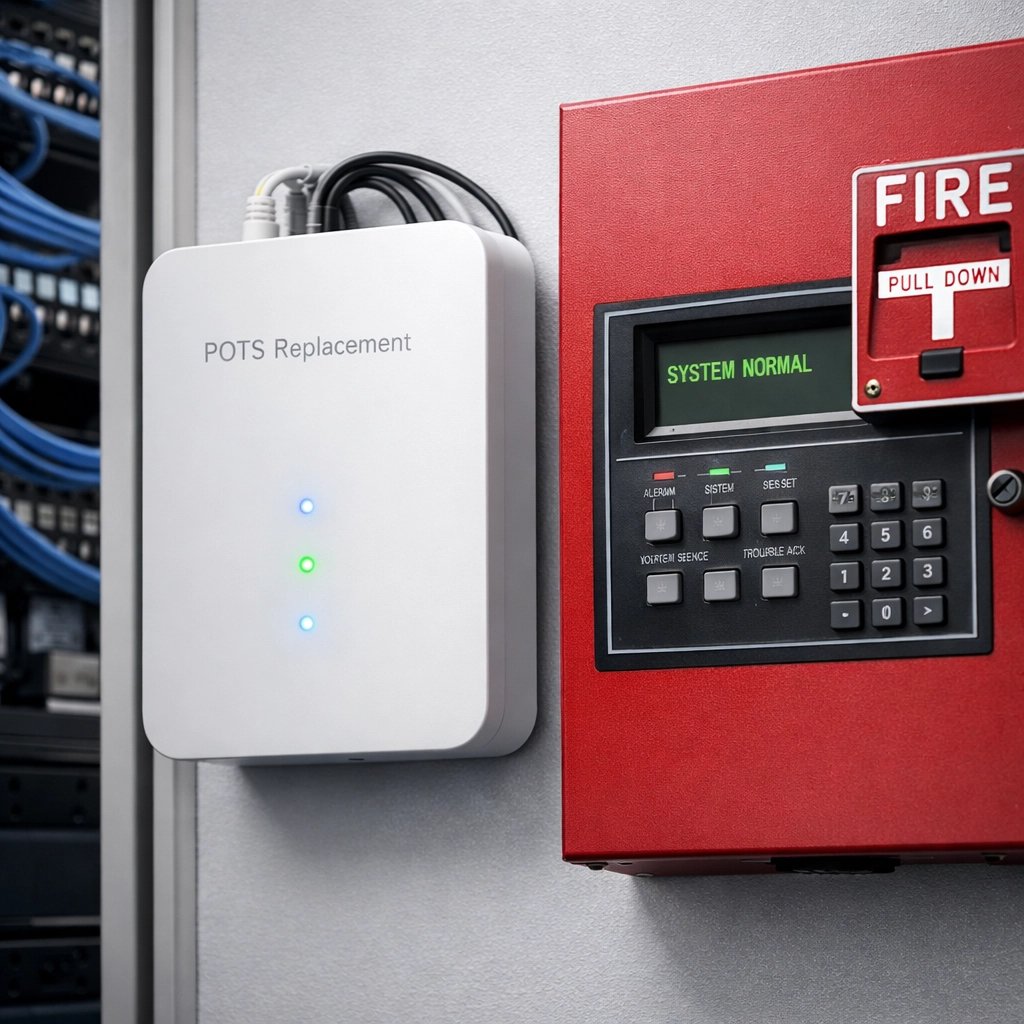
Modern POTS replacement device mounted next to fire alarm panel in commercial building

Action Items:

  • Understand modern replacement capabilities. Today's POTS replacement devices offer significant advantages:
    • Multi-day battery backup systems (far exceeding traditional phone line reliability)
    • Automatic failover between wired and wireless connectivity
    • 5G and LTE cellular backup options
    • 24/7 remote monitoring and diagnostics
    • Full VoIP support
  • Match solutions to system requirements. Not all replacements are created equal:
    • Fire alarm panels often require FCC-certified analog replacement devices
    • Elevator phones need specific failover protocols to meet ASME A17.1 standards
    • Security systems may need specialized adapters to maintain alarm monitoring connections
  • Assess your existing network infrastructure. If you're moving to VoIP-based replacements, ensure your network can handle the additional traffic with proper QoS (Quality of Service) settings.
  • Budget appropriately. Factor in hardware costs, installation labor, ongoing monitoring fees, and potential network upgrades.

For detailed guidance on elevator phone compliance specifically, check out our comprehensive elevator phone replacement guide.

Phase 3: Provider Selection & Procurement (Days 31-60)

This is where the rubber meets the road. You've identified your needs and designed your solution: now you need to execute.

Action Items:

  • Vet telecommunications providers carefully. Look for providers with:
    • Proven POTS replacement experience
    • 24/7 technical support
    • Clear SLAs (Service Level Agreements) for uptime
    • Experience with compliance requirements in your industry
  • Request detailed implementation timelines. A quality provider should give you a day-by-day deployment schedule.
  • Coordinate with building management and tenants. If you're a property manager, notify residents or business tenants about the upcoming transition at least 30 days in advance.
  • Order equipment early. Supply chain issues can delay delivery. Order your replacement devices no later than day 45 of your 90-day window.
  • Schedule implementation during low-impact periods. Plan your cutover for times when building occupancy is lowest: typically early mornings or weekends.

Critical consideration: Begin the actual transition process at least 10 business days before your carrier's shutdown date. This buffer gives you time to troubleshoot issues without risking service interruption.

Phase 4: Implementation & Testing (Days 61-90)

The final 30 days are about flawless execution. This isn't the time to rush: it's the time to be methodical.

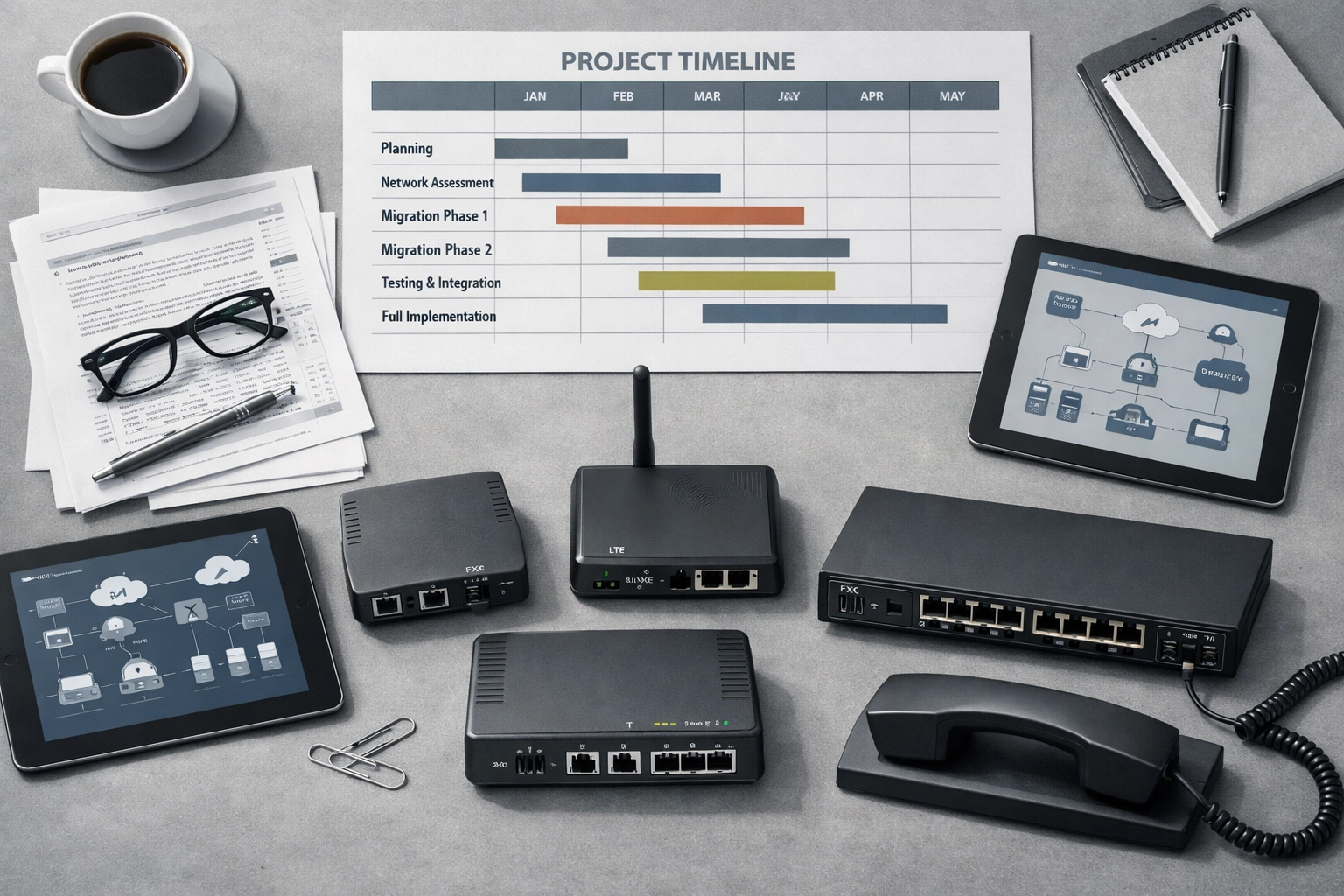
POTS replacement project planning materials and timeline on conference table

Action Items:

  • Deploy replacement systems systematically. Start with non-critical systems first to work out any installation kinks.
  • Test every single connection. For life safety systems, this isn't optional:
    • Fire alarm panels: Conduct full test signals to your monitoring station
    • Elevator phones: Test both inbound and outbound calling, including emergency protocols
    • Security systems: Verify alarm signals transmit properly
    • Door access: Confirm remote unlock and monitoring functions work
  • Verify failover capabilities. Physically disconnect primary connectivity and confirm backup systems engage automatically.
  • Document everything. Create a detailed record of what was replaced, when, and how to troubleshoot common issues.
  • Train relevant personnel. Ensure your maintenance staff, security team, or property managers understand the new systems.
  • Schedule a post-implementation review. Plan a 30-day follow-up to address any issues that emerge after go-live.

Compliance Requirements You Can't Ignore

Let's be crystal clear: POTS line replacement isn't just an operational issue: it's a legal compliance issue.

Fire Alarm Systems: The National Fire Protection Association (NFPA) requires that fire alarm systems maintain reliable communication with monitoring centers. Many jurisdictions require FCC-certified analog replacement devices for fire panel connections.

Elevator Phones: ASME A17.1 Safety Code mandates that elevator emergency phones provide two-way communication. Your POTS replacement solution must meet these standards or you're violating code.

Security & Access Control: Insurance policies often require functional security monitoring. If your replacement solution doesn't maintain alarm signal transmission, you could void coverage.

Documentation: Many compliance audits now specifically ask about POTS line replacement strategies. You'll need documentation proving your new systems meet or exceed previous standards.

What If You Miss the Deadline?

If your 90-day window closes and you haven't completed your POTS replacement, you face several serious risks:

  • Loss of critical communication systems for fire, elevator, and security
  • Building code violations that can result in fines or occupancy restrictions
  • Insurance policy violations that could void coverage
  • Liability exposure if emergency systems fail during an incident
  • Tenant complaints and potential lease violations in commercial properties

The copper sunset isn't negotiable. Carriers are retiring this infrastructure regardless of whether customers are ready.

Frequently Asked Questions

What happens if I receive a 90-day notice and do nothing?

Your POTS lines will be disconnected on the scheduled date. Any systems relying on those lines: fire alarms, elevator phones, security systems: will stop working. You'll be in immediate violation of building codes and potentially liable for any incidents that occur.

Can I just switch all my POTS lines to VoIP?

Not necessarily. Many life safety systems require FCC-certified analog replacement devices rather than standard VoIP connections. You need specialized POTS replacement hardware that can interface with your existing equipment while providing modern connectivity.

How much does POTS line replacement typically cost?

Costs vary widely based on the number of lines and complexity of your systems. Simple POTS replacement devices start around $200-400 per line, while enterprise solutions with cellular backup and remote monitoring can range from $500-1,500 per line. However, this is often cheaper than continuing to pay inflated POTS line monthly fees.

Do I need to replace all my POTS lines at once?

While it's most efficient to handle everything in one project, you can prioritize critical systems (fire, elevator, security) first if needed. However, don't delay: once your carrier issues a shutdown notice, all lines will be disconnected on the same date regardless of whether you've replaced them.

Will my insurance company require proof of compliant replacement?

Many insurance carriers now ask for documentation that life safety systems maintain code-compliant communication after POTS retirement. Keep detailed records of your replacement project, including equipment specifications and test results.

Don't Wait for the Notice

Here's the reality: if you're reading this article, you should already be planning your POTS replacement strategy: even if you haven't received a shutdown notice yet.

The most successful transitions happen when businesses plan proactively rather than react to a 90-day deadline. You'll have more time to evaluate solutions, negotiate better pricing, and schedule implementation during convenient times.

Premier Business Team specializes in POTS line replacement for businesses across the country. We handle everything from initial audits through final testing, ensuring your fire, elevator, and security systems remain fully compliant throughout the copper sunset transition.

Contact us today for a free POTS audit and customized replacement strategy. We'll assess your current infrastructure, identify compliance requirements, and provide a detailed implementation plan: all before your carrier sends that 90-day notice.

Don't let the copper sunset catch you unprepared. The 90-day countdown is real, and the stakes are too high to gamble with life safety systems.

Get your free POTS audit from Premier Business Team →

Elevator Phone Line Replacement vs Fire Alarm Line Replacement: Which NFPA 72 Compliance Mistakes Cost You More in 2026?

premierbusiness · February 20, 2026 ·

If you manage multi-story facilities, hospitals, or commercial buildings with elevators and fire suppression systems, you're dealing with two critical lifelines that keep your occupants safe: elevator emergency phones and fire alarm communication systems. Both fall under NFPA 72 compliance standards, but they're not the same, and the mistakes you make with each can carry vastly different price tags.

In 2026, the Copper Sunset is accelerating. Traditional POTS (Plain Old Telephone Service) lines that once powered these systems are disappearing, and facility managers who fail to navigate the transition correctly are facing failed inspections, costly retrofits, and even liability exposure. The question isn't just "which system is more important?" It's "which compliance mistake will cost you more?"

Let's break down the technical and legal differences between elevator phone line replacement and fire alarm phone line replacement, so you can prioritize your budget and avoid the most expensive pitfalls.

Understanding the Difference: Elevator vs Fire Alarm Lines

At first glance, elevator phones and fire alarm systems might seem interchangeable, both require reliable communication, both involve emergency response, and both are governed by NFPA 72. But they serve fundamentally different purposes:

Elevator Emergency Phones provide two-way voice communication between a trapped rider and an emergency responder. The primary goal is to reassure the rider, gather information, and coordinate rescue efforts. These systems must comply with both ASME A17.1 (elevator safety code) and NFPA 72.

Fire Alarm Communication Systems transmit alarm signals from your building's fire detection devices to a central monitoring station or emergency dispatch. The primary goal is speed and redundancy, getting the alert out before fire suppression systems activate or occupants evacuate.

The technical and legal requirements for each are distinct, and so are the compliance mistakes that cost the most.

Elevator emergency phone handset on control panel for NFPA 72 compliance

NFPA 72 Requirements for Elevator Phone Lines

Under NFPA 72 and ASME A17.1, elevator emergency communication systems must meet the following standards:

Two-Way Voice Communication

Every elevator cab must have a functional phone that connects a trapped rider to a live responder within 45 seconds. That responder must be able to hear, speak, and provide reassurance.

Automatic Location Identification

The system must automatically transmit the exact elevator location (building, floor, cab number) without requiring the rider to verbally describe where they are. This is critical in high-rise buildings or campuses with multiple elevator banks.

Accessibility from Outside the Hoistway

The 2019 NFPA 72 update introduced a major change: fire alarm initiating devices (FAID) in elevator hoistways must now be accessible from outside the hoistway. This means older spot-type smoke detectors installed inside hard-to-reach shafts no longer meet code. If your system still relies on in-hoistway detectors, you're out of compliance.

Backup Power

Elevator phones must remain operational during a power outage. This typically requires UPS (uninterruptible power supply) or battery backup.

Common Mistake: Facility managers assume they can simply swap a POTS line for a basic VoIP connection and call it done. But elevator phones require guaranteed uptime and low latency, something consumer-grade VoIP cannot reliably provide. If your replacement solution doesn't meet ASME A17.1 performance standards, you'll fail inspection.

NFPA 72 Requirements for Fire Alarm Lines

Fire alarm communication systems have a different set of NFPA 72 requirements, focused on redundancy and transmission speed:

Two Independent Communication Paths (or One High-Performance Path)

According to NFPA 72 (2022), Section 26.6.3.5.1, fire alarm systems must use two independent communication paths to transmit alarm signals to the monitoring station. Alternatively, you can use a single path if it meets higher performance criteria (faster transmission, higher reliability).

No More Dual POTS Lines

Here's the critical change: the 2013 edition of NFPA 72 eliminated the use of a second phone line as a backup transmission channel. You can no longer rely on two copper landlines to meet the "dual path" requirement. Your secondary path must be cellular, internet-based, or radio.

Transmission Speed

Fire alarm signals must reach the monitoring station within strict time windows (typically 90 seconds or less, depending on the system type). Any delay, due to network congestion, carrier outages, or misconfigured equipment, can result in a failed inspection.

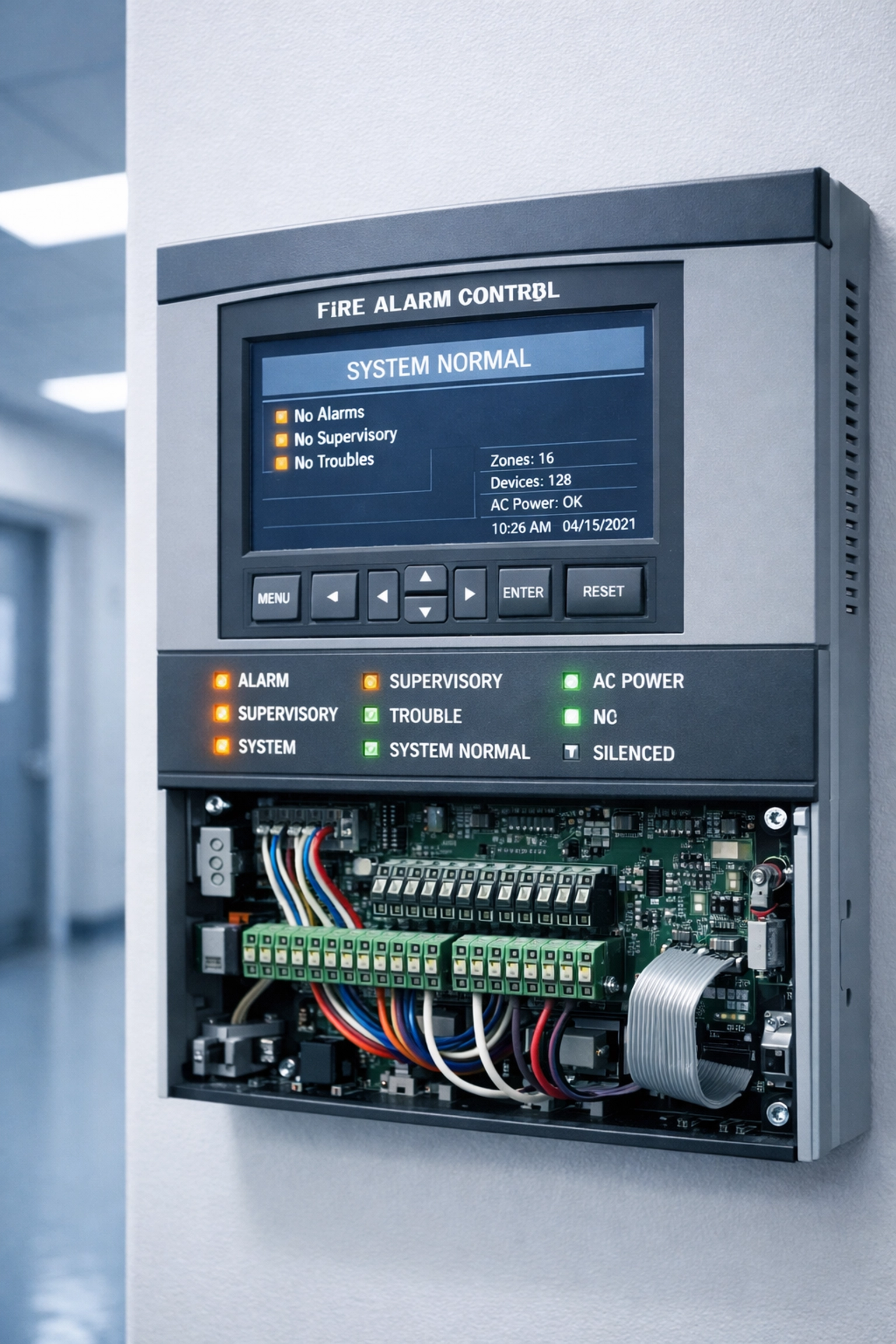
Fire alarm control panel with digital display meeting NFPA 72 requirements

Common Mistake: Facility managers upgrade their primary fire alarm line to a modern IP-based solution but leave the "backup" line as a legacy POTS circuit. That POTS line is now out of compliance under current NFPA 72 standards, and you're paying $100–$300/month for a line that doesn't count toward your dual-path requirement.

The Most Expensive Compliance Mistakes

Both elevator and fire alarm systems are subject to costly mistakes, but the financial and legal stakes differ. Here are the top compliance failures we see in 2026:

1. Using POTS Lines Beyond Their Expiration Date

Copper POTS lines are being retired nationwide. If your carrier discontinues service or raises rates (some clients report 500% increases), you're left scrambling for an emergency replacement. Elevator phones and fire alarms go down simultaneously, and you face immediate inspection failures.

Cost: $5,000–$50,000+ in emergency retrofit fees, plus downtime penalties.

2. Replacing Fire Alarm Lines with Non-Compliant VoIP

Switching to a basic business VoIP line without understanding NFPA 72's dual-path requirement is one of the most expensive mistakes. You'll pass initial installation, but fail your annual inspection when the fire marshal realizes you only have one compliant path.

Cost: $10,000–$30,000 to retrofit a compliant secondary path (cellular or radio backup).

3. Ignoring Automatic Location Identification (ALI) for Elevator Phones

Older elevator phone systems rely on the rider verbally describing their location. Modern ASME A17.1 standards require automatic location identification. If your system doesn't transmit this data, you're out of compliance.

Cost: $3,000–$15,000 per elevator to upgrade or replace the phone system.

4. Failing to Update Fire Alarm Initiating Devices in Hoistways

If you have in-hoistway smoke detectors that aren't accessible from outside the shaft, you're no longer NFPA 72 compliant as of the 2019 update. This is a fire marshal's favorite citation.

Cost: $8,000–$25,000+ to relocate or replace detectors in a multi-story building.

POTS line telephone versus modern cellular backup device for phone line replacement

Which Mistakes Cost More?

So, which compliance failure will hit your budget harder: elevator phone line replacement or fire alarm phone line replacement?

Fire Alarm Mistakes Carry Higher Direct Costs

Fire alarm system retrofits, especially dual-path communication upgrades, tend to be more expensive because they involve:

  • Building-wide infrastructure changes
  • Monitoring station reconfiguration
  • Cellular backup hardware and recurring monthly fees
  • Potential fire suppression system recalibration

Average cost to fix a fire alarm compliance mistake: $15,000–$50,000+ per building.

Elevator Mistakes Carry Higher Liability Risk

Elevator phone failures, on the other hand, carry significant legal liability. If a rider is trapped in an elevator with a non-functional phone and suffers injury or panic-related harm, your organization is exposed to lawsuits, ADA violations, and workers' compensation claims.

Average cost of an elevator-related injury lawsuit: $100,000–$1,000,000+ (depending on severity and jurisdiction).

The Bottom Line: Fire alarm mistakes cost more upfront. Elevator phone mistakes cost more in legal risk. If you're forced to choose which to fix first, prioritize elevator phones for liability protection, then tackle fire alarm dual-path compliance before your next annual inspection.

How to Avoid Both Mistakes

The best strategy? Replace both systems before your carrier forces your hand. Here's the modern, compliant approach:

  • Elevator Phones: Upgrade to a cellular-based elevator phone system with built-in automatic location identification and 24/7 monitoring. These systems meet ASME A17.1 and NFPA 72 standards and don't rely on disappearing POTS lines.

  • Fire Alarm Lines: Deploy a dual-path fire alarm communicator with an IP primary path and a cellular backup. This meets NFPA 72's 2022 standards and eliminates your reliance on legacy copper lines.

Both solutions integrate seamlessly with your existing fire panels and elevator control systems, and both scale across multi-location portfolios.

Frequently Asked Questions

What is the difference between elevator phone lines and fire alarm lines?
Elevator phone lines provide two-way voice communication for trapped riders, while fire alarm lines transmit alarm signals from detection devices to monitoring stations. Both must meet NFPA 72 standards, but they serve different emergency functions and have distinct technical requirements.

Can I use the same line for both my elevator phone and fire alarm system?
No. NFPA 72 and ASME A17.1 require separate, dedicated communication paths for each system to ensure reliability and prevent single points of failure.

Are POTS lines still compliant for elevator phones in 2026?
Technically yes: if they're available. But most carriers are discontinuing POTS service nationwide, and prices are skyrocketing. Modern cellular-based solutions are more reliable and cost-effective.

What happens if my fire alarm system fails an NFPA 72 inspection?
You'll receive a citation requiring immediate remediation. Depending on your jurisdiction, you may face fines, mandatory building closures, or revocation of your occupancy permit until the system is brought into compliance.

How much does it cost to replace both elevator and fire alarm lines?
Costs vary by building size and system complexity, but expect $10,000–$50,000+ per location for a full dual-system upgrade. The good news? You'll eliminate recurring POTS line fees and avoid expensive emergency retrofits.


Don't wait for a failed inspection or a trapped rider emergency. If your building still relies on POTS lines for elevator phones or fire alarms, you're out of time. Premier Business Team specializes in NFPA 72-compliant POTS replacement solutions for multi-location enterprises and facility managers nationwide.

Call us today at 360-946-2626 to schedule a free compliance assessment. We'll audit your current systems, identify compliance gaps, and deliver a turnkey solution that protects your occupants and your budget.

  • « Go to Previous Page
  • Page 1
  • Interim pages omitted …
  • Page 12
  • Page 13
  • Page 14
  • Page 15
  • Page 16
  • Interim pages omitted …
  • Page 78
  • Go to Next Page »

Get a no obligation quote for your business. Learn More

Proud Chamber Member

Bellingham Chamber Badge

Premier Business Team

Copyright © 2026 · Premier Business Team 2219 Rimland Dr. Suite 301 Bellingham, WA 98226 - 360-946-2626

  • Home
  • Business Internet
  • Business Phone
  • Blog
  • About Us
  • Contact Us
  • Business Quote
  • Engineering
  • Call: 360-946-2626