• Skip to primary navigation
  • Skip to main content
Premier Business Team

Premier Business Team

Your business connectivity and IT Team

  • Home
  • Business Internet
  • Business Phone
  • Blog
  • About Us
    • Our Featured Suppliers
  • Contact Us
  • Business Quote
    • Business Tech Assessment
  • Engineering
  • Call: 360-946-2626
  • Show Search
Hide Search

Blog Posts

Business Fiber Internet in Blaine, WA: Empower Your Business with Ultra-Fast Speeds

premierbusiness · January 14, 2026 ·

In today's digital-first economy, Blaine, WA businesses need more than basic internet connectivity: they need lightning-fast, reliable fiber internet that can handle growing bandwidth demands, support cloud applications, and keep operations running smoothly. Whether you're managing a retail storefront near Peace Arch Park, operating a logistics company serving the Canadian border, or running a healthcare practice, the right fiber internet solution can transform your business efficiency and competitiveness.

At Premier Business Team, we specialize in helping Blaine businesses navigate their fiber internet options and implement solutions that deliver measurable results. With our deep understanding of local infrastructure and business needs, we ensure you get the speed, reliability, and support your operations demand.

Why Fiber Internet is Essential for Blaine Businesses

Traditional cable and DSL internet simply can't match fiber's performance capabilities. Fiber optic technology transmits data using light signals through glass cables, delivering several critical advantages for businesses:

Symmetrical Upload and Download Speeds: Unlike cable internet where upload speeds lag significantly behind downloads, fiber provides equal speeds in both directions. This is crucial for businesses that frequently upload large files, conduct video conferences, or use cloud-based applications.

Ultra-Low Latency: Fiber connections provide near-instantaneous response times, essential for VoIP phone systems, video conferencing, and real-time applications. This translates to clearer calls, smoother video meetings, and more responsive cloud software.

Unmatched Reliability: Fiber cables are immune to electromagnetic interference and weather-related disruptions that commonly affect copper-based connections. For Blaine businesses that can't afford downtime, this reliability is invaluable.

Future-Proof Scalability: As your business grows and technology demands increase, fiber infrastructure can easily accommodate higher speeds without requiring complete system overhauls.
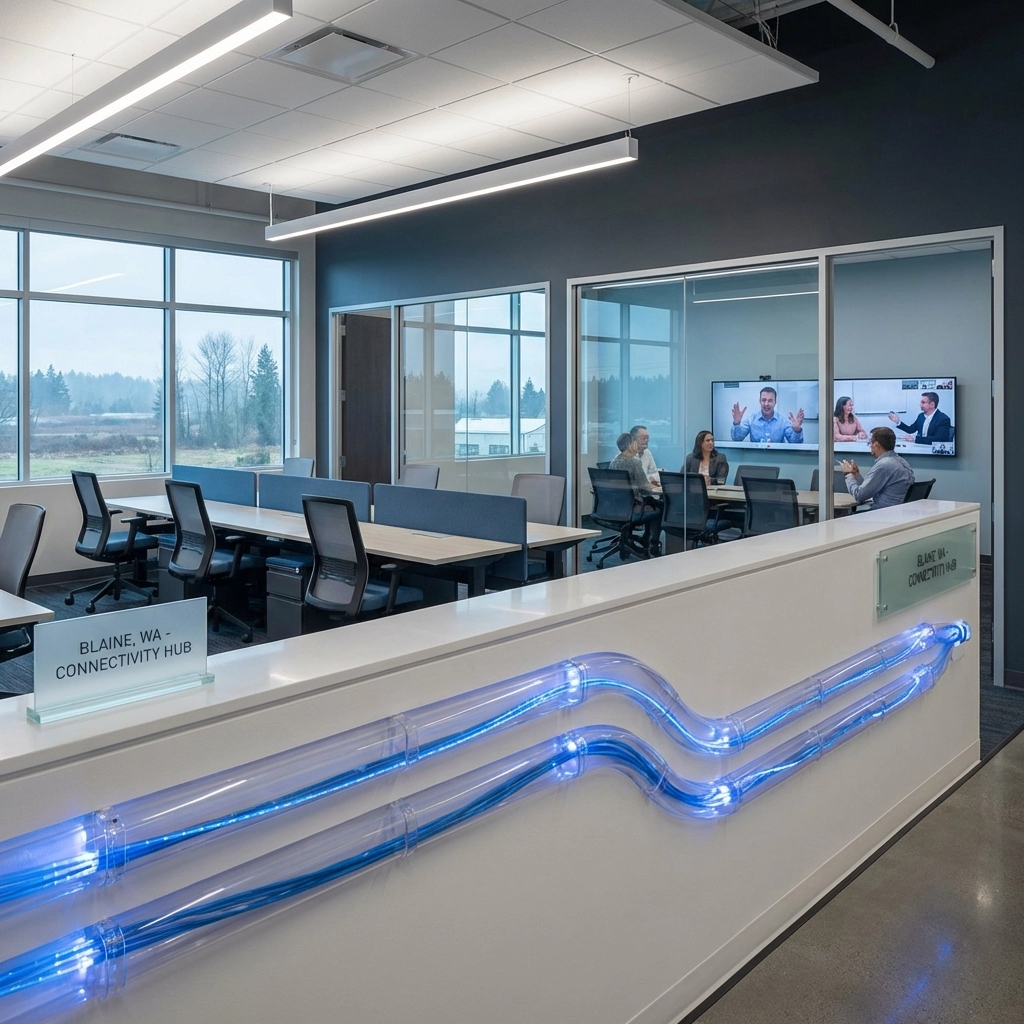
image_1

Fiber Internet Options Available in Blaine, WA

Blaine businesses have access to several high-quality fiber internet providers, with Ziply Fiber leading the market with exceptional coverage and speeds. Ziply Fiber serves approximately 89% of Blaine with business-grade fiber connections reaching up to 50 Gbps: speeds that can handle the most demanding business applications.

Key advantages of Ziply Fiber for Blaine businesses:

  • No long-term contracts or hidden fees
  • Business-grade WiFi 6 routers optimized for fiber speeds
  • 24/7 customer support with local expertise
  • Scalable plans from basic needs to enterprise-level requirements

Beyond Ziply Fiber, Blaine businesses can also consider alternative providers like Comcast for cable-based business internet, T-Mobile 5G Home Internet for wireless connectivity, and local providers such as PogoZone that offer specialized business services including VoIP integration.

The key is selecting the right provider and plan that aligns with your specific business requirements, budget, and growth projections. This is where Premier Business Team's expertise becomes invaluable: we assess your unique needs and recommend the optimal solution.

How Premier Business Team Optimizes Your Fiber Internet Investment

Selecting a fiber internet provider is just the beginning. At Premier Business Team, we provide comprehensive support to ensure your fiber internet investment delivers maximum value:

Professional Network Design and Installation: Our certified technicians design network infrastructure that maximizes your fiber connection's potential. This includes optimal router placement, proper ethernet wiring, and integration with your existing business systems.

Security Integration: We enhance your fiber internet setup with robust cybersecurity solutions including firewalls, secure WiFi networks, and threat monitoring systems that protect your high-speed connection from cyber threats.

Unified Communications Integration: We seamlessly integrate your fiber internet with modern phone systems and cloud-based communication tools, creating a unified platform that leverages your enhanced bandwidth.

Cloud Services Optimization: Fast fiber internet unlocks the full potential of Google Workspace and cloud services. We help configure and optimize cloud applications to take advantage of your improved connectivity.

Ongoing Support and Monitoring: Our relationship doesn't end after installation. We provide continuous monitoring, proactive maintenance, and technical support to ensure your fiber connection consistently delivers peak performance.

image_2

Industry-Specific Benefits of Business Fiber Internet

Retail and E-commerce Businesses

Blaine's retail businesses, from border shopping destinations to local boutiques, benefit tremendously from fiber internet's capabilities:

  • Instantaneous payment processing and inventory updates
  • Seamless integration between POS systems and cloud-based management platforms
  • High-quality video surveillance systems with cloud storage
  • Enhanced customer WiFi experiences that encourage longer visits and positive reviews

Healthcare and Professional Services

Medical practices, dental offices, and professional service firms require reliable, secure internet for:

  • HIPAA-compliant cloud storage and electronic health records
  • Crystal-clear telehealth appointments with patients
  • Secure file sharing with specialists and insurance providers
  • Real-time backup of critical patient data and business records

Hospitality and Tourism

With Blaine's proximity to the Canadian border and Peace Arch Park, hospitality businesses need robust internet to serve international guests:

  • Guest WiFi that handles multiple simultaneous users streaming video
  • Cloud-based reservation and property management systems
  • High-definition video conferencing for business travelers
  • Reliable internet phone systems for international calling

Logistics and Transportation

Border-adjacent businesses in Blaine's logistics sector depend on fiber internet for:

  • Real-time tracking and inventory management systems
  • Secure communications with customs and border agencies
  • Cloud-based dispatch and route optimization software
  • High-speed data transmission for compliance reporting
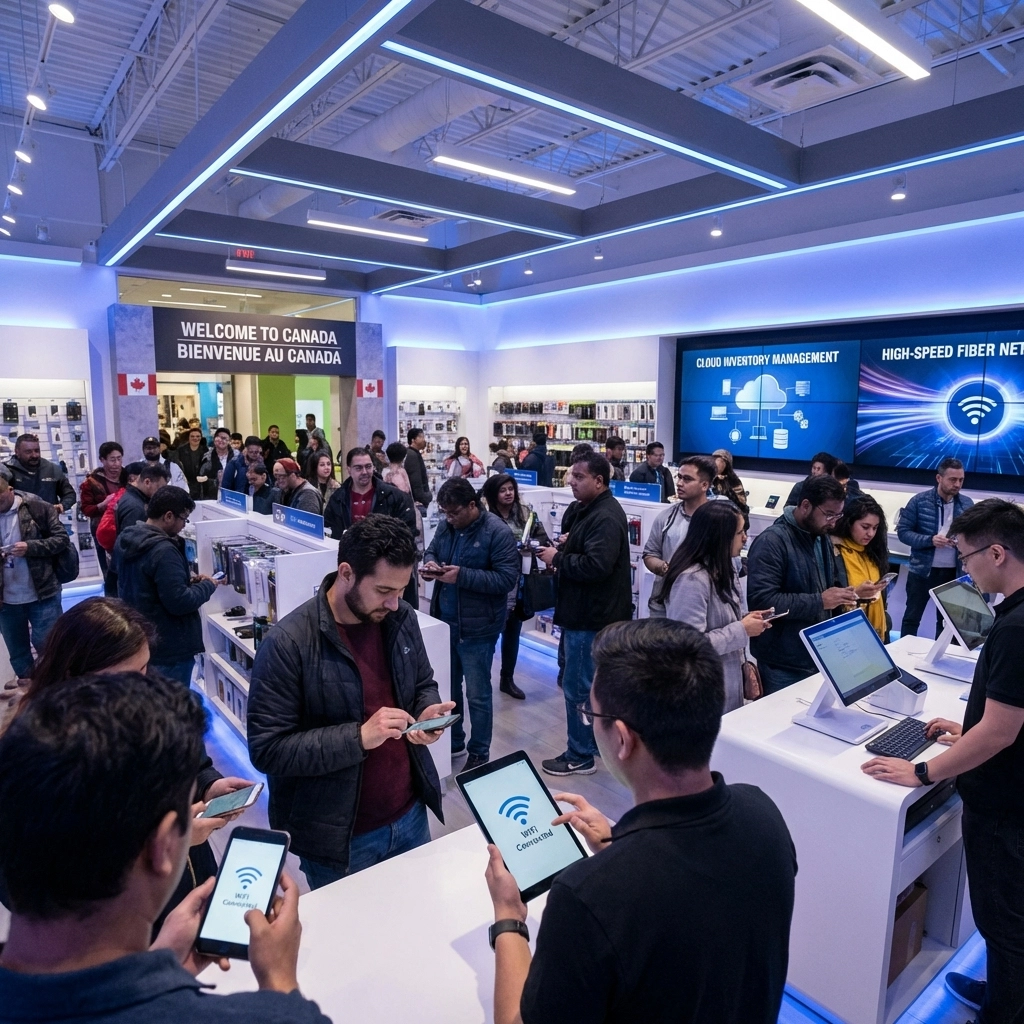
image_3

The Premier Business Team Advantage

What sets Premier Business Team apart in the Blaine market is our comprehensive approach to business technology solutions. We don't just sell internet services: we create integrated technology ecosystems that drive business success.

Our local expertise means we understand Blaine's unique business landscape, from seasonal tourism fluctuations to cross-border commerce requirements. We've helped businesses in the area implement technology solutions that not only meet current needs but position them for future growth and success.

When you work with Premier Business Team, you gain access to:

  • Vendor-neutral recommendations based solely on your business needs
  • Professional installation and configuration services
  • Ongoing technical support and system optimization
  • Integration with other business technology solutions
  • Proactive monitoring and maintenance services

Frequently Asked Questions About Business Fiber Internet in Blaine, WA

Q: What internet speeds does my Blaine business actually need?
A: Speed requirements vary significantly based on your business type and usage. A small retail shop might operate effectively with 100 Mbps, while a multi-location business with cloud-based systems could benefit from gigabit speeds or higher. We assess your specific needs including number of users, applications, and growth plans to recommend appropriate speeds.

Q: How long does business fiber installation typically take in Blaine?
A: Installation timelines depend on your location and infrastructure requirements. If fiber is already available to your building, installation can often be completed within 1-2 weeks. New fiber runs to locations without existing infrastructure may take 4-6 weeks. We coordinate closely with providers to minimize delays and keep you informed throughout the process.

Q: Is fiber internet really worth the cost compared to cable for my small business?
A: For most businesses, fiber internet provides significant value despite potentially higher upfront costs. The reliability, symmetrical speeds, and scalability of fiber typically result in increased productivity, reduced downtime, and better customer experiences that more than justify the investment.

Q: Can fiber internet improve my business phone system quality?
A: Absolutely. Fiber internet's low latency and high reliability dramatically improve VoIP call quality. Combined with our professional phone system solutions, fiber internet can eliminate common issues like dropped calls, poor audio quality, and system unreliability.

Q: What happens if my fiber internet goes down?
A: Quality fiber providers like Ziply Fiber offer excellent uptime rates, but we always recommend having backup internet solutions for mission-critical businesses. We can design redundant internet setups and provide rapid response support to minimize any potential disruptions.

Q: How does fiber internet integrate with cloud services and cybersecurity?
A: Fiber internet's high speeds and reliability make it ideal for cloud applications and security systems. We integrate fiber connections with comprehensive cybersecurity solutions and optimize cloud service performance to ensure your business operates securely and efficiently.

image_4

Ready to Transform Your Blaine Business with Fiber Internet?

Don't let outdated internet connectivity hold your business back. Premier Business Team is ready to help you harness the power of fiber internet to drive growth, improve efficiency, and stay competitive in today's fast-paced business environment.

Our expert team will assess your current needs, recommend the optimal fiber internet solution, and handle every aspect of implementation from initial design through ongoing support. We've helped hundreds of businesses in the Pacific Northwest optimize their technology infrastructure, and we're ready to do the same for you.

Contact Premier Business Team today at 360-946-2626 to schedule your free business internet consultation. Let us show you how the right fiber internet solution can transform your Blaine business operations and position you for sustained success. Your competition won't wait: and neither should you.
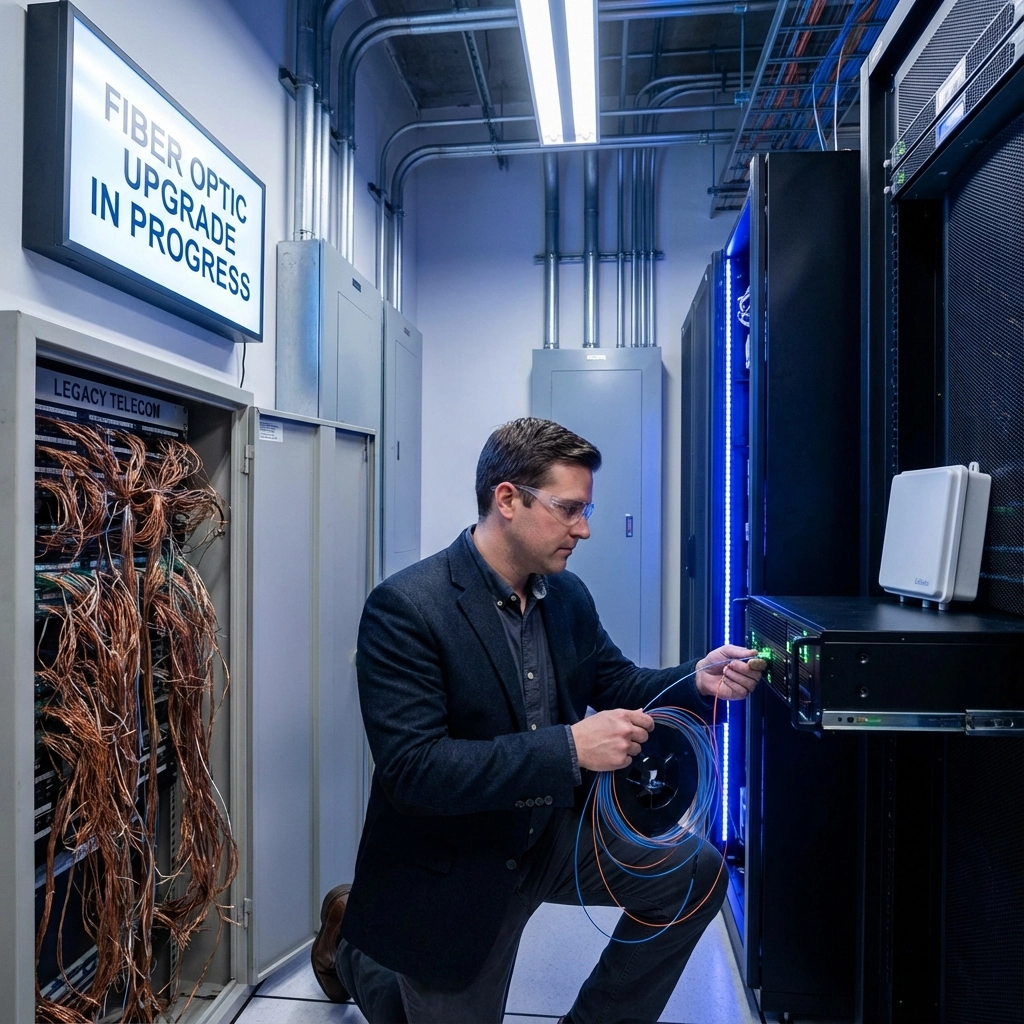
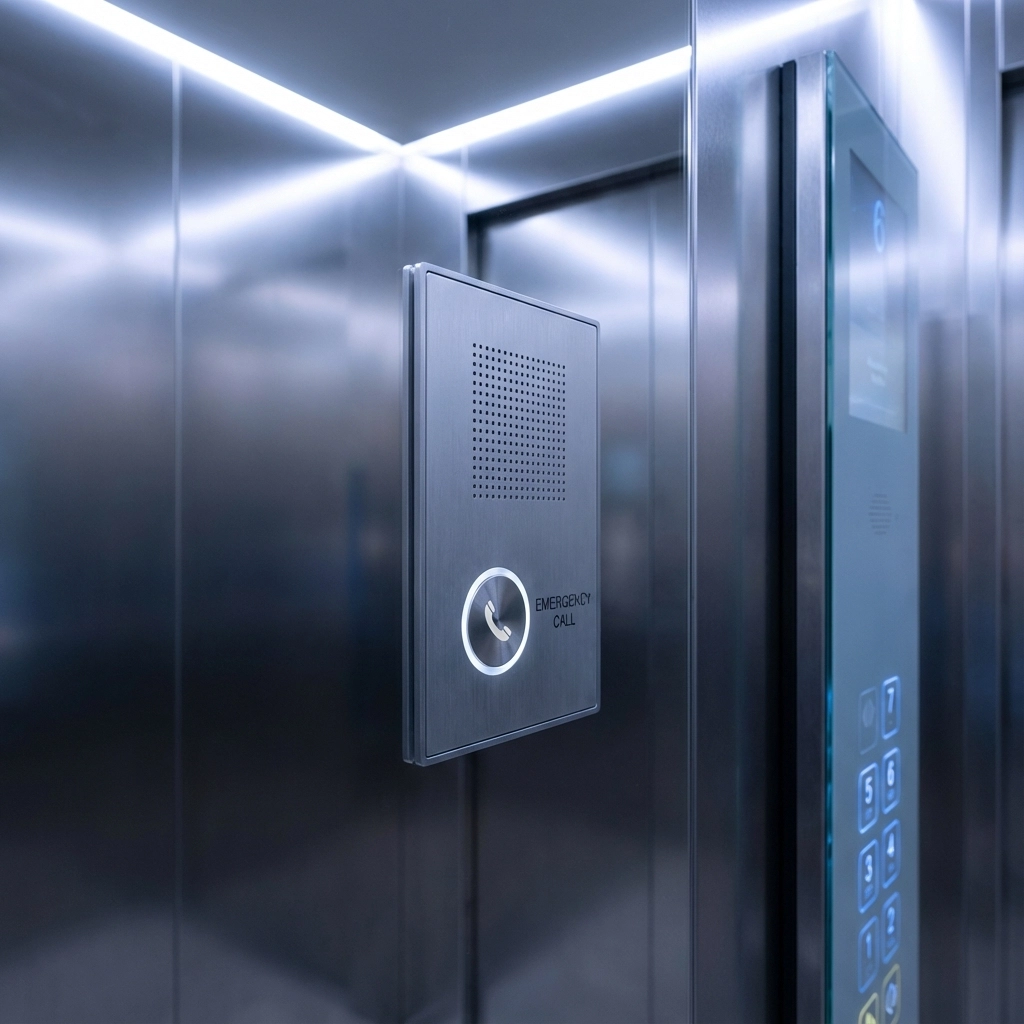
POTS Replacement 101: A Beginner's Guide to Elevator and Fire Safety Phone Lines

premierbusiness · January 14, 2026 ·

If you manage a building with elevators, fire safety systems, or emergency phones, you've probably heard whispers about "POTS replacement" and wondered what it means for your operations. The reality is stark: traditional copper telephone lines are disappearing in 2026, and millions of critical safety devices depend on them to function properly.

This isn't just a technology upgrade, it's a safety imperative that could leave your building non-compliant with fire codes and elevator regulations if you don't act soon.

What Are POTS Lines and Why Are They Going Away?

POTS stands for Plain Old Telephone Service, the copper telephone lines that have connected phones and critical building systems for decades. These analog lines have been the backbone for elevators, fire alarms, emergency call boxes, and security systems since the 1950s.

Major telecommunications carriers are systematically phasing out POTS infrastructure due to several factors:

  • FCC policy changes prioritizing digital and wireless technologies
  • High maintenance costs for aging copper networks
  • Declining demand as businesses migrate to VoIP and cellular solutions
  • Infrastructure modernization focusing on fiber and 5G networks

The phase-out isn't gradual, carriers are actively discontinuing service in many areas, leaving building owners scrambling for POTS replacement solutions that maintain safety compliance.

image_1

Why Elevator and Fire Safety Systems Are at Risk

Millions of mission-critical legacy devices still rely on POTS lines to communicate with emergency services and monitoring centers. Your building likely has several of these systems:

Elevator Emergency Phones

Every elevator is required by ASME A17.1 codes to have an elevator phone that connects directly to emergency services or a 24/7 monitoring center. These phones must:

  • Function during power outages
  • Provide two-way communication
  • Automatically identify the caller's location
  • Connect within 60 seconds of activation

Fire Safety Communication Systems

Fire suppression lines include sprinkler monitoring systems, fire alarm panels, and emergency communication devices. NFPA 72 codes require these systems to:

  • Transmit alarm signals to monitoring stations
  • Provide backup communication during emergencies
  • Maintain 24/7 connectivity for system supervision
  • Support both supervisory and trouble signals

Emergency Call Boxes and Pool Phones

Buildings often have emergency call boxes in parking garages, stairwells, and remote areas, plus pool phones for aquatic facilities. These devices must remain operational for liability and safety reasons.

The challenge? Replacing every legacy device would cost hundreds of thousands of dollars per building. That's why POTS replacement solutions are designed to provide digital connections that mimic copper lines, allowing existing devices to continue working without expensive equipment overhauls.

Critical Code Compliance Requirements for 2026

If you're responsible for elevator or fire safety systems, compliance isn't optional. Your POTS replacement solution must meet specific standards that many generic VoIP services can't provide:

Power and Backup Requirements

  • 4-hour minimum battery backup during power outages
  • Uninterruptible power supply integration
  • Generator compatibility for extended outages

Communication Standards

  • Automatic location identification without requiring caller input
  • Two-way communication clarity meeting FCC requirements
  • Signal supervision for continuous system monitoring
  • Alarm verification protocols that trigger monitoring center alerts

Response Time Obligations

  • Emergency call connection within 60 seconds
  • Monitoring station notification within 90 seconds of alarm activation
  • Trouble signal transmission for any system malfunctions

image_2

Working with your local Authority Having Jurisdiction (AHJ) during the transition is essential. Many building inspectors are unfamiliar with POTS replacement technologies and need documentation proving your new solution maintains equivalent safety standards.

Primary Replacement Options: What Actually Works

Not all POTS replacement solutions are created equal. Here's what building managers need to know about their options:

Cellular/LTE Solutions (Recommended for Safety Systems)

Best for: Elevators, fire alarms, emergency phones, pool phones

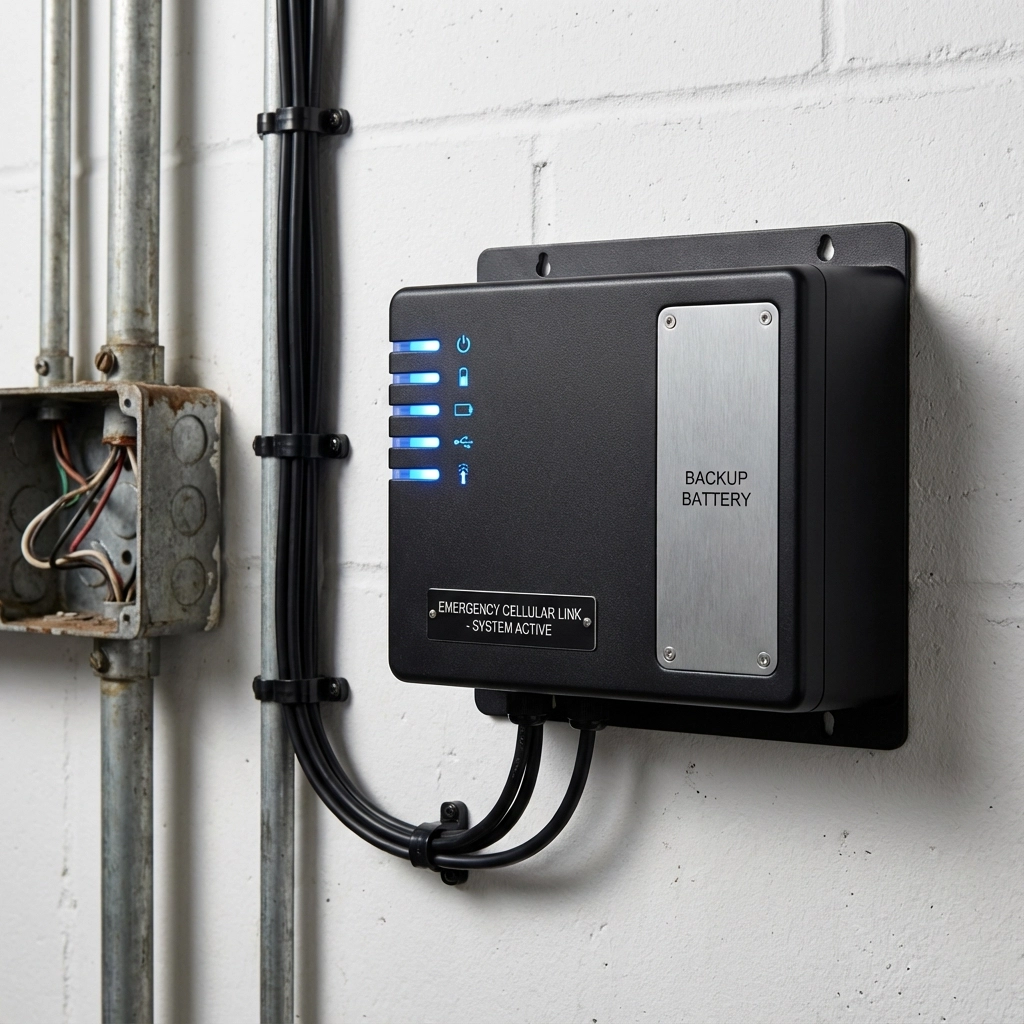
Cellular-based solutions are increasingly the gold standard for emergency systems because they're specifically engineered for mission-critical reliability. These systems:

  • Eliminate POTS dependency entirely with dedicated cellular connections
  • Include integrated battery backup meeting 4-hour code requirements
  • Provide built-in monitoring and alert capabilities
  • Support automatic location identification for emergency services
  • Maintain signal quality comparable to traditional copper lines

The technology uses 4G LTE networks with 5G fallback, ensuring redundant connectivity even during network congestion.

VoIP Solutions

Best for: General office phones, non-critical communications

While VoIP works well for standard business phone systems, it has limitations for safety-critical applications:

  • Requires stable internet connection and may fail during power outages
  • May not meet emergency service location requirements without additional configuration
  • Lacks built-in battery backup for extended outages
  • Can experience call quality issues during network congestion

Hybrid "POTS-in-a-Box" Solutions

Best for: Legacy alarm systems, fax machines, specialty equipment

These devices provide analog interfaces that legacy equipment recognizes while converting signals to digital transmission. However, they often require:

  • Additional power management for code compliance
  • Internet connectivity which creates dependency issues
  • Professional configuration for emergency service compatibility

image_3

Migration Best Practices: Avoiding Costly Mistakes

A successful POTS replacement project requires careful planning to maintain safety compliance and avoid service disruptions:

Step 1: Comprehensive Infrastructure Audit

Document every POTS-dependent device in your building:

  • Elevator emergency phones and their monitoring contracts
  • Fire alarm panel communications
  • Security system connections
  • Emergency call boxes and intercom systems
  • Any specialty equipment using analog connections

Many building managers discover forgotten connections during this process, don't assume you know every line in use.

Step 2: Compliance Verification

Before selecting a replacement solution:

  • Review your current monitoring contracts to ensure compatibility
  • Consult with your fire alarm contractor about system requirements
  • Coordinate with elevator maintenance providers on emergency phone standards
  • Contact your local AHJ to discuss approved replacement technologies

Step 3: Phased Implementation Strategy

Rather than replacing everything simultaneously:

  • Pilot test replacement solutions on non-critical systems first
  • Maintain parallel operations during transition periods
  • Schedule changes during maintenance windows to minimize disruptions
  • Plan backup procedures in case of installation issues

Step 4: Testing and Validation

After installation, comprehensive testing is essential:

  • Emergency call functionality to monitoring centers
  • Automatic location identification accuracy
  • Battery backup performance during simulated outages
  • Alarm signal transmission quality and timing
  • Integration compatibility with existing building systems

Professional installation typically requires multiple site visits: initial survey and planning, equipment installation, system configuration, and final testing. Allow 2-4 weeks for complete implementation depending on building complexity.

Frequently Asked Questions

Q: How much does POTS replacement cost compared to keeping existing lines?
A: While POTS replacement requires upfront investment ($200-500 per line), monthly costs are typically 30-50% lower than traditional copper service. Most buildings see ROI within 18-24 months, especially considering many carriers are increasing POTS rates significantly before discontinuing service.

Q: Will my elevator maintenance company support the new technology?
A: Most major elevator service providers now support cellular-based emergency phone solutions. However, verify compatibility before installation and ensure your solution includes proper documentation for maintenance teams.

Q: What happens if the cellular network goes down during an emergency?
A: Quality cellular solutions include redundant network connections and automatic failover between carriers. Many also support emergency services access through alternative routing protocols required by FCC regulations.

Q: Do I need to notify my insurance company about POTS replacement?
A: Yes, inform your insurance provider about any changes to fire safety or emergency communication systems. Most insurers prefer modern, monitored solutions over aging POTS infrastructure.

Q: Can I install POTS replacement equipment myself?
A: While some basic systems support DIY installation, safety-critical applications require professional installation and testing to ensure code compliance. Improper installation could void insurance coverage and create liability issues.

image_4

Taking Action: Your Next Steps

The POTS phase-out isn't waiting for your convenience. Every month you delay replacement planning increases the risk of service interruption and compliance issues that could impact building safety and operations.

Start by conducting a comprehensive audit of your POTS-dependent systems and researching replacement solutions that meet your specific compliance requirements. Focus on cellular-based solutions for safety-critical applications, and don't forget to coordinate with monitoring companies, maintenance contractors, and local authorities throughout the process.

Ready to ensure your building's safety systems remain compliant and operational? Premier Business Team specializes in POTS replacement solutions for elevator and fire safety systems. Our certified technicians understand both the technical requirements and code compliance standards essential for successful migration. Contact us today for a comprehensive building assessment and customized replacement strategy that keeps your facility safe and compliant throughout 2026 and beyond.

Amazon Leo Business Internet Service in Bellingham, WA | Secure Satellite Connectivity

premierbusiness · January 14, 2026 ·

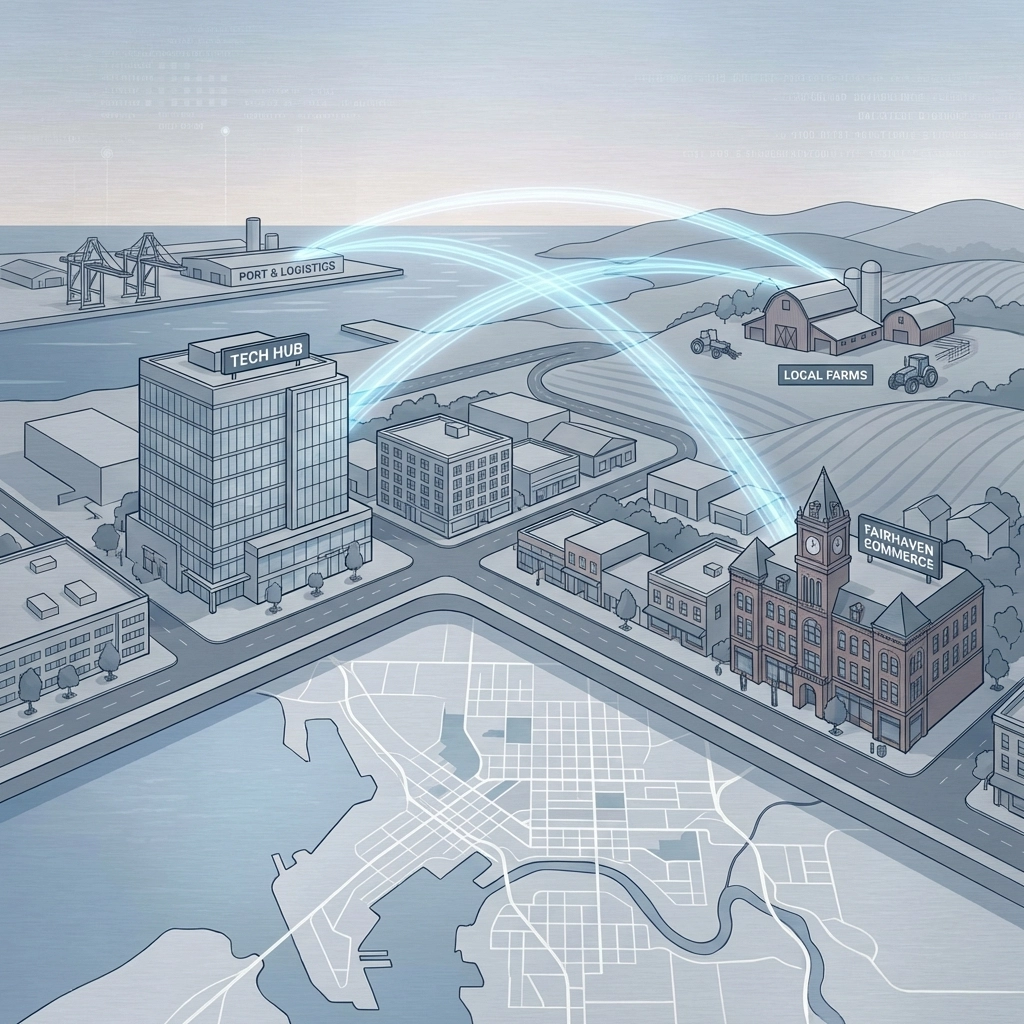
Bellingham businesses face unique connectivity challenges that traditional internet providers often struggle to address. From the industrial waterfront to rural Ferndale Road, from Fairhaven's historic district to the growing tech corridor along Meridian Street, reliable internet access remains inconsistent across Whatcom County. Amazon Leo Business Internet Service is changing that narrative, delivering enterprise-grade satellite connectivity that reaches every corner of Bellingham, regardless of terrain, existing infrastructure, or location.

What Makes Amazon Leo Different for Bellingham Businesses

Amazon Leo represents a revolutionary approach to business internet connectivity through its Low Earth Orbit (LEO) satellite constellation. Unlike traditional satellite internet that relies on distant geostationary satellites, Leo operates through over 3,000 satellites positioned much closer to Earth, dramatically reducing latency and increasing speeds.

image_1

For Bellingham businesses, this technology breakthrough means reliable internet access whether you're operating from a downtown office on Cornwall Avenue, a manufacturing facility in the industrial district, or a remote location in the Chuckanut Mountains. The service uses optical inter-satellite links capable of maintaining 100 Gbps connections over distances up to 2,600 kilometers, creating a robust network that doesn't depend on traditional ground-based infrastructure.

Three Service Tiers Designed for Different Bellingham Business Needs

Amazon Leo offers three distinct antenna options, each tailored to specific business requirements across Bellingham's diverse commercial landscape:

Leo Nano (Up to 100 Mbps): Perfect for small Bellingham businesses, retail locations in Fairhaven, or remote monitoring applications. This cost-effective option supports IoT devices, point-of-sale systems, and basic business operations without breaking the budget.

Leo Pro (Up to 400 Mbps): Ideal for mid-sized Bellingham businesses, professional service firms, and growing companies that need reliable connectivity for cloud applications, video conferencing, and moderate data transfer requirements. Many downtown businesses find this tier provides excellent performance for their daily operations.

Leo Ultra (Up to 1 Gbps): Designed for enterprise-level Bellingham operations, manufacturing facilities, data centers, and businesses requiring maximum bandwidth. This tier supports heavy cloud computing, large file transfers, real-time collaboration, and mission-critical applications.

Solving Bellingham's Unique Connectivity Challenges

Bellingham's geography presents distinct challenges that Amazon Leo is uniquely positioned to address. The city's location between mountains and water, combined with its mix of urban, suburban, and rural areas, often leaves traditional internet providers struggling to deliver consistent service.

image_2

Rural and Remote Access: Businesses in areas like Ferndale, Everson, or along Chuckanut Drive often face limited connectivity options. Amazon Leo eliminates these geographical barriers, providing the same high-speed access to a remote farm operation as to a downtown office building.

Industrial Zone Reliability: Bellingham's port and industrial areas require robust internet for logistics, inventory management, and operational communications. Leo's satellite-based approach bypasses the infrastructure vulnerabilities that can affect ground-based connections in these demanding environments.

Backup and Redundancy: For critical Bellingham businesses, Amazon Leo serves as an excellent backup internet solution. When primary connections fail due to weather, construction, or equipment issues, Leo provides seamless failover capabilities to maintain business continuity.

Installation Simplicity and Network Security

One of Amazon Leo's strongest advantages for Bellingham businesses is its straightforward installation process. Unlike traditional high-speed internet that may require extensive infrastructure work, trenching, or waiting for fiber buildouts, Leo installation typically takes just a few hours.

The system connects to Amazon's secure global network through strategically positioned gateway stations, ensuring enterprise-grade security for sensitive business communications. This is particularly important for Bellingham's growing healthcare sector, professional services firms, and businesses handling confidential client information.

image_3

Real-World Applications for Bellingham Businesses

Healthcare and Telemedicine: Bellingham's medical facilities can leverage Leo's reliable connectivity for telemedicine consultations, medical imaging transfers, and electronic health record access, even during peak usage periods or network congestion.

Remote Work and Distributed Teams: As more Bellingham businesses embrace hybrid work models, Leo provides consistent connectivity for employees working from home offices in surrounding areas where traditional broadband may be unreliable.

Manufacturing and Industrial IoT: Local manufacturers can implement advanced monitoring systems, predictive maintenance programs, and real-time quality control processes without worrying about connectivity gaps in industrial zones.

Retail and Hospitality: Businesses in Fairhaven's tourist district or remote locations can maintain reliable point-of-sale systems, inventory management, and customer Wi-Fi services regardless of seasonal demand fluctuations.

Serving Greater Bellingham's Business Communities

Amazon Leo's reach extends throughout Whatcom County, supporting businesses in:

  • Downtown Bellingham: Professional services, retail, and office buildings
  • Fairhaven Historic District: Tourism, hospitality, and specialty retail
  • Industrial Waterfront: Manufacturing, logistics, and port operations
  • Ferndale and Blaine: Agricultural, retail, and border commerce
  • Rural Routes and Remote Locations: Farms, remote offices, and specialized operations

This comprehensive coverage ensures that business location doesn't determine internet quality, opening new possibilities for Bellingham companies to expand or relocate without connectivity concerns.

image_4

Integration with Existing IT Infrastructure

Amazon Leo integrates seamlessly with Bellingham businesses' existing IT infrastructure. The service works with current network equipment, security systems, and business phone systems, making adoption straightforward without requiring wholesale technology replacement.

For businesses already invested in cloud services, VoIP systems, or specialized software, Leo provides the reliable backbone these applications need to perform optimally. The low latency characteristic of LEO satellites ensures real-time applications like video conferencing and cloud-based software respond as quickly as with traditional broadband.

Cost Considerations and ROI for Bellingham Businesses

While pricing varies based on service tier and specific requirements, many Bellingham businesses find Amazon Leo cost-competitive when considering the total value proposition. Factors contributing to positive ROI include:

  • Reduced downtime from connectivity issues
  • Eliminated need for expensive infrastructure investments
  • Improved productivity for remote and distributed teams
  • Enhanced business continuity and disaster recovery capabilities
  • Access to markets and opportunities previously limited by connectivity constraints

Frequently Asked Questions About Amazon Leo in Bellingham

Q: How quickly can Amazon Leo be installed at my Bellingham business?
A: Most installations are completed within 2-4 hours, with service activation typically occurring the same day. No trenching or infrastructure work is required.

Q: Will weather affect my Amazon Leo service in Bellingham?
A: Leo's low Earth orbit satellites and advanced technology minimize weather-related disruptions. The service is designed to maintain connectivity during typical Pacific Northwest weather conditions.

Q: Can Amazon Leo serve as my primary business internet connection?
A: Yes, many Bellingham businesses use Leo as their primary internet service, particularly in areas where traditional broadband options are limited or unreliable.

Q: Is Amazon Leo suitable for businesses with high security requirements?
A: Absolutely. Leo connects through Amazon's secure global network infrastructure, providing enterprise-grade security suitable for healthcare, financial services, and other regulated industries common in Bellingham.

Q: How does pricing compare to traditional business internet options in Bellingham?
A: Pricing varies by service tier and usage requirements. Many businesses find the reliability and performance benefits justify the investment, particularly when factoring in reduced downtime costs.

Q: Can I integrate Amazon Leo with my existing business phone system?
A: Yes, Leo works seamlessly with VoIP and cloud-based phone systems, providing the reliable connectivity these systems require for optimal performance.

image_5

Getting Started with Amazon Leo in Bellingham

Amazon Leo Business Internet Service represents a significant opportunity for Bellingham businesses to overcome traditional connectivity limitations and embrace new possibilities for growth and innovation. Whether you're looking to upgrade your current internet service, establish redundant connectivity, or expand into areas previously limited by infrastructure constraints, Leo provides a proven solution tailored to Pacific Northwest business needs.

The service is currently available through select authorized providers who understand local business requirements and can provide comprehensive support throughout the installation and ongoing service relationship.

Ready to explore how Amazon Leo Business Internet Service can transform your Bellingham business connectivity? Our team specializes in helping local businesses evaluate, implement, and optimize satellite internet solutions that deliver real business value. Contact Premier Business Team today at 360-946-2626 to schedule a consultation and discover how Amazon Leo can eliminate your connectivity challenges while opening new opportunities for growth and success.

Business Internet vs AI Demands: 7 Signs Your Connectivity Can't Keep Up (2026)

premierbusiness · January 14, 2026 ·

The business landscape has fundamentally shifted. In 2026, artificial intelligence isn't just a buzzword: it's the backbone of competitive operations. From automated customer service to real-time analytics, AI-powered tools are demanding more from your internet infrastructure than ever before.

Yet many businesses are running these advanced systems on outdated connectivity that simply can't deliver. The result? Frustrated employees, disappointed customers, and missed opportunities that could cost thousands in lost revenue.

What Makes Internet "AI-Ready" in 2026?

AI-ready connectivity goes far beyond basic download speeds. Modern AI applications require:

  • Ultra-low latency for real-time processing
  • Symmetrical bandwidth for uploading and downloading large datasets
  • Consistent reliability to prevent AI workflow interruptions
  • Scalable capacity to handle sudden spikes in computational demands
  • Edge computing compatibility for faster local processing

Traditional business internet packages designed for email and web browsing fall short when tasked with supporting machine learning models, video analytics, and cloud-based AI platforms.

image_1

The 7 Warning Signs Your Connectivity Can't Handle AI Demands

1. Cloud Applications Crawl During Peak Hours

Your team's productivity plummets between 9 AM and 3 PM when everyone's online. Cloud-based AI tools like Microsoft Copilot, Salesforce Einstein, or automated accounting software become sluggish or unresponsive.

What's happening: Your current bandwidth is maxed out, creating bottlenecks that AI applications can't tolerate.

Quick test: Run speed tests during peak and off-peak hours. If there's a significant difference (more than 30% slower), you have a capacity problem.

2. Video Calls Drop or Lag During AI Processing

Teams meetings stutter, freeze, or drop entirely when AI-powered features like real-time transcription, background noise cancellation, or automated meeting summaries are running.

What's happening: AI video processing requires substantial upload bandwidth that your connection can't provide consistently.

Quick fix: Check if your internet plan offers symmetrical speeds. Most consumer-grade connections provide much slower upload than download speeds.

3. Smart Security and IoT Devices Go Offline Frequently

Your AI-powered security cameras, smart thermostats, or automated inventory systems disconnect regularly or fail to sync data to the cloud.

What's happening: These devices compete for bandwidth with other business operations, and your network prioritization isn't optimized for AI workloads.

Immediate action: Document when disconnects happen and what else is running on your network simultaneously.

image_2

4. Multiple Locations Experience Inconsistent Performance

If you operate multiple offices, some locations may struggle with AI tools while others perform fine. This inconsistency signals infrastructure gaps that will worsen as AI adoption increases.

What's happening: Varied internet service providers and connection types across locations create an uneven user experience.

Assessment needed: Audit internet capabilities at each location and standardize where possible.

5. Remote and Hybrid Workers Report Constant AI Tool Issues

Your distributed team can't effectively use AI-powered collaboration tools, cloud-based design software, or automated productivity assistants from home offices.

What's happening: Consumer internet connections at employee homes aren't designed for business-grade AI applications.

Solution path: Consider providing internet stipends or requiring specific minimum connection standards for remote workers.

6. File Uploads and Backups Take Hours Instead of Minutes

Large file transfers to cloud storage, AI model training data uploads, or automated backups that should take minutes stretch into hours.

What's happening: Insufficient upload bandwidth creates bottlenecks for data-intensive AI operations.

Benchmark test: A 1GB file should upload in under 2 minutes on a business-grade connection. Time your typical transfers.

7. New AI Tools and Software Updates Overwhelm Your Network

Every time you add a new AI-powered application or install software updates, overall network performance degrades noticeably.

What's happening: Your current infrastructure lacks the scalability to grow with your AI adoption.

Planning required: You need a connectivity roadmap that anticipates future AI tool integration.

Network Readiness Audit: Your AI Connectivity Checklist

Before investing in expensive upgrades, assess your current situation:

Speed and Capacity Check:

  • Conduct speed tests at multiple times throughout the day
  • Document upload vs. download speed ratios
  • Test from different devices and locations within your office
  • Monitor bandwidth usage during typical AI tool operation

Reliability Assessment:

  • Track connection drops and outages over a two-week period
  • Note any correlation between AI tool usage and connectivity issues
  • Test failover capabilities if you have backup connections
  • Evaluate Service Level Agreements (SLAs) with your current provider

Future-Proofing Evaluation:

  • Inventory current and planned AI tool adoption
  • Calculate projected bandwidth needs for next 12-24 months
  • Assess scalability options with your current provider
  • Research alternative connectivity solutions in your area

image_3

Modern Connectivity Solutions for AI-Powered Businesses

Fiber Optic Connections

Dedicated fiber offers the symmetrical speeds and low latency AI applications demand. While installation costs vary, the long-term operational benefits typically justify the investment for serious AI adoption.

5G Fixed Wireless

In areas where fiber isn't available, 5G fixed wireless provides business-grade speeds with faster deployment than traditional broadband options. This solution works particularly well for multi-location businesses needing consistent performance.

SD-WAN Integration

Software-Defined Wide Area Networks optimize traffic routing and prioritize AI applications across multiple connections. This approach maximizes existing infrastructure while preparing for future upgrades.

Hybrid Connectivity Strategies

Many businesses benefit from combining multiple connection types: fiber for primary operations, 5G for backup, and optimized routing to ensure AI applications always have priority bandwidth.

Common Upgrade Pitfalls to Avoid

Choosing Speed Over Reliability: Raw bandwidth numbers don't tell the whole story. Consistent, reliable connections often outperform faster but unstable options.

Ignoring Upload Requirements: Many businesses focus on download speeds while overlooking upload bandwidth critical for AI data processing and cloud synchronization.

Overlooking Network Equipment: Your internet connection is only as strong as your weakest network component. Outdated routers, switches, or Wi-Fi access points can bottleneck even the fastest connections.

Failing to Plan for Growth: Today's AI tools are just the beginning. Your connectivity solution should accommodate 2-3x current usage to handle future AI integration.

Frequently Asked Questions

Q: How much internet speed do I actually need for AI applications?
A: This varies significantly based on your specific AI tools and usage patterns. Basic AI assistants might need 25-50 Mbps per user, while video analytics or machine learning applications could require 100+ Mbps per concurrent process.

Q: Is business internet really necessary, or can I upgrade my consumer connection?
A: Business-grade connections offer Service Level Agreements, priority support, static IP addresses, and guaranteed uptime that consumer plans can't match. For AI-dependent operations, this reliability is crucial.

Q: What's the difference between bandwidth and latency for AI applications?
A: Bandwidth determines how much data you can transfer, while latency affects how quickly that transfer begins. AI applications often need both high bandwidth and low latency for optimal performance.

Q: How can I test if my current connection can handle more AI tools?
A: Run stress tests using your existing AI applications while monitoring network performance. Tools like network analyzers can help identify bottlenecks before you commit to new AI implementations.

Q: Should I upgrade all locations at once or phase the rollout?
A: A phased approach allows you to test solutions, refine configurations, and manage costs. Start with your most AI-dependent location, then apply lessons learned to other sites.

The AI revolution isn't coming: it's here. The question is whether your business connectivity will accelerate your competitive advantage or hold you back.

Don't let outdated internet infrastructure limit your AI potential. Contact Premier Business Team today for a comprehensive connectivity assessment and discover how the right internet solution can transform your AI capabilities. Our experts will evaluate your current setup, identify upgrade opportunities, and design a connectivity roadmap that supports your business growth through 2026 and beyond.

Ready to future-proof your connectivity? Schedule your free network assessment and take the first step toward AI-ready infrastructure.

Cloud Phone Systems for Car Dealerships in Bellingham, WA: Upgrade to GoTo Unified Communications

premierbusiness · January 13, 2026 ·

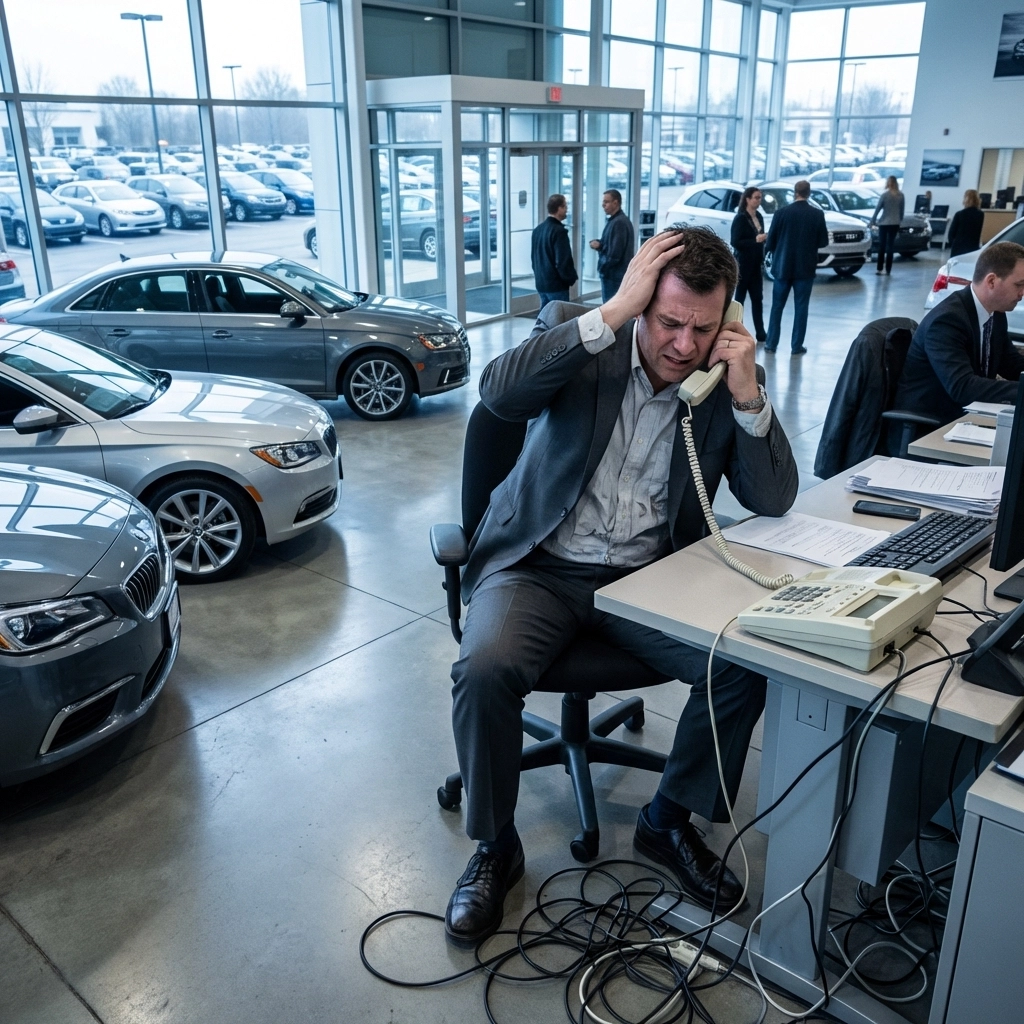
Running a car dealership in Bellingham means juggling a lot of moving parts. Between managing your sales floor, coordinating with your service department, and keeping up with customer inquiries, your phone system needs to work as hard as you do. If you're still relying on a traditional PBX system with aging hardware and limited features, you're probably leaving money on the table and frustrating your customers in the process.

The good news? There's a better way. Cloud-based unified communications systems like GoTo are transforming how automotive businesses handle their communications, and Premier Business Team is here to help Bellingham dealerships make the switch smoothly and affordably.

Why Traditional Phone Systems Fall Short for Car Dealerships

Let's be honest: car dealerships have unique communication challenges that most businesses don't face. You've got salespeople on the lot, service advisors in the back, finance managers in their offices, and customers calling in from every direction. A clunky, outdated phone system creates bottlenecks that cost you sales.

Here's what we hear from dealerships still using legacy PBX systems:

  • Missed calls during peak hours when all lines are tied up
  • No visibility into call performance or which salespeople are following up
  • Expensive maintenance costs for hardware that's becoming obsolete
  • Limited mobility forcing staff to stay tethered to their desks
  • No integration with your CRM or dealership management software

Sound familiar? These aren't just minor inconveniences: they're directly impacting your bottom line.

image_1

The GoTo Advantage for Automotive Dealerships

GoTo's unified communications platform was built for exactly the kind of high-volume, customer-focused environment that car dealerships operate in. When you upgrade to a cloud PBX system through Premier Business Team, you're getting a solution designed with automotive sales workflows in mind.

Automatic Call Tracking and Recording

Every inbound and outbound call gets tracked, recorded, and logged automatically. This means you can review conversations for training purposes, resolve customer disputes quickly, and ensure your team is delivering consistent messaging. With AI-powered review capabilities, you can even get insights pushed directly into your CRM without manual data entry.

Click-to-Call Functionality

Your sales team can initiate calls directly from customer records with a single click. No more dialing numbers manually or losing track of who called whom. This improves follow-up efficiency and holds your team accountable for their pipeline.

Seamless CRM Integration

GoTo Connect integrates with the dealership platforms you're already using, including DealerSocket, Tekion, Reynolds and Reynolds' FOCUS CRM, Dealership Performance 360, CarNow, and Kenect. Your call data flows automatically into your existing systems, giving you a complete picture of every customer interaction.

Multi-Location and Remote Flexibility

Whether you've got multiple lots across Whatcom County or salespeople working remotely, a cloud-based system keeps everyone connected. Calls can be routed intelligently based on availability, location, or department: no more customers bouncing between extensions trying to reach the right person.

How Bellingham Car Dealerships Save Money with Cloud PBX

One of the biggest questions we get from dealership owners is simple: "What's this going to cost me?" The answer usually surprises them: because switching to a cloud phone system often reduces their monthly telecom expenses significantly.

Here's where the savings come from:

Traditional PBX GoTo Cloud PBX
Expensive hardware purchases No on-site equipment to buy
Ongoing maintenance contracts Updates handled automatically
Per-line charges that add up Predictable per-user pricing
Limited features without add-ons Full feature set included
Costly expansions when you grow Scale up or down instantly

Most dealerships we work with see a 20-40% reduction in their monthly phone costs after migrating to GoTo. And that's before you factor in the productivity gains from better call handling and CRM integration.

If you're still paying for traditional business phone lines, the savings can be even more dramatic. Many dealerships are surprised to learn how much they're spending on legacy POTS lines that could be replaced with modern VoIP technology.

image_2

Premier Business Team's Consultative Approach

At Premier Business Team, we don't believe in one-size-fits-all solutions. Every dealership operates differently, and your phone system should reflect how your specific team works. That's why we start every engagement with a thorough assessment of your current setup and your goals for improvement.

What Our Process Looks Like

1. Discovery Call
We'll sit down with you (or hop on a video call) to understand your current pain points, call volume patterns, and integration requirements. This isn't a sales pitch: it's a conversation about what's working and what isn't.

2. Custom Demo
Here's where it gets fun. We'll set up a live demonstration of the GoTo system configured specifically for automotive dealerships. You'll see exactly how call routing, CRM integration, and reporting work in a real-world scenario. No generic demos: this is tailored to your business.

3. Migration Planning
Once you're ready to move forward, we handle all the heavy lifting. Port your existing numbers, configure your call flows, train your team, and ensure zero disruption to your operations. We've done this enough times to know where the pitfalls are: and how to avoid them.

4. Ongoing Support
Our relationship doesn't end at installation. We provide ongoing support to help you get the most out of your new system, whether that means adjusting call routing rules, adding new users, or troubleshooting issues that come up.

We also handle the broader technology picture for dealerships, including network infrastructure and cybersecurity solutions to make sure your entire IT environment supports your business goals.

Why 2026 Is the Year to Make the Switch

If you've been putting off a phone system upgrade, now is the time to act. Here's why:

  • Legacy PBX support is declining as manufacturers phase out older systems
  • Customer expectations have shifted toward faster, more seamless communication
  • Your competitors are upgrading, and you don't want to fall behind
  • Remote and hybrid work is here to stay, even in automotive retail

The dealerships that embrace modern unified communications are positioning themselves to capture more leads, close more deals, and deliver better customer experiences. The ones that don't? They're going to struggle to keep up.

For a deeper dive into the differences between traditional and cloud-based systems, check out our comparison guide: Cloud Phone Systems vs. Traditional PBX: Which Is Better for Your Business in 2026?

image_3

Frequently Asked Questions

How long does it take to migrate from a traditional phone system to GoTo?

Most dealership migrations take 2-4 weeks from start to finish, depending on the complexity of your current setup. We handle number porting, configuration, and training to minimize disruption to your daily operations.

Will my team need extensive training on the new system?

GoTo's interface is intuitive and user-friendly. We provide hands-on training sessions for your staff, and most users are comfortable with the system within a day or two. Ongoing support is always available if questions come up.

Can I keep my existing phone numbers?

Absolutely. We port all your existing numbers to the new system so your customers never notice a change. Your main dealership line, service department, and sales extensions all transfer seamlessly.

Does GoTo integrate with my dealership management software?

Yes. GoTo Connect offers native integrations with popular automotive CRM and DMS platforms including DealerSocket, Tekion, Reynolds and Reynolds, and others. Call data syncs automatically without manual entry.

What happens if my internet goes down?

Cloud phone systems include failover options like mobile app calling and call forwarding to backup numbers. We also recommend ensuring your network infrastructure is robust enough to support VoIP traffic reliably.

How much can I realistically save by switching?

Most dealerships see 20-40% reductions in monthly telecom costs, plus significant time savings from automation and better call handling. We'll provide a detailed cost comparison during your consultation.


Ready to See GoTo in Action at Your Dealership?

Stop losing calls, frustrating customers, and overpaying for outdated technology. Premier Business Team specializes in helping Bellingham car dealerships upgrade to modern, cost-effective unified communications systems that actually work the way you need them to.

Schedule your personalized GoTo demo today and see exactly how a cloud PBX system designed for automotive businesses can transform your operations.

๐Ÿ“ž Call us at 360-946-2626 or visit premierbusinessteam.com to get started.

  • « Go to Previous Page
  • Page 1
  • Interim pages omitted …
  • Page 35
  • Page 36
  • Page 37
  • Page 38
  • Page 39
  • Interim pages omitted …
  • Page 78
  • Go to Next Page »

Get a no obligation quote for your business. Learn More

Proud Chamber Member

Bellingham Chamber Badge

Premier Business Team

Copyright © 2026 ยท Premier Business Team 2219 Rimland Dr. Suite 301 Bellingham, WA 98226 - 360-946-2626

  • Home
  • Business Internet
  • Business Phone
  • Blog
  • About Us
  • Contact Us
  • Business Quote
  • Engineering
  • Call: 360-946-2626