• Skip to primary navigation
  • Skip to main content
Premier Business Team

Premier Business Team

Your business connectivity and IT Team

  • Home
  • Business Internet
  • Business Phone
  • Blog
  • About Us
    • Our Featured Suppliers
  • Contact Us
  • Business Quote
    • Business Tech Assessment
  • Engineering
  • Call: 360-946-2626
  • Show Search
Hide Search

Blog Posts

Elevator Phone Lines Going Dark? 5 Steps to Replace Your Fire Suppression and Emergency Lines Before Copper Sunset

premierbusiness · January 25, 2026 ·

The clock is ticking. If your building still relies on copper POTS (Plain Old Telephone Service) lines for elevator phones, fire alarm monitoring, or emergency communication systems, you're running out of time to make the switch.

AT&T has already stopped accepting new installations, moves, or changes to copper lines across 18 states as of October 2025. And here's the kicker: June 2026 marks the beginning of active decommissioning in approximately 500 wire centers nationwide. By the end of 2029, nearly all copper services will be retired.

This isn't a drill. It's happening now. And if you're not prepared, you could face code violations, insurance issues, and monthly bills that have skyrocketed to over $2,700 per line in some areas.

Let's walk through the five steps you need to take to protect your building, stay compliant, and make a smooth transition before it's too late.


Why This Matters More Than You Think

Copper POTS lines have been the backbone of critical building infrastructure for decades. They power:

  • Elevator emergency phones (required by ADA and local codes)
  • Fire alarm monitoring systems
  • Security and intrusion detection systems
  • Gate and access control intercoms
  • Emergency 911 call boxes

When these lines go dark, you don't just lose phone service. You potentially lose your certificate of occupancy, your insurance coverage, and your peace of mind.

Aging copper telephone junction box in elevator control room highlighting the need to replace outdated emergency phone lines


Step 1: Audit All Copper-Dependent Systems in Your Building

Before you can replace anything, you need to know exactly what you're dealing with.

Many building owners and facility managers are surprised to discover just how many systems still depend on those old copper lines. Here's a quick checklist:

  • Elevator phones – Every passenger elevator needs a working emergency line
  • Fire alarm panels – Often connected to monitoring stations via POTS
  • Sprinkler system monitoring – Water flow and tamper alarms
  • Security systems – Burglar alarms, panic buttons, duress systems
  • Building entry systems – Intercoms, gate phones, parking garage call boxes
  • Fax machines – Yes, some industries still use them

Action item: Walk your property with your telecom provider or IT partner and document every copper line and what it connects to. This inventory becomes your migration roadmap.


Step 2: Understand Your Compliance Requirements

This is where things get serious. Elevator phones and fire alarm monitoring aren't optional, they're mandated by building codes, fire codes, and ADA regulations.

Here's what's at stake if your emergency lines fail:

Risk Consequence
Code violations Fines, citations, or building closure orders from fire marshals
Insurance gaps Voided coverage or increased premiums if monitoring lapses
Liability exposure Lawsuits if an emergency occurs and communication fails
Failed inspections Inability to renew certificates of occupancy

Pro tip: Contact your local fire marshal and building inspector to understand the specific requirements in your jurisdiction. Some areas have already updated codes to accept cellular and VoIP alternatives, while others may require additional certifications.


Step 3: Evaluate Your Replacement Technology Options

The good news? You have better options today than copper ever offered. Modern alternatives are more reliable, more affordable, and easier to manage.

Cellular POTS replacement device and VoIP phone displayed side by side as modern alternatives for business telecom systems

Option 1: Cellular-Based POTS Replacement

These devices use cellular networks (4G LTE or 5G) to replicate traditional phone line functionality. They plug directly into your existing equipment, elevator phones, fire panels, etc., and require no rewiring.

Best for: Buildings without reliable internet infrastructure or those needing a quick, plug-and-play solution.

Option 2: VoIP/IP-Based Solutions

Voice over IP solutions route calls through your internet connection. Many modern UCaaS phone systems can integrate emergency line functionality into a unified platform.

Best for: Buildings with robust network infrastructure and businesses already transitioning to cloud phone systems.

Option 3: Hybrid Approaches

Some facilities benefit from a mix, cellular backup for life-safety systems and VoIP for general building communications.

Key considerations when choosing:

  • Battery backup duration (critical for power outages)
  • Monitoring station compatibility
  • Local code acceptance
  • Installation and monthly costs
  • Carrier coverage in your area

Step 4: Choose the Right Technology Partner

This transition isn't a DIY project. You need a partner who understands both the telecom side and the life-safety compliance requirements.

Here's what to look for:

  • Experience with emergency line replacements – Not just phone systems, but elevator and fire alarm integrations
  • Relationships with monitoring stations – To ensure seamless handoff
  • Local code knowledge – Understanding what your fire marshal will accept
  • Installation capabilities – Including network infrastructure and wiring services
  • Ongoing support – These systems need monitoring and maintenance

At Premier Business Team, we've helped businesses across the country navigate this exact transition. We handle everything from the initial audit to installation to coordination with your alarm monitoring company.
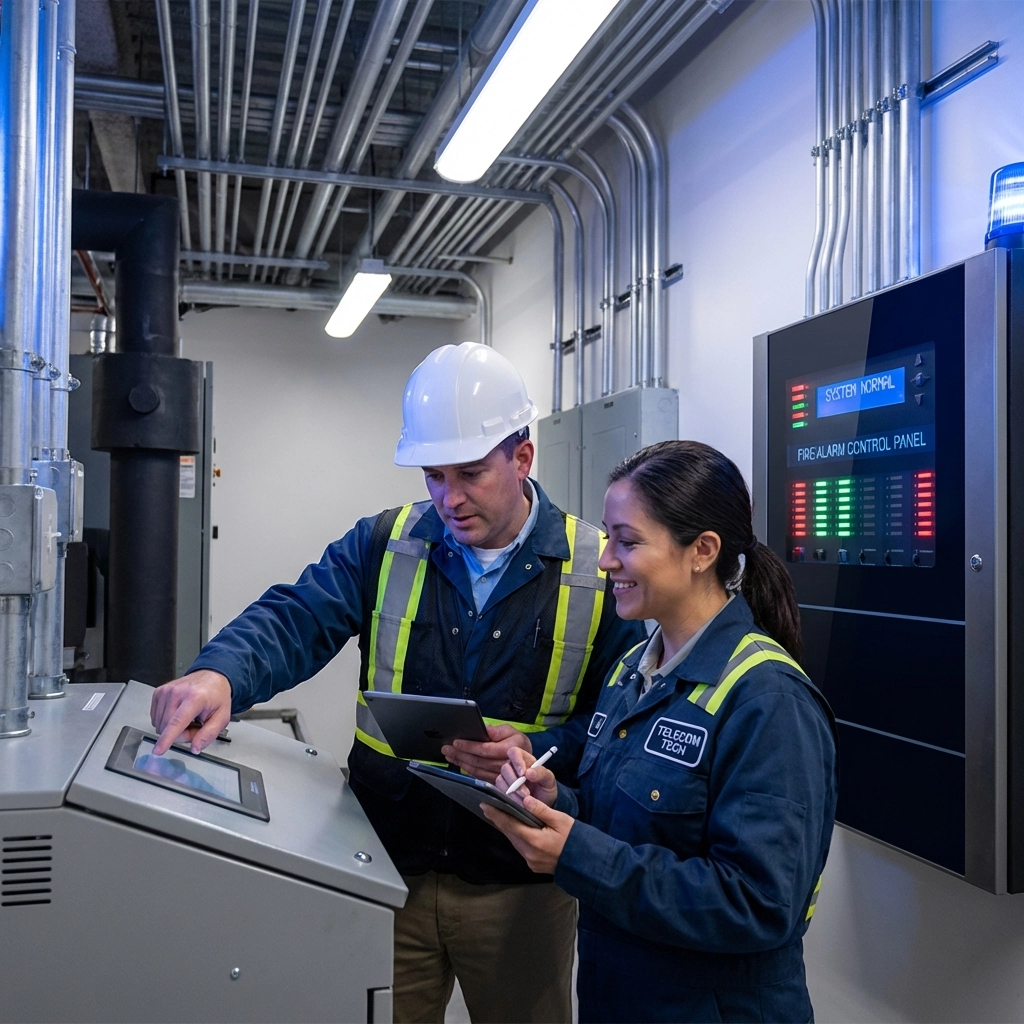
Facility manager and telecom technician review building fire safety equipment, ensuring compliance during copper line replacement


Step 5: Plan and Execute Your Migration Before Deadlines Hit

Procrastination is your enemy here. With June 2026 decommissioning on the horizon and copper rates already through the roof, waiting costs you money and increases your risk.

Your migration timeline should include:

  1. Weeks 1-2: Complete system audit and compliance review
  2. Weeks 3-4: Evaluate technology options and get quotes
  3. Weeks 5-6: Select vendor and schedule installation
  4. Weeks 7-8: Install new systems and test thoroughly
  5. Week 9: Coordinate cutover with monitoring stations
  6. Week 10: Disconnect old copper lines and verify everything works

Don't forget: Notify your insurance company once the transition is complete. Updated, code-compliant systems may even qualify you for premium reductions.


Frequently Asked Questions

What happens if I don't replace my copper lines before the sunset deadline?

Your lines will eventually stop working, potentially without warning. You'll face code violations, failed inspections, and possible building closure orders. Insurance claims could also be denied if required monitoring systems were offline.

Will cellular POTS replacement work with my existing elevator phone?

In most cases, yes. Cellular POTS replacement devices are designed to work with existing equipment. They connect to your elevator phone or fire panel just like the old copper line did.

How much does it cost to replace copper emergency lines?

Costs vary based on technology choice and number of lines, but most businesses find that modern alternatives are significantly cheaper than today's inflated copper rates: often saving 50-70% on monthly costs.

Is VoIP reliable enough for life-safety systems?

With proper network infrastructure, battery backup, and redundancy, VoIP can meet life-safety requirements. However, cellular solutions are often preferred for critical systems because they operate independently of your building's internet connection.

How long does the transition take?

Most buildings can complete the full transition in 8-10 weeks, though simpler installations may take just a few days.


The Bottom Line: Act Now, Not Later

The copper sunset isn't a future problem: it's happening right now. Every month you wait means higher bills, increased risk, and fewer options as providers get overwhelmed with last-minute requests.

The buildings that act now will have smooth transitions, lower costs, and zero compliance headaches. The ones that wait? They'll be scrambling when deadlines hit and paying premium prices for emergency installations.

Don't let your elevator phones go dark. Don't let your fire alarm monitoring lapse. Don't let compliance issues shut down your building.


Ready to Make the Switch?

Premier Business Team specializes in helping businesses navigate the copper-to-digital transition. We'll audit your systems, recommend the right replacement technology, handle the installation, and make sure you stay compliant every step of the way.

Contact us today to schedule your free copper line audit and get ahead of the deadline.


#CopperSunset #ElevatorPhones #FireAlarmMonitoring #POTSReplacement #BusinessTelecom #EmergencyCommunications #BuildingCompliance #UCaaS #VoIPSolutions #ITInfrastructure


Lynnwood Car Dealerships: Modernize Your Phones with GoTo Unified Communications

premierbusiness · January 25, 2026 ·

If you're running a car dealership in Lynnwood, WA, you already know the communication chaos that comes with the territory. Sales calls flooding in, service department transfers getting dropped, customers stuck on hold, and that clunky old phone system that's been "good enough" for way too long.

Here's the thing: your phone system isn't just infrastructure anymore. It's the backbone of your customer experience. And in 2026, dealerships still running legacy PBX hardware are leaving money on the table, and frustrating customers in the process.

Let's talk about how GoTo Connect's unified communications platform can transform your Lynnwood dealership's operations, slash your telecom costs, and give your team the tools they actually need to close deals and keep customers happy.

Why Lynnwood Dealerships Are Ditching Traditional Phone Systems

The automotive retail landscape in Snohomish County is competitive. Between the established dealers along Highway 99 and the newer lots popping up around Alderwood, standing out means delivering exceptional customer experiences from the very first phone call.

Traditional PBX systems weren't built for how modern dealerships operate. Your sales team isn't chained to a desk anymore. Service advisors need to reach customers on the fly. Finance managers juggle multiple conversations across different channels. And your BDC team? They're drowning in a mix of calls, texts, and online inquiries.

image_1

Legacy phone systems create bottlenecks everywhere:

  • Missed calls during peak hours when every line is tied up
  • Dropped transfers between departments that frustrate customers
  • No visibility into call volumes, wait times, or team performance
  • Zero mobile capability for staff working the lot or remotely
  • Expensive maintenance on aging hardware that fails at the worst times

Sound familiar? You're not alone. Most dealerships we work with in the Lynnwood area are dealing with these exact pain points.

What Makes GoTo Connect Different for Auto Dealerships

GoTo Connect isn't just another phone system, it's a complete unified communications platform built for how businesses actually work today. And for car dealerships specifically, it addresses the unique challenges of high-volume, multi-department operations.

One Platform for Everything

Instead of juggling separate systems for calls, texts, video meetings, and internal chat, GoTo Connect consolidates everything into a single cloud-based application. Your sales team can take calls, send follow-up texts, and hop on video calls with remote customers, all from the same interface.

This matters because modern businesses need integrated solutions that don't create information silos. When your CRM integrates directly with your phone system, every customer interaction is tracked and accessible.

AI-Powered Features That Actually Help

GoTo Connect includes intelligent features designed to improve customer service and team efficiency:

  • Call summaries and transcriptions let managers review conversations quickly
  • Smart call routing ensures customers reach the right department the first time
  • Screen pop integration displays customer information instantly when calls come in
  • Voicemail transcription so your team can prioritize callbacks without listening to every message

For dealerships handling hundreds of calls daily, these aren't gimmicks, they're game changers.

image_2

True Mobile Flexibility

Your salespeople aren't sitting at desks. They're on the lot, doing test drives, meeting customers at the service lane. With GoTo Connect, they take their full business phone system with them on any device. Calls to the dealership can ring on their mobile app. They can transfer to finance or service without asking the customer to call back.

This mobility means fewer missed opportunities and faster response times, exactly what today's car buyers expect.

The Real Cost Savings for Lynnwood Dealerships

Let's talk numbers, because this is where things get interesting.

Traditional PBX systems come with ongoing costs that add up fast:

Traditional PBX GoTo Cloud PBX
Hardware purchases and replacements No on-site hardware required
Phone line charges per location Consolidated cloud-based billing
IT maintenance and service calls Managed through simple admin portal
Limited scalability without new equipment Add or remove lines instantly
Expensive upgrades for new features Continuous updates included

Most dealerships we migrate to GoTo Connect see 20-40% reduction in total telecom costs within the first year. And that doesn't even account for the productivity gains from better tools and fewer dropped calls.

The platform operates on predictable subscription pricing, so no surprise bills when hardware fails or you need to add lines during a busy season.

How Premier Business Team Makes Migration Painless

Here's where we come in. At Premier Business Team, we specialize in helping businesses across the Puget Sound region, from cybersecurity implementations to complete network infrastructure projects, make smart technology transitions.

For car dealerships specifically, we understand the stakes. You can't afford communication downtime during business hours. Your team doesn't have time for lengthy training sessions. And the last thing you need is a vendor who disappears after installation.

image_3

Our Dealership Migration Process

1. Discovery and Assessment
We start by understanding your current setup, call volumes, department structure, and pain points. Every dealership is different, and cookie-cutter solutions don't work.

2. Custom System Design
We configure GoTo Connect specifically for automotive retail, including call flows for sales, service, parts, and finance departments. Auto-attendants get programmed with options your customers actually need.

3. Number Porting and Setup
Your existing phone numbers transfer seamlessly. Customers calling your dealership won't notice anything except better service.

4. Staff Training
We provide hands-on training tailored to each department. Your BDC team has different needs than your service writers, and we make sure everyone knows exactly how to use the new system.

5. Ongoing Support
We don't disappear after go-live. Questions come up, staff changes happen, and you may want to adjust call routing. We're here for all of it.

See It In Action: Live Demos for Lynnwood Dealerships

Reading about features is one thing. Actually seeing how GoTo Connect handles your specific workflows is another.

We offer complimentary live demonstrations for Lynnwood area dealerships interested in upgrading their communications. During these sessions, we'll show you:

  • How calls route through sales, service, and parts departments
  • The mobile app experience for lot-based staff
  • Real-time reporting dashboards for managers
  • CRM integration capabilities
  • AI transcription and call summary features

No pressure, no obligation, just a clear picture of what modern dealership communications can look like.

Frequently Asked Questions

How long does migration to GoTo Connect typically take?
For most dealerships, we complete the full migration in 2-4 weeks, including number porting, system configuration, and staff training. We schedule cutover during low-traffic hours to minimize any disruption.

Will our current phone numbers transfer over?
Yes. All your existing phone numbers port directly to GoTo Connect. Your customers won't need to update any contact information.

Can GoTo Connect integrate with our dealership management system (DMS)?
GoTo Connect offers integrations with popular CRM and business applications. During our assessment, we'll identify the best integration approach for your specific DMS.

What happens if internet connectivity goes down?
GoTo Connect includes failover options, including call forwarding to mobile devices. We also recommend backup connectivity solutions to ensure your dealership stays reachable.

Is GoTo Connect compliant with automotive industry requirements?
Yes. GoTo Connect operates with enterprise-grade security, 99.99% uptime SLA, and call recording capabilities that support compliance needs.

Learn more about GoTo Connect's full feature set at GoTo's official website.


Ready to Upgrade Your Dealership's Communications?

Lynnwood car dealerships deserve communication tools that match the quality of vehicles they sell. If you're still running on outdated phone systems, you're working harder than you need to: and probably paying more than you should.

Premier Business Team is ready to show you exactly how GoTo Connect can transform your dealership's operations. From initial demo to full deployment and ongoing support, we handle everything so you can focus on selling cars and serving customers.

Call us today at 360-946-2626 or visit premierbusinessteam.com to schedule your free consultation and live demo. Let's build a communication system your dealership: and your customers( will love.)

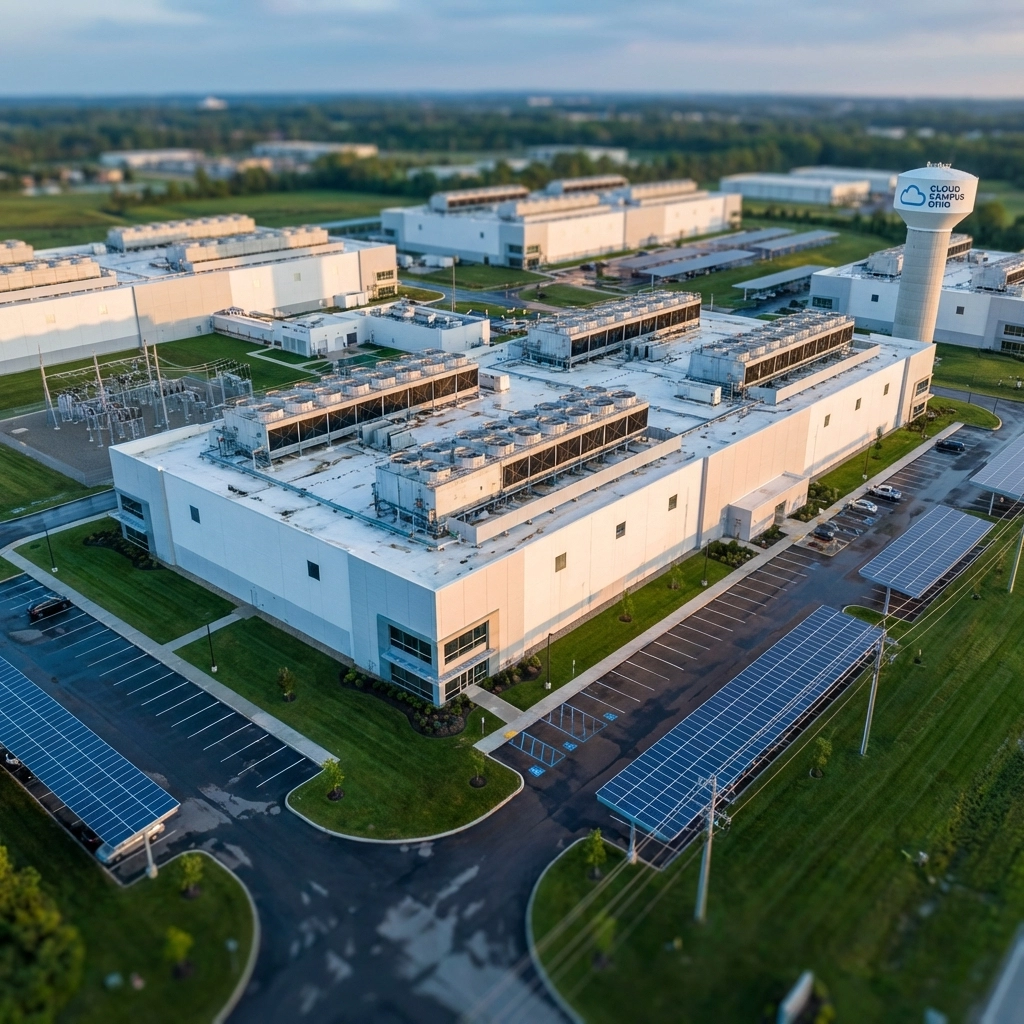
New Albany Data Center Solutions: High-Density Connectivity & Power Consulting

premierbusiness · January 25, 2026 ·

New Albany, Ohio has quickly become one of the nation's most attractive destinations for data center development. With major operators like STACK Infrastructure, Vantage Data Centers, QTS, and Meta already investing billions into the region, it's clear that Central Ohio is a powerhouse for enterprise-grade infrastructure.

Whether you're planning a new data center deployment, expanding your existing footprint, or simply need expert guidance on connectivity and power options, Premier Business Team is here to help you navigate this rapidly evolving landscape.


Why New Albany Is a Data Center Hotspot in 2026

New Albany isn't just another data center market: it's a strategic goldmine. Located just 20 minutes from downtown Columbus, the region offers a rare combination of affordable land, low natural disaster risk, and favorable tax incentives that make it irresistible for hyperscale and enterprise deployments alike.

Key advantages include:

  • Access to 50% of the U.S. population within a day's drive
  • Proximity to all major fiber-based service providers
  • Over $1.5 billion already invested in Ohio data center infrastructure
  • More than 300 operational jobs supported by existing facilities
  • LEED Silver and Gold certified buildings prioritizing sustainability

Meta's presence since 2017 was just the beginning. Today, the New Albany market is thriving with multiple campuses offering scalable, redundant, and efficient infrastructure for businesses of all sizes.

image_1


High-Density Power Infrastructure: Built for Scale

Power is the lifeblood of any data center, and New Albany delivers in spades. The region's power infrastructure is designed to support even the most demanding high-density deployments.

Massive Capacity

  • Vantage's OH1 campus delivers 192MW total capacity: 64MW per building across three facilities
  • STACK's NAL01 offers 60MW of scalability for growing enterprises
  • EdgeConneX's PowerConneX New Albany Energy Center provides up to 120MW from a dedicated natural gas-fired power generation facility

Redundancy and Reliability

Power in New Albany isn't just abundant: it's resilient. American Electric Power Ohio supplies the region with multiple diverse power feeds to each campus. Vantage's systems feature:

  • N+1 redundancy across all electrical infrastructure
  • 480V end-to-end distribution for efficiency
  • Multiple utility feeds ensuring uptime even during grid disruptions

For businesses that can't afford downtime, this level of redundancy is non-negotiable.


High-Density Connectivity: Carrier-Neutral and Flexible

Connectivity is just as critical as power, and New Albany data centers are built with carrier-neutral flexibility in mind.

Multiple Pathways, Zero Bottlenecks

Vantage's OH1 campus alone includes:

  • Four points-of-entry (POEs) into the campus
  • Two Meet-Me-Rooms (MMRs) per building for diverse connectivity paths
  • Minimum two fiber paths per carrier to eliminate single points of failure

This architecture ensures that your data has multiple routes to travel, reducing latency and increasing resilience. Whether you're connecting to AWS, Azure, Google Cloud, or your own private infrastructure, New Albany's connectivity ecosystem has you covered.

Low-Latency Cloud Access

With all major fiber-based service providers operating within miles of New Albany campuses, enterprises benefit from:

  • Direct cloud on-ramps to major hyperscalers
  • Sub-millisecond latency to key Midwest markets
  • Scalable bandwidth options from 1G to 100G+

If you're looking to optimize your network infrastructure, New Albany's connectivity options make it an ideal hub.

image_2


Cooling, Efficiency, and Sustainability

Modern data centers consume enormous amounts of energy, but New Albany facilities are built with efficiency and sustainability at their core.

Hyper-Efficient Cooling Systems

  • Closed-loop chilled water systems with air-side economizers
  • Near-zero Water Utilization Efficiency (WUE) ratings
  • N+2 redundancy across all mechanical systems

Green Building Standards

Most New Albany data centers are built to LEED Silver or Gold standards, reflecting a commitment to:

  • Reduced carbon footprint
  • Energy-efficient operations
  • Sustainable building materials and practices

For enterprises with ESG (Environmental, Social, Governance) commitments, New Albany's green infrastructure aligns perfectly with corporate sustainability goals.


Alternative Power and Energy Resilience

With energy costs and grid reliability becoming growing concerns nationwide, New Albany data centers are ahead of the curve on alternative power solutions.

On-Site Power Generation

EdgeConneX's PowerConneX New Albany Energy Center is a prime example: a dedicated natural gas-fired facility designed specifically to serve on-site data centers. This approach provides:

  • Energy independence from the broader grid
  • Cost predictability in volatile energy markets
  • Rapid scalability as demand grows

Renewable Energy Options

Many operators in the region are also exploring solar, wind, and battery storage integrations to further reduce environmental impact and provide additional resilience layers.


Premier Business Team: Your Data Center Consulting Partner

Navigating the data center landscape isn't simple. Between evaluating power options, negotiating connectivity agreements, and ensuring your infrastructure meets compliance requirements, there's a lot to manage.

That's where Premier Business Team comes in.

What We Offer

  • Site Selection Consulting: We help you identify the right data center location based on your unique requirements: whether that's New Albany, Ohio or another emerging market.
  • Connectivity Optimization: Our team works with carriers and providers to ensure you get the best pricing and performance for your bandwidth needs.
  • Power and Resilience Planning: We evaluate power infrastructure, redundancy options, and alternative energy solutions to keep your operations running 24/7.
  • Vendor-Neutral Guidance: We're not tied to any single provider, which means our recommendations are based solely on what's best for your business.

We've helped businesses across the country: from retail franchises reducing downtime to enterprises upgrading their business internet and connectivity.

image_3


Frequently Asked Questions: New Albany Data Center Solutions

Why is New Albany, Ohio a top location for data centers?

New Albany offers affordable land, low natural disaster risk, favorable tax incentives, proximity to major fiber providers, and access to 50% of the U.S. population within a day's drive. Major operators like Meta, Vantage, and STACK have already invested billions in the region.

What power capacity is available in New Albany data centers?

Power capacity ranges from 60MW to over 190MW depending on the facility. Providers like Vantage offer 192MW across their OH1 campus, while EdgeConneX operates a dedicated 120MW on-site power generation facility.

Are New Albany data centers carrier-neutral?

Yes. Most facilities offer carrier-neutral connectivity with multiple points-of-entry, diverse Meet-Me-Rooms, and access to all major fiber-based service providers for maximum flexibility.

How can Premier Business Team help with data center projects?

Premier Business Team provides vendor-neutral consulting for site selection, connectivity optimization, power planning, and resilience strategies. We help businesses find the right infrastructure solutions without the hassle of navigating complex vendor relationships alone.

What sustainability features do New Albany data centers offer?

Most facilities are built to LEED Silver or Gold standards, featuring hyper-efficient cooling systems, near-zero water utilization, and ongoing investments in renewable energy options.


Ready to Explore New Albany Data Center Solutions?

Whether you're scouting locations for a new deployment, optimizing your current connectivity, or just want to understand your options, Premier Business Team is ready to help.

We bring years of experience in IT, telecommunications, and infrastructure consulting to every engagement: and we're committed to finding the right solution for your business.

Let's talk about your data center needs today.

Request a Consultation

Learn more about Premier Business Team and our full range of services at premierbusinessteam.com.

Are Legacy Phone Systems Dead? How UCaaS Migration Will Save Your Business $50K in 2026

premierbusiness · January 25, 2026 ·

Your business phone system is bleeding money. Every month, you're paying for equipment that can't keep up with your team's needs, maintenance calls that drain your budget, and communication gaps that cost you customers.

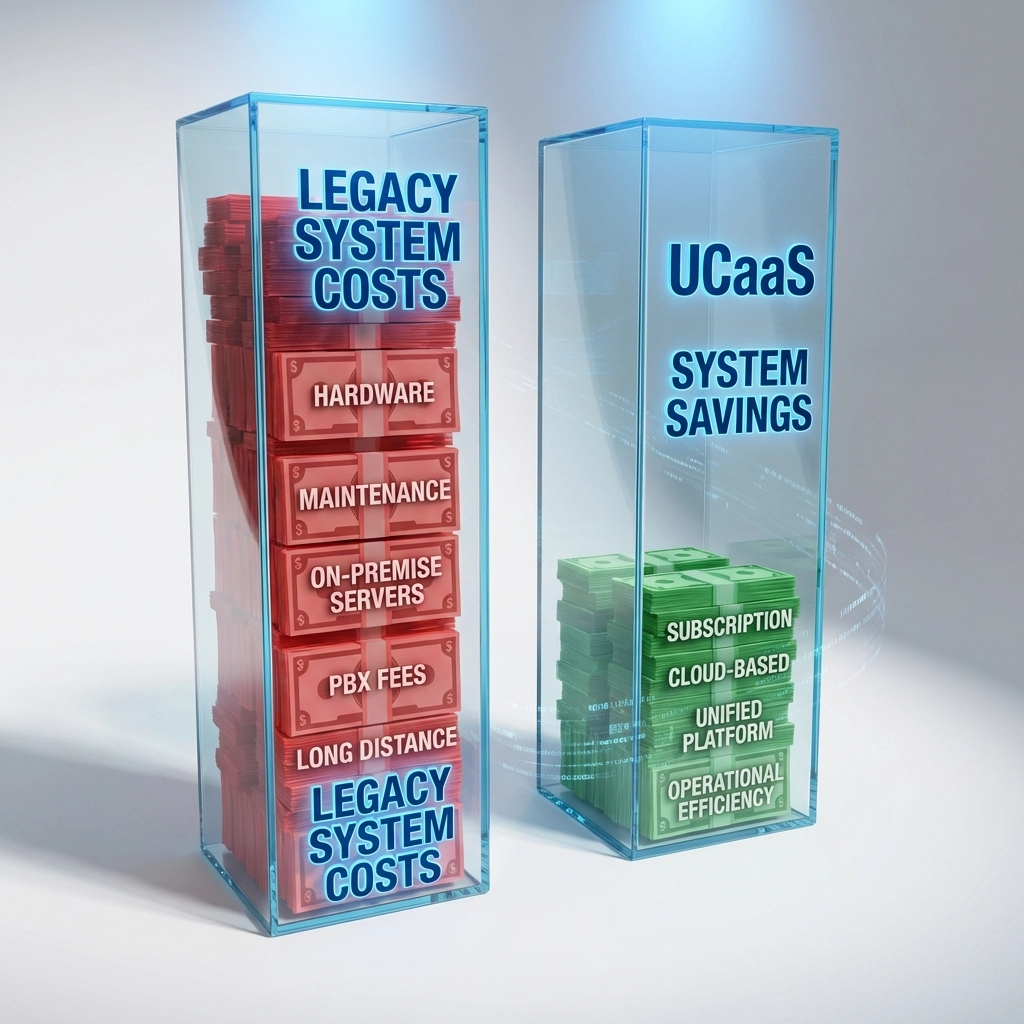
The numbers don't lie: more than 70% of businesses are migrating to Unified Communications as a Service (UCaaS) or planning to within the next year. Meanwhile, companies stuck on legacy PBX systems are losing up to $11,000 per employee annually due to communication inefficiencies alone.

For a typical small business with 5-10 employees, that's $50,000+ in hidden costs every year, money that could fuel growth instead of propping up outdated technology.

The Hidden Cost of Keeping Your Old PBX System

Legacy phone systems aren't just expensive upfront. They're financial vampires that keep draining resources long after installation.

Monthly Line Costs Add Up Fast

  • Traditional phone lines: $35-$50 per line monthly
  • PBX maintenance contracts: $200-$500 monthly
  • Hardware replacement cycles: $5,000-$15,000 every 5-7 years
  • IT support for system issues: $150-$300 per incident

A 10-person business typically spends $6,000-$8,000 annually just on basic phone service. Add maintenance, upgrades, and downtime costs, and you're looking at $12,000-$15,000 per year for outdated technology.

The Productivity Drain
Here's where legacy systems really hurt: 60% of businesses report that legacy telephony negatively affects their customer service. When your phone system can't handle remote work, mobile connectivity, or basic features like call routing, your team wastes time on workarounds.

Consider these real productivity killers:

  • Missed calls because employees can't access voicemail remotely
  • Lost opportunities when calls can't transfer to mobile devices
  • Time wasted managing separate systems for voice, video, and messaging
  • Customer frustration with outdated call quality and dropped connections

image_1

UCaaS Migration: Your Path to $50K Annual Savings

Unified Communications as a Service (UCaaS) combines voice calling, video conferencing, team messaging, file sharing, and advanced features into one cloud-based platform. Instead of managing hardware and multiple vendors, you get everything through a single, scalable solution.

Real Cost Breakdown: How You Save $50K

Let's use a 10-employee business as an example:

Legacy PBX Annual Costs:

  • Phone lines and service: $7,200
  • PBX maintenance: $3,600
  • Hardware depreciation: $2,000
  • IT support incidents: $1,800
  • Lost productivity (conservative): $22,000
  • Total: $36,600

UCaaS Annual Costs:

  • All-inclusive service: $3,600 ($30/user/month)
  • Setup and training: $500 (one-time)
  • Productivity gains: $15,000 value
  • Total: $4,100 (net savings: $32,500)

For businesses with communication inefficiencies costing the full $11,000 per employee annually, the savings jump to $50,000+ per year.

Why Legacy PBX Systems Can't Compete in 2026

1. Hybrid Work Reality
53% of employees now work in hybrid models. Legacy systems were built for desk phones in fixed locations. They can't seamlessly connect remote workers, handle mobile-first communication, or support the collaboration tools modern teams require.

2. Maintenance Nightmares
Old PBX systems require constant upkeep. Every software update, hardware failure, or configuration change means calling expensive technicians. UCaaS providers handle all maintenance, updates, and technical support as part of the service.

3. Limited Scalability
Growing your business means buying more hardware, rewiring offices, and complex installations. UCaaS scales instantly, add users with a few clicks, no hardware required.

4. Feature Limitations
Modern businesses need AI-powered call routing, video conferencing, team messaging, mobile apps, and advanced analytics. Legacy systems offer basic calling, everything else requires separate tools and vendors.

image_2

UCaaS Migration in Plain English

What UCaaS Actually Means for Your Business

Think of UCaaS like switching from owning a fleet of cars to using a comprehensive transportation service. Instead of buying, maintaining, and upgrading vehicles, you get reliable transportation whenever you need it, with all maintenance included.

UCaaS provides:

  • Cloud-based phone system with all advanced features
  • Video conferencing built-in (no more separate Zoom accounts)
  • Team messaging that integrates with calls and meetings
  • Mobile apps that work anywhere with internet
  • AI features like call transcription and smart routing
  • Analytics to understand communication patterns
  • 24/7 support from the provider

The Migration Process

  1. Assessment: Analyze current phone usage and requirements
  2. Planning: Design new system architecture and user setup
  3. Number Porting: Transfer existing phone numbers seamlessly
  4. Training: Get teams comfortable with new features
  5. Cutover: Switch from old to new system with minimal downtime

Most businesses complete migration in 2-4 weeks with proper planning.

Real Case Study: Local Restaurant Chain Saves $47,000 Annually

A Pacific Northwest restaurant group with 8 locations was spending $52,000 annually on separate phone systems, point-of-sale communications, and coordination tools across sites.

The Challenge:

  • Each location had separate phone contracts
  • Managers couldn't easily coordinate between stores
  • Customer service suffered from inconsistent communication
  • Remote management was nearly impossible

UCaaS Solution:

  • Unified phone system across all locations
  • Manager mobile apps for remote oversight
  • Integrated messaging for staff coordination
  • Advanced call routing to handle peak hours

Results After Migration:

  • $47,000 annual savings on communication costs
  • 25% improvement in customer service ratings
  • 40% reduction in missed calls during busy periods
  • Complete mobility for management team

Learn more about unified communications solutions and how they transform business operations.

Premier Business Team's UCaaS Migration Process

We've helped dozens of Pacific Northwest businesses transition from legacy systems to modern UCaaS solutions. Our process eliminates the usual migration headaches:

Free Assessment and Planning

  • Comprehensive audit of current phone system costs
  • Analysis of communication patterns and pain points
  • Custom UCaaS solution design
  • Detailed cost-benefit projection

Seamless Implementation

  • Professional number porting with zero downtime
  • Staff training on new features and mobile apps
  • Gradual rollout to minimize business disruption
  • Post-migration support to ensure smooth operation

Ongoing Optimization

  • Regular system performance reviews
  • Feature utilization analysis
  • Continuous cost optimization recommendations
  • Proactive technical support

image_3

Frequently Asked Questions About UCaaS Migration

Q: Will we lose our existing phone numbers?
A: No. Number porting is standard with UCaaS migration. We transfer all existing numbers seamlessly with no service interruption.

Q: What happens if our internet goes down?
A: Modern UCaaS solutions offer multiple redundancy options including mobile app failover, call forwarding to cell phones, and automatic rerouting to backup locations.

Q: How long does migration take?
A: Most businesses complete UCaaS migration in 2-4 weeks. Simple implementations can be done in as little as one week.

Q: Can we try UCaaS before fully committing?
A: Yes. Many providers offer trial periods or phased rollouts. We can set up a pilot program for key users before company-wide implementation.

Q: What about call quality compared to traditional phone lines?
A: With proper internet connectivity, UCaaS call quality equals or exceeds traditional phone service. We ensure your network can support high-quality voice communications.

Q: How do costs compare for very small businesses?
A: Even 2-3 person businesses typically save money with UCaaS due to eliminated hardware costs, included features, and improved productivity.

Stop Losing Money on Outdated Phone Systems

Legacy PBX systems are more than outdated: they're actively damaging your business profitability. Every month you delay migration costs money in inefficiencies, missed opportunities, and maintenance expenses.

The businesses saving $50,000+ annually didn't wait for their phone systems to completely fail. They made the strategic decision to modernize before competitors gained the advantage of superior communication tools.

Ready to discover your exact UCaaS savings potential? Our free assessment reveals hidden costs in your current system and projects savings from modern alternatives. We'll analyze your phone bills, usage patterns, and business requirements to create a customized migration plan.

Call Premier Business Team at (360) 946-2626 to schedule your complimentary UCaaS assessment. Learn exactly how much your business could save with professional migration planning and implementation.

Don't let outdated technology drain another $50,000 from your business this year. The solution is one phone call away.

The SMB's Guide to Surviving AI-Powered Cyber Attacks in 2026

premierbusiness · January 24, 2026 ·

Here's a stat that should keep you up at night: 60% of small and medium-sized businesses that suffer a cyber attack close their doors within six months. And in 2026, those attacks are smarter, faster, and more ruthless than ever: because they're powered by artificial intelligence.

The average breach now costs SMBs $254,445 per incident. Meanwhile, 47% of small businesses have zero cybersecurity budget. That's a dangerous gap, and cybercriminals know it.

If you're running an SMB, this guide breaks down exactly how AI-powered attacks work, why your business is a prime target, and what you can do right now to protect yourself.

Why SMBs Are the Perfect Target in 2026

You might think hackers only go after big corporations with deep pockets. The reality? SMBs are easier targets with fewer defenses.

Here's why attackers love going after small and medium-sized businesses:

  • No dedicated security teams – Most SMBs can't afford a full-time cybersecurity staff
  • BYOD environments – Personal devices connecting to your network expand the attack surface
  • Limited monitoring – Without 24/7 oversight, breaches go undetected for months
  • Valuable data – Customer information, financial records, and proprietary data are all goldmines

The numbers back this up: 83% of SMBs report that AI has increased their cybersecurity threat level. Cyber risk remains the #1 business risk globally, while AI jumped from #10 to #2 in enterprise risk rankings this year.

Small business employee monitors cybersecurity alerts in a dark office, highlighting SMB vulnerability to AI-powered cyber threats.

How AI-Powered Attacks Actually Work

Let's get specific about what you're up against. These aren't your grandfather's phishing emails with obvious typos. AI has fundamentally changed the game.

Slopsquatting Attacks

This one's sneaky. When developers use AI coding assistants, those tools sometimes "hallucinate" and recommend software packages that don't exist: names like "numpy-security-utils" or "mysql-async-connection-pool-pro."

Cybercriminals figured this out. They register these fake package names and load them with malware. Your developer installs the package trusting the AI recommendation, and boom: you're compromised. Without continuous monitoring, these attacks can sit undetected in your systems for months.

AI-Powered Social Engineering

Forget the Nigerian prince emails. Modern AI can:

  • Clone voices with 98% accuracy using just a 3-minute recording
  • Create deepfake video calls impersonating your CEO or CFO
  • Write adaptive phishing emails that learn from your actual writing style
  • Scrape LinkedIn and company websites to reference real projects and colleagues

Imagine getting a video call from what looks and sounds exactly like your business partner asking you to wire funds urgently. That's not science fiction: it's happening right now.

Adaptive Malware

Traditional antivirus software looks for known threat signatures. AI-powered malware rewrites itself every few minutes, making it essentially invisible to conventional defenses.

These attacks can:

  • Scan for vulnerabilities in seconds
  • Change polymorphic code continuously to bypass detection
  • Discover zero-day vulnerabilities before patches exist
  • Target thousands of businesses simultaneously (one attacker can hit 10,000 SMBs at once)

AI Agent Attacks

If your business uses internal AI tools: chatbots, automation platforms, or AI assistants: attackers can compromise them through prompt injection or tool-misuse vulnerabilities. Once inside, they have an autonomous insider that can silently execute commands, delete backups, or exfiltrate your entire customer database.

Split image of a real and digital face illustrates deepfake technology and AI-driven cyber attacks targeting businesses.

The Real Cost of Doing Nothing

Still on the fence about investing in cybersecurity? Consider this real-world case study:

One attacked business experienced:

  • 28 days of complete production shutdown
  • $1.8 million in lost revenue
  • $950,000 ransomware payment
  • $350,000 in system rebuilding costs
  • 60 employee layoffs
  • Near-bankruptcy

The cost of prevention is a fraction of the cost of recovery. One prevented breach pays for multiple years of security investment.

Your Defense Strategy: Three Essential Commitments

Surviving AI-powered attacks in 2026 requires a proactive approach. Here's your framework:

1. Governance

Establish clear policies on:

  • Which AI tools are approved for business use
  • What uses are prohibited
  • Validation requirements before deploying any AI-assisted code or tools

This prevents "shadow IT": employees using unauthorized AI tools that could expose your network. Everyone on your team needs to understand the risks before using AI for business purposes.

2. Vendor Accountability

Your security is only as strong as your weakest vendor. Before engaging any partner:

  • Conduct thorough security assessments
  • Monitor their AI practices on an ongoing basis
  • Maintain a software bill of materials (SBOM)
  • Scan dependencies for hallucinated packages

Your network infrastructure is only secure if everyone connected to it follows the same standards.

3. Expert Partnership

Here's the truth: SMBs can't fight AI-powered attacks alone. You need partners who understand these specific threats and can provide:

  • 24/7 monitoring and threat detection
  • Rapid incident response
  • Ongoing vulnerability assessments
  • Employee security training

Working with a trusted cybersecurity solutions provider is the most cost-effective way to protect your business.

IT security team collaborates at a monitoring station, demonstrating proactive network defense against AI cyber attacks for SMBs.

Immediate Actions You Can Take Today

Don't wait for an attack to start protecting yourself. Here's your action checklist:

  • Pre-deployment dependency validation – Review all software packages before installation
  • Network segmentation – Limit lateral movement if one system gets compromised
  • Offline backups – Ensure ransomware can't encrypt your only recovery option
  • 24/7 monitoring – Detect breaches quickly before they cause catastrophic damage
  • Vendor risk assessments – Evaluate AI practices of all external partners
  • AI usage policies – Document which tools employees can use and establish clear guidelines
  • Proper firewall and network setup – Ensure your IT infrastructure is configured correctly from the start

Frequently Asked Questions

What is an AI-powered cyber attack?
An AI-powered cyber attack uses artificial intelligence to automate, adapt, and scale malicious activities. This includes voice cloning, deepfake video, adaptive malware that rewrites itself to avoid detection, and automated vulnerability scanning that can target thousands of businesses simultaneously.

Why are small businesses targeted by AI cyber attacks?
Small businesses typically lack dedicated security teams, have limited monitoring capabilities, and often use BYOD (bring your own device) policies that expand attack surfaces. Attackers can target thousands of SMBs at once with minimal effort.

How much does a cyber attack cost a small business?
The average breach costs SMBs $254,445 per incident. However, total costs including downtime, lost revenue, ransomware payments, and recovery can reach into the millions. 60% of attacked SMBs close within six months.

What is slopsquatting in cybersecurity?
Slopsquatting exploits AI coding assistants that hallucinate fake software package names. Attackers register these names with malware-laden code. When developers install the recommended packages, they unknowingly compromise their systems.

How can SMBs protect themselves from AI-powered attacks?
Key defenses include establishing AI governance policies, conducting vendor security assessments, partnering with managed security providers, implementing 24/7 monitoring, maintaining offline backups, and segmenting networks to limit breach damage.

Protect Your Business Before It's Too Late

AI-powered cyber attacks aren't slowing down: they're accelerating. Every day you wait is another day your business remains vulnerable to threats that can shut you down permanently.

The good news? You don't have to figure this out alone. Premier Business Team specializes in helping SMBs across the country implement robust cybersecurity solutions that actually work against modern threats.

Ready to secure your business? Contact Premier Business Team today to schedule a security assessment and find out exactly where your vulnerabilities are: before attackers do.


#Cybersecurity #SMBSecurity #AIThreats #CyberAttacks #BusinessProtection #ITSecurity #RansomwareProtection #NetworkSecurity #CyberDefense #SmallBusinessSecurity #AIpoweredAttacks #2026CyberThreats

  • « Go to Previous Page
  • Page 1
  • Interim pages omitted …
  • Page 25
  • Page 26
  • Page 27
  • Page 28
  • Page 29
  • Interim pages omitted …
  • Page 78
  • Go to Next Page »

Get a no obligation quote for your business. Learn More

Proud Chamber Member

Bellingham Chamber Badge

Premier Business Team

Copyright © 2026 · Premier Business Team 2219 Rimland Dr. Suite 301 Bellingham, WA 98226 - 360-946-2626

  • Home
  • Business Internet
  • Business Phone
  • Blog
  • About Us
  • Contact Us
  • Business Quote
  • Engineering
  • Call: 360-946-2626