• Skip to primary navigation
  • Skip to main content
Premier Business Team

Premier Business Team

Your business connectivity and IT Team

  • Home
  • Business Internet
  • Business Phone
  • Blog
  • About Us
    • Our Featured Suppliers
  • Contact Us
  • Business Quote
    • Business Tech Assessment
  • Engineering
  • Call: 360-946-2626
  • Show Search
Hide Search

Blog Posts

Business Internet vs. AI Demands: 7 Signs Your Connectivity Can't Keep Up in 2026

premierbusiness · January 27, 2026 ·

Your business is probably using more AI than you realize. From Slack's AI summaries to automated customer service chatbots, AI tools have quietly become part of everyday operations. But here's what most business owners don't know: these AI applications are bandwidth-hungry monsters that can bring your network to its knees.

While the FCC recently updated baseline business internet recommendations to 100 Mbps download and 20 Mbps upload, that's barely scratching the surface for businesses leveraging AI tools, cloud-based analytics, and modern collaboration platforms.

If you're experiencing mysterious slowdowns, frustrated employees, or wondering why your "fast" internet feels sluggish, your connectivity might be the bottleneck holding back your AI-powered productivity.

1. Video Calls Drop Quality When AI Tools Are Running

You're in an important client meeting on Teams or Zoom, and suddenly the video starts pixelating or audio cuts out. Check what's running in the background: chances are someone's using ChatGPT, running automated data analysis, or syncing large files to the cloud.

AI applications constantly send data back and forth to cloud servers. When your marketing team runs AI content generation while accounting uses cloud-based analytics, your video calls suffer. This isn't just annoying: it's unprofessional and costs deals.

What's happening: AI tools compete with real-time communications for upload bandwidth, which is typically much lower than download speeds in traditional business internet plans.

image_1

2. Cloud Software Becomes Painfully Slow During Peak Hours

Your CRM takes forever to load. Google Workspace feels sluggish. Your accounting software times out. If these issues happen consistently between 9-11 AM and 1-3 PM, you're hitting peak usage hours when everyone's devices are pulling data simultaneously.

Modern businesses run 15-20 cloud applications per employee on average. Add AI-powered features like predictive text, automated data entry, and real-time analytics, and your internet connection becomes a traffic jam.

The real cost: Employees spend 21 minutes per day waiting for slow applications to load. That's 91 hours per year per employee: nearly $3,000 in lost productivity for a $35/hour worker.

3. File Syncing Takes Hours Instead of Minutes

Your team uploads a 2GB presentation to SharePoint or Google Drive, and it's still syncing three hours later. Meanwhile, productivity grinds to a halt because nobody can access the latest version.

AI-enhanced applications create larger files. A PowerPoint with AI-generated images, an Excel sheet with predictive analytics, or a design file processed through AI tools can be 3-5x larger than traditional files. Your upload speeds, designed for email and basic web browsing, can't handle the load.

Pro tip: If your current internet package has upload speeds below 50 Mbps, you're already behind the curve for AI-era file sharing.

4. Remote Employees Report Constant Connectivity Issues

Your remote workers complain about dropped VPN connections, slow access to company resources, or inability to use multiple applications simultaneously. This isn't always their home internet: it's often your office connection struggling to handle multiple VPN tunnels plus AI application traffic.

image_2

Each remote employee creates a constant data stream back to your office network. When they're using AI tools, running automated backups, or accessing cloud applications through your company's internet connection, bandwidth gets divided among everyone.

Reality check: A single employee using AI writing tools, cloud storage sync, and video calls can consume 5-10 Mbps continuously. Multiply that by your remote team size.

5. Automated Systems Keep "Timing Out" or Failing

Your automated inventory system loses connection. The AI-powered customer service chatbot goes offline. Automated data backups fail halfway through. These aren't software problems: they're connectivity problems.

Automated systems and IoT devices need consistent, reliable connections. Unlike human users who can wait a few seconds for a page to load, automated systems have strict timeout limits. When your internet can't maintain steady speeds, automation breaks down.

Business impact: A failed automated backup could cost you everything. A chatbot that goes offline loses potential customers. These aren't just inconveniences: they're business risks.

6. Security Software Reports "Suspicious Activity" From Normal Operations

Your firewall flags normal AI tool usage as suspicious activity. Your security software quarantines legitimate business applications. Your network monitoring shows unusual data patterns that are actually just AI applications doing their job.

AI applications communicate differently than traditional software. They send frequent small requests, upload usage data, and download model updates. Legacy security systems and older internet connections weren't designed for these communication patterns.

The hidden problem: Inadequate bandwidth forces AI applications to retry connections, creating the traffic patterns that trigger security alerts. It's a cycle that makes your network less secure and less efficient.

image_3

7. New AI Tools Won't Install or Function Properly

You try to deploy the latest AI-powered accounting software, but installation fails. Your team downloads a new AI design tool, but it crashes during setup. Cloud-based AI platforms won't load past the login screen.

Modern AI applications require substantial bandwidth not just for operation, but for initial setup. They need to download large language models, sync with cloud databases, and pull training data. Without adequate connectivity, they simply won't work.

Future-proofing concern: As AI becomes more sophisticated, bandwidth requirements will only increase. What works today might not work in six months.

The Cost of Doing Nothing

Ignoring connectivity issues doesn't make them disappear: it makes them expensive. Here's what inadequate internet costs your business:

  • Lost productivity: 2-3 hours per employee per week waiting for applications
  • Missed opportunities: Failed video calls with prospects and clients
  • Security vulnerabilities: Overloaded networks are easier targets for cyber attacks
  • Competitive disadvantage: Competitors with better connectivity deploy AI tools faster

Why Proactive Upgrades Make Financial Sense

Upgrading your connectivity before problems become critical isn't just smart: it's profitable. Businesses that proactively upgrade their internet infrastructure see:

  • 25-40% improvement in employee productivity
  • Reduced IT support tickets by 60-70%
  • Better security posture with properly functioning monitoring tools
  • Competitive advantage in deploying new AI technologies

The right connectivity solution pays for itself through improved efficiency and reduced downtime. More importantly, it positions your business to leverage AI tools that could transform your operations.

Getting Your Connectivity Assessment Right

Not all internet connections are created equal. Upload speeds, latency, packet loss, and network reliability all impact AI application performance. A proper assessment considers your current usage patterns, growth projections, and specific AI tool requirements.

At Premier Business Team, we've helped businesses across Bellingham and beyond solve connectivity challenges that were holding back their technology investments. Our network assessments identify bottlenecks before they impact operations, and our solution sourcing finds the right connectivity package for your specific needs.

We don't just recommend the most expensive option: we find solutions that match your actual usage patterns and growth plans. Whether you need business firewall and WiFi installation or a complete connectivity overhaul, we have the expertise to design and implement solutions that work.

Frequently Asked Questions

Q: How much bandwidth does my business actually need for AI applications?
A: It depends on your specific AI tools and usage patterns. Basic AI writing assistants might use 5-10 Mbps per user, while AI analytics platforms can require 50+ Mbps consistently. A proper assessment considers all your applications together.

Q: Can I just upgrade my current internet plan instead of switching providers?
A: Sometimes yes, but not always. Upload speeds, latency, and reliability matter as much as raw download speed. Your current provider might not offer the upload speeds or service level agreements your AI applications need.

Q: Will upgrading my internet fix all my AI application problems?
A: Connectivity is often the bottleneck, but not always. Sometimes the issue is network configuration, security settings, or hardware limitations. A comprehensive assessment identifies all potential issues.

Q: How do I know if my connectivity problems are actually bandwidth-related?
A: Look for patterns: do issues happen during peak hours? Do problems occur when multiple AI applications run simultaneously? Do remote workers have more problems than in-office employees? These patterns indicate bandwidth constraints.

Q: What's the difference between business and residential internet for AI applications?
A: Business internet typically offers symmetrical upload/download speeds, better reliability, faster technical support, and service level agreements. AI applications particularly benefit from higher upload speeds and consistent performance.

Take Action Before Problems Get Worse

Don't wait for connectivity issues to cost you customers or cripple productivity. If you recognized your business in any of these seven signs, it's time for a professional network assessment.

Ready to solve your connectivity challenges? Contact Premier Business Team today for a comprehensive network assessment and solution recommendations tailored to your AI application needs.

Call us at 360-946-2626 or visit our quote request form to get started. We'll help you build the connectivity foundation your business needs to leverage AI tools effectively and stay competitive in 2026.


Comcast Business Vs Spectrum Business Vs AT&T Business: How to Choose the Best Internet Provider for Your Company

premierbusiness · January 26, 2026 ·

Let's be real, your business internet connection is the backbone of everything you do. From video calls with clients to processing transactions and accessing cloud applications, a slow or unreliable connection can cost you money, productivity, and even customers.

But with so many options out there, how do you pick the right provider? Today we're breaking down the three biggest names in business internet: Comcast Business, Spectrum Business, and AT&T Business. By the end of this guide, you'll know exactly which provider fits your company's needs in 2026.


Quick Comparison: Comcast vs Spectrum vs AT&T Business Internet

Before we dive deep, here's a snapshot of how these three providers stack up:

Feature Comcast Business Spectrum Business AT&T Business
Starting Price $69.99/month Budget-friendly tier $50/month
Max Speed 1.25 Gbps Varies by market Up to 1 Tbps
Uptime Guarantee 99.99% Not specified 99.95% (fiber)
Contract Length 24+ months Flexible options 12 months
Coverage U.S. only 42 states 46 countries
Upload Speeds 35 Mbps (asymmetric) Varies Symmetric fiber

Now let's break down what each of these providers actually brings to the table.


AT&T Business: Best for Affordability and Speed

Modern business office with fiber optic internet cables and employees working, highlighting AT&T Business affordability and speed.

If you're watching your budget but still need solid performance, AT&T Business is worth a serious look. Their fiber plans start at just $50/month for 100 Mbps, that's the most competitive entry point among the big three.

What Makes AT&T Stand Out

  • Symmetric upload and download speeds: Their gigabit fiber plan delivers 1,000 Mbps both ways. This matters a lot if your team uploads large files, runs video conferences, or uses cloud-based applications regularly.

  • Massive fiber network: AT&T operates over 1.1 million miles of fiber, with speeds reaching up to 1 Tbps for enterprise clients who need serious bandwidth.

  • Shorter contracts: With 12-month agreements and price guarantees, you're not locked in for years if your needs change.

  • Global reach: Operating in 46 countries, AT&T is the clear winner if you have international operations or remote teams abroad.

  • Better customer satisfaction: AT&T outperformed Comcast in the 2019 J.D. Power business customer satisfaction study, and that reputation has continued.

The Catch

AT&T fiber isn't available everywhere. While their coverage is extensive, you'll need to verify availability at your specific business location. Their 99.95% uptime guarantee is solid, but it does allow for about 4.38 hours of potential downtime annually, more than Comcast.

Best for: Small to mid-sized businesses prioritizing affordability, symmetric speeds, and flexibility.


Comcast Business: Best for Reliability and Security

When downtime simply isn't an option, Comcast Business delivers the highest uptime guarantee in the game: 99.99%. That translates to roughly 52 minutes of downtime per year. For businesses running mission-critical operations, that difference matters.

What Makes Comcast Stand Out

  • Industry-leading reliability: That 99.99% uptime guarantee is hard to beat. If your business depends on constant connectivity, think retail POS systems, healthcare applications, or cloud-based phone systems, this reliability is worth paying for.

  • Strong security features: Comcast emphasizes built-in security tools and threat protection, which pairs well with a comprehensive cybersecurity strategy.

  • Largest Gig-speed network: They claim the nation's largest Gig-speed network with diverse transport options including coax and hybrid fiber coax.

  • Speeds up to 1.25 Gbps: Slightly faster than AT&T's standard gigabit offering for downloads.

The Catch

Comcast requires longer contracts, typically 24 months for fiber and 2-3 years for hybrid fiber coax plans. There's also a $200 early termination fee if you need to break the agreement. And here's the kicker: their upload speeds max out at 35 Mbps on many plans, which creates an asymmetric connection that can bottleneck cloud-heavy workflows.

Customer service also gets mixed reviews, particularly during peak hours.

Best for: Businesses where uptime is absolutely critical and security is a top priority, healthcare, finance, retail, and multi-location operations.


Spectrum Business: Best for Budget-Conscious Companies

Suburban main street with small businesses connected by internet, showcasing Spectrum Business budget-friendly coverage.

Spectrum positions itself as the budget-friendly option, and they deliver solid cable coverage across 42 states and over 9,495 zip codes. As the second-largest cable provider in the U.S., they have a significant footprint, especially in suburban and rural areas where fiber options may be limited.

What Makes Spectrum Stand Out

  • Competitive pricing: Spectrum consistently offers lower-cost plans, making them attractive for startups and small businesses watching every dollar.

  • No long-term contracts on some plans: Flexibility is a plus when you're not sure how your business needs will evolve.

  • Strong suburban and rural coverage: If your business operates outside major metro areas, Spectrum may have better availability than fiber-first providers.

  • Bundling options: Like Comcast, Spectrum offers bundled services including phone and TV if you're looking to consolidate vendors.

The Catch

Spectrum's service quality can be inconsistent outside major markets. Their fiber speeds are competitive in covered zones, but performance drops off in areas relying on older cable infrastructure. Customer service also receives mixed feedback, similar to Comcast.

Best for: Budget-conscious small businesses in suburban or rural areas with limited fiber options.


Key Factors to Consider When Choosing Your Provider

Picking the right business internet provider isn't just about price. Here's what you should evaluate:

1. Speed Requirements

How many employees do you have? What applications do you run? A 10-person office doing basic email and web browsing has very different needs than a 50-person team running video conferencing, cloud backups, and VoIP phones all day.

2. Upload vs Download Speeds

This is huge and often overlooked. If your team uses cloud storage, video calls, or backs up data regularly, asymmetric connections (like Comcast's 35 Mbps upload) can become a serious bottleneck. AT&T's symmetric fiber eliminates this issue.

3. Uptime Guarantees

Calculate what downtime costs your business per hour. If that number is significant, Comcast's 99.99% SLA might justify the higher price and longer contract.

4. Contract Terms

Are you comfortable with a 2-3 year commitment? Or do you need the flexibility to switch if your business relocates or scales quickly? AT&T's 12-month terms offer more agility.

5. Local Availability

All the specs in the world don't matter if the provider doesn't serve your address. Always verify availability before making comparisons. This is where having a professional IT partner can save you hours of research.


Frequently Asked Questions

Which business internet provider has the best uptime?
Comcast Business offers the highest uptime guarantee at 99.99%, translating to approximately 52 minutes of potential downtime per year. AT&T fiber follows with 99.95% uptime.

Is AT&T Business cheaper than Comcast Business?
Yes. AT&T's fiber plans start at $50/month for 100 Mbps, while Comcast's entry point is $69.99/month. AT&T also offers shorter 12-month contracts compared to Comcast's 24+ month requirements.

Which provider offers symmetric upload and download speeds?
AT&T Business fiber provides symmetric speeds, meaning your upload and download speeds are equal. Comcast's plans are typically asymmetric with upload speeds capped at 35 Mbps on many tiers.

Does Spectrum Business have contracts?
Spectrum offers more flexible contract options than Comcast, with some plans available without long-term commitments.

Which provider is best for rural businesses?
Spectrum Business has strong coverage in suburban and rural areas across 42 states, making them a solid choice when fiber options are limited.


Making Your Decision

Here's the bottom line:

  • Choose AT&T if you want affordable pricing, symmetric fiber speeds, shorter contracts, and better customer satisfaction ratings.

  • Choose Comcast if maximum uptime reliability and built-in security features are non-negotiable for your operations.

  • Choose Spectrum if you're budget-conscious and operating in areas where fiber availability is limited.

No matter which direction you lean, the right choice depends on your specific business needs, location, and growth plans.


Need Help Choosing the Right Business Internet Provider?

Comparing providers, negotiating contracts, and ensuring your network infrastructure is optimized can be overwhelming. That's where we come in.

At Premier Business Team, we help companies across the country evaluate their connectivity options, negotiate better rates, and implement the IT infrastructure needed to keep your business running smoothly.

Ready to find the best internet solution for your company?

Contact Premier Business Team Today →


#BusinessInternet #ComcastBusiness #SpectrumBusiness #ATTBusiness #InternetProviders #SmallBusinessTech #BusinessConnectivity #ITConsulting #NetworkInfrastructure #PremierBusinessTeam

Burlington Car Dealerships: GoTo Cloud PBX Phone Systems for Automotive Businesses

premierbusiness · January 26, 2026 ·

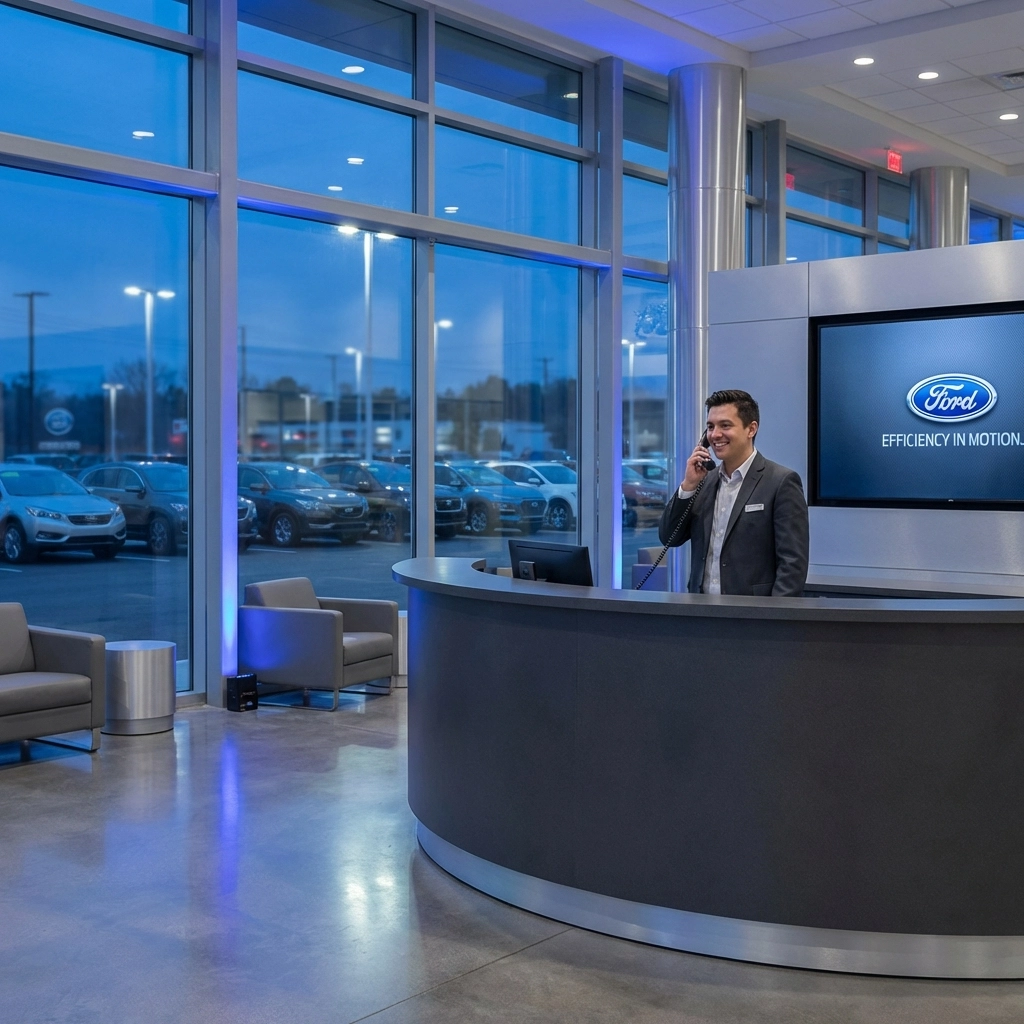
Running a car dealership in Burlington, WA means juggling a lot of moving parts. Between the sales floor, service department, parts counter, and finance office, your phone system needs to keep up with the pace. If you're still relying on an outdated traditional phone system, you're probably feeling the pinch, missed calls, clunky transfers, and monthly bills that don't make sense anymore.

That's where GoTo Cloud PBX comes in. It's a unified communications platform built for modern businesses, and it works exceptionally well for automotive dealerships. At Premier Business Team, we specialize in helping Burlington car dealerships make the switch to cloud-based phone systems that save money, boost efficiency, and keep your team connected no matter where they are.

Why Burlington Dealerships Are Ditching Traditional Phone Systems

Let's be honest, the phone systems that worked fine ten years ago just don't cut it anymore. Traditional PBX setups come with expensive hardware, ongoing maintenance headaches, and limited flexibility. When a line goes down, you're scrambling. When you need to add a new salesperson, it's a whole ordeal.

Burlington's automotive market is competitive. Whether you're selling new vehicles, running a used car lot, or managing a busy service center, every missed call could be a missed sale. Customers expect quick responses, seamless transfers to the right department, and the option to reach you through multiple channels.

Here's what we hear from dealerships still running legacy systems:

  • High monthly costs for copper lines and maintenance contracts
  • Limited remote access for managers and sales staff working off-site
  • Poor call quality and dropped calls during busy periods
  • No integration with CRM platforms or dealership management software
  • Complicated scaling when adding new employees or locations

Sound familiar? You're not alone. And the good news is there's a better way.

image_1

What Is GoTo Cloud PBX and Why Does It Work for Dealerships?

GoTo Cloud PBX is a cloud-based unified communications system that replaces your traditional phone infrastructure with a flexible, internet-powered solution. Instead of relying on physical phone lines and on-site equipment, everything runs through the cloud. Your calls, voicemails, video meetings, and messaging all happen on one platform.

For car dealerships specifically, this setup solves a lot of problems:

Seamless Department Transfers

Your customers shouldn't have to call three different numbers to reach sales, service, and parts. With GoTo, you can set up intelligent call routing that gets callers to the right department fast. Auto attendants handle the initial greeting, and calls flow exactly where they need to go.

Mobile Flexibility for Your Sales Team

Your best salespeople aren't always sitting at a desk. They're on the lot, doing test drives, or following up with customers from home. GoTo's mobile app means they can take business calls on their cell phones without giving out personal numbers. Calls, texts, and voicemails all sync across devices.

CRM Integration

Modern dealerships run on data. GoTo integrates with popular CRM platforms, so your team can see customer information pop up when calls come in. No more scrambling to find notes, everything's right there.

Call Recording and Analytics

Want to train new sales staff or review how customer calls are handled? Call recording is built in. Plus, real-time analytics let you track call volumes, wait times, and performance metrics across departments.

How Burlington Dealerships Save Money with Cloud PBX

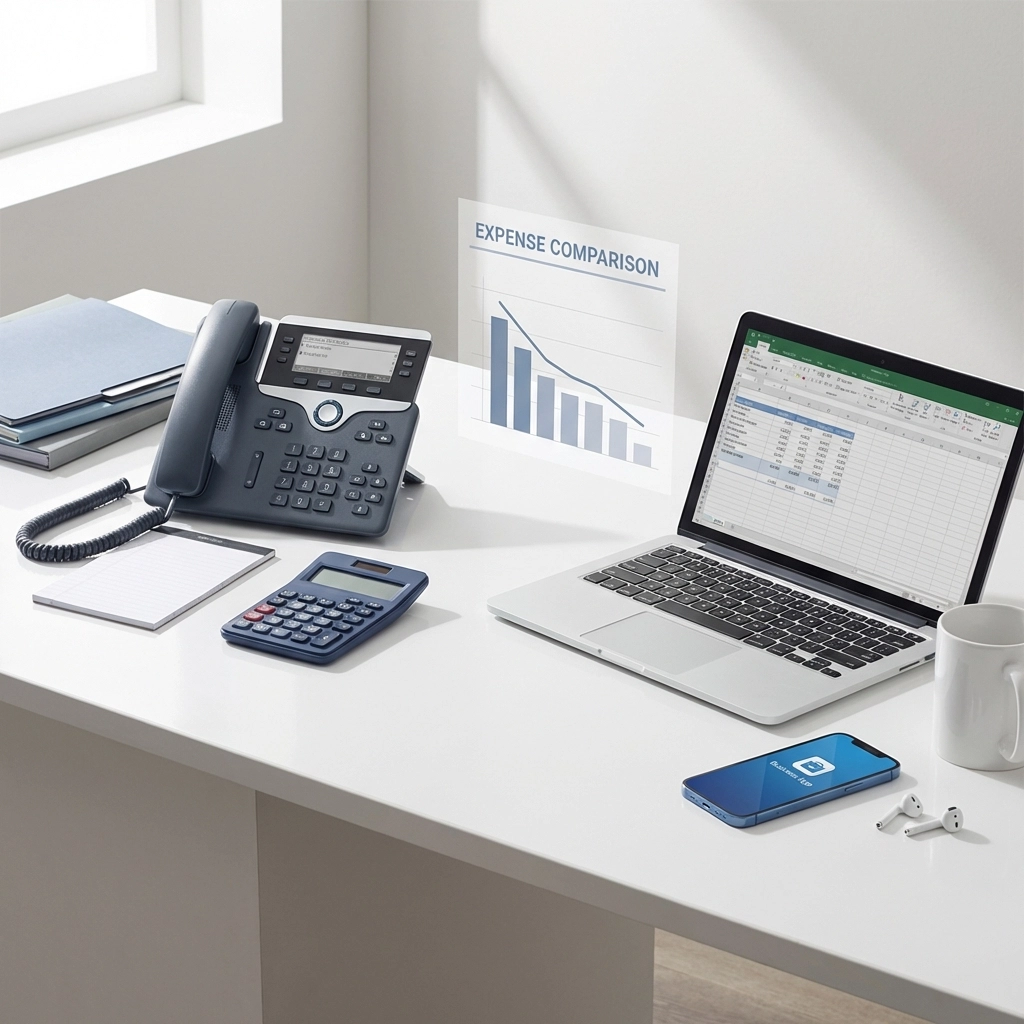
Let's talk numbers. One of the biggest reasons dealerships switch to GoTo is the cost savings. Traditional phone systems come with a lot of hidden expenses, maintenance, hardware upgrades, copper line fees, and IT support calls. Cloud PBX simplifies everything into a predictable monthly subscription.

Here's where the savings add up:

Expense Traditional PBX GoTo Cloud PBX
Hardware Expensive upfront Minimal (use existing devices)
Maintenance Ongoing contracts Included in subscription
Long distance Per-minute charges Unlimited calling
Scaling Additional hardware Add users instantly
IT Support Frequent service calls Cloud-managed updates

Most Burlington dealerships we work with see a 20-40% reduction in their monthly telecom costs after switching. And that's before factoring in the productivity gains from having a system that actually works the way it should.

image_2

Features Designed for Automotive Businesses

GoTo isn't a one-size-fits-all phone system. It's built with features that automotive businesses actually need. Here's what makes it a great fit for dealerships:

Service Department Scheduling

Busy service departments need efficient call handling. GoTo's queue management and callback features keep customers from sitting on hold forever. When the lines are jammed, callers can request a callback instead of waiting.

Multi-Location Support

Got more than one dealership or a separate body shop? GoTo makes it easy to connect multiple locations under one system. Calls can route between sites seamlessly, and your team can collaborate like they're all in the same building.

HD Voice Quality

Nothing kills a sales conversation faster than choppy audio. GoTo delivers crystal-clear HD voice, so your team sounds professional on every call.

Video Conferencing

Need to walk a customer through financing options remotely? GoTo includes video meetings as part of the platform. It's all integrated, no need for separate Zoom or Teams subscriptions.

SMS Business Texting

More customers prefer texting over calling these days. GoTo lets your team send and receive business texts from the main dealership number, keeping communication organized and professional.

How Premier Business Team Supports Your Upgrade

Switching phone systems sounds like a headache, but it doesn't have to be. At Premier Business Team, we handle the heavy lifting so you can focus on selling cars and servicing customers.

Here's what working with us looks like:

  1. Free Consultation – We'll assess your current setup, understand your dealership's specific needs, and show you exactly how GoTo fits.

  2. Custom Demo – See the system in action before you commit. We'll walk you through features tailored to automotive workflows.

  3. Seamless Migration – We handle porting your numbers, configuring call flows, and training your team. Zero disruption to your business.

  4. Ongoing Support – Questions after go-live? We're a phone call away. Our team provides local support for Burlington businesses, not some overseas call center.

We've helped businesses across the Pacific Northwest upgrade their communications infrastructure. From cybersecurity solutions to cloud email services, we're your one-stop shop for business technology.

Learn more about how cloud phone systems compare to traditional PBX and why 2026 is the year to make the switch.

image_3

Frequently Asked Questions

What is GoTo Cloud PBX?
GoTo Cloud PBX is a cloud-based business phone system that provides voice, video, messaging, and collaboration tools in one unified platform. It replaces traditional on-premise phone systems with a flexible, internet-based solution.

How much can my dealership save by switching to cloud PBX?
Most dealerships see 20-40% savings on monthly telecom costs. Savings come from eliminating hardware maintenance, reducing long-distance charges, and consolidating multiple communication tools into one subscription.

Will switching disrupt my dealership's operations?
No. Premier Business Team handles the entire migration process, including number porting and staff training. We schedule the cutover to minimize any disruption to your sales and service operations.

Can my sales team use their cell phones with GoTo?
Yes. GoTo's mobile app allows sales staff to make and receive business calls on personal devices without revealing their personal phone numbers. Calls, texts, and voicemails sync across all devices.

Does GoTo integrate with dealership CRM software?
Yes. GoTo integrates with popular CRM platforms, providing screen pops with customer information and call logging directly into your existing systems.

Is GoTo Cloud PBX reliable?
GoTo delivers 99.999% uptime with enterprise-grade security and redundancy built into the platform.


Ready to Upgrade Your Dealership's Phone System?

Burlington car dealerships deserve a phone system that keeps up with the speed of business. GoTo Cloud PBX delivers the features, flexibility, and cost savings that modern automotive businesses need.

Schedule your free demo today and see how Premier Business Team can transform your dealership's communications.

📞 Call us at 360-946-2626 or visit our UCaaS page to learn more.

Premier Business Team logo

Atlanta Data Center Services: Powering Growth with Expert Connectivity Solutions

premierbusiness · January 26, 2026 ·

Atlanta has rapidly become one of the most sought-after data center markets in the United States, and for good reason. Home to the third-largest concentration of Fortune 500 companies in the country, including giants like Home Depot, UPS, Coca-Cola, and Delta Airlines, the city offers unmatched infrastructure, connectivity, and business potential for organizations looking to establish or expand their data center footprint.

Whether you're deploying a new colocation strategy, seeking reliable power solutions, exploring alternative energy options, or need expert consulting to navigate Atlanta's booming data center landscape, Premier Business Team is here to help. As a vendor-neutral advisor, we connect businesses with the right solutions, tailored to your unique requirements, budget, and growth plans.

Why Atlanta is a Data Center Powerhouse

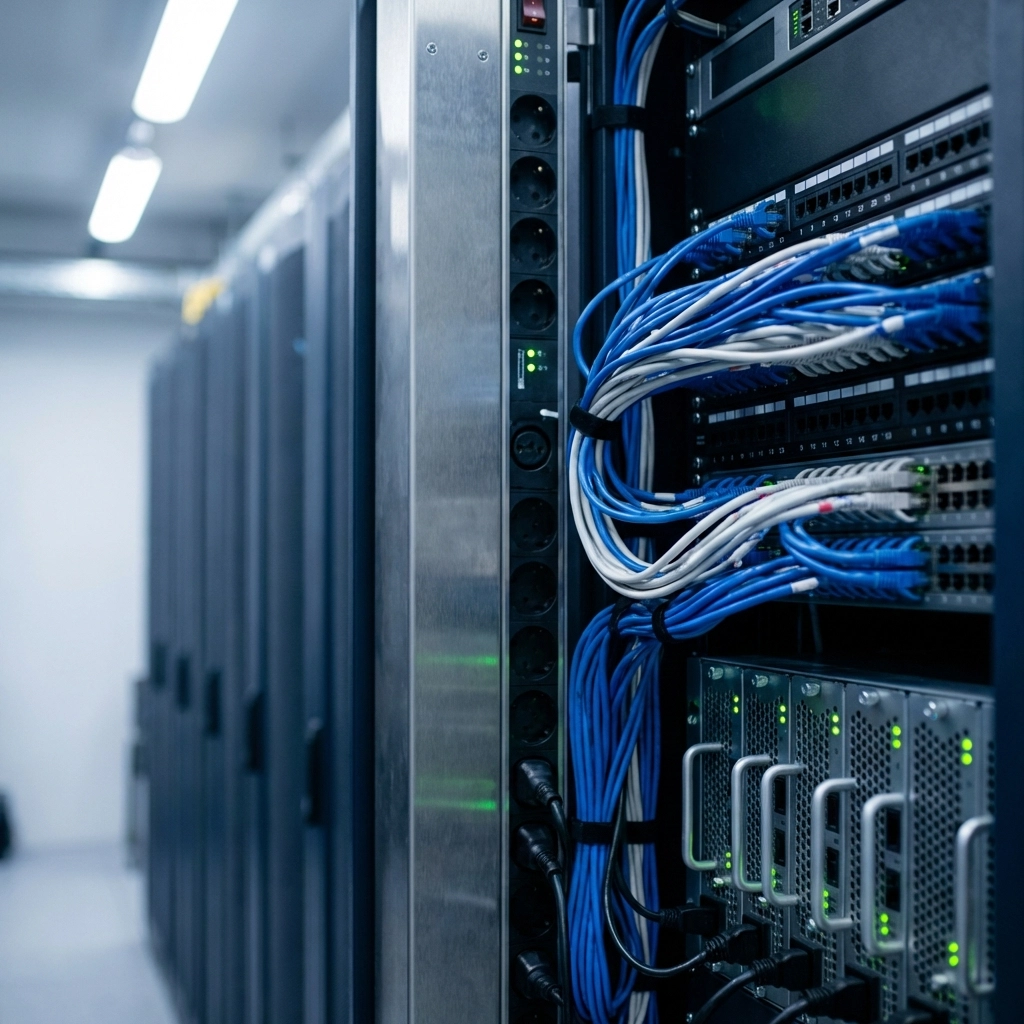
Atlanta's data center market now boasts 132 facilities operated by 31 providers, with a combined footprint exceeding 738,000 square feet and over 66 megawatts of power capacity. Major operators like DataBank, CoreSite, H5 Data Centers, and EdgeConneX have invested heavily in the metro area, offering diverse options for colocation, cloud connectivity, and hybrid IT deployments.

The city's strategic location in the Southeast provides low-latency routes to major network hubs including Ashburn, Houston, Miami, New York, and Washington, D.C. Add in easy access to Hartsfield-Jackson Atlanta International Airport, high elevation that minimizes natural disaster risk, and competitive power costs, and it's clear why Atlanta continues to attract enterprise-level data center projects.

image_1

Data Center Connectivity Solutions in Atlanta

Connectivity is the backbone of any successful data center deployment. Atlanta's carrier-neutral colocation facilities provide direct access to multiple regional, national, and international telecommunications providers, ensuring your business can reach customers, partners, and cloud resources without bottlenecks.

Key Connectivity Features We Help You Access:

  • Direct cloud on-ramps to AWS, Microsoft Azure, Google Cloud, Oracle, and IBM Cloud
  • Software-Defined Networking (SDN) integration through partnerships like Megaport
  • Carrier-neutral environments with access to dozens of network providers
  • Low-latency routing to major U.S. and international network hubs
  • Remote hands and managed services for hybrid IT support

Our team evaluates your current and future bandwidth needs, then matches you with the right providers and facilities to ensure seamless, scalable connectivity. We don't push one carrier or one solution, we find what actually works for your business.

Ready to explore your connectivity options in Atlanta?

Request a Free Data Center Consultation

Power Solutions for Atlanta Data Centers

Power reliability and cost are critical factors when selecting a data center. Atlanta's market benefits from competitive utility rates and a robust regional power grid, but not all facilities are created equal. Some offer redundant utility feeds, on-site backup generation, and advanced power distribution, while others may leave gaps that put your operations at risk.

What We Help You Evaluate:

  • Utility redundancy: Dual utility feeds vs. single-source power
  • Backup generation: Diesel, natural gas, or hybrid generator systems
  • Uninterruptible Power Supply (UPS) configurations and runtime
  • Power density: Ensuring adequate kW per rack for high-performance workloads
  • Cooling efficiency: PUE (Power Usage Effectiveness) and environmental controls

We work with you to assess your power requirements, whether you're running standard IT loads or high-density AI and machine learning workloads, and match you with facilities that deliver the reliability and efficiency your business demands.

image_2

Alternative Energy and Sustainability Options

Sustainability is no longer optional for many organizations. Whether driven by corporate ESG goals, regulatory requirements, or a genuine commitment to reducing environmental impact, businesses are increasingly seeking data centers that prioritize renewable energy and carbon-neutral operations.

Alternative Energy Solutions We Can Help You Source:

  • Renewable energy credits (RECs) and green power purchasing programs
  • On-site solar and wind installations at select facilities
  • Carbon offset programs and sustainability reporting
  • Energy-efficient facility designs with low PUE ratings
  • Battery storage and advanced UPS technologies

Atlanta's data center market is evolving quickly, with several providers now offering green energy options and transparent sustainability metrics. We help you identify facilities that align with your environmental goals, without sacrificing performance or budget.

Data Center Consulting: Vendor-Neutral, Results-Driven

Navigating the Atlanta data center market can be overwhelming. With over 130 facilities and dozens of providers, how do you know which one is right for your business? That's where Premier Business Team comes in.

Our Consulting Approach:

  1. Needs Assessment: We start by understanding your technical requirements, compliance needs, growth plans, and budget.
  2. Market Analysis: We evaluate the Atlanta market and identify facilities that match your criteria, without any bias toward a single provider.
  3. RFP Management: We handle the proposal process, negotiate pricing, and ensure you get the best terms.
  4. Deployment Support: From contract signing to go-live, we support your team through every step of the deployment.
  5. Ongoing Optimization: As your needs evolve, we help you scale, renegotiate, or relocate as needed.

Because we're vendor-neutral, our only priority is finding the right fit for your business. We don't receive commissions that steer us toward one provider over another, our goal is your success.

Schedule Your Free Consultation Today

image_3

Who Benefits from Atlanta Data Center Services?

Our data center consulting and connectivity services are designed for a wide range of organizations, including:

  • Enterprise businesses expanding their Southeast presence
  • Tech startups seeking scalable, cost-effective colocation
  • Healthcare and financial services with strict compliance requirements
  • E-commerce and SaaS companies needing low-latency cloud connectivity
  • Government agencies requiring secure, redundant infrastructure

No matter your industry or size, we tailor our recommendations to your specific needs, never a one-size-fits-all approach.

If your business also needs support with network infrastructure, cloud communications, or cybersecurity solutions, Premier Business Team offers comprehensive IT and telecom consulting across the board.

Frequently Asked Questions: Atlanta Data Center Services

What makes Atlanta a top data center market?
Atlanta's combination of Fortune 500 headquarters, carrier-neutral facilities, low power costs, and strategic connectivity to major U.S. network hubs makes it one of the fastest-growing data center markets in the country.

How do I choose the right data center provider in Atlanta?
Start by assessing your power, connectivity, compliance, and scalability needs. A vendor-neutral consultant like Premier Business Team can evaluate multiple providers and facilities to find the best match for your business.

What is carrier-neutral colocation?
Carrier-neutral colocation means the facility does not require you to use a specific network provider. You can choose from multiple carriers, cloud on-ramps, and connectivity options to optimize performance and cost.

Can I get renewable energy at Atlanta data centers?
Yes. Several Atlanta facilities now offer renewable energy credits, green power programs, and on-site solar or wind options. We help you identify providers that meet your sustainability goals.

How long does it take to deploy a data center solution in Atlanta?
Timelines vary based on your requirements, but colocation deployments can often be completed within weeks. Our team manages the process from assessment through go-live to keep your project on track.

Let's Build Your Atlanta Data Center Strategy

Atlanta's data center market offers incredible opportunity: but only if you partner with the right facilities and providers. Premier Business Team brings vendor-neutral expertise, proven consulting processes, and a commitment to your success.

Ready to get started? Contact us today for a free consultation and let's power your growth in Atlanta.

Premier Business Team logo

Wi-Fi 7 vs. Current Business Internet: Which Connectivity Upgrade Should You Prioritize First?

premierbusiness · January 26, 2026 ·

Your business tech stack is only as strong as its weakest connectivity link. With Wi-Fi 7 rolling out and internet speeds faster than ever, small business owners face a critical decision: should you upgrade your Wi-Fi infrastructure first, or focus on boosting your internet connection?

The answer isn't one-size-fits-all, and making the wrong choice could waste thousands of dollars while leaving your team frustrated with slow connectivity. Here's how to make the right call for your business in 2026.

Understanding the Connectivity Ecosystem: Wi-Fi 7 vs Internet Upgrades

Before diving into priorities, let's clear up a common misconception. Wi-Fi 7 and your business internet service solve different problems entirely.

Your internet connection controls data flowing between your building and the outside world, cloud applications, video calls with clients, file downloads, and backup services. Think of it as your highway to the internet.

Wi-Fi 7, on the other hand, manages internal traffic within your building. When your point-of-sale system talks to your inventory database, when employees access shared files on a local server, or when time clocks sync with payroll systems, that's all happening on your internal Wi-Fi network.

Here's the key insight: Wi-Fi 7 can deliver multi-gigabit speeds for local operations even if your internet connection caps out at 1 Gbps. Your internal network performance and external connectivity operate independently.

image_1

When to Prioritize Internet Upgrades First

Upgrade your internet connection first if:

  • Your current speed is under 100 Mbps. This is a no-brainer. In 2026, anything under 100 Mbps will bottleneck basic business operations before you even think about Wi-Fi performance.

  • You're heavily cloud-dependent. If your business runs on Salesforce, Microsoft 365, Google Workspace, or other cloud platforms, your internet speed directly impacts productivity. Every file save, every email sync, every video call depends on that external connection.

  • You handle large file transfers regularly. Architecture firms sharing CAD files, marketing agencies uploading video content, or any business that regularly moves large files to clients or cloud storage will see immediate ROI from internet speed increases.

  • Remote work is mission-critical. VPN connections, video conferencing, and cloud file access all depend on your internet pipe. A fast internal Wi-Fi network won't help if your internet connection is the bottleneck.

The math is simple: if your internet connection is the limiting factor, upgrading to Wi-Fi 7 won't solve your speed problems. Fix the foundation first.

When Wi-Fi 7 Should Take Priority

Choose Wi-Fi 7 first if:

  • Your internet is already 1 Gbps or faster. Once you have sufficient external bandwidth, internal network efficiency becomes the performance bottleneck. Wi-Fi 7's improved device handling and reduced latency will have immediate impact.

  • You have high device density. Offices where 20+ people connect simultaneously often struggle with Wi-Fi congestion, not internet speed. Wi-Fi 7's advanced multi-user capabilities can transform the user experience without touching your internet plan.

  • Local applications are performance-critical. Retail businesses with multiple point-of-sale systems, restaurants with networked kitchen displays, or offices with shared printers and local servers will benefit more from Wi-Fi 7's internal network improvements.

  • You're planning for future tech adoption. If AR/VR applications, 4K video streaming, or real-time collaboration tools are on your roadmap, Wi-Fi 7's low latency and high throughput will be essential, regardless of your internet speed.

image_2

The ROI Analysis: What Actually Moves the Needle

Let's talk dollars and cents. For most small businesses, productivity losses from connectivity issues cost far more than the technology upgrades themselves.

A typical Wi-Fi 7 upgrade for a small business runs $2,000-5,000, depending on coverage area and equipment quality. Internet speed upgrades usually cost $50-200 more per month.

But consider the hidden costs of poor connectivity:

  • Employees waiting 30 seconds longer for files to sync (multiplied across dozens of daily interactions)
  • Video calls dropping during client presentations
  • Point-of-sale systems timing out during peak hours
  • Backup processes failing due to insufficient bandwidth

If connectivity issues waste just 15 minutes per employee per day, you're looking at thousands in lost productivity annually. Both upgrades typically pay for themselves within 6-12 months through improved efficiency alone.

Practical Deployment Strategy: The Hybrid Approach

Here's what we recommend to most clients: don't treat this as an either/or decision.

The most cost-effective approach combines strategic wiring with wireless upgrades:

  1. Keep mission-critical systems wired. Payroll computers, HR workstations, and primary servers should use dedicated 1 Gbps Ethernet connections. This eliminates wireless variables for your most important applications.

  2. Deploy Wi-Fi 7 for mobility and flexibility. Laptops, tablets, phones, and guest devices get the wireless treatment with Wi-Fi 7's improved performance and device handling.

  3. Segment your network intelligently. Use Wi-Fi 7's advanced band management to put critical devices on dedicated 5/6 GHz channels while less critical devices operate on 2.4 GHz.

This hybrid model reduces costs while maximizing reliability where it matters most. You're not paying for enterprise-grade wireless performance for systems that work better with wires anyway.

image_3

Future-Proofing Your Decision

Looking ahead to 2026 and beyond, both upgrades serve different aspects of business growth:

Wi-Fi 7 future-proofs against:

  • Increasing device counts as teams grow
  • Bandwidth-hungry applications becoming standard
  • The shift toward mobile-first business operations
  • IoT devices and smart building technology

Internet upgrades future-proof against:

  • Growing reliance on cloud services
  • Video-heavy communication becoming the norm
  • Increased remote work and distributed teams
  • Data backup and compliance requirements

The businesses that thrive will be those that address both internal and external connectivity proactively, rather than reactively fixing bottlenecks as they appear.

Frequently Asked Questions

Q: Can Wi-Fi 7 improve internet speed?
A: No. Wi-Fi 7 improves how devices connect to your network internally, but your internet speed is still limited by your service plan. Think of Wi-Fi 7 as widening the roads in your building while your internet plan determines the speed limit to the outside world.

Q: Is Wi-Fi 6 sufficient for small businesses in 2026?
A: For basic operations, yes. But if you're planning for growth, device density increases, or advanced applications, Wi-Fi 7's improvements in multi-user efficiency and reduced latency provide significant advantages.

Q: How do I know if my internet or Wi-Fi is the bottleneck?
A: Run speed tests both on wireless devices and directly connected via Ethernet. If wired speeds match your internet plan but wireless is significantly slower, Wi-Fi is your bottleneck. If both are slow, upgrade internet first.

Q: What's the typical ROI timeline for these upgrades?
A: Most businesses see ROI within 6-12 months through improved productivity, reduced downtime, and better customer experience. The exact timeline depends on how connectivity issues currently impact your operations.

Q: Should I upgrade both simultaneously?
A: If budget allows, yes. But if you must choose one, assess your current internet speed first. If you're already at 1 Gbps or higher, Wi-Fi 7 will likely provide more immediate impact on daily operations.

Making the Right Choice for Your Business

The truth is, most small businesses will benefit from both upgrades eventually. The question is timing and budget allocation.

If your internet connection is already robust (1 Gbps+) and your team struggles with internal network performance: multiple devices competing for bandwidth, slow file transfers between local systems, or wireless dead zones: Wi-Fi 7 should be your priority.

If you're still operating on slower internet plans or your business depends heavily on cloud applications and external connectivity, focus on internet upgrades first.

But here's the most important advice: don't make this decision in isolation. Your connectivity needs are unique to your business model, growth plans, and current pain points.

Ready to determine the right connectivity upgrade path for your business? Our team at Premier Business Team specializes in designing custom solutions that maximize ROI while future-proofing your technology investment.

Call us at 360-946-2626 for a complimentary connectivity assessment. We'll analyze your current setup, identify bottlenecks, and create a prioritized upgrade roadmap that fits your budget and timeline.

Don't let connectivity issues slow down your business growth in 2026. Contact Premier Business Team today to discover which upgrade will deliver the biggest impact for your specific situation.

  • « Go to Previous Page
  • Page 1
  • Interim pages omitted …
  • Page 24
  • Page 25
  • Page 26
  • Page 27
  • Page 28
  • Interim pages omitted …
  • Page 78
  • Go to Next Page »

Get a no obligation quote for your business. Learn More

Proud Chamber Member

Bellingham Chamber Badge

Premier Business Team

Copyright © 2026 · Premier Business Team 2219 Rimland Dr. Suite 301 Bellingham, WA 98226 - 360-946-2626

  • Home
  • Business Internet
  • Business Phone
  • Blog
  • About Us
  • Contact Us
  • Business Quote
  • Engineering
  • Call: 360-946-2626