• Skip to primary navigation
  • Skip to main content
Premier Business Team

Premier Business Team

Your business connectivity and IT Team

  • Home
  • Business Internet
  • Business Phone
  • Blog
  • About Us
    • Our Featured Suppliers
  • Contact Us
  • Business Quote
    • Business Tech Assessment
  • Engineering
  • Call: 360-946-2626
  • Show Search
Hide Search

Blog Posts

Blaine Car Dealerships: Next-Gen IP Phone Systems with GoTo Cloud PBX

premierbusiness · January 28, 2026 ·

If you're running a car dealership in Blaine, WA, you already know that communication is everything. From the moment a customer calls about a vehicle to the back-and-forth between your sales floor, service department, and finance team, every connection matters. But here's the thing: if you're still relying on that clunky traditional phone system you installed years ago, you're probably leaving money on the table and frustrating your customers without even realizing it.

It's time to talk about upgrading to a modern IP-based cloud PBX unified communications system. Specifically, let's talk about GoTo Cloud PBX and how Premier Business Team can help your Blaine dealership make the switch, saving you money and setting you up for success in 2026 and beyond.

Why Traditional Phone Systems Are Holding Your Dealership Back

Traditional PBX phone systems were the gold standard for decades. They worked. They were reliable. But the automotive industry has changed dramatically, and those old copper-line systems simply can't keep up anymore.

Here's what we hear from dealership owners across Whatcom County:

  • Expensive maintenance costs – Legacy systems require specialized technicians, expensive hardware replacements, and ongoing service contracts that add up fast
  • Limited flexibility – Staff can't easily transfer calls between departments or take business calls on mobile devices
  • Poor integration – Old systems don't talk to your CRM, DMS, or other dealership software
  • Scalability headaches – Adding new lines or extensions means costly hardware upgrades
  • Outdated features – No video conferencing, no unified messaging, no modern call analytics

Sound familiar? You're not alone. Many Blaine car dealerships are operating on phone infrastructure that's 10, 15, even 20 years old. And while it technically still works, it's costing you more than you think.

image_1

Enter GoTo Cloud PBX: Built for Modern Business

GoTo has built a cloud-based unified communications platform that's specifically designed for businesses like yours. Instead of relying on physical hardware sitting in your back office, GoTo Cloud PBX runs entirely in the cloud. Your phone system becomes a service, not a piece of equipment you have to maintain.

Here's what that means for your dealership:

Crystal-Clear VoIP Calling

GoTo uses Voice over IP (VoIP) technology to deliver HD-quality calls over your existing internet connection. No more static, dropped calls, or that annoying echo that makes customers think they're talking to someone in a tunnel.

Unified Communications in One Platform

Phone calls, video meetings, text messaging, voicemail-to-email, team chat, it's all in one place. Your sales team can jump on a video call with a customer to show them a vehicle. Your service advisors can text appointment reminders. Your managers can access voicemails from anywhere.

Work From Anywhere Capabilities

Whether your team is on the lot, in the service bay, or working remotely, they can take and make calls from their desk phones, computers, or mobile devices using the same business number. No more missed calls because someone stepped away from their desk.

Seamless Integrations

GoTo integrates with popular CRM platforms and business tools, making it easier to log calls, track customer interactions, and keep your sales pipeline organized.

Why Car Dealerships Love GoTo Cloud PBX

We've helped implement GoTo systems at dealerships throughout the Pacific Northwest, and the feedback is consistently positive. Here's why automotive businesses specifically benefit from this platform:

image_2

Multi-Department Call Routing

Dealerships are complex operations. You've got sales, service, parts, finance, and administration, all needing to communicate with customers and each other. GoTo's auto-attendant and call routing features ensure customers reach the right department immediately, without bouncing around or getting stuck on hold.

Call Analytics and Reporting

Ever wonder how many calls your sales team misses? Or what your average hold time looks like? GoTo provides detailed analytics so you can identify bottlenecks and improve customer experience. Dealership managers love having visibility into their phone traffic.

Professional Image

When customers call and hear a professional auto-attendant with clear routing options, it builds trust. First impressions matter in the car business, and your phone system is often that first touchpoint.

Mobile Integration for Lot Sales

Your salespeople aren't sitting at desks all day, they're walking the lot with customers. With GoTo's mobile app, they can receive calls on their cell phones that display your dealership's main number. Customers get a seamless experience, and your team stays connected.

The Real Cost Savings for Blaine Dealerships

Let's talk numbers, because this is where the conversation gets exciting.

Traditional PBX systems come with hidden costs that add up over time:

Expense Traditional PBX GoTo Cloud PBX
Hardware purchases $5,000–$20,000+ upfront Minimal (IP phones only)
Maintenance contracts $200–$500/month Included in subscription
Phone line fees $30–$50 per line/month Bundled in service
Upgrade costs Thousands for new features Automatic updates included
IT support calls Pay-per-incident 24/7 support included

Most dealerships we work with see a 20–40% reduction in their overall telecom costs after migrating to GoTo Cloud PBX. And that's before factoring in the productivity gains from having a modern, integrated system.

If you're still paying for traditional POTS lines, the savings become even more dramatic. Copper phone lines are being phased out by carriers, and rates are increasing. Moving to VoIP now positions your dealership ahead of that curve.

See It In Action: Dealership-Focused Demos

Here's the best part, you don't have to take our word for it. Premier Business Team offers personalized demos of the GoTo Cloud PBX system, specifically configured for car dealership workflows.

We'll show you:

  • How calls route between sales, service, and parts
  • What the mobile experience looks like for your floor salespeople
  • How voicemail-to-email keeps your team responsive
  • The manager dashboard for call analytics and reporting
  • Integration options with your existing dealership software

This isn't a generic sales pitch. We configure the demo environment to mirror how your dealership actually operates, so you can see exactly how the system will work for you before making any commitment.
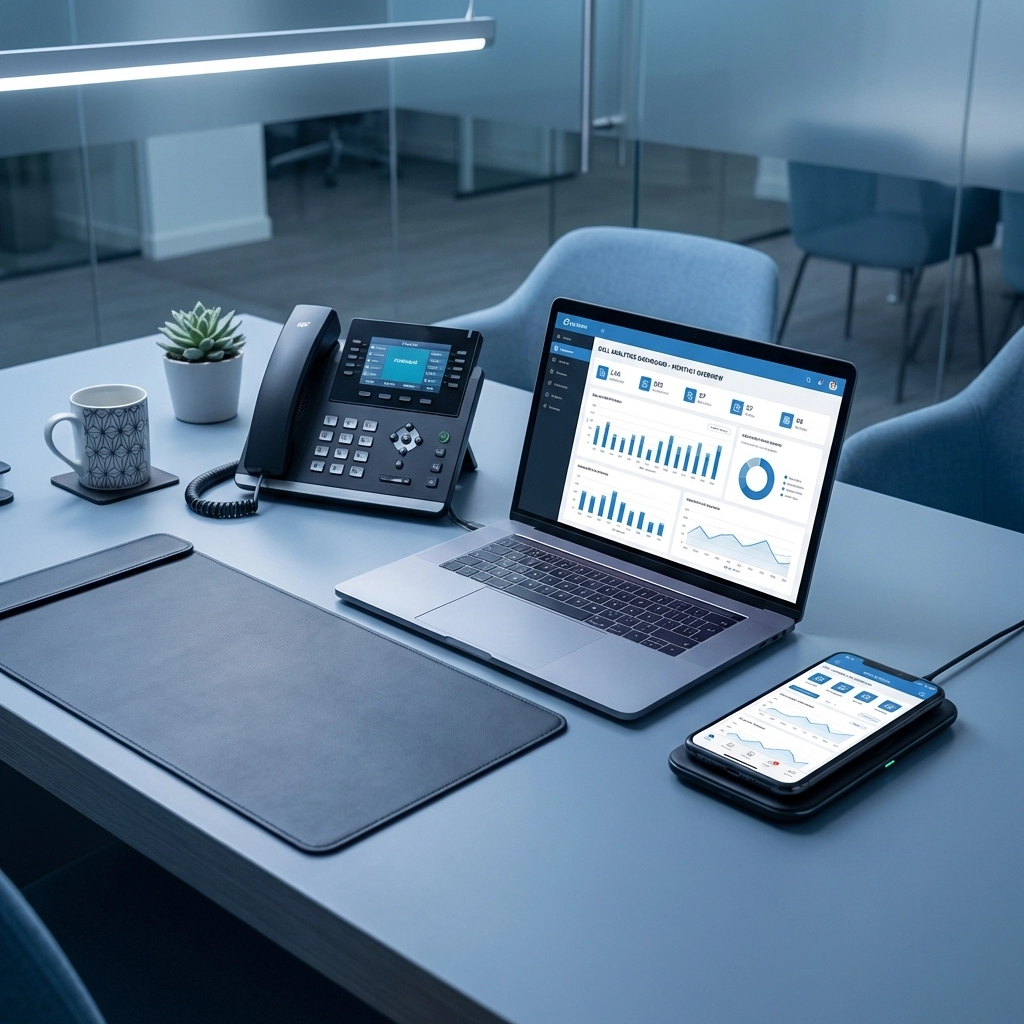
image_3

How Premier Business Team Makes the Transition Easy

Switching phone systems sounds intimidating, we get it. You're worried about downtime, training, and disrupting your operations. That's exactly why Blaine dealerships trust Premier Business Team to handle the entire process.

Here's what working with us looks like:

1. Discovery and Assessment

We start by understanding your current setup, pain points, and goals. How many extensions do you need? What features are must-haves? What's your budget? We gather everything needed to design the right solution.

2. Custom System Design

We configure GoTo Cloud PBX specifically for your dealership, setting up departments, call flows, auto-attendants, and user permissions based on how your business operates.

3. Professional Installation

Our team handles the network infrastructure, phone deployment, and system configuration. We ensure your network can handle VoIP traffic and that everything is optimized for call quality.

4. Training and Support

We train your staff on the new system so they're comfortable from day one. And if questions come up later? We're just a phone call away.

5. Ongoing Partnership

Technology evolves, and so do your needs. We stay engaged as your IT partner, helping you add features, scale users, and keep your systems secure.

For a deeper comparison of your options, check out our guide on cloud phone systems vs. traditional PBX.

Frequently Asked Questions

How long does it take to switch to GoTo Cloud PBX?
Most dealership implementations take 2–4 weeks from start to finish, depending on the complexity of your setup. We work around your schedule to minimize disruption.

Will my current phone numbers transfer over?
Yes. We handle number porting so your customers continue reaching you at the same numbers they've always used.

What internet speed do I need for VoIP?
A standard business internet connection works for most dealerships. We'll assess your bandwidth during the discovery phase and recommend upgrades if needed.

Can I keep my existing desk phones?
In some cases, yes. Many modern IP phones are compatible with GoTo. We'll evaluate your current hardware and advise on what can be reused.

What happens if the internet goes down?
GoTo includes failover options, including routing calls to mobile devices or alternate locations. Your business stays connected even during outages.

Is GoTo Cloud PBX secure?
Absolutely. GoTo uses enterprise-grade encryption and security protocols to protect your communications.


Ready to Upgrade Your Dealership's Phone System?

If your Blaine car dealership is still running on outdated phone technology, now is the time to make a change. GoTo Cloud PBX delivers the features, flexibility, and cost savings that modern automotive businesses need: and Premier Business Team is here to make the transition seamless.

Call us today at 360-946-2626 to schedule your personalized dealership demo. Let's show you what a next-gen phone system can do for your business.


Stop Wasting Money on Separate Systems: How Unified Communications Integrates Your Phone, Internet, and Security

premierbusiness · January 28, 2026 ·

Your business is growing. You've got multiple locations, remote workers, and a tech stack that looks like it was assembled by different people at different times. Sound familiar?

If you're juggling separate phone systems, internet providers, security solutions, and collaboration tools, you're not alone. Most growing businesses end up with a patchwork of systems that don't talk to each other: and it's costing you way more than you think.

Here's the thing: in 2026, there's absolutely no reason to keep throwing money at disconnected systems when unified communications can bring everything together under one roof.

The Hidden Money Drain of Separate Systems

Let's talk numbers for a second. When you're running separate systems for phone, internet, security, and collaboration, you're paying for:

  • Multiple monthly subscriptions and licenses
  • Different support contracts with various vendors
  • Redundant features across platforms
  • Training costs for each new system
  • Integration headaches (and the IT hours to fix them)
  • Downtime when systems don't play nice together

image_1

Take a typical growing business with 25 employees across three locations. They might have:

  • A traditional phone system ($200/month)
  • Separate internet service for each location ($150/month each)
  • A basic security solution ($100/month)
  • Video conferencing software ($300/month)
  • File sharing service ($150/month)
  • Email hosting ($200/month)

That's over $1,550 per month before you factor in setup fees, maintenance, and the inevitable integration problems.

What Unified Communications Actually Means

Unified Communications (UC) isn't just another tech buzzword: it's a complete shift in how your business handles connectivity and communication.

Instead of managing separate systems for voice calls, email, instant messaging, video conferencing, and file sharing, everything runs through a single integrated platform. Your employees can start a conversation via text and seamlessly jump into a video call without opening different apps or dealing with compatibility issues.

Here's what gets consolidated:

  • Voice calling and phone systems
  • Instant messaging and team chat
  • Video conferencing and screen sharing
  • Email and voicemail management
  • File sharing and collaboration tools
  • Call recording and transcription
  • Mobile and desktop integration

The magic happens when these tools actually work together instead of fighting each other.

image_2

The Real Financial Impact

Companies that make the switch to unified communications report some pretty impressive numbers. We're talking about an average 52% improvement in workplace productivity and a 25% boost in operating profit.

But let's break down where these savings actually come from:

Reduced Licensing Costs: Instead of paying for multiple platforms, you're managing one comprehensive solution. No more juggling different renewal dates or negotiating with multiple vendors.

Lower IT Overhead: Your team spends less time troubleshooting integration issues and more time on strategic projects. One system means one point of contact when something goes wrong.

Travel Savings: High-quality video calls built into your communication platform can replace a lot of in-person meetings. For multi-location businesses, this adds up fast.

Training Efficiency: Employees only need to learn one interface instead of mastering multiple applications. New hires get up to speed faster.

Operational Flexibility: Cloud-based UC solutions shift you from heavy upfront capital investments to predictable monthly operational costs. Perfect for growing businesses that need to scale up or down quickly.

Security Benefits You Can't Ignore

Here's something most business owners don't think about: separate systems create security gaps.

When your employees are frustrated with clunky official tools, they start using their own apps. Maybe it's WhatsApp for quick messages, personal Gmail for file sharing, or some random video conferencing tool they found online. IT security folks call this "shadow IT," and it's a nightmare for data protection.

image_3

Unified communications eliminates the temptation to go rogue by providing everything employees need within your controlled IT environment. Your security protocols, compliance measures, and data governance policies can be properly enforced across all communication channels.

Plus, with everything running through one platform, you get:

  • Centralized security monitoring
  • Consistent access controls
  • Simplified compliance reporting
  • Better data loss prevention
  • Unified backup and disaster recovery

Why Premier Business Team's Approach Works

Here's where things get interesting. Most IT companies will try to sell you on their preferred vendor or the solution that gives them the biggest commission.

We do things differently.

Our free vendor search service actually helps you find the right unified communications solution for your specific needs: not ours. We've got relationships with multiple providers, which means we can match you with the platform that makes sense for your industry, size, and growth plans.

More importantly, we become your single point of contact for everything. Instead of calling different support numbers for phone issues, internet problems, and security concerns, you call us. We handle the vendor coordination, troubleshooting, and escalation so you can focus on running your business.

image_4

This approach is particularly valuable for multi-site businesses. Managing unified communications across multiple locations with different local providers can be a logistics nightmare. We handle all the coordination, ensuring consistent service levels and performance regardless of location.

Making the Transition Smooth

The biggest concern we hear from business owners is disruption during the switch. Nobody wants their phones to go down or lose access to critical files during a migration.

That's why we focus on phased implementations. We can start by integrating your existing systems gradually, testing everything thoroughly before making major changes. For most clients, we're able to improve functionality and reduce costs without any significant downtime.

We also provide comprehensive training for your team. Since unified communications platforms are designed to be user-friendly, most employees actually find them easier to use than the collection of separate tools they're replacing.

Frequently Asked Questions

Q: How much can we realistically save by switching to unified communications?
A: Most growing businesses see 20-40% cost reduction in their communication and collaboration spending. The exact savings depend on your current setup, but we typically see ROI within 6-12 months.

Q: Will unified communications work with our existing internet infrastructure?
A: UC platforms are designed to work with standard business internet connections. However, we always conduct a network assessment to ensure optimal performance and can recommend infrastructure upgrades if needed.

Q: What happens if the unified communications platform goes down?
A: Modern UC solutions include built-in redundancy and failover capabilities. We also implement backup systems and disaster recovery protocols to ensure business continuity.

Q: Can we keep our existing phone numbers?
A: Absolutely. Number porting is standard practice, and we handle all the coordination with your current provider to ensure a smooth transition.

Q: How long does implementation typically take?
A: For most small to medium businesses, full implementation takes 2-4 weeks. We work around your schedule to minimize disruption.

image_5

Ready to Stop Wasting Money on Separate Systems?

If you're tired of juggling multiple vendors, dealing with integration headaches, and watching your communication costs creep up every month, it's time to explore unified communications.

The technology has matured to the point where there's really no downside for growing businesses: just cost savings, improved productivity, and better security.

Want to see what unified communications could do for your specific situation? We'll conduct a free analysis of your current systems and show you exactly where you're losing money to disconnected platforms.

Call Premier Business Team at 360-946-2626 or contact us today to schedule your free vendor search consultation. Let's find the right unified communications solution for your business: and start saving money immediately.

BIMI Explained in Under 3 Minutes: Why Your Business Logo in the Inbox Stops Phishing Attacks

premierbusiness · January 27, 2026 ·

Phishing attacks are getting smarter. The days of poorly written scam emails riddled with typos are long gone. Today's attackers craft messages that look identical to legitimate business communications, and your employees and customers are falling for them.

But here's the good news: there's a simple, visual way to fight back. It's called BIMI (Brand Indicators for Message Identification), and it might just be the most underutilized email security tool available to businesses in 2026.

In the next few minutes, you'll understand exactly what BIMI is, how it works, and why it could be a game-changer for your organization's security posture, and your brand reputation.

What Is BIMI and Why Should You Care?

BIMI is an email specification that displays your company's verified logo directly next to your emails in recipients' inboxes. Think of it as the "blue checkmark" for email, a visual signal that tells the recipient, "This message is legitimately from us."

When your organization has BIMI properly configured, anyone who receives an email from your domain will see your official logo right there in their inbox. No guessing. No squinting at sender addresses. Just instant, visual confirmation that the message is authentic.

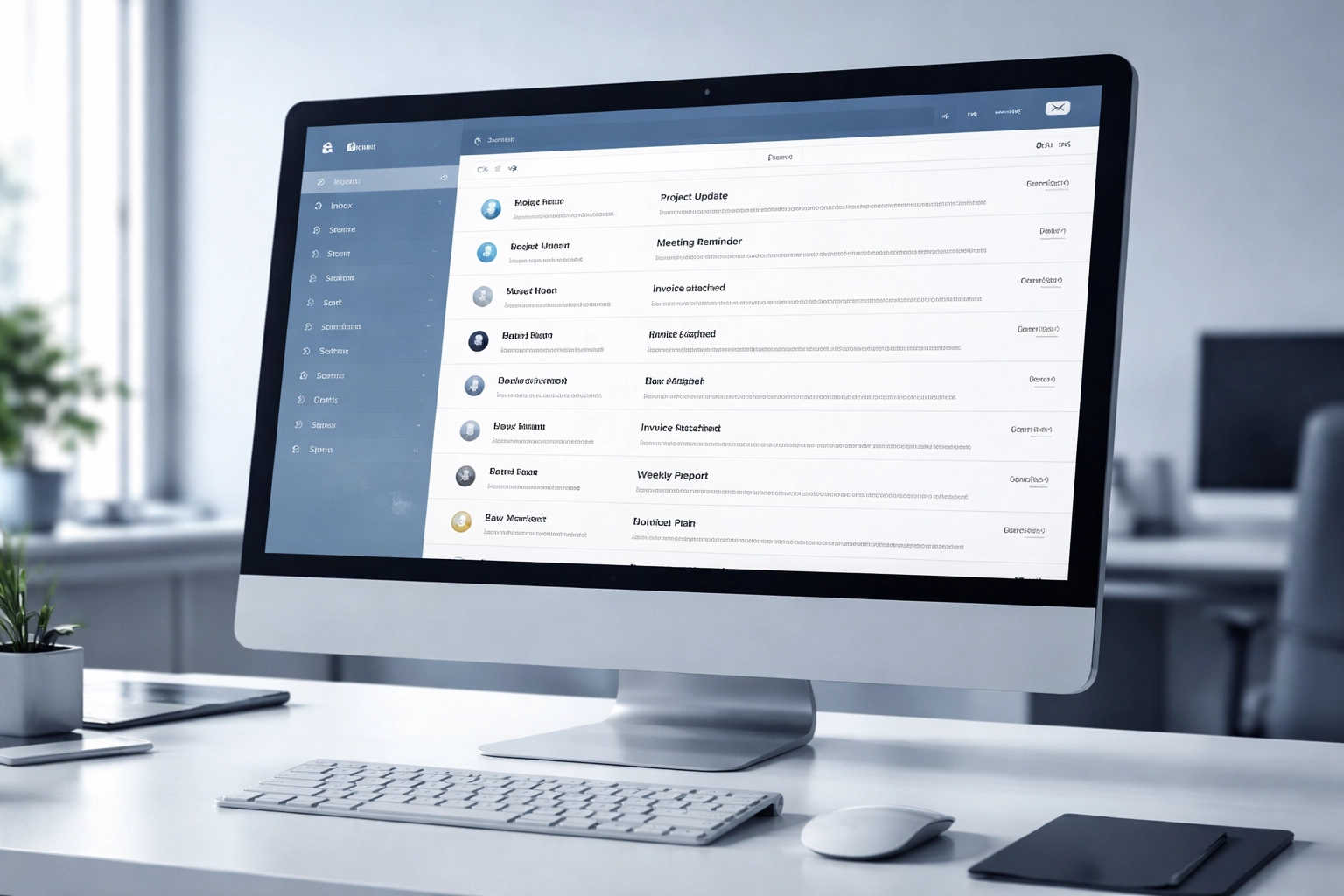
Email inbox with business logos verifying authentic senders, illustrating BIMI benefits for phishing protection

This matters because phishing attacks rely on confusion. Attackers spoof sender names and addresses to make their messages look legitimate. BIMI cuts through that confusion by providing something attackers can't fake: your verified brand logo.

How BIMI Actually Works

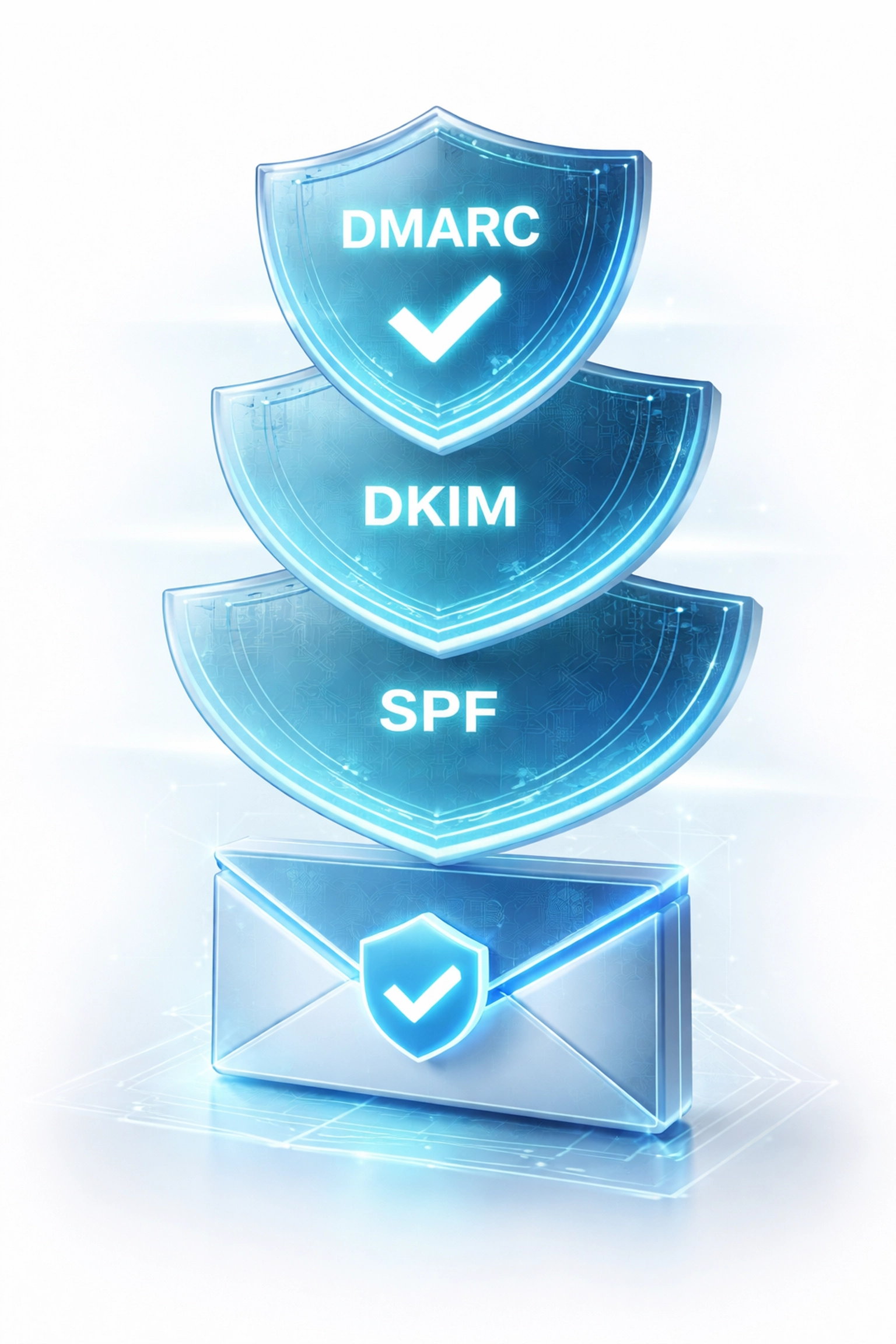
BIMI doesn't work in isolation. It's the visual layer that sits on top of three foundational email authentication protocols:

  • SPF (Sender Policy Framework) – Verifies that emails are sent from authorized servers
  • DKIM (DomainKeys Identified Mail) – Confirms that email content hasn't been tampered with during transit
  • DMARC (Domain-based Message Authentication, Reporting & Conformance) – Tells receiving servers what to do with emails that fail SPF or DKIM checks

Here's the sequence:

  1. Your organization sends an email
  2. The recipient's email provider checks SPF, DKIM, and DMARC authentication
  3. If all three pass and your DMARC policy is set to quarantine or reject, the provider looks up your BIMI record
  4. Your verified logo is retrieved and displayed next to the email in the recipient's inbox

The key point? BIMI only works when your email authentication foundation is solid. You can't skip straight to the logo, you need DMARC enforcement first.

Major email providers including Google, Yahoo, and Apple all support BIMI verification. This means your organization isn't just improving security, you're meeting the trust standards recognized by the platforms your customers use every day.

The Instagram Phishing Attack: A Real-World Case Study

Earlier this month, Instagram users experienced a widespread wave of password reset emails. The catch? Many users hadn't requested a password reset at all.

Here's what happened:

  • Valid password reset emails were being sent from Instagram's actual servers
  • The resets weren't initiated by the users themselves
  • As news of this spread, threat actors jumped on the opportunity
  • Attackers began sending spoofed messages with identical content, but not from Instagram
  • Many recipients couldn't tell the difference because sender names and addresses looked legitimate

This is where BIMI saved the day.

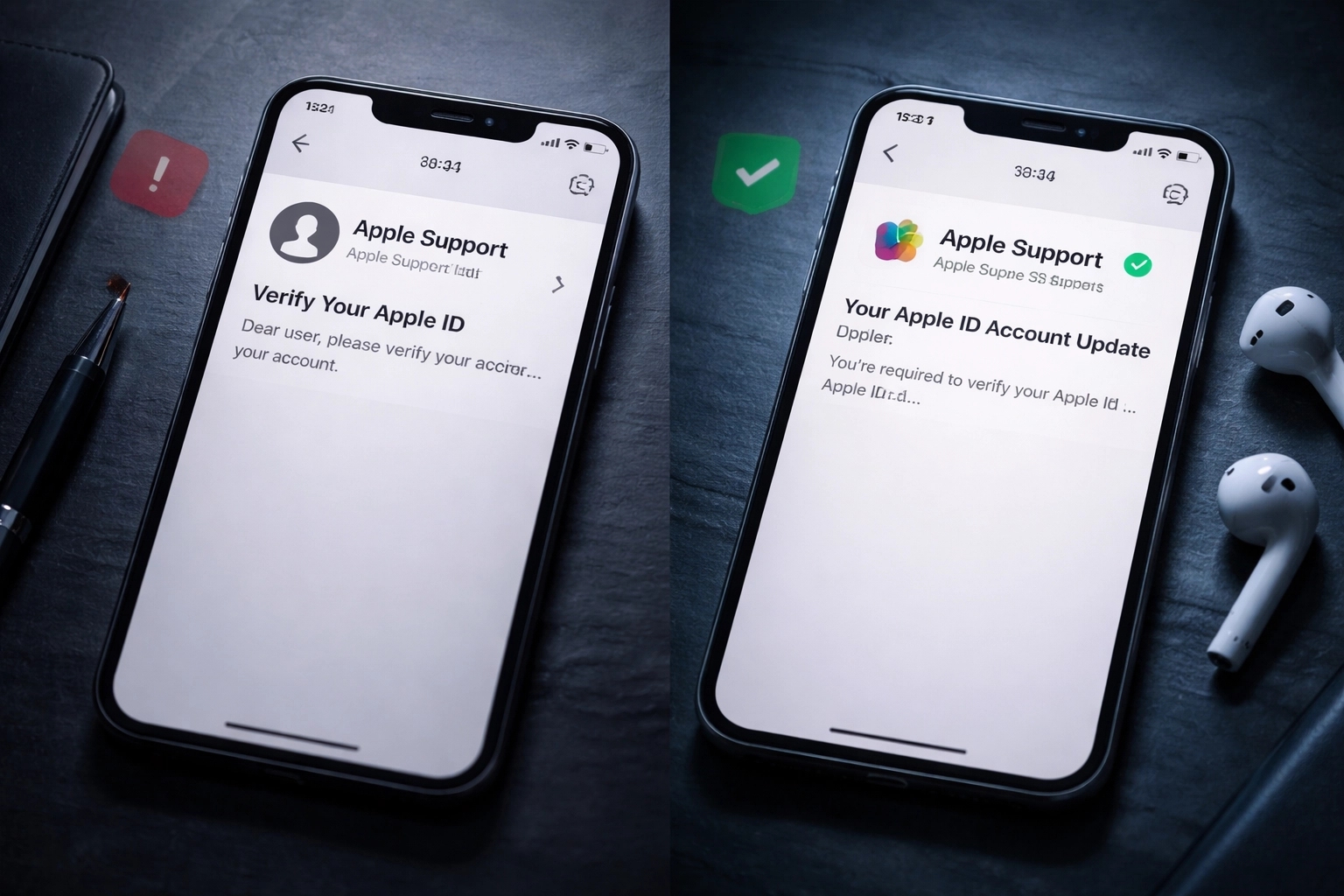
Instagram had BIMI enabled on their domain. That meant their official logo appeared next to every legitimate email they sent. When Instagram communicated with users about how to identify real messages, they had a simple answer: look for the logo.

Split-screen smartphones showing suspicious vs. verified brand emails, demonstrating BIMI's impact on email trust

Users who understood this distinction could pause, verify the presence of the logo, and avoid clicking malicious links. Those who didn't? They were left guessing, and some inevitably fell victim to the spoofed messages.

This case study illustrates exactly why BIMI is so powerful. It transforms a complex technical authentication process into something anyone can understand at a glance.

BIMI Isn't Just About Security, It's About Brand Trust

While the security benefits of BIMI are compelling, there's another side to this story that often gets overlooked: brand confidence.

Every time someone receives an email from your organization and sees your logo, you're reinforcing brand recognition. You're building trust. You're signaling that your company takes email communication seriously.

Consider the benefits:

  • Consistent brand visibility – Your logo appears in every authenticated email, keeping your brand top-of-mind
  • Increased confidence – Recipients know with certainty that messages come from your organization
  • Higher engagement – Customers are less likely to ignore or mistrust legitimate communications when they see your verified logo
  • Competitive differentiation – Many businesses still haven't implemented BIMI, so having it sets you apart

In a world where inboxes are flooded with marketing messages, spam, and phishing attempts, BIMI gives your legitimate emails a visual advantage.

What You Need to Implement BIMI

Getting BIMI up and running requires a few key components:

1. DMARC Enforcement

Your DMARC policy must be set to either p=quarantine or p=reject. A policy of p=none won't cut it, BIMI requires active protection against fraudulent emails.

2. SPF and DKIM Validation

Both of these authentication protocols must be properly configured and passing for your domain.

3. BIMI DNS Record

You'll need to publish a BIMI record in your DNS that points to your official logo file.

4. Logo in SVG Tiny Portable/Secure Format

Your logo must be in the specific SVG format required by BIMI specifications.

5. Verified Mark Certificate (VMC)

Some email providers require a VMC, a digital certificate that proves ownership of your trademarked logo. This adds an extra layer of verification.

Visual representation of email authentication security layers emphasizing BIMI, SPF, DKIM, and DMARC integration

If this sounds technical, that's because it is. But here's the thing: you don't have to figure it out alone.

How Premier Business Team Can Help

At Premier Business Team, we help businesses implement BIMI as part of our comprehensive cybersecurity solutions. Through our trusted partnerships, we can guide you through every step of the process:

  • DMARC readiness and enforcement – We'll assess your current email authentication setup and help you reach the enforcement level required for BIMI
  • SPF and DKIM validation – We'll ensure your foundational protocols are properly configured
  • BIMI record configuration – We'll set up your DNS records correctly so your logo displays across supported email providers
  • Verified Mark Certificate guidance – We'll walk you through obtaining a VMC if required for your implementation

Whether you're starting from scratch or already have some email authentication in place, we'll meet you where you are and get you to full BIMI implementation.

If you're already using Google Workspace or another cloud email platform, BIMI integration is often more straightforward than you might expect.

Frequently Asked Questions About BIMI

What does BIMI stand for?
BIMI stands for Brand Indicators for Message Identification. It's an email specification that allows your verified company logo to appear next to authenticated emails in recipients' inboxes.

Does BIMI replace SPF, DKIM, and DMARC?
No. BIMI works alongside these protocols: it's the visual layer that sits on top of them. You must have SPF, DKIM, and DMARC properly configured before BIMI will work.

Which email providers support BIMI?
Major providers including Google (Gmail), Yahoo, and Apple Mail support BIMI. Microsoft is also moving toward broader support.

Do I need a Verified Mark Certificate?
Some email providers require a VMC for logo display. Gmail, for example, requires a VMC for full BIMI implementation.

How long does BIMI implementation take?
Timeline depends on your current email authentication setup. If you already have DMARC at enforcement level, BIMI can be added relatively quickly. If you're starting from scratch, expect a few weeks to properly configure all components.

Will BIMI stop all phishing attacks?
BIMI significantly reduces the effectiveness of phishing attacks that spoof your domain by giving recipients a visual way to identify legitimate emails. However, it's one layer of a comprehensive security strategy: not a silver bullet.

Take the Next Step Toward Email Security and Brand Trust

BIMI represents a rare opportunity to strengthen both your security posture and your brand presence with a single implementation. As phishing attacks continue to evolve, giving your employees and customers a simple, visual way to verify email authenticity is more valuable than ever.

Ready to get your logo in the inbox? Call Premier Business Team at 360-946-2626 or visit our website to learn how we can help you implement BIMI through our trusted partnerships. Let's make your emails unmistakably yours.

Columbus Data Center Consulting & Connectivity: Solutions for Central Ohio

premierbusiness · January 27, 2026 ·

Central Ohio has emerged as one of the fastest-growing data center markets in the United States. With major tech investments pouring into the Columbus region, businesses need expert guidance to navigate fiber connectivity, power infrastructure, and facility expansion. Whether you're planning a new build, optimizing an existing facility, or exploring colocation options, Premier Business Team delivers the consulting and connectivity solutions Central Ohio demands in 2026.

Why Columbus Is a Data Center Powerhouse

Columbus isn't just growing: it's exploding. The region offers a unique combination of affordable land, reliable power grids, low natural disaster risk, and strategic geographic positioning. Major hyperscale providers and enterprise organizations have taken notice, making Central Ohio a prime destination for mission-critical infrastructure.

But with rapid growth comes complexity. Data center operators face mounting pressure to secure reliable fiber routes, establish redundant power systems, and scale operations without sacrificing uptime. That's where specialized consulting makes all the difference.

image_1

Our Data Center Consulting Services in Central Ohio

Premier Business Team works with data center operators, enterprise IT teams, and facility developers throughout the Columbus metro area. Our approach is hands-on, vendor-agnostic, and built around your specific operational goals.

Fiber Connectivity Planning

Fiber is the lifeblood of any data center. We help you:

  • Identify optimal carrier routes connecting your facility to major internet exchanges
  • Negotiate competitive pricing across multiple fiber providers
  • Design diverse path architectures to eliminate single points of failure
  • Coordinate last-mile buildouts for new or expanding facilities

Central Ohio benefits from multiple tier-one carriers and regional fiber networks. We leverage these options to secure the bandwidth, latency, and redundancy your operations require.

Power Redundancy & Alternative Energy Solutions

Reliable power isn't optional: it's everything. Our power consulting services include:

  • Utility coordination with AEP Ohio and other regional providers
  • Redundant feed design (N+1, 2N, and beyond)
  • Generator and UPS system planning
  • Alternative power integration including solar, battery storage, and fuel cell options

With sustainability mandates increasing across the industry, we also help clients explore green energy procurement and carbon offset strategies tailored to Ohio's regulatory environment.

Expansion & New Build Consulting

Planning to expand your Columbus footprint or break ground on a new facility? We provide end-to-end project support:

  • Site selection analysis factoring in fiber access, power availability, and zoning
  • Vendor evaluation and RFP management
  • Construction coordination with MEPF contractors
  • Commissioning and go-live support

Our team has supported projects ranging from small edge deployments to large-scale enterprise builds. We understand the Central Ohio market and the local players who get things done.

image_2

Who We Work With

Premier Business Team serves a wide range of clients across the Columbus region:

  • Enterprise IT departments scaling on-premises infrastructure
  • Colocation providers expanding capacity
  • Healthcare organizations with strict HIPAA and compliance requirements
  • Financial services firms demanding ultra-low latency and maximum uptime
  • Manufacturing and logistics companies supporting IoT and automation initiatives

No matter your industry, we tailor our consulting to your unique operational and compliance needs.

The Central Ohio Advantage

Columbus offers several strategic benefits for data center operators:

Factor Columbus Advantage
Geographic Risk Low earthquake, hurricane, and flood exposure
Power Costs Competitive utility rates via AEP Ohio
Fiber Access Multiple tier-one carriers and regional networks
Talent Pool Strong IT workforce from Ohio State and regional tech ecosystem
Incentives State and local tax incentives for qualifying projects

These factors combine to make Central Ohio one of the most attractive data center markets in the Midwest: and Premier Business Team helps you capitalize on every advantage.

How We're Different

Data center projects are complex. You need a partner who understands both the technical and business sides of the equation.

Vendor-Agnostic Approach: We don't push specific carriers or equipment vendors. Our recommendations are based solely on what's best for your project.

Local Market Expertise: We know the Columbus market: the carriers, the contractors, the permitting processes. That local knowledge accelerates timelines and avoids costly surprises.

End-to-End Support: From initial feasibility studies through commissioning and ongoing optimization, we stay engaged throughout your project lifecycle.

Looking for guidance on business IT infrastructure or cybersecurity solutions? We support those needs too: because data center success depends on the entire technology stack working together.

image_3

Frequently Asked Questions: Columbus Data Center Consulting

What data center consulting services does Premier Business Team offer in Columbus?

We provide fiber connectivity planning, power redundancy design, alternative energy consulting, site selection, expansion support, and full project management for data center operators throughout Central Ohio.

How do I choose the right fiber provider for my Columbus data center?

Choosing the right fiber provider depends on your bandwidth requirements, latency targets, redundancy needs, and budget. We evaluate multiple carriers, negotiate pricing, and design diverse path architectures to ensure reliable connectivity.

What power redundancy options are available for Ohio data centers?

Central Ohio data centers typically utilize redundant utility feeds, N+1 or 2N generator configurations, UPS systems, and increasingly, alternative power sources like solar and battery storage. We help you design the right mix for your uptime requirements.

Why is Columbus a good location for data centers?

Columbus offers low natural disaster risk, competitive power costs, strong fiber infrastructure, a skilled IT workforce, and attractive state and local incentives: making it one of the top emerging data center markets in the U.S.

Does Premier Business Team help with colocation facility selection?

Yes. We assist clients evaluating colocation options by analyzing carrier availability, power density, compliance certifications, and contract terms to ensure you select the right facility for your needs.

How long does a typical data center consulting engagement take?

Timelines vary based on project scope. Site selection and feasibility studies may take 4-8 weeks, while full expansion or new build projects can span 6-18 months. We tailor our engagement to your schedule and milestones.

Ready to Optimize Your Central Ohio Data Center?

Whether you're expanding an existing facility, planning a new build, or simply need expert guidance on connectivity and power infrastructure, Premier Business Team is here to help. Our vendor-agnostic consulting ensures you get the best solutions for your specific goals: without the sales pitch.

Central Ohio's data center market is booming. Make sure your infrastructure keeps pace.

Premier Business Team logo

Let's talk about your Columbus data center project.

Schedule Your Free Consultation

Seattle Car Dealerships: Save & Innovate with GoTo Cloud Phone Systems

premierbusiness · January 27, 2026 ·

Running a car dealership in Seattle means juggling a lot of moving parts. Between managing your sales floor, keeping the service department humming, and making sure every customer feels like a VIP, the last thing you need is a phone system that holds you back. If you're still relying on clunky traditional phone lines or outdated on-premise PBX hardware, it might be time for an upgrade.

At Premier Business Team, we specialize in helping Seattle-area automotive businesses transition to modern cloud-based unified communications, specifically with GoTo Connect. Whether you run a single-location dealership in Capitol Hill or a multi-rooftop operation spanning the greater Seattle metro, we can show you exactly how a GoTo cloud phone system can streamline your operations and put real money back in your pocket.

Why Seattle Car Dealerships Are Making the Switch to Cloud PBX

The automotive industry is competitive, and Seattle dealerships face unique pressures. You're dealing with customers who expect fast responses, service departments that need seamless internal communication, and sales teams that can't afford to miss a single lead.

Traditional phone systems just weren't built for this reality. They're expensive to maintain, difficult to scale, and lack the flexibility that modern dealerships require. That's where cloud-based unified communications come in.

image_1

GoTo Connect is an IP-based cloud PBX system that delivers enterprise-grade phone features without the enterprise-grade headaches. Everything runs in the cloud, which means no more bulky hardware taking up space in your back office, no more expensive maintenance contracts, and no more limitations on how your team communicates.

The Financial Benefits: Real Savings for Seattle Dealerships

Let's talk money, because that's what really matters at the end of the day.

Switching from a traditional PBX to GoTo Connect can significantly reduce your monthly telecom expenses. Here's how:

Lower Hardware and Maintenance Costs

Traditional phone systems require on-site equipment that needs regular servicing. When something breaks, you're paying for technician visits and replacement parts. With GoTo's cloud-based approach, all that hardware lives in secure data centers maintained by GoTo's team, not yours.

Predictable Monthly Pricing

GoTo Connect operates on a straightforward subscription model. You know exactly what you're paying each month, which makes budgeting a whole lot easier. No surprise fees, no hidden charges for basic features.

Reduced Long-Distance and Multi-Location Charges

If your dealership group has locations across Seattle or throughout Washington State, you know how quickly inter-office calling costs can add up. Cloud PBX systems treat all your locations as one unified network, eliminating those extra charges entirely.

Scalability Without the Price Tag

Opening a new location? Adding seasonal staff for a big sales event? With GoTo Connect, scaling up is as simple as adding new user licenses. You're not paying for phone lines you don't need, and you're not scrambling to install new hardware when business picks up.

For many Seattle dealerships, the switch to cloud communications results in 20-40% savings on overall telecom costs. That's real money you can reinvest into inventory, marketing, or your team.

GoTo Connect Features Built for Automotive Dealerships

Not all phone systems are created equal, and generic solutions often fall short for the automotive industry. GoTo Connect includes features that align perfectly with how car dealerships actually operate.

image_2

Smart Call Routing for Sales and Service

When a customer calls your dealership, they expect to reach the right person quickly. GoTo's intelligent call routing ensures sales inquiries go to your sales team, service appointments go to your service advisors, and parts questions land with your parts department. No more frustrated customers bouncing between extensions.

CRM Integration for Seamless Customer Experiences

GoTo Connect integrates with popular CRM platforms, giving your team instant access to customer information when calls come in. Your sales staff can see a customer's history, previous purchases, and service records before they even say hello. That kind of personalized experience builds loyalty and closes deals.

Mobile Apps for On-the-Go Teams

Car sales don't always happen at the desk. Your team is walking the lot, doing test drives, and meeting customers wherever they are. GoTo's mobile app lets your staff make and receive calls from their business line on any device, keeping them connected without giving out personal cell numbers.

Video Meetings and Team Messaging

Beyond phone calls, GoTo Connect includes video conferencing and internal messaging tools. Need to hold a quick sales meeting across multiple rooftops? Done. Want to message your service manager without interrupting a customer interaction? Easy. It's unified communications in the truest sense.

Analytics and Reporting

Understanding your call data helps you improve. GoTo provides real-time analytics so you can see how quickly calls are being answered, which departments are getting the most volume, and where bottlenecks might be forming. Data-driven decisions lead to better customer experiences.

See It in Action: Dealership-Focused Demos from Premier Business Team

We get it, switching phone systems sounds like a big undertaking. That's why we offer hands-on demos specifically tailored for automotive dealerships.

When you schedule a demo with Premier Business Team, we don't just show you generic features. We walk you through real-world scenarios that Seattle car dealerships face every day:

  • How incoming sales calls get routed during peak hours
  • What happens when a service customer calls after hours
  • How managers can monitor call activity across departments
  • Integration options with your existing dealership management system

Our goal is to show you exactly how GoTo Connect fits into your operation, not some hypothetical business that looks nothing like yours.

image_3

Full Support from Premier Business Team

Making the switch to a new phone system can feel overwhelming, but you won't be doing it alone. Premier Business Team handles the entire process from start to finish:

  • Consultation: We assess your current setup and identify where GoTo Connect can make the biggest impact.
  • Implementation: Our team handles configuration, number porting, and system setup so your dealership experiences minimal disruption.
  • Training: We make sure your staff knows how to use every feature from day one.
  • Ongoing Support: Questions after go-live? We're just a phone call away.

We've helped businesses across Washington State modernize their communications infrastructure. From cybersecurity solutions to cloud phone system comparisons, Premier Business Team has the expertise to support your dealership's technology needs.

Frequently Asked Questions: GoTo Cloud Phone Systems for Seattle Dealerships

What is a cloud PBX phone system?
A cloud PBX (Private Branch Exchange) is a business phone system hosted entirely in the cloud rather than on physical hardware at your location. It delivers traditional phone features, plus modern tools like video conferencing and messaging, over an internet connection.

How much can my dealership save by switching to GoTo Connect?
Savings vary depending on your current setup, but many dealerships see reductions of 20-40% on monthly telecom costs after switching to cloud-based systems.

Will switching phone systems cause downtime for my dealership?
Premier Business Team plans every implementation carefully to minimize disruption. Most dealerships experience little to no downtime during the transition.

Can GoTo Connect integrate with my dealership management software?
Yes, GoTo Connect offers integration options with many popular CRM and DMS platforms. We'll assess your current tools during the consultation phase to ensure compatibility.

Is GoTo Connect secure for handling customer information?
Absolutely. GoTo uses enterprise-grade encryption and security protocols to protect your communications and customer data.

For more details on GoTo Connect features and pricing, visit GoTo's official website.


Ready to Upgrade Your Seattle Dealership's Phone System?

If your current phone system is costing you more than it should: or just isn't keeping up with how your dealership operates: it's time for a change. GoTo Connect offers the features, flexibility, and savings that Seattle car dealerships need to stay competitive in 2026 and beyond.

Contact Premier Business Team today to schedule your free, dealership-focused demo.

📞 Call us at 360-946-2626 or visit premierbusinessteam.com to get started.

Premier Business Team logo

  • « Go to Previous Page
  • Page 1
  • Interim pages omitted …
  • Page 23
  • Page 24
  • Page 25
  • Page 26
  • Page 27
  • Interim pages omitted …
  • Page 78
  • Go to Next Page »

Get a no obligation quote for your business. Learn More

Proud Chamber Member

Bellingham Chamber Badge

Premier Business Team

Copyright © 2026 · Premier Business Team 2219 Rimland Dr. Suite 301 Bellingham, WA 98226 - 360-946-2626

  • Home
  • Business Internet
  • Business Phone
  • Blog
  • About Us
  • Contact Us
  • Business Quote
  • Engineering
  • Call: 360-946-2626