• Skip to primary navigation
  • Skip to main content
Premier Business Team

Premier Business Team

Your business connectivity and IT Team

  • Home
  • Business Internet
  • Business Phone
  • Blog
  • About Us
    • Our Featured Suppliers
  • Contact Us
  • Business Quote
    • Business Tech Assessment
  • Engineering
  • Call: 360-946-2626
  • Show Search
Hide Search

Blog Posts

7 Cybersecurity Mistakes Small Businesses Make That Hackers Exploit (and How to Fix Them Fast)

premierbusiness · January 20, 2026 ·

Small businesses are prime targets for cybercriminals, yet 60% of them go out of business within six months of a major cyber attack. The harsh reality? Most of these breaches happen because of preventable mistakes that business owners don't even realize they're making.

While you're focused on growing your business, hackers are actively scanning for vulnerabilities they can exploit. The good news is that fixing these seven critical cybersecurity mistakes doesn't require a massive IT budget or a computer science degree, just awareness and action.

Mistake #1: Using Weak or Default Passwords

The Problem: Your employees are still using "password123" or reusing the same password across multiple accounts. Even worse, many businesses never change the default passwords that come with routers, security cameras, or other connected devices.

Hackers love this because they can use automated tools to try millions of password combinations in minutes. Once they crack one account, they often try the same password on other systems, and it works more often than you'd think.

The Fix:

  • Implement a company-wide password policy requiring at least 12 characters with a mix of letters, numbers, and symbols
  • Use multifactor authentication (MFA) on all business accounts, this blocks 99.9% of automated attacks
  • Deploy a password manager for your team so they can use unique, strong passwords without the hassle
  • Change all default passwords immediately on any new equipment

image_1

Mistake #2: Skipping Software Updates and Security Patches

The Problem: That update notification you keep dismissing? It's probably fixing a security vulnerability that hackers already know about. Cybercriminals actively target businesses running outdated software because these vulnerabilities are documented and easy to exploit.

When major companies like Microsoft or Adobe release security patches, they're essentially publishing a roadmap of what hackers can attack on unpatched systems.

The Fix:

  • Enable automatic updates for operating systems, browsers, and critical business software
  • Create a monthly schedule to check for updates on systems that don't auto-update
  • Retire any software that's no longer supported by the vendor
  • Test updates in a non-production environment if you're concerned about compatibility

Mistake #3: Failing to Train Employees on Cybersecurity

The Problem: Your employees are your biggest cybersecurity vulnerability, but they're also your best defense. Without proper training, staff members unknowingly click malicious links, download infected attachments, or give sensitive information to scammers posing as IT support.

Human error causes 95% of successful cyber attacks. A single untrained employee can undo thousands of dollars worth of security investments with one careless click.

The Fix:

  • Conduct quarterly cybersecurity training sessions for all staff
  • Run simulated phishing tests to identify employees who need additional training
  • Create clear policies about handling suspicious emails, downloads, and requests for sensitive information
  • Establish a no-blame culture where employees feel comfortable reporting potential security incidents

For businesses looking for comprehensive cybersecurity guidance, professional consulting can help develop training programs tailored to your industry.

image_2

Mistake #4: Not Backing Up Data Regularly

The Problem: Ransomware attacks have increased by 41% in 2026, and hackers specifically target businesses without reliable backups. If you can't restore your data, you're forced to either pay the ransom (which doesn't guarantee you'll get your data back) or shut down permanently.

Many small businesses think they're backing up data, but their backup systems are actually connected to their main network, meaning ransomware can encrypt both the original data and the backups simultaneously.

The Fix:

  • Implement the 3-2-1 backup strategy: 3 copies of important data, on 2 different types of media, with 1 copy stored offsite
  • Test your backups monthly by actually restoring files from them
  • Keep at least one backup completely disconnected from your network (air-gapped)
  • Consider cloud backup solutions that offer versioning and ransomware protection

Mistake #5: Underestimating Cyber Threats

The Problem: "We're too small for hackers to target us" is the most dangerous myth in small business cybersecurity. Cybercriminals actually prefer smaller businesses because they typically have weaker defenses while still processing valuable customer data and financial information.

Automated attacks don't discriminate by company size, they scan millions of businesses simultaneously looking for vulnerabilities. Your business isn't flying under the radar; it's just easier prey.

The Fix:

  • Accept that your business is a potential target regardless of size or industry
  • Conduct annual risk assessments to identify your most valuable data and biggest vulnerabilities
  • Implement basic security measures like firewalls, antivirus software, and secure Wi-Fi networks
  • Monitor your systems for unusual activity or unauthorized access attempts

image_3

Mistake #6: Falling for Phishing and Social Engineering Attacks

The Problem: Phishing emails are becoming increasingly sophisticated, often appearing to come from trusted vendors, banks, or even your own IT department. Employees receive fake invoices, urgent security alerts, or requests for credential verification that look completely legitimate.

Social engineering attacks manipulate human psychology rather than exploiting technical vulnerabilities. A skilled scammer can convince an employee to provide passwords, transfer money, or install malware through phone calls or emails.

The Fix:

  • Implement email security tools that filter out obvious phishing attempts
  • Train employees to verify unusual requests through a separate communication channel
  • Establish verification procedures for any requests involving money transfers or sensitive data
  • Use email banners that flag external emails so employees know when messages come from outside your organization

Mistake #7: Lacking Proper Endpoint Protection

The Problem: In today's remote work environment, employees access company data from laptops, smartphones, tablets, and home computers. Traditional antivirus software can't protect against modern threats like advanced persistent threats, zero-day exploits, or attacks that use legitimate system tools maliciously.

Every device that connects to your network is a potential entry point for attackers. Without comprehensive endpoint protection, one compromised device can give hackers access to your entire system.

The Fix:

  • Deploy endpoint detection and response (EDR) solutions that monitor device behavior in real-time
  • Require all devices, including personal devices used for work, to meet minimum security standards
  • Use mobile device management (MDM) to enforce security policies on smartphones and tablets
  • Implement network segmentation so compromised devices can't access critical systems

The Cost of Ignoring These Mistakes

The average cost of a data breach for small businesses in 2026 is $4.88 million, but the hidden costs are often worse than the immediate financial impact. Customer trust, regulatory compliance, operational disruption, and legal liability can destroy businesses even after the technical issues are resolved.

Prevention is always cheaper than recovery. Implementing these seven fixes typically costs less than $10,000 annually for most small businesses, a fraction of what you'd pay after a successful cyber attack.

image_4

Frequently Asked Questions

Q: How often should small businesses conduct cybersecurity training?
A: Quarterly training sessions are recommended, with monthly phishing simulation tests to keep cybersecurity awareness fresh in employees' minds.

Q: What's the most important cybersecurity investment for a small business?
A: Multifactor authentication provides the highest return on investment, blocking 99.9% of automated attacks for a relatively small cost.

Q: Do small businesses really need enterprise-level cybersecurity solutions?
A: No, but you need business-grade solutions that go beyond basic antivirus software. Small business cybersecurity should be proportional to your risk and budget, not enterprise-sized.

Q: How can I tell if my business has already been compromised?
A: Signs include unusual network activity, slow system performance, unexpected software installations, or employees reporting suspicious emails or phone calls.

Q: Should small businesses hire a cybersecurity consultant?
A: For businesses without dedicated IT staff, a cybersecurity assessment from a qualified consultant can identify vulnerabilities and create a practical security roadmap within your budget.

Don't wait for a cyber attack to take cybersecurity seriously. These seven mistakes are completely preventable with the right strategy and implementation. Premier Business Team helps small businesses across the Pacific Northwest implement comprehensive cybersecurity solutions that protect your data without breaking your budget. Contact us today to schedule a free cybersecurity assessment and learn how to protect your business from the threats that matter most.
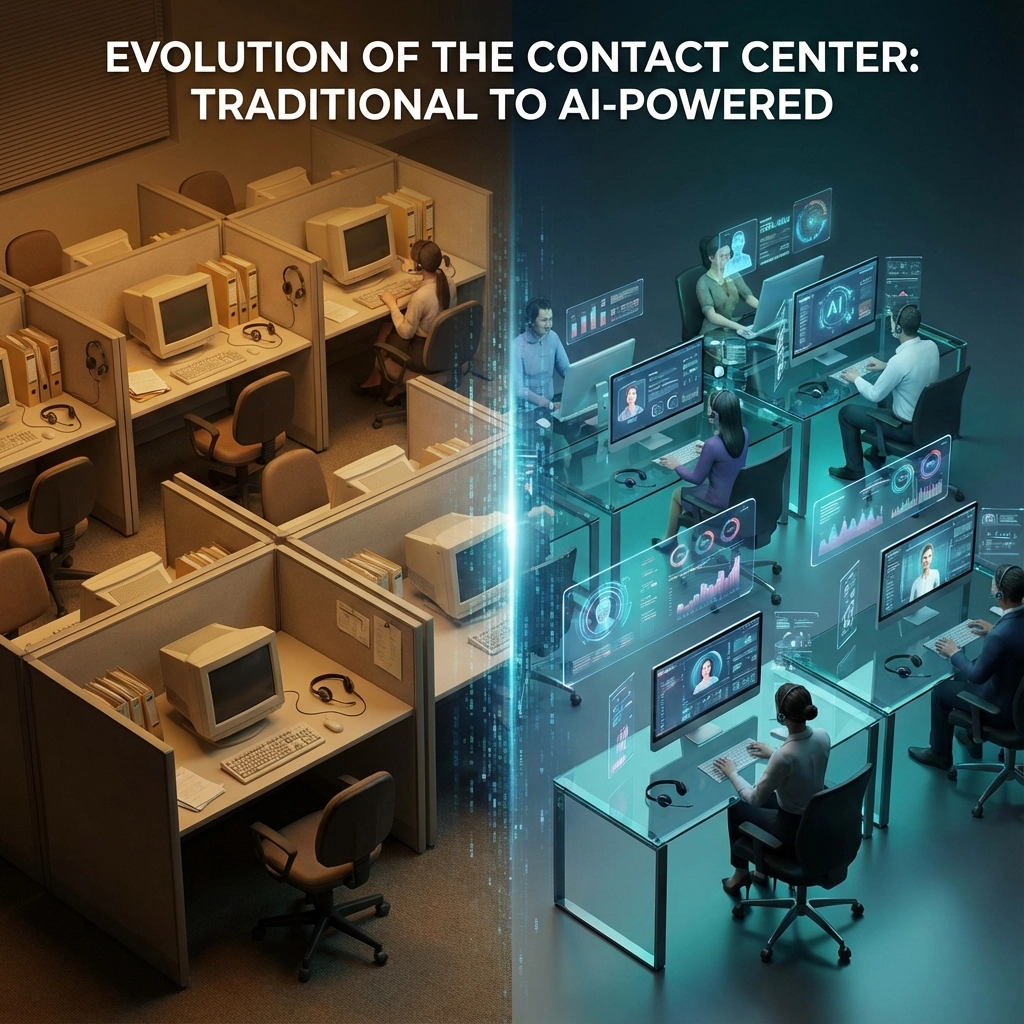

Contact Center Technologies 101: Why 8X8 and Five9 Are Losing Ground to AI-Powered Solutions

premierbusiness · January 20, 2026 ·

The contact center industry is experiencing a seismic shift. While established players like 8×8 and Five9 have dominated the market for years, a new wave of AI-powered solutions is reshaping how businesses handle customer interactions. But before we dive into why traditional providers are struggling to keep pace, let's understand what's driving this transformation.

What Are Contact Center Technologies?

Contact center technologies encompass the software, hardware, and platforms that enable businesses to manage customer interactions across multiple channels. These systems have evolved from simple call routing to sophisticated omnichannel platforms that integrate voice, email, chat, social media, and SMS communications.

Traditional contact centers relied heavily on human agents supported by basic automation tools. Today's landscape demands intelligent routing, real-time analytics, predictive insights, and seamless integration with CRM systems and business applications.

image_1

The global contact center market is projected to reach $231.6 billion by 2029, with AI-driven solutions capturing an increasingly larger share of this growth. This expansion isn't just about replacing human agents, it's about augmenting human capabilities and creating entirely new ways to serve customers.

The AI Revolution in Customer Service

Artificial intelligence is fundamentally changing customer service expectations. Customers now expect instant responses, personalized interactions, and consistent experiences across all touchpoints. Traditional contact center solutions, while robust, often struggle to deliver these capabilities at scale.

Modern AI-powered contact center solutions offer:

  • Conversational AI that handles routine inquiries with human-like interactions
  • Predictive analytics that anticipate customer needs before they contact support
  • Real-time sentiment analysis that adjusts interaction strategies on the fly
  • Intelligent routing that connects customers to the best-suited agent or AI assistant
  • Automated quality assurance that monitors and improves interactions continuously

For businesses looking to understand how AI implementations can deliver measurable results, our guide on why most AI implementations fail provides valuable insights into ensuring successful deployments.

Why Traditional Providers Are Struggling

Limited Innovation Velocity

Established providers like 8×8 and Five9 built their platforms on legacy architectures that weren't designed for AI-first approaches. While they've added AI features as bolt-on capabilities, these solutions often lack the deep integration and seamless experience that native AI platforms provide.

High Total Cost of Ownership

Traditional contact center solutions require significant upfront investments in licenses, hardware, and implementation services. They also demand ongoing maintenance, regular updates, and specialized IT resources. In contrast, AI-powered solutions typically offer consumption-based pricing models that scale with actual usage.

image_2

Complex Integration Challenges

Legacy systems often struggle to integrate with modern business tools and applications. This creates data silos that prevent businesses from gaining comprehensive customer insights. AI-powered solutions are typically built with API-first architectures that enable seamless integration with existing business systems.

Inflexible Scaling

Traditional providers often require lengthy implementation cycles and complex configuration changes to accommodate business growth or changing requirements. AI-powered solutions can adapt and scale dynamically based on demand patterns and business needs.

The Rise of AI-Native Contact Center Solutions

AI-native contact center platforms are built from the ground up to leverage artificial intelligence across every aspect of customer interactions. These solutions don't just add AI features, they reimagine how customer service should work in 2026.

Agentic AI Capabilities

The latest AI-powered solutions feature what's called "agentic AI", systems that can reason, make decisions, and take actions autonomously. Unlike traditional chatbots that follow scripted responses, agentic AI can understand context, access relevant information from multiple systems, and resolve complex issues without human intervention.

Predictive Customer Experience

Advanced AI algorithms analyze historical interaction data, customer behavior patterns, and real-time context to predict customer needs. This enables proactive outreach, personalized service recommendations, and issue prevention before customers even realize they have a problem.

Continuous Learning and Improvement

AI-powered solutions continuously learn from every interaction, automatically improving response accuracy, identifying new conversation patterns, and optimizing routing decisions. This creates a system that gets smarter over time without manual configuration or training.

For businesses concerned about ensuring their technology infrastructure can support these advanced capabilities, our analysis of business internet readiness for AI covers essential considerations.

What This Means for Your Business

The shift toward AI-powered contact center solutions isn't just a technology trend, it's a business imperative. Companies that continue relying on traditional solutions risk falling behind competitors who can deliver superior customer experiences at lower costs.

Improved Customer Satisfaction

AI-powered solutions typically achieve higher customer satisfaction scores through faster resolution times, more personalized interactions, and 24/7 availability. Customers no longer need to wait in queues or repeat information multiple times.

Reduced Operational Costs

By automating routine interactions and improving agent efficiency, businesses can significantly reduce contact center operating expenses. Many organizations see 30-50% cost reductions while simultaneously improving service quality.

Better Business Insights

AI-powered platforms provide comprehensive analytics and insights that help businesses understand customer behavior, identify service gaps, and optimize operations. This data-driven approach enables continuous improvement and strategic decision-making.

image_3

Enhanced Agent Experience

Rather than replacing human agents, the best AI-powered solutions augment their capabilities. Agents receive real-time guidance, automated administrative support, and intelligent routing of complex issues that require human expertise.

Choosing the Right Solution for 2026

When evaluating contact center technologies, businesses should consider several key factors:

AI Capabilities: Look for solutions that offer comprehensive AI features including conversational AI, predictive analytics, and intelligent routing, not just basic chatbots.

Integration Flexibility: Ensure the platform can seamlessly integrate with your existing CRM, help desk, and business applications.

Scalability: Choose solutions that can grow with your business without requiring major reconfiguration or additional infrastructure investments.

Total Cost of Ownership: Consider all costs including licensing, implementation, maintenance, and ongoing support when comparing options.

Vendor Stability: While innovation is important, ensure your chosen provider has the financial stability and market position to support long-term growth.

Our comprehensive guide on cybersecurity considerations addresses important security aspects of implementing new contact center technologies.

Making the Transition

Migrating from traditional contact center solutions to AI-powered platforms requires careful planning and execution. Successful transitions typically involve:

  1. Assessment: Evaluate current capabilities, identify gaps, and define success metrics
  2. Planning: Develop a phased implementation approach that minimizes business disruption
  3. Training: Ensure staff are prepared to work with new AI-powered tools and processes
  4. Monitoring: Continuously track performance and optimize configurations based on real-world usage

Frequently Asked Questions

Q: Are AI-powered contact centers completely replacing human agents?
A: No, the most effective AI-powered solutions augment human agents rather than replace them entirely. AI handles routine inquiries and provides real-time assistance to agents handling complex issues.

Q: How quickly can businesses expect to see ROI from AI-powered contact center solutions?
A: Most businesses see initial benefits within 3-6 months, with full ROI typically achieved within 12-18 months through reduced operational costs and improved customer satisfaction.

Q: What happens to existing integrations when switching to AI-powered solutions?
A: Modern AI-powered platforms typically offer robust integration capabilities and migration tools to preserve existing connections with CRM systems, help desks, and business applications.

Q: Are AI-powered contact centers more secure than traditional solutions?
A: Generally yes, as AI-powered solutions often include advanced security features like real-time threat detection, automated compliance monitoring, and encryption across all communication channels.

Q: Can small businesses benefit from AI-powered contact center technologies?
A: Absolutely. Cloud-based AI solutions often provide enterprise-level capabilities at costs accessible to smaller organizations, with pay-as-you-scale pricing models.

Q: How do AI-powered solutions handle complex customer issues that require empathy?
A: Advanced AI can detect emotional context and escalate appropriate interactions to human agents, while providing agents with real-time insights to deliver more empathetic service.

Q: What kind of internet infrastructure is required for AI-powered contact centers?
A: Reliable, high-bandwidth internet is essential. Most AI-powered solutions require dedicated internet connections with guaranteed uptime and sufficient bandwidth to handle voice, video, and data traffic simultaneously.

The contact center industry is at an inflection point. While established providers scramble to retrofit their platforms with AI capabilities, purpose-built AI-powered solutions are setting new standards for customer experience and operational efficiency. Businesses that act now to evaluate and implement these next-generation technologies will gain significant competitive advantages in 2026 and beyond.

Ready to explore how AI-powered contact center technologies can transform your customer service operations? Contact Premier Business Team today to discuss your requirements and discover solutions that deliver measurable results. Our experts will help you navigate the transition from traditional contact center technologies to AI-powered platforms that drive both customer satisfaction and business growth.

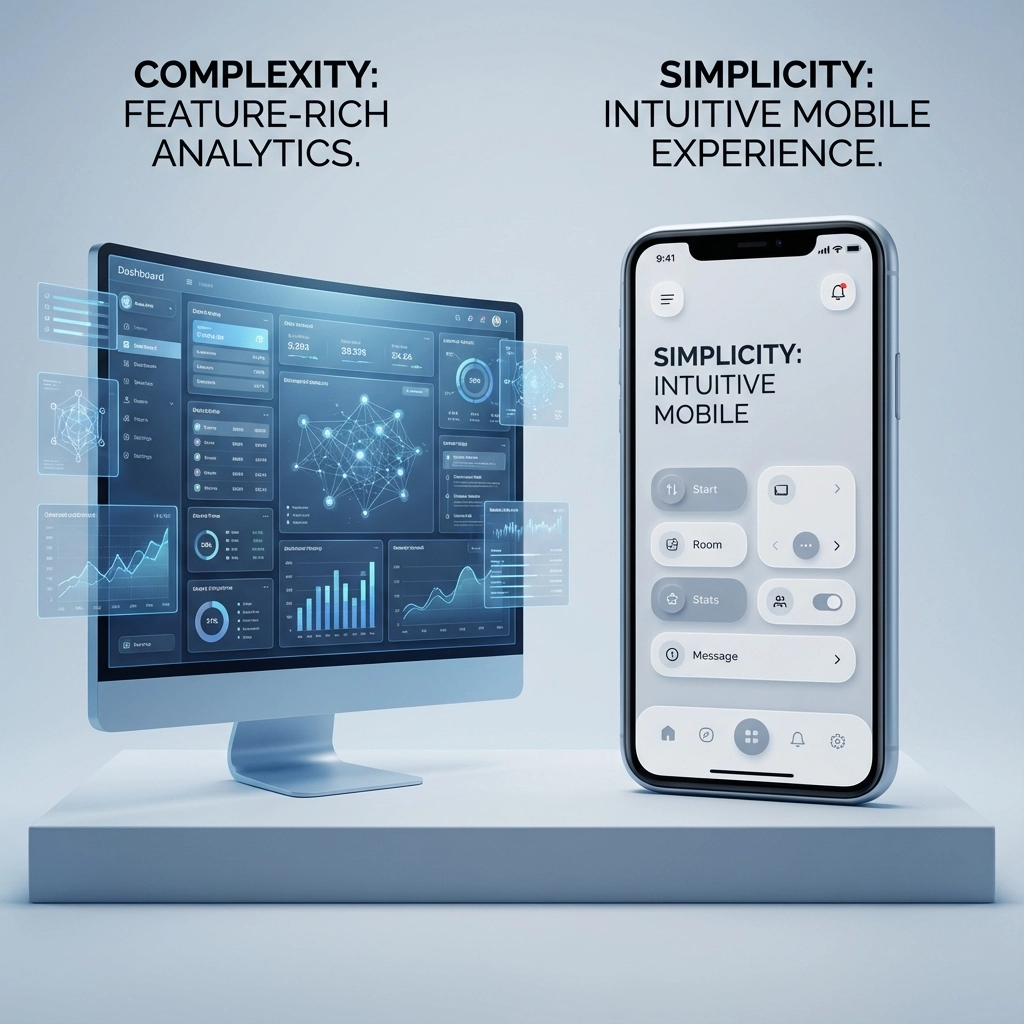
Contact Center Technologies Explained in Under 3 Minutes: Do You Really Need Five9 or Ujet?

premierbusiness · January 19, 2026 ·

Small business owners and IT managers are drowning in contact center platform options. With customer expectations sky-high in 2026, choosing between premium solutions like Five9 and UJET can make or break your customer experience strategy.

The short answer? Most businesses need neither, but if you're managing 50+ agents or handling complex multi-channel support, one of these platforms could transform your operations.

Let's cut through the marketing noise and examine what these contact center technologies actually deliver.

What Are Contact Center Technologies?

Contact Center as a Service (CCaaS) platforms are cloud-based systems that unify all customer communication channels, phone calls, live chat, email, social media, and SMS, into a single dashboard. Think of them as the command center for every customer interaction your business handles.

Traditional phone systems route calls to available agents. Modern contact center technologies use artificial intelligence to:

  • Route customers to the right agent based on skills and previous interactions
  • Provide agents with complete customer history before answering
  • Analyze conversations in real-time for coaching opportunities
  • Generate detailed analytics on team performance and customer satisfaction

image_1

The difference between a basic business phone system and a full contact center platform is like comparing a bicycle to a Tesla, both get you where you're going, but the experience is dramatically different.

Five9: The Enterprise Powerhouse

Five9 positions itself as the comprehensive solution for businesses serious about customer experience analytics. Their platform excels in three key areas:

Unified Agent Workspace

Five9's strength lies in presenting agents with contextual customer data the moment a call connects. Instead of juggling multiple screens, agents see:

  • Complete interaction history across all channels
  • Customer preferences and previous issues
  • Suggested responses based on similar cases
  • Real-time supervisor coaching prompts

Advanced Analytics Engine

The platform processes customer interactions with sub-second latency, meaning supervisors can intervene during difficult calls before customers hang up frustrated. Five9's reporting goes beyond basic call metrics to include:

  • Sentiment analysis of customer conversations
  • Predictive analytics for staffing needs
  • Quality management scorecards
  • Revenue attribution by agent performance

Real-Time Transcription and AI

Five9's transcription accuracy has improved significantly in 2026, capturing technical conversations and industry-specific terminology with 95%+ accuracy. Their AI can identify escalation triggers and automatically suggest knowledge base articles to agents mid-conversation.

The catch? Five9's learning curve is steep. New users report needing 2-3 weeks of intensive training before feeling confident with the platform's full capabilities.

UJET: The User-Friendly Challenger

UJET takes a different approach, prioritizing ease of use over feature depth. Their platform consistently scores higher in user satisfaction surveys (9.7/10 vs Five9's 8.4/10) because it focuses on intuitive design.

AI-Powered Smart Routing

UJET's standout feature is outcome-based routing. Instead of routing calls based on static rules, their AI learns which agent-customer pairings produce the best results and adapts in real-time. This means:

  • Angry customers get routed to your most patient agents
  • Technical issues go to agents with proven troubleshooting success
  • VIP customers automatically reach your top performers

Mobile-First Architecture

Unlike Five9's desktop-centric design, UJET was built for the mobile workforce. Agents can handle customer interactions from smartphones or tablets without losing functionality, crucial for businesses with remote or field-based support teams.

Simplified Management

UJET's admin panel requires minimal technical expertise. Most configuration changes can be made through drag-and-drop interfaces, making it accessible for smaller IT teams.

image_2

The trade-off? Users report that UJET's agent desktop requires multiple clicks for routine tasks that Five9 handles in single actions. For high-volume environments, this inefficiency adds up quickly.

Direct Feature Comparison: Five9 vs UJET

Feature Five9 UJET Winner
Ease of Use 8.4/10 9.7/10 UJET
Advanced Reporting Comprehensive Limited Five9
Predictive Dialing Yes No Five9
Mobile Agent Support Basic Excellent UJET
AI Routing Rule-based Outcome-based UJET
Real-time Transcription Industry-leading Standard Five9
Implementation Time 4-6 weeks 2-3 weeks UJET

Do You Actually Need Either Platform?

Here's the reality check most vendors won't give you: 70% of small businesses would see better ROI from a simpler solution.

Choose Five9 If You:

  • Manage 100+ agents across multiple locations
  • Need detailed performance analytics and quality management
  • Handle complex B2B sales cycles requiring extensive customer history
  • Have dedicated IT staff to manage the platform
  • Process high-volume outbound calling campaigns

Choose UJET If You:

  • Prioritize quick implementation and user adoption
  • Have mobile or remote customer service teams
  • Want AI-powered routing without complex configuration
  • Prefer transparent, predictable pricing
  • Need a platform that non-technical managers can modify

Consider Neither If You:

  • Have fewer than 25 agents
  • Primarily handle straightforward customer inquiries
  • Need transparent, affordable pricing (both platforms use complex bundled pricing)
  • Want to avoid vendor lock-in with proprietary systems

Alternative consideration: Platforms like Plivo CX offer similar core functionality starting at $29/user/month with transparent pricing: a fraction of Five9 or UJET's typical costs.

Implementation and Total Cost Considerations

Neither platform publishes transparent pricing, but industry reports suggest:

Five9 typically starts around $149/user/month for full features, with implementation costs of $50,000+ for enterprise deployments. Hidden costs include:

  • Professional services for advanced configurations
  • Integration fees for CRM connections
  • Additional charges for premium reporting features

UJET generally costs $75-125/user/month, with faster implementation reducing professional services fees. However, some advanced AI features require premium tiers that can double monthly costs.

image_3

Both platforms require ongoing management. Budget for dedicated admin time or external support: contact center platforms aren't "set it and forget it" solutions.

The 2026 Contact Center Technology Landscape

The contact center industry is consolidating around three core trends:

1. AI-First Architecture: New platforms are built with artificial intelligence as the foundation, not an add-on feature.

2. Unified Communications Integration: The line between contact centers and business phone systems is disappearing as platforms merge voice, video, and collaboration tools.

3. Outcome-Based Pricing: Vendors are moving toward pricing models based on customer satisfaction scores and resolution rates rather than per-seat licensing.

Companies making contact center decisions in 2026 should evaluate platforms based on their AI roadmap and integration capabilities rather than just current features.

Frequently Asked Questions

What's the difference between Five9 and UJET for small businesses?

UJET offers easier implementation and mobile-friendly design, making it better for teams under 50 agents. Five9 provides more comprehensive analytics and reporting tools that larger teams need but smaller businesses may find overwhelming.

Can these platforms replace our existing business phone system?

Both Five9 and UJET can handle basic business phone needs, but they're designed for customer service operations. If you need features like conference rooms, executive assistants, or elevator phones, you'll likely need a separate business communication system.

How long does implementation typically take?

UJET implementations average 2-3 weeks for basic setups, while Five9 requires 4-6 weeks due to its more complex configuration options. Both platforms require additional time for agent training and workflow optimization.

Do I need dedicated IT staff to manage these platforms?

Five9 typically requires ongoing IT support for configuration changes and integrations. UJET's simplified interface allows non-technical managers to handle routine modifications, though complex integrations still need technical expertise.

What happens to our data if we switch platforms?

Both platforms support data export, but contact center migrations are complex. Plan for 30-60 days of parallel operation and budget for professional migration services to avoid losing customer interaction history.

Making the Right Choice for Your Business

Contact center technology selection shouldn't be driven by vendor demos or feature checklists. The best platform is the one your team will actually use effectively.

Start with these questions:

  • How many customer interactions do we handle daily?
  • What channels do our customers prefer?
  • Do we need detailed performance analytics or basic reporting?
  • How quickly do we need to implement and see results?

Remember: The most advanced contact center platform is worthless if your agents can't use it efficiently.


Ready to evaluate contact center technologies for your business? Premier Business Team helps companies navigate complex technology decisions without vendor bias. Our telecommunications consultants provide independent analysis of contact center platforms, implementation planning, and ongoing optimization support.

Schedule a free consultation to discuss your specific requirements and get personalized recommendations based on your business needs and budget( not vendor commissions.)

Amazon Leo Business Internet Service in Blaine, WA | Remote & Border Business Internet

premierbusiness · January 19, 2026 ·

Blaine, Washington sits in a unique position as one of the northernmost cities in the continental United States, directly bordering Canada at Peace Arch Park. This strategic location brings both opportunities and challenges for local businesses, particularly when it comes to reliable internet connectivity. Traditional internet service providers often struggle to deliver consistent, high-speed service to border communities and rural areas, leaving businesses with limited options and potential connectivity gaps.

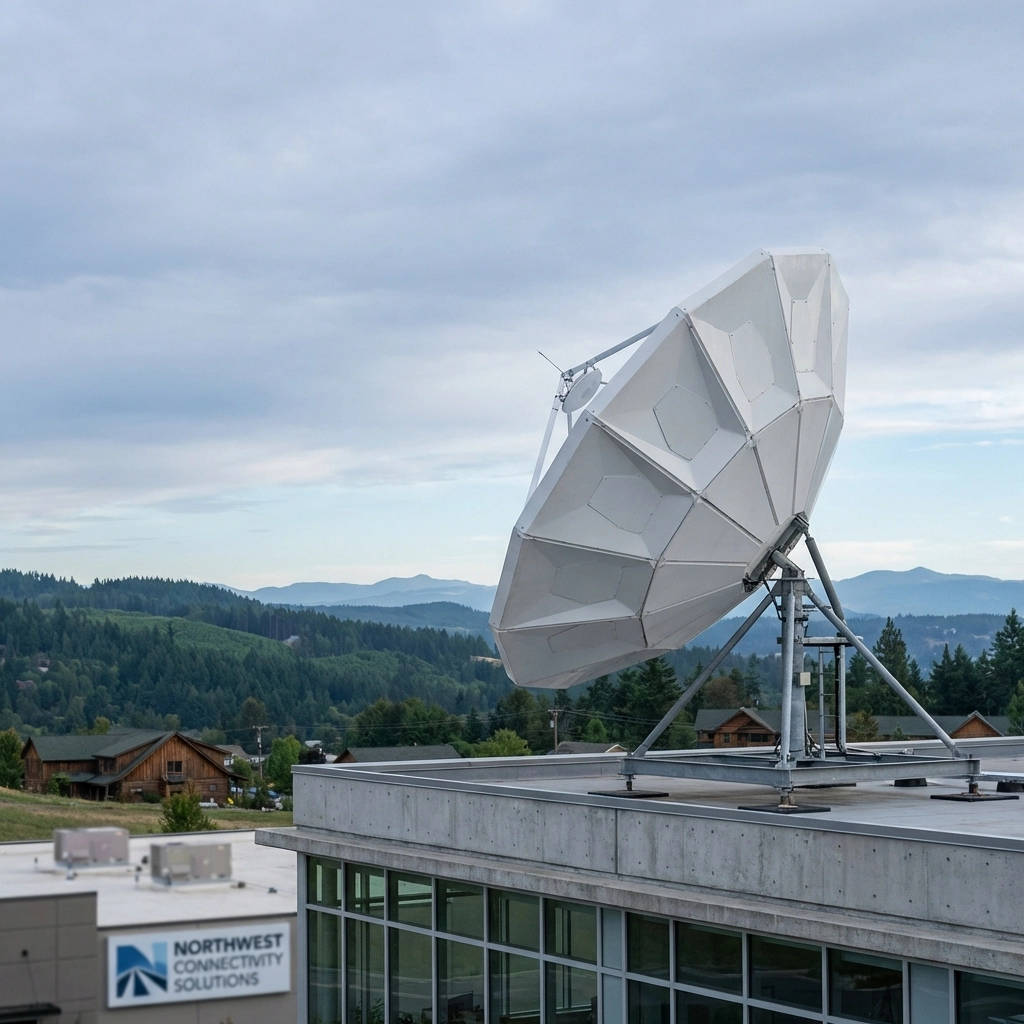
Enter Amazon Leo Business Internet Service – a revolutionary satellite-based internet solution that's changing the game for businesses in remote and underserved areas like Blaine, WA. As Amazon's low Earth orbit (LEO) satellite network expands throughout 2026, Blaine businesses are positioned to benefit from enterprise-grade internet connectivity that doesn't rely on traditional ground-based infrastructure.

What is Amazon Leo Business Internet Service?

Amazon Leo represents Amazon's ambitious entry into the satellite internet market, utilizing a constellation of over 3,000 low Earth orbit satellites to deliver high-speed internet access globally. Unlike traditional satellite internet services that rely on geostationary satellites positioned much farther from Earth, Leo's low Earth orbit design significantly reduces latency while providing faster, more reliable connections.

image_1

The service launched its enterprise preview in November 2025, with select business customers testing production hardware and software. Throughout 2026, Amazon is rolling out Leo Business Internet Service more widely as additional satellites come online, making it an increasingly viable option for businesses in locations like Blaine that have historically faced connectivity challenges.

Why Blaine Businesses Need Amazon Leo

Blaine's location presents unique connectivity challenges that Amazon Leo is specifically designed to address. The city's proximity to the Canadian border, combined with its relatively small population and distance from major metropolitan areas, has historically limited high-speed internet options. Many local businesses have had to rely on slower DSL connections, expensive dedicated lines, or inconsistent cable internet service.

For businesses operating in Blaine's key industries – including border services, logistics, tourism, and small retail – reliable internet connectivity isn't just a convenience; it's a business necessity. Cross-border commerce requires real-time communication with Canadian partners, customs systems, and international shipping networks. Tourism businesses need dependable connectivity for payment processing, reservation systems, and guest services.

Amazon Leo addresses these challenges by providing:

  • Consistent coverage regardless of ground infrastructure limitations
  • Low latency connections suitable for real-time business applications
  • Enterprise-grade reliability with built-in redundancy
  • Scalable bandwidth to meet growing business needs

Technical Specifications and Performance

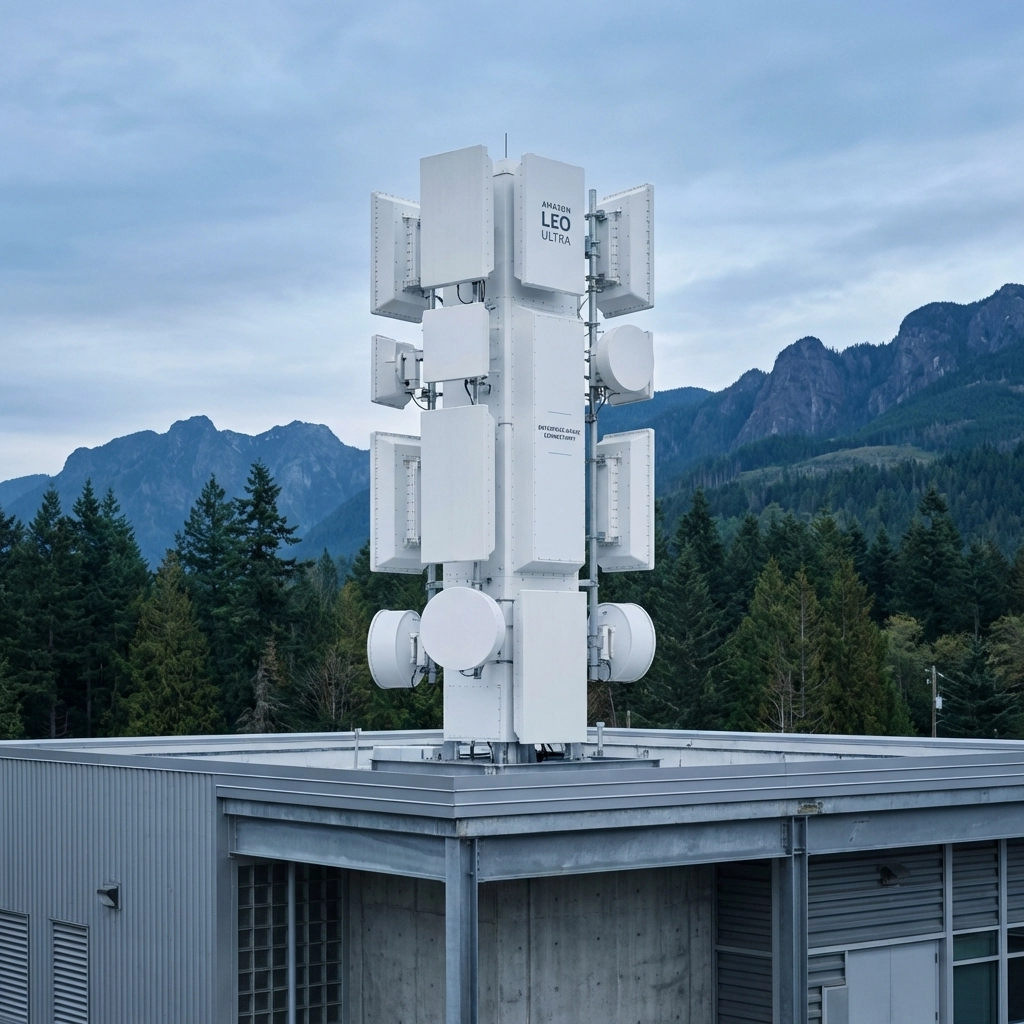
Amazon Leo Ultra, the enterprise-grade antenna system, delivers impressive performance metrics that rival or exceed traditional broadband options available in many rural areas. The service provides download speeds up to 1 gigabit per second and upload speeds up to 400 Mbps – performance levels that can transform how Blaine businesses operate.

image_2

These speeds enable businesses to:

  • Run cloud-based applications smoothly
  • Conduct high-quality video conferences with international partners
  • Process large data transfers quickly
  • Support multiple users and devices simultaneously
  • Maintain consistent performance during peak usage periods

The low Earth orbit design keeps latency below 100 milliseconds in most cases, making real-time applications like VoIP phone systems, video conferencing, and cloud-based software fully functional. This is a significant improvement over traditional satellite internet, which often suffered from delays that made real-time communication difficult.

Competitive Advantages for Border Businesses

Blaine's unique position as a border city creates specific connectivity needs that Amazon Leo is particularly well-suited to address. Traditional internet providers may struggle with coverage gaps near the border or face limitations in expanding infrastructure to serve a relatively small market. Amazon Leo's satellite-based approach eliminates these geographical constraints.

Key advantages include:

Border-Spanning Coverage: Leo satellites provide consistent service on both sides of the US-Canada border, enabling seamless communication for businesses operating in both countries.

Redundancy and Reliability: Satellite coverage isn't affected by local infrastructure issues, construction, or natural disasters that might impact ground-based services.

Rapid Deployment: New business locations can get connected quickly without waiting for cable or fiber installations, which can take weeks or months in rural areas.

Scalability: Businesses can easily adjust their service levels as they grow, without infrastructure limitations.

Business Use Cases in Blaine

Several types of businesses in Blaine stand to benefit significantly from Amazon Leo Business Internet Service:

Logistics and Shipping Companies: With Blaine's role as a border crossing point, logistics companies need reliable connectivity for tracking systems, customs documentation, and real-time communication with drivers and customs officials.

Tourism and Hospitality: Hotels, restaurants, and tourism services require consistent internet for guest WiFi, payment processing, reservation systems, and marketing efforts.

Retail and Border Shopping: Businesses serving cross-border shoppers need reliable connectivity for payment processing, inventory management, and communication with suppliers.

Professional Services: Law firms, accounting practices, and consulting businesses working with international clients require high-quality video conferencing and secure data transmission capabilities.

image_3

Manufacturing and Distribution: Companies with operations on both sides of the border need consistent connectivity for supply chain management, quality control systems, and communication with partners.

Backup and Failover Solutions

One of Amazon Leo's most valuable features for Blaine businesses is its potential as a backup internet solution. Even businesses with existing internet service can benefit from Leo as a failover option, ensuring business continuity when primary connections experience outages.

This dual-connection approach is particularly valuable for:

  • Critical business operations that can't afford downtime
  • Businesses with compliance requirements for network redundancy
  • Companies that process payments or handle sensitive data
  • Organizations that rely heavily on cloud-based systems

The satellite-based nature of Leo means it's unlikely to fail simultaneously with ground-based services, providing true redundancy for business-critical applications.

Implementation and Support

Amazon Leo Business Internet Service comes with professional installation and ongoing support designed for business needs. The Leo Ultra antenna system requires proper positioning and configuration to ensure optimal performance, and Amazon provides technical support throughout the setup process.

For Blaine businesses considering Leo, the implementation process typically involves:

  1. Site survey to determine optimal antenna placement
  2. Professional installation of Leo Ultra equipment
  3. Network configuration and testing
  4. Integration with existing business systems
  5. Staff training and ongoing support

image_4

Premier Business Team can assist Blaine businesses with evaluating their connectivity needs and planning for Amazon Leo implementation, ensuring the service integrates seamlessly with existing IT infrastructure.

Frequently Asked Questions

Q: How does Amazon Leo compare to traditional satellite internet?
A: Amazon Leo uses low Earth orbit satellites positioned much closer to Earth than traditional satellite services, resulting in significantly lower latency and faster speeds. While traditional satellite internet often has delays of 500+ milliseconds, Leo typically achieves under 100ms latency.

Q: Is Amazon Leo available in Blaine, WA right now?
A: Amazon began enterprise preview in November 2025 and is expanding availability throughout 2026. Blaine's location near the Canadian border and Amazon's emphasis on serving remote areas makes it likely to be included in early rollout phases, but specific availability should be confirmed directly with Amazon.

Q: What kind of businesses benefit most from Leo service?
A: Businesses that require reliable, high-speed internet for cloud applications, video conferencing, e-commerce, or real-time communication benefit most. This includes logistics companies, professional services, hospitality businesses, and any organization that can't afford internet downtime.

Q: Can Amazon Leo serve as a backup internet connection?
A: Yes, Leo is excellent as a failover solution because it doesn't rely on the same ground infrastructure as cable or fiber internet. This provides true redundancy for critical business operations.

Q: How does pricing compare to traditional business internet?
A: While specific pricing varies by location and service level, Leo's enterprise-grade performance and reliability often provide better value than comparable dedicated line services, especially in areas with limited traditional options.

Q: What upload speeds can businesses expect?
A: Leo Ultra provides upload speeds up to 400 Mbps, which is significantly faster than most traditional internet options available in rural areas. This supports cloud backup, video conferencing, and other upload-intensive business applications.

Transform Your Blaine Business with Reliable Connectivity

Amazon Leo Business Internet Service represents a fundamental shift in how businesses in border communities like Blaine can access enterprise-grade connectivity. By eliminating the geographical limitations that have historically constrained internet options in rural and remote areas, Leo opens new possibilities for business growth and operational efficiency.

Whether you need primary internet service, a backup solution, or enhanced connectivity to support expansion into new markets, Amazon Leo offers the reliability and performance that Blaine businesses need to compete in today's digital economy.

Don't let connectivity limitations hold your business back. Contact Premier Business Team today at 360-946-2626 to discuss how Amazon Leo Business Internet Service can transform your operations and support your business growth in 2026 and beyond. Our experienced team can help you evaluate your current connectivity needs, plan for Leo implementation, and ensure seamless integration with your existing business systems.

7 Cybersecurity Mistakes Multi-Location Businesses Make (and How Zero Trust Policies Fix Them in 2026)

premierbusiness · January 19, 2026 ·

Multi-location businesses face a perfect storm of cybersecurity challenges in 2026. From retail chains to healthcare networks, organizations operating across multiple sites deal with distributed infrastructure, countless access points, and decentralized management that creates security gaps attackers love to exploit.

The solution? Zero trust security frameworks that operate on one simple principle: never trust, always verify. Unlike traditional perimeter-based security that assumes everything inside the network is safe, zero trust treats every access request, regardless of location or user, as potentially malicious.

Here are the seven most dangerous cybersecurity mistakes multi-location businesses make, and how zero trust policies eliminate these vulnerabilities before they become expensive data breaches.

Mistake #1: Treating Physical and Cyber Security as Separate Domains

Most multi-location businesses manage physical security systems (cameras, door locks, alarms) completely separately from their IT infrastructure. This creates dangerous blind spots where attackers can exploit weak camera passwords to penetrate corporate networks, disable security systems, or even observe staff routines and building layouts.

When your Chicago location's security camera gets compromised, it shouldn't provide a pathway to your Dallas corporate servers, but traditional network architectures often allow exactly that.

Zero Trust Solution: Zero trust policies require all devices, including security cameras, smart locks, and alarm systems, to operate on isolated network segments with strict authentication controls. Every access request to physical security equipment requires multi-factor authentication and location-specific permissions.

This means a compromised camera at one location can't provide network access to other branches or sensitive corporate systems.

image_1

Mistake #2: Uncontrolled Access Creep Across Multiple Locations

Over time, employee permissions expand without proper oversight. Former employees from various locations retain digital access, contractors keep remote logins active after projects end, and shared passwords remain functional long after staff changes.

A recent cybersecurity analysis found that 73% of data breaches involve credentials that should have been revoked months earlier.

For multi-location businesses, this problem multiplies, you might not even know which former employees from which branches still have access to critical systems.

Zero Trust Solution: Zero trust mandates continuous access verification and immediate credential revocation. Instead of generic shared passwords, every user gets unique, named accounts with location-specific permissions.

Automated access reviews identify and remove permissions belonging to former employees within hours of departure, not months. When someone leaves your Phoenix location, their access to inventory systems, customer data, and facility controls disappears immediately across all locations.

Mistake #3: Failing to Audit and Update Security Systems Regularly

Security systems degrade without routine maintenance. When multi-location businesses remodel spaces, relocate equipment, or change operational procedures, security configurations often remain unchanged.

A camera that once monitored a critical entry point might now be blocked by new displays. New entrance points might go unmonitored. Firewall rules configured for old network layouts might allow unnecessary access.

Zero Trust Solution: Zero trust enforces continuous monitoring and validation of security posture across all locations. Automated tools verify that security controls match current business operations and immediately flag configuration drift.

Regular simulated attacks test security effectiveness before real breaches occur. This proactive approach prevents expensive discoveries of security gaps during actual incidents.

Mistake #4: Cloud Misconfigurations Across Multiple Environments

Multi-location businesses increasingly operate in multi-cloud environments (AWS, Azure, Google Cloud), and even small misconfigurations can expose critical data. Publicly accessible storage buckets, overly permissive access roles, and misconfigured firewalls create entry points for attackers.

When each location manages its own cloud instances or corporate systems serve multiple branches, configuration mistakes multiply exponentially.

Zero Trust Solution: Zero trust policies enforce automated Cloud Security Posture Management (CSPM) that continuously scans for misconfigurations across all cloud environments and locations.

Access follows the principle of least privilege, overly permissive roles are automatically flagged and restricted. Sensitive APIs, storage systems, and network rules are monitored in real-time, ensuring no location's cloud infrastructure drifts into an insecure state.

image_2

Mistake #5: Ignoring Sprawling Attack Surfaces and Third-Party Dependencies

Multi-location businesses operate interconnected systems: point-of-sale terminals, e-commerce platforms, inventory management, IoT devices, and smart building controls. Each location adds more potential entry points for attackers.

Additionally, distributed businesses rely on numerous external services, payment processors, logistics partners, marketing platforms, each potentially touching sensitive customer data and expanding the attack surface.

Zero Trust Solution: Zero trust eliminates implicit trust in any network segment or third-party connection. Every access attempt requires authentication and authorization verification, regardless of source.

Microsegmentation isolates critical systems so a breach at one location or through a compromised vendor doesn't automatically grant access to other locations or core infrastructure. Continuous monitoring detects lateral movement attempts across the network.

Mistake #6: Poor Credential Management Due to High Staff Turnover

Retail and service businesses experience high employee turnover, meaning credentials are constantly created, shared, and inadequately revoked. Seasonal employees receive excessive permissions to speed onboarding, former workers retain access longer than appropriate, and shared passwords eliminate accountability.

This creates a credential management nightmare across multiple locations with different managers, systems, and procedures.

Zero Trust Solution: Zero trust requires unique, verified identities for every employee, contractor, and device rather than shared credentials. Multi-factor authentication becomes mandatory for all access, making stolen passwords insufficient for unauthorized entry.

Adaptive authentication adjusts security requirements based on risk signals, access attempts from unusual locations or devices trigger additional verification. Automated offboarding removes credentials immediately when employees leave, and session-based access with automatic timeouts limits exposure from temporarily compromised accounts.

Mistake #7: Inconsistent Security Training Across Locations

Even sophisticated security systems fail when employees aren't properly trained. Staff might prop open secure doors, ignore suspicious behavior, mishandle sensitive data, or fall victim to AI-powered phishing attacks.

Multi-location businesses often struggle with inconsistent training, each location might have different procedures, varying levels of security awareness, and unclear incident response protocols.

Zero Trust Solution: Zero trust incorporates human behavior into security architecture through continuous employee verification and behavioral monitoring. Rather than assuming employees will follow protocols, zero trust systems verify actions and flag suspicious behavior.

Organizations implement location-standardized micro-training, brief, focused modules on current threats, integrated into onboarding and ongoing education. Clear incident response procedures are standardized across all locations, ensuring every employee understands their role during security events.

For businesses looking to strengthen their overall cybersecurity posture, our guide on business cybersecurity fundamentals provides additional strategies for protecting distributed operations.

Implementation Priorities for 2026

Multi-location businesses should address these vulnerabilities systematically:

Immediate Actions (0-30 days):

  • Isolate physical security devices on separate networks with MFA
  • Audit and revoke dormant access across all locations
  • Implement automated cloud security monitoring

Short-term Implementation (30-90 days):

  • Deploy microsegmentation for critical systems
  • Standardize incident response procedures across locations
  • Begin employee security awareness programs

Long-term Evolution (90+ days):

  • Full zero trust architecture implementation
  • Continuous security posture monitoring
  • Advanced threat detection across all locations

The transition to zero trust isn't a single project, it's an ongoing evolution toward architectures where every access request is verified, never assumed safe.

image_3

Frequently Asked Questions

Q: How long does zero trust implementation take for multi-location businesses?
A: Zero trust implementation typically takes 6-18 months for multi-location businesses, depending on current infrastructure complexity and number of locations. Organizations can begin seeing security improvements within the first 30 days by addressing high-risk vulnerabilities like access management and cloud misconfigurations.

Q: What's the ROI of zero trust security for distributed businesses?
A: Organizations implementing zero trust security see an average ROI of 300% within two years through reduced breach costs, improved compliance, and operational efficiency. The average data breach costs $4.45 million in 2026, making zero trust investment highly cost-effective.

Q: Can zero trust work with legacy systems across multiple locations?
A: Yes, zero trust frameworks can integrate with existing legacy systems through identity management layers and network segmentation. This allows gradual modernization without requiring immediate replacement of functional systems at every location.

Q: How does zero trust handle seasonal employees and contractors?
A: Zero trust uses just-in-time access provisioning and adaptive authentication for temporary workers. Seasonal employees receive time-limited permissions that automatically expire, while contractors get project-specific access that's continuously monitored and verified.

Q: What happens if internet connectivity fails at a location?
A: Modern zero trust solutions include offline authentication capabilities and cached policies that maintain security controls during connectivity disruptions. Critical operations can continue while maintaining security protocols until connectivity is restored.

Q: How much does zero trust security cost for multi-location businesses?
A: Zero trust implementation costs vary widely based on organization size and complexity, typically ranging from $50,000-$500,000 annually for mid-size multi-location businesses. However, this investment often pays for itself through prevented breaches and improved operational efficiency.


Ready to secure your multi-location business with zero trust architecture? Premier Business Team specializes in designing and implementing comprehensive cybersecurity solutions for distributed organizations. Our experts will assess your current security posture across all locations and create a customized zero trust roadmap that protects your business without disrupting operations.

Contact Premier Business Team today for a free cybersecurity assessment and discover how zero trust can eliminate the vulnerabilities putting your multi-location business at risk.

  • « Go to Previous Page
  • Page 1
  • Interim pages omitted …
  • Page 30
  • Page 31
  • Page 32
  • Page 33
  • Page 34
  • Interim pages omitted …
  • Page 78
  • Go to Next Page »

Get a no obligation quote for your business. Learn More

Proud Chamber Member

Bellingham Chamber Badge

Premier Business Team

Copyright © 2026 · Premier Business Team 2219 Rimland Dr. Suite 301 Bellingham, WA 98226 - 360-946-2626

  • Home
  • Business Internet
  • Business Phone
  • Blog
  • About Us
  • Contact Us
  • Business Quote
  • Engineering
  • Call: 360-946-2626