• Skip to primary navigation
  • Skip to main content
Premier Business Team

Premier Business Team

Your business connectivity and IT Team

  • Home
  • Business Internet
  • Business Phone
  • Blog
  • About Us
    • Our Featured Suppliers
  • Contact Us
  • Business Quote
    • Business Tech Assessment
  • Engineering
  • Call: 360-946-2626
  • Show Search
Hide Search

Blog Posts

Comcast Business Fiber in Blaine, WA: The Ultimate in Business Internet Performance

premierbusiness · January 18, 2026 ·

Blaine, Washington businesses operating near the Canadian border face unique connectivity challenges that demand reliable, high-speed internet solutions. Whether you're managing cross-border commerce, supporting remote teams, or running customer-facing operations, your internet infrastructure can make or break your business success in 2026.

Comcast Business Fiber delivers enterprise-grade connectivity with 99% availability throughout Blaine, WA, offering speeds up to 1,000 Mbps backed by one of North America's most extensive fiber networks. For businesses ready to eliminate connectivity bottlenecks and scale operations efficiently, understanding your Comcast Business options is essential.

Why Blaine Businesses Choose Comcast Business Fiber

Blaine's strategic location creates unique business opportunities, from tourism and hospitality to logistics and international trade. These industries demand internet solutions that can handle high-volume transactions, real-time communications, and seamless customer experiences without interruption.

Comcast Business leverages more than 300,000 miles of fiber infrastructure spanning 29 regional networks across 39 states, ensuring your Blaine business connects to a robust, redundant network designed for enterprise reliability. This extensive backbone means fewer outages, faster data transmission, and the scalability to grow with your business needs.

image_1

Cable-Based Business Internet That Delivers

Unlike traditional DSL or satellite connections that struggle with consistency, Comcast Business Fiber utilizes advanced cable infrastructure optimized for business-grade performance. This technology delivers symmetrical upload and download speeds crucial for modern business applications like video conferencing, cloud computing, and large file transfers.

For Blaine businesses handling international communications or supporting remote workers, this reliability translates directly into improved productivity and customer satisfaction. Your team can confidently participate in video conferences with Canadian partners, upload large project files to the cloud, and maintain consistent performance during peak usage periods.

Comcast Business Internet Plans for Every Business Need

Comcast Business structures their offerings to match specific business requirements, ensuring you're not paying for unnecessary bandwidth while maintaining room for growth.

Business Internet Standard (300 Mbps)

The Standard plan delivers 300 Mbps download speeds with up to 35 Mbps upload capacity, designed to support approximately 5 devices simultaneously. This plan works well for small Blaine businesses that need reliable internet for:

  • Streaming high-quality audio and video content
  • Browsing content-rich websites and online platforms
  • Basic cloud application usage
  • Standard email and communication needs
  • Point-of-sale system connectivity

Business Internet Performance (500 Mbps)

The Performance plan increases download speeds to 500 Mbps while maintaining 35 Mbps upload speeds, supporting around 8 devices concurrently. This tier suits growing businesses requiring:

  • Fast downloads across multiple devices
  • Large file transfers and cloud synchronization
  • Advanced video conferencing capabilities
  • Multiple users accessing bandwidth-intensive applications
  • Enhanced productivity for teams handling digital content

Both plans include unlimited data usage, eliminating concerns about overage charges during busy periods or seasonal traffic spikes common in Blaine's tourism-driven economy.
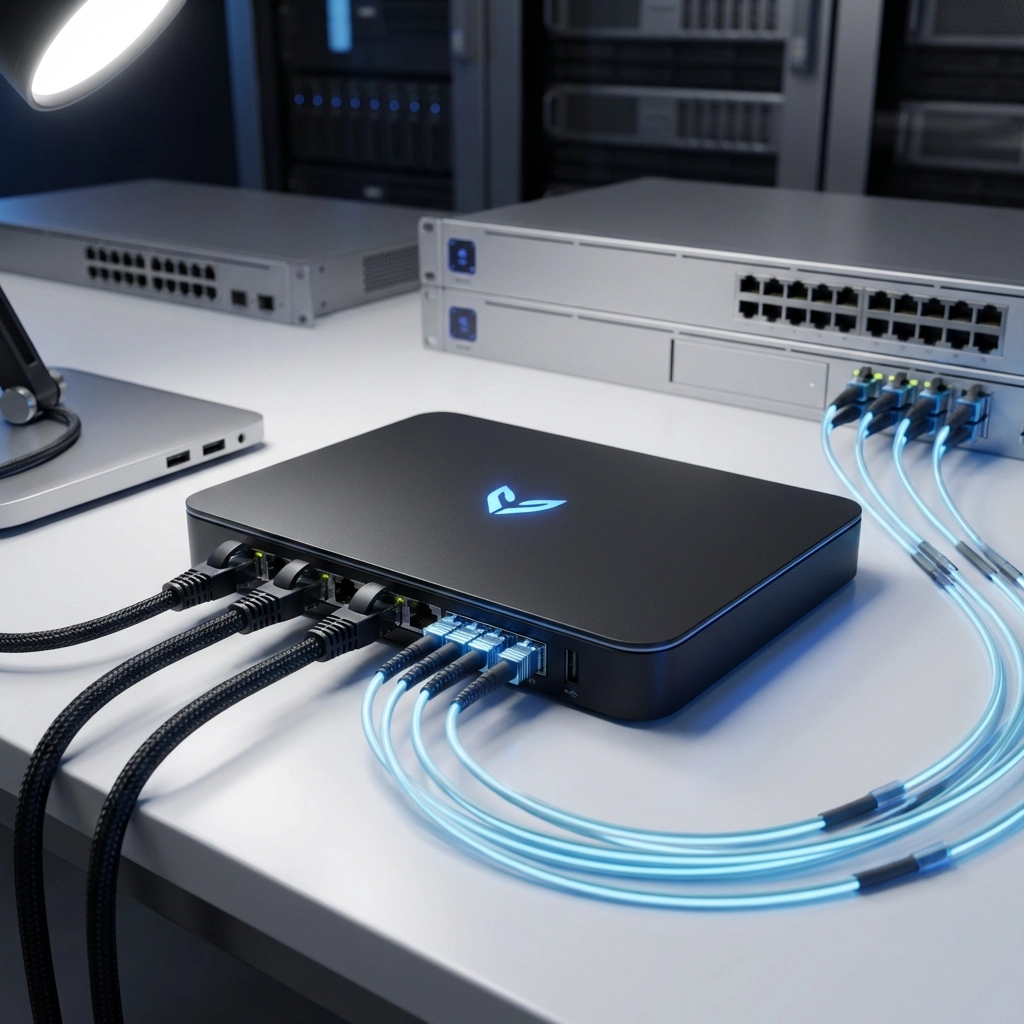
image_2

Integrated WiFi Solutions for Business Environments

Every Comcast Business Internet plan includes basic WiFi connectivity, with an optional WiFi Pro upgrade that creates separate network environments for customer and business use. This feature proves invaluable for Blaine businesses in hospitality, retail, or service industries where guest internet access is expected.

The WiFi Pro upgrade allows you to maintain secure internal network access for business operations while providing customers with convenient internet access that doesn't compromise your data security. This separation is particularly important for businesses handling sensitive information or payment processing.

For comprehensive network security and management, Premier Business Team offers cybersecurity solutions for businesses in Bellingham that integrate seamlessly with your Comcast Business infrastructure.

24/7 Support and Service Guarantees

Comcast Business understands that internet downtime directly impacts revenue and customer relationships. Their 24/7 technical support ensures issues are addressed promptly, regardless of when they occur. This around-the-clock availability is crucial for Blaine businesses serving customers across different time zones or operating extended hours.

The service includes a 30-day money-back guarantee, allowing businesses to test the connection quality and performance before committing long-term. This risk-free trial period gives you confidence in your internet investment and ensures the service meets your specific operational requirements.

Enhancing Your Business Technology Stack

While reliable internet forms the foundation of modern business operations, integrating complementary technologies maximizes your infrastructure investment. Premier Business Team specializes in business IT firewall, switch, WiFi access point installation, ethernet wiring and demarc extension services that work seamlessly with your Comcast Business connection.

Consider pairing your high-speed internet with Google Workspace cloud email and drive services to create a comprehensive digital workplace that supports remote collaboration and data accessibility from any location.

image_3

Mobile Connectivity and WiFi Hotspot Access

Comcast Business Mobile extends your connectivity beyond the office with flexible data plans and access to millions of WiFi hotspots nationwide. For Blaine businesses with traveling employees or mobile operations, this service ensures consistent connectivity whether you're working locally or traveling across the country.

The extensive hotspot network proves particularly valuable for businesses participating in trade shows, making client visits, or supporting field operations that require reliable internet access outside traditional office environments.

Planning for Future Growth and Technology Integration

As artificial intelligence and cloud-based applications become increasingly central to business operations, your internet infrastructure must support these evolving demands. Comcast Business Fiber provides the bandwidth headroom necessary for implementing AI tools, advanced analytics platforms, and sophisticated cloud applications without performance degradation.

For businesses considering AI integration and bandwidth upgrades, Comcast Business offers the scalability to grow your connection as technology requirements evolve.

Frequently Asked Questions

Q: How quickly can Comcast Business Internet be installed in Blaine, WA?
A: Installation timelines vary based on location and existing infrastructure, but most businesses can expect service activation within 7-14 business days after order confirmation.

Q: Does Comcast Business Internet include static IP addresses?
A: Yes, Comcast Business plans can include static IP addresses, which are essential for businesses hosting servers, using VPN connections, or requiring consistent remote access capabilities.

Q: Can I upgrade my plan if my business bandwidth needs increase?
A: Absolutely. Comcast Business offers flexible upgrade paths, allowing you to scale your internet speeds as your business grows without service interruption.

Q: What happens if my internet service experiences an outage?
A: Comcast Business provides 24/7 technical support and typically resolves service issues quickly. For businesses requiring additional redundancy, consider discussing backup connectivity options with Premier Business Team.

Q: Is Comcast Business Internet compatible with existing business phone systems?
A: Yes, Comcast Business Internet works with most VoIP phone systems and traditional business communication tools. Premier Business Team can help ensure seamless integration with your current technology stack.

Ready to Upgrade Your Blaine Business Internet?

Comcast Business Fiber represents a significant opportunity for Blaine businesses to eliminate connectivity limitations and unlock new possibilities for growth and efficiency. With 99% availability throughout the area and plans designed to scale with your needs, the question isn't whether you can afford to upgrade: it's whether you can afford not to.

Premier Business Team helps Blaine businesses navigate technology decisions and implement comprehensive solutions that work together seamlessly. Our expertise in business internet, cybersecurity, and integrated technology systems ensures your Comcast Business connection delivers maximum value for your investment.

Contact Premier Business Team today at 360-946-2626 to discuss your Comcast Business Fiber options and discover how the right internet infrastructure can transform your business operations. For immediate Comcast Business pricing and plan availability at your specific Blaine address, you can also reach Comcast Business directly at (800) 391-3000, with agents available 24/7.

Don't let inadequate internet hold your business back. Take the first step toward enterprise-grade connectivity that supports your growth ambitions and operational excellence.

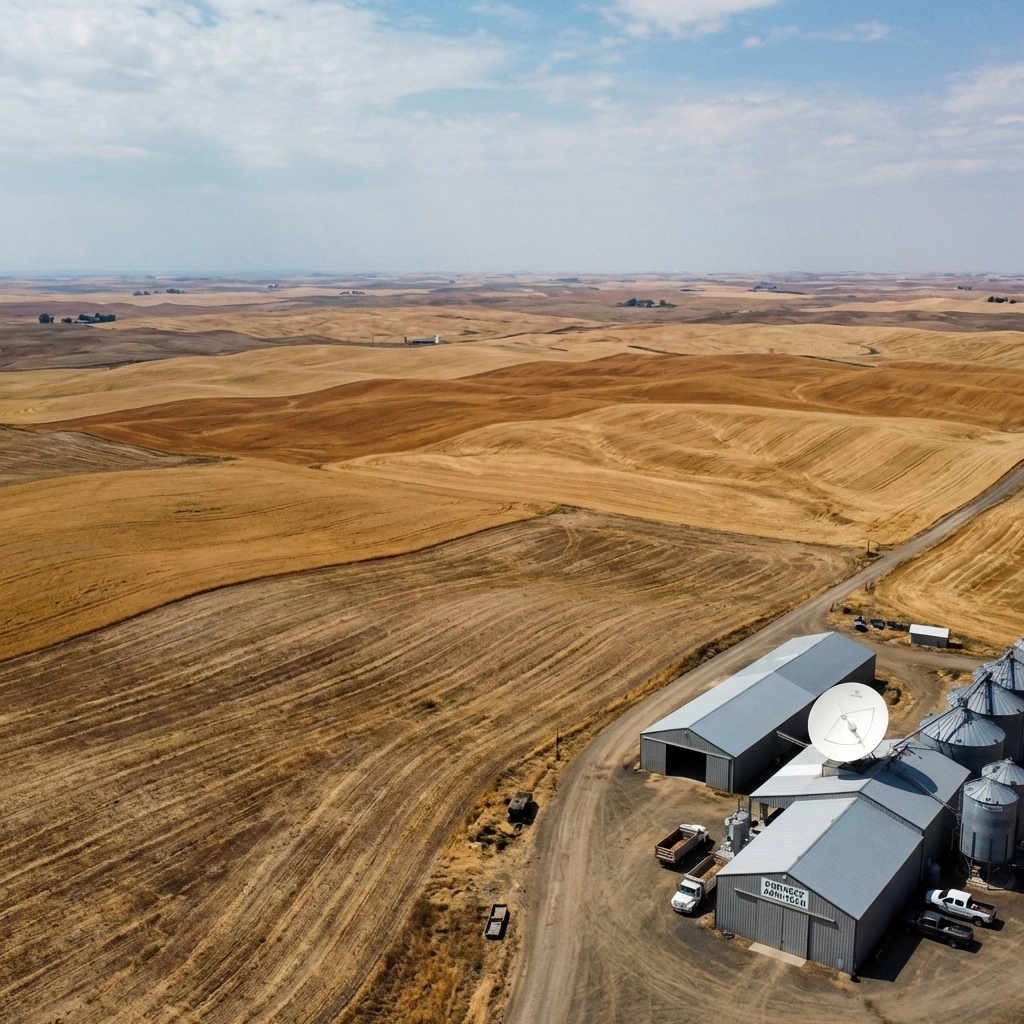
Amazon Leo Business Internet Service in Spokane, WA | Rural Edge & Urban Backup

premierbusiness · January 18, 2026 ·

Spokane businesses are getting a game-changing internet solution that finally addresses the connectivity gap between rural operations and urban reliability demands. Amazon Leo Business Internet Service is arriving in the Spokane area, bringing satellite-powered broadband that works where traditional infrastructure falls short and serves as enterprise-grade backup for city-based operations.

Whether your business operates in downtown Spokane's commercial district or manages remote facilities in the surrounding Palouse region, Amazon Leo's low Earth orbit satellite network delivers the consistent, high-speed connectivity that modern businesses require.

What Makes Amazon Leo Different for Spokane Businesses

Amazon Leo operates through a constellation of over 3,000 satellites positioned in low Earth orbit, dramatically reducing the latency issues that have historically plagued satellite internet services. Unlike traditional geostationary satellites that orbit 22,000 miles above Earth, Leo satellites operate just 340-370 miles up, cutting signal travel time and delivering near-terrestrial internet performance.

image_1

For Spokane's diverse business landscape, from healthcare facilities in the South Hill to manufacturing operations in the Spokane Valley, this means reliable connectivity that supports real-time applications, video conferencing, and data-intensive operations that were previously impossible with conventional satellite internet.

The service addresses two critical needs in the Spokane market: providing primary internet access to businesses in rural areas where fiber and cable infrastructure don't reach, and offering enterprise-grade backup connectivity for urban businesses that can't afford downtime.

Performance Specifications That Meet Business Demands

Amazon Leo offers tiered service levels designed to match different business requirements and budgets in the Spokane area:

Leo Pro Terminal: Delivers download speeds up to 400 Mbps with improved upload performance compared to traditional satellite services. This tier works well for small to medium businesses, retail locations, and remote offices that need reliable connectivity for daily operations.

Leo Ultra Terminal: The enterprise-grade solution provides download speeds up to 1 gigabit per second, matching or exceeding many traditional fiber connections. This high-performance tier supports large enterprises, healthcare facilities, and businesses with demanding bandwidth requirements.

Both service tiers offer significantly lower latency than traditional satellite internet, making them suitable for real-time applications like VoIP phone systems, video conferencing, and cloud-based business applications.

Rural Spokane County: Finally Connected

Businesses operating in rural areas around Spokane, including agricultural operations in the Palouse, mining facilities, and remote service locations, have long struggled with limited connectivity options. Amazon Leo changes this dynamic by providing high-speed internet access regardless of ground-based infrastructure availability.

image_2

Rural applications where Leo excels include:

  • Agricultural operations: Real-time monitoring of irrigation systems, livestock tracking, and crop management software
  • Remote retail locations: Reliable point-of-sale systems and inventory management in areas previously served only by unreliable cellular connections
  • Field service operations: Teams can access customer databases, submit reports, and process payments from any location
  • Remote healthcare facilities: Telemedicine consultations and electronic health record access in underserved rural areas

Urban Spokane: Enterprise-Grade Backup Solution

Downtown Spokane businesses and facilities throughout the metro area benefit from Leo as a premium backup internet solution. When primary fiber or cable connections experience outages, Leo automatically provides seamless failover connectivity.

This redundancy proves especially valuable for:

  • Healthcare facilities: Hospitals and clinics require uninterrupted connectivity for electronic health records and critical care systems
  • Financial services: Banks and credit unions need constant connectivity for transaction processing and regulatory compliance
  • Manufacturing and logistics: Production facilities can't afford connectivity disruptions that halt operations or delay shipments
  • Retail operations: Modern point-of-sale systems, inventory management, and customer service platforms require constant internet access

Industry-Specific Applications in Spokane

Healthcare and Medical Services: Spokane's healthcare sector, including facilities like Providence Sacred Heart Medical Center and Deaconess Hospital, can leverage Leo for reliable telemedicine capabilities, especially when serving rural patients. The low-latency connection supports real-time consultation and remote monitoring applications.

Manufacturing and Industrial: The Spokane Valley's manufacturing base benefits from Leo's ability to support IoT devices, remote monitoring systems, and real-time production data analysis. Operations that previously struggled with connectivity limitations can now implement modern industrial automation systems.

Retail and Hospitality: Spokane's tourism and retail sectors can use Leo to ensure reliable payment processing, inventory management, and customer Wi-Fi services, particularly important for businesses in areas where traditional internet service may be inconsistent.

image_3

Professional Installation and Local Support

Amazon Leo installation services are already available in the Spokane area through certified professional installers who understand local geographic and regulatory requirements. The installation process typically involves mounting a satellite terminal at your business location with clear sky access and connecting it to your existing network infrastructure.

Professional installation ensures optimal signal reception and proper integration with existing business systems. Installers also provide training on system monitoring and basic troubleshooting to minimize service disruptions.

While Leo service is currently listed as "coming soon" for broader Spokane area availability, businesses can already begin the consultation and planning process to ensure rapid deployment once full service launches.

Integration with Existing Business Systems

Amazon Leo integrates seamlessly with existing business network infrastructure, supporting:

  • Cloud phone systems: Perfect complement to cloud phone systems that require reliable internet connectivity
  • Business IT networks: Works with existing firewall and network security systems
  • Remote work capabilities: Supports distributed teams and remote office connectivity
  • Backup and disaster recovery: Provides alternative connectivity path for business continuity planning

Frequently Asked Questions About Amazon Leo in Spokane

Q: What's the difference between Leo and traditional satellite internet for businesses?

A: Leo uses low Earth orbit satellites that are much closer to Earth (340 miles vs 22,000+ miles), resulting in significantly lower latency and faster response times. This makes Leo suitable for real-time business applications that don't work well with traditional satellite internet.

Q: How quickly can Leo be installed for Spokane businesses?

A: Professional installation typically takes 2-4 hours once equipment is available. The main requirement is a clear view of the sky for the satellite terminal. Current installations are available through local certified installers, with broader service availability expanding throughout 2026.

Q: Can Leo handle multiple users and devices simultaneously?

A: Yes, Leo terminals support multiple concurrent users and devices, making them suitable for business environments. The Leo Ultra terminal can handle enterprise-level usage with its gigabit speeds.

Q: What happens during severe weather in Spokane?

A: Leo's low Earth orbit constellation provides better weather resilience than traditional satellite services. Multiple satellites are always visible, and the system can switch between satellites automatically. While heavy snow or storms may cause brief interruptions, service typically remains more stable than traditional satellite internet.

Q: Is Leo suitable as a primary business internet connection?

A: Absolutely. For rural businesses in the Spokane area, Leo often provides faster and more reliable connectivity than available ground-based alternatives. For urban businesses, it works excellently as either primary service or enterprise-grade backup.

Q: How does pricing compare to traditional business internet in Spokane?

A: Leo pricing is competitive with enterprise-grade internet services, especially when considering the reliability and availability advantages. Exact pricing varies by service tier and installation requirements.

Getting Started with Amazon Leo in Spokane

Ready to explore how Amazon Leo can solve your Spokane business connectivity challenges? Whether you need primary internet service for rural operations or reliable backup connectivity for urban facilities, Leo offers solutions tailored to your specific requirements.

cybersecurity solutions and network infrastructure planning work hand-in-hand with reliable internet connectivity to create comprehensive business technology solutions.

Ready to upgrade your Spokane business connectivity with Amazon Leo satellite internet? Contact Premier Business Team today at (360) 946-2626 for a consultation on how Leo can enhance your business operations, whether you need rural connectivity solutions or urban backup systems. Our certified professionals will assess your specific requirements and design the perfect Leo implementation for your Spokane business.

Contact Center Technologies Explained in Under 3 Minutes: Do You Really Need Five9 or Ujet?

premierbusiness · January 18, 2026 ·

In 2026, choosing the right contact center platform can make or break your customer service operations. With remote work becoming the norm and customer expectations at an all-time high, businesses are scrambling to find the perfect balance between functionality, cost, and ease of use.

Two platforms consistently rise to the top of every comparison: Five9 and UJET. But here's the thing, they're designed for completely different business needs, and choosing the wrong one could cost you thousands in implementation time and lost productivity.

Let's cut through the marketing fluff and get straight to what matters: which platform actually fits your business.

Understanding Modern Contact Center Technology

Contact center platforms have evolved far beyond simple phone systems. Today's solutions are cloud-based powerhouses that integrate voice, chat, email, social media, and SMS into a unified workspace. These platforms use artificial intelligence to route calls intelligently, provide real-time analytics, and give agents instant access to customer history.

The shift to Contact Center as a Service (CCaaS) means you're no longer tied to expensive hardware or complex on-premise installations. Everything runs in the cloud, allowing for rapid scaling, remote work capabilities, and continuous feature updates without IT headaches.

image_1

Five9: The Enterprise Analytics Powerhouse

Five9 positions itself as the comprehensive solution for businesses that need deep customer insights and advanced reporting capabilities. Their platform excels in three key areas:

Unified Agent Workspace: Agents get contextual customer data from multiple sources in a single interface. When a customer calls, agents immediately see purchase history, previous interactions, and relevant account details without switching between applications.

Real-Time Analytics: Five9's reporting engine operates with sub-second latency, providing managers with immediate insights into call volumes, agent performance, and customer satisfaction metrics. This real-time visibility enables quick adjustments to staffing and processes.

Advanced Features: The platform includes sophisticated capabilities like real-time transcription, predictive dialing, and workforce optimization tools that help larger organizations manage complex contact center operations.

However, Five9's robust feature set comes with complexity. The learning curve is steeper, implementation takes longer, and the price point reflects its enterprise focus.

UJET: The User-Friendly Alternative

UJET takes a different approach, prioritizing simplicity and intelligent automation over feature complexity. Their platform stands out for:

Intuitive Interface: With a user-friendliness score of 9.7 compared to Five9's 8.4, UJET's interface requires minimal training. Agents can navigate the system efficiently from day one, reducing onboarding time and improving productivity.

AI-Powered Routing: UJET's artificial intelligence learns from call outcomes, continuously improving how it routes customers to the most appropriate agents. This self-optimizing system reduces customer wait times and improves first-call resolution rates.

Streamlined Workflows: The platform eliminates unnecessary clicks and simplifies common tasks, allowing agents to focus on customer interactions rather than navigating complex software.

UJET's approach appeals to businesses that want powerful contact center capabilities without the operational overhead of more complex platforms.

image_2

The Direct Comparison: What Really Matters

When comparing these platforms, four factors typically determine the best choice for your business:

Pricing Structure

The cost difference is significant and immediate. UJET starts at $29 per user per month, while Five9 begins at $169 per user per month. For a 20-agent contact center, you're looking at $580 monthly with UJET versus $3,380 with Five9, a difference of over $33,000 annually.

However, pricing transparency varies. UJET's bundled packages can make total cost calculations challenging, while Five9's pricing is more straightforward but consistently higher.

Ease of Implementation

UJET wins on implementation simplicity. Users consistently report faster deployment times and easier agent adoption. Five9's comprehensive features require more extensive setup and training, potentially delaying your go-live date.

Reliability and Performance

Both platforms maintain strong uptime records, but user feedback reveals different strengths. UJET shows slightly higher reliability scores (0.37 vs 0.2), though some users report occasional network connection and audio issues. Five9 users cite fewer technical glitches but note that SMS functionality isn't fully integrated with voice components.

Scalability Considerations

Five9's architecture better supports large, complex organizations with multiple departments and sophisticated reporting needs. UJET excels for smaller to mid-size teams that need powerful features without enterprise-level complexity.

image_3

When to Choose Each Platform

Choose UJET if:

  • Your team values simplicity and quick adoption
  • Budget constraints are a primary concern
  • You need AI-powered call routing without complex setup
  • Your contact center has fewer than 100 agents
  • Quick implementation is essential

Choose Five9 if:

  • Advanced analytics and reporting are business-critical
  • You need extensive integration with CRM and business systems
  • Your organization has complex workflow requirements
  • Budget allows for higher per-seat costs
  • You have dedicated IT resources for implementation

The decision often comes down to whether you prioritize ease of use and cost-effectiveness (UJET) or comprehensive features and analytics capabilities (Five9).

Making the Right Choice for Your Business

Before committing to either platform, consider your current business communication needs and growth projections. Many businesses underestimate the total cost of ownership, which includes training time, implementation complexity, and ongoing administrative requirements.

Start with a clear assessment of your must-have features versus nice-to-have capabilities. If your team struggles with complex software or you're operating on a tight timeline, UJET's simplicity might outweigh Five9's advanced features.

For businesses requiring sophisticated reporting or managing high call volumes with complex routing needs, Five9's comprehensive approach justifies the higher investment.

image_4

Frequently Asked Questions

Q: Can these platforms integrate with existing business phone systems?
A: Both UJET and Five9 are cloud-based solutions that can integrate with most modern business phone systems and CRM platforms. However, Five9 offers more extensive integration options for enterprise applications.

Q: What happens if we outgrow our chosen platform?
A: Both platforms offer scalable pricing models. UJET is easier to scale up quickly, while Five9 provides more sophisticated features as your needs become more complex.

Q: Do these platforms support remote agents?
A: Yes, both are cloud-based solutions designed for remote work. Agents can work from anywhere with a reliable internet connection.

Q: How long does implementation typically take?
A: UJET implementations often complete within 2-4 weeks, while Five9 implementations can take 6-12 weeks depending on complexity and customization requirements.

Q: What kind of customer support do these platforms provide?
A: Both offer 24/7 technical support, though Five9 typically provides more comprehensive onboarding assistance due to their platform's complexity.

Ready to Transform Your Contact Center?

Choosing between Five9 and UJET doesn't have to be overwhelming. The key is understanding your specific business requirements and matching them to the platform that delivers the best combination of features, usability, and cost-effectiveness.

At Premier Business Team, we help businesses navigate complex technology decisions like this every day. Our team can assess your current contact center needs, evaluate your budget constraints, and recommend the solution that best fits your organization's goals.

Don't let analysis paralysis delay your contact center modernization. Schedule a consultation with our telecommunications experts today, and we'll help you make the right choice for your business's future.

POTS Lines Are Officially Dead in 2026: Your 5-Step Emergency Phone Replacement Guide Before It's Too Late

premierbusiness · January 18, 2026 ·

The writing is on the wall: Plain Old Telephone Service (POTS) lines are facing their final countdown, and 2026 marks the point of no return for most businesses. While the complete phase-out extends through 2029, June 2026 is when AT&T begins decommissioning copper facilities in approximately 500 wire centers, representing 10% of their entire footprint.

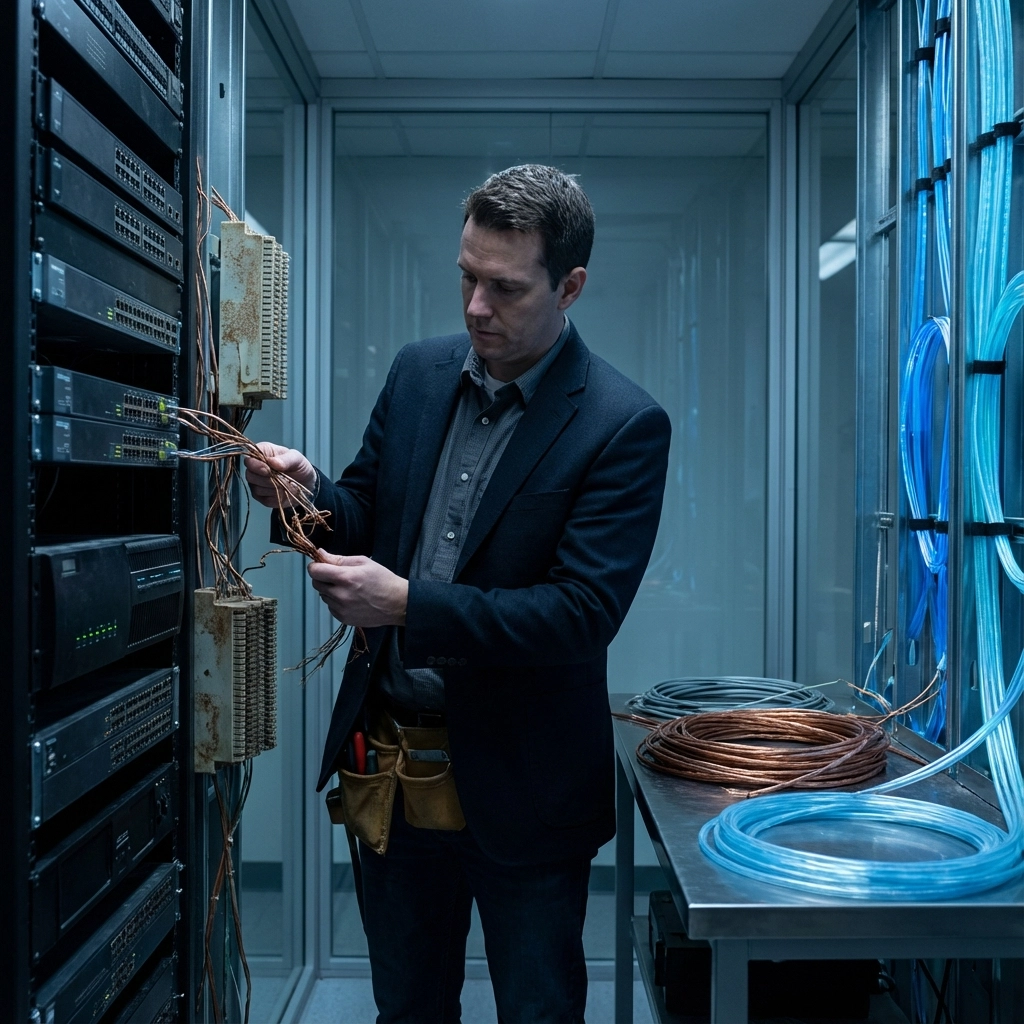
If your business still relies on traditional copper phone lines for critical systems like fire alarms, elevators, security panels, or fax machines, you're operating on borrowed time. The carriers have already stopped accepting new orders in 19 states as of October 2025, repair services are being deprioritized, and monthly POTS rates have skyrocketed by 200-400% in many regions.

This isn't just about upgrading your phone system, it's about ensuring business continuity when the copper network your operations depend on simply stops working.

Why 2026 Is the Critical Deadline

The telecommunications industry's copper retirement isn't happening overnight, but 2026 represents several critical milestones that make it the effective "death date" for POTS reliability:

New Service Cutoff: Major carriers including AT&T, Verizon, and CenturyLink have already filed retirement notices with the FCC. No new POTS installations, moves, or changes are being accepted in most markets.

Infrastructure Deterioration: With carriers actively discouraging POTS usage through pricing and reduced support, the physical copper infrastructure is deteriorating rapidly. Repair times that once took hours now stretch into days or weeks.

Regulatory Approval: The FCC's 2019 ruling gives providers the ability to retire these services without offering direct replacements, meaning there's no safety net for businesses that wait too long.

Cost Explosion: Monthly POTS line costs have increased dramatically, from $40-60 per line to $150-250 per line in many markets, making traditional copper economically unsustainable even before the shutdown.

image_1

Your 5-Step Emergency POTS Replacement Plan

Step 1: Audit All Copper-Dependent Systems (Immediate Action Required)

Don't just count your phone lines, identify every system in your business that connects to the copper network. Many business owners are shocked to discover how many critical systems still depend on POTS connectivity:

  • Fire alarm monitoring systems
  • Elevator emergency phones
  • Security alarm panels
  • Point-of-sale (POS) credit card processing
  • Fax machines and medical equipment
  • Door access control systems
  • HVAC monitoring and control

Create a comprehensive inventory with installation dates, vendor information, and current functionality. This audit will determine your replacement priorities and budget requirements.

Action Item: Contact each system vendor to understand their POTS replacement options and compatibility requirements.

Step 2: Evaluate Your Network Infrastructure

Modern POTS replacement solutions require reliable internet connectivity, something many businesses take for granted until they need guaranteed uptime for critical systems.

Assess your current internet setup:

  • Bandwidth capacity and consistency
  • Redundancy and backup connections
  • Quality of Service (QoS) capabilities
  • Network security and firewall configuration

Most POTS replacement solutions require dedicated bandwidth and low-latency connections. If your current internet service struggles during peak usage, adding voice and alarm systems to the same connection will create reliability problems.

Pro Tip: Consider upgrading to dedicated business internet with Service Level Agreements (SLAs) that guarantee uptime for critical communications.

Step 3: Choose Your Replacement Technology

Not all POTS replacements are created equal. Your choice depends on the specific systems you need to support and your reliability requirements.

Primary Options:

VoIP/UCaaS Systems: Best for office phone systems and general business communications. Modern IP phone systems offer advanced features like auto-attendants, call routing, and mobile integration while maintaining reliability.

Cellular-Based Solutions: Ideal for alarm systems, elevators, and remote monitoring where internet connectivity isn't guaranteed. LTE and 5G cellular modems can replace POTS lines for most monitoring applications.

Fiber-Based Analog Adapters: Specialized devices that convert analog signals to digital transmission over fiber networks. Often required for older fire alarm and security systems that can't be upgraded.

Hybrid Solutions: Combining multiple technologies for maximum reliability. For example, using VoIP for office communications while maintaining cellular connections for life safety systems.

image_2

Step 4: Plan Your Migration Timeline

Q1 2026 (January-March): Complete system audits and vendor consultations. Lock in pricing and installation schedules with providers before the June 2026 rush begins.

Q2 2026 (April-June): Begin installations for non-critical systems. Test new solutions thoroughly while POTS backup is still available.

Q3 2026 (July-September): Complete critical system migrations. This gives you a buffer before widespread copper facility shutdowns begin.

Q4 2026 (October-December): Finalize all transitions and cancel remaining POTS services to avoid ongoing monthly charges.

Critical Timing Note: Many specialized alarm and elevator phone replacements require 60-90 days for ordering, shipping, and installation. Starting this process in late 2026 may leave you without service when copper facilities shut down.

Step 5: Test Everything Before You Disconnect

The biggest mistake businesses make is assuming their POTS replacements will work identically to their old copper lines. Different technologies have different characteristics, and thorough testing is essential.

Testing Checklist:

  • Alarm monitoring: Verify that signals reach monitoring centers reliably
  • Emergency systems: Test elevator phones and fire alarm communications during simulated emergencies
  • Fax transmissions: Ensure document clarity and transmission reliability
  • Credit card processing: Verify transaction speed and backup connectivity
  • Audio quality: Test call clarity and volume levels for all phone systems

Run parallel systems for at least 30 days before disconnecting POTS lines. This overlap period lets you identify and resolve issues while maintaining backup connectivity.

Common POTS Replacement Challenges and Solutions

Challenge: Legacy alarm systems that only work with specific voltage and signal characteristics of copper lines.

Solution: Specialized POTS replacement devices that emulate exact copper line characteristics. Companies like Comcast Business and AT&T offer certified solutions for most alarm system manufacturers.

Challenge: Elevator emergency phones that require dedicated copper connections for code compliance.

Solution: Cellular-based elevator phone systems that meet ASME A17.1 safety codes. These systems often provide better reliability than traditional copper connections.

Challenge: Multi-location businesses with different requirements at each site.

Solution: Hybrid approaches that use the most appropriate technology for each location's specific needs, managed through centralized network services.

Frequently Asked Questions

Q: Can I wait until my POTS lines actually stop working?
A: No. Once copper facilities are decommissioned in your area, there's no emergency restoration option. Additionally, repair services are already being deprioritized, meaning outages may not be fixed promptly even before the official shutdown.

Q: Will POTS replacement solutions work during power outages?
A: This depends on your setup. Traditional POTS lines receive power from the telephone company's central office, providing service during local power outages. VoIP systems require local power and internet connectivity. Cellular solutions typically include battery backup but have limited runtime.

Q: How much will POTS replacement cost compared to current copper lines?
A: With current POTS rate increases, many businesses find that modern replacement solutions cost less than inflated copper line pricing. VoIP solutions typically cost $20-40 per line monthly, while specialized alarm line replacements range from $30-80 per month depending on features and redundancy.

Q: Do I need to replace systems that rarely use their POTS connection?
A: Yes. Even systems that only use their phone connection for emergencies or monthly test signals need functioning replacement solutions. Fire safety and elevator codes require working emergency communications regardless of usage frequency.

Q: Can I handle this migration myself, or do I need professional help?
A: While simple phone system replacements might be manageable internally, critical safety systems typically require professional installation and certification. Many jurisdictions require licensed technicians for fire alarm and elevator phone installations.

Take Action Now: Before It's Too Late

The POTS phase-out isn't a distant threat: it's happening now, and 2026 will bring the most significant disruptions to businesses that haven't prepared. Every month you delay increases your risk of service interruption, emergency non-compliance, and expensive rush installations.

Don't wait until your critical systems fail to discover that replacement parts aren't available or installation schedules are booked months in advance. The businesses that act now will have their choice of solutions, pricing, and installation timeframes. Those who wait will face limited options and emergency pricing.

Ready to future-proof your business communications? Contact Premier Business Team today for a comprehensive assessment of your current systems and a customized migration plan that ensures continuous operation throughout the POTS transition. Our telecommunications experts understand the complexities of replacing legacy systems while maintaining compliance and reliability.

Schedule your free business technology assessment and take the first step toward POTS-independent operations. Your business continuity depends on the decisions you make today.

Looking For Office Phone Systems for Small Business? Here Are 10 Things You Should Know

premierbusiness · January 17, 2026 ·

Choosing the right office phone system for your small business isn't as simple as it used to be. Gone are the days when you'd just call the local phone company and have them install a few desk phones. Today, you're faced with acronyms like VoIP, UCaaS, PBX, and SIP, and dozens of providers all claiming to be the best fit for your business.

The good news? Modern business phone systems offer incredible flexibility, features, and cost savings compared to traditional setups. The challenge is knowing what to look for and which questions to ask before you commit.

Whether you're opening a new office, upgrading from an outdated system, or expanding to multiple locations, here are ten essential things every small business owner or office manager should know before selecting a new phone system in 2026.


1. Cloud-Based vs. On-Premise: Know the Difference

The first major decision you'll face is whether to go with a cloud-based phone system or an on-premise PBX setup.

On-premise PBX systems require physical hardware installed at your location. You own the equipment, manage maintenance, and handle upgrades yourself. While this gives you complete control, it also means higher upfront costs and ongoing IT responsibilities.

Cloud-based systems (also called hosted VoIP or UCaaS) run entirely through the internet. Your provider handles all the infrastructure, updates, and maintenance. You pay a predictable monthly fee, and your team can make calls from anywhere, desk phones, computers, or mobile devices.

For most small businesses in 2026, cloud phone systems offer significant advantages over traditional PBX, including lower costs, easier scaling, and built-in disaster recovery.

image_1


2. VoIP and UCaaS Are Now the Industry Standard

If you've been researching business phone systems, you've probably seen the terms VoIP (Voice over Internet Protocol) and UCaaS (Unified Communications as a Service) everywhere.

VoIP simply means your voice calls travel over the internet rather than traditional phone lines. This typically results in lower calling costs and better flexibility.

UCaaS takes VoIP a step further by bundling voice, video conferencing, team messaging, file sharing, and other collaboration tools into one platform. Instead of paying for separate services, you get everything in one integrated system.

Leading UCaaS providers include RingCentral, Nextiva, Zoom Phone, GoTo Connect, and 8×8. Each has strengths depending on your business size and needs. Check out our UCaaS and IP phone systems page for more details on how unified communications can transform your operations.


3. Pricing Models Vary Significantly

Phone system pricing can be confusing. Some providers offer flat-rate monthly plans while others charge per-user fees. Understanding the difference helps you budget accurately.

  • Flat-rate plans (typically $10–$50/month) work well for solopreneurs or very small teams with basic needs.
  • Per-user pricing (usually $20–$50 per user/month) scales with your team size and often includes more advanced features.

Don't forget to factor in potential costs for:

  • Hardware (desk phones, headsets)
  • Number porting fees
  • International calling
  • Add-on features like call recording or analytics
  • Installation and setup

Pro tip: Always ask about contract terms. Some providers lock you into multi-year agreements while others offer month-to-month flexibility.


4. Essential Features Every Small Business Needs

Modern business phone systems come loaded with features. While you don't need everything, certain capabilities are essential for professional operations:

Must-have features:

  • Auto-attendant (virtual receptionist)
  • Call forwarding and routing
  • Voicemail-to-email transcription
  • Hold music and call queues
  • Mobile and desktop apps
  • Local and toll-free number options

Nice-to-have features:

  • Video conferencing
  • Team messaging and chat
  • Call recording and analytics
  • CRM integration
  • AI-powered transcription
  • SMS/text messaging from your business number

Evaluate which features your team will actually use daily versus what sounds impressive on paper.

image_2


5. Integration Capabilities Can Make or Break Productivity

Your phone system shouldn't exist in a silo. The best platforms integrate seamlessly with the tools your team already uses.

Look for integrations with:

  • CRM platforms (Salesforce, HubSpot, Zoho)
  • Productivity suites (Google Workspace, Microsoft 365)
  • Help desk software (Zendesk, Freshdesk)
  • Project management tools (Slack, Microsoft Teams)
  • Automation platforms (Zapier, Make)

Strong integrations eliminate manual data entry, automatically log calls to customer records, and keep your team working efficiently without switching between apps.


6. Scalability Is Critical for Future Growth

Your business won't stay the same size forever. The phone system you choose today should grow with you tomorrow.

Ask potential providers:

  • How easy is it to add new users or phone lines?
  • Can I add locations without switching systems?
  • What happens if I need to scale down temporarily?
  • Are there different tier plans as my needs evolve?

Cloud-based UCaaS platforms generally offer the best scalability since adding users is often as simple as adjusting your subscription. On-premise systems may require additional hardware purchases and installation.


7. Security and Reliability Are Non-Negotiable

Your phone system carries sensitive business conversations and customer data. Security shouldn't be an afterthought.

Key security features to look for:

  • End-to-end encryption for calls
  • Secure data centers with redundancy
  • Multi-factor authentication
  • Role-based access controls
  • Compliance certifications (HIPAA, SOC 2, PCI-DSS if applicable)

Reliability matters just as much. Ask about uptime guarantees, most reputable providers offer 99.99% uptime SLAs. Also consider how the system handles internet outages. Does it offer automatic failover to mobile devices or backup connections?

For businesses handling sensitive data, pairing your phone system with robust cybersecurity solutions creates a more complete security posture.

image_3


8. Hardware Options: Desk Phones, Softphones, or Both?

One advantage of modern VoIP systems is flexibility in how your team actually makes and receives calls.

Your options include:

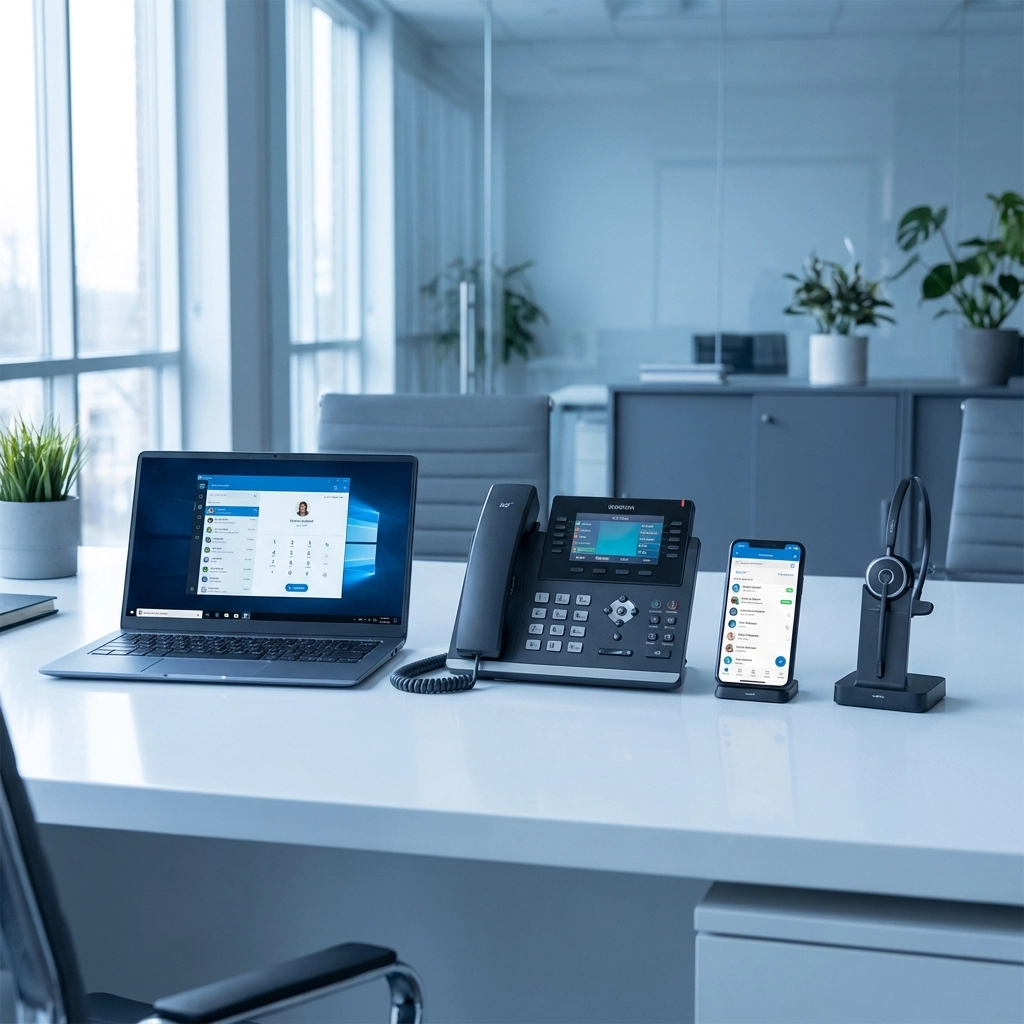
  • IP desk phones – Traditional handsets that connect via ethernet. Brands like Poly, Yealink, Cisco, and Grandstream range from $80 for basic models to $700+ for executive-level devices.
  • Softphones – Apps that turn computers and smartphones into fully functional business phones. No hardware required.
  • Hybrid setups – Many businesses use desk phones in the office and softphones for remote workers.

Most cloud phone systems support all three approaches, letting you mix and match based on each employee's role and preferences.


9. The Value of Vendor-Neutral Consulting

Here's something most phone system articles won't tell you: choosing between dozens of providers on your own is overwhelming, and you might not get the best deal.

Vendor-neutral technology advisors (like Premier Business Team) work with multiple carriers and UCaaS providers. Instead of being locked into selling one brand, we evaluate your specific needs and match you with the right solution from providers like RingCentral, Nextiva, GoTo, Zoom, 8×8, and others.

Benefits of working with an advisor:

  • Unbiased recommendations based on your business requirements
  • Access to competitive pricing and promotions
  • Single point of contact for quotes, implementation, and support
  • Time savings from not having to research every option yourself

Learn more about how vendor-neutral IT consulting can simplify your technology decisions.


10. Ongoing Support and Service Levels Matter

The sale doesn't end at installation. What happens when something goes wrong at 8 AM on a Monday and customers can't reach you?

Evaluate support quality by asking:

  • What are the support hours? Is 24/7 support available?
  • How do I reach support, phone, chat, email, ticket system?
  • What's the average response time for critical issues?
  • Is there a dedicated account manager for my business?
  • What do online reviews say about their customer service?

Providers like Nextiva consistently rank high for customer support, while some budget options may leave you waiting. For customer-facing businesses, reliable support can be the difference between a minor inconvenience and lost revenue.


Frequently Asked Questions

What is the best phone system for a small business in 2026?
The best system depends on your specific needs. Cloud-based UCaaS platforms like RingCentral, Nextiva, and GoTo Connect offer the best combination of features, flexibility, and value for most small businesses.

How much does a small business phone system cost?
Expect to pay $20–$50 per user per month for a quality cloud phone system. On-premise PBX setups have higher upfront costs ($500–$1,000+ per user) but lower ongoing fees.

Can I keep my existing business phone number?
Yes. Most providers support number porting, allowing you to transfer your existing numbers to the new system. The process typically takes 1–3 weeks.

Do I need special internet for VoIP phones?
VoIP requires a stable internet connection with sufficient bandwidth. Generally, you need about 100 Kbps per concurrent call. Most modern business internet connections handle VoIP without issues.

What's the difference between VoIP and UCaaS?
VoIP refers specifically to voice calls over the internet. UCaaS includes VoIP plus additional collaboration tools like video conferencing, team messaging, and file sharing in one unified platform.


Ready to Find the Right Phone System for Your Business?

Choosing an office phone system is a significant decision that impacts how your team communicates internally and how customers experience your business. With so many options available, it's easy to feel overwhelmed.

That's where Premier Business Team comes in. As vendor-neutral technology advisors, we help small businesses across industries find the perfect phone system: without the sales pressure of working directly with a single provider.

Contact Premier Business Team today for a free consultation. We'll assess your needs, compare options from top providers, and help you implement a solution that fits your budget and growth plans.

  • « Go to Previous Page
  • Page 1
  • Interim pages omitted …
  • Page 31
  • Page 32
  • Page 33
  • Page 34
  • Page 35
  • Interim pages omitted …
  • Page 78
  • Go to Next Page »

Get a no obligation quote for your business. Learn More

Proud Chamber Member

Bellingham Chamber Badge

Premier Business Team

Copyright © 2026 · Premier Business Team 2219 Rimland Dr. Suite 301 Bellingham, WA 98226 - 360-946-2626

  • Home
  • Business Internet
  • Business Phone
  • Blog
  • About Us
  • Contact Us
  • Business Quote
  • Engineering
  • Call: 360-946-2626