• Skip to primary navigation
  • Skip to main content
Premier Business Team

Premier Business Team

Your business connectivity and IT Team

  • Home
  • Business Internet
  • Business Phone
  • Blog
  • About Us
    • Our Featured Suppliers
  • Contact Us
  • Business Quote
    • Business Tech Assessment
  • Engineering
  • Call: 360-946-2626
  • Show Search
Hide Search

Blog Posts

5 Steps to Replace Your Elevator and Fire Suppression Phone Lines Before Copper Sunset (Easy Compliance Guide for Multi-Site Owners)

premierbusiness · February 15, 2026 ·

If you manage multiple buildings: whether it's retail locations, office parks, healthcare facilities, or industrial sites: there's a ticking clock you need to know about. AT&T has already received FCC approval to retire over 30% of its copper infrastructure, and by November 15, 2026, they'll begin disconnecting POTS (Plain Old Telephone Service) lines for approximately 90,000 customers across 18 states. By the end of 2029, copper services will be retired across the vast majority of AT&T's footprint.

Here's the problem: those copper lines aren't just supporting desk phones. They're powering your elevator emergency phones and fire alarm communication systems: the exact infrastructure that keeps your buildings compliant with NFPA 72, ASME A17.1, and local fire codes. If those lines go dark during an inspection, you're looking at failed compliance audits, fines, and potential liability issues.

The good news? You have time to get ahead of this: if you act now. Here's your 5-step roadmap to replace your elevator phone lines and fire suppression phone lines before the copper sunset catches you off guard.

Technician inspecting old copper telephone wiring in elevator machine room before POTS replacement

Step 1: Audit All Your Emergency Phone Lines (Yes, Even the Ones You Forgot About)

Most multi-site owners are sitting on more POTS lines than they realize. A recent audit of a national retail chain discovered 127 forgotten analog lines still billing at $50–$75/month per line. That's over $6,000/month in hidden costs: and every single one of those lines is at risk when copper gets shut down.

Here's how to find them all:

  • Pull your telecom invoices from the last 12 months. Look for line items labeled "POTS," "analog," "copper," or even just random 10-digit phone numbers you don't recognize.
  • Walk every property. Check elevator machine rooms, fire alarm control panels, and any equipment closets. Look for phone jacks connected to beige boxes or old-school punch-down blocks.
  • Talk to your elevator maintenance company. They often have records of which lines are connected to elevator cabs and emergency phones.
  • Check your fire alarm monitoring contract. Your alarm company should have a list of every phone line tied to fire panel reporting.

Create a spreadsheet with every line's phone number, location (building + room), purpose (elevator, fire alarm, door entry, etc.), and monthly cost. This is your baseline.

Step 2: Understand Compliance Requirements (So You Don't Fail Your Next Inspection)

Here's where a lot of people mess up: they assume any "phone line replacement" will work. It won't. Elevator phone line replacement and fire alarm phone line replacement have specific regulatory requirements that standard VoIP or cellular solutions might not meet.

Elevator Phone Lines (ASME A17.1)

Elevator emergency phones must provide two-way voice communication to an answering service or monitoring center. The line must be:

  • Available 24/7
  • Capable of connecting without dialing (auto-dial or push-to-talk)
  • Supervised (monitored for line failure)
  • Battery-backed in case of power outages

Fire Alarm Phone Lines (NFPA 72)

Fire alarm systems require a dedicated communication path to the central monitoring station. Key requirements:

  • Primary and secondary (backup) communication paths
  • Supervised transmission (the system knows if the line goes down)
  • Annual testing and documentation

Bottom line: You can't just swap a POTS line for a basic VoIP connection and call it a day. You need a solution that meets or exceeds these standards: and that means working with vendors who understand life safety compliance.
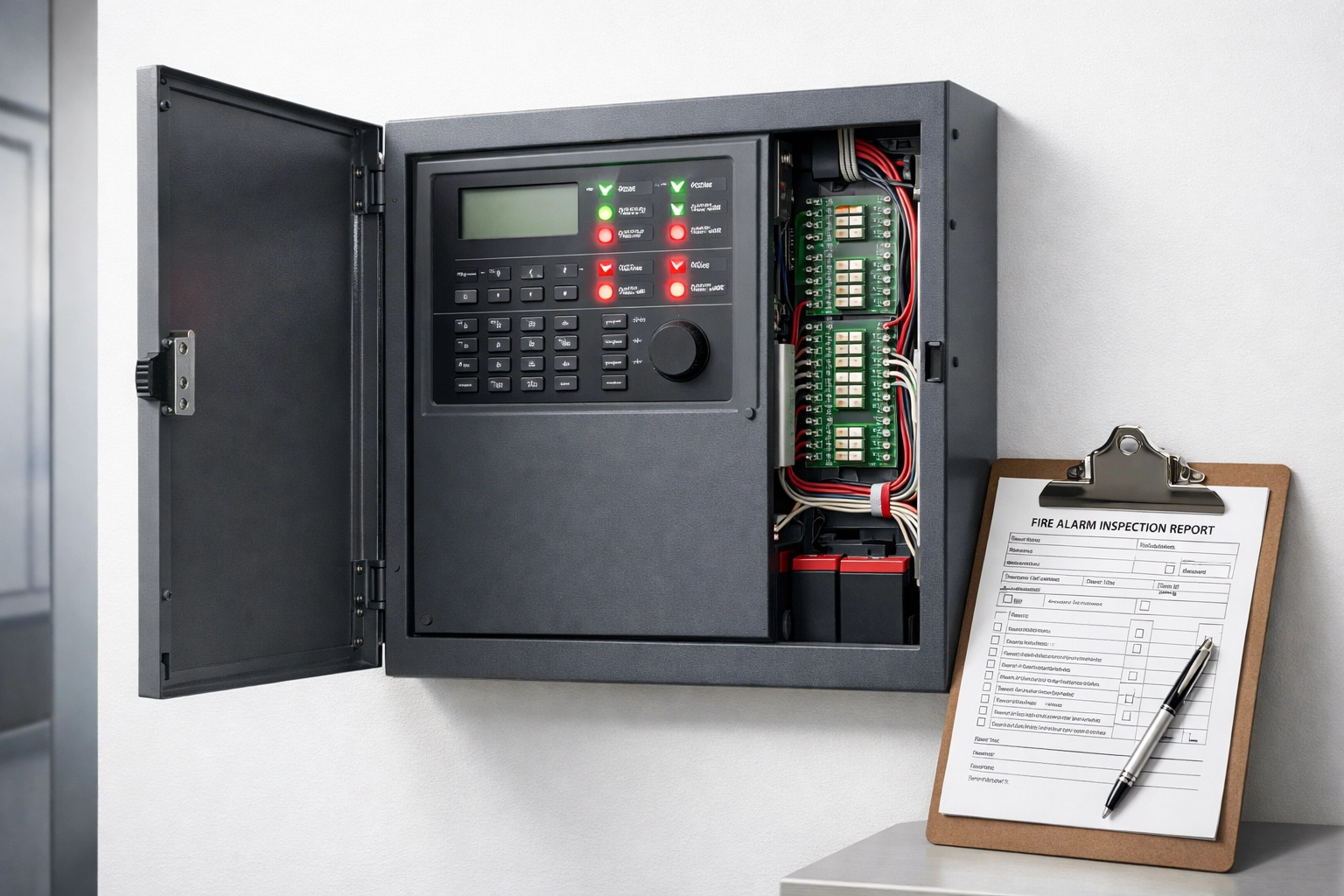
Fire alarm control panel with wiring and inspection documents showing NFPA 72 compliance requirements

Step 3: Choose the Right Replacement Technology (What Actually Works)

You've got three main options for replacing copper lines on elevators and fire systems. Each has pros, cons, and compliance considerations.

Option 1: Fiber-Based VoIP with Power Backup

If your building already has fiber internet, you can migrate to a managed VoIP solution that's designed for emergency services. Look for:

  • QoS (Quality of Service) to prioritize emergency calls
  • Battery backup on all network equipment (router, switch, VoIP ATA)
  • 24/7 monitoring and auto-failover
  • Compliance certification for ASME A17.1 and NFPA 72

Cost: $30–$60/month per line. Upfront equipment cost: $200–$500 per location.

Option 2: Fixed Wireless (LTE/5G)

AT&T and other carriers are offering fixed wireless as a POTS replacement. This uses cellular networks instead of copper.

Pros: No need for fiber. Works in remote locations.
Cons: Cellular coverage can be spotty in elevator machine rooms or basement fire panels. Battery backup is critical.

Cost: $50–$80/month per line.

Option 3: Dedicated Life Safety Networks (AES IntelliNet, RATH, Centrex)

If you have a large portfolio of buildings, consider a specialized life safety network designed specifically for elevators and fire alarms. These vendors provide:

  • FCC-approved analog emulation (so your existing equipment doesn't need to change)
  • Cellular + IP redundancy
  • Full compliance documentation and inspection support

Cost: $40–$70/month per line, but includes monitoring and compliance reporting.

Our recommendation for multi-site owners: Go with a hybrid approach: fiber VoIP where you have it, fixed wireless where you don't, and always spec battery backup and supervision.

Step 4: Test Before You Migrate (And Then Test Again)

This is the step that gets skipped: and it's the one that causes failures during inspections.

Once you've chosen your replacement technology, do not disconnect your copper lines until you've completed full end-to-end testing. Here's your testing checklist:

  • Call test: Pick up the elevator emergency phone or trigger the fire alarm. Does it connect to the monitoring center within 30 seconds?
  • Supervision test: Unplug the replacement device. Does the monitoring center get an alert within 5 minutes?
  • Power failure test: Kill power to the building (or just the telecom equipment). Does the battery backup keep the line active for at least 4 hours?
  • Audio quality test: Can you hear clearly? Is there latency or echo? (This matters for elevator emergency phones.)

Document every test with date, time, results, and the name of the person who performed it. Your local AHJ (Authority Having Jurisdiction) may ask for this during your next fire or elevator inspection.
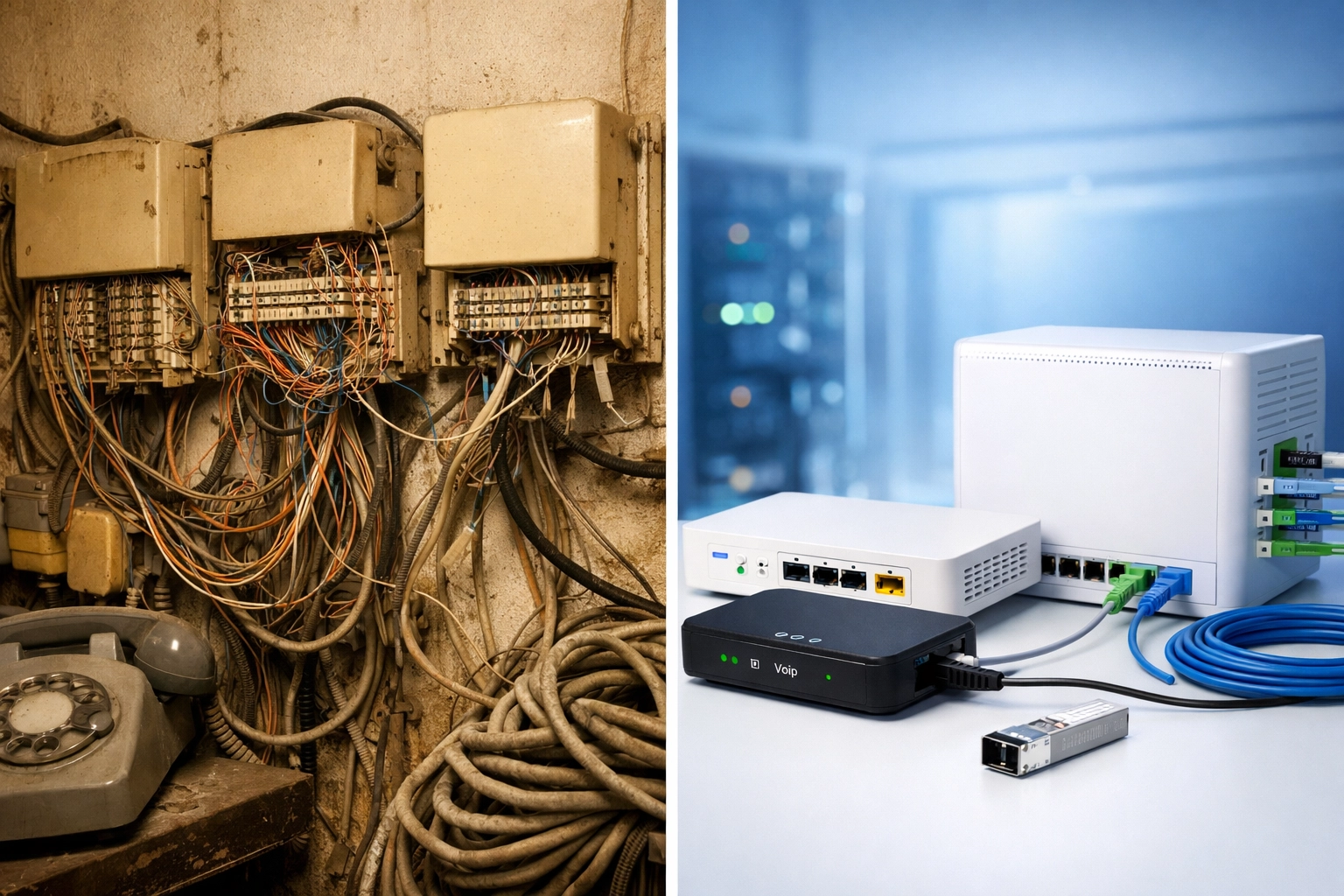
Old copper POTS equipment compared to modern VoIP adapters for elevator phone line replacement

Step 5: Document Everything for Inspections (So You're Not Scrambling Later)

Inspectors don't care that "it works." They care that you can prove it works: and that it meets code.

Create a compliance binder (digital or physical) for each building that includes:

  • Line inventory: Every emergency phone line, what it connects to, and the replacement technology used.
  • Test records: Dated logs showing successful call tests, supervision tests, and power failure tests.
  • Vendor certifications: Documentation from your POTS replacement vendor showing compliance with ASME A17.1, NFPA 72, or other relevant codes.
  • Monitoring agreements: Copies of your elevator monitoring or fire alarm monitoring contracts showing 24/7 coverage.
  • Equipment specs: Data sheets for VoIP adapters, cellular gateways, or battery backup systems.

When the inspector shows up, hand them the binder. You'll pass with flying colors.

Frequently Asked Questions (FAQ)

When is the copper sunset deadline?
AT&T begins disconnecting POTS lines on November 15, 2026, for select wire centers. Full copper retirement is expected by the end of 2029. Other carriers have similar timelines, so don't wait.

Can I use regular VoIP for elevator and fire alarm lines?
Not without modifications. Standard VoIP lacks the supervision, battery backup, and QoS required for life safety systems. You need a managed, life-safety-grade VoIP solution or a dedicated analog replacement service.

What happens if I don't replace my POTS lines?
Your carrier will either force you onto a more expensive "POTS preservation" service (often $150–$300/month per line) or disconnect the lines entirely. Either way, you're at risk for compliance failures and safety gaps.

How much does elevator phone line replacement cost?
Expect $30–$80/month per line depending on the technology, plus $200–$500 upfront for equipment. If you're managing 50+ buildings, a bulk contract can bring costs down significantly.

Do I need to replace fire alarm phone lines and elevator phone lines at the same time?
Not necessarily, but it makes sense to bundle the project. You'll save on vendor coordination, testing, and compliance documentation.

How long does the replacement process take?
For a single building, you can complete the migration in 1–2 weeks. For a multi-site portfolio, plan for 3–6 months to audit, test, and migrate everything. Start now if you want to beat the November 2026 deadline.


Don't Wait Until the Copper Gets Cut

The 2026 copper sunset isn't a "maybe": it's happening. And if you're managing multiple buildings with elevator phone lines or fire alarm phone lines, you need a plan before your carrier sends the disconnection notice.

The good news? You don't have to figure this out alone. Premier Business Team specializes in helping multi-site businesses navigate telecom transitions like this: from auditing hidden POTS lines to designing compliant, cost-effective replacement solutions. We handle the technical details, testing, and documentation so you can pass your next inspection without breaking a sweat.

Ready to future-proof your emergency communication systems? Contact Premier Business Team today for a free POTS line audit and compliance consultation. Let's get your buildings ready for 2026: and beyond.

Are You Wasting $500/Month on Hidden POTS Lines? The Multi-Location Audit That Found 127 Forgotten Analog Lines

premierbusiness · February 14, 2026 ·

You're paying for phone lines you didn't know existed. And you're not alone.

A recent telecommunications audit of a national retail chain with 43 locations uncovered something shocking: 127 active POTS (Plain Old Telephone Service) lines that nobody on the finance team knew they were paying for. The monthly bill? Just over $18,000 , or roughly $500+ per location.

These weren't customer-facing phone lines. They were the forgotten infrastructure powering elevator emergency phones, fire alarm panels, security systems, and fax machines that hadn't been used since 2019. In the age of cloud phone systems and fiber internet, these analog relics were silently draining the company's budget while providing zero operational value.

If your business operates multiple locations , whether you're managing auto dealerships, retail franchises, medical offices, or industrial facilities , there's a very real chance you're hemorrhaging money on hidden POTS lines right now.

Here's how it happens, what it costs, and how to fix it before Copper Sunset 2026 forces your hand.

The Anatomy of a $500/Month Mistake

Let's break down what happened during that 43-location audit. The retail chain assumed they had modernized their entire telecom infrastructure back in 2021. They'd migrated to a unified cloud phone system, consolidated internet circuits, and centralized IT management across all stores.

But nobody checked the back-of-house equipment.

Scattered telecom invoices and billing statements revealing hidden POTS line costs on office desk

When auditors pulled telecom invoices and cross-referenced them with physical site surveys, they found:

  • 47 elevator emergency phone lines ($4,700/month at $100/line)
  • 31 fire alarm monitoring lines ($3,100/month at $100/line)
  • 22 security system backup lines ($2,200/month at $100/line)
  • 18 legacy fax lines (inactive but still billed at $90/line = $1,620/month)
  • 9 forgotten "manager hotlines" from a discontinued promotion ($810/month)

Total monthly waste: $12,430. Annual waste: $149,160.

And those are 2023 rates. In 2026, with carriers accelerating Copper Sunset pricing, those same lines now average $120–$150 per month. Some businesses are seeing POTS line costs as high as $300–$600 per line depending on service area.

Why POTS Lines Hide in Plain Sight

Here's the thing: these lines aren't mistakes. They were installed for legitimate safety and compliance reasons. Fire codes require monitored alarm connections. Elevator regulations demand emergency communication systems. Security providers spec'd dedicated analog lines because they're "reliable."

The problem? Nobody owns them.

Your IT department doesn't manage fire alarms. Your facilities team doesn't track telecom bills. Your finance department just pays the invoices without questioning line-item charges for "misc. phone services" at locations 17, 23, and 34.

These lines exist in a no-man's-land between departments, locations, and vendors. They were installed by third-party contractors (elevator companies, alarm installers, security firms) who never communicated with your telecom team. And because they "just work," nobody thinks about them until an audit forces the issue.

Meanwhile, your telecom carrier is thrilled to keep billing you. Especially now that copper infrastructure is being decommissioned and POTS replacement pricing is skyrocketing.

The Copper Sunset 2026 Problem

If you haven't heard the term yet, you will: Copper Sunset 2026.

Major telecom carriers (AT&T, Verizon, Lumen, Frontier) are systematically retiring their legacy copper networks in favor of fiber and wireless infrastructure. This isn't optional , copper wire is expensive to maintain, technically obsolete, and unprofitable.

For businesses still using POTS lines, this means:

  • Dramatic price increases (some lines have jumped 200–400% since 2020)
  • Service discontinuation notices forcing emergency migrations
  • Regulatory compliance headaches when fire marshals or building inspectors ask why your alarm panel isn't communicating

The longer you wait to audit and replace these lines, the more expensive and chaotic the transition becomes.

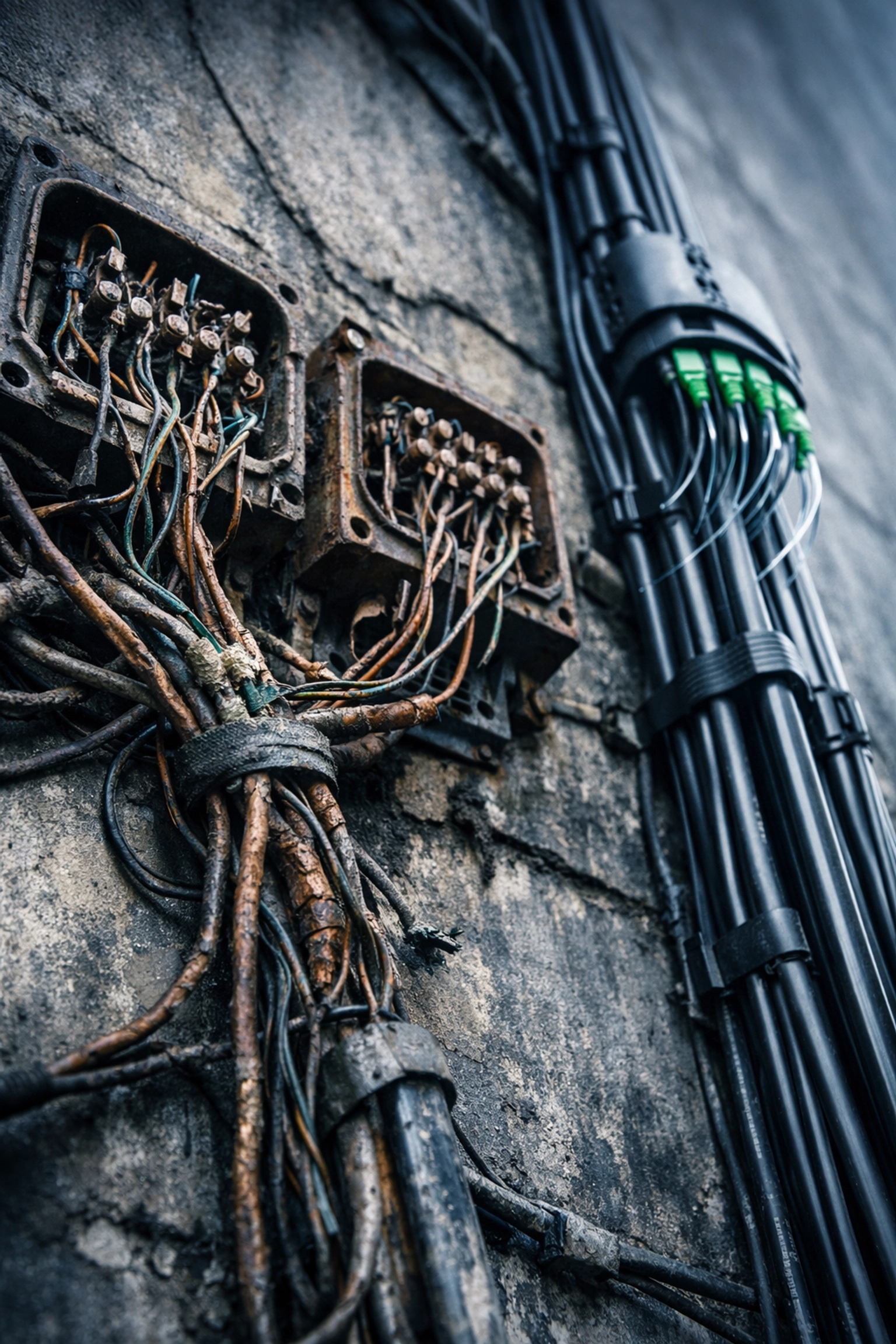
Old copper telephone wiring next to modern fiber optic cables showing POTS replacement transition

Where Hidden POTS Lines Are Hiding

If you manage multiple locations, here's where to look:

Elevator Emergency Phones
Every elevator is required by code to have an emergency communication device. Older systems use dedicated POTS lines. You're probably paying $100–$150/month per elevator.

Fire Alarm Monitoring Panels
Fire alarm systems must communicate with central monitoring stations. Many still use POTS lines instead of cellular or IP-based solutions.

Security System Backup Lines
Even if your main security system is IP-based, many installers spec'd a "backup" analog line "just in case." Those backups add up fast.

Fax Machines (Yes, Really)
Healthcare, legal, and finance industries often maintain fax capability for compliance reasons. Those standalone fax machines? Usually POTS lines nobody remembers authorizing.

Doorbell/Intercom Systems
Older commercial buildings use analog phone lines for entry systems and intercoms. They're often billed separately from your main telecom account.

Credit Card Terminals
Some legacy point-of-sale systems still use dial-up connections. Even if you've upgraded, the old line might still be active.

ATM Machines
If your business operates ATMs, they likely have dedicated phone lines for transaction processing and monitoring.

How to Conduct Your Own Multi-Location POTS Audit

You don't need to hire an expensive consultant. Here's how to do it yourself:

Step 1: Pull 12 Months of Telecom Invoices
Gather bills from every carrier and service provider. Include local phone companies, security monitoring services, and any vendor that might bill "communication fees."

Step 2: Identify Every Line-Item Charge
Look for terms like "POTS," "analog line," "copper circuit," "local service," or specific 10-digit phone numbers you don't recognize.

Step 3: Cross-Reference with Location Managers
Send your location managers a list of phone numbers and ask: "Do you know what this line does? Is it still needed?"

Step 4: Conduct Physical Site Surveys
Visit each location and physically trace lines. Check elevator machine rooms, alarm panels, back offices, and storage closets for active equipment.

Step 5: Test Disconnection
For non-critical lines (like old fax machines), request a temporary service suspension. If nobody complains in 30 days, cancel permanently.

Step 6: Map Replacement Options
For lines you do need (fire alarms, elevators), research modern alternatives like cellular backup, fiber-based alarm monitoring, or POTS replacement solutions.

The Modern POTS Replacement Strategy

Once you've identified your hidden lines, here's how to replace them without breaking compliance or safety regulations:

For Elevator Phones: Cellular-based emergency phone systems that meet ASME A17.1 code requirements. No copper line needed.

For Fire Alarms: IP-based or cellular fire alarm communicators approved by NFPA 72. Most modern panels support dual-path monitoring (cellular + internet).

For Security Systems: Transition to managed IP security with 4G/5G cellular backup. Faster alerts, better reliability, lower cost.

For Fax: Cloud fax services or eFax solutions that integrate with your existing business phone system infrastructure.

The key is working with a telecom partner who understands both the technical requirements and the compliance landscape. You can't just "rip and replace" , you need solutions that satisfy building codes, insurance requirements, and fire marshal inspections.

Frequently Asked Questions

How much do POTS lines actually cost in 2026?
POTS line pricing varies by carrier and location, but most businesses pay between $100–$300 per line per month. Some rural or hard-to-serve areas see rates as high as $600/line due to copper sunset surcharges.

Can I just disconnect old POTS lines without replacing them?
Not if they serve life-safety or compliance functions. Elevator emergency phones, fire alarm monitoring, and security systems often have regulatory requirements that mandate active communication paths. Always verify code requirements before disconnecting.

What happens if my carrier discontinues copper service?
You'll receive a service discontinuation notice (typically 6–12 months advance warning) and be forced to migrate to an alternative solution. Waiting until the last minute usually means higher costs and limited options.

Are cellular backup solutions reliable enough for fire alarms?
Yes. Modern cellular communicators meet NFPA 72 standards and often provide more reliable monitoring than aging copper infrastructure. Most fire marshals prefer dual-path monitoring (cellular + internet) over single-path POTS.

How long does a multi-location POTS audit typically take?
For a 20–50 location portfolio, expect 4–6 weeks for a thorough audit including invoice review, site surveys, and replacement planning. Larger portfolios may take 2–3 months.

Stop the Bleeding (And Start Saving)

Here's the bottom line: every month you delay auditing your POTS infrastructure, you're potentially wasting hundreds (or thousands) of dollars on forgotten analog lines that serve no business purpose.

The retail chain that discovered 127 hidden lines? They replaced them with modern cellular and IP-based solutions and cut their monthly telecom spend by $11,200. That's $134,400 in annual savings : money that went straight back to their bottom line.

Your business deserves the same financial clarity.

Premier Business Team specializes in multi-location telecom audits, POTS replacement strategies, and copper sunset migration planning. We'll help you identify every hidden line, map compliant replacement options, and execute a migration plan that protects your budget and satisfies regulatory requirements.

Don't wait until your carrier forces your hand. Contact Premier Business Team today and let's find out how much you're really spending on forgotten phone lines.

Because $500/month adds up fast : and you've got better things to do with that money than subsidize obsolete copper infrastructure.

POTS Replacement Secrets Revealed: Why Simply “Moving to VoIP” Will Fail Your Fire Alarm Inspection (and What Actually Works)

premierbusiness · February 13, 2026 ·

Here's the uncomfortable truth: if you're planning to replace your traditional POTS lines (Plain Old Telephone Service) with standard VoIP for your fire alarm or elevator emergency phone systems, you're about to fail your next inspection. Hard.

And with the 2026 copper sunset deadline rapidly approaching, thousands of facility managers, property owners, and compliance officers are making this exact mistake right now. They think switching to "any VoIP service" checks the POTS replacement box. It doesn't.

Let's break down why standard VoIP will get you red-tagged during inspection: and what actually passes NFPA 72 compliance.

The Problem: Standard VoIP Isn't Built for Life Safety Systems

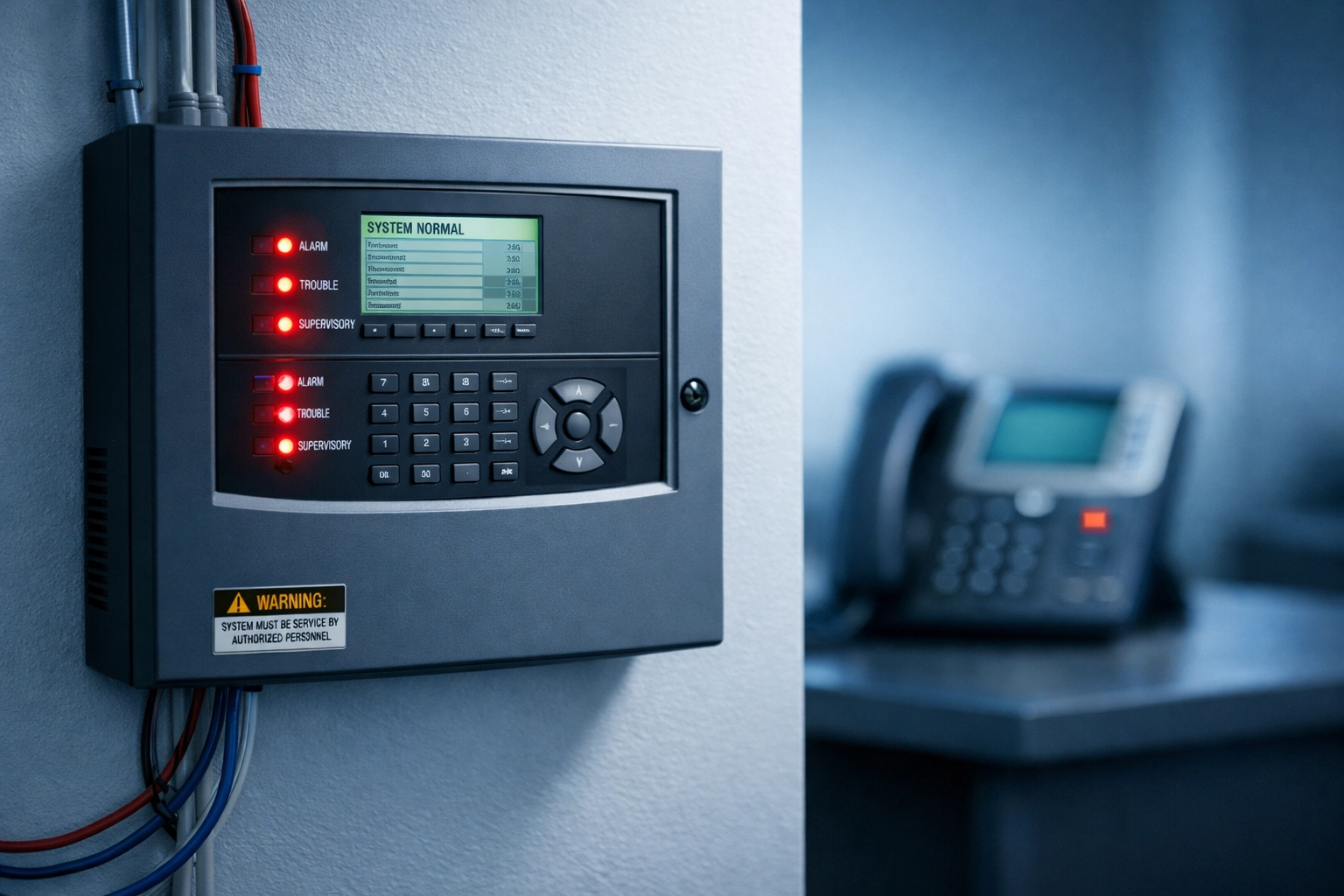
Commercial fire alarm control panel with LED indicators contrasted with standard VoIP phone

When AT&T, Verizon, and other carriers shut down their copper networks in 2026, millions of analog lines will go dark. Fire alarm panels, elevator phones, and security systems that have relied on POTS lines for decades suddenly need alternatives.

The knee-jerk reaction? "Let's just move everything to VoIP. It's cheaper and uses our existing internet connection."

Here's why that fails:

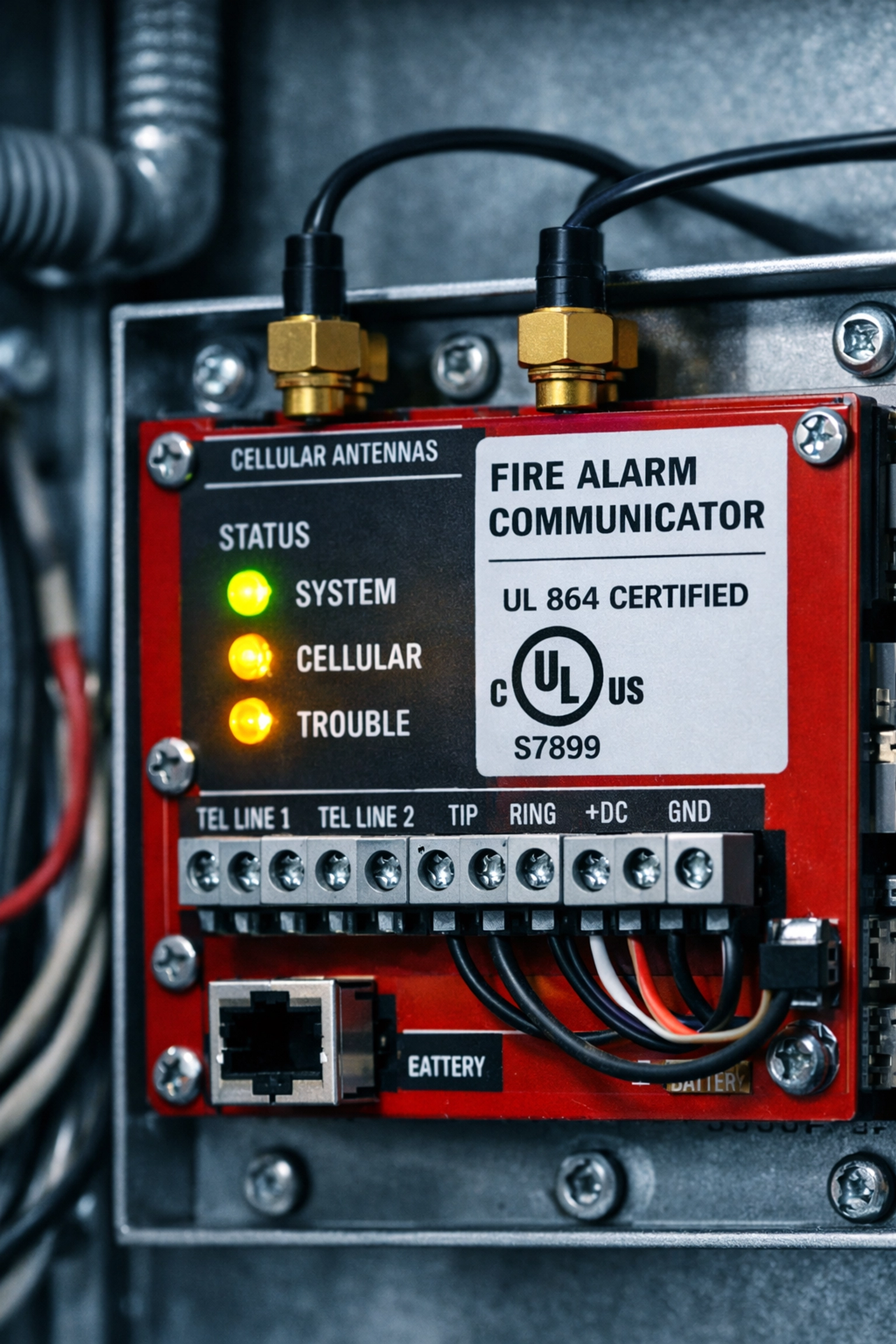
Standard VoIP services: like the ones powering your office desk phones: are designed for voice quality and cost savings. They prioritize call clarity and competitive pricing. Fire alarm systems, on the other hand, require UL 864-listed communicators that meet rigid performance standards set by NFPA 72 (National Fire Alarm and Signaling Code).

Your typical VoIP provider doesn't offer UL 864 certification because their infrastructure isn't built to meet the supervision intervals, redundancy, and uptime guarantees that life safety systems demand.

What Happens During an Emergency

Standard VoIP depends entirely on your internet connection. If your network goes down: due to a power outage, equipment failure, or even heavy bandwidth usage: your fire alarm panel loses its connection to the monitoring station.

That's not just a technical inconvenience. It's a code violation that puts lives at risk.

Fire alarm systems must function 24/7, regardless of network conditions. During the exact moments when emergencies occur (fires, floods, power failures), your standard VoIP connection is most likely to fail.

What NFPA 72 Actually Requires (and Why It Matters)

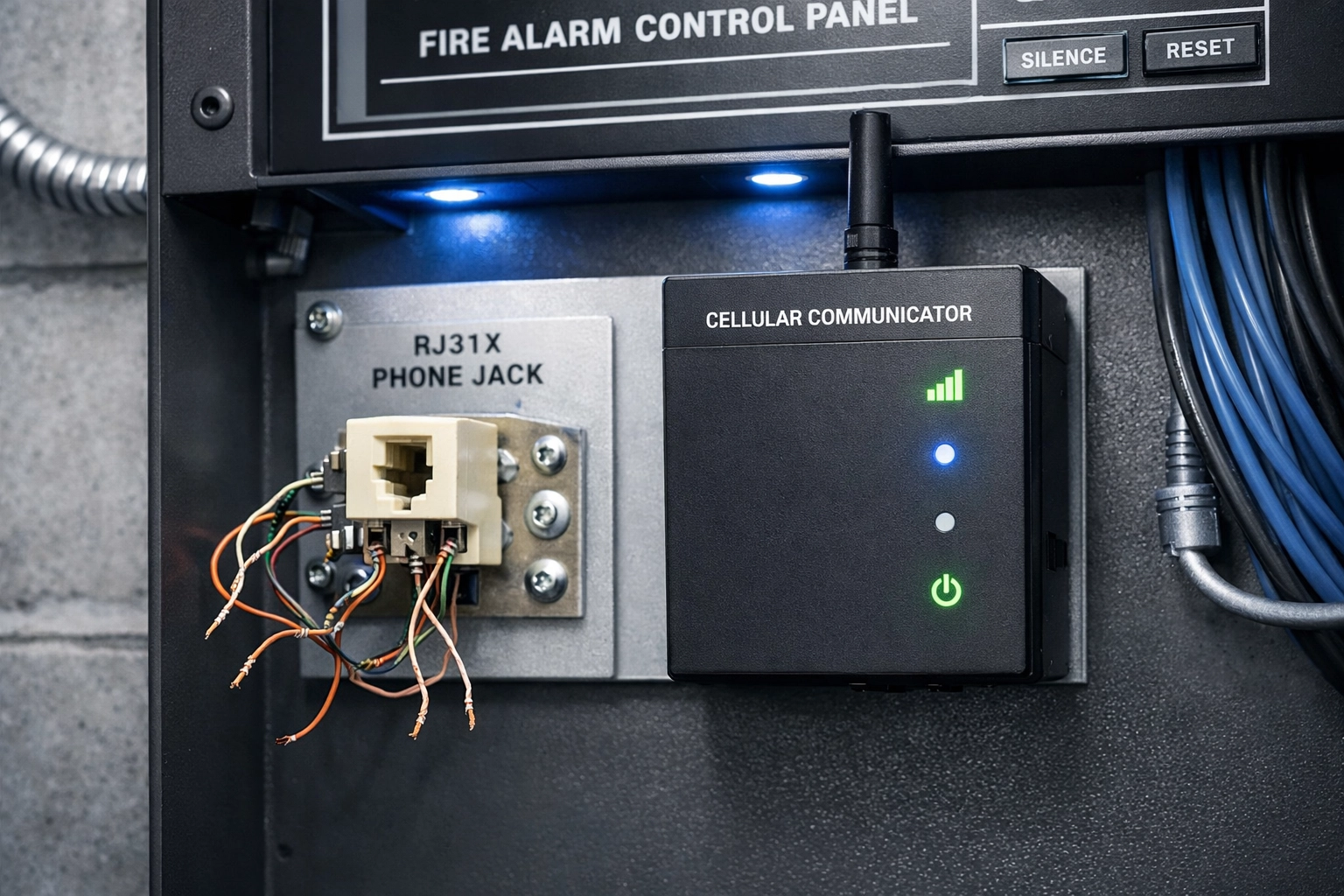
UL 864-certified fire alarm communicator with status lights and cellular antenna for NFPA 72 compliance

NFPA 72 isn't a suggestion: it's the law for commercial fire alarm installations. Here's what compliance actually looks like:

Supervision Intervals

Fire alarm communicators must "check in" with the monitoring station at specific intervals:

  • Single communication technology: Every 60 minutes (or less)
  • Multiple communication pathways: Once daily minimum

If your system misses a check-in, the monitoring station must receive a trouble signal within 60 minutes (for single-path systems) or 6 hours (for redundant systems).

Standard VoIP doesn't monitor or report these intervals. It assumes the connection is working until someone picks up the phone and discovers it's dead.

Redundant Communication Pathways

NFPA 72 compliance requires at least two separate network connections for redundancy. If your primary connection fails, the backup immediately takes over.

This means combining cellular with IP, or pairing fiber internet with a dedicated cellular communicator. One pathway alone: even if it's technically "reliable": doesn't meet code.

Certified Equipment

Every piece of hardware in your fire alarm communication chain must carry UL 864 certification. This proves the device has been rigorously tested to meet life safety standards.

Your office VoIP adapter? Not certified. A consumer-grade router? Not certified. A "good enough" internet connection? Definitely not certified.

What Actually Works: Purpose-Built Fire Alarm Communicators

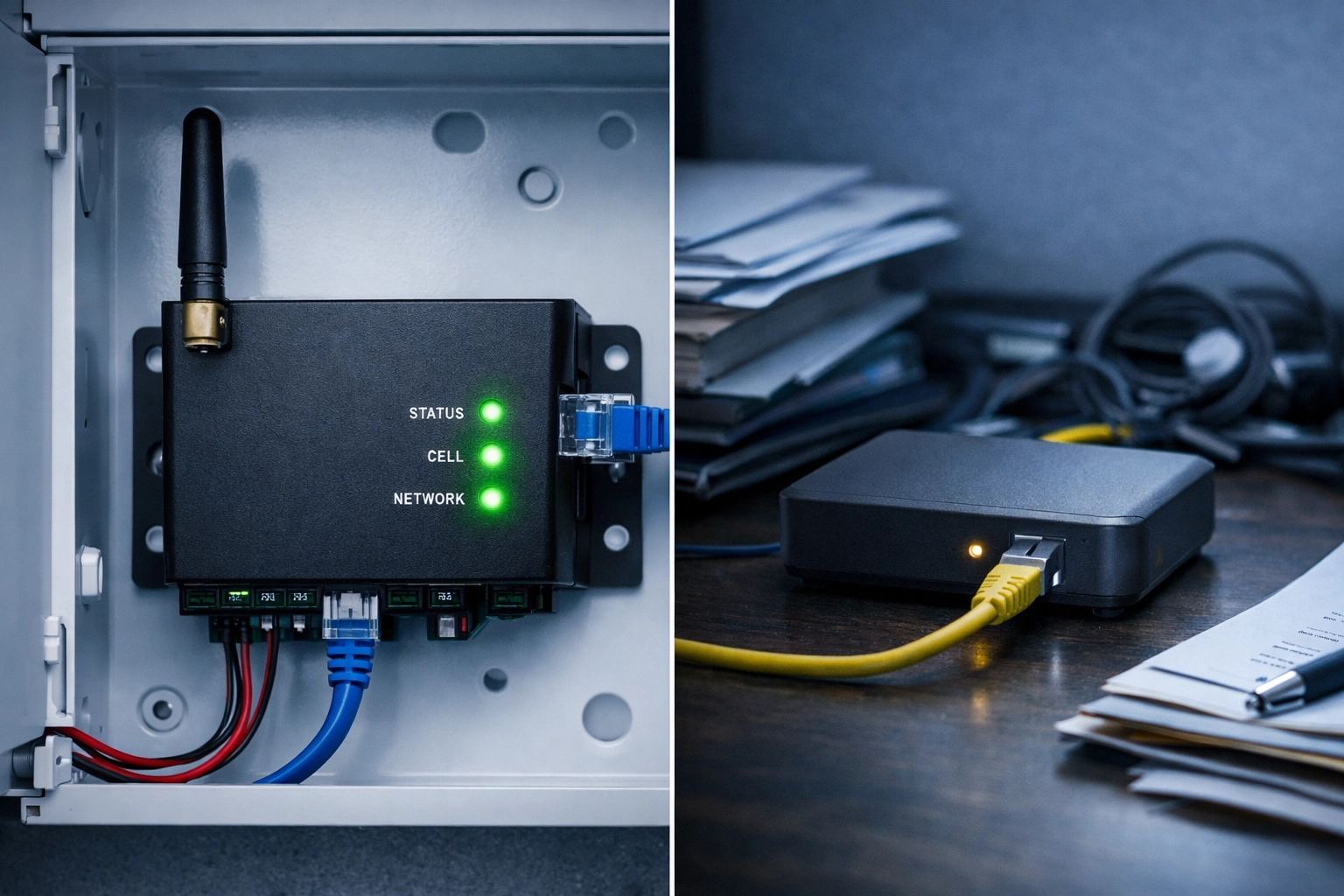
Comparison of dual-path fire alarm communicator versus standard consumer VoIP adapter

Compliant POTS replacement solutions aren't just "better VoIP": they're purpose-built life safety devices engineered specifically for fire alarm and elevator systems.

Cellular + IP Dual-Path Communicators

The gold standard for fire alarm phone line replacement is a dual-path communicator that combines:

  • Cellular connection (4G LTE or 5G)
  • IP connection (via your existing internet)

If one pathway fails, the other instantly takes over. Both connections are monitored continuously, and any failure triggers an immediate trouble signal to the monitoring station.

These devices are UL 864-listed and designed to operate 24/7 under any conditions: including power outages (with battery backup).

Supervision and Monitoring

Unlike standard VoIP, fire alarm communicators actively supervise the connection by sending test signals every 5 minutes (well within NFPA 72's 60-minute requirement).

If communication is lost for more than 60 minutes with a cellular-only connection, the local alarm panel immediately triggers a trouble indication and notifies the monitoring station. Professional monitoring stations are required to dispatch a technician within 2 hours if supervisory communication is lost: and notify authorities if it exceeds 8 hours.

Firmware Upgrade Capability

NFPA codes evolve. Today's requirements may not match tomorrow's. That's why compliant communicators must support firmware upgrades to meet future code changes without requiring complete equipment replacement.

If a new version of NFPA 72 mandates 60-second check-in intervals or adds encryption protocols, your system must be upgradeable. Buying a "cheap" solution that can't be updated means ripping everything out and starting over when codes change: making it far more expensive in the long run.

Battery Backup

All fire alarm communicators must include battery backup, typically rated for a minimum of 8 hours. This ensures the system continues operating during power outages when emergencies are most likely.

Standard VoIP equipment usually lacks sufficient backup power: or any backup at all.

The 2026 Copper Sunset Deadline Is Closer Than You Think

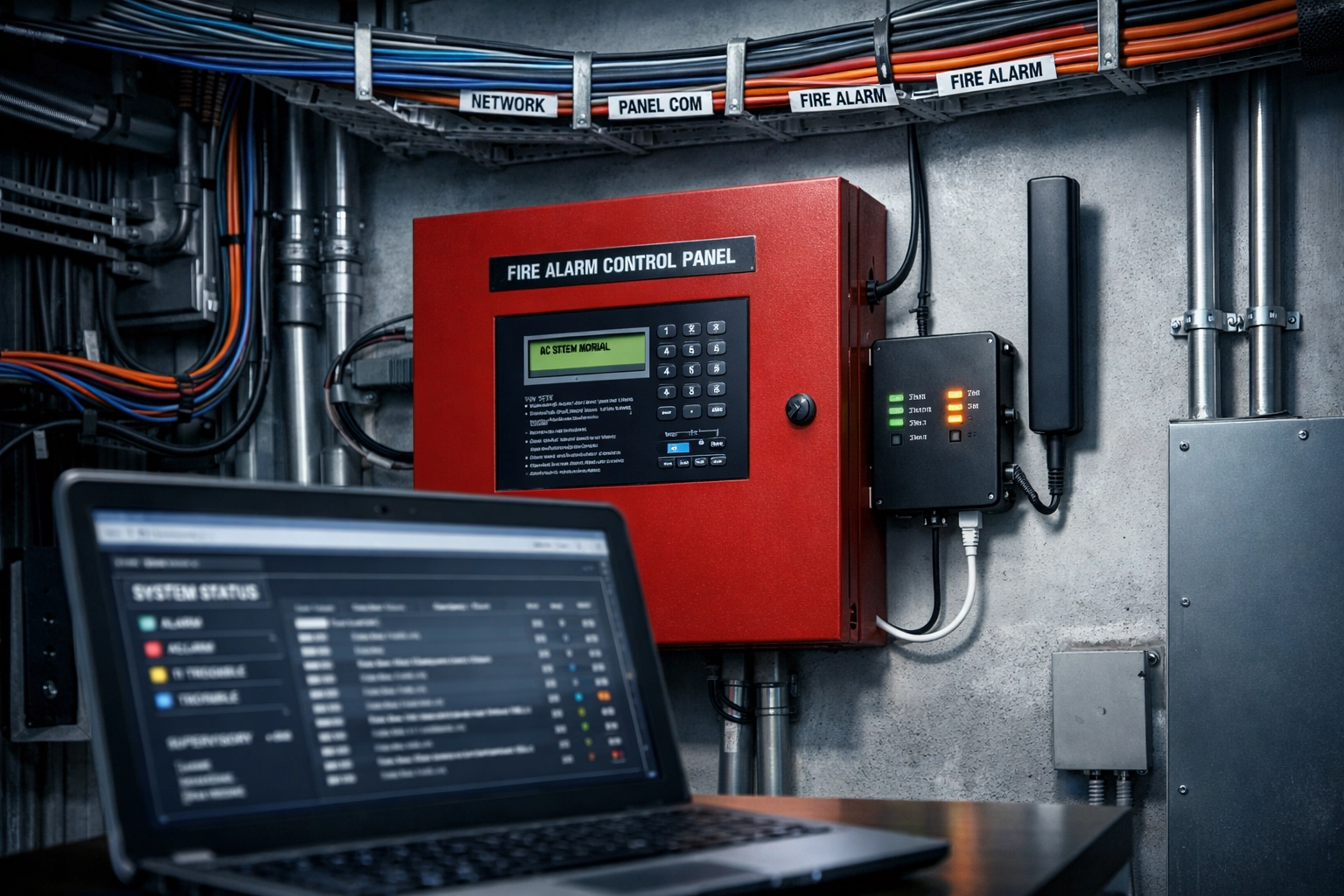
Professional fire alarm system installation with dual-path communicator and organized cable management

Carriers are already shutting down copper infrastructure in select markets, and nationwide discontinuation is accelerating through 2026. If you're still using POTS lines for fire alarms, elevator phones, or other life safety systems, you're running out of time.

Here's the problem with waiting:

  1. Lead times are increasing. As demand for compliant communicators spikes, manufacturers and installers are booking months in advance.
  2. Inspection cycles don't pause. If your system is flagged for non-compliance during an annual inspection, you'll face fines, downtime, and potential liability.
  3. Retrofitting is complex. Replacing POTS lines isn't a plug-and-play process. It requires professional assessment, equipment selection, installation, testing, and certification.

The businesses that start planning now will have compliant systems installed before the rush. Those who wait until the last minute will be scrambling: and paying premium rates for emergency service.

How to Choose a POTS Replacement Solution

Don't just pick the cheapest option or the first vendor that shows up in a Google search. Here's what to verify:

  • UL 864 certification for all communicator hardware
  • Dual-path redundancy (cellular + IP)
  • Firmware upgrade capability to meet future code changes
  • Professional monitoring station oversight with documented response protocols
  • Vendor history of keeping pace with NFPA code revisions

Ask potential vendors for proof of UL certification, references from similar installations, and a clear roadmap for how they'll handle future code updates.

A solution that appears cheap today but can't be upgraded may cost 10x more after a single code revision.


Frequently Asked Questions About POTS Replacement and Fire Alarm Compliance

Can I use my existing business VoIP system for fire alarm lines?

No. Standard business VoIP services don't meet NFPA 72 requirements for supervision intervals, redundancy, or UL 864 certification. Fire alarm systems require purpose-built communicators designed specifically for life safety applications.

What is UL 864 certification and why does it matter?

UL 864 is a safety standard specifically for fire alarm control panels and communicators. It ensures the device has been rigorously tested to operate reliably under all conditions, including emergencies. Without this certification, your system won't pass inspection.

How much does a compliant POTS replacement solution cost?

Costs vary based on the number of lines, system complexity, and whether you need cellular, IP, or dual-path communicators. Expect to budget for both hardware and ongoing monitoring services. The investment is significantly less than the liability risk of non-compliance.

Do elevator emergency phones have the same requirements as fire alarms?

Elevator phones must meet ASME A17.1 safety code requirements, which also mandate reliable two-way communication and supervision. Like fire alarms, they require specialized communicators: not standard VoIP.

What happens if I don't replace my POTS lines before the 2026 deadline?

When carriers shut down copper networks, your POTS lines will simply stop working. Fire alarm panels will lose connectivity to monitoring stations, triggering immediate code violations, failed inspections, fines, and potential liability if an emergency occurs.


Don't Gamble With Compliance (Or Lives)

Switching from POTS to standard VoIP might seem like a quick fix, but it's a shortcut that will fail inspection and leave your building vulnerable during emergencies.

Premier Business Team specializes in NFPA 72-compliant fire alarm phone line replacement solutions that meet all code requirements, support future upgrades, and keep your facilities safe. We work with facility managers, property owners, and compliance officers nationwide to design, install, and certify systems that pass inspection the first time.

Contact us today for a free consultation and let's make sure your POTS replacement strategy actually works: before the 2026 deadline forces your hand.

📞 Call Premier Business Team or visit premierbusinessteam.com to schedule your compliance assessment.

Are Your Elevator and Fire Alarm Phone Lines Dead? Here's What 12,000 Property Managers Discovered About NFPA 72 Compliance

premierbusiness · February 11, 2026 ·

The call came in at 3:47 AM. A tenant was trapped in an elevator, but the emergency phone line was dead. The property manager scrambled to explain to the fire marshal why their "compliant" system had failed. Turned out, their copper phone line had been quietly disconnected weeks earlier as part of the nationwide telecom carrier shutdown.

This scenario played out across thousands of properties in 2025, and with the accelerated copper sunset timeline hitting full force in 2026, property managers are discovering a harsh truth: the phone lines powering their elevator emergency phones and fire alarm systems are disappearing, whether they're ready or not.

Here's what over 12,000 property managers learned the hard way, and what you need to know right now to avoid compliance failures, failed inspections, and serious liability.

The Copper Sunset Nobody Warned You About

Major telecom carriers including AT&T, Verizon, and Lumen are aggressively decommissioning their Plain Old Telephone Service (POTS) copper infrastructure across the United States. What started as gradual retirement has become a full-scale shutdown, with carriers issuing 90-day disconnect notices to businesses still relying on traditional copper lines.

For property managers, this creates an immediate crisis. Those analog phone lines that have reliably powered elevator emergency communications and fire alarm monitoring for decades? They're being shut off, often with minimal warning.

The wake-up call: Property managers are receiving disconnect notices, discovering lines already dead during routine tests, or worse, finding out during actual emergencies that their critical safety systems can't communicate with monitoring stations or emergency services.

Multi-story elevator shaft with emergency phone panels and fire alarm systems in commercial building

What Changed with NFPA 72 (And Why Most Property Managers Missed It)

The National Fire Protection Association didn't sit still while technology evolved. NFPA 72, the National Fire Alarm and Signaling Code, underwent significant revisions that most property managers either missed entirely or misunderstood.

The 2010 Game-Changer: The 2010 revision of NFPA 72 eliminated the requirement for dedicated POTS lines for fire alarm monitoring. Before this change, building owners had to maintain at least one dedicated analog phone line specifically for fire alarms, often costing $80-$100+ per month per line.

The 2010 code explicitly approved alternative voice technologies including VoIP and cable company services. This was huge, but here's where confusion started.

The 2013 Compliance Shift: The 2013 edition made an even more critical change that caught many property managers off guard. The backup transmission channel for fire alarm systems can no longer be a second phone line. Instead, the secondary transmission path must use cellular, internet, or radio communication.

This means even if you keep one phone line as your primary connection, you can't use another phone line as backup. You need genuine diversity in communication pathways, not two lines from the same carrier using the same infrastructure.

Current Requirements: Phone lines can still be used for fire alarm monitoring under NFPA 72, but they don't need to be dedicated lines. However, when a phone line is used, it must connect through an RJ31x phone jack that allows the fire alarm panel to seize control and prioritize alarm signals over other phone usage.

Elevator Phone Lines: Different Rules, Same Problem

Elevator emergency phones operate under separate but equally critical requirements. These systems must provide 24/7 emergency communication and connect directly to a trained emergency response service without requiring the trapped person to dial a number.

The key difference? While fire alarm systems have evolved to embrace cellular and internet backup under NFPA 72, elevator phone requirements still emphasize reliable voice communication, traditionally handled by POTS lines.

With copper going away, elevator phone line replacement becomes trickier because:

  • Replacement solutions must maintain the same "hands-free, auto-dial" functionality
  • They must work during power outages (many elevators have battery backup systems)
  • They need to meet ADA requirements for accessibility
  • State and local codes may have specific requirements beyond federal standards

Fire alarm control panel showing NFPA 72 compliant cellular communicator replacing copper phone lines

The Compliance Crisis: What 12,000 Property Managers Discovered

Through industry surveys, inspection failures, and emergency incidents, a clear pattern emerged among property managers navigating this transition:

1. Carrier Disconnect Notices Aren't Negotiable
When carriers issue 90-day POTS line discontinuation notices, there's no extension. Property managers who assumed they could "deal with it later" found their lines dead on day 91, often discovering this during routine monthly fire alarm testing.

2. Generic VoIP Doesn't Meet NFPA 72 Requirements
Many property managers rushed to replace copper lines with standard business VoIP service, only to fail inspections. Why? Standard VoIP lacks the proper priority signaling, may not function during internet outages, and doesn't provide the required diversity for backup communications.

3. Elevator and Fire Alarm Lines Need Different Solutions
Assuming one replacement technology works for both systems led to costly mistakes. Fire alarm monitoring can use dedicated cellular communicators with IP backup, while elevator phones often require specialized POTS replacement devices that maintain analog compatibility.

4. Testing Revealed Hidden Failures
Monthly fire alarm tests showed "line seizure" failures when systems couldn't properly take control of VoIP lines. Elevator phone tests revealed one-way audio, dropped connections, or complete failures during simulated emergencies.

5. The Hidden Costs Add Up Fast
Emergency replacements cost 3-5x more than planned transitions. Failed inspections trigger re-inspection fees. Non-compliance creates liability exposure. One property manager reported spending $47,000 in emergency replacements across a 12-building portfolio, work that could have cost $14,000 with proper planning.

What Actually Works: NFPA 72 Compliance Phone Lines in 2026

Based on what property managers discovered through trial and error, here are the solutions that actually maintain compliance:

For Fire Alarm Systems:

  • Primary Path: Dedicated cellular communicators that meet NFPA 72 requirements for alarm transmission
  • Secondary Path: Internet-based (IP) monitoring through a different carrier/technology than the primary
  • Legacy Phone Option: POTS replacement services that emulate analog lines with proper RJ31x connectivity and line seizure capability

For Elevator Emergency Phones:

  • Specialized POTS Replacement Devices: These maintain analog compatibility, auto-dial functionality, and work with existing elevator phone equipment
  • Cellular Elevator Phone Systems: Purpose-built solutions designed specifically for elevator code compliance
  • Hybrid Solutions: Some advanced systems combine cellular primary with internet backup specifically for elevator applications

The critical insight: generic one-size-fits-all solutions rarely work. Fire alarm phone line replacement and elevator phone line replacement require different technologies tailored to their specific code requirements.

Property manager reviewing POTS line replacement compliance checklist and disconnect notice

The 90-Day Compliance Window: Your Action Plan

If you've received a POTS disconnection notice, or haven't but manage properties with fire alarm or elevator phone lines, here's your action plan:

Immediate Steps (Week 1):

  1. Inventory all POTS lines across your portfolio and identify what systems they serve
  2. Contact your fire alarm monitoring company and elevator maintenance provider
  3. Schedule testing of current systems to establish baseline functionality
  4. Document current compliance status for each property

Planning Phase (Weeks 2-4):

  1. Get proposals for compliant replacement solutions specific to fire alarm vs. elevator needs
  2. Verify that proposed solutions meet NFPA 72 and local elevator code requirements
  3. Coordinate with local fire marshals about inspection timing during transition
  4. Create property-by-property implementation timeline

Implementation (Weeks 5-12):

  1. Begin installations starting with highest-risk properties
  2. Conduct thorough testing with monitoring companies after each installation
  3. Update fire alarm and elevator inspection documentation
  4. Train on-site staff on new systems and testing procedures

Don't try to figure this out alone. Premier Business Team offers a free compliance advisory service specifically for property managers navigating NFPA 72 compliance phone lines and elevator phone line replacement. We'll audit your current setup, identify risks, and recommend compliant solutions, at no cost.

Frequently Asked Questions

Q: Can I still use regular phone lines for fire alarm monitoring in 2026?
A: Yes, phone lines are still allowed under NFPA 72, but they don't need to be dedicated. However, your backup communication path must use a different technology (cellular, internet, or radio), not a second phone line. The bigger issue is that carriers are disconnecting copper lines regardless of code allowances.

Q: What happens if my fire alarm phone line fails inspection?
A: Failed inspections typically require immediate remediation before the property can pass fire code compliance. This can result in re-inspection fees, potential fines, and in severe cases, occupancy restrictions until compliance is restored.

Q: Do elevator phones and fire alarm systems need separate replacement solutions?
A: Often yes. While both may have used POTS lines historically, their replacement requirements differ. Fire alarms need monitoring-specific solutions with proper signaling, while elevator phones need auto-dial emergency communication that works during power outages.

Q: How much does NFPA 72 compliant phone line replacement cost?
A: Costs vary by building size and system complexity. Fire alarm cellular communicators typically run $30-75/month per location. Elevator POTS replacement can range from $45-120/month per line. However, these are usually cheaper than maintaining legacy POTS lines, which have skyrocketed to $150-300+/month in many markets.

Q: What if I just received a 90-day disconnect notice: is that enough time?
A: It's tight but doable with immediate action. The key is starting your assessment and vendor selection process immediately rather than waiting. Properties that act within the first 30 days typically complete transitions successfully; those who wait until day 60+ often face emergency situations.

Don't Wait for the Fire Marshal to Find Out

The 12,000 property managers who faced elevator phone failures, fire alarm compliance issues, and emergency communication breakdowns all share one regret: waiting too long to address the copper sunset.

With telecom carriers accelerating POTS disconnections throughout 2026 and fire marshals increasing scrutiny of NFPA 72 compliance phone lines, the window for proactive planning is closing fast.

Take action today: Contact Premier Business Team for a free compliance assessment of your elevator phone line replacement and fire alarm phone line replacement needs. Our telecommunications experts will audit your current systems, identify compliance gaps, and recommend solutions that actually work: before you receive a disconnect notice or fail an inspection.

The phone lines your tenants depend on during emergencies are disappearing. The question isn't whether you'll need to replace them: it's whether you'll do it on your timeline or the carrier's.

Schedule your free compliance advisory call now and join the property managers who got ahead of the copper sunset instead of scrambling to catch up.

The "Invisible" Tax on Your IT Budget: How Vendor Sprawl is Quietly Killing Your 2026 Margins

premierbusiness · February 11, 2026 ·

Your IT budget looks clean on paper. Every line item has a vendor name, a monthly cost, and a business justification. But lurking beneath those neat spreadsheet rows is a hidden cost that's quietly eroding your margins, and most mid-market IT leaders don't realize it's happening until the damage is done.

It's called vendor sprawl, and in 2026, it's become the silent killer of operational efficiency and profitability. The average enterprise now manages over 1,000 applications across different departments, each one adding its own invoice, portal, support contact, and integration headache. For mid-market companies, the burden is just as real, you're paying enterprise-level complexity costs without enterprise-level budgets to absorb them.

Here's the uncomfortable truth: every vendor you add doesn't just cost what's on the invoice. It costs you time, focus, security exposure, and operational efficiency. And when you add them all up, the "invisible tax" can consume 20-30% of your IT operations budget without ever appearing as a discrete line item.

What Vendor Sprawl Actually Looks Like

Let's start with a scenario most IT leaders know too well.

You've got:

  • Three different UCaaS providers because departments bought their own systems before you standardized
  • Five cloud service vendors (AWS for legacy apps, Azure for the new CRM, Google Workspace for email, plus two niche SaaS tools)
  • Two separate internet providers at different office locations
  • A security stack with seven different tools that kind of talk to each other
  • A phone system vendor, a separate support desk vendor, and a managed services provider who only handles part of your infrastructure

Each one seemed like a smart decision at the time. But now? You've got 47 different vendor portals you're supposed to monitor, 23 separate invoices hitting your AP department every month, and a team spending half their week just managing relationships instead of solving problems.

Chaotic office desk with multiple vendor invoices and tangled cables illustrating IT vendor sprawl

The research backs this up: the average company now has 26 applications with multi-channel spend, meaning you're buying the same capability multiple times through different channels. You're not just paying for redundancy. You're paying a premium because you've lost all purchasing leverage.

The Real Cost Breakdown: Where Your Money Actually Goes

1. Operational Overhead Bloat

Managing multiple vendors isn't just annoying, it's expensive. Every vendor relationship requires:

  • Contract negotiation and renewal cycles
  • Separate support escalation processes
  • Unique billing reconciliation
  • Individual compliance and security reviews
  • Training your team on yet another portal or interface

Your IT team stops being strategic and starts being reactive. Instead of implementing solutions that drive revenue, they're stuck playing vendor coordinator. This converts your IT department from a value generator into a cost center that can't get ahead of the firefighting.

When Capgemini studied enterprises retiring redundant tools, they found that 60% reclaimed 20% of their IT operations budget within a year. That's real money, not from cutting capabilities, but from eliminating the hidden overhead of managing too many vendors.

2. Duplicate Spending (The Budget Black Hole)

Here's a question: do you know exactly how many Zoom licenses your company is paying for right now?

If you hesitated, you're not alone. Duplicate spending happens when departments buy tools independently, when legacy contracts overlap with new ones, or when "temporary" workarounds become permanent budget items.

Because you're buying the same capability multiple times in smaller chunks, you're also paying higher per-user rates. Enterprise volume discounts only work when you consolidate spend under one agreement. Spread across five vendors, you're paying retail prices everywhere.

Visual comparison of chaotic vendor sprawl versus streamlined consolidated IT infrastructure

3. Integration and Maintenance Debt

Every disconnected system in your stack adds:

  • Integration overhead (APIs, middleware, custom scripts)
  • Maintenance cycles that don't align
  • Potential points of failure when vendors update without warning
  • Workarounds that become brittle over time

Your team ends up building shadow IT solutions just to make vendor tools talk to each other. Those "quick fixes" turn into technical debt that compounds every quarter. When something breaks, and it will, you're troubleshooting across multiple vendors who all point fingers at each other.

4. Security and Compliance Expansion

Every third-party vendor expands your attack surface. Every integration is a potential vulnerability. Every vendor portal is another credential to secure and monitor.

IBM research found that enterprises unifying workflows saw 33% fewer successful breach attempts. That's not because they spent more on security, it's because they reduced the number of potential entry points and could actually monitor what matters.

In 2026, with compliance requirements tightening and breach costs averaging $4.45 million per incident, vendor sprawl isn't just an efficiency problem. It's a risk multiplier.

The 2026 Margin Impact: Real Numbers

Gartner research shows that enterprises consolidating vendor relationships achieved:

  • 30% reduction in run-rate costs
  • 25% faster time-to-revenue

Those aren't abstract metrics. In a mid-market company with a $2 million annual IT budget, a 30% reduction in run-rate costs is $600,000 back in your operating budget. For a company running on 8-12% net margins, that's the difference between a profitable year and a struggling one.

And here's the multiplier effect: when your IT team isn't buried in vendor management, they can focus on initiatives that actually generate revenue. That 25% faster time-to-revenue compounds every quarter.

IT professionals reviewing financial dashboard showing cost reduction metrics from vendor consolidation

The opposite is also true. When IT budgets stay flat while application counts increase, per-dollar efficiency drops sharply. You're spending more to accomplish less. Inaccurate budgeting (because you don't have full visibility into all deployed applications) leads to overruns and unpredictable cost pressures that squeeze margins even further.

The Consolidation Solution: Getting Your Budget Back

Vendor consolidation doesn't mean putting all your eggs in one basket. It means working with fewer, better partners who can handle multiple needs under one relationship.

Here's what that looks like in practice:

Work with a Vendor-Neutral Advisor

Instead of managing 20 vendor relationships yourself, work with one advisor who acts as a single point of contact across internet connectivity, cloud phone systems, cloud services, and network infrastructure. You get enterprise-grade support and consolidated billing without paying enterprise-grade margins.

Audit Your Current Stack

You can't fix what you can't see. Start with a business tech assessment that identifies:

  • Redundant applications and overlapping spend
  • Vendors charging above-market rates
  • Integration gaps that require custom workarounds
  • Security vulnerabilities from sprawl

Consolidate Strategically

Not everything needs to move at once. Prioritize based on:

  • High-cost, low-value vendors (easy wins)
  • Mission-critical systems with integration problems (high impact)
  • Contract renewal cycles (natural transition points)

Negotiate as a Portfolio

When you consolidate spend, you gain leverage. Instead of negotiating five separate $50K contracts, you're negotiating one $250K relationship, and that changes the conversation entirely.

Stop Paying the Invisible Tax

Vendor sprawl isn't going to fix itself. Every quarter you wait, the overhead compounds, the integrations get more brittle, and the opportunity cost grows.

The good news? You don't have to rip everything out and start over. You just need a clear picture of where the inefficiency lives and a strategic partner who can help you consolidate without disrupting operations.


Frequently Asked Questions

What is vendor sprawl and why does it matter for IT budgets?
Vendor sprawl occurs when organizations manage too many separate vendors across their technology stack, often 20+ separate relationships for internet, phones, cloud, security, and SaaS tools. It matters because each vendor adds operational overhead (portals, invoices, support contacts, contract negotiations) that quietly consumes 20-30% of IT operations budgets without appearing as a direct line item.

How much money can mid-market companies save by consolidating vendors?
Research from Gartner shows enterprises consolidating vendor relationships achieve a 30% reduction in run-rate costs and 25% faster time-to-revenue. For a mid-market company with a $2 million IT budget, that translates to $600,000 in reclaimed budget annually.

What are the hidden costs of managing multiple IT vendors?
Beyond subscription fees, hidden costs include: duplicate spending on overlapping tools (averaging 26 applications with multi-channel spend), integration and maintenance overhead, security vulnerabilities from expanded attack surface (33% more breach attempts with fragmented systems), and opportunity cost from IT teams spending time on vendor management instead of strategic initiatives.

How does vendor consolidation improve security?
Every vendor integration represents a potential vulnerability. IBM research found that enterprises unifying workflows experienced 33% fewer successful breach attempts, not from increased security spending, but from reduced attack surface and better visibility across fewer systems.

What's the first step toward reducing vendor sprawl?
Start with a comprehensive tech stack audit to identify redundant applications, overlapping spend, above-market pricing, and integration gaps. A business tech assessment provides visibility into where the "invisible tax" is hitting your budget hardest.

Can I consolidate vendors without disrupting operations?
Yes. Strategic consolidation focuses on high-cost, low-value vendors first, aligns transitions with contract renewal cycles, and prioritizes mission-critical systems with existing integration problems. Working with a vendor-neutral advisor ensures continuity while reducing complexity.


Ready to Reclaim Your IT Budget?

The invisible tax on your IT budget isn't going to shrink on its own. But you don't have to tackle vendor sprawl alone.

Premier Business Team specializes in helping mid-market IT leaders consolidate vendor relationships, eliminate redundant spending, and reclaim operational efficiency: without compromising on capability or service quality. Our vendor-neutral approach means we work for you, not the vendors.

Schedule a free business tech assessment and we'll show you exactly where vendor sprawl is costing you money: and how to get it back.

  • « Go to Previous Page
  • Page 1
  • Interim pages omitted …
  • Page 16
  • Page 17
  • Page 18
  • Page 19
  • Page 20
  • Interim pages omitted …
  • Page 78
  • Go to Next Page »

Get a no obligation quote for your business. Learn More

Proud Chamber Member

Bellingham Chamber Badge

Premier Business Team

Copyright © 2026 · Premier Business Team 2219 Rimland Dr. Suite 301 Bellingham, WA 98226 - 360-946-2626

  • Home
  • Business Internet
  • Business Phone
  • Blog
  • About Us
  • Contact Us
  • Business Quote
  • Engineering
  • Call: 360-946-2626