• Skip to primary navigation
  • Skip to main content
Premier Business Team

Premier Business Team

Your business connectivity and IT Team

  • Home
  • Business Internet
  • Business Phone
  • Blog
  • About Us
    • Our Featured Suppliers
  • Contact Us
  • Business Quote
    • Business Tech Assessment
  • Engineering
  • Call: 360-946-2626
  • Show Search
Hide Search

Blog Posts

Elevator Phone Line Replacement vs Fire Alarm Line Replacement: Which NFPA 72 Compliance Mistakes Cost You More in 2026?

premierbusiness · February 11, 2026 ·

If you're managing multi-location properties with elevators and fire suppression systems, you've probably heard the whispers: copper sunset is coming, and NFPA 72 compliance just got stricter. But here's the million-dollar question nobody's answering clearly, which compliance mistake is going to hit your budget harder in 2026: botching your elevator phone line replacement, or getting your fire alarm line replacement wrong?

Spoiler alert: both can drain thousands per location if you don't get them right the first time. But the type of mistake, the regulatory body breathing down your neck, and the cost of fixing it later? Those variables change dramatically depending on which system we're talking about.

Let's break down the real costs, the hidden pitfalls, and what you need to know before inspection day rolls around.

Why 2026 Is the Year Everything Changes (Copper Sunset Deadline)

The 2026 copper sunset isn't just telecom industry jargon, it's a federally-backed transition away from legacy analog POTS (Plain Old Telephone Service) lines. Major carriers like AT&T, Verizon, and Lumen are phasing out copper infrastructure nationwide, forcing property owners to migrate elevator emergency phones and fire alarm monitoring circuits to modern alternatives like cellular, VoIP, or fiber-backed systems.

Here's the catch: you can't just swap in a VoIP adapter and call it a day. Both elevator phone systems (governed by ASME A17.1/CSA B44) and fire alarm monitoring circuits (governed by NFPA 72) have extremely specific requirements about uptime, monitoring, and failover. Get it wrong, and you're looking at failed inspections, fines, and potential liability if an emergency happens during downtime.

Elevator control panel and fire alarm system in commercial building lobby showing NFPA 72 compliance requirements

Elevator Phone Line Replacement: The Hidden Cost Traps

What the Code Actually Requires

Under ASME A17.1/CSA B44, every elevator cab must have a two-way communication device (usually a phone) that connects to a live, trained emergency response operator 24/7/365. Not an answering machine. Not a voicemail box. Not 911. A human being who can dispatch help and communicate with someone trapped in the elevator.

This means your replacement solution must include:

  • Continuous monitoring service with a third-party provider
  • Battery backup to maintain power during outages
  • Instant call routing (no dial tone delays or dropped connections)
  • Compliance with FCC Order 10-72a1, which phases out copper-dependent systems

The Mistakes That Cost You

Mistake #1: Assuming VoIP is "good enough."
Standard business VoIP systems rely on your internet connection and power grid. If your building loses power or your ISP goes down, your elevator phone is dead, and you've just failed your next inspection. You need a cellular failover or redundant power system, which adds $300–$600 per elevator per year in monitoring costs.

Mistake #2: Skipping the monitoring service.
The phone can't just dial 911. You're legally required to contract with an emergency dispatch service that answers 24/7. If you skip this step (or cancel it to "save money"), you're non-compliant immediately. Monitoring services typically cost $30–$50 per elevator per month, but that's cheaper than the $1,000+ fine most jurisdictions slap you with for a non-working elevator phone.

Mistake #3: DIY installation without code certification.
Some facility managers try to replace elevator phone systems in-house using off-the-shelf cellular devices. Problem: if your installer isn't certified by the elevator manufacturer or doesn't document compliance with ASME A17.1, your inspector will red-tag it. You'll pay twice, once for the DIY attempt, and again for a certified contractor to redo it properly.

Real-world cost: A botched elevator phone line replacement typically costs $1,500–$3,000 per elevator to fix after the fact, not including fines or liability exposure.

Fire Alarm Line Replacement: Where the Big Money Goes

What NFPA 72 Demands

Fire alarm monitoring circuits follow NFPA 72, which dictates how your fire panel communicates with the central monitoring station (CMS). The 2019 update to NFPA 72 also introduced stricter physical access requirements: Fire Alarm Initiating Devices (FAID) must now be accessible from outside the hoistway or mechanical room.

Your replacement solution must guarantee:

  • Dual-path communication (primary and backup) to the CMS
  • Signal supervision (the system must "check in" every few seconds)
  • Tamper resistance and encrypted transmission (for cellular/IP-based systems)
  • UL listing for all replacement hardware

The Mistakes That Wreck Your Budget

Mistake #1: Replacing only the "visible" alarm panel.
The fire alarm panel in your lobby isn't the only piece of hardware tied to a copper line. Many older buildings have remote dialer units, elevator recall modules, and sprinkler flow switches all daisy-chained to that one POTS line. If you replace the main panel but forget the hidden dialers, you'll fail your fire marshal inspection, and now you're paying an emergency contractor to hunt down every forgotten circuit. Budget impact: $5,000–$15,000 per building.

Mistake #2: Improper FAID placement during retrofit.
The 2019 NFPA 72 update requires Fire Alarm Initiating Devices to be reachable without calling in an elevator contractor or entering a dangerous space. If your retrofit ignores this rule, you'll be forced to relocate devices later, often requiring re-wiring, re-permitting, and re-inspection. The cost? $2,000–$8,000 per device, depending on how inaccessible the original placement was.

Mistake #3: Using non-UL-listed cellular communicators.
"Budget-friendly" cellular alarm communicators from Amazon or eBay might technically work, but if they're not UL-listed for fire alarm use, your fire marshal will reject them. You'll rip them out and start over with compliant hardware. This mistake alone wastes $1,000–$3,000 per site in duplicate equipment costs.
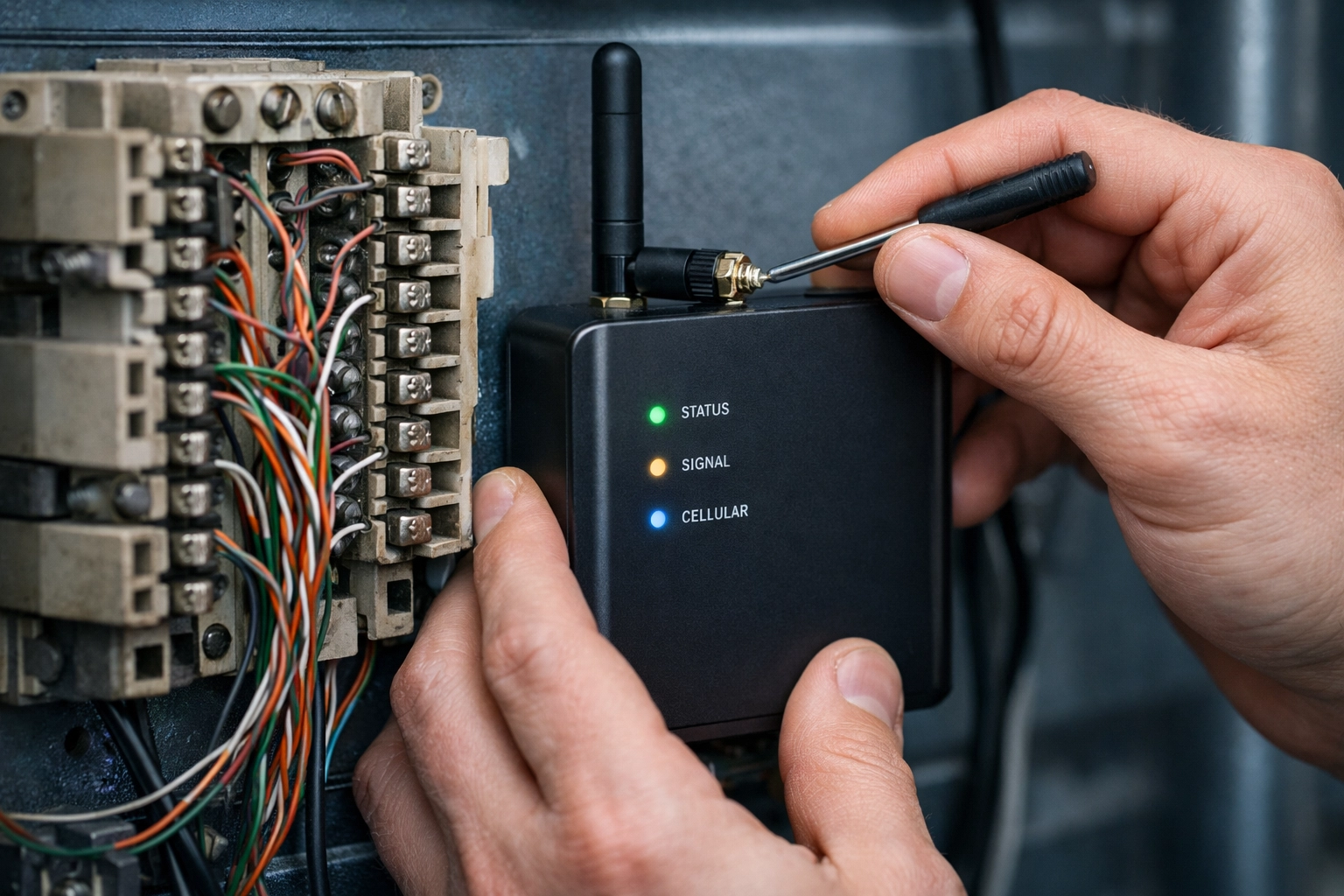
Technician installing cellular backup device to replace legacy copper telephone lines for elevator phone system

Which Compliance Mistake Actually Costs More?

Let's cut to the chase: fire alarm line replacement mistakes tend to be more expensive than elevator phone mistakes, but elevator mistakes carry higher liability risk.

Here's the breakdown:

Mistake Type Elevator Phone Lines Fire Alarm Lines
Average Fix Cost (per site) $1,500–$3,000 $5,000–$15,000
Inspection Failure Fine $500–$1,000 $1,000–$5,000+
Liability Exposure Very High (trapped occupants) Extreme (delayed fire response)
Recurring Compliance Cost $30–$50/month (monitoring) $25–$75/month (dual-path CMS)
Retrofit Complexity Low (single-cab installs) High (multi-point, multi-floor)

Bottom line: If you have 100+ locations, a screwed-up fire alarm migration can cost you $500,000–$1.5 million to remediate across your portfolio. A botched elevator phone replacement? Probably $150,000–$300,000, but you're also risking a wrongful death lawsuit if someone gets trapped during a system outage.

How to Get Both Replacements Right (Without Breaking the Bank)

The good news? You don't have to gamble on compliance. Here's the smart-money strategy:

  1. Audit every analog line in your portfolio. Don't assume you know where all the POTS lines are. Hidden alarm dialers, elevator recall modules, and legacy fax lines lurk everywhere.
  2. Work with a certified integrator who specializes in life-safety systems. This isn't the time to save $500 by hiring your nephew's IT friend.
  3. Prioritize dual-path solutions (cellular + IP) for both elevator phones and fire alarm panels. Redundancy is the only way to guarantee uptime.
  4. Document everything. Keep compliance certificates, monitoring contracts, and installation photos on file. Inspectors love paperwork, and you'll love having it when questions arise.
  5. Schedule replacements before the copper cutoff. Waiting until AT&T kills your line means you're at the mercy of emergency pricing and limited contractor availability.
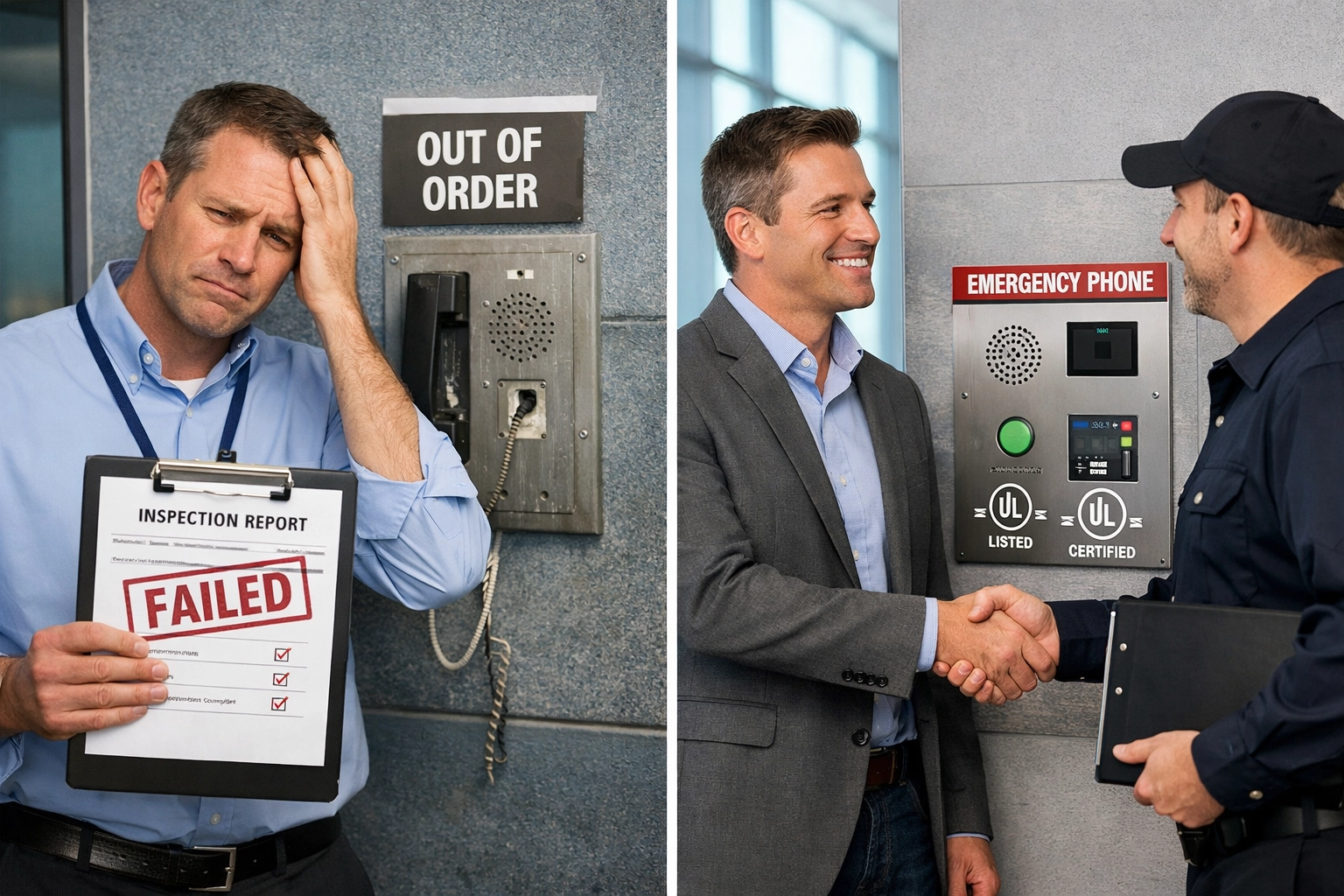
Building inspector reviewing elevator phone line replacement compliance with property manager after certification

Frequently Asked Questions (FAQ)

Q: Can I use the same cellular device for both my elevator phone and fire alarm panel?
A: In most cases, no. Elevator phones require dedicated two-way voice communication with a live operator, while fire alarm panels need supervised data transmission to a UL-listed Central Monitoring Station. You'll need separate, purpose-built devices for each system.

Q: What happens if I don't replace my copper lines before the 2026 deadline?
A: Your carrier will either force-migrate you to a more expensive "legacy" plan (often 300%+ price increases), or they'll simply disconnect service. Either way, you'll be scrambling to find a replacement solution while your systems are offline, and that's when contractors charge premium emergency rates.

Q: Do I need to replace elevator phones in freight elevators or service lifts?
A: Yes. ASME A17.1 applies to all elevators, including freight, service, and even some residential units in mixed-use buildings. Check with your local jurisdiction, but assume you need compliant two-way communication in every cab.

Q: Can I just upgrade my fire alarm panel's communicator, or do I need to replace the entire panel?
A: It depends on the age and compatibility of your existing panel. Many panels from the 2010s or later can accept modern cellular or IP communicators via a plug-in module. Panels from the 1990s–2000s often lack the right interfaces and may need full replacement. A licensed fire alarm contractor can assess your specific hardware.

Q: How long does a typical replacement project take for a multi-site portfolio?
A: Plan for 60–120 days per wave of sites, depending on contractor availability, permit timelines, and inspection scheduling. For a 100-location portfolio, a phased rollout over 12–18 months is realistic (and spreads out the capital expense).

Don't Wait Until Inspection Day to Find Out You Failed

Here's the thing about life-safety compliance: you don't get a do-over. A failed elevator phone inspection means shutting down that elevator until it's fixed. A failed fire alarm inspection can mean evacuating tenants, halting operations, and dealing with extremely unhappy fire marshals.

The smartest move? Get ahead of the 2026 copper sunset now and replace both your elevator phone lines and fire alarm circuits with future-proof, compliant solutions. Whether you're managing a single high-rise or a nationwide portfolio, the cost of doing it right is always less than the cost of doing it twice.

Ready to audit your portfolio and lock in compliant POTS line replacement solutions before the copper cutoff? Premier Business Team specializes in life-safety system migrations for multi-site operators. We'll handle the tech, the compliance paperwork, and the vendor coordination so you can focus on running your properties: not chasing inspectors.

Contact Premier Business Team today for a free site assessment and see exactly what your elevator and fire alarm migrations will cost before the deadline hits.

BIMI vs. DMARC vs. SPF: Which Email Security Layer Actually Protects Your Brand?

premierbusiness · February 10, 2026 ·

Here's a question we get all the time: "Which email security protocol should we implement first: SPF, DMARC, or BIMI?"

The honest answer? That's like asking which wall of your house is most important. You need all of them working together, or the whole structure falls apart.

Email authentication isn't about picking one layer over another. It's about building a complete stack that protects your domain from spoofing, ensures message integrity, enforces your security policies, and ultimately proves to recipients that your emails are legitimate.

Let's break down exactly what each layer does, how they work together, and why BIMI sits at the top as the visual "crown jewel" of email security in 2026.

The Email Security Stack: Understanding Each Layer

Think of email authentication as a four-layer pyramid. Each layer builds on the one below it, and you can't skip steps.

Visual diagram illustrating the four-layer email security stack, including SPF, DKIM, DMARC, and BIMI protections

Layer 1: SPF (Sender Policy Framework)

What it protects: Sender spoofing

SPF is your first line of defense. It's a DNS record that tells receiving mail servers which IP addresses are authorized to send emails on behalf of your domain.

When someone receives an email claiming to be from your company, the receiving server checks your SPF record. If the sending server's IP isn't on your approved list, that's a red flag.

The limitation: SPF only verifies the server, not the message content. An attacker could still intercept and modify a legitimate email after it's sent.

Layer 2: DKIM (DomainKeys Identified Mail)

What it protects: Message integrity

DKIM adds a cryptographic digital signature to every email you send. This signature is tied to your domain and verified against a public key stored in your DNS records.

If someone tampers with the email content: even changing a single character: the DKIM signature breaks, and the receiving server knows something's wrong.

The limitation: DKIM proves the message wasn't altered, but it doesn't tell receiving servers what to do when authentication fails.

Layer 3: DMARC (Domain-based Message Authentication, Reporting & Conformance)

What it protects: Policy enforcement

DMARC is the enforcer. It ties SPF and DKIM together and tells receiving servers exactly what to do when an email fails authentication:

  • None: Monitor only (no action taken)
  • Quarantine: Send suspicious emails to spam
  • Reject: Block failed emails entirely

DMARC also sends you reports showing who's trying to send emails from your domain: legitimate or otherwise. This visibility is invaluable for identifying spoofing attempts.

The limitation: DMARC works behind the scenes. Your recipients never see it working, which means they still can't visually distinguish your real emails from sophisticated fakes.

Layer 4: BIMI (Brand Indicators for Message Identification)

What it protects: Brand recognition and visual verification

This is where everything comes together. BIMI displays your verified company logo directly in the recipient's inbox, right next to your email. It's the visual proof that your message passed all authentication checks.

But here's the key: BIMI only works after DMARC authentication succeeds. You must have a DMARC policy set to "quarantine" or "reject" before BIMI will display your logo.

Major email providers including Google, Yahoo, and Apple all support BIMI, which means your verified logo appears for the vast majority of email users.

The Instagram Case Study: BIMI in Action

Earlier this month, a widespread wave of Instagram password reset emails created the perfect storm for phishing attacks.

Here's what happened:

  1. Legitimate password reset emails were being sent from Instagram: but users hadn't requested them
  2. As news spread, threat actors jumped on the opportunity, sending spoofed emails with identical content
  3. Recipients couldn't tell the difference because sender names and addresses looked legitimate
  4. Panic ensued, and many users clicked malicious links thinking they were protecting their accounts

But Instagram had BIMI enabled.

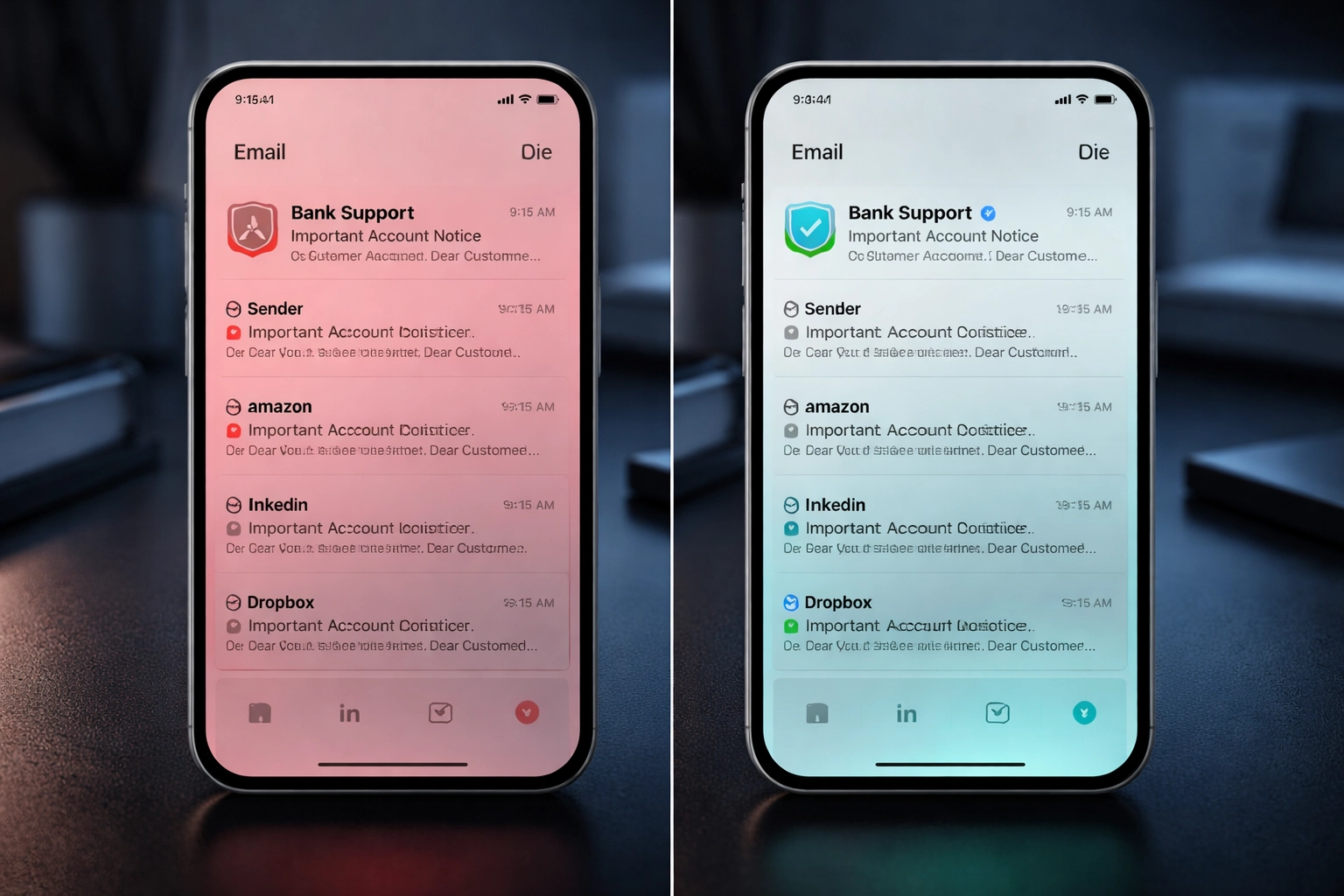
Side-by-side comparison of suspicious and verified emails, highlighting BIMI logo for brand trust and phishing protection

Spoofed emails arrived without Instagram's verified logo. They might have looked convincing at first glance, but the missing logo was a clear warning sign.

Legitimate Instagram emails displayed the company's official logo right in the inbox. Users who knew to look for this visual indicator could immediately distinguish real messages from fakes.

Instagram's communications team was able to tell users: "If you don't see our logo, don't trust the email." That's a simple, memorable instruction that even non-technical users can follow.

Why BIMI Is the Crown Jewel of Email Security

Let's be clear: SPF, DKIM, and DMARC do the heavy lifting. They're the foundation that makes everything work.

But BIMI is the layer your customers actually see.

The Security Benefits

  • Provides instant visual verification that an email is authentic
  • Makes spoofed emails immediately obvious (no logo = don't trust it)
  • Reduces successful phishing attacks against your employees and customers
  • Works across major email platforms including Gmail, Yahoo Mail, and Apple Mail

The Brand Benefits

  • Your logo appears consistently in every inbox
  • Reinforces brand recognition with every email sent
  • Builds customer confidence in your communications
  • Increases email open rates (people trust branded emails more)

Think about it: every marketing email, invoice, support message, and notification becomes a branded touchpoint. That's powerful for both security and marketing.

The Implementation Hierarchy

You can't skip steps. Here's the order of operations:

Step Protocol Purpose Prerequisite
1 SPF Authorize sending servers None
2 DKIM Sign messages cryptographically None
3 DMARC Enforce policies + reporting SPF and/or DKIM
4 BIMI Display verified logo DMARC at "quarantine" or "reject"

Most organizations we work with have SPF and DKIM in place but are stuck at DMARC "none" (monitor-only mode). That's a problem because it means failed authentication doesn't actually block anything: and BIMI won't work.

Getting to DMARC enforcement requires careful analysis of your email ecosystem. You need to know every legitimate service sending email on your behalf before you flip the switch to "reject."

How Premier Business Team Can Help

Through our strategic partnerships, Premier Business Team offers comprehensive email authentication services to help your organization implement the full security stack:

  • DMARC readiness and enforcement – We'll audit your current setup, identify all legitimate sending sources, and guide you to full enforcement
  • SPF and DKIM validation – Ensure your foundational layers are properly configured
  • BIMI record configuration – Set up your DNS records to display your verified logo
  • Verified Mark Certificate (VMC) guidance – Navigate the certification process required by major email providers

Whether you're starting from scratch or stuck at DMARC "none," we can help you reach full authentication with BIMI as the visual proof.

Already working on your cybersecurity strategy? Email authentication should be part of the conversation.

IT team reviewing email authentication dashboard, demonstrating business email security setup and validation

Frequently Asked Questions

Do I need all four protocols, or can I just implement BIMI?
You need all four. BIMI requires DMARC enforcement to function, and DMARC requires SPF and/or DKIM. There are no shortcuts.

How long does full implementation take?
SPF and DKIM can be configured quickly. DMARC typically requires 4-8 weeks of monitoring before moving to enforcement. BIMI setup (including VMC certification) adds another 2-4 weeks.

Will BIMI work with all email providers?
Major providers including Google, Yahoo, and Apple support BIMI. Microsoft is still in limited rollout. Coverage will continue to expand throughout 2026.

What's a Verified Mark Certificate (VMC)?
A VMC is a digital certificate that validates your logo ownership. It's required by most email providers before they'll display your BIMI logo. Think of it like an SSL certificate for your brand.

Can BIMI prevent all phishing attacks?
No single solution stops everything. But BIMI makes it significantly harder for attackers to impersonate your brand, and it gives recipients a simple way to verify authenticity.

Protect Your Brand and Your Customers

Email authentication isn't optional in 2026. Phishing attacks are more sophisticated than ever, and your customers need a reliable way to trust your communications.

The full stack: SPF, DKIM, DMARC, and BIMI: gives you comprehensive protection while reinforcing your brand with every email sent.

Ready to implement email authentication for your organization? Call Premier Business Team at 360-946-2626 or visit premierbusinessteam.com to schedule a consultation. We'll assess your current setup and build a roadmap to full BIMI implementation.

Cloud Business Phone Systems in New York City, NY: Scalable VoIP & UCaaS Solutions for Enterprises

premierbusiness · February 9, 2026 ·

New York City is home to over 200,000 businesses spanning finance, healthcare, legal services, media, and technology. For enterprises operating in Manhattan, Brooklyn, Queens, or across multiple boroughs, communication infrastructure can make or break operational efficiency. Legacy on-premise phone systems, with their copper wiring, expensive PBX hardware, and inflexible maintenance contracts, are rapidly giving way to cloud business phone systems powered by VoIP (Voice over Internet Protocol) and UCaaS (Unified Communications as a Service).

Premier Business Team specializes in helping New York enterprises navigate the transition to cloud-based telephony. Whether you're managing a multi-location law firm in Midtown, a healthcare network in the Bronx, or a growing tech startup in DUMBO, our telecom advisory services ensure you deploy the right cloud PBX solution with the bandwidth and redundancy your operations demand.

Why Cloud Business Phone Systems Are Essential for NYC Enterprises

Traditional phone systems require physical infrastructure, desk phones hardwired to on-site PBX equipment, analog circuits, and costly maintenance agreements. When you need to add users, open a new office, or support remote teams, you're looking at weeks of installation timelines and capital expenditures.

Cloud phone service eliminates those constraints entirely. Voice, video, messaging, and collaboration tools run over secure internet connections, not copper phone lines. Your team accesses the same unified interface whether they're answering calls from an office desk phone in Flatiron, a mobile device on the 6 train, or a laptop in a WeWork shared space.

Modern Manhattan office with cloud business phone system and NYC skyline view

Key benefits include:

  • Instant scalability: Add or remove users in minutes through a web portal, no truck rolls, no rewiring, no waiting for telecom installers.
  • Geographic flexibility: Support employees across NYC, satellite offices in New Jersey or Connecticut, and fully remote workers without building separate phone infrastructures.
  • Cost predictability: Replace unpredictable maintenance fees and per-line charges with fixed monthly subscriptions that scale with headcount.
  • Business continuity: Calls automatically failover to mobile devices or alternate locations if your primary internet connection goes down, critical for industries like legal, finance, and healthcare where downtime equals lost revenue.

Enterprise-Grade UCaaS Features for High-Performance Teams

Modern business VoIP platforms aren't just replacements for desk phones, they're full-featured unified communications suites that consolidate voice, video conferencing, team messaging, SMS, and analytics into one platform. For New York enterprises juggling high call volumes, compliance requirements, and distributed teams, these integrations are game-changers.

CRM and Workflow Integrations

Your cloud phone system should plug directly into the business tools you already use. Leading UCaaS platforms integrate natively with:

  • Salesforce, HubSpot, and Zendesk for automatic call logging, click-to-dial from CRM records, and screen pops that surface customer data the moment a call connects.
  • Microsoft 365 and Google Workspace for calendar-based call routing, presence indicators, and seamless meeting escalations from chat to voice to video.
  • Slack and Microsoft Teams for unified messaging and voice channels that reduce app-switching and keep communication threads centralized.

This matters in fast-paced NYC markets where sales teams, support desks, and client-facing staff need instant access to context without toggling between five different apps.

Call Management and Quality Assurance

Enterprise operations require visibility and control. Cloud business phone systems deliver:

  • Advanced call routing: Intelligent IVR menus, skills-based routing, geographic routing, and time-of-day rules ensure calls reach the right person or department on the first try.
  • Call recording and transcription: Essential for compliance-heavy industries like legal services, financial advisory, and healthcare, plus valuable for training and quality assurance.
  • Real-time analytics dashboards: Monitor call volume, wait times, agent performance, and system health from anywhere. Spot trends before they become bottlenecks.
  • Supervisor tools: Call barge-in, whisper coaching, and live monitoring give managers the tools to train teams without disrupting customer interactions.

For a deeper dive into how cloud phone systems compare across vendors, check out our RingCentral vs Nextiva vs Dialpad comparison.

UCaaS dashboard displaying call analytics and unified communications features

Scalability Built for NYC's Fast-Moving Markets

New York businesses don't operate on predictable schedules. Retail chains ramp up seasonal staff during the holidays. Law firms onboard temporary paralegals during major litigation. Healthcare networks open new clinics and telehealth lines. Cloud PBX platforms handle this variability without IT intervention.

Need to spin up 50 new users for a product launch next week? Done. Opening a satellite office in Long Island City and need full phone system continuity from day one? Provisioned in hours, not months. Consolidating three legacy phone systems after an acquisition? Cloud platforms unify disparate infrastructures under one admin portal.

This elastic capacity extends to call volume surges too. Whether you're running a campaign that drives inbound spikes or managing seasonal customer service demand, cloud systems scale bandwidth and call routing dynamically, no busy signals, no dropped calls, no scrambling to add trunks.

Premier Business Team's Telecom Advisory Services in New York City

Deploying a business phone service isn't just about picking a vendor and signing a contract. NYC enterprises face unique challenges:

  • Multi-location complexity: Coordinating telephony across Manhattan headquarters, Brooklyn warehouses, and remote teams requires careful network architecture and failover planning.
  • Bandwidth requirements: Cloud phone systems are only as reliable as the internet connections supporting them. Undersized circuits, asymmetric upload speeds, and network congestion kill call quality fast.
  • Legacy system migration: Many New York businesses still rely on analog fax lines, elevator emergency phones, or specialty equipment that can't be ripped out overnight. SIP trunking and hybrid deployments bridge the gap.
  • Compliance and security: Industries like healthcare (HIPAA) and finance (FINRA, SEC) have strict requirements for call encryption, data residency, and audit trails.

Premier Business Team acts as your telecom advisory partner through the entire lifecycle, from needs assessment and vendor selection to deployment, training, and ongoing optimization. We evaluate your current infrastructure, identify bandwidth gaps, and design cloud phone architectures that align with your operational realities.

Our UCaaS and IP phone systems expertise ensures you're not just buying a platform, you're implementing a communication strategy that scales with your growth.

Business team collaborating with cloud phone systems in NYC conference room

High-Performance Internet: The Foundation of Cloud Telephony

Here's the uncomfortable truth: a cloud business phone system is only as good as the internet connection underneath it. VoIP calls require consistent, low-latency bandwidth with minimal packet loss. A 100 Mbps cable connection shared with 50 employees streaming video, running Zoom meetings, and uploading files to SharePoint? That's a recipe for choppy audio, dropped calls, and frustrated clients.

Premier Business Team specializes in business internet connectivity solutions designed for mission-critical applications. We assess your current bandwidth, identify bottlenecks, and recommend:

  • Dedicated fiber circuits with symmetrical upload/download speeds and guaranteed SLAs, critical for high call volume operations.
  • SD-WAN architectures that prioritize voice traffic over data, ensuring call quality even during peak usage.
  • Redundant internet failover with automatic switching between primary and backup circuits if one connection fails.
  • QoS (Quality of Service) configurations that reserve bandwidth for voice and video, preventing degradation during heavy network usage.

For NYC businesses operating out of older buildings where fiber availability is inconsistent, we explore bonded T1, fixed wireless, or hybrid solutions that deliver the reliability cloud phone systems demand.

Industry-Specific Cloud Phone Solutions in New York

Different sectors have different communication needs. Here's how cloud phone service adapts:

Legal firms: Encrypted voice channels, automatic call recording for client matters, CRM integrations for matter management systems, and mobile extensions so attorneys can take client calls on personal devices without exposing personal numbers.

Healthcare networks: HIPAA-compliant platforms with encrypted messaging, secure voicemail-to-email transcription, on-call scheduling integrations, and telehealth video capabilities that meet regulatory standards.

Financial services: Call recording and archiving to meet FINRA and SEC compliance requirements, screen recording for trading desks, and real-time monitoring for fraud detection.

Technology and SaaS companies: Global dial-in numbers for international customers, integrations with support ticketing systems, and real-time call analytics to optimize customer success workflows.

Retail and hospitality: Click-to-call from website and mobile apps, SMS campaigns for promotions and booking confirmations, and call queuing for high-volume reservation lines.

Frequently Asked Questions

What is a cloud business phone system?
A cloud business phone system (also called hosted VoIP or cloud PBX) routes voice calls over the internet instead of traditional phone lines. All features, voicemail, call routing, conferencing, and management, are hosted in secure data centers and accessed through web portals and apps.

How much does business VoIP cost in New York City?
Pricing typically ranges from $20–$50 per user per month depending on features, call volume, and integrations. Enterprise plans with advanced analytics, unlimited calling, and premium support cost more, but eliminate capital expenses for on-premise hardware and maintenance contracts.

Do I need special phones for cloud phone service?
Not necessarily. Most UCaaS platforms offer desktop and mobile apps that turn laptops, tablets, and smartphones into full-featured business phones. If you prefer desk phones, modern VoIP-compatible handsets (from brands like Poly, Yealink, and Cisco) work seamlessly.

Can I keep my existing business phone numbers?
Yes. Number porting is standard with cloud phone providers. Premier Business Team manages the porting process to ensure zero downtime during the transition.

What internet speed do I need for business VoIP?
Plan for 100 Kbps per concurrent call as a baseline. A 20-person office with 10 simultaneous calls needs at least 1 Mbps of dedicated upload bandwidth, plus overhead for other applications. We recommend fiber circuits with symmetrical speeds for best performance.

How does call quality compare to traditional phone lines?
With proper internet infrastructure (sufficient bandwidth, low latency, QoS configurations), cloud phone systems deliver equal or superior call quality to legacy copper lines. Poor internet connections cause issues: which is why Premier Business Team assesses your network before deployment.

Ready to Modernize Your Business Phone Service in New York City?

Whether you're replacing an aging on-premise PBX, consolidating phone systems after a merger, or building communication infrastructure for a new NYC office, Premier Business Team brings vendor-agnostic expertise and local market knowledge to every deployment.

We don't just sell cloud phone systems: we design, implement, and support telecom strategies that align with your operational goals. From bandwidth assessments and vendor selection to training and ongoing optimization, we're your partner for reliable, scalable business communication.

Let's build the right cloud phone solution for your New York enterprise. Contact Premier Business Team today to schedule a consultation and discover how modern UCaaS platforms can reduce costs, improve flexibility, and future-proof your communication infrastructure.


Premier Business Team provides enterprise-grade telecom advisory services, business internet connectivity solutions, and cloud phone system deployments nationwide. Whether you're in Manhattan, Brooklyn, or managing multi-location operations across the tri-state area, we deliver the expertise and vendor relationships to ensure flawless implementation. Explore our UCaaS and IP phone systems services or reach out to our team for a customized assessment.

Copper Sunset 2026: 7 Mistakes Multi-Location Businesses Make with POTS Line Replacement (And How to Fix Them Fast)

premierbusiness · February 8, 2026 ·

The copper network sunset isn't coming, it's already here. With AT&T's grandfathering notice effective since October 15, 2025, and full decommissioning beginning in June 2026, multi-location businesses are facing a hard deadline that's closer than most realize.

If you're managing retail chains, hotel properties, manufacturing facilities, or any business with multiple locations still using Plain Old Telephone Service (POTS) lines, you're in a race against time. The problem? Most businesses are making critical mistakes that will cost them thousands of dollars, create compliance headaches, and potentially shut down operations.

Here are the seven biggest mistakes multi-location businesses make with POTS line replacement, and exactly how to fix them before it's too late.

Mistake #1: Not Creating a Complete Inventory Across All Locations

The Problem: Most businesses think they know where all their POTS lines are. They're usually wrong by a factor of 30-40%.

POTS lines hide in unexpected places across multi-location operations. Beyond your obvious desk phones, these copper lines power elevator emergency phones, fire alarm systems, security panels, fax machines, point-of-sale terminals, door entry systems, and backup alarm circuits. In a 20-location retail chain, you might think you have 100 POTS lines, but the real number is often closer to 150.

Business team conducting POTS line inventory audit at multi-location facility

The Fix: Start with a comprehensive audit immediately. Contact each location manager and facility team to document every single device connected to a phone line. Check with your local telecom carriers for billing records across all locations. Create a master spreadsheet that includes: line purpose, location address, circuit ID, monthly cost, and connected equipment type. This inventory becomes your roadmap for the entire POTS replacement project.

Mistake #2: Waiting Until You Receive a Discontinuance Notice

The Reality: Once AT&T or other carriers issue your 180-day discontinuance notice, the clock starts ticking, and 180 days isn't nearly enough time for multi-location businesses to complete a proper migration.

Think about what needs to happen: inventory verification, solution research, vendor selection, compatibility testing, installation coordination across multiple sites, staff training, and regulatory inspections. For businesses with 10+ locations, this process typically takes 9-12 months when done correctly.

The Fix: Don't wait for the official notice. If you haven't started your POTS replacement planning by now in early 2026, you're already behind schedule. Begin your transition planning immediately, prioritizing locations with the most critical systems (hospitals, hotels, manufacturing facilities with safety requirements). Create a phased rollout schedule that tackles your most complex locations first while you still have time to troubleshoot issues.

Mistake #3: Underestimating the True Cost of Delay

The Financial Reality: Some multi-location businesses are already paying over $2,700 per POTS line per month in certain markets. That's not a typo.

As copper networks degrade and carriers shift resources away from legacy infrastructure, POTS line costs are exploding. For a business with 50 legacy lines across multiple locations, delaying your transition even six months could cost an additional $50,000-$80,000 in inflated carrier fees. Add potential fines for non-compliant fire systems, emergency service disruptions, and the premium you'll pay for rushed installations, and the delay costs become staggering.

Time running out for POTS line replacement before copper sunset 2026 deadline

The Fix: Calculate your current monthly POTS spend across all locations and project the cost escalation over the next 12-18 months. Compare this to the total cost of implementing a modern POTS replacement solution. In most cases, you'll find that acting now pays for itself in 4-6 months through line cost savings alone, not counting the avoided risk and compliance costs.

Mistake #4: Ignoring Fire Safety and Life Safety Compliance Requirements

The Compliance Trap: This is where businesses get into serious legal and safety trouble. Elevator phones and fire alarm systems aren't optional, they're mandated by NFPA 72, local fire codes, and occupancy regulations.

When your copper POTS lines disappear, you can't just plug these life safety systems into standard VoIP or internet connections and call it done. Many internet-based solutions don't meet the power redundancy, signal reliability, and failover requirements that fire marshals and building inspectors demand. If your replacement solution doesn't pass inspection, you risk losing your Certificate of Occupancy, which means you literally cannot legally operate your building.

The Fix: Before selecting any POTS replacement solution for elevator or fire alarm lines, verify it meets NFPA 72 requirements and local fire code. Look for solutions with built-in battery backup, cellular redundancy, and dedicated emergency line monitoring. Schedule pre-installation consultations with your local fire marshal to confirm your planned solution will pass inspection. This single step can save you from costly reinstallations and potential building closures.

Mistake #5: Assuming All POTS Replacement Solutions Are Created Equal

The Technical Truth: A POTS line replacement that works perfectly for standard phone service might completely fail for specialized applications.

Standard VoIP solutions often can't handle the unique signaling requirements of elevator phones, alarm systems, or legacy fax machines. Some replacement technologies struggle with power outages, others can't maintain connection quality during internet congestion, and many lack the monitoring capabilities required for emergency systems. For multi-location businesses, this variability becomes a nightmare when you discover mid-deployment that your chosen solution doesn't work with 30% of your equipment.

Business meeting analyzing POTS replacement solution costs and compatibility

The Fix: Match the replacement technology to the specific application. Cellular-based POTS replacement solutions typically work best for elevator and fire systems because they don't depend on internet connectivity or power infrastructure. Traditional VoIP may work fine for standard business lines. Work with a vendor-neutral telecommunications expert who can recommend the right technology for each use case across your locations rather than forcing a one-size-fits-all approach.

Mistake #6: Skipping Compatibility Testing Before Full Deployment

The Installation Horror Story: Imagine installing POTS replacement solutions across 15 locations, only to discover your fire panels can't communicate properly with the monitoring station, your elevator phones have audio quality issues, or your alarm system sends false signals.

This scenario plays out regularly for businesses that skip pilot testing. What works in theory doesn't always work in practice, especially with older equipment that has specific voltage, tone, or signaling requirements. By the time you discover these issues during a full rollout, you've wasted thousands of dollars and potentially created compliance gaps.

The Fix: Always run a pilot program before full deployment. Choose 2-3 representative locations that include your most complex systems. Install and test your POTS replacement solution for 30-60 days. Verify that every connected device works correctly, make test calls from elevator phones, trigger test alarms, send and receive faxes. Document any issues and resolve them before expanding the rollout. Yes, this adds time to your project, but it prevents catastrophic failures across your entire operation.

Mistake #7: Trying to Navigate POTS Replacement Without Expert Guidance

The DIY Risk: The copper sunset transition is complex, technical, and has major compliance implications. Trying to manage this project without telecommunications expertise puts multi-location businesses at serious risk.

Most businesses don't have in-house staff who understand FCC regulations, NFPA codes, carrier decommissioning schedules, and the technical nuances of different POTS replacement technologies. This knowledge gap leads to poor solution selection, botched installations, compliance failures, and budget overruns. For multi-location operations, these mistakes multiply across every site.

The Fix: Partner with a vendor-neutral telecommunications expert who has specific experience with copper sunset transitions and multi-location deployments. The right partner helps you navigate the complexity, ensures compliance, coordinates installations across locations, and serves as your advocate with carriers and equipment vendors. At Premier Business Team, we've helped dozens of multi-location businesses successfully transition away from legacy POTS lines while maintaining compliance and controlling costs.

Take Action Before Your POTS Lines Disappear

The copper sunset is not a distant threat: it's happening right now. Multi-location businesses that act immediately can still execute an orderly, cost-effective POTS replacement strategy. Those who wait will face rushed implementations, inflated costs, compliance gaps, and potential service disruptions.

Don't let your business become another copper sunset casualty. Contact Premier Business Team at 360-946-2626 for a vendor-neutral assessment of your POTS line replacement needs across all your locations. Our telecommunications experts will help you create a compliance-focused transition plan that protects your operations and your budget.


Frequently Asked Questions About POTS Line Replacement

Q: How much time do we really have before our POTS lines stop working?
A: If you haven't received a discontinuance notice yet, you have approximately 180 days from when your carrier issues that notice. However, AT&T's copper sunset began in June 2026, so notices are already being issued. For multi-location businesses, you should have already started planning 6-12 months ago.

Q: Can we just replace POTS lines with regular VoIP phone service?
A: Not for elevator phones, fire alarms, or other life safety systems. These require specialized POTS replacement solutions that meet NFPA 72 and local fire code requirements. Standard VoIP typically won't pass inspection for these applications.

Q: What happens if we don't replace our POTS lines in time?
A: Your lines will simply stop working when carriers complete the copper network shutdown. For multi-location businesses, this could mean losing elevator emergency communications, fire alarm monitoring, security systems, and critical business phone lines across multiple sites simultaneously.

Q: How much does POTS replacement typically cost per line?
A: Costs vary based on application type and technology chosen, but most businesses find that modern POTS replacement solutions cost 40-60% less per month than current inflated POTS line rates, with the added benefits of better reliability and easier management.

Q: Should we handle POTS replacement ourselves or hire an expert?
A: Given the compliance requirements, technical complexity, and multi-location coordination challenges, most businesses benefit significantly from working with a vendor-neutral telecommunications expert who can navigate the transition and ensure nothing falls through the cracks.


Ready to replace your legacy POTS lines before the copper sunset deadline? Call Premier Business Team today at 360-946-2626 or visit our website to schedule your multi-location POTS replacement consultation.

Contact Center Technologies Secrets Revealed: What AI Consultants Don't Want Small Businesses to Know About Customer Service Automation

premierbusiness · February 8, 2026 ·

Here's the thing about "secrets" in the AI customer service world: most of them aren't actually secrets at all. After diving deep into what AI consultants are really telling small businesses about customer service automation, I discovered something surprising: the information is pretty much out there for anyone willing to look.

But here's what's really happening: while the data is available, many small business owners are either getting overwhelmed by the technical jargon or they're being sold solutions that don't match their actual needs. Let's cut through the noise and talk about what customer service automation can realistically do for your business in 2026.

The Real "Secret": There's No Hidden Conspiracy

The biggest revelation? AI consultants aren't hiding game-changing information from small businesses. In fact, most are pretty transparent about what works and what doesn't. The real issue is that business owners often don't know which questions to ask or how to separate marketing hype from practical solutions.

What I found in my research is that successful AI implementation for customer service comes down to understanding three core areas: cost impact, actual capabilities, and realistic pricing models. Let's break each of these down.

image_1

Cost Benefits That Actually Matter

When consultants talk about AI automation savings, they're not making up the numbers. Companies implementing generative AI in customer service are seeing cost reductions between 30 to 45 percent. That's real money back in your pocket, especially when you consider that AI can handle up to 80 percent of repetitive customer inquiries.

But here's the part that often gets glossed over: these savings don't happen overnight. You'll need to factor in implementation time, staff training, and the learning curve as your AI system gets smarter about your specific business needs.

A 2025 Gartner study found that AI and self-service tools drive the biggest reduction in cost-per-resolution for small businesses. Translation? You're not just saving money on staffing: you're actually solving customer problems more efficiently.

Automation Capabilities That Actually Work

Let's get specific about what AI customer service automation can handle for small businesses:

Instant Response Systems: AI chatbots can respond to routine customer questions immediately, 24/7. This isn't just about having a chatbot on your website: it's about creating a system that can handle everything from order status inquiries to basic troubleshooting.

Smart Routing: Automated workflows can analyze incoming requests and route complex issues directly to the right human agent. No more customers getting bounced between departments.

Sales Integration: AI can score leads automatically and schedule meetings for your sales team. This means hot prospects get attention faster while your team focuses on closing deals instead of sorting through inquiries.

Sentiment Analysis: Real-time monitoring can flag frustrated customers before small issues become big problems. Your team gets alerted when someone needs immediate attention.

The key insight here is that effective AI automation works best when it handles the routine stuff, freeing up your human team to focus on relationship-building and complex problem-solving.

image_2

Pricing Reality Check for Small Businesses

Here's where many small business owners get surprised: you don't need enterprise-level budgets to get started with AI customer service automation. Many platforms offer free tiers or affordable monthly plans that scale with your business.

Budget-friendly options like Tidio work well for basic website chat functionality, while more sophisticated platforms offer tiered pricing that lets you add features as you grow. The trick is starting with what you actually need rather than what sounds impressive in a sales demo.

What consultants often don't emphasize enough is that successful implementation depends more on matching tools to your specific workflow than on having the most advanced features. A simple chatbot that actually helps customers is worth more than a complex system that confuses them.

What Small Businesses Actually Need to Know

The most important "secret" isn't really a secret at all: it's about focusing on solving real problems instead of chasing shiny technology. Before implementing any AI customer service automation, ask yourself these questions:

What specific customer service tasks are eating up your team's time? If you're spending hours each day answering the same basic questions, that's a perfect use case for automation.

How do your customers prefer to communicate? If most of your customers call rather than chat online, investing heavily in a chatbot might not give you the best ROI.

What's your actual budget for both implementation and ongoing management? Remember to factor in training time and potential customization needs.

Many successful small businesses start with one specific automation task: like handling order status inquiries: and expand from there. This approach lets you learn what works for your customers without overwhelming your team or your budget.

image_3

Making AI Work for Your Business, Not Against It

The reality is that AI customer service automation works best when it enhances your existing customer relationships rather than replacing human interaction entirely. Your customers still want to feel valued and understood, especially when they have complex problems or concerns.

The most successful implementations I've seen combine AI efficiency with human expertise. AI handles the routine inquiries quickly and accurately, while your human team focuses on building relationships and solving unique problems.

If you're considering customer service automation for your business, start by documenting your current customer service workflow. Identify the repetitive tasks that could be automated without losing the personal touch that makes your business special.

Frequently Asked Questions About Customer Service Automation

Q: How quickly can I expect to see ROI from AI customer service automation?
A: Most small businesses see initial cost savings within 3-6 months, with full ROI typically achieved within the first year. The exact timeline depends on your current customer service volume and the complexity of your implementation.

Q: Will AI automation make my customer service feel less personal?
A: When implemented correctly, AI should make your service more responsive and efficient while freeing your human team to focus on relationship-building. The key is using automation for routine tasks, not replacing human judgment for complex issues.

Q: Do I need technical expertise to manage AI customer service tools?
A: Most modern platforms are designed for non-technical users. However, you'll want someone on your team who can learn the system and make adjustments as your business needs change.

Q: What's the biggest mistake small businesses make with customer service automation?
A: Trying to automate everything at once. Start with one specific task or problem area, master that implementation, then gradually expand your automation capabilities.

Q: How do I know if my business is ready for AI customer service automation?
A: If you're spending significant time answering repetitive customer questions, struggling to provide 24/7 support, or finding it difficult to scale your customer service as you grow, automation could be beneficial.

Ready to explore how customer service automation could work for your business? At Premier Business Team, we help small and medium businesses implement technology solutions that actually solve real problems. We focus on finding the right fit for your specific needs and budget, not just selling the latest technology. Contact us today to discuss how we can help you improve your customer service efficiency while maintaining the personal touch your customers value.

  • « Go to Previous Page
  • Page 1
  • Interim pages omitted …
  • Page 17
  • Page 18
  • Page 19
  • Page 20
  • Page 21
  • Interim pages omitted …
  • Page 78
  • Go to Next Page »

Get a no obligation quote for your business. Learn More

Proud Chamber Member

Bellingham Chamber Badge

Premier Business Team

Copyright © 2026 · Premier Business Team 2219 Rimland Dr. Suite 301 Bellingham, WA 98226 - 360-946-2626

  • Home
  • Business Internet
  • Business Phone
  • Blog
  • About Us
  • Contact Us
  • Business Quote
  • Engineering
  • Call: 360-946-2626