• Skip to primary navigation
  • Skip to main content
Premier Business Team

Premier Business Team

Your business connectivity and IT Team

  • Home
  • Business Internet
  • Business Phone
  • Blog
  • About Us
    • Our Featured Suppliers
  • Contact Us
  • Business Quote
    • Business Tech Assessment
  • Engineering
  • Call: 360-946-2626
  • Show Search
Hide Search

Blog Posts

Why Bulk Fiber Internet is the #2 Amenity Every Property Owner Needs in 2026 (After In‑Unit Laundry)

premierbusiness · February 7, 2026 ·

Let's be honest: high-quality internet isn't an amenity anymore. It's a utility, as essential as water, electricity, or HVAC. Your residents expect it to work flawlessly the moment they move in, and they'll judge your property harshly if it doesn't.

But here's the question most MDU owners aren't asking: Who actually owns the digital infrastructure inside your walls?

If you're still signing exclusive agreements that hand over control to a single carrier, you're leaving money on the table, and limiting your property's long-term value. In 2026, the smartest property owners are shifting the model entirely. They're not just offering bulk fiber internet. They're owning the infrastructure themselves.

This post breaks down why bulk fiber ranks as the #2 amenity (right behind in-unit laundry), how infrastructure ownership changes the ROI equation, and what you can do to capture revenue that's currently flowing straight to ISPs.


Why In-Unit Laundry Still Wins (But Fiber Is Closing the Gap)

Survey after survey confirms that in-unit washer/dryer hookups remain the most requested apartment amenity. It makes sense, nobody wants to haul laundry down three flights of stairs or fight for machines on Sunday night.

But bulk fiber internet is rapidly closing the gap, especially among younger renters and remote workers. Here's what the data shows for 2026:

  • Properties with fiber connectivity command 8–12% higher rents compared to those stuck on cable or DSL
  • Lease renewal rates improve by 15–20% when high-speed fiber is included
  • Fiber increases overall property value by 3–5% on average, comparable to adding a half bathroom

For prospective tenants, fiber connectivity often determines whether they even schedule a tour. Properties without it increasingly struggle to compete for quality residents.

Modern apartment building lobby with fiber optic cables, highlighting bulk fiber internet as a top amenity for tenants


The Real Differentiator: Owning Your Digital Infrastructure

Here's where most property owners get it wrong.

They sign a bulk agreement with a single carrier, feel good about offering "free" or "included" internet, and move on. But what they've actually done is sign away their rights to the infrastructure inside their own building.

That carrier now controls the fiber, the hardware, the pricing, and the upgrade timeline. Your residents are locked into one provider. And when that provider underperforms or raises rates? You have zero leverage.

The alternative is the "Own Your Digital Infrastructure" model. Instead of handing over control, you own the fiber and hardware yourself. The benefits compound quickly:

1. Increased Property Value

Owned infrastructure is a long-term asset that shows up on your balance sheet. Appraisers increasingly factor technology infrastructure into multifamily valuations, recognizing fiber as a future-proof investment that reduces obsolescence risk.

When you own it, it appreciates with your property, not someone else's.

2. Carrier Neutrality and Resident Choice

With infrastructure ownership, you're not locked into a single ISP. You can offer multiple service providers, giving residents more choices and better service. Competition keeps prices fair and quality high.

This flexibility also protects you from carrier consolidation, service degradation, or contract disputes down the road.

3. New Revenue Streams

This is the part most owners miss entirely.

When you own the infrastructure, you can capture a portion of the service revenue that usually goes straight to the ISP. Depending on your market and agreement structure, this can translate to $20–$30+ per unit per month in additional NOI.

That's not a minor line item. On a 200-unit property, we're talking $48,000–$72,000 annually in revenue that would otherwise disappear into a carrier's pocket.

4. Future-Proofing and Control

Technology moves fast. The gigabit speeds that feel cutting-edge today will be baseline expectations in three years. When you own the infrastructure, you control the upgrades, not a provider operating on their own timeline and budget priorities.

You can add capacity when you need it, integrate smart building systems, and adapt to whatever connectivity standards emerge next.

Cross-section of apartment building showing owned bulk fiber network connecting units, illustrating digital infrastructure ownership


The Financial Case: Bulk Fiber ROI by the Numbers

Let's talk specifics. Based on current market data, here's what property owners are seeing with well-structured bulk fiber programs:

Metric Typical Impact
Per-unit cost reduction vs. individual plans 30–40% lower
Monthly NOI increase per unit $20–$28+
Rental premium over cable/DSL properties 8–12%
Lease renewal rate improvement 15–20%
Property value increase 3–5%

Bulk agreements also include perks that offset operational costs, like free internet service to model units and leasing offices. Lines that might ordinarily cost $300–$400 monthly suddenly become included.

For a deeper dive into how bulk internet programs impact NOI specifically, check out our guide: MDU Bulk Internet & Digital Infrastructure: How Apartment Owners Boost NOI with Seamless Connectivity.


How Infrastructure Ownership Actually Works

If you're used to the traditional carrier model, owning your own fiber might sound complicated. It's not, when you have the right advisor.

Here's the simplified version:

  1. Assessment: Evaluate your building's current infrastructure, pathways, and readiness for fiber deployment
  2. Design: Plan the fiber network, hardware placement, and service delivery model
  3. Procurement: Source equipment and installation services at competitive rates (this is where vendor-neutral expertise pays off)
  4. Installation: Deploy the infrastructure with minimal resident disruption
  5. Service Activation: Connect with one or multiple ISPs who lease access to your network
  6. Ongoing Management: Maintain the network, manage provider relationships, and capture revenue

The key is working with an advisor who isn't tied to a single carrier. Someone who can evaluate all your options objectively and structure agreements that protect your interests.

For the complete framework, read our detailed guide: Own Your Digital Infrastructure: The 2026 Guide for MDU Owners & Business Leaders.

Property owner in server room reviewing fiber network analytics, emphasizing control of bulk internet infrastructure for MDUs


Common Objections (And Why They Don't Hold Up)

"I don't want to become an ISP."

You're not. You own the infrastructure; service providers still deliver the actual internet service. Think of it like owning the building's electrical system, you don't generate the power, but you control the wiring.

"This sounds expensive upfront."

It can require capital investment, but the ROI timeline is often 18–36 months. And depending on your situation, there are financing structures and provider partnerships that reduce or eliminate upfront costs.

"My current carrier agreement has years left."

That's common. The best time to plan is before your agreement expires, so you're not negotiating from a weak position. Start the conversation now, even if implementation is 12–24 months away.


Frequently Asked Questions

What's the difference between bulk internet and owning the infrastructure?
Bulk internet means negotiating a volume discount with a carrier for service. Owning the infrastructure means you own the actual fiber and hardware inside your building, then lease access to carriers, giving you control, flexibility, and revenue participation.

How much does it cost to install fiber infrastructure in an MDU?
Costs vary significantly based on building age, size, and existing infrastructure. New construction is substantially cheaper than retrofits. A vendor-neutral advisor can provide accurate estimates for your specific property.

Can I still offer bulk internet pricing to residents if I own the infrastructure?
Yes. In fact, your negotiating position improves because carriers compete for access to your network. Residents often get better service at lower prices.

What happens if technology changes and fiber becomes obsolete?
Fiber has significant longevity: the physical infrastructure can support dramatically higher speeds than current standards. Upgrades typically involve equipment at the endpoints, not replacing the fiber itself.

How do I get started evaluating this for my property?
The first step is a technology assessment of your current infrastructure and a financial analysis of ownership vs. traditional carrier agreements.


Ready to Stop Giving Away Your Digital Infrastructure Revenue?

At Premier Business Team, we help property owners shift from the traditional carrier model to true infrastructure ownership. We act as your vendor-neutral advisor: evaluating options, negotiating agreements, and managing implementation: often at zero cost to you because providers pay us.

No carrier bias. No hidden agendas. Just straightforward guidance on capturing the connectivity revenue that should be yours.

Contact Premier Business Team to schedule a no-obligation conversation about your property's digital infrastructure options. Let's build something you actually own.


Why Vendor-Neutral IT Advisors Will Change the Way You Buy Business Technology

premierbusiness · February 7, 2026 ·

If you've ever sat through a sales pitch from a telecom rep or software vendor, you know the drill. They tell you their product is the best, their pricing is unbeatable, and their solution is exactly what your business needs. But here's the thing, they're paid to say that.

What if there was a better way to buy business technology? One where the advice you receive is based entirely on what's best for your business, not what earns someone a commission?

That's where vendor-neutral IT advisors come in. And in 2026, they're fundamentally changing how smart businesses approach technology decisions.

What Is a Vendor-Neutral IT Advisor?

A vendor-neutral IT advisor is a technology consultant who isn't tied to any specific brand, platform, or service provider. Unlike traditional salespeople who represent one company's products, vendor-neutral advisors evaluate your business needs first, then recommend solutions based on what actually protects and grows your business.

Think of it like the difference between a car salesman at a single dealership versus an independent buyer's agent who can shop every lot in town. One has a quota to hit. The other has your best interests at heart.

image_1

At Premier Business Team, we operate as vendor-neutral advisors for businesses across the country. We work with dozens of providers, from Comcast Business and Spectrum to AT&T, Lumen, and Verizon, so we can objectively match your requirements with the right solution. No bias. No hidden agendas.

The Problem With Traditional Technology Buying

Let's be honest: buying business technology the traditional way is broken.

Here's what typically happens:

  • You get bombarded with competing pitches. Every vendor claims they're the best fit, making it nearly impossible to compare apples to apples.
  • Salespeople are incentivized to upsell. Their paycheck depends on selling you more, whether you need it or not.
  • You lack market intelligence. Unless you spend hours researching, you won't know if the price you're quoted is competitive or inflated.
  • Technical jargon creates confusion. Vendors often use complexity as a sales tactic, making you feel like you need their expertise to make any decision.
  • You get locked into contracts. Hidden fees, escalation clauses, and vendor lock-in create long-term headaches.

The result? Businesses overpay for technology that doesn't fully meet their needs, miss better alternatives they never knew existed, and end up with fragmented systems that don't integrate well.

5 Ways Vendor-Neutral IT Advisors Transform Technology Purchasing

1. Objective Recommendations Over Vendor Bias

When an advisor has no loyalty to specific platforms or providers, their recommendations are based purely on business outcomes. They're asking, "What will reduce your operational costs, strengthen your security, and scale with your growth?", not "How can I hit my sales quota this month?"

This shift is fundamental. Instead of "Here's what we sell," the conversation becomes "Here's what will best support your growth, risk profile, and operational goals."

image_2

2. Access to Complete Market Intelligence

Vendor-neutral advisors maintain relationships across the entire technology landscape. That means you get a broader, more current view of available solutions, including emerging technologies that single-vendor salespeople would never mention.

Whether you're evaluating cloud phone systems versus traditional PBX, comparing fiber providers, or exploring whether POTS lines still make sense for your business, a vendor-neutral advisor can present every viable option.

3. Superior Negotiating Leverage

Here's something most businesses don't realize: vendor-neutral specialists understand pricing strategies, contract nuances, hidden fees, and competitive benchmarks across the entire market.

They know:

  • What other businesses your size are actually paying
  • Which contract clauses to push back on
  • Where providers have flexibility (even when they claim they don't)
  • How to identify and eliminate escalation clauses

This expertise translates directly into cost savings. Research indicates organizations leveraging external vendor-neutral expertise can achieve up to 259% ROI and accelerate revenue growth by 4%.

4. Risk Reduction and Long-Term Protection

Technology decisions carry real risk, from cybersecurity vulnerabilities to compliance failures to operational downtime. Vendor-neutral advisors evaluate every recommendation through a risk-management lens.

They ensure solutions:

  • Support compliance frameworks like NIST, HIPAA, and PCI-DSS
  • Eliminate vulnerable legacy systems
  • Avoid vendor lock-in and technical debt
  • Include proper disaster recovery and redundancy
  • Address hidden security gaps before they cause damage

For businesses in regulated industries or those handling sensitive data, this protection is invaluable.

5. Seamless Technology Integration

Modern businesses don't just need individual solutions, they need systems that work together. Vendor-neutral advisors specialize in building cohesive technology ecosystems where your POS, VoIP, cloud services, and security tools communicate seamlessly.

This integration focus is something single-vendor salespeople simply can't offer. They're focused on their piece of the puzzle, not your entire technology stack.

image_3

Who Benefits Most From Vendor-Neutral IT Advisory?

Small and Medium Businesses

SMBs often lack dedicated IT departments to evaluate complex technology decisions. A vendor-neutral advisor essentially becomes your outsourced technology strategist, bringing enterprise-level expertise without the enterprise-level price tag.

Multi-Location Businesses

Managing technology across multiple sites creates unique challenges. A vendor-neutral advisor can standardize solutions, negotiate volume pricing, and ensure consistent service levels across every location. See how one retail franchise achieved unified tech and reduced downtime with this approach.

Growing Enterprises

As businesses scale, their technology needs evolve rapidly. Vendor-neutral advisors help future-proof your infrastructure, ensuring today's decisions support tomorrow's growth without creating technical debt.

Businesses in Regulated Industries

Healthcare, finance, hospitality, and other regulated sectors face strict compliance requirements. Vendor-neutral advisors understand these frameworks and can recommend solutions that keep you compliant while optimizing performance.

The Premier Business Team Approach

At Premier Business Team, vendor neutrality isn't just a talking point, it's how we operate every day.

We partner with leading providers across internet, phone systems, cybersecurity, and cloud services. When you work with us, we:

  1. Assess your current technology environment and identify gaps, redundancies, and opportunities
  2. Analyze your business goals to understand where you're headed, not just where you are
  3. Research and compare solutions across our entire provider network
  4. Present objective recommendations with transparent pricing and clear pros and cons
  5. Negotiate on your behalf to secure the best possible terms
  6. Support implementation and ongoing optimization so you're never left hanging

Whether you need business IT infrastructure, cybersecurity solutions, cloud productivity tools, or a complete technology overhaul, we're in your corner.

Frequently Asked Questions

What does "vendor-neutral" actually mean?
Vendor-neutral means the advisor isn't employed by or contractually obligated to any specific technology provider. Their recommendations are based entirely on what's best for your business, not on sales quotas or vendor partnerships.

How do vendor-neutral IT advisors get paid?
Most vendor-neutral advisors are compensated through provider referral agreements, meaning their services cost you nothing extra while still maintaining objectivity across multiple options.

Is this only for large enterprises?
Not at all. Small and medium businesses often benefit the most because they gain access to expertise and negotiating power they couldn't afford to build in-house.

How is this different from hiring an IT consultant?
Traditional IT consultants often specialize in implementation or troubleshooting. Vendor-neutral advisors focus specifically on procurement strategy, helping you choose and negotiate the right solutions before implementation begins.

Can you help with technology I already have?
Yes. We regularly audit existing technology environments to identify cost savings, security gaps, and integration opportunities: even if you're not ready to make changes immediately.

Ready to Buy Technology the Smarter Way?

Stop navigating competing vendor pitches alone. Stop wondering if you're getting a fair price. Stop piecing together solutions that don't talk to each other.

Schedule a free technology assessment with Premier Business Team and discover how vendor-neutral advisory can transform your business technology strategy. We'll evaluate your current setup, identify opportunities, and show you exactly what's possible: with zero obligation and zero sales pressure.

Your business deserves technology recommendations built around your success. Let's make it happen.

The 95% Failure Rate: Why Most Enterprise AI Projects Crash and How to Build a Success Story

premierbusiness · February 6, 2026 ·

Every week, another enterprise announces a multi-million-dollar AI initiative. Press releases tout transformation. Executives promise efficiency gains. Consultants cash checks.

Then, quietly, 95% of those projects die.

Not because the technology is bad. Not because the team wasn't smart enough. They fail because most organizations treat AI like a product purchase instead of an operational transformation: and they discover the hard way that throwing budget at the problem doesn't fix broken fundamentals.

If your organization is evaluating AI deployment in 2026, you need to understand why the failure rate is so catastrophically high: and what the 5% who succeed are doing differently.

The Real Reason Enterprise AI Projects Fail

Here's what most post-mortems won't tell you: the AI model itself is rarely the problem.

The models work. GPT-4, Claude, custom LLMs trained on proprietary datasets: these tools are remarkably capable. The breakdown happens when enterprises try to integrate them into actual business operations.

Enterprise AI integration challenges shown through complex flowcharts and disconnected systems in corporate office

The Integration Gap

Generic AI tools like ChatGPT excel for individual users because they're flexible and require zero setup. But that same flexibility becomes a liability in enterprise environments. These tools don't learn from your workflows, can't adapt to your compliance requirements, and have no native integration with the systems your teams actually use daily.

You end up with a sophisticated AI sitting in a browser tab while employees continue using the old manual process: because the AI doesn't fit their workflow and nobody has time to figure out how to make it work.

Misaligned Budget Allocation

Here's a stat that should terrify every CFO: more than half of generative AI budgets are devoted to sales and marketing tools, despite research showing the biggest ROI comes from back-office automation.

Companies pour resources into customer-facing chatbots and content generation while ignoring the unsexy but high-impact opportunities: eliminating business process outsourcing contracts, cutting external agency costs, and streamlining internal operations that currently burn thousands of hours per quarter.

The result? Expensive pilots that look good in demos but deliver minimal measurable impact to the bottom line.

The Data Readiness Problem

Survey after survey confirms the top obstacle to AI success: data quality and readiness (cited by 43% of organizations). Close behind are lack of technical maturity (43%) and shortage of skills (35%).

Translation: most enterprises try to deploy AI before they've done the unglamorous foundational work of data extraction, normalization, governance, and quality controls. They assume the AI will "figure it out." It won't.

Even worse, the proliferation of shadow IT: where different departments spin up their own AI experiments without coordination: creates massive waste through duplicate vector databases, orphaned GPU clusters, and uncoordinated parallel efforts that actually degrade overall data quality.

Data center showing enterprise data quality issues and fragmented information streams

The Hidden Costs Nobody Tells You About

When vendors pitch AI solutions, they focus on licensing costs and implementation fees. What they don't mention are the hidden expenses that sink projects:

Change management overhead: Getting frontline teams to trust and adopt automated systems requires training, communication, and ongoing support that most budgets underestimate by 40-60%.

Ongoing model maintenance: AI isn't "set it and forget it." Models drift. Data sources change. Business requirements evolve. Successful deployments require on-call rotations, version roadmaps, and continuous tuning: essentially treating the AI as a living product.

Integration complexity: Connecting your AI tools to CRM, ERP, data warehouses, authentication systems, and collaboration platforms often costs more than the AI itself. Legacy systems weren't built with AI integration in mind.

Compliance and governance: Highly regulated industries (finance, healthcare, legal) face additional layers of audit requirements, data residency rules, and explainability mandates that generic tools can't satisfy out of the box.

Why Procurement Strategy Determines Success

Here's where most enterprises make a critical mistake: they assume buying the best AI tool guarantees success. It doesn't.

Partnerships outperform internal builds by 2:1. Organizations that purchase AI tools from specialized vendors and build true partnerships succeed approximately 67% of the time. Internal builds? Only one-third succeed.

Why? Because specialized vendors have already solved the integration challenges, built compliance frameworks, and developed best practices across dozens of deployments. You're not starting from scratch: you're leveraging proven patterns.

But here's the catch: you need vendor-neutral guidance to navigate the AI procurement landscape effectively. Working directly with a single vendor locks you into their ecosystem and limits your ability to adapt as needs evolve.

Comparison of chaotic AI deployment versus organized strategic AI implementation approach

This is exactly where Premier Business Team adds value. We help enterprises evaluate AI solutions across the entire landscape: identifying which tools actually solve your specific business problems, which vendors have proven track records in your industry, and how to structure partnerships that protect your long-term flexibility.

The Failure Funnel (And How to Escape It)

Here's how the typical enterprise AI journey dies:

  • 80% of organizations explore AI tools (lots of lunch-and-learn sessions)
  • 60% move to formal evaluation (RFPs, vendor demos, proof-of-concept projects)
  • 20% launch pilots (small-scale deployments with limited scope)
  • 5% reach production with measurable impact

The gap between pilot and production is where dreams go to die. Large enterprises take an average of nine months to scale AI initiatives, compared to just 90 days for mid-market firms. Why? Because they over-complicate, over-customize, and under-focus on actual business outcomes.

What the 5% Who Succeed Do Differently

The organizations that break through the failure funnel follow a distinct playbook:

1. Start With Clear Business Pain

Successful programs begin with an unambiguous business problem: not a technology opportunity. They draft AI specifications only after stakeholders can articulate what the non-AI alternative would cost in time, dollars, and opportunity cost.

"We want to use AI" is not a strategy. "We're spending $400K annually on manual invoice processing and we need to cut that by 60%" is.

2. Invest Heavily in Data Infrastructure First

Winning programs allocate 50-70% of timeline and budget to data readiness before they ever deploy a model. That means:

  • Data extraction and consolidation from siloed sources
  • Normalization and cleaning workflows
  • Governance metadata and lineage tracking
  • Quality dashboards with automated monitoring
  • Retention controls and compliance documentation

This isn't sexy. It doesn't demo well. But it's the difference between a model that works in a lab and one that works in production.

3. Focus on High-ROI Back-Office Use Cases

Instead of flashy customer-facing applications, successful organizations target back-office automation:

  • Contract review and extraction (legal operations)
  • Invoice processing and reconciliation (finance)
  • HR onboarding and benefits administration
  • IT helpdesk ticket triage and resolution
  • Supply chain exception handling

These use cases deliver immediate, measurable ROI by reducing headcount needs, cutting outsourcing contracts, and freeing expensive talent to focus on strategic work.

4. Empower Line Managers (Not Just IT)

Centralized AI labs and innovation teams sound good on paper but often become bottlenecks. Successful organizations empower line managers to drive adoption: giving them budget authority, vendor selection input, and accountability for outcomes.

The AI tools need to integrate deeply into daily workflows, and the people who understand those workflows best aren't in IT: they're running operations.

5. Design Human Oversight as a Feature

The organizations that succeed don't try to remove humans from the loop: they choreograph human oversight as an intentional feature of the system. They define escalation paths, quality checks, and exception handling before deployment.

This builds trust, improves accuracy, and creates a feedback loop that makes the AI better over time.

Enterprise AI project journey from pilot to production with success path illuminated

How Premier Business Team Helps Enterprises Beat the Odds

We've seen the 95% failure rate up close: and we've helped clients avoid it by bringing vendor-neutral expertise to AI procurement and deployment strategy.

Here's what makes our approach different:

Strategic assessment before procurement: We help you identify which AI use cases actually map to business outcomes worth pursuing. No vanity projects. No technology for technology's sake.

Vendor landscape navigation: We evaluate AI solutions across the entire market: comparing capabilities, pricing models, integration requirements, and track records. You get independent recommendations, not vendor pitches.

Integration and infrastructure planning: We assess your current data readiness, infrastructure maturity, and skills gaps: then build a roadmap that addresses foundational issues before you deploy models.

Cost optimization: Because we're vendor-neutral, we help you negotiate better terms, avoid unnecessary licensing, and structure partnerships that scale efficiently as your needs evolve.

Ongoing governance and success measurement: We help you define success metrics tied to real dollars: not just technical accuracy: and build governance frameworks that ensure compliance without becoming bottlenecks.

Our clients don't just launch AI pilots. They reach production with measurable ROI: and they do it faster and more cost-effectively because they avoid the common failure patterns we've seen across hundreds of deployments.

The Bottom Line

The 95% failure rate for enterprise AI projects isn't inevitable: it's the result of predictable mistakes:

  • Treating AI as a product instead of a transformation
  • Misallocating budget to low-ROI use cases
  • Skipping foundational data work
  • Trying to build everything internally
  • Failing to integrate AI into actual workflows
  • Lacking clear business metrics for success

The 5% who succeed do the opposite: they start with business outcomes, invest in data infrastructure, partner with specialists, and empower the people closest to the work.

If your organization is planning AI deployment in 2026, the question isn't whether you'll adopt AI: it's whether you'll be in the 5% who make it work.

Frequently Asked Questions

Why do 95% of enterprise AI projects fail?
Most failures stem from integration challenges, not poor AI models. Organizations skip foundational data work, misallocate budget to low-ROI use cases, and treat AI as a product purchase instead of an operational transformation.

What's the biggest hidden cost in AI deployment?
Change management and ongoing model maintenance. Getting teams to adopt new AI tools requires significant training and support, while keeping models accurate over time demands continuous monitoring and tuning.

Should we build AI capabilities internally or partner with vendors?
Vendor partnerships succeed at approximately twice the rate of internal builds (67% vs. 33%). Specialized vendors bring proven integration patterns and compliance frameworks that dramatically reduce risk.

How long does it take to scale an AI project from pilot to production?
Large enterprises average nine months, while mid-market firms do it in 90 days. The gap comes from over-complication and insufficient focus on business outcomes.

What's the #1 factor that determines AI project success?
Data readiness. Successful programs allocate 50-70% of timeline and budget to data extraction, normalization, governance, and quality controls before deploying models.

How can Premier Business Team help with our AI deployment?
We provide vendor-neutral guidance through the entire process: from strategic assessment and vendor evaluation to integration planning and cost optimization. Our clients reach production faster and more cost-effectively because we help them avoid common failure patterns.


Ready to join the 5% who succeed? Premier Business Team brings vendor-neutral expertise to AI strategy, procurement, and deployment. We help enterprises identify high-ROI use cases, navigate the vendor landscape, and build infrastructure that actually scales. Contact us today to discuss your AI roadmap: and how to avoid the pitfalls that sink 95% of projects.

The Hotel Owner's Guide to POTS Replacement: Saving Elevator and Fire Lines from the 2026 Copper Sunset

premierbusiness · February 6, 2026 ·

If you own or operate a hotel, the clock is ticking louder than you think. Those plain old telephone service (POTS) lines powering your elevator emergency phones, fire alarm panels, and pool area safety phones are about to get a lot more expensive, or disappear entirely.

Major carriers like AT&T and Lumen have already started the countdown. AT&T stopped accepting new POTS orders in 18 states as of October 15, 2025, and copper decommissioning begins in June 2026 across approximately 500 wire centers nationwide. Translation: you have months, not years, to replace those lines before your hotel's life-safety systems lose connectivity.

Here's what hotel owners need to know, and do, right now.

Why Hotels Are Uniquely Vulnerable to the POTS Phase-Out

Unlike office buildings or retail stores, hotels carry a heavier compliance burden. You're not just running a business, you're responsible for guest safety 24/7. That means your elevator emergency phones, fire alarm monitoring systems, pool phones, and security panels must meet strict regulatory standards under codes like NFPA 72 (fire alarm systems) and ASME A17.1 (elevator safety).

Hotel elevator emergency phone with copper POTS wiring being replaced by technician

Most of these systems were installed years ago and hardwired to copper POTS lines because that technology was reliable, simple, and code-compliant. But the infrastructure supporting those lines is rapidly disappearing. Carriers are decommissioning copper networks, and when they do, your elevator phone won't just stop working, it'll put you out of compliance with state and local safety codes.

Worse, repair service on aging copper lines is drying up. If a line goes down today, carriers may refuse to fix it, leaving you with weeks of downtime and potential liability if a guest emergency occurs during that window.

The Real Cost: What Hotel Owners Are Paying (And Losing)

Let's talk money. POTS line rates are climbing fast, more than 30% per year on average, with some properties reporting single-line costs as high as $2,700 per month in grandfathered service areas. If your hotel has four elevator lines, two fire alarm lines, and a handful of pool or lobby emergency phones, you could be paying $500 to $1,200 per month (or more) just to keep outdated copper infrastructure alive.

Here's a quick comparison:

Service Type Monthly Cost (POTS) Monthly Cost (Modern Alternative) Annual Savings
4 Elevator Lines $800–$1,600 $200–$400 $7,200–$14,400
2 Fire Alarm Lines $300–$600 $100–$200 $2,400–$4,800
Pool/Lobby Phones $150–$300 $50–$100 $1,200–$2,400
Total $1,250–$2,500/month $350–$700/month $10,800–$21,600/year

One mid-sized hotel in the Pacific Northwest made the switch last year and cut their monthly line costs from $950 to just $380, saving over $6,800 annually. That's real money you can reinvest in guest experience, property upgrades, or simply protect your bottom line.

Compliance First: NFPA 72, ASME A17.1, and What Your Fire Marshal Actually Cares About

Switching technologies isn't just about cost savings, it's about staying compliant. Fire alarm monitoring systems must meet NFPA 72 standards, which dictate how alarms communicate with central monitoring stations. Elevator emergency phones fall under ASME A17.1, which requires two-way voice communication and specific performance benchmarks during power outages.

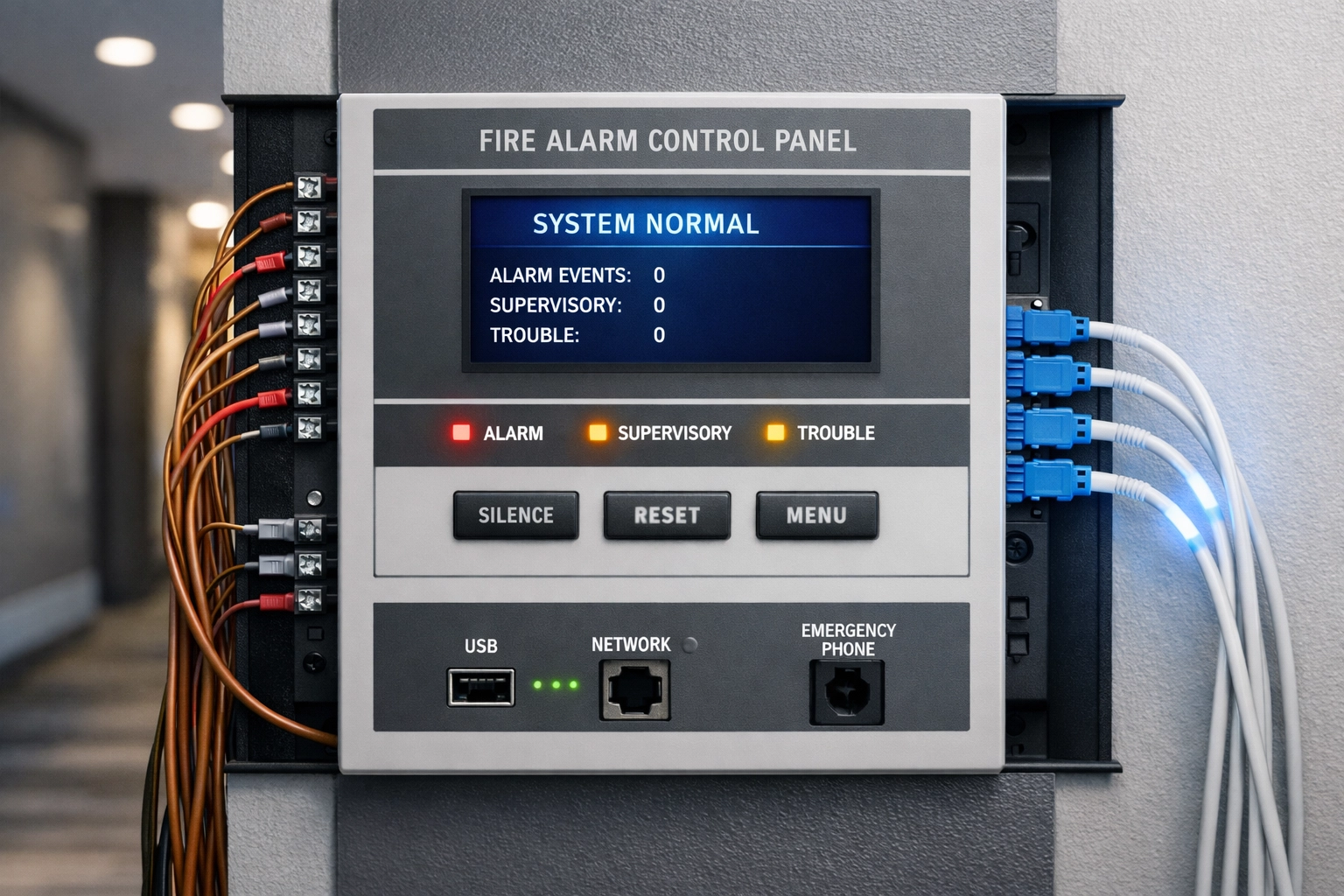
Hotel fire alarm panel showing POTS copper line replacement with modern fiber optic cables

The good news: modern POTS replacement solutions are purpose-built to meet these codes. Technologies like cellular-based voice lines, fiber-to-copper converters, and managed analog terminal adapters (ATAs) maintain full regulatory compliance while delivering better uptime than aging copper ever could. Most solutions offer 99.999% reliability, that's less than six minutes of downtime per year.

Before you choose a replacement, confirm three things:

  1. Code certification: Does the solution explicitly meet NFPA 72 and ASME A17.1 requirements in your jurisdiction?
  2. E911 compliance: Emergency calls must transmit accurate location data to first responders.
  3. Battery backup: Life-safety systems need to function during power outages, typically for at least 24 hours.

Work with your fire marshal, elevator service company, and alarm monitoring provider early in the process. They'll confirm what technology is acceptable in your building and help you avoid costly rework.

What Happens If You Wait?

Delaying POTS replacement creates a perfect storm of risk:

Carrier refusal: When AT&T or Lumen issues a final disconnect notice, they're not negotiating. If you're caught off guard, you could lose service with as little as 30 days' notice.

Service bottlenecks: Millions of businesses are competing for the same replacement services right now. As demand surges in 2026, installation timelines will stretch from weeks to months.

Compliance violations: If your elevator phone or fire alarm goes offline and a guest emergency occurs, your liability exposure skyrockets. State regulators and insurance carriers don't care that your carrier decommissioned copper, they care that your safety systems failed.

Escalating costs: POTS pricing isn't stabilizing, it's accelerating. The longer you wait, the more you'll pay in monthly fees while the replacement window narrows.

Your Four-Step POTS Replacement Roadmap

Step 1: Inventory every copper line.
Walk your property with your facilities team and identify every system using POTS: elevator phones, fire alarm panels, pool phones, fax lines (yes, some hotels still have them), security panels, and any alarm monitoring connections. Don't assume, verify with your service providers and equipment vendors.

Step 2: Verify local code requirements.
Contact your local fire marshal and elevator inspection authority. Ask specifically what replacement technologies are pre-approved in your jurisdiction. Some municipalities have strict rules about cellular vs. landline alternatives for life-safety systems.

Step 3: Request vendor proposals.
Get quotes from at least two providers who specialize in POTS replacement for hospitality. Look for solutions that bundle equipment, installation, monitoring, and ongoing support. Ask about uptime guarantees, battery backup specs, and compliance certifications.

Step 4: Schedule installation before June 2026.
Don't wait for a disconnect notice. Properties in AT&T and Lumen footprints should prioritize replacement by Q2 2026. If you operate multiple locations, tackle properties in decommissioning zones first.

Modern Alternatives That Actually Work for Hotels

Today's POTS replacement solutions aren't one-size-fits-all. Here are the most common options for hotels:

  • Cellular voice lines: Uses 4G/5G networks to deliver analog dialtone. Great for elevators and remote locations. Battery-backed, weather-resistant, and easy to install.
  • Fiber-to-copper converters: If your property already has fiber internet, an analog terminal adapter (ATA) converts digital signals back to traditional copper dialtone for legacy equipment.
  • Managed connectivity platforms: Purpose-built for multi-location operators. Centralized monitoring, automatic failover, and compliance reporting across your entire portfolio.

Each solution offers significantly better uptime than aging copper (99.999% vs. ~99.5% for POTS), built-in redundancy, and remote diagnostics that catch issues before they become emergencies.

Frequently Asked Questions (FAQ)

Q: Can I just switch my elevator phone to a cell phone?
A: Not exactly. Elevator emergency phones must meet ASME A17.1 standards, which require two-way voice communication, automatic connection to emergency services, and specific performance benchmarks. A standard cell phone won't meet code. However, cellular-based POTS replacement solutions are designed specifically for elevator compliance and work seamlessly with existing emergency phone hardware.

Q: What happens to my fire alarm monitoring during the switchover?
A: Professional installers coordinate with your alarm monitoring company to ensure zero downtime. Most transitions happen outside business hours, and backup connectivity (like cellular failover) keeps monitoring active during the brief cutover window.

Q: How much does POTS replacement cost upfront?
A: Installation costs vary by property size and system complexity, but most hotels spend between $200 and $800 per line for equipment and installation. Given monthly savings of $50–$150 per line, payback periods typically range from 6 to 18 months.

Q: Will my hotel insurance cover system failures if I don't upgrade?
A: Probably not. If your carrier decommissions copper and your life-safety systems go offline, insurers may deny claims for guest injuries or property damage related to non-functional emergency communications. Check your policy's compliance requirements.

Q: Do I need to replace working POTS lines right now?
A: If you're in an AT&T or Lumen service area and currently paying legacy POTS rates, yes: replacement should be a 2026 priority. Carriers are accelerating decommissioning timelines, and waiting increases both your monthly costs and the risk of forced disconnection with minimal notice.

Q: Can I get help managing POTS replacement across multiple hotel properties?
A: Absolutely. Multi-location operators benefit from working with a single partner who can coordinate assessments, vendor negotiations, and phased rollouts across your portfolio. This reduces complexity, standardizes compliance, and often unlocks volume pricing.

Take Action Before the Copper Sunset Arrives

The 2026 copper sunset isn't a distant threat: it's happening right now. Hotel owners who act early will lock in lower monthly costs, avoid compliance headaches, and ensure their life-safety systems stay operational without interruption. Those who wait will face higher costs, longer timelines, and unnecessary risk.

Premier Business Team helps hospitality operators navigate POTS replacement with vendor-neutral guidance, compliance expertise, and single-point project management across multi-location portfolios. We handle the technical complexity so you can focus on running your hotel.

Ready to protect your property and cut your monthly line costs? Contact Premier Business Team today for a free POTS replacement assessment. We'll inventory your systems, confirm compliance requirements, and show you exactly how much you'll save.

Learn more about unified communications solutions or explore how modern connectivity options can future-proof your property.

Enterprise VMware Solutions & Alternatives: Navigating the New Era of Private Cloud and Professional Services

premierbusiness · February 3, 2026 ·

The enterprise virtualization landscape has undergone seismic shifts since Broadcom's acquisition of VMware. What was once a straightforward licensing model has become a complex maze of subscription bundles, core-based pricing, and eliminated standalone offerings. For IT leaders managing critical infrastructure, the question is no longer if you should explore alternatives, but how to navigate this transition strategically without disrupting operations or escalating costs.

Premier Business Team specializes in helping enterprises cut through this complexity. As vendor-neutral advisors with deep expertise in datacenter infrastructure, private cloud solutions, and VMware technologies, we guide organizations through licensing optimization, alternative evaluation, and seamless migration strategies that align with business objectives rather than vendor roadmaps.

The Broadcom Impact: What Changed and Why It Matters

Broadcom's acquisition fundamentally restructured VMware's licensing and pricing model. Organizations across industries report price increases ranging from 150% to over 1,500%, accompanied by forced subscription bundles that eliminate purchasing flexibility. Familiar standalone products like vSphere Enterprise Plus have been discontinued, with essential enterprise features now locked behind larger subscription packages or available only as costly add-ons.

Enterprise datacenter server room with modern private cloud infrastructure and VMware solutions

The shift from perpetual licensing to subscription models tied to cores, users, or usage metrics has created budget uncertainty for enterprises that previously planned infrastructure investments years in advance. For organizations already invested in vSAN-based hyperconverged infrastructure (HCI), the transition has been particularly challenging, as competing HCI platforms can now replicate full VMware Cloud Foundation (VCF) stack capabilities at significantly lower total cost of ownership.

This isn't just about price increases. It's about regaining control over your infrastructure strategy and avoiding vendor lock-in that constrains future flexibility.

Why Enterprises Are Reconsidering Their Virtualization Strategy

Beyond licensing costs, the VMware landscape shift has prompted enterprise IT teams to reconsider fundamental infrastructure assumptions:

Budget Predictability: Subscription models tied to dynamic metrics create forecasting challenges, particularly for organizations managing growth or cyclical demand patterns.

Feature Access: Previously available capabilities now require tier upgrades or separate subscriptions, forcing organizations to pay for bundled features they don't need to access the ones they do.

Strategic Flexibility: Tight coupling between hypervisor, storage, and management layers limits architectural choices and increases switching costs over time.

Operational Complexity: Managing multiple subscription tiers, renewal cycles, and compliance verification adds administrative overhead without delivering corresponding value.

Organizations seeking business connectivity solutions and infrastructure modernization are discovering that the VMware ecosystem is no longer the only path to enterprise-grade virtualization, disaster recovery, and business continuity.

Exploring VMware Alternatives: A Strategic Framework

The market now offers mature, enterprise-proven alternatives across multiple categories. The right solution depends on your organization's infrastructure maturity, workload requirements, operational expertise, and strategic priorities.

Hyperconverged infrastructure visualization showing unified compute storage and networking platforms

Full-Stack Hyperconverged Infrastructure (HCI)

For organizations seeking unified platforms that converge compute, storage, networking, virtualization, and management:

Nutanix remains the most mature enterprise HCI platform, with proven performance at scale, included AHV hypervisor, strong automation capabilities, and extensive ecosystem integrations. It's ideal for large enterprises requiring robust feature parity with VMware VCF and long-term platform stability.

Arcfra Enterprise Cloud Platform (AECP) delivers full-stack software-defined infrastructure converging compute, storage, networking, virtualization, container orchestration (Kubernetes), security, and disaster recovery. Recognized by Gartner as a Representative Vendor in full-stack HCI, Arcfra targets organizations seeking potential TCO reductions exceeding 50% compared to VMware VCF.

Microsoft Azure Local brings Azure cloud capabilities to customer-owned infrastructure, combining Hyper-V compute, Storage Spaces Direct software-defined storage, and Azure Arc for unified management. It supports Windows and Linux VMs, containers, and Azure services, making it attractive for Microsoft-centric environments, though some deployments report maturity and scale concerns.

Verge.io and Scale Computing provide lightweight, appliance-based HCI optimized for edge deployments, multi-site operations, and organizations prioritizing minimal operational complexity over maximum feature density.

Software-Only Virtualization Solutions

Organizations preferring to retain existing hardware investments have compelling hypervisor alternatives:

Proxmox VE combines KVM for full hardware virtualization and LXC for lightweight containers, with integrated software-defined storage (ZFS, Ceph), flexible networking, and unified web-based management. This open-source platform appeals to organizations with strong DevOps capabilities seeking cost-effectiveness and avoiding proprietary lock-in.

Vates (XCP-ng + Xen Orchestra) delivers a VMware-like experience with modern web-based management, mature cluster and high availability capabilities, and no vendor lock-in concerns. It suits enterprises prioritizing familiar operational patterns with moderate migration complexity.

Microsoft Hyper-V remains a stable, mature hypervisor with deep Windows Server and Azure integration, particularly strong for Windows-centric environments requiring low migration complexity for Windows workloads.

How Premier Business Team Guides Your Infrastructure Transformation

Navigating VMware licensing changes or exploring alternatives requires more than technical knowledge: it demands strategic clarity about business objectives, workload requirements, operational readiness, and long-term TCO implications.

IT consulting team reviewing VMware alternatives and datacenter infrastructure strategy

Vendor-Neutral Advisory Services

As independent advisors without product sales quotas or manufacturer partnerships, we provide objective guidance based solely on your organization's needs. We help you avoid the "VMware licensing trap" by evaluating whether optimization, renegotiation, or migration delivers the best outcome for your specific situation.

Comprehensive Assessment and Planning

Our consulting process begins with thorough infrastructure assessment: workload characterization, performance baseline analysis, dependency mapping, and business continuity requirements. We evaluate licensing optimization opportunities within your existing VMware environment before recommending alternatives, ensuring you understand all available paths forward.

Strategic Sourcing and Procurement Support

We leverage relationships across the infrastructure ecosystem to source competitive pricing, negotiate favorable terms, and structure agreements that preserve flexibility. Whether optimizing VMware subscriptions or procuring alternative platforms, our sourcing expertise helps organizations avoid overpaying for capabilities they don't need while ensuring access to features they do.

Professional Implementation and Migration Services

Platform transitions demand careful planning, phased execution, and minimal disruption to production workloads. Our professional services team manages the entire implementation lifecycle: pilot deployments, migration planning, cutover orchestration, validation testing, and knowledge transfer. We ensure your team is fully prepared to operate and optimize new infrastructure before we consider the engagement complete.

Ongoing Optimization and Support

Infrastructure needs evolve. We provide ongoing optimization services to ensure platforms scale efficiently, incorporate new capabilities, and adapt to changing business requirements without triggering unexpected cost escalations or operational complexity.

Similar to our approach with unified communications solutions, we focus on long-term partnerships that deliver continuous value rather than one-time projects.

The Path Forward: Making Strategic Infrastructure Decisions

The virtualization and private cloud landscape has fundamentally shifted, but uncertainty creates opportunity. Organizations making strategic decisions now can:

  • Reduce infrastructure TCO by 30-60% through optimized licensing or platform migration
  • Eliminate vendor lock-in that constrains future architectural choices
  • Gain operational flexibility with subscription models aligned to actual usage and value
  • Modernize infrastructure with integrated capabilities for containers, Kubernetes, and cloud-native workloads
  • Position for hybrid and multi-cloud strategies without platform dependencies

The key is approaching this transition strategically rather than reactively. Rushing into alternatives without thorough assessment creates new problems. Accepting unfavorable VMware terms without exploring options leaves money on the table and constrains future flexibility.

Frequently Asked Questions

Q: Should we migrate away from VMware or try to optimize our existing licensing?

A: It depends on your specific environment, workload characteristics, and business objectives. For some organizations, renegotiating VMware subscriptions or consolidating to fewer cores delivers sufficient savings. For others, migrating to alternatives provides better long-term value and strategic flexibility. We assess both paths objectively and recommend the approach with the best total cost of ownership and operational outcomes.

Q: How long does a typical VMware alternative migration take?

A: Timeline varies based on environment complexity, workload count, business continuity requirements, and internal resource availability. Phased migrations for mid-sized environments typically span 3-6 months from planning through final cutover. Larger, more complex deployments may extend 9-12 months. We structure migrations to minimize disruption and maintain production service levels throughout the transition.

Q: Will our team need extensive retraining to operate a different virtualization platform?

A: Most modern alternatives provide familiar operational patterns and web-based management interfaces that reduce learning curves. We include comprehensive knowledge transfer and training in all implementation engagements, ensuring your team is fully proficient before we transition to support mode. Many organizations report their teams are fully productive within 2-4 weeks.

Q: Can we maintain VMware in some areas while migrating others to alternatives?

A: Absolutely. Many organizations adopt hybrid approaches, migrating specific workloads, sites, or business units while retaining VMware where it provides unique value. This phased strategy reduces risk, allows for operational learning, and provides leverage in VMware negotiations by demonstrating credible alternatives.

Q: How do we ensure business continuity and disaster recovery during a platform transition?

A: Migration planning includes maintaining redundant capacity, validating disaster recovery procedures at each phase, and establishing rollback procedures if unexpected issues arise. We structure cutover windows during low-utilization periods and maintain parallel operation until new platforms are fully validated. Business continuity is the top priority throughout every engagement.

Partner with Premier Business Team for Your VMware Strategy

The virtualization landscape has changed, but your infrastructure strategy doesn't have to be dictated by vendor roadmaps or licensing pressure. Whether you're optimizing existing VMware investments, exploring private cloud alternatives, or planning a comprehensive datacenter transformation, Premier Business Team provides the vendor-neutral expertise, strategic guidance, and professional implementation services to navigate this transition successfully.

Our team brings decades of combined experience in enterprise infrastructure, virtualization platforms, private and hybrid cloud architectures, and datacenter consulting. We've guided organizations across industries through complex infrastructure transitions, delivering measurable cost savings, operational improvements, and strategic flexibility.

Ready to explore your options? Contact Premier Business Team at 360-946-2626 or visit premierbusinessteam.com to schedule a complimentary infrastructure assessment and strategy consultation. Let's build a virtualization strategy that serves your business objectives rather than vendor licensing models.

  • « Go to Previous Page
  • Page 1
  • Interim pages omitted …
  • Page 19
  • Page 20
  • Page 21
  • Page 22
  • Page 23
  • Interim pages omitted …
  • Page 78
  • Go to Next Page »

Get a no obligation quote for your business. Learn More

Proud Chamber Member

Bellingham Chamber Badge

Premier Business Team

Copyright © 2026 · Premier Business Team 2219 Rimland Dr. Suite 301 Bellingham, WA 98226 - 360-946-2626

  • Home
  • Business Internet
  • Business Phone
  • Blog
  • About Us
  • Contact Us
  • Business Quote
  • Engineering
  • Call: 360-946-2626