• Skip to primary navigation
  • Skip to main content
Premier Business Team

Premier Business Team

Your business connectivity and IT Team

  • Home
  • Business Internet
  • Business Phone
  • Blog
  • About Us
    • Our Featured Suppliers
  • Contact Us
  • Business Quote
    • Business Tech Assessment
  • Engineering
  • Call: 360-946-2626
  • Show Search
Hide Search

Blog Posts

Cloud Business Phone Systems in Los Angeles, CA: Scalable VoIP & UCaaS Solutions for Enterprises

premierbusiness · February 3, 2026 ·

Los Angeles enterprises demand communication infrastructure that scales with their growth, supports distributed workforces, and delivers the reliability expected in one of the world's most competitive business markets. Cloud business phone systems, powered by VoIP and Unified Communications as a Service (UCaaS), provide the flexibility, advanced features, and cost savings that legacy PBX systems simply cannot match.

Whether you're managing a multi-location retail operation, a creative agency with remote talent, or a healthcare network requiring HIPAA-compliant communication, Premier Business Team delivers cloud-based phone solutions designed for enterprise performance across Los Angeles and beyond.

Why Los Angeles Businesses Are Moving to Cloud Phone Systems

Traditional phone infrastructure creates bottlenecks. Adding lines requires truck rolls, hardware purchases, and IT downtime. Scaling down means wasted capacity and sunk costs. Cloud business phone systems eliminate these inefficiencies by moving your entire telecom stack to the internet.

Key advantages for LA enterprises include:

  • Instant scalability: Add or remove users, phone lines, and call queues through an online dashboard, no rewiring required
  • 30-50% cost reduction compared to traditional PBX systems while gaining enterprise-grade features
  • Geographic flexibility: Support remote workers, satellite offices, and field teams with consistent business presence
  • Disaster resilience: Cloud redundancy ensures business continuity during power outages or local disruptions
  • Advanced analytics: Real-time call tracking, supervisor monitoring, and performance dashboards
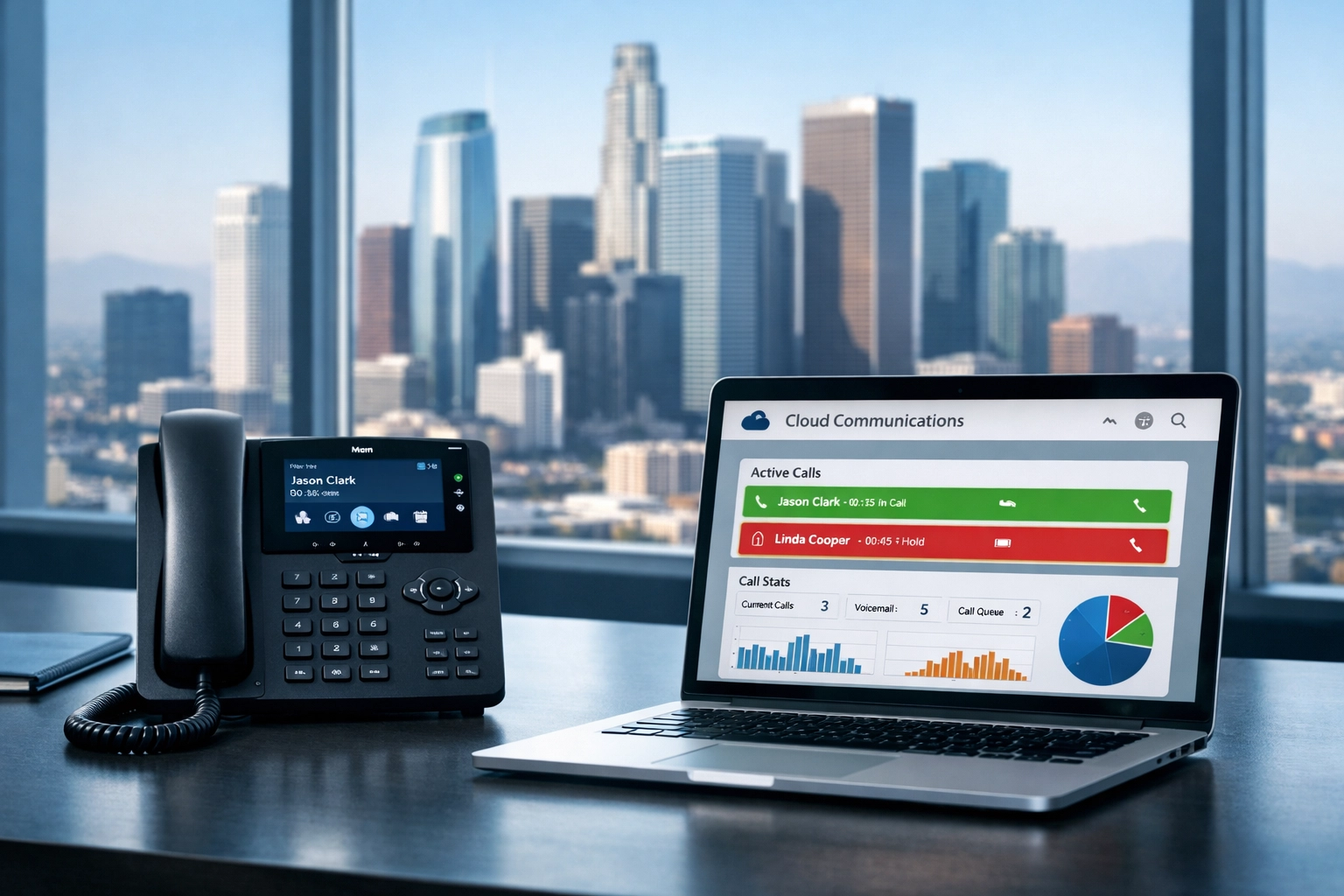
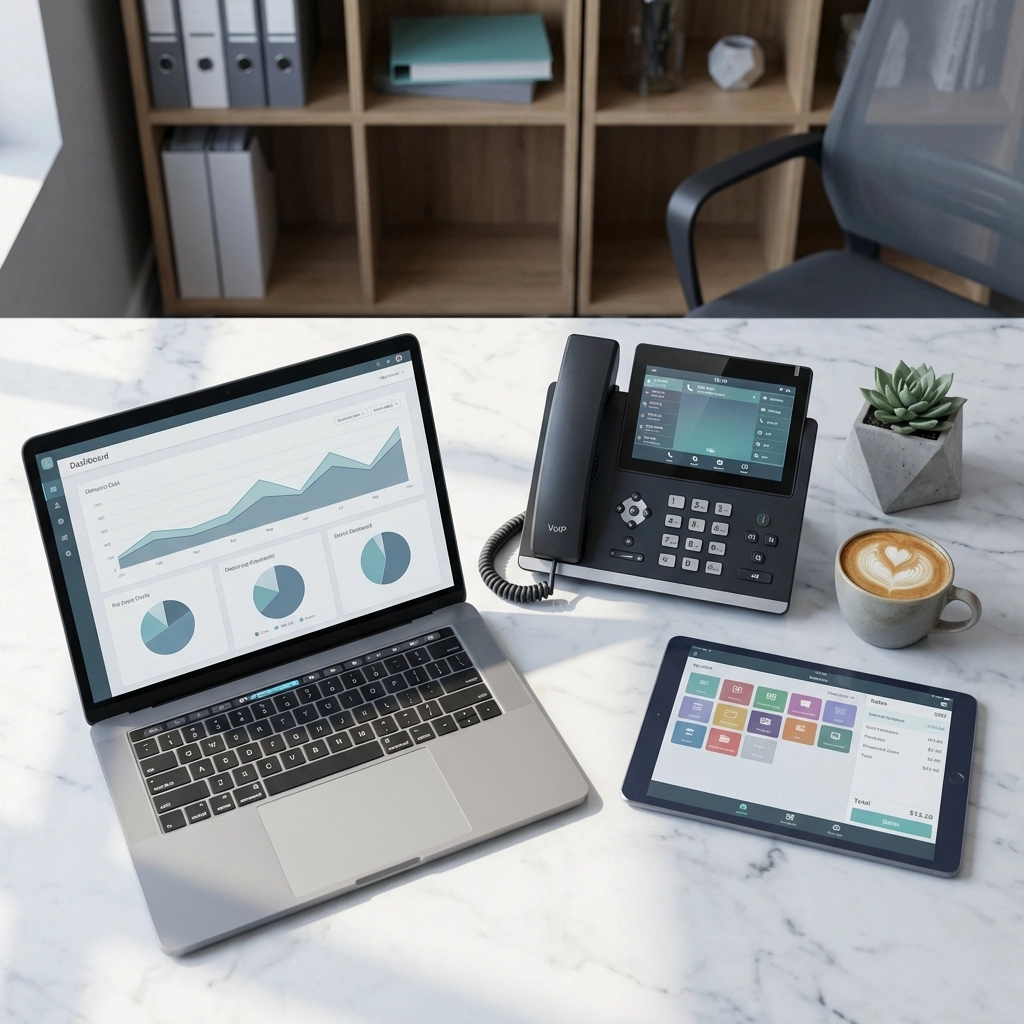
Los Angeles office with cloud business phone system dashboard showing real-time analytics

VoIP vs. UCaaS: Understanding Your Options

VoIP (Voice over Internet Protocol) delivers phone service over your internet connection instead of copper lines. It's a direct replacement for traditional business phone service with lower costs and better call quality.

UCaaS (Unified Communications as a Service) goes further, integrating voice, video conferencing, instant messaging, screen sharing, and collaboration tools into a single platform. For enterprises managing complex workflows, UCaaS eliminates the need to toggle between separate apps for calls, video meetings, and team chat.

Both solutions require high-performance business internet connectivity to deliver consistent call quality and uptime. Premier Business Team evaluates your network infrastructure to ensure your cloud phone system has the bandwidth, latency controls, and redundancy it needs to perform.

Essential Features for Los Angeles Enterprises

Modern cloud phone systems deliver capabilities that traditional PBX hardware cannot support:

Multi-Device Flexibility

Your team can use business phone numbers on desk phones, desktop softphones, mobile apps (iOS and Android), or browser-based clients. Field technicians, sales reps, and remote workers maintain professional presence regardless of location.

Intelligent Call Routing

Time-based rules direct calls to the right team during business hours and automatically shift to voicemail, answering services, or on-call groups after hours. Advanced routing options include skill-based distribution, priority queuing, and overflow handling for high call volumes.

Contact Center Integration

For businesses running customer support, sales, or service teams, Contact Center as a Service (CCaaS) integrates directly with your cloud phone system. Features include real-time agent monitoring, call recording, quality assurance tools, and detailed performance analytics.

Collaboration Tools Built In

Unified Communications platforms enable seamless transitions between communication modes. Start a conversation via instant message, escalate to a voice call, and launch a video conference, all without leaving the platform or switching apps.
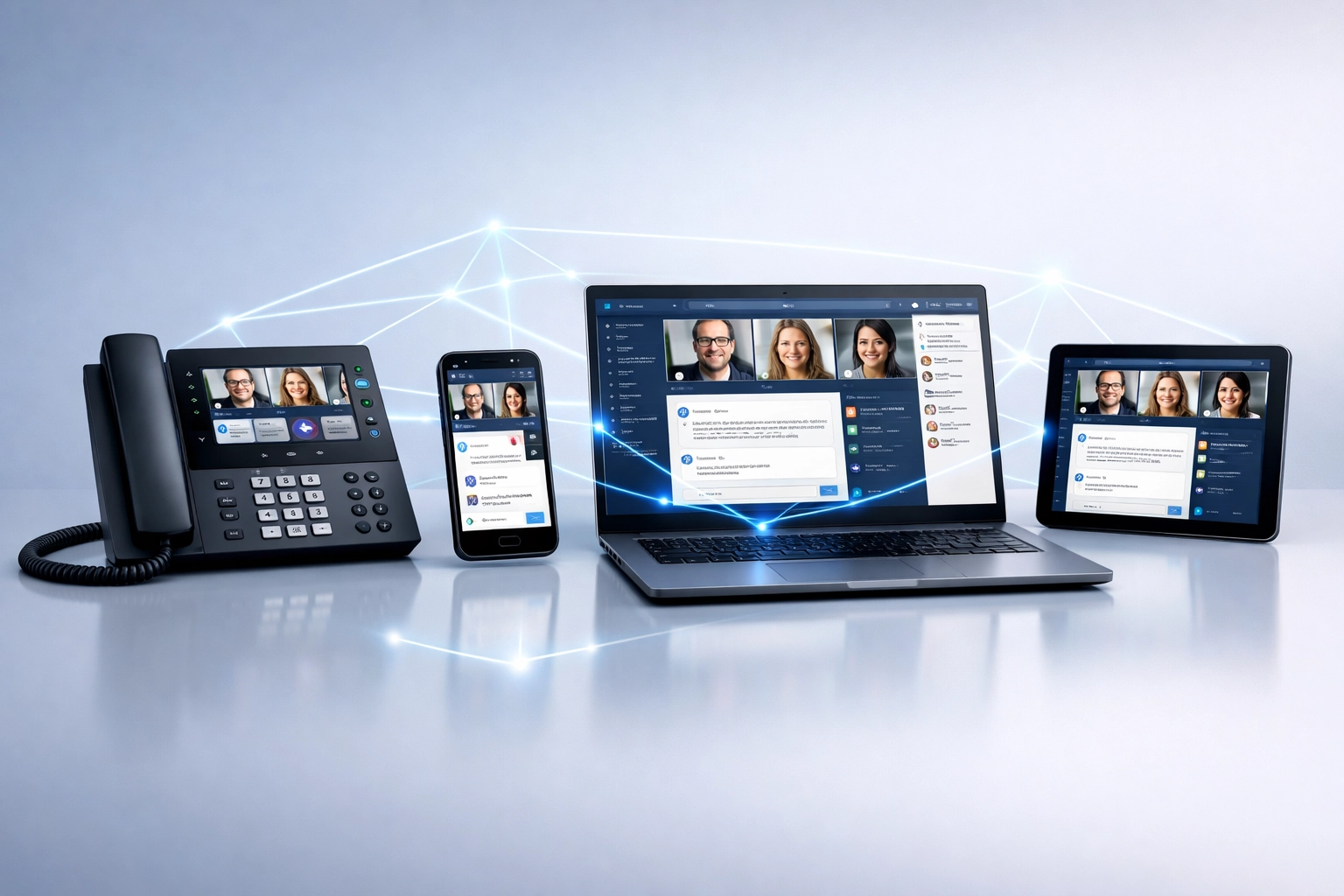
Multi-device UCaaS platform showing unified communications on desk phone, laptop, and mobile

Top Cloud Phone Providers for Los Angeles Businesses

Premier Business Team works with leading UCaaS and VoIP providers to match your business requirements with the right platform:

RingCentral: Enterprise-grade UCaaS with advanced call routing, video meetings, and team messaging. Ideal for businesses requiring deep CRM integrations and global scalability. Compare RingCentral with other providers.

Nextiva: All-in-one communication platform with built-in contact center features, analytics dashboards, and customer engagement tools.

Dialpad: AI-powered UCaaS solution offering real-time transcription, voice intelligence, and HIPAA-compliant communication for healthcare and regulated industries.

Spectrum Enterprise: Hosted Voice and Hosted Call Center solutions designed for mobile workforces and multi-location operations, with native presence indicators and web collaboration.

3CX: Flexible deployment options (cloud or on-premise) through certified resellers, offering cost control and customization for businesses with specific infrastructure needs.

Each provider offers different strengths depending on your industry, team size, and integration requirements. Premier Business Team's vendor-neutral advisory approach ensures you select the platform that aligns with your actual business needs, not just the vendor's sales pitch.

How Premier Business Team Supports Your Cloud Phone Deployment

Switching to a cloud phone system isn't just about signing up for service. It requires network assessment, number porting, user provisioning, integration planning, and ongoing optimization.

Our process includes:

  1. Network readiness assessment: We evaluate your current internet connectivity to ensure your bandwidth, jitter, and latency can support enterprise-grade voice traffic.

  2. Vendor selection: We match your requirements (compliance needs, integration points, user count, budget) with the right UCaaS or VoIP platform from our portfolio of tier-one providers.

  3. Number porting and setup: Most providers complete number porting in 3-5 business days, and full system deployment typically takes 24-48 hours.

  4. Integration planning: We coordinate with your CRM, helpdesk software, and collaboration tools to ensure seamless data flow.

  5. Ongoing optimization: As your business grows, we adjust call flows, add users, and optimize performance based on real-world usage data.

Business team using cloud phone system for video conferencing and collaboration in LA office

Integrating Cloud Phones with Your Technology Stack

Modern businesses don't operate in silos. Your phone system should integrate with the tools your team already uses:

  • CRM platforms (Salesforce, HubSpot, Zoho): Automatic call logging, click-to-dial, and screen pops with customer data
  • Helpdesk software (Zendesk, Freshdesk): Ticket creation from inbound calls and unified communication history
  • Collaboration platforms (Microsoft Teams, Slack): Native integrations for calling directly from team chat interfaces
  • Video conferencing (Zoom, Microsoft Teams): Unified dial-in and video meeting scheduling

Premier Business Team ensures these integrations are configured correctly during deployment, reducing friction and improving team productivity from day one.

Security and Compliance for Regulated Industries

If your Los Angeles business operates in healthcare, finance, or legal services, compliance isn't optional. Cloud phone providers like Dialpad offer HIPAA-compliant communication with encrypted voice traffic, access controls, and audit trails.

For businesses requiring additional identity verification and access management, Premier Business Team also provides VeriNow identity authentication services, which integrate with your UCaaS platform to enhance security and streamline multi-factor authentication.

Email security is equally critical. Our BIMI email security services help businesses protect brand integrity and reduce phishing risks by displaying verified brand logos in email inboxes.

Frequently Asked Questions

What is a cloud business phone system?
A cloud business phone system (also called VoIP or UCaaS) delivers phone service over the internet instead of traditional copper lines. All features, call routing, voicemail, conferencing, are managed through a cloud platform, eliminating the need for on-premise PBX hardware.

How much does a cloud phone system cost for a Los Angeles business?
Pricing varies by provider and feature set, but most businesses save 30-50% compared to traditional phone service. Enterprise UCaaS plans typically range from $20-$40 per user per month depending on included features like video conferencing, contact center tools, and integrations.

Can I keep my existing Los Angeles phone numbers?
Yes. Most providers support full number porting for local (213, 310, 323, 424, 818) and toll-free numbers. The porting process typically takes 3-5 business days and is handled by your cloud phone provider.

What internet speed do I need for cloud phone service?
Each active voice call requires approximately 100 Kbps of dedicated bandwidth. A 50-person office with 20 simultaneous calls needs at least 10-15 Mbps of upload bandwidth. Premier Business Team performs a network assessment to ensure your business internet service can support your call volume.

How quickly can I deploy a cloud phone system?
Setup takes 24-48 hours for most businesses once number porting is complete. Larger enterprises with complex call routing and integrations may require 1-2 weeks for full deployment and user training.

Get Started with Premier Business Team

Los Angeles businesses need communication infrastructure that matches the pace and scale of their operations. Cloud business phone systems deliver the flexibility, cost savings, and advanced features required to compete in today's market: but only if they're deployed correctly.

Premier Business Team provides vendor-neutral telecom advisory services, ensuring you select the right UCaaS or VoIP platform, deploy it on a network built to support it, and optimize it as your business evolves.

Ready to upgrade your business phone system? Contact Premier Business Team today through our GoPathfinder consultation form to schedule a network assessment and cloud phone strategy session. We'll evaluate your current infrastructure, identify cost-saving opportunities, and design a communication solution that scales with your Los Angeles enterprise.
Why BIMI Will Change the Way Customers Trust Your Business Emails in 2026

premierbusiness · February 3, 2026 ·

Your customers receive dozens, sometimes hundreds, of emails every single day. In that crowded inbox, how do you make sure your legitimate business emails stand out from the noise and, more importantly, from the imposters trying to exploit your brand?

The answer in 2026 is BIMI (Brand Indicators for Message Identification). It's a game-changer for email marketing and brand trust, and it's quickly becoming the new standard for businesses that want customers to recognize and engage with their emails.

Let's break down why BIMI matters, how it builds trust, and why your business should get ahead of this trend now.


What Is BIMI and Why Should You Care?

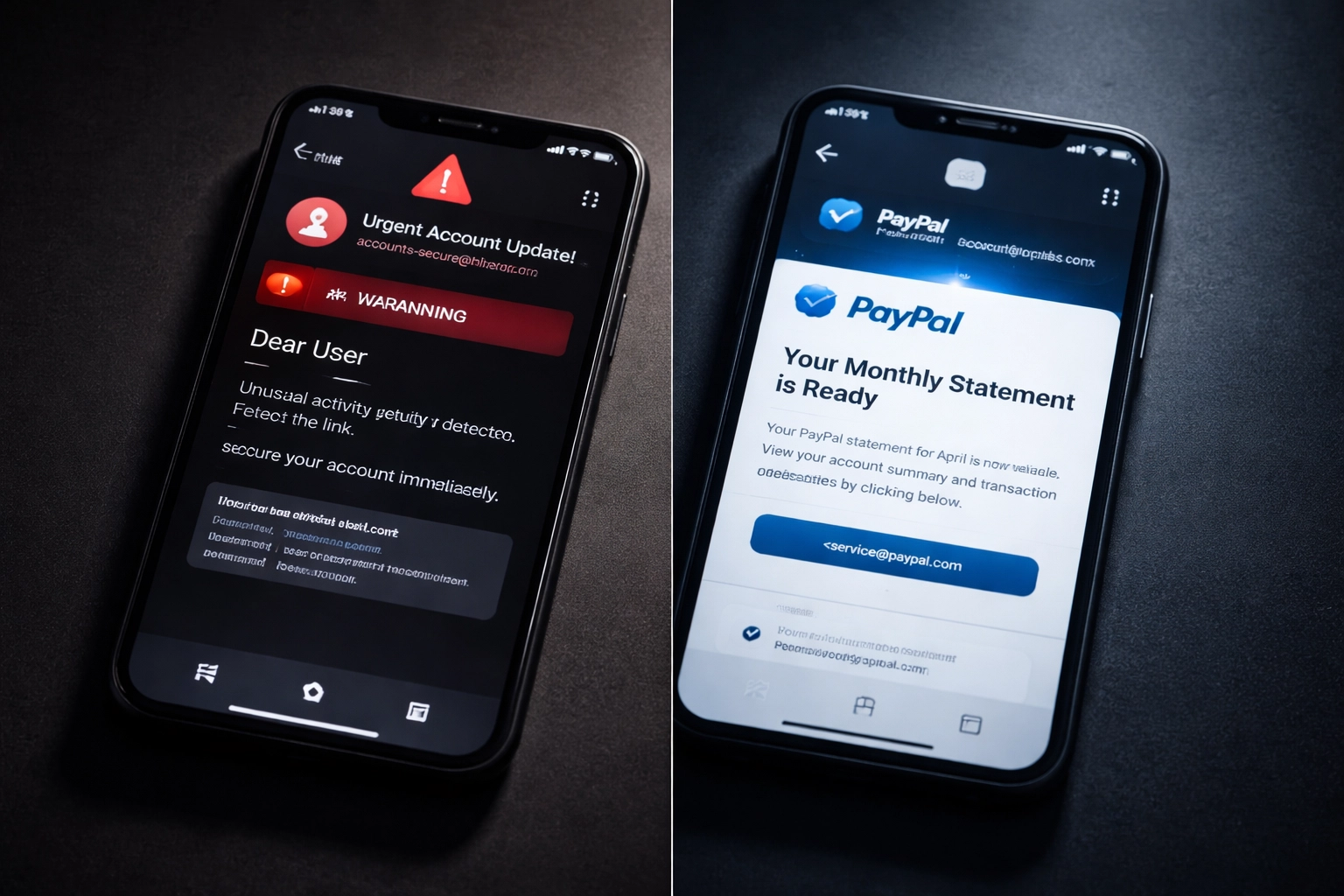
BIMI is an email specification that allows your verified company logo to appear directly next to your emails in recipients' inboxes. Think of it as the "blue checkmark" for email, a visual signal that tells customers, "This message is legitimately from us."

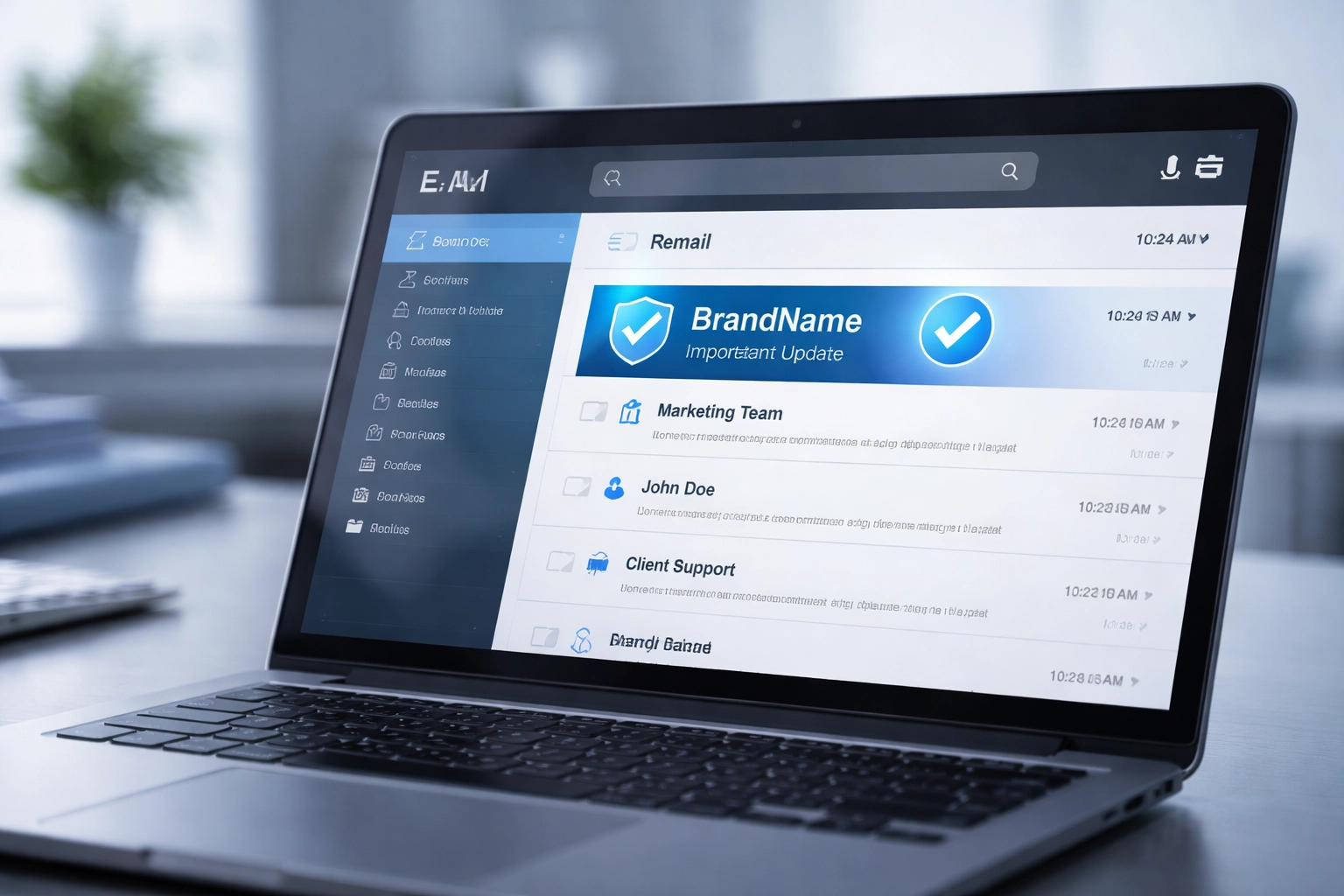
Close-up of a business email inbox on a laptop, showing a verified brand logo as a trust signal for legitimate emails.

Here's the thing: traditional email authentication protocols like SPF, DKIM, and DMARC have been protecting inboxes for years. But they work invisibly in the background. Your customers never actually see proof that an email was verified. BIMI changes that by turning authentication into something visual and instantly recognizable.

When your logo shows up next to your email, recipients immediately know the message is authentic. No guesswork. No hesitation. Just trust.


How BIMI Builds Instant Brand Trust

Most of your customers don't understand, and frankly don't care about, the technical details of email authentication. They're not checking SPF records or analyzing DKIM signatures before opening an email. But they do recognize your logo.

BIMI leverages that familiarity. When your verified logo appears consistently in the inbox, it creates a visual trust signal that transcends technical knowledge. Even recipients who have no idea how email authentication works will instinctively trust an email more when they see a familiar brand logo attached to it.

The Psychology of Visual Trust

  • Recognition breeds confidence. Seeing your logo repeatedly reinforces your brand identity and builds a sense of reliability.
  • Familiarity reduces suspicion. Customers are far less likely to ignore or distrust legitimate communications when they can visually verify the sender.
  • Consistency matters. Every email that displays your logo is another touchpoint that strengthens your relationship with the recipient.

This isn't just about security, it's about marketing at scale. Every email you send becomes an opportunity to reinforce your brand in your customers' minds.


Real-World Example: The Instagram Phishing Wave

Earlier this month, Instagram experienced a widespread issue where legitimate password reset emails were being sent to users, but not initiated by the users themselves. As word spread, threat actors quickly capitalized on the confusion by sending spoofed messages with identical content.

The result? Chaos. Many recipients couldn't tell the difference between real Instagram emails and fake ones because sender names and addresses looked legitimate.

Comparison of suspicious versus verified emails on smartphones, highlighting how BIMI helps users spot phishing attempts.

But here's where BIMI made all the difference.

Instagram had BIMI enabled for their domain. That meant their verified logo appeared next to every official message. When the company communicated to users how to identify valid emails, they had a simple, reliable answer: look for the logo.

  • Valid emails displayed the Instagram logo
  • Spoofed emails did not

This visual distinction helped users pause, verify, and avoid clicking malicious links. It's a powerful case study in how BIMI can protect both your brand and your customers during a crisis.


The Marketing Benefits of BIMI Go Beyond Security

Yes, BIMI is a security tool. But it's also a branding powerhouse. Here's how it impacts your marketing efforts:

1. Increased Email Open Rates

When recipients see your verified logo, they're more likely to open the email. Brand recognition in the inbox cuts through the clutter and grabs attention.

2. Reduced Email Fatigue and Distrust

Customers are bombarded with messages, and many have learned to be skeptical. A verified logo reduces that friction and makes recipients more willing to engage.

3. Consistent Brand Visibility

Every email becomes a mini billboard for your brand. Over time, this consistent visibility strengthens customer relationships and brand recall.

4. Competitive Differentiation

Not every business has adopted BIMI yet. Being an early adopter signals to customers that your organization takes security and professionalism seriously.


The Security Foundation: DMARC, SPF, and DKIM

BIMI doesn't work in isolation. It builds on top of established email authentication protocols:

Protocol Purpose
SPF (Sender Policy Framework) Verifies that the sending server is authorized to send on behalf of your domain
DKIM (DomainKeys Identified Mail) Adds a digital signature to verify the email hasn't been tampered with
DMARC (Domain-based Message Authentication, Reporting & Conformance) Tells receiving servers what to do if SPF or DKIM checks fail

For BIMI to work, your domain must have DMARC enforcement in place (set to "quarantine" or "reject"). This ensures that only properly authenticated emails receive your brand logo. It's a layered approach that combines technical security with visible trust.

If your organization isn't already using these protocols, that's the first step. Once they're in place, BIMI becomes the visible reward for all that behind-the-scenes work.


Major Email Providers Validate BIMI

This isn't a niche technology. The biggest names in email have embraced BIMI:

  • Google (Gmail)
  • Yahoo
  • Apple Mail

When these platforms validate BIMI participation, your organization isn't just improving security, you're meeting higher trust standards recognized by the email providers your customers use every day.

That validation matters. It signals to recipients that your business has gone the extra mile to protect them and earn their trust.


How Premier Business Team Can Help

Implementing BIMI involves several steps, and getting it right requires expertise. Through our trusted partnerships, Premier Business Team offers comprehensive BIMI implementation services, including:

  • DMARC readiness assessment and enforcement
  • SPF and DKIM validation and configuration
  • BIMI record setup
  • Verified Mark Certificate (VMC) guidance

We handle the technical details so you can focus on what matters: building trust with your customers and growing your business.

Explore our full range of cybersecurity solutions or learn more about how we help businesses with Google Workspace and cloud email services.


Frequently Asked Questions About BIMI

What is BIMI?
BIMI (Brand Indicators for Message Identification) is an email standard that displays your verified company logo next to authenticated emails in recipients' inboxes.

Does BIMI replace DMARC, SPF, and DKIM?
No. BIMI works alongside these protocols. You must have DMARC enforcement in place for BIMI to function.

Which email providers support BIMI?
Major providers including Google (Gmail), Yahoo, and Apple Mail support BIMI validation.

How does BIMI help with phishing protection?
BIMI provides a visual indicator that an email is authenticated. Spoofed emails won't display your logo, making it easier for recipients to identify fakes.

Does BIMI improve email open rates?
Yes. Brand recognition in the inbox increases trust and engagement, which typically leads to higher open rates.


Ready to Build Trust in Every Inbox?

BIMI is more than a security upgrade: it's a branding opportunity. In 2026, customers expect to know who's emailing them at a glance. Don't let your legitimate messages get lost in the noise or mistaken for phishing attempts.

Let Premier Business Team help you implement BIMI and strengthen your email security foundation.

๐Ÿ“ž Call us today at 360-946-2626 or visit premierbusinessteam.com to get started.

The Restaurant Owner's Guide to Integrating POS Systems with Cloud Phone Service in 2026

premierbusiness · February 3, 2026 ·

Running a restaurant in 2026 means juggling more technology than ever before. Between managing online orders, handling reservations, coordinating kitchen staff, and keeping customers happy, your systems need to work together seamlessly. That's where integrating your POS system with cloud phone service becomes a game-changer.

If you're still running your point-of-sale and phone systems as separate islands, you're leaving money on the table and creating unnecessary headaches for your team. Let's break down exactly how to bring these systems together and why it matters for your restaurant's bottom line.

What Is Cloud Phone Service for Restaurants?

Cloud phone service, also called VoIP, cloud PBX, or UCaaS (Unified Communications as a Service), replaces traditional phone lines with internet-based calling. Instead of relying on copper wires and outdated hardware, your restaurant's phones run through your existing internet connection.

For restaurants, this means more than just making and receiving calls. Modern cloud phone systems include features like:

  • Automated attendants and call routing
  • Text messaging for reservations and confirmations
  • Integration with your POS and online ordering platforms
  • Call analytics and reporting
  • Multi-location management from a single dashboard

The real magic happens when you connect your cloud phone service directly to your POS system.

image_1

Why Integrating POS and Cloud Phone Service Matters

Think about a typical dinner rush. Orders are flying in from your dining room, online ordering apps, and phone calls. Your host is trying to manage reservations while answering questions about wait times. Meanwhile, your kitchen needs real-time updates on incoming orders.

When your POS and phone systems talk to each other, everything runs smoother:

Automatic Caller Recognition

When a customer calls, their information pops up instantly. Your staff sees their name, order history, favorite dishes, and any special requests, before they even say hello. This personal touch builds loyalty and speeds up phone orders.

Streamlined Online Ordering Notifications

Your cloud phone system can send automated text confirmations when online orders are placed, when they're ready for pickup, or if there's a delay. No more customers showing up too early or calling to check on their order.

Reservation Management Made Easy

Integrate your reservation system with your phone service to send automated reminders, confirm bookings via text, and reduce no-shows. Some systems even allow customers to confirm or cancel reservations by replying to a text message.

Kitchen and Host Communication

Cloud phone systems with intercom and paging features let your kitchen communicate directly with hosts and servers. When a large party's food is ready, the kitchen can alert the server instantly without yelling across the restaurant.

Key Features to Look for in 2026

Restaurant technology has evolved rapidly. Here's what you should prioritize when choosing an integrated POS and cloud phone solution:

image_2

API-Based Integrations

The best systems connect through APIs (Application Programming Interfaces), allowing your POS, phone service, and other tools to share data automatically. Look for providers with open APIs or pre-built integrations with popular restaurant POS systems like Toast, Square, Lightspeed, or Clover.

Multi-Channel Communication

Your customers want options. Choose a cloud phone service that handles voice calls, SMS/text messaging, and even chat: all connected to your POS data. This unified approach means every customer interaction is logged and accessible.

Real-Time Analytics

Integrated systems give you powerful insights. Track metrics like:

  • Average call duration for phone orders
  • Peak calling times vs. peak dining times
  • Text message open and response rates
  • Customer lifetime value based on communication history

These analytics help you staff appropriately and optimize your marketing efforts.

Remote Management

Whether you're running one location or ten, cloud-based systems let you manage everything from anywhere. Check call volumes, review POS reports, and adjust settings from your phone or laptop. This is especially valuable for multi-location hospitality businesses.

Step-by-Step Integration Guide

Ready to connect your systems? Here's how to approach it:

Step 1: Audit Your Current Setup

Document what POS system you're using, your current phone setup, and any other tools (reservation systems, online ordering platforms, loyalty programs). Identify which systems already offer integrations.

Step 2: Choose Compatible Solutions

If you're starting fresh, select a POS and cloud phone service designed to work together. If you're keeping your existing POS, look for cloud phone providers with pre-built integrations or flexible APIs.

Premier Business Team works with multiple providers to find the right fit for your specific setup: whether you need hospitality phone systems in New York, Bellingham, or anywhere in between.

Step 3: Plan Your Workflow

Before flipping the switch, map out exactly how you want information to flow. When a customer calls, what should happen? When an online order comes in, who gets notified and how? Document these workflows so your team knows what to expect.

image_3

Step 4: Train Your Team

Technology is only as good as the people using it. Train your staff on the new features, especially caller ID pop-ups, text messaging protocols, and any new communication tools. Role-play common scenarios so everyone feels confident.

Step 5: Test Before Going Live

Run your integrated system during a slow period before relying on it during peak hours. Test phone orders, online ordering notifications, and reservation confirmations. Fix any issues before they affect customers.

Common Integration Challenges (And How to Solve Them)

Even the best-planned integrations hit bumps. Here's what to watch for:

Internet reliability: Cloud phone systems depend on stable internet. Invest in a business-grade connection with backup options. Consider redundant internet solutions to keep your restaurant running even if your primary connection goes down.

Staff resistance: Change is hard. Emphasize how the new system makes their jobs easier, not harder. Quick wins: like instant caller recognition: help build buy-in.

Data syncing delays: Some integrations aren't truly real-time. Test how quickly data moves between systems and choose providers that prioritize speed.

Frequently Asked Questions

How much does it cost to integrate POS and cloud phone systems?

Costs vary based on your restaurant size and chosen providers. Cloud phone services typically run $20-50 per user per month, with integration features often included. Many providers offer restaurant-specific packages.

Can I keep my existing phone numbers?

Yes. Most cloud phone providers support number porting, allowing you to keep your existing restaurant phone numbers when switching to a cloud-based system.

Will this work with my current POS system?

Most modern POS systems support integrations through APIs or app marketplaces. Popular systems like Toast, Square, Clover, and Lightspeed all offer integration options. A technology advisor can help determine compatibility.

How long does integration take?

Basic integrations can be completed in a few days. More complex setups involving multiple locations or custom workflows may take 2-4 weeks. Proper planning significantly reduces implementation time.

What happens if my internet goes down?

Quality cloud phone providers offer failover options, routing calls to mobile phones or backup locations during outages. This is why reliable internet with backup solutions is essential for restaurants.


Ready to Streamline Your Restaurant Technology?

Integrating your POS and cloud phone service isn't just about convenience: it's about creating a better experience for your customers and your team. In 2026's competitive restaurant landscape, these efficiencies can be the difference between thriving and just surviving.

Premier Business Team specializes in helping restaurant owners find and implement the right technology solutions. We work with multiple providers to match your specific needs, whether you're a single-location cafรฉ or a multi-state franchise.

Contact Premier Business Team today for a free consultation and discover how integrated communications can transform your restaurant operations.

Premier Business Team FAQ: Tech, Telecom & IT Solutions Explained

premierbusiness · February 3, 2026 ·

General Questions About Premier Business Team

What is Premier Business Team?

Premier Business Team is a trusted IT and telecommunications advisory firm based in Bellingham, Washington. We specialize in helping businesses nationwide make strategic decisions about their technology infrastructure, from business internet connectivity to complete digital transformation projects.

Where do you provide services?

We serve businesses locally in Bellingham and throughout the Pacific Northwest, across the United States, and select international clients. Whether you're a small restaurant in Bellingham or a multi-location enterprise, we provide the same level of expert service.

How much do your consulting services cost?

Most of our advisory services are provided at no cost to you, they're funded by our technology partners and vendors. This vendor-neutral approach means you get unbiased recommendations without paying consulting fees upfront.

What makes Premier Business Team different from other IT consultants?

We take a vendor-neutral approach, meaning we're not tied to any single technology provider. Our focus is finding the right solution for your specific business needs, not pushing a particular product. Plus, we handle the entire process from assessment to implementation.

Business Internet & Connectivity Questions

What types of business internet do you offer?

We provide multiple connectivity options including dedicated fiber, cable internet, satellite internet, 5G solutions, and hybrid networks. Our business internet services are designed to match your bandwidth needs, budget, and reliability requirements.

Do you offer backup internet connections?

Yes, we strongly recommend redundant internet circuits for business continuity. We can set up diverse routing paths so if one connection fails, your business stays online. This is especially critical for businesses that rely heavily on cloud applications or POS systems.

What's the difference between residential and business internet?

Business internet offers guaranteed speeds, service level agreements (SLAs), priority support, static IP addresses, and better uptime guarantees. Residential internet typically offers "up to" speeds with no guarantees, fine for home use, but risky for business operations.

image_1

Phone Systems & Communications Questions

What phone system options do you recommend in 2026?

We primarily recommend UCaaS (Unified Communications as a Service) solutions that combine voice, video, messaging, and collaboration tools in one platform. These cloud-based systems are more flexible and cost-effective than traditional PBX systems.

My business still uses POTS lines. Should I be concerned?

Absolutely. Traditional POTS (Plain Old Telephone Service) lines are being phased out nationwide. Many providers are discontinuing support, and costs are rising dramatically. We help businesses migrate to modern VoIP solutions before they lose service.

Can you help with phone systems for specific industries?

Yes, we specialize in industry-specific solutions. For example, our phone systems for hospitality include features like automated wake-up calls, room service integration, and guest services routing that hotels need.

What's the difference between VoIP and UCaaS?

VoIP (Voice over Internet Protocol) is just voice calling over the internet. UCaaS includes voice plus video conferencing, instant messaging, file sharing, mobile integration, and advanced features like call analytics and CRM integration, essentially your entire communication stack.

Cybersecurity & Cloud Questions

What cybersecurity solutions do you offer?

We provide comprehensive security including Secure Web Gateway (SWG) for web filtering and threat prevention, Firewall as a Service (FWaaS) for network protection, and Cloud Access Security Broker (CASB) for cloud application security. Every business needs layered security in 2026.

Do small businesses really need enterprise-grade cybersecurity?

More than ever. Small businesses are actually targeted more frequently because they typically have weaker security. A single ransomware attack can shut down a small business permanently. Our security solutions are scalable and affordable for businesses of any size.

What cloud services do you recommend?

We help businesses choose the right mix of public, private, and hybrid cloud solutions based on their specific needs. This might include Microsoft 365, Google Workspace, AWS services, or specialized industry applications hosted in the cloud.

How do you ensure our data stays secure in the cloud?

We implement multiple security layers including encryption, access controls, multi-factor authentication, and regular security audits. We also help you understand shared responsibility models, what the cloud provider protects versus what you're responsible for.

image_2

Data Center & Infrastructure Questions

Do you provide data center services?

Yes, we offer comprehensive data center solutions including colocation, connectivity options, power redundancy, cooling systems, and 24/7 monitoring. Whether you need space for a few servers or a complete data center buildout, we can help.

What's involved in a data center fiber build?

Data center fiber builds include planning the route, obtaining permits, trenching or aerial installation, fiber termination, testing, and establishing redundant pathways. We manage the entire process from design to activation.

Can you help with structured cabling?

Absolutely. We design and install structured cabling systems for offices, warehouses, and data centers. This includes Cat6/Cat6A ethernet cabling, fiber optic runs, patch panels, and cable management systems that meet industry standards.

What power options do you offer for data centers?

We provide primary power, UPS systems, backup generators, power distribution units (PDUs), and monitoring systems. Redundant power is critical for business continuity, and we design systems with no single points of failure.

Point of Sale & Contact Center Questions

What POS systems do you recommend?

We recommend modern cloud-based POS systems that integrate with inventory management, accounting software, and customer relationship tools. The right system depends on your industry, retail, restaurant, service business, etc.

Can you help upgrade our contact center technology?

Yes, we specialize in modern contact center solutions including cloud-based platforms, omnichannel routing, AI-powered chatbots, workforce management tools, and analytics platforms that improve both agent efficiency and customer satisfaction.

What's an omnichannel contact center?

An omnichannel contact center lets customers interact with your business through phone, email, chat, social media, or SMS, and agents can see the complete conversation history regardless of which channel the customer uses. This creates a seamless experience.

image_3

Process & Implementation Questions

How long does it take to implement new technology solutions?

Timeline varies by project complexity. Simple phone system deployments might take 2-4 weeks, while complete network overhauls can take several months. We provide detailed project timelines during the planning phase and keep you updated throughout.

Do you provide ongoing support after implementation?

Yes, we offer various support levels from basic monitoring to full managed services. Many of our solutions include 24/7 vendor support, and we can act as your single point of contact for all technology issues.

Can you work with our existing IT team?

Absolutely. We often partner with internal IT teams, providing specialized expertise they might not have in-house. We can supplement your team's capabilities or provide training so they can manage new systems effectively.

Do you offer network assessments?

Yes, our business tech assessment evaluates your current infrastructure, identifies vulnerabilities and inefficiencies, and provides recommendations for improvements. This comprehensive review helps prioritize technology investments.

Getting Started Questions

How do I know if my business needs technology upgrades?

Common signs include frequent system downtime, slow internet speeds affecting productivity, security concerns, difficulty scaling operations, or technology that's more than 5-7 years old. Our assessment can identify specific areas for improvement.

What information do you need to provide a quote?

We typically need to understand your current setup, business requirements, number of users/locations, bandwidth needs, and budget parameters. A brief phone consultation helps us gather this information quickly.

Can you handle projects for businesses outside Washington State?

Yes, we work with businesses nationwide and internationally. Modern technology allows us to manage implementations remotely, though we also travel for larger projects when on-site presence is beneficial.

How do I get started with Premier Business Team?

The easiest way is to call us at 360-946-2626 for a free consultation. We'll discuss your needs, current challenges, and goals, then provide recommendations tailored to your business.


Ready to modernize your business technology and improve operational efficiency? Premier Business Team provides expert guidance on everything from internet connectivity to comprehensive digital transformation. Our vendor-neutral approach ensures you get the right solution, not just the most expensive one.

Get started with a free consultation today:

Request a Quote or call 360-946-2626

Premier Business Team: Your trusted partner for IT and telecommunications solutions nationwide.

Copper Sunset 2026: 7 Mistakes You're Making with POTS Line Replacement (and How to Fix Them Before Inspection Day)

premierbusiness · February 2, 2026 ·

The clock is ticking. If your multi-location business still relies on copper-based POTS (Plain Old Telephone Service) lines for elevators, fire alarms, or emergency communication systems, you're facing a hard deadline: November 15, 2026. AT&T and other major carriers have already received FCC approval to discontinue copper service across 18 states, affecting millions of customers who depend on analog lines for life-safety compliance.

For property managers, facility directors, and corporate real estate teams overseeing national portfolios, this isn't just a telecom upgrade: it's a compliance crisis waiting to happen. A single missed elevator phone line or improperly migrated fire alarm circuit could trigger failed inspections, hefty fines, and liability exposure that no CFO wants to explain.

The problem? Most organizations are making critical mistakes in their POTS replacement planning: mistakes that won't surface until an inspector shows up with a checklist and a red pen. Here are the seven biggest errors we're seeing across enterprise portfolios, and how to fix them before inspection day.

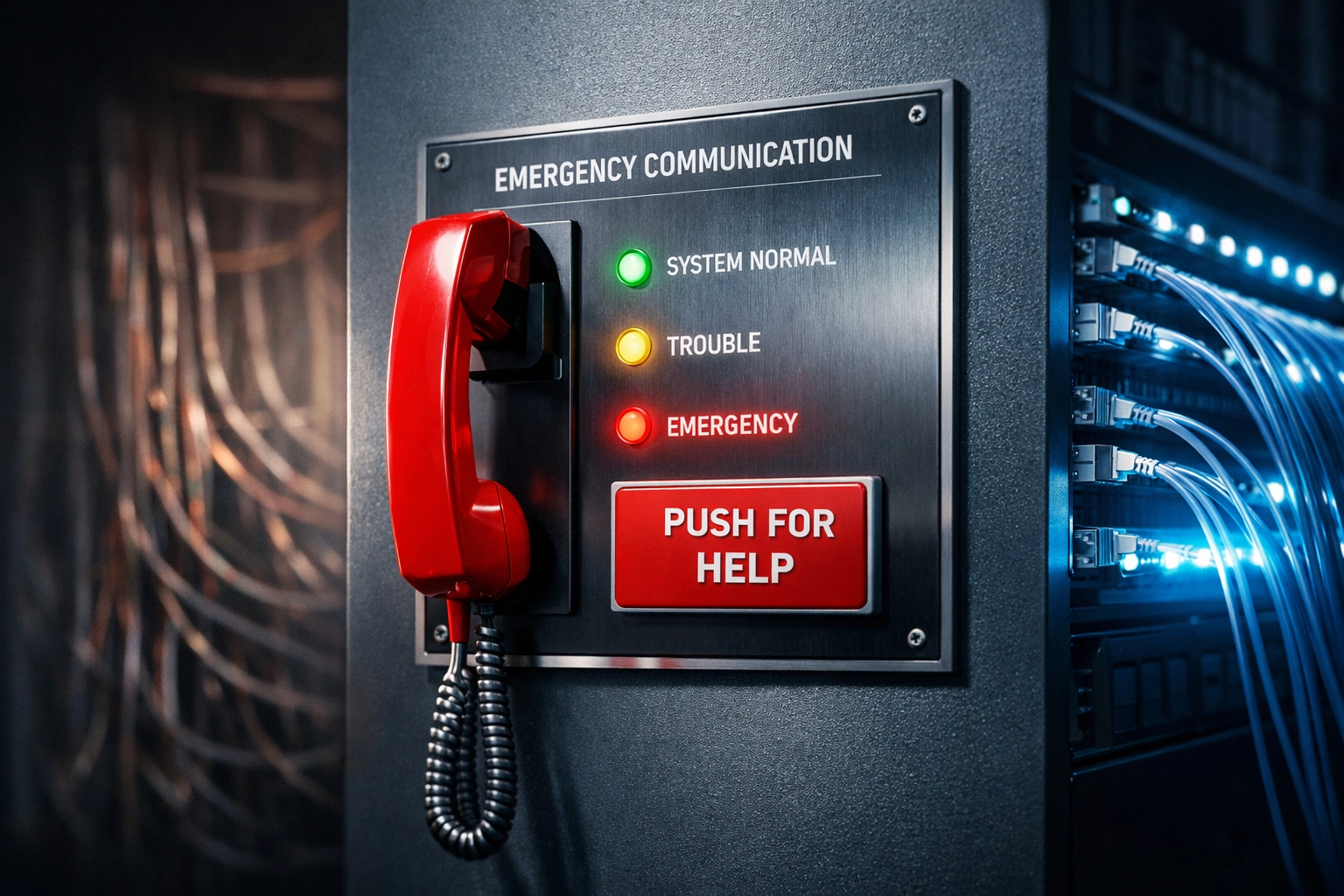
Emergency phone panel showing NFPA 72 compliant fiber optic POTS replacement with backup power

Mistake #1: Assuming "VoIP" Automatically Means NFPA 72 Compliant

The mistake: Your vendor tells you they're replacing your copper elevator lines with "VoIP," and you assume that means you're code-compliant. Not even close.

Why it's dangerous: NFPA 72, the National Fire Alarm and Signaling Code, requires fire alarm communication systems to maintain uninterrupted operation during power outages and network failures. Standard VoIP runs over your internet connection: which means if your router loses power, your fire alarm panel loses its connection to central monitoring. That's an automatic inspection failure.

The fix: Demand battery-backed, supervised VoIP with redundant failover paths. Your POTS replacement solution must include local power backup (UPS), cellular failover, and continuous supervisory signaling that alerts you if the line goes down. Premier Business Team works with vendor-neutral solutions that include NFPA 72-compliant voice bridges designed specifically for life-safety circuits.

Mistake #2: Treating Every POTS Line Like It's the Same

The mistake: You assume all analog lines can be replaced with the same solution. You bundle your elevator lines, fax machines, and alarm panels into one "VoIP migration" project.

Why it's dangerous: Not all POTS lines serve the same function. An elevator emergency phone must meet ASME A17.1 elevator safety codes. A fire alarm line must comply with NFPA 72. A credit card terminal or ATM line has specific data transmission requirements. Treating them all the same creates compliance gaps and system failures.

The fix: Audit by function, not by line count. Categorize every POTS line in your portfolio by its use case:

  • Life-safety lines (elevator phones, fire alarms) โ†’ Require supervised, battery-backed solutions
  • Operational lines (building entry systems, gate controls) โ†’ Can use standard VoIP with UPS
  • Data lines (fax, credit card terminals) โ†’ May require analog-to-IP adapters or dedicated circuits

This audit is the foundation of a compliant migration plan.

Mistake #3: Forgetting About the "Forgotten" Lines

The mistake: Your facilities team knows about the elevator phone and the main fire panel line. But what about the secondary alarm panel in the back hallway? The emergency callbox in the parking garage? The gate access phone at the loading dock?

Why it's dangerous: Our national audits regularly uncover 30โ€“40% more POTS lines than clients initially reported. One multi-location property group we worked with thought they had 80 analog lines across their portfolio. The actual count? 127 lines. At $75โ€“$150/month per line, they were hemorrhaging over $9,000/month on circuits they'd forgotten existed.

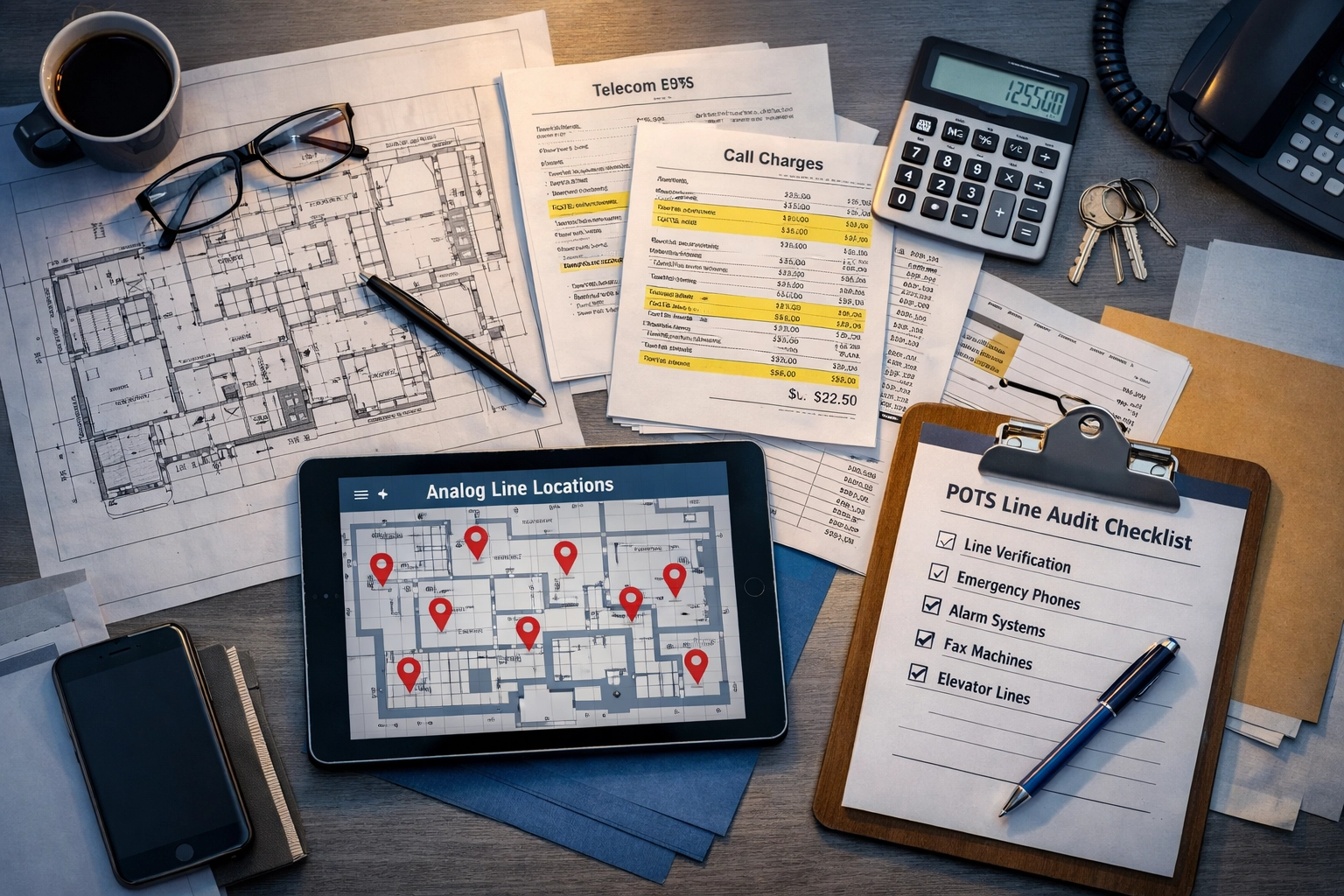
The fix: Commission a complete telecom audit before you migrate a single line. This includes:

  • Physical site walks at every location
  • Bill analysis from every telecom carrier (you may have lines from 3+ different providers)
  • Cross-referencing building blueprints and as-built drawings
  • Testing every circuit to confirm it's still active

Don't trust your invoice. Trust a physical verification process.

POTS line audit documentation with building blueprints and telecom bills for facility inspection

Mistake #4: Choosing the Cheapest Bid Without Testing the Replacement

The mistake: You accept the lowest-cost proposal because it saves budget in Year 1. You skip the pilot test because "it's just a phone line replacement."

Why it's dangerous: The FCC's streamlined copper retirement process eliminated the "Adequate Replacement Test," which previously required carriers to prove new services matched copper reliability. That safeguard is gone. Now, it's your responsibility to verify that replacements work before you cut over.

The fix: Run a 90-day pilot test at 2โ€“3 representative locations before committing your entire portfolio. Test for:

  • Call quality and clarity during peak network congestion
  • Failover performance during simulated power outages
  • Alarm panel compatibility (fire, intrusion, environmental monitoring)
  • Emergency services (911) routing and callback number accuracy

If your vendor resists a pilot, that's a red flag. A vendor-neutral advisor like Premier Business Team can help you design and execute a testing protocol that protects you from costly post-migration failures.

Mistake #5: Ignoring Geographic Gaps in Fiber and Wireless Coverage

The mistake: Your telecom provider promises "nationwide" fiber coverage, and you assume all 47 of your locations will get the same solution.

Why it's dangerous: AT&T's fiber buildout will reach 60 million locations by 2030, but that still leaves millions of businesses in areas where fiber isn't economically viable. In those markets, carriers are substituting fixed wireless as a replacement. Wireless introduces latency, weather-related outages, and potential compliance issues for time-sensitive life-safety systems.

The fix: Map your portfolio by geographic coverage before you select a technology:

  • Fiber-served locations โ†’ Prioritize fiber-based POTS replacement
  • Copper-only or wireless-only areas โ†’ Plan for cellular failover or hybrid solutions
  • Rural or remote sites โ†’ May require satellite backup or retained analog lines (where still available)

Don't let your national contract force a one-size-fits-all approach that fails in 20% of your locations.

Mistake #6: Skipping Pre-Migration Coordination with Fire and Elevator Inspectors

The mistake: You complete the POTS replacement, then schedule your annual fire alarm inspection. The inspector flags three non-compliant issues. Now you're racing against a re-inspection deadline with potential fines accumulating.

Why it's dangerous: Fire marshals and elevator inspectors have final authority over life-safety compliance. If they don't approve your replacement technology, you're not compliant: no matter what your telecom vendor promised.

The fix: Engage inspectors early in your planning process:

  1. Share your POTS replacement plan with your local fire marshal and elevator inspector 60โ€“90 days before migration
  2. Request written confirmation that your proposed solution meets code requirements
  3. Schedule post-migration inspection within 30 days of cutover
  4. Document everything for your compliance audit trail

This proactive approach eliminates surprise failures and demonstrates good-faith compliance efforts.

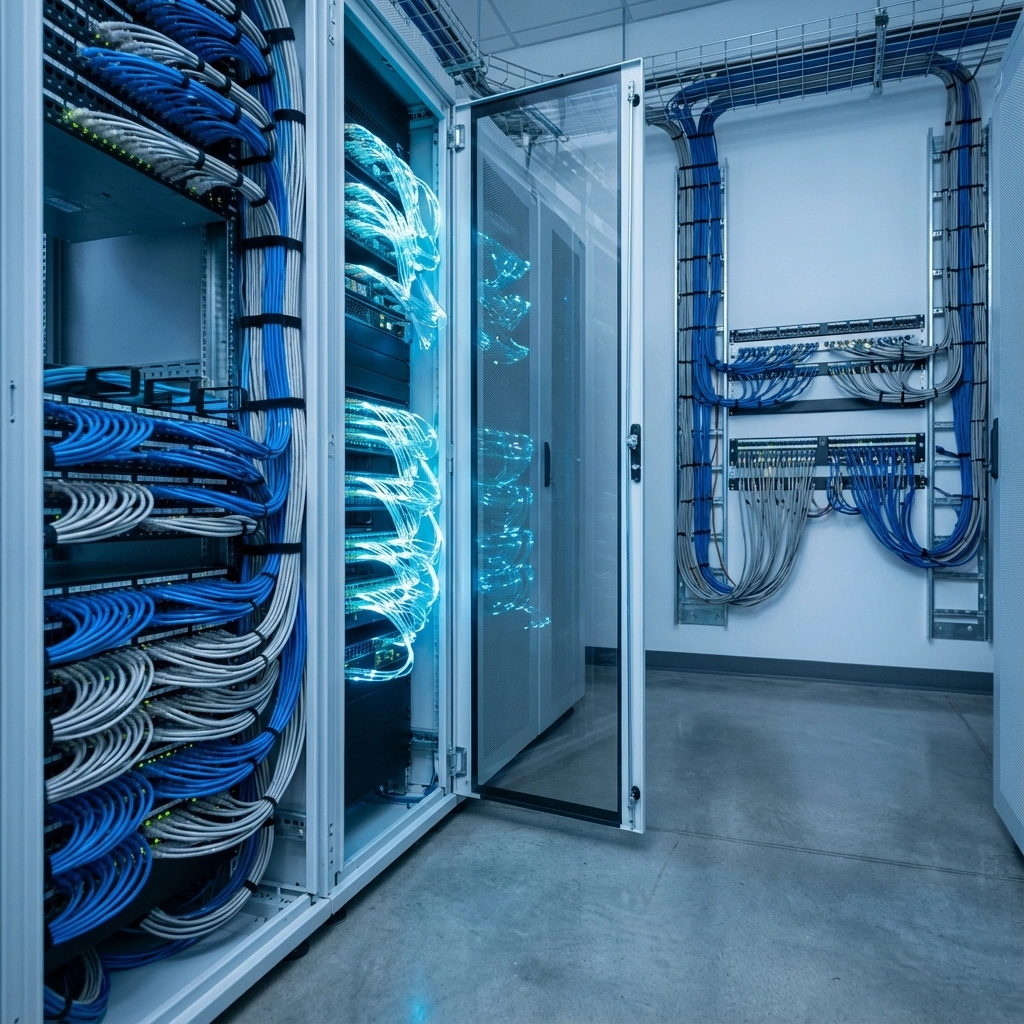
Fiber optic data center and rural wireless tower showing geographic coverage gaps in POTS replacement

Mistake #7: Failing to Plan for the "Last-Mile" Provider Disconnect

The mistake: You schedule your new POTS replacement installation for March 1st. You assume your old copper lines will automatically disconnect. Three months later, you're still being billed for both services.

Why it's dangerous: Telecom billing is notoriously sticky. Carriers don't automatically cancel old lines when you activate new ones: especially if they're from different providers. We've seen clients pay for redundant circuits for 6โ€“18 months before catching the error.

The fix: Create a detailed cutover and disconnect plan:

  • Document every circuit ID and billing telephone number (BTN) for your old POTS lines
  • Submit formal disconnect orders in writing with confirmed disconnect dates
  • Verify disconnects with follow-up billing review 30, 60, and 90 days post-migration
  • Use a vendor-neutral advisor to manage multi-carrier disconnects and prevent billing overlap

This single step can save multi-location organizations $50,000โ€“$150,000+ annually in avoided duplicate charges.

The 2026 Copper Sunset Is Not Optional

Here's the bottom line: copper retirement is happening, whether you're ready or not. AT&T has already notified customers in Alabama, Arkansas, Florida, Georgia, Indiana, Kansas, Kentucky, Louisiana, Michigan, Missouri, Mississippi, North Carolina, Ohio, Oklahoma, South Carolina, Tennessee, Texas, and Wisconsin that copper service will end by November 15, 2026. Other carriers are following similar timelines.

If you wait until you receive your disconnect notice, you'll have 30โ€“90 days to plan, test, and execute a compliant migration across potentially dozens or hundreds of locations. That's not enough time to avoid mistakes.

Organizations that start now: with a complete audit, pilot testing, and inspector coordination: will migrate smoothly and maintain full compliance. Those that wait will face rushed decisions, failed inspections, and costly emergency fixes.

Frequently Asked Questions About POTS Replacement

What is POTS replacement, and why is it required in 2026?
POTS (Plain Old Telephone Service) replacement refers to migrating analog copper phone lines to modern digital alternatives like fiber-based VoIP or cellular solutions. The 2026 copper sunset is driven by FCC-approved carrier requests to retire aging copper infrastructure in favor of fiber and wireless networks.

Will my elevator phone line work on standard VoIP?
Not necessarily. Elevator emergency phones must meet ASME A17.1 safety codes, which require reliable two-way voice communication even during power outages. Standard VoIP lacks the battery backup and supervised connectivity required for compliance. You need a purpose-built elevator phone solution.

What happens if I don't replace my POTS lines before the deadline?
Your carrier will discontinue service, leaving your fire alarms, elevator phones, and other critical systems without connectivity. This creates immediate life-safety compliance failures, potential fines, and liability exposure.

How much does NFPA 72 compliant POTS replacement cost per line?
Costs vary by technology and location, but expect $50โ€“$150/month per compliant line, including monitoring and battery backup. However, this often saves money compared to legacy POTS rates of $75โ€“$200/month per line with no advanced features.

Can I handle POTS replacement in-house, or do I need a consultant?
Multi-location organizations benefit from vendor-neutral consulting to navigate carrier contracts, technology selection, compliance requirements, and billing management. The cost of mistakes (failed inspections, duplicate billing, non-compliant installations) far exceeds the investment in expert guidance.

Don't Wait for the Deadline: Start Your Compliant Migration Today

The 2026 copper sunset isn't a distant problem. It's happening now, and organizations that delay their POTS replacement planning are setting themselves up for compliance failures, service disruptions, and unnecessary costs.

Premier Business Team specializes in vendor-neutral telecom consulting for national and international enterprises managing complex, multi-location portfolios. We don't sell specific products: we design compliant, cost-effective POTS replacement strategies tailored to your industry, regulatory requirements, and geographic footprint.

Whether you're managing 5 locations or 500, we'll help you avoid the seven critical mistakes outlined above and execute a migration plan that protects your business and keeps you compliant.

Ready to start your POTS replacement audit? Call Premier Business Team today at 360-946-2626 or visit our telecommunications solutions page to schedule a consultation. Don't let the copper sunset catch you off guard.

  • « Go to Previous Page
  • Page 1
  • Interim pages omitted …
  • Page 20
  • Page 21
  • Page 22
  • Page 23
  • Page 24
  • Interim pages omitted …
  • Page 78
  • Go to Next Page »

Get a no obligation quote for your business. Learn More

Proud Chamber Member

Bellingham Chamber Badge

Premier Business Team

Copyright © 2026 ยท Premier Business Team 2219 Rimland Dr. Suite 301 Bellingham, WA 98226 - 360-946-2626

  • Home
  • Business Internet
  • Business Phone
  • Blog
  • About Us
  • Contact Us
  • Business Quote
  • Engineering
  • Call: 360-946-2626