• Skip to primary navigation
  • Skip to main content
Premier Business Team

Premier Business Team

Your business connectivity and IT Team

  • Home
  • Business Internet
  • Business Phone
  • Blog
  • About Us
    • Our Featured Suppliers
  • Contact Us
  • Business Quote
    • Business Tech Assessment
  • Engineering
  • Call: 360-946-2626
  • Show Search
Hide Search

Blog Posts

Enterprise VMware Solutions & Alternatives in Spokane, WA: Professional IT Services for Local Businesses

premierbusiness · February 18, 2026 ·

Spokane's business landscape is changing rapidly. From healthcare organizations in the Valley Medical Center corridor to manufacturing facilities along the Spokane River, local enterprises are grappling with a critical infrastructure decision: what comes after VMware?

The Broadcom acquisition in 2023 fundamentally altered VMware's licensing model, pricing structure, and customer relationships. What was once predictable enterprise virtualization has become a moving target, with costs increasing 300-600% for many organizations and perpetual licenses discontinued entirely.

For Spokane businesses running mission-critical applications on VMware infrastructure, this isn't just a budget issue. It's a strategic inflection point that demands careful evaluation of alternatives, migration pathways, and long-term infrastructure strategy.

The VMware-Broadcom Licensing Challenge Hitting Spokane Businesses

Here's what changed overnight for Spokane organizations:

Perpetual licenses eliminated. VMware no longer sells perpetual licenses. Everything moves to subscription-based pricing with mandatory bundles that include features most businesses don't need.

Dramatic price increases. Organizations renewing support contracts report 3-6x cost increases compared to 2022 pricing. A $50,000 annual VMware budget can suddenly become $250,000, with zero additional functionality.

Forced bundling. VMware by Broadcom requires purchasing entire suites rather than individual products. Need vSphere? You're buying VCF (VMware Cloud Foundation), whether you use the other components or not.

Vendor lock-in intensified. Migration paths away from VMware are intentionally difficult, creating dependency that reduces negotiating leverage and increases long-term risk.

Spokane businesses, from Providence Health & Services data centers to local manufacturing firms, are asking the same question: Is there a better way forward?

IT professional reviewing VMware licensing costs in Spokane datacenter server room

Why Spokane Enterprises Are Exploring VMware Alternatives in 2026

The decision to evaluate alternatives isn't just about immediate cost savings. Forward-thinking Spokane organizations recognize several strategic drivers:

Budget predictability. Subscription pricing creates ongoing operational expenses that compound annually. Organizations want infrastructure investments that don't hijack future IT budgets.

Right-sized solutions. Not every workload requires enterprise-grade VMware features. Many Spokane businesses are over-licensed for their actual needs, paying for capabilities their teams never use.

Avoiding single-vendor dependency. Diversifying infrastructure platforms reduces risk. When one vendor controls your entire virtualization stack, you lose negotiating power and architectural flexibility.

Cloud-native readiness. Modern applications are increasingly designed for containerized, cloud-native environments. VMware's traditional VM-centric approach doesn't always align with where application development is heading.

Regulatory and compliance considerations. Healthcare providers in Spokane managing HIPAA-covered data need infrastructure that supports compliance requirements without vendor lock-in that limits security control.

Leading VMware Alternatives for Spokane Businesses

Several robust alternatives exist for organizations ready to diversify away from VMware or reduce their dependency:

Microsoft Hyper-V & Azure Stack HCI

For organizations already invested in the Microsoft ecosystem, Hyper-V offers enterprise virtualization without additional licensing costs (included with Windows Server). Azure Stack HCI extends this with hybrid cloud capabilities, allowing Spokane businesses to run Azure services on-premises while maintaining local control.

Best for: Mid-sized Spokane companies with existing Microsoft licensing agreements and Windows-centric workloads.

Proxmox Virtual Environment

Proxmox delivers open-source virtualization with enterprise-grade features at a fraction of VMware costs. It supports both VM-based and container-based virtualization, providing flexibility for diverse workload requirements.

Best for: Cost-conscious organizations with strong Linux expertise, particularly manufacturing and technology firms in Spokane's growing innovation sector.
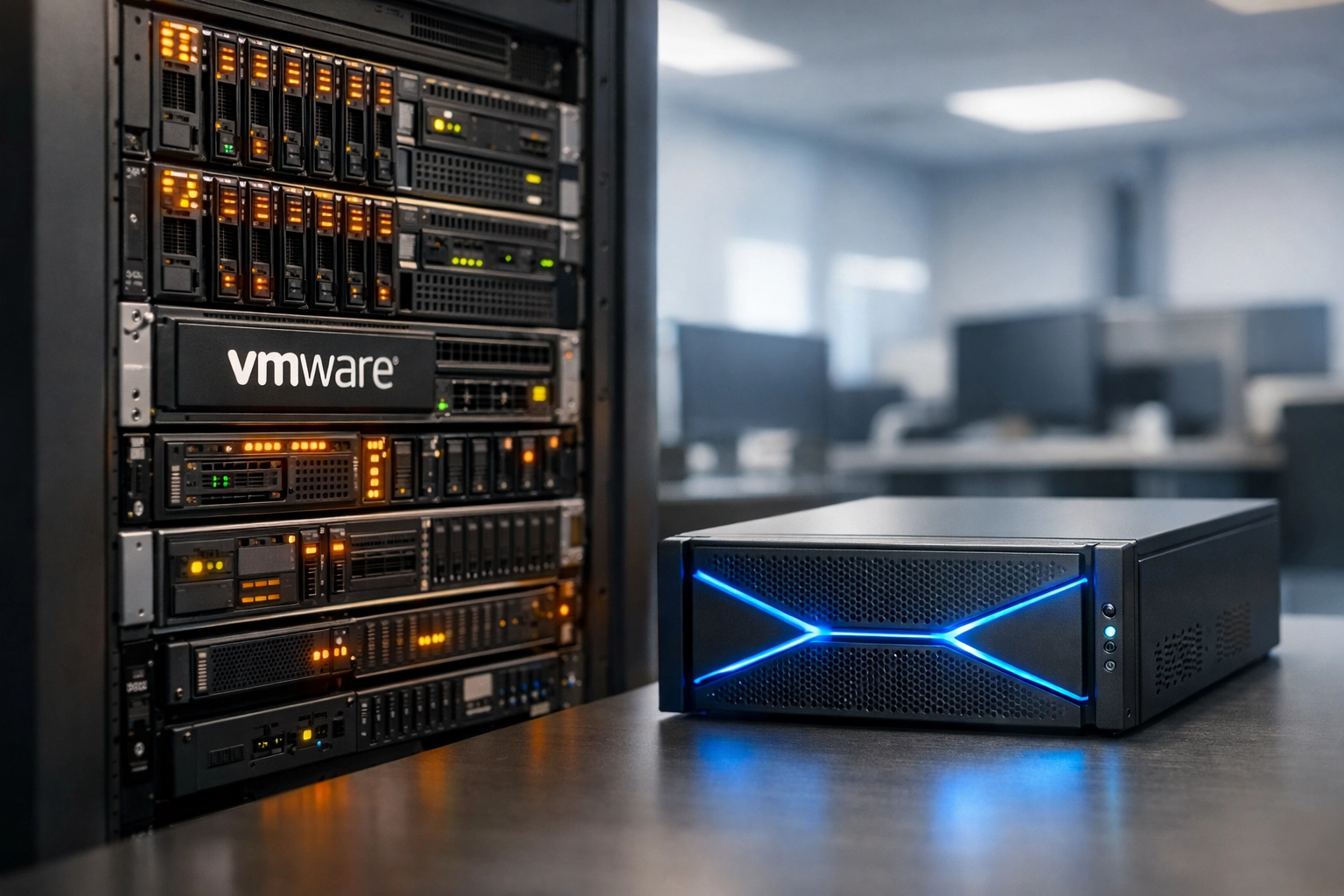
Comparison of traditional VMware infrastructure versus modern virtualization alternatives

Citrix Hypervisor (formerly XenServer)

Citrix offers proven enterprise virtualization with strong desktop virtualization integration, valuable for Spokane organizations supporting remote work arrangements or complex desktop delivery requirements.

Best for: Companies prioritizing virtual desktop infrastructure (VDI) alongside server virtualization, including financial services and professional services firms.

Red Hat Virtualization & OpenStack

For enterprises pursuing open-source infrastructure strategies, Red Hat provides commercial-grade support for KVM-based virtualization integrated with OpenStack cloud management capabilities.

Best for: Large Spokane organizations with dedicated IT teams, particularly those in healthcare, higher education, or government sectors requiring vendor-independent infrastructure.

Nutanix AHV

Nutanix's hyperconverged infrastructure includes AHV (Acropolis Hypervisor) at no additional cost, eliminating separate virtualization licensing entirely. This integrated approach simplifies management while reducing complexity.

Best for: Organizations consolidating infrastructure through hyperconverged approaches, especially those refreshing aging datacenter equipment.

Private Cloud Solutions: The Middle Ground

Many Spokane businesses aren't choosing between VMware and alternatives, they're building hybrid strategies that leverage multiple platforms based on workload requirements.

Private cloud architectures provide the control and security of on-premises infrastructure with the flexibility and scalability of public cloud services. For Spokane organizations in regulated industries or those handling sensitive data, private cloud offers:

  • Data sovereignty. Complete control over where data resides and who can access it.
  • Customized security. Infrastructure configured to meet specific compliance requirements rather than one-size-fits-all public cloud controls.
  • Predictable performance. Dedicated resources without "noisy neighbor" issues that affect multi-tenant public cloud environments.
  • Cost optimization. For stable, long-running workloads, private cloud often delivers better economics than pay-as-you-go public cloud pricing.

Organizations can deploy private clouds using VMware alternatives, keeping operational flexibility while avoiding Broadcom's licensing constraints.

Hybrid private cloud infrastructure with monitoring dashboards in enterprise datacenter

Why Premier Business Team's Vendor-Neutral Approach Matters

Here's what makes our Spokane IT services different: we're not beholden to any single vendor's roadmap, pricing strategy, or product limitations.

Most IT consultants operate as resellers for specific platforms. They make money when you buy their preferred vendor's products, creating inherent conflicts of interest. Their recommendations reflect their revenue incentives, not your business requirements.

Premier Business Team operates differently:

Independent assessment. We evaluate your actual workload requirements, compliance obligations, budget constraints, and strategic priorities, then recommend solutions that fit your needs, not our sales quotas.

Multi-vendor expertise. Our team holds certifications across VMware, Microsoft, Citrix, and open-source platforms. We can objectively compare alternatives because we're not pushing a single product line.

Long-term relationship focus. We succeed when your infrastructure performs reliably and cost-effectively for years, not when we close a quick sale. Our business model rewards getting infrastructure decisions right the first time.

Local Spokane presence. We understand the unique characteristics of Spokane's business environment, from healthcare providers serving the Inland Northwest to manufacturers supporting the region's aerospace supply chain. National consultants often miss local context that impacts infrastructure decisions.

Spokane-Specific Infrastructure Considerations

Spokane businesses face distinct infrastructure challenges that influence virtualization and cloud strategy:

Geographic considerations. Spokane's location creates latency considerations for certain public cloud services. Private cloud or hybrid approaches can provide better performance for applications serving the Inland Northwest region.

Industry concentration. Healthcare, manufacturing, and logistics represent significant portions of Spokane's economy, each with specific infrastructure requirements around compliance, uptime, and data handling.

Growth trajectory. Spokane's expanding technology sector and population growth create infrastructure needs that scale efficiently without locking organizations into inflexible vendor relationships.

Connectivity infrastructure. Spokane's improving fiber connectivity supports hybrid cloud architectures, but understanding local internet service options remains critical for cloud strategy success.

Organizations partnering with Premier Business Team gain advisors who understand these Spokane-specific factors and incorporate them into infrastructure recommendations.

Frequently Asked Questions About VMware Alternatives

Q: Can we migrate from VMware without significant downtime?
A: Yes. Modern migration tools and methodologies enable zero-downtime migrations for most workloads. We plan migrations carefully to minimize business impact, typically using phased approaches that move non-critical workloads first.

Q: What happens to our existing VMware investment?
A: Depending on your licensing situation, you may continue running existing VMware infrastructure while gradually transitioning to alternatives as servers refresh or applications modernize. We help organizations maximize existing investments while strategically reducing dependency.

Q: Are VMware alternatives as mature and reliable?
A: Yes. Platforms like Microsoft Hyper-V and Citrix Hypervisor have powered enterprise infrastructure for decades. Open-source alternatives like Proxmox run critical infrastructure for Fortune 500 companies worldwide. Maturity and reliability aren't exclusive to VMware.

Q: How do licensing costs compare?
A: Alternative platforms typically cost 50-80% less than VMware under Broadcom's new pricing structure. Some organizations reduce annual virtualization licensing from $200,000+ to under $30,000 by switching platforms: without sacrificing functionality.

Q: Will our team need extensive retraining?
A: Most virtualization platforms share similar concepts and management approaches. Teams experienced with VMware adapt quickly to alternatives: usually within weeks rather than months. We provide training and documentation to accelerate the transition.

Q: Can we run VMware and alternatives side-by-side?
A: Absolutely. Many organizations operate heterogeneous environments using the best platform for each workload type. This approach provides flexibility while avoiding single-vendor dependency.

Next Steps: Getting VMware Licensing Clarity for Your Spokane Business

The VMware-Broadcom situation won't stabilize anytime soon. Pricing continues shifting, licensing policies change quarterly, and organizations face renewal deadlines with incomplete information about long-term costs.

Premier Business Team helps Spokane businesses navigate this complexity through:

  1. Current state assessment : We analyze your existing VMware usage, licensing position, and upcoming renewal obligations to understand your baseline.

  2. Workload evaluation : Not every application requires the same infrastructure approach. We categorize workloads by criticality, performance requirements, and compliance obligations.

  3. Alternative analysis : We compare VMware against relevant alternatives based on your specific requirements, providing objective comparisons of features, costs, and migration complexity.

  4. Migration planning : For organizations choosing to reduce VMware dependency, we develop detailed migration roadmaps that minimize risk and business disruption.

  5. Ongoing optimization : Infrastructure needs evolve. We provide continuous guidance to ensure your virtualization platform remains aligned with business requirements as applications and workloads change.

Ready to explore your options beyond VMware's new licensing model? Contact Premier Business Team at premierbusinessteam.com for a complimentary infrastructure assessment. We'll help you understand your alternatives, quantify potential savings, and develop a strategy that supports your Spokane business for the long term: without vendor lock-in that limits your future flexibility.

The right infrastructure partner doesn't sell you products. They help you make informed decisions that serve your business objectives for years to come. That's how we work.


Why 90% of AI Projects Fail: A Business Leader’s Guide to Calculating and Delivering Real ROI in 2026

premierbusiness · February 18, 2026 ·

Your CFO just approved a six-figure AI budget. Your CIO promised 40% efficiency gains. Your board expects results by Q3.

Here's the reality: 80% of AI projects fail outright, and 95% of generative AI pilots never make it past proof-of-concept. That's not a technology problem: it's an execution problem.

After helping dozens of mid-market companies navigate AI implementations in 2026, we've identified exactly why most projects crash and burn. More importantly, we've built a framework that ensures the other 10% don't just survive: they deliver measurable ROI within 90 days.

The Three Hidden Killers of AI Projects (That Nobody Talks About)

1. The Trust Deficit Crisis

Your data scientists don't trust the data quality. Your business users question every AI recommendation. Your executives can't explain how the system works, so they refuse to scale it.

This isn't paranoia: it's rational skepticism in organizations where 37% cite data quality as their top obstacle to strategic data use. When your sales team receives AI-generated lead scores but can't see the underlying logic, they default to their spreadsheets. When your finance department gets automated forecasts that contradict their models, they ignore them.

The failure pattern is predictable: Pilot shows promise → Users find exceptions → Trust erodes → Project stalls → Budget gets reallocated.

Business executive analyzing fragmented AI data visualizations showing trust deficit in AI project implementation

2. The Organizational Readiness Gap

Most companies treat AI like a software upgrade. Install the platform, train the users, flip the switch.

But AI requires organizational transformation:

  • Siloed data ownership means your customer service AI can't access sales data without three approval layers
  • Waterfall governance designed for compliance kills the agile experimentation AI needs to improve
  • Department-level success metrics reward local optimization while destroying enterprise value
  • Cultural resistance from teams who see AI as a job threat rather than a productivity multiplier

One manufacturing client spent $400K on an AI quality control system that sat unused for eight months because their floor supervisors weren't included in the design process. When we rebuilt it with operator input, adoption hit 95% in three weeks.

3. The Governance Paradox

Traditional compliance frameworks assume you know exactly what your system will do before you deploy it. AI systems learn and adapt: which makes compliance officers nervous.

The result? Companies create AI governance that either:

  • Moves too slowly (six-month approval cycles for model updates that should take hours)
  • Moves too loosely (no controls until something breaks publicly)

Neither approach works. The first kills innovation. The second creates liability.

The Real ROI Framework: How to Calculate AI Value in 2026

Forget the vendor promises of "10x productivity gains" and "revolutionary transformation." Here's how to actually measure AI ROI:

Step 1: Define Baseline Metrics (Week 1)

Before deploying anything, document:

  • Current process time (actual, not estimated)
  • Error rates at each workflow step
  • Cost per transaction including hidden labor
  • Customer satisfaction scores for affected touchpoints

One client insisted their customer service team resolved tickets in "15 minutes average." Time tracking revealed the real number was 47 minutes, with 23% requiring follow-ups. That gap became the measurement baseline.

Split office showing siloed cubicles versus collaborative workspace illustrating organizational AI readiness gap

Step 2: Set Staged ROI Targets (Month 1-3-6)

Month 1 targets should focus on time savings and error reduction, not revenue impact:

  • Reduce process time by 20%
  • Cut error rates by 30%
  • Improve consistency scores by 25%

Month 3 targets add cost savings:

  • Reduce labor hours by 15%
  • Decrease rework by 40%
  • Lower operational costs by 10%

Month 6 targets connect to business outcomes:

  • Increase customer retention by X%
  • Grow revenue per customer by Y%
  • Improve conversion rates by Z%

This staged approach prevents the "big bang disappointment" where companies expect immediate revenue lift from infrastructure improvements.

Step 3: Calculate Total Cost of Ownership

Your AI project costs more than the platform license:

  • Platform costs: $X/month (obvious)
  • Integration costs: Usually 2-3x platform cost in first year (not obvious)
  • Training and change management: 20% of total budget minimum (often forgotten)
  • Ongoing maintenance: 15-25% annual of initial build cost (rarely budgeted)
  • Opportunity cost: What else could those resources deliver?

A real calculation looks like this:

Year 1 Costs: $180K platform + $360K integration + $108K training + $90K maintenance = $738K total

Year 1 Benefits: 2,400 hours saved × $75/hour labor cost = $180K + $95K error reduction + $125K efficiency gains = $400K

Net Year 1: -$338K

Year 2: $180K platform + $135K maintenance – $450K benefits = +$135K positive ROI

Most AI projects require 18-24 months to break even. Anyone promising faster returns is either lying or hasn't done the full cost accounting.

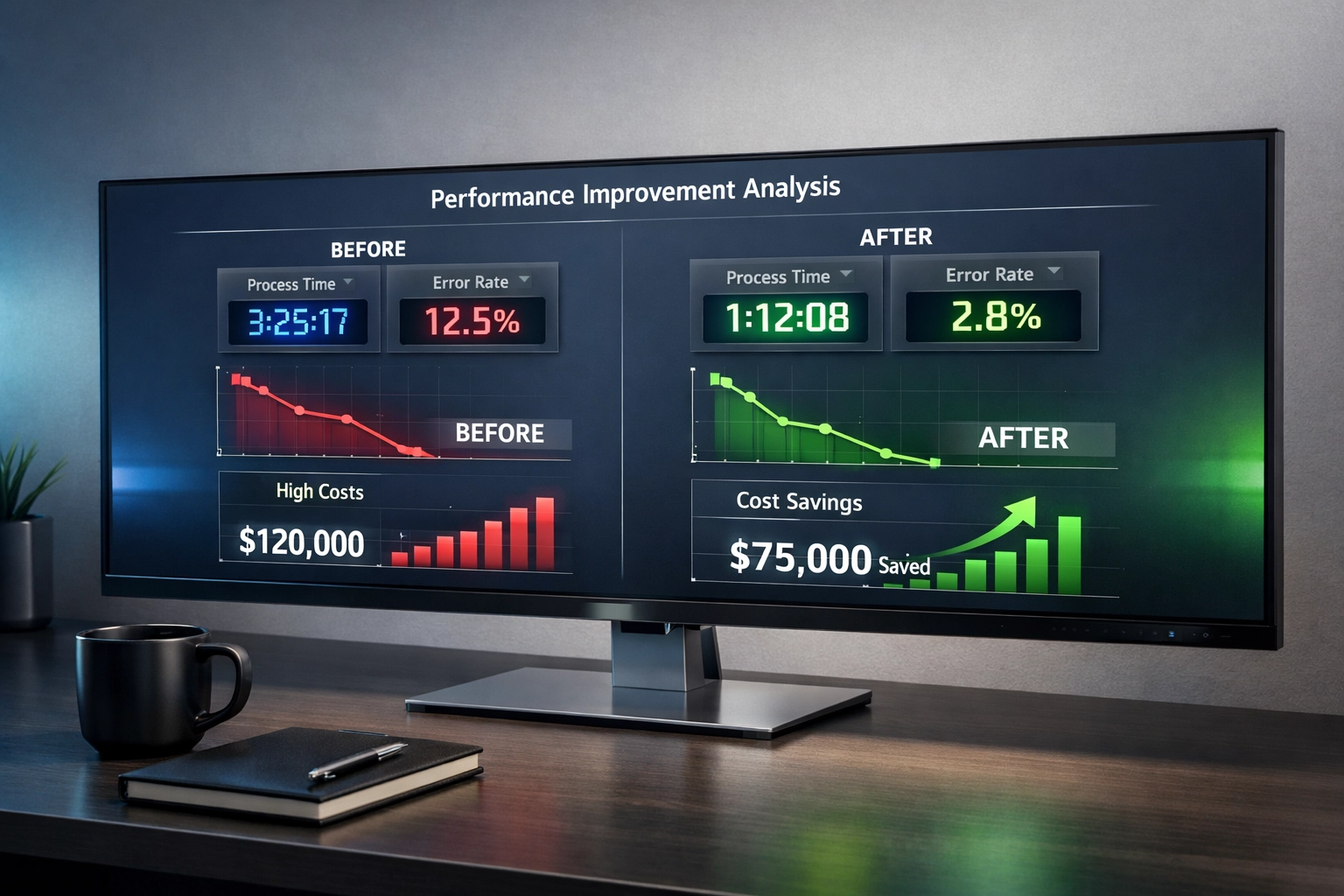
Financial dashboard displaying AI project ROI metrics with declining costs and improving efficiency graphs

What the 5% Who Succeed Do Differently

Research shows a clear pattern among successful AI implementations:

They Partner With Specialists (Not Build Everything In-House)

Vendor-guided projects succeed 67% of the time. Internal builds? Only 33%. The reason isn't capability: it's focus. Your team has 47 other priorities. Your vendor has one: making this work.

They Target Specific Pain Points (Not Generic Applications)

Failed projects try to "AI-enable customer service." Successful projects "reduce average handle time for password reset requests by 60%."

The specificity forces clear success metrics and prevents scope creep.

They Automate Back-Office First (Not Customer-Facing)

Despite the hype, back-office automation delivers the highest AI ROI. Yet over 50% of generative AI budgets go to sales and marketing tools instead.

Why? Because executives see customer-facing AI as strategic and back-office AI as boring. But boring pays bills. One client automated their AP invoice processing for $45K and saved $180K annually. Their chatbot project? Still in pilot after 18 months.

They Integrate With Existing Workflows (Not Replace Them)

Generic tools like ChatGPT fail in enterprise environments because they don't adapt to your processes. Successful AI embeds into the tools people already use: the CRM, the ticketing system, the ERP.

When workers need to context-switch to a separate AI tool, adoption plummets.

How Premier Business Team Delivers Measurable AI ROI

We don't sell AI platforms. We deliver business outcomes using AI where it makes financial sense: and honest recommendations where it doesn't.

Our approach:

Week 1-2: Process audit and ROI modeling before any technology discussion
Week 3-4: Proof of concept on a single workflow with clear success metrics
Month 2: Staged rollout with continuous measurement
Month 3: Optimization based on real usage data
Month 6: Scale or pivot decision based on actual ROI

Every project includes monthly ROI reporting that shows real savings, time gains, and cost reductions: not vanity metrics like "AI interactions" or "model accuracy."

One professional services firm came to us wanting to "implement AI." We showed them that automating their proposal generation would save 140 hours monthly and pay back in 4 months. They approved that project and skipped the chatbot they initially wanted. That's the difference between AI theater and AI that delivers.

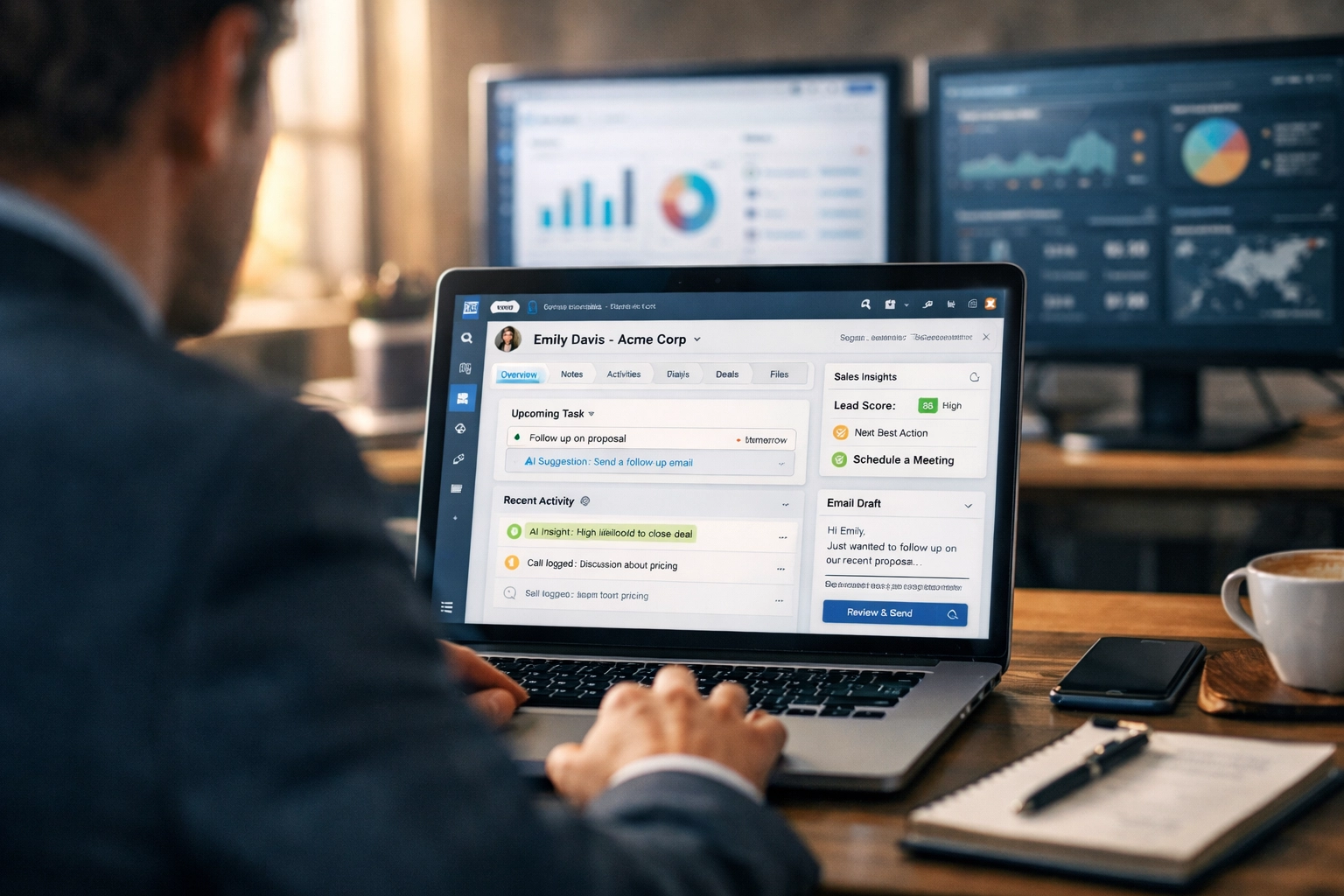
AI technology seamlessly integrated into CRM workflow on business laptop showing successful implementation

Frequently Asked Questions

How long does it take to see ROI from AI projects?
Most successful AI implementations break even in 18-24 months. Projects promising faster returns often haven't accounted for integration, training, and maintenance costs. Focus on staged benefits: time savings in month 1, cost reduction by month 3, revenue impact by month 6.

What's the minimum budget needed for AI that actually works?
For mid-market companies, expect $150K-$300K for a focused, single-workflow automation that delivers measurable ROI. Anything promising enterprise AI for under $100K is either selling you a generic tool or underestimating integration costs.

Should we build AI in-house or partner with vendors?
Vendor-guided projects succeed twice as often (67%) as internal builds (33%). Unless AI is your core business, partner with specialists and keep your team focused on what they do best.

How do we measure AI success beyond "accuracy scores"?
Track business outcomes: hours saved, error rates reduced, costs eliminated, customer satisfaction improved. Technical metrics like model accuracy don't matter if users don't adopt the system or it doesn't impact business KPIs.

What industries see the fastest AI ROI?
Back-office automation (AP/AR, HR processing, data entry) delivers fastest payback regardless of industry. Customer-facing AI takes longer but can deliver higher long-term value once proven.

Stop Joining the 90%: Start Delivering Real AI ROI

The difference between AI success and AI failure isn't technology: it's execution. It's honest ROI calculations, staged rollouts, and continuous measurement against business outcomes.

If you're tired of AI projects that promise transformation and deliver disappointment, let's talk about what actually works. We'll start with a free 45-minute ROI assessment of your specific use case: no generic pitches, just honest numbers.

Our network infrastructure services and cloud solutions give us insight into what actually drives business value versus what's just technology hype.

Contact Premier Business Team today to schedule your AI ROI assessment. We'll tell you if AI makes financial sense for your situation: and if it doesn't, we'll tell you that too.

Because the best AI project is sometimes the one you don't do.

Do You Really Need POTS Line Replacement? Here’s What Your Fire Inspector Isn’t Telling You About 2026

premierbusiness · February 17, 2026 ·

Short answer: Yes, you really do.

Long answer: Your fire inspector knows it, your building code official knows it, and deep down, you probably know it too. But here's the part they might not be shouting from the rooftops, the clock is ticking faster than you think, and waiting until you get that shutdown notice is basically playing Russian roulette with your fire alarm system.

Let's talk about what's actually happening with POTS lines in 2026, why the copper sunset isn't just telecom industry jargon, and what you need to do about it before your next inspection becomes a compliance nightmare.

The Uncomfortable Truth About 2026

Remember when landlines were just… there? Reliable, boring, and completely unglamorous, but they worked. Your fire alarm panel dialed out on copper lines, your elevator emergency phone connected to a live operator, and nobody thought twice about it.

Those days are over.

The telecom carriers have been clear: POTS (Plain Old Telephone Service) is on life support, and they're not renewing the prescription. AT&T officially stopped accepting new POTS line orders, moves, or changes on October 15, 2025. Read that again, you can't even relocate an existing fire alarm line anymore, let alone add a new one.

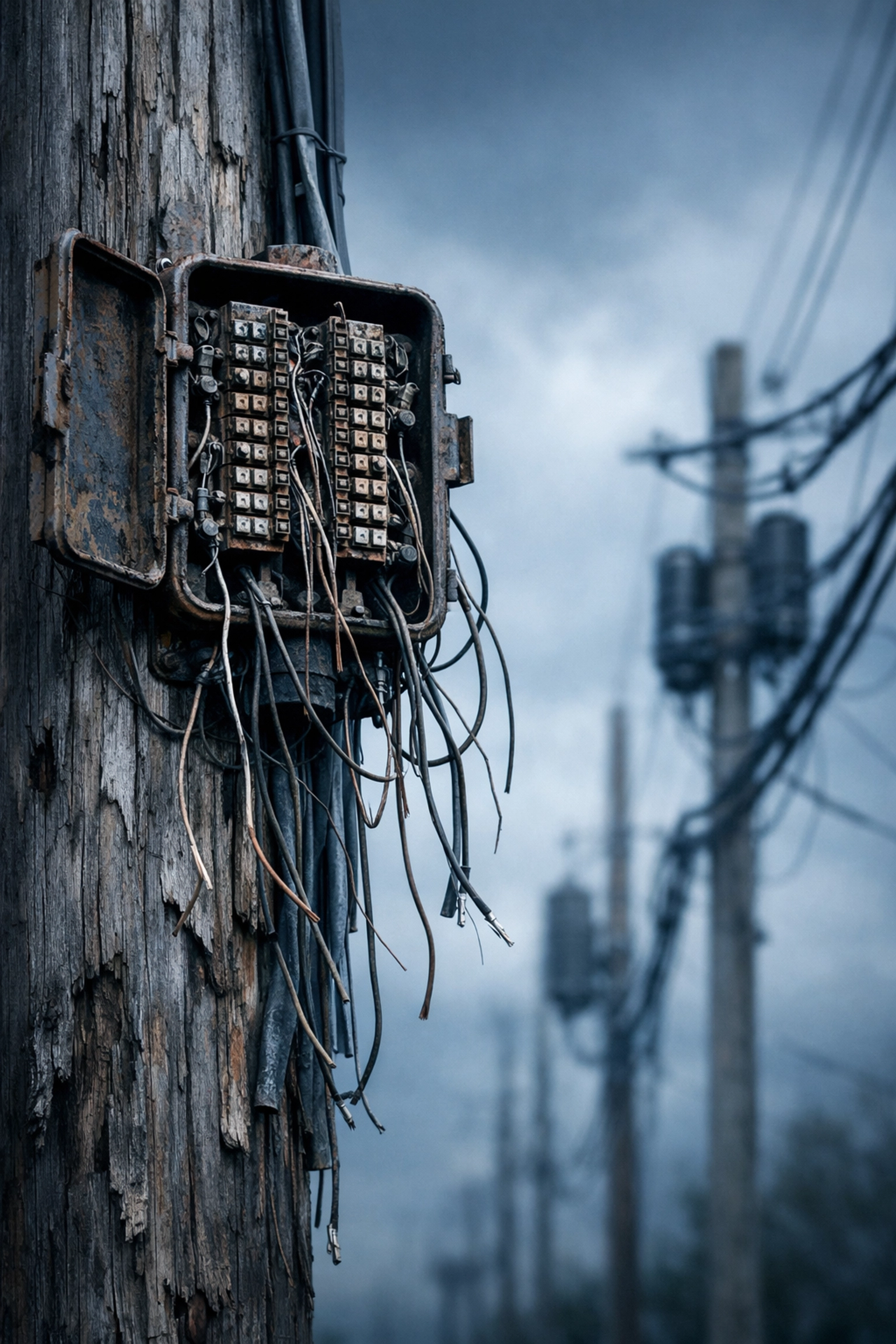
Disconnected copper POTS lines on utility pole showing deteriorating telephone infrastructure

And here's the kicker that fire inspectors might gloss over during routine visits: The FCC slashed the shutdown notice period from 180 days down to 90 days. That means when your carrier sends you the "we're discontinuing service" letter, you have exactly three months to find, install, and certify a replacement solution, or risk having a non-functional fire alarm system.

Three months might sound reasonable until you factor in vendor lead times, installer availability, inspection scheduling, and the very real possibility that everyone else in your area is scrambling to do the same thing at the exact same time.

What Fire Inspectors Know (But May Not Emphasize)

Fire inspectors aren't trying to keep secrets from you, they're just focused on compliance at the moment of inspection. But here's what's happening behind the scenes:

Legacy infrastructure is degrading fast. Carriers aren't investing in copper line maintenance anymore. That means your "reliable" POTS line is getting less reliable by the month. Service degradation, longer repair times, and higher costs are all accelerating as providers shift resources to modern networks.

Modern replacement devices actually meet, and often exceed, NFPA 72 requirements. Today's POTS replacement solutions include 48-hour battery backup systems, automatic failover to multiple connectivity providers, and 24/7 remote monitoring. From a redundancy perspective, they're actually better than the original copper lines your grandfather installed.

But, and this is critical, you need to plan and budget for these replacements now, before you receive a shutdown notice. Reactive replacement costs significantly more than proactive planning, and you're at the mercy of whatever installer can squeeze you into their emergency queue.

The Cost Reality Nobody Wants to Talk About

Let's talk numbers for a second.

Right now, maintaining a single POTS line for your fire alarm system costs between $50 and $100 per month. That's $600 to $1,200 annually, per line. If you're running fire alarms, elevator phones, and security systems across multiple locations, multiply that cost accordingly.

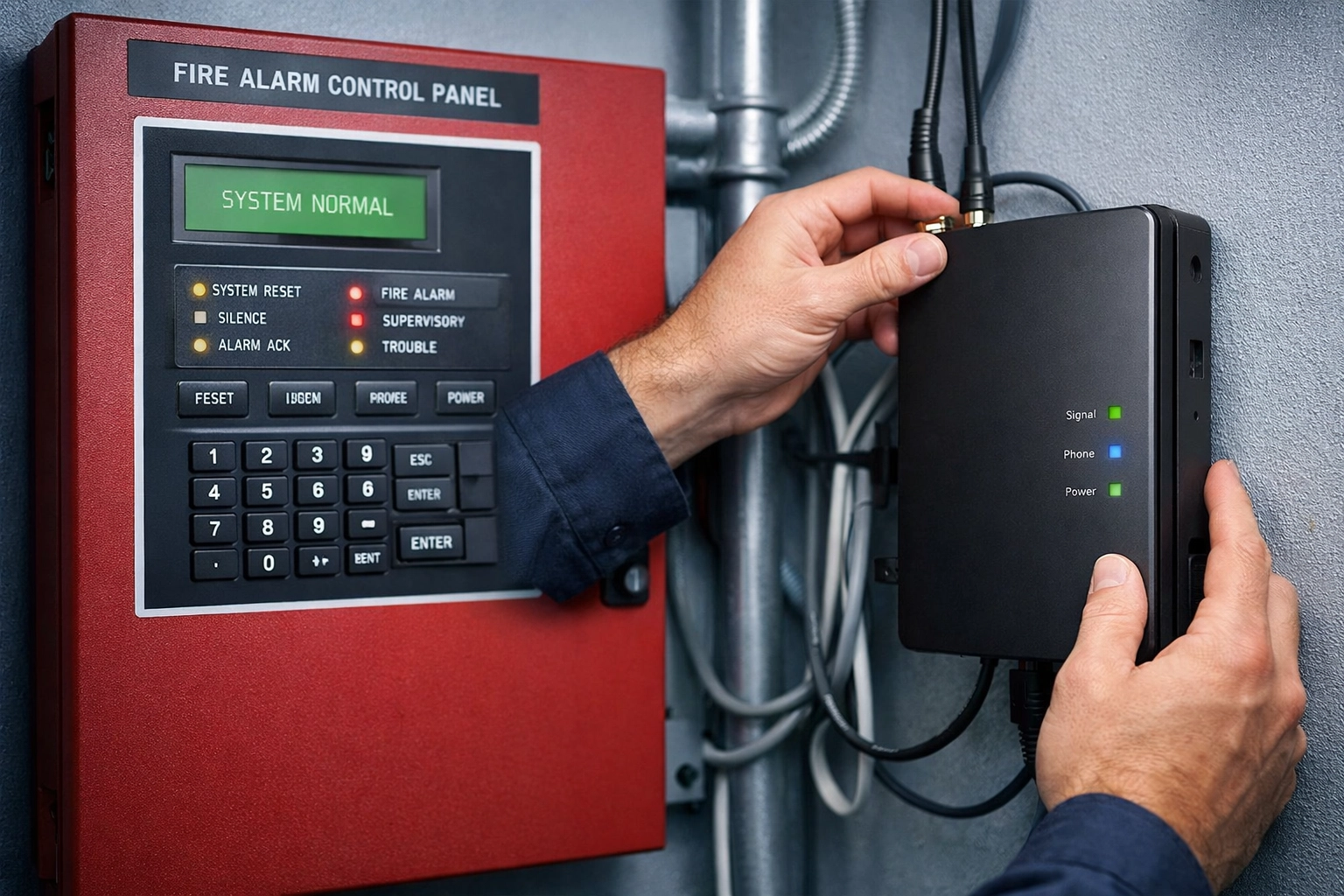
Technician installing POTS replacement device next to fire alarm control panel

Those costs aren't going down. As fewer customers remain on POTS, carriers are implementing "technology surcharges" and maintenance fees to squeeze remaining revenue from a dying service line. Some businesses have seen their POTS bills double in the past two years alone.

Meanwhile, modern POTS replacement solutions offer:

  • Lower monthly recurring costs (typically 30-50% less than legacy POTS)
  • Better reliability with cellular and VoIP failover
  • Compliance with current fire safety codes
  • Remote monitoring and automatic alerts
  • No "technology surcharge" penalties

The math isn't complicated: You're paying premium prices for degrading service that's scheduled for extinction.

The Copper Sunset 2026: What It Actually Means

"Copper sunset" sounds poetic, but it's really just telecom speak for "we're shutting down the old copper network infrastructure because maintaining it is expensive and nobody wants to pay for it."

Here's what's actually happening:

  1. Carriers are decommissioning copper central offices and replacing them with fiber and wireless networks
  2. Technicians who know how to repair copper infrastructure are retiring (and not being replaced)
  3. Parts and equipment for copper systems are becoming obsolete and harder to source
  4. The business case for maintaining parallel networks is vanishing as subscriber counts drop

For businesses still relying on POTS lines for life-safety systems, this creates a ticking time bomb scenario. You're dependent on infrastructure that's actively being decommissioned, with support resources that are disappearing, for systems that must work during emergencies.

Business cost analysis comparing POTS line expenses and replacement options

Why Waiting is the Riskiest Strategy

Some business owners are adopting a "wait and see" approach, figuring they'll deal with POTS replacement when they absolutely have to. Here's why that's a mistake:

1. Compressed timelines mean rushed decisions. That 90-day notice period doesn't give you much room to compare vendors, negotiate pricing, or schedule installations during normal business hours. You'll be making critical infrastructure decisions under pressure, never a recipe for smart choices.

2. Installer availability becomes a bottleneck. When everyone in your region receives shutdown notices simultaneously (which is exactly what happens when a carrier decommissions a central office), qualified installers get booked solid for months. Your "90-day window" might effectively be 30 days, or less.

3. Compliance violations carry real consequences. Operating a building with a non-functional fire alarm monitoring system isn't just risky, it violates fire codes, potentially voids your insurance, and could result in occupancy restrictions. That $5,000 installation cost suddenly seems cheap compared to evacuation and closure costs.

4. Emergency pricing is always higher. Vendors know when you're desperate. The price you pay for a rushed installation will be significantly higher than what you'd pay for a planned, scheduled upgrade.

As we covered in our guide on elevator phone replacement, proactive planning gives you leverage, options, and control over the process.

What Modern POTS Replacement Actually Looks Like

The good news: POTS replacement technology has matured significantly. Today's solutions are purpose-built for life-safety applications and explicitly designed to meet NFPA 72 and building code requirements.

Modern POTS replacement devices typically include:

  • Multi-path connectivity (cellular primary with VoIP or secondary cellular backup)
  • 48-hour minimum battery backup (meeting or exceeding fire alarm panel requirements)
  • Automatic failover between connectivity paths with no manual intervention
  • Remote monitoring and alerting so you know immediately if there's a connectivity issue
  • Full compatibility with existing fire alarm panels (no panel replacement required)

These aren't experimental solutions, they're proven technologies that thousands of buildings are already using successfully. The technology works. The question is whether you'll implement it proactively or reactively.

Frequently Asked Questions About POTS Replacement

Q: Can I just wait until my carrier sends a shutdown notice?
A: Technically yes, but you'll face compressed timelines, limited vendor availability, higher costs, and significant stress. The 90-day notice period sounds reasonable until you're actually trying to navigate procurement, installation, and certification in that window.

Q: Will my fire inspector approve cellular-based replacement devices?
A: Yes, when properly installed and certified. Modern POTS replacement devices are specifically designed to meet NFPA 72 requirements and are widely accepted by fire marshals and building inspectors. The key is working with experienced installers who understand the certification requirements.

Q: How much does POTS line replacement actually cost?
A: Costs vary based on the number of lines, building configuration, and device selection, but typically range from $1,500 to $5,000 per location for equipment and installation. Monthly monitoring costs are usually 30-50% lower than legacy POTS line fees. Emergency installations cost significantly more.

Q: What happens if I do nothing and my POTS lines get shut down?
A: Your fire alarm system will fail to communicate with the monitoring station during emergencies. This creates code violations, potential insurance issues, and, most importantly, puts building occupants at risk. Fire marshals can issue occupancy restrictions until the issue is resolved.

Q: Do I need to replace my entire fire alarm panel?
A: No. Modern POTS replacement devices are specifically designed to connect to your existing fire alarm panel. You're replacing the communication path (the phone line), not the detection and alerting system.

Don't Wait for the Shutdown Notice

Here's the bottom line: POTS replacement isn't optional, and the timeline isn't flexible. The copper sunset 2026 is happening whether you're ready or not. Your fire inspector is focused on today's compliance, but you need to be thinking about next year's infrastructure reality.

The businesses that proactively plan their POTS replacement will save money, avoid emergency situations, maintain compliance, and sleep better at night knowing their life-safety systems will work when needed.

The businesses that wait will pay premium prices, face compressed timelines, and spend months stressed about inspection failures and compliance violations.

Ready to get ahead of the copper sunset? Premier Business Team has helped hundreds of businesses navigate POTS replacement planning and implementation. We'll assess your current systems, identify replacement options, coordinate with qualified installers, and ensure you maintain full compliance throughout the transition.

Book a discovery call with our team today and get a proactive plan in place before the shutdown notices start arriving. Because the best time to replace your POTS lines was last year( the second best time is right now.)

The Instagram Phishing Hack: How BIMI Could Have Saved Thousands from Spoofed Emails

premierbusiness · February 17, 2026 ·

In early January 2026, millions of Instagram users woke up to unexpected password reset emails flooding their inboxes. The emails looked legitimate. The sender addresses checked out. But something felt off: users hadn't requested these resets.

What followed was a masterclass in how quickly threat actors can weaponize confusion. And buried in the chaos was a simple visual cue that helped countless users avoid falling victim: a tiny logo next to the sender's name.

That logo was powered by BIMI. And if your business isn't using it yet, this story should change your mind.

What Actually Happened with Instagram in January 2026

The incident unfolded in two waves that overlapped in the worst possible way.

First, a threat actor released approximately 17.5 million Instagram records on a dark web forum. This dataset included usernames, names, email addresses, phone numbers, and partial address data: likely scraped via an Instagram API vulnerability in late 2024.

Second, a bug in Instagram's system allowed external parties to trigger password reset emails using only a username or email address. Suddenly, legitimate password reset emails were hitting inboxes without users ever requesting them.

Meta quickly patched the vulnerability and confirmed there was no direct breach of Instagram's systems. But the damage was already in motion.

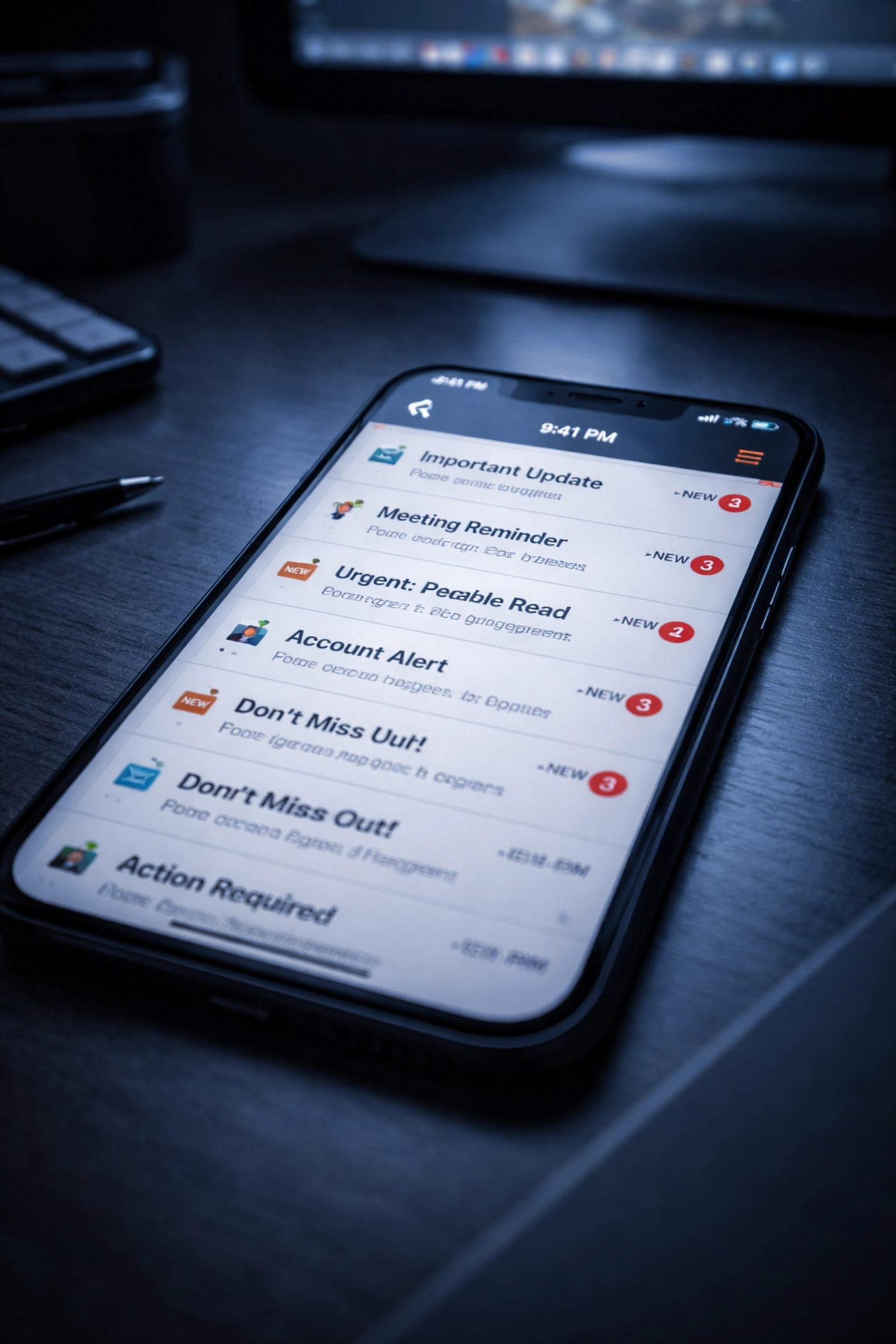
Close up of a smartphone inbox flooded with email alerts, highlighting email security and phishing risks in business.

How Threat Actors Weaponized the Situation

With leaked contact information circulating on dark web forums and real Instagram emails confusing users, scammers saw an opportunity. Here's what happened:

  • Valid password reset emails were being sent from Instagram but were not initiated by the users themselves
  • As this issue became publicized, threat actors quickly weaponized the situation by sending spoofed messages with identical content: but not from Instagram
  • Many recipients struggled to distinguish real messages from fake ones because sender names and addresses appeared legitimate
  • The leaked phone numbers and emails also increased risks of SIM-swapping and social engineering attacks

The timing was perfect for attackers. Users were already primed to expect strange emails from Instagram. All scammers had to do was send convincing fakes and wait for clicks.

The Visual Lifeline: How BIMI Made the Difference

Here's where the story takes a turn.

Instagram had BIMI enabled for their domain. This meant every legitimate email from Instagram displayed their verified logo directly in the inbox: right next to the sender name.

When users received spoofed emails pretending to be Instagram, those messages lacked the official logo. No BIMI verification meant no visual trust indicator.

This gave Instagram a simple, powerful way to communicate authenticity to users:

"If you see our logo, it's really us. If you don't, proceed with extreme caution."

That visual distinction helped users pause, verify, and avoid clicking malicious links. For a split second, BIMI transformed inbox chaos into clarity.

Silhouette of a hacker at a desk with glowing monitors, illustrating phishing threats and cybersecurity challenges.

What Is BIMI and How Does It Work?

BIMI stands for Brand Indicators for Message Identification. Think of it as the verified checkmark for email: but instead of a generic symbol, recipients see your actual company logo.

Here's how it works:

  1. Your email authentication must be airtight. BIMI requires SPF, DKIM, and DMARC to be properly configured and enforced on your domain.
  2. You create a BIMI DNS record that points to your brand's logo file.
  3. You obtain a Verified Mark Certificate (VMC) from an authorized certificate authority, proving you own the trademark for that logo.
  4. Major email providers validate your setup and display your logo next to authenticated emails.

When everything aligns, recipients see your brand logo every time they receive a legitimate message from your organization. Spoofed emails? No logo. No trust.

Email Providers That Support BIMI

  • Google (Gmail)
  • Yahoo Mail
  • Apple Mail
  • Fastmail

These platforms actively validate BIMI participation, meaning your organization meets higher trust standards recognized by leading email providers worldwide.

Beyond Security: BIMI Strengthens Brand Confidence

The security benefits are obvious. But BIMI delivers something equally valuable: brand reinforcement at scale.

Consider how many emails your business sends daily: invoices, confirmations, newsletters, support responses. Every single one is an opportunity to build trust or lose it.

With BIMI enabled:

  • Recipients see your logo consistently in the inbox, reinforcing brand recognition
  • Users gain confidence that messages truly come from your organization
  • Customers are less likely to ignore or mistrust legitimate communications
  • Your brand stands out in crowded inboxes where most senders have no visual identity

For businesses investing heavily in email marketing or customer communications, BIMI transforms every message into a branded touchpoint. It's marketing and security working together.

Business professional checking a smartphone inbox with a blue verified sender logo, emphasizing BIMI trust for business emails.

The Foundation: SPF, DKIM, and DMARC Explained

BIMI doesn't work in isolation. It's the visual layer built on top of three critical email authentication protocols:

Protocol What It Does
SPF (Sender Policy Framework) Specifies which mail servers are authorized to send email on behalf of your domain
DKIM (DomainKeys Identified Mail) Adds a digital signature to emails, allowing recipients to verify the message wasn't altered
DMARC (Domain-based Message Authentication) Tells receiving servers what to do when SPF or DKIM checks fail (quarantine, reject, or allow)

For BIMI to display your logo, your DMARC policy must be set to "quarantine" or "reject" at 100% enforcement. This proves to email providers that you've taken authentication seriously.

If your domain isn't fully authenticated, your logo won't appear: even if you've configured BIMI correctly.

How Premier Business Team Helps You Implement BIMI

Getting BIMI right requires careful planning across DNS records, email authentication, and certificate procurement. That's where we come in.

Through our trusted partnerships, Premier Business Team guides organizations through the entire BIMI implementation process:

  • DMARC readiness and enforcement – We assess your current email authentication posture and build a roadmap to full DMARC enforcement
  • SPF and DKIM validation – We ensure your sending infrastructure is properly configured and authenticated
  • BIMI record configuration – We help you create and publish the correct DNS records to enable BIMI
  • Verified Mark Certificate guidance – We connect you with authorized certificate authorities and walk you through the VMC application process

Whether you're a small business sending a few hundred emails a week or an enterprise with complex multi-domain infrastructure, we tailor the approach to your environment.

Already working on your cybersecurity strategy? BIMI fits perfectly alongside endpoint protection, firewall management, and employee training initiatives.

Frequently Asked Questions About BIMI

Q: How long does BIMI implementation take?
A: For organizations with existing DMARC enforcement, BIMI can be configured in days. If you're starting from scratch with email authentication, expect 4–12 weeks to reach full DMARC enforcement before enabling BIMI.

Q: Does BIMI cost money?
A: The BIMI DNS record itself is free. However, you'll need a Verified Mark Certificate (VMC), which typically costs $1,000–$1,500 annually depending on the certificate authority.

Q: Will BIMI stop all phishing attacks?
A: No single technology stops all attacks. But BIMI provides a powerful visual indicator that helps recipients quickly identify legitimate emails: significantly reducing the success rate of domain spoofing attempts.

Q: What if my logo doesn't appear after setup?
A: Logo display depends on the receiving email provider's support for BIMI and your domain's authentication status. We help troubleshoot these issues during implementation.

Q: Can small businesses benefit from BIMI?
A: Absolutely. Any organization that sends email to customers, vendors, or partners benefits from increased trust and reduced spoofing risk.

Don't Wait for Your Brand to Be Weaponized

The Instagram incident proved how quickly legitimate communications can become attack vectors. Threat actors don't need to breach your systems: they just need to impersonate your brand convincingly enough.

BIMI gives your recipients a clear, instant way to verify your identity. It protects your customers. It protects your reputation. And it transforms every email into a branded experience.


Ready to implement BIMI for your organization? Premier Business Team is here to guide you through every step: from DMARC readiness to Verified Mark Certificate procurement.

📞 Call us today at 360-946-2626 or visit our website to schedule a consultation.

POTS Replacement Secrets Revealed: Why Simply “Moving to VoIP” Will Fail Your Fire Alarm Inspection (and What Actually Works)

premierbusiness · February 16, 2026 ·

Here's the uncomfortable truth nobody is telling you about POTS replacement: that "simple VoIP switch" your IT vendor recommended for your fire alarm system? It's going to fail your next inspection. And when it does, you'll be scrambling to fix it while facing potential fines, insurance issues, and, worst case, a life safety system that doesn't work when you need it most.

With copper sunset 2026 deadlines accelerating and the FCC reducing shutdown notice periods from 180 days to just 90 days, facility managers across the country are making a critical mistake. They're treating fire alarm phone line replacement like any other telecom migration. It's not.

Let's talk about what actually works, and why cutting corners on life safety communications is the one place you can't afford to get it wrong.

The $10,000 Mistake: Why Standard VoIP Won't Pass Inspection

You've probably heard the pitch a hundred times: "VoIP is cheaper, more flexible, and works just fine for everything else, why not use it for your fire alarm panel?"

Because fire alarm systems don't operate under "everything else" rules. They operate under the National Fire Alarm and Signaling Code (NFPA 72) and require UL 864 certification, regulatory frameworks that standard business VoIP solutions were never designed to meet.

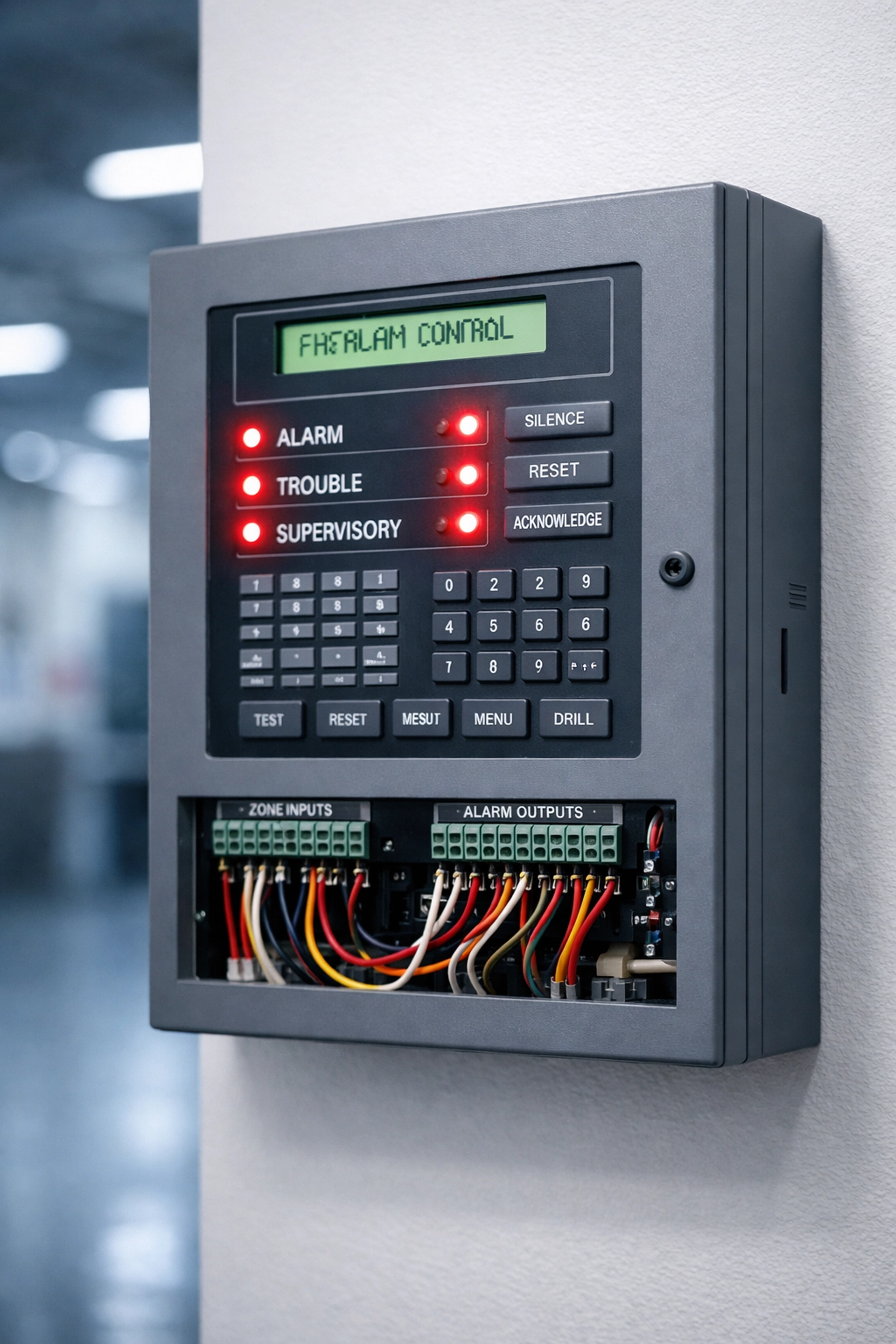
NFPA 72 compliant fire alarm control panel with LED indicators and wiring connections

Here's what happens when you plug a generic VoIP line into your fire alarm panel:

Supervision Interval Failures: NFPA 72 requires specific check-in frequencies to ensure your alarm system is actively monitored. A typical VoIP or cellular communicator might ping the monitoring station every 5 minutes. Fire safety codes may mandate tighter intervals, and those requirements can change with code updates. If your solution can't be reconfigured remotely, you're looking at a complete system replacement after the next code revision.

No Guaranteed Uptime: Your fire alarm system doesn't care that "the internet is down." It needs to communicate 24/7/365, which means dual-path redundancy with automatic failover. Standard VoIP runs on your building's internet connection, the same connection that goes down during storms, power outages, or when someone in accounting accidentally unplugs the router.

Power Dependency Issues: Most VoIP systems require AC power and don't include the 48-hour battery backup mandated for fire alarm communications. When the power goes out, your alarm goes silent.

Lack of Third-Party Certification: UL 864 isn't a suggestion, it's a requirement. Fire marshals and insurance underwriters want to see certified equipment that's been tested by independent labs. Your $200 VoIP adapter from Amazon doesn't have that certification.

The consequence? Failed inspections, compliance violations, potential insurance claim denials, and in the worst-case scenario, a fire alarm system that can't reach emergency services when lives are at stake.

What NFPA 72 Actually Requires (And Why It Matters)

Let's break down the non-negotiables for fire alarm phone line replacement. These aren't recommendations, they're code requirements backed by decades of fire safety engineering:

Dual Network Redundancy: NFPA 72 compliance requires a minimum of two independent communication paths. This typically means dual wireless SIM cards from different carriers or a combination of cellular and wired WAN backup. If your primary path fails, the system must automatically switch to the secondary path within seconds, not minutes.

Integrated Battery Backup: Regulations mandate 48-hour battery systems specifically designed for fire alarm functionality. This isn't about keeping a router powered, it's about maintaining full alarm supervision, monitoring, and emergency communication during extended outages.

Remote Firmware Update Capability: Here's where most "cheap" solutions fail. Fire codes evolve. Supervision intervals change. New encryption protocols get adopted. Your POTS replacement must support over-the-air firmware updates so you can stay compliant without ripping out equipment every time NFPA publishes a new edition.

UL 864 Certification and NFPA 72 Verification: This is your paper trail. When the fire marshal asks for documentation, you need certified test reports from recognized third-party labs proving your equipment meets current standards.

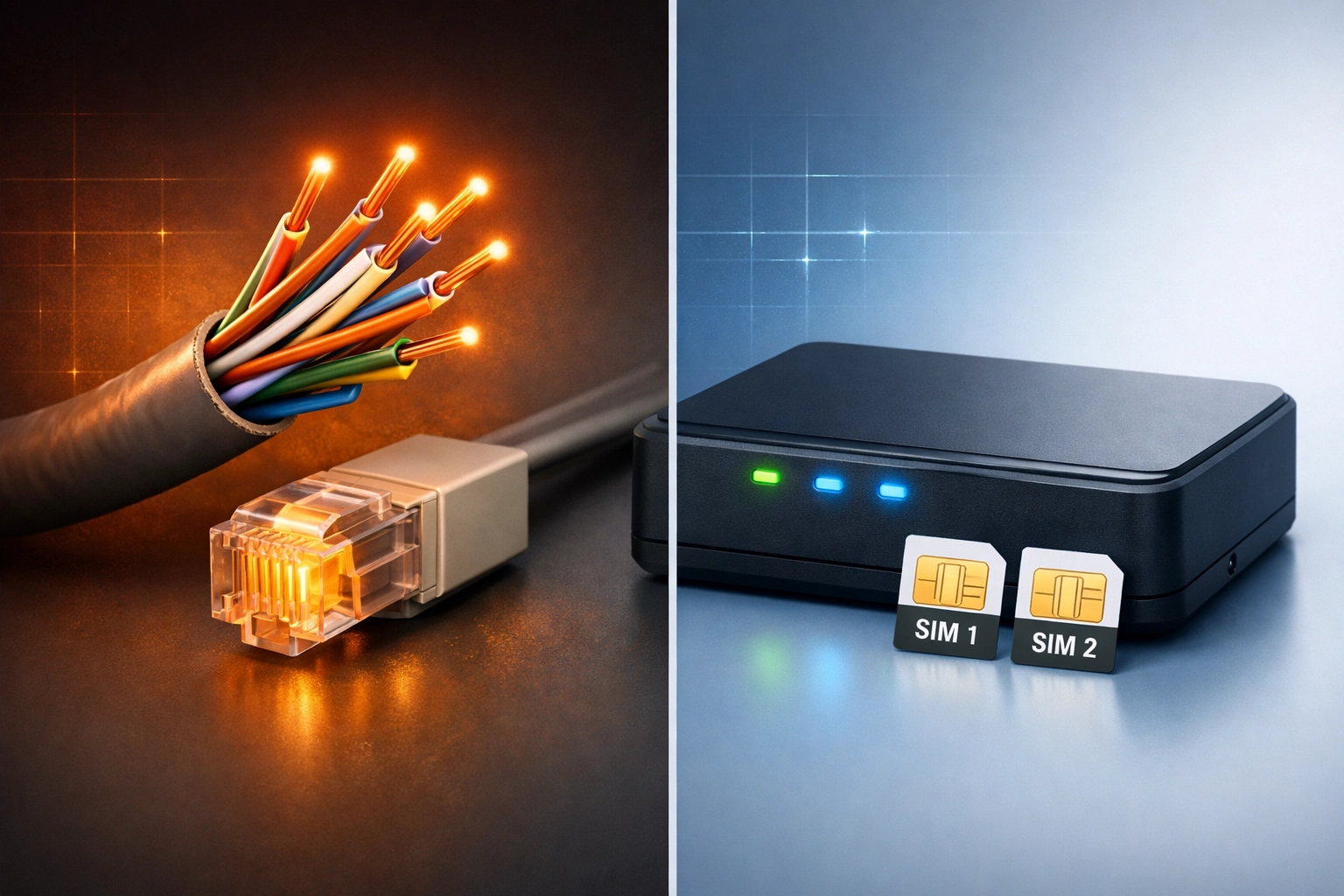
POTS replacement comparison showing copper telephone lines versus modern cellular LTE communicator

What Actually Works: Compliant POTS Replacement Solutions

Now that we've covered what doesn't work, let's talk about solutions that will pass inspection, keep you compliant, and, most importantly, keep your building safe.

Cellular Fire Alarm Communicators with Dual-SIM Technology

Purpose-built cellular communicators designed specifically for fire alarm applications use dual SIM cards from different carriers (e.g., AT&T and Verizon). If one carrier experiences an outage or poor signal, the system instantly fails over to the backup carrier. These devices include integrated battery backup, meet UL 864 standards, and support remote configuration updates.

Supervised Network-Based Fire Alarm Communications

Some facilities with robust network infrastructure can use supervised IP-based communicators, but only when paired with proper backup paths. This means a primary wired network connection with cellular or satellite backup, continuous supervision monitoring, and equipment specifically listed for fire alarm use (not generic VoIP adapters).

Satellite Backup for Remote or Rural Facilities

For locations where cellular coverage is unreliable, distribution centers in rural areas, remote industrial sites, or facilities in cellular dead zones, satellite-based backup provides truly independent redundancy. While more expensive, it eliminates the "all my wireless carriers are down" scenario.

Cloud-Managed Monitoring with NOC Support

Modern compliant solutions include cloud-based management portals that give your team (and your monitoring provider's Network Operations Center) real-time visibility into system health. Instant alerts for signal degradation, failed check-ins, or backup power activation mean problems get fixed before they become critical failures.

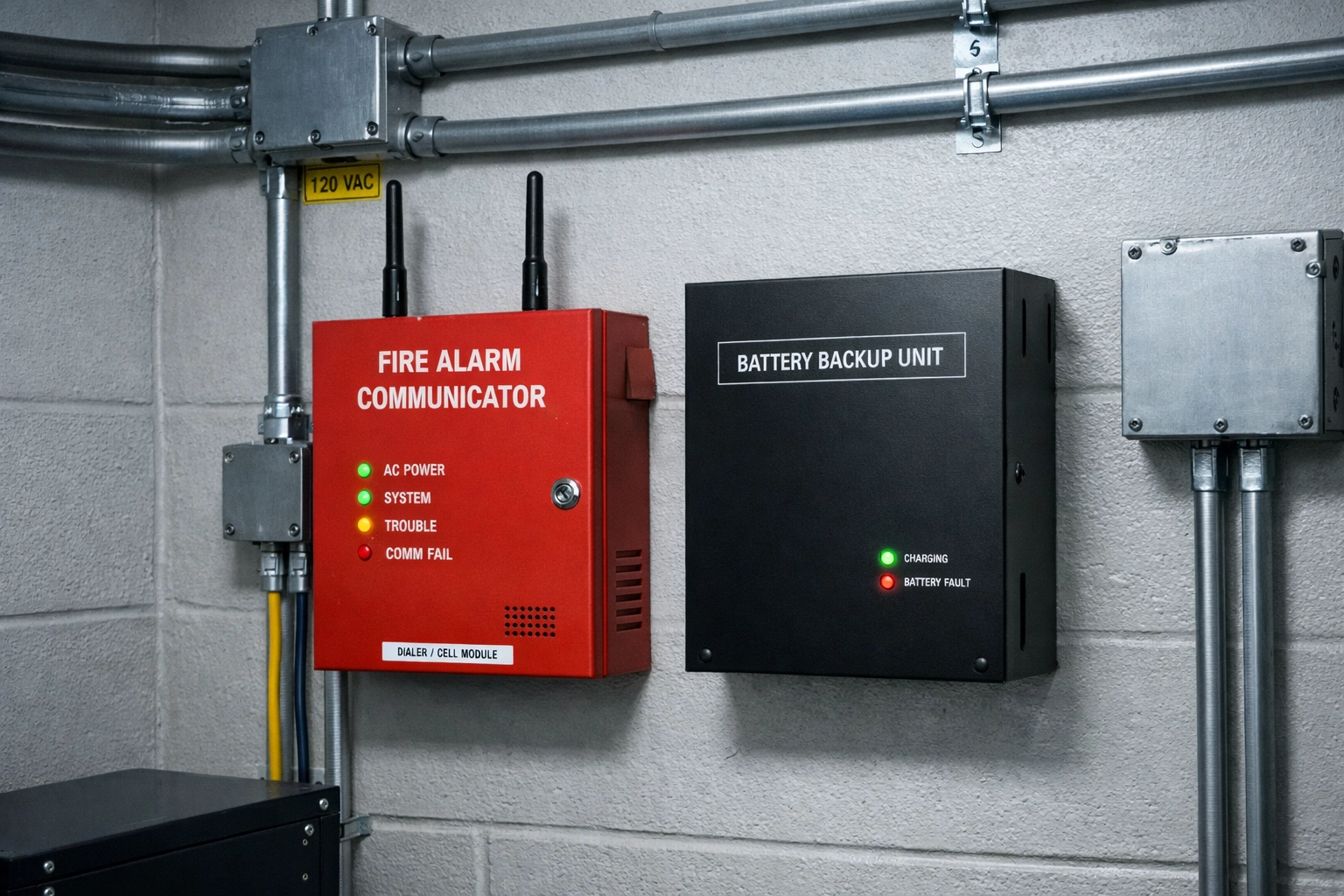
UL 864 certified fire alarm communicator with dual antennas and battery backup system installed

The Implementation Checklist: How to Get It Right

Don't assume your vendor knows fire alarm compliance. Use this checklist to verify you're getting a proper solution:

✅ Verify UL 864 certification documentation before purchasing any equipment
✅ Conduct signal strength testing at your specific location (cell coverage maps aren't always accurate inside buildings)
✅ Test failover scenarios before going live, simulate primary path failure and verify automatic switchover
✅ Document your installation with photos, equipment serial numbers, and test results for inspection records
✅ Schedule training for your facilities team on system monitoring and troubleshooting
✅ Establish a maintenance schedule for battery testing and firmware updates
✅ Confirm your monitoring company supports the new communication method and has updated account programming

Critical Timeline Note: As of 2025, telecom providers only need to give you 90 days' notice before shutting down analog lines. That's three months to evaluate solutions, get quotes, schedule installation, test systems, and pass inspection. Start this process before you receive a shutdown notice, not after.

The Hidden Cost of "Cheap" Solutions

We see it all the time: a facility manager gets three quotes for fire alarm POTS replacement. Two are around $2,500–$3,500 per location. The third is $800.

Guess which one they pick?

Six months later, we get the call: "Our fire alarm failed inspection. The fire marshal red-tagged our building. We need this fixed immediately."

Here's what that "savings" actually cost:

  • Failed inspection: $500–$2,000 in re-inspection fees
  • System replacement: $2,500 for compliant equipment (should have bought this first)
  • Emergency installation: 50% premium for rush service
  • Insurance notification: potential policy complications
  • Business disruption: possible facility closure until compliance is restored

Total cost: $5,000–$8,000 plus operational headaches.

The compliant solution from day one would have cost $3,000.

Why Premier Business Team Gets POTS Replacement Right

We've been helping facilities navigate traditional business phone line replacement since before copper sunset became a crisis. Our team includes specialists who understand the difference between general telecom and life safety communications, and we only recommend solutions that we'd trust in our own buildings.

When you work with Premier Business Team, you get:

  • Code-compliant solutions with UL 864 certification and NFPA 72 verification
  • Dual-path redundancy configured for your specific location and risk profile
  • Pre-installation site surveys including cellular signal testing and failover planning
  • Full documentation packages ready for fire marshal inspection
  • Ongoing monitoring and cloud-based system health visibility
  • Future-proof equipment with remote update capability to adapt to code changes

We handle the technical complexity so you can focus on running your facility, confident that your fire alarm system will work when it matters most.

Frequently Asked Questions About Fire Alarm POTS Replacement

Q: Can I use the same VoIP system for my fire alarm that I use for my office phones?

A: No. Standard business VoIP doesn't meet NFPA 72 or UL 864 requirements. Fire alarm systems need dedicated, certified communicators with dual-path redundancy and integrated battery backup. Mixing life safety communications with general business phone systems creates compliance violations and reliability risks.

Q: How long does a fire alarm POTS replacement installation take?

A: For a single-location facility, expect 2–4 hours for installation plus testing. Multi-building campuses or facilities with complex alarm systems may require a full day. The timeline includes equipment installation, system programming, failover testing, and documentation preparation.

Q: What happens if my building loses power for more than 48 hours?

A: Compliant fire alarm communicators include 48-hour battery backup as mandated by code. If an outage extends beyond that, the monitoring company should receive a low-battery alert and dispatch support. For mission-critical facilities, consider extended battery systems or generator backup for alarm panels.

Q: Do I need to notify my fire alarm monitoring company when replacing POTS lines?

A: Absolutely. Your monitoring company needs to update account programming for the new communication method, verify receiver compatibility, and conduct test signals after installation. Failing to notify them can result in alarm signals not reaching the monitoring station: which defeats the entire purpose of having a fire alarm system.

Q: How much does a compliant fire alarm POTS replacement cost?

A: Expect $2,500–$4,000 per location for a properly certified solution with dual-path redundancy, battery backup, and professional installation. Cheaper options exist but typically fail inspection or require replacement within the first year. This is not an area where cutting costs makes sense.

Don't Wait for the Shutdown Notice

Copper sunset 2026 isn't a distant deadline: it's happening now. With only 90 days' notice before carriers pull the plug on analog lines, waiting until you receive a shutdown letter means you're operating under crisis pressure.

The right time to address fire alarm phone line replacement is before it becomes an emergency.

Ready to ensure your fire alarm system stays compliant and operational?

Call Premier Business Team today at 360-946-2626 for a free consultation. We'll assess your current fire alarm communications, provide a code-compliant solution tailored to your facility, and handle everything from installation to inspection documentation.

Because when it comes to life safety systems, "good enough" isn't good enough. Get it right the first time with specialists who understand both the technology and the regulations.

Contact Premier Business Team | Call 360-946-2626

  • « Go to Previous Page
  • Page 1
  • Interim pages omitted …
  • Page 15
  • Page 16
  • Page 17
  • Page 18
  • Page 19
  • Interim pages omitted …
  • Page 78
  • Go to Next Page »

Get a no obligation quote for your business. Learn More

Proud Chamber Member

Bellingham Chamber Badge

Premier Business Team

Copyright © 2026 · Premier Business Team 2219 Rimland Dr. Suite 301 Bellingham, WA 98226 - 360-946-2626

  • Home
  • Business Internet
  • Business Phone
  • Blog
  • About Us
  • Contact Us
  • Business Quote
  • Engineering
  • Call: 360-946-2626